
AgentWorkforce/relayFrameworks & SDKs
Real time communication for agents. Wake on message, channels, DMs and actions. Useful for orchestrating agents.
818
Real time communication for agents. Wake on message, channels, DMs and actions. Useful for orchestrating agents.
Real-time visualization of Claude Code agent orchestration — see your agents think, branch, and coordinate as they work.
Native macOS menu bar app for tracking Claude AI usage limits in real-time. Built with Swift/SwiftUI.
Reticle intercepts, visualizes, and profiles JSON-RPC traffic between your LLM and MCP servers in real-time, with zero latency overhead. Stop debugging blind. Start seeing everything.

A lightweight macOS menu bar application that monitors and manages Claude Code instances in real-time. Keep track of multiple Claude sessions, their resource usage, and running processes - all from your menu bar.
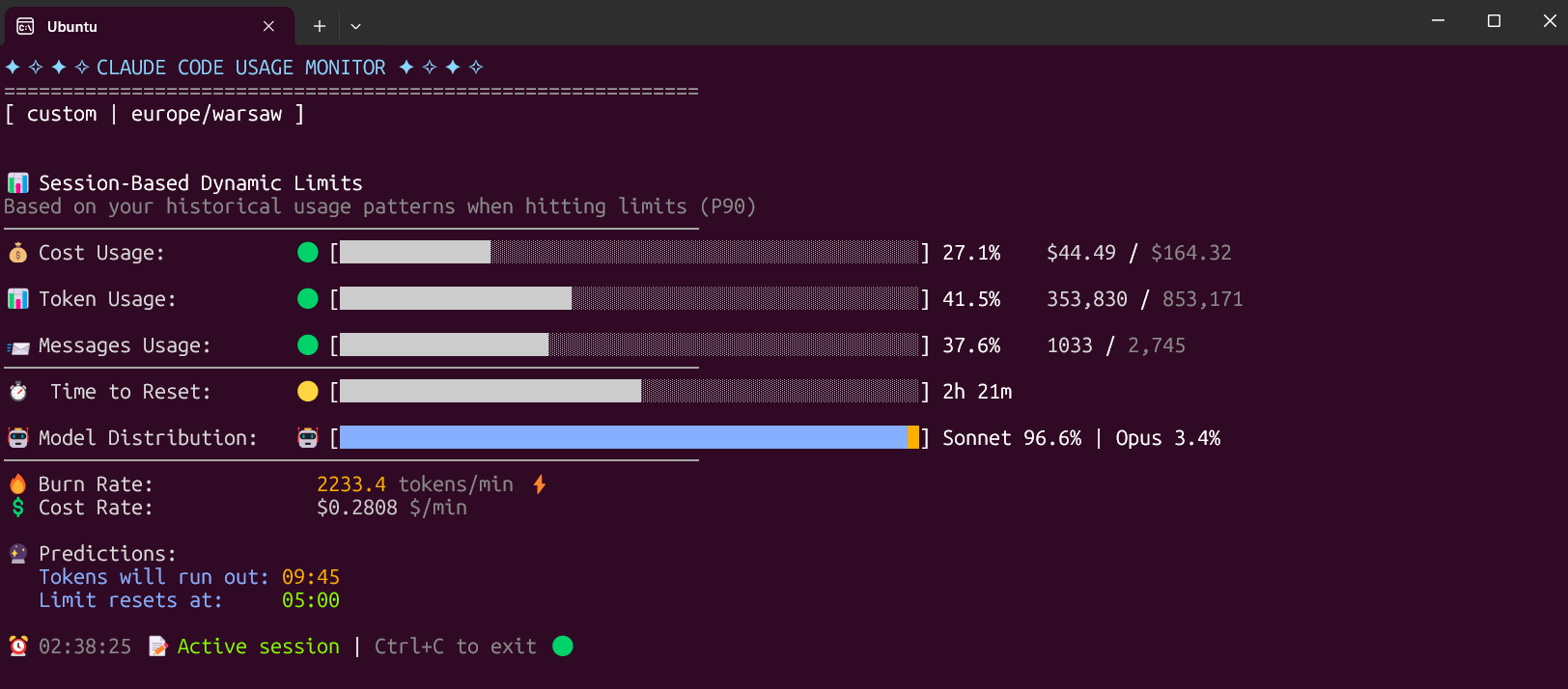
Real-time Claude Code usage monitor with predictions and warnings

Real-time behavioral enforcement for Claude Code. Monitors AI actions, detects violations, and interrupts misbehavior. Also has a cute pet.

Unified real-time search MCP server supporting general web search, vertical domain search, parallel batch search, and full-page URL content extraction.

Structured skill framework for Claude Code. 130 skills, persistent memory, TokenStack compression, localhost dashboard with 3-agent runner, real-time streaming, MCP tools.
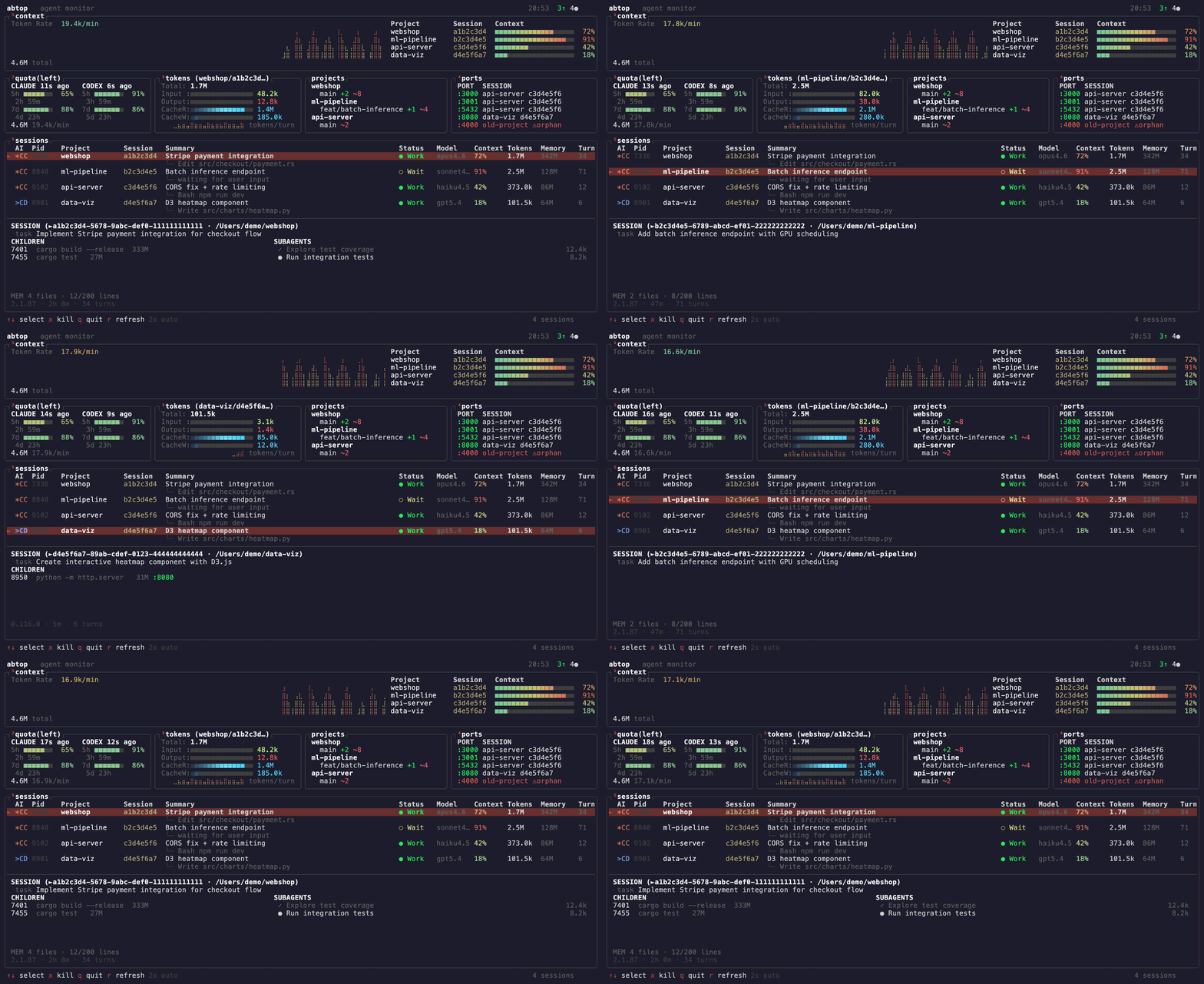
Like htop, but for AI coding agents. Monitor Claude Code & Codex CLI sessions, tokens, context window, rate limits, and ports in real-time.

Real-time AI coding agent status panel in your MacBook notch — live status, approvals & replies for 13 AI tools, with iPhone & Apple Watch companions

Official Microsoft Learn MCP Server and CLI tool – powering LLMs and AI agents with real-time, trusted Microsoft docs & code samples.

A system monitoring tool that exposes system metrics via the Model Context Protocol (MCP). This tool allows LLMs to retrieve real-time system information through an MCP-compatible interface.

Real-time architectural sensor that helps AI agents close the feedback loop, enabling recursive self-improvement of code quality. Pure Rust.

Open-source OpenAI Codex alternative | Multi-agent desktop GUI for OpenCode | manage coding sessions, visualize diffs, and stream in real-time.

A realtime voice runtime that keeps Agents talking, working, and present. Real-time Voice Runtime for AI Agents

A Model Context Protocol (MCP) server that provides file system context to Large Language Models (LLMs). This server enables LLMs to read, search, and analyze code files with advanced caching and real-time file watching capabilities.

A modular Python framework implementing the Model Context Protocol (MCP). It features a standardized client-server architecture over StdIO, integrating LLMs with external tools, real-time weather data fetching, and an advanced RAG (Retrieval-Augmented Generation) system.

🚀 A real-time monitoring dashboard for Claude Code & Codex, built with SQLite3, Node.js, Express, React, Vite, TailwindCSS, & WebSockets. It tracks sessions, agent activity, tool usage, and subagent orchestration, providing live analytics, a Kanban status board, status notifications, a cute buddy, & an interactive web UI/MacOS/Windows native app.

Transform your Claude Code terminal with atomic precision statusline. Features flexible layouts, real-time cost tracking, MCP monitoring, prayer times, and beautiful themes.
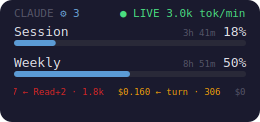
Cross-platform desktop widget + CLI for real-time Claude Code (and opt-in OpenAI Codex) usage — session/weekly limits, cost, forecasts, burn alerts, 11 themes. One pip install (Linux/macOS/Windows).

Agent skill for production-grade ROS 2 development. Progressive-disclosure SKILL.md covering workspace, nodes, executors, QoS, ros2_control, Nav2, MoveIt 2, real-time, and deployment. Works with Claude Code, Codex, Cursor, Gemini CLI.
MCP server for the Live Tennis API — give Claude, Cursor and other LLM agents real-time tennis scores, odds and model win-probability
Curated Agent Skills for Microsoft & Azure – giving AI coding assistants structured, real-time expertise from Microsoft Learn docs.