iFurySt/
open-codex-computer-use

iFurySt/open-codex-computer-useConnectors
👾 Open Computer Use – Open-Source Alternative to Codex Computer Use
2k
👾 Open Computer Use – Open-Source Alternative to Codex Computer Use

💻 Give AI models complete control of your computer (probably a bad idea)

MCP server that gives any LLM its own computer — managed Docker workspaces with live browser, terminal, code execution, document skills, and autonomous sub-agents. Self-hosted, open-source, pluggable into any model.

Windows Computer Use for AI Agents. Both a tool (22 MCP tools for click, type, screenshot, OCR, UI inspection) and an agent (autonomous mission engine, macro recorder, intent-based discovery, event watchers). Built with opencode (DeepSeek V4). Ships as MCP server, web UI, and Tauri desktop app.

Lightweight MCP server for computer use in MacOS
Full computer-use for AI agents. Self-learning workflows. Native macOS. No screenshots required.
MCP Server for Computer Use in Windows

Desktop automation MCP server — computer use for any AI agent: control screen, windows, mouse/keyboard, and Chrome via Model Context Protocol (stdio). Not a DSH plugin — DSH users install dsh-nuphus-mcp.

MCP server for Mac — give AI direct control of Calendar, Mail, Notes, Reminders, Messages, and any Mac app via Computer Use, on-device. Works with Claude Desktop, Cursor, Codex, Raycast, VS Code, Warp, Zed, LM Studio.
The only general AI agent that does NOT requires extra API key, giving you full control on your local and remote MacOs from Claude Desktop App

let any ai agent use the local browser
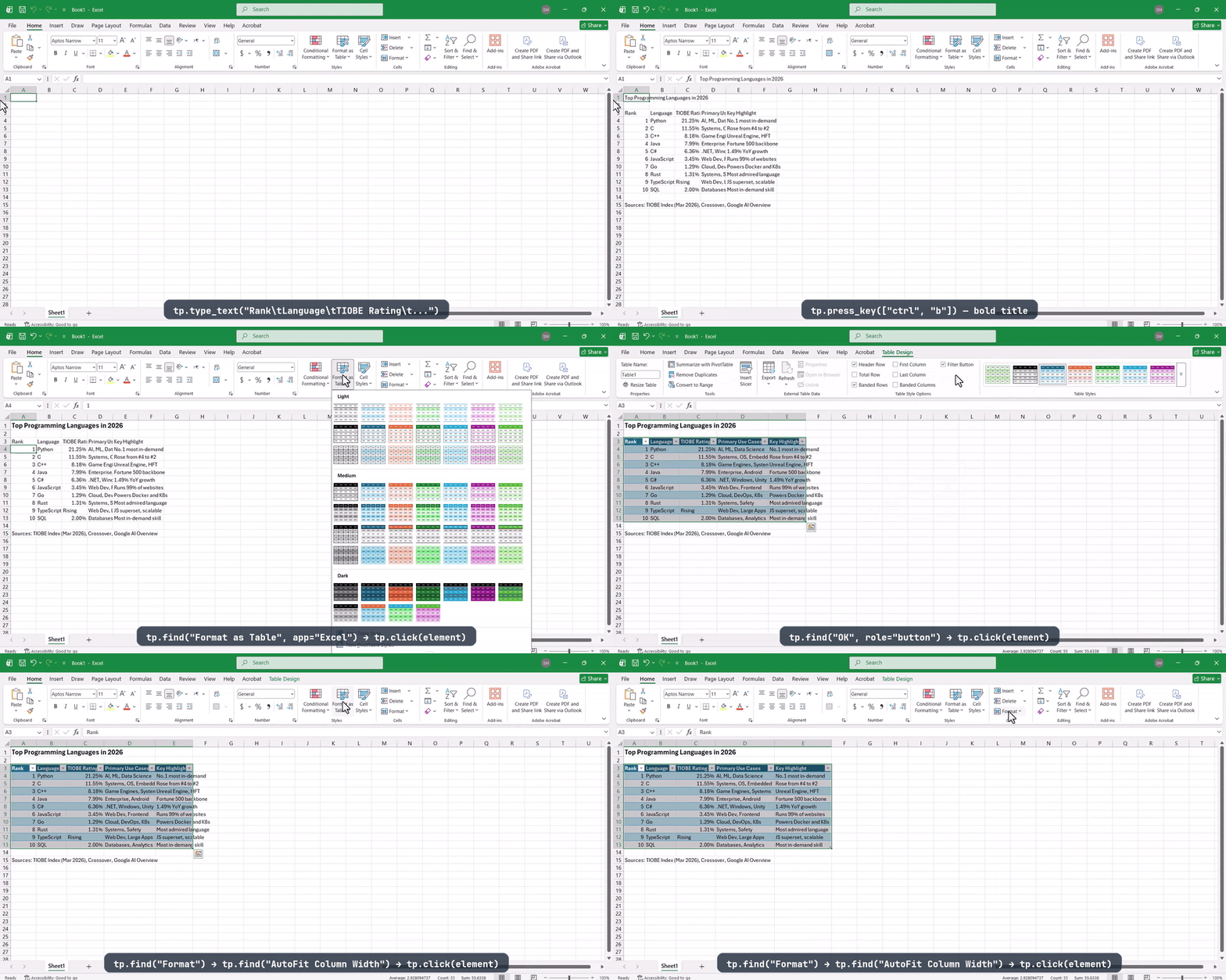
Give your AI agent eyes and hands on any desktop — cross-platform accessibility API with MCP server
Give any AI agent a full desktop — it sees the screen, clicks, types, and runs apps like a human. Automate anything with a UI: browsers, legacy software, internal tools. No API needed. One Docker command.
clawdcursor compiles whatever's on screen into one UI map — accessibility tree and OCR fused into stable, addressable elements, with a screenshot only when needed — then drives apps through reusable scripts, verifying every action and routing it through a single safety gate.