


Ghost OS
Full computer-use for AI agents.




Your AI agent can write code, run tests, search files. But it can't click a button, send an email, or fill out a form. It lives inside a chat box.
Ghost OS changes that. One install, and any AI agent can see and operate every app on your Mac.
|
|
Ghost OS gives AI agents eyes and hands. Shadow gives them memory. Specter gives them a home.
Deploy persistent AI agents to dedicated VMs in 90 seconds. Automatic DNS, TLS, systemd hardening. Interactive TUI dashboard. You own the infrastructure.
AI agents that earn your trust.
|
|
|
Shadow is the other half of the story. Ghost OS gives AI agents eyes and hands on your Mac. Shadow gives them memory and intelligence.
14-modality capture. Proactive suggestions. Episode generation. On-device LLM inference. Computer-use training data. All local, all open source.
Your computer was paying attention the whole time.
|
What's New 
Self-learning recipes. Show Ghost OS how to do something once, and it remembers forever.
ghost_learn_start -- Begin watching the user perform a taskghost_learn_stop -- Stop and return the enriched action sequenceghost_learn_status -- Check recording progress
The user performs the task manually (clicking, typing, switching apps). Ghost OS observes every action through a CGEvent tap enriched with accessibility tree context. Claude synthesizes the raw observation into a parameterized, replayable recipe.
No screenshots needed. No vision model. Just the accessibility tree and your keyboard/mouse.
User: "Watch me send an email."
Agent: ghost_learn_start task_description:"send email in Gmail"
...user performs the task...
Agent: ghost_learn_stop
-> 8 actions with full AX context
-> Synthesizes recipe with 3 parameters: recipient, subject, body
-> ghost_recipe_save
User: "Send an email to bob about the Q4 report"
Agent: ghost_run recipe:"gmail-send-learned" params:{...}
Requires Input Monitoring permission (System Settings > Privacy & Security > Input Monitoring). Run ghost setup to configure.
Previous: v2.1.2
4 new tools. ghost_annotate, ghost_hover, ghost_long_press, ghost_drag. Pinned vision sidecar dependencies, fixed vision model download, Chinese/CJK input support (thanks @junshi5218).
Thank you to the 500+ people who have starred this project. You are why we keep building. If you want to contribute directly, we would love that. See CONTRIBUTING.md.
You: "Send an email to sarah@company.com about the Q4 report"
Agent: ghost_run recipe:"gmail-send" params:{recipient, subject, body}
→ Compose opens, fields fill, email sends. Done.
Setup
Recipes in Action
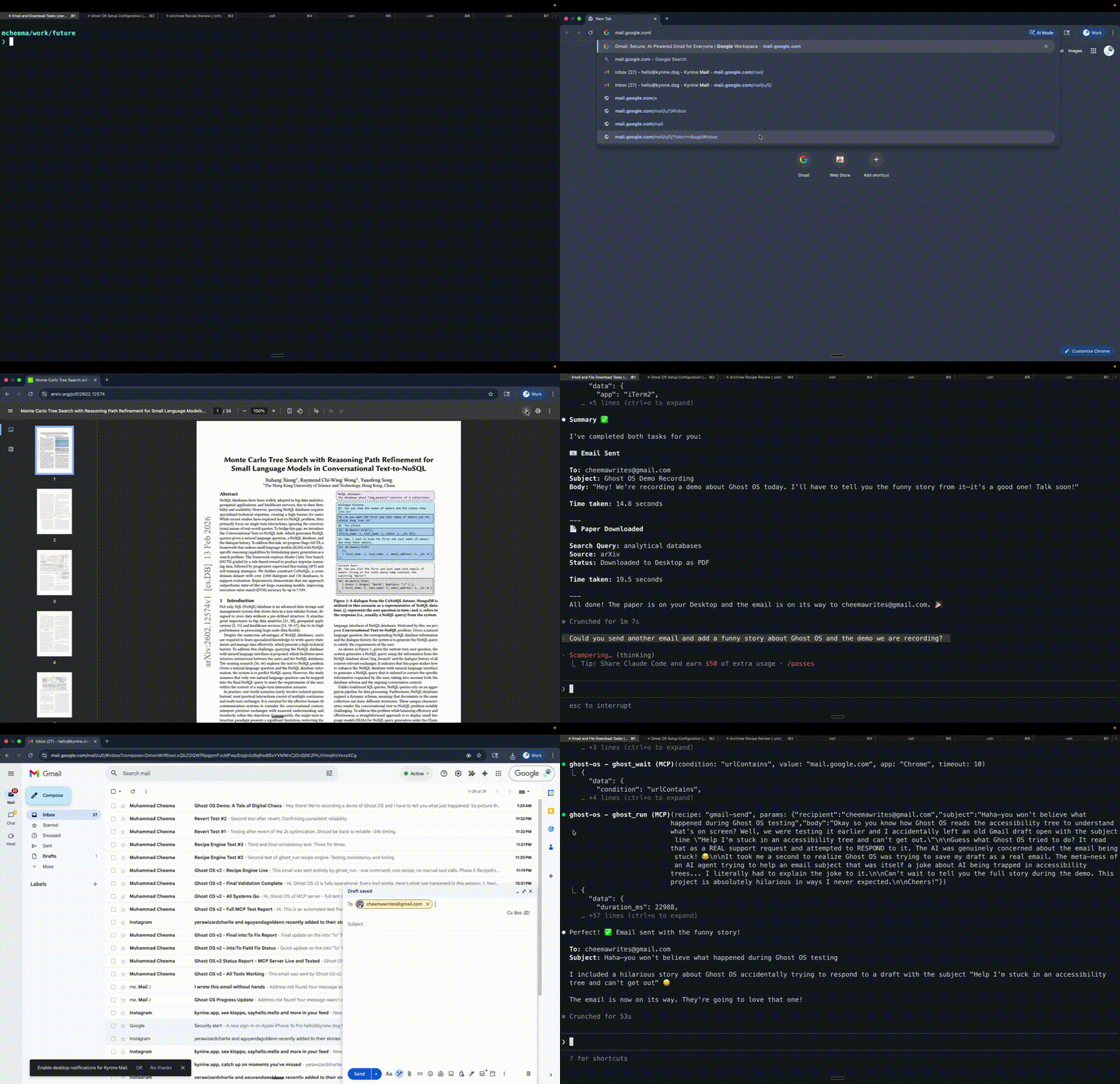
Send emails and download papers. Any app. Any workflow.
Beyond the Browser
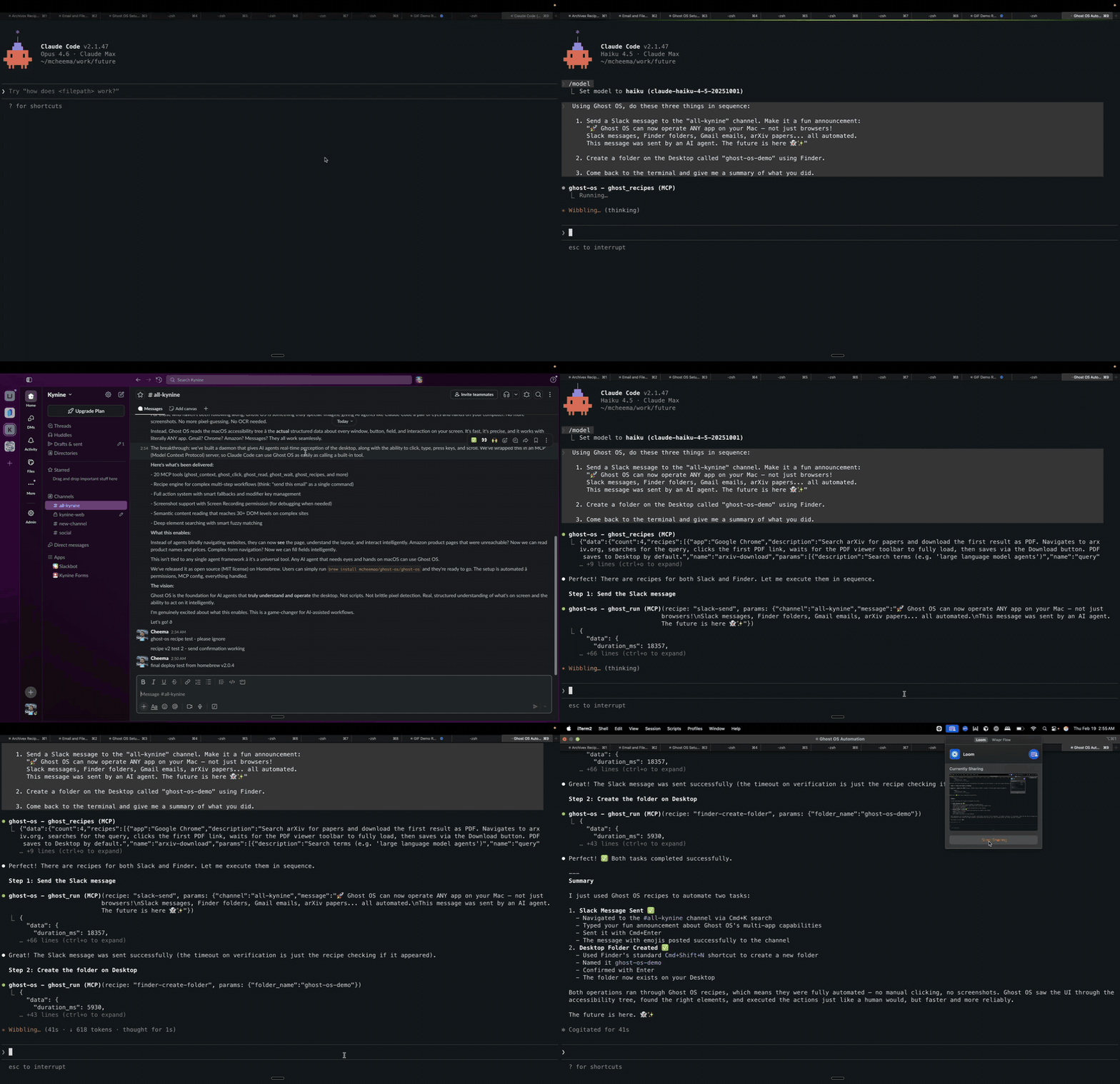
Slack messages, Finder folders — Ghost OS operates native macOS apps, not just browsers.
Why Ghost OS?
Other computer-use tools take screenshots and guess what's on screen. Ghost OS reads the macOS accessibility tree — structured, labeled data about every element in every app. When the AX tree isn't enough (web apps, dynamic content), it falls back to a local vision model (ShowUI-2B) for visual grounding.
And when it figures out a workflow, it saves it. Other tools repeat the same expensive reasoning every time.
- Self-learning — A frontier model figures out the workflow once. A small model runs it forever.
- Transparent — Recipes are JSON. Read every step before running. No black box.
- Native — Accessibility tree first. Vision fallback when needed. Structured data over pixel guessing.
- Any app — Not just browsers. Slack, Finder, Messages — anything on your Mac.
- Local — Your data never leaves your machine.
- Open — MCP protocol. Works with Claude Code, Cursor, VS Code, or any MCP client.
| | Ghost OS | Anthropic Computer Use | OpenAI Operator | OpenClaw |
|---|
| 👀 | How it sees | Accessibility tree + local VLM | Screenshots only | Screenshots only | Browser DOM |
| 🖥️ | Native apps | Any macOS app | Any (via pixels) | Browser only | Browser only |
| 🧠 | Learns workflows | JSON recipes | No | No | No |
| 🔒 | Data stays local | Yes | Depends on setup | No (cloud) | Yes |
| 📖 | Open source | MIT | No | No | MIT |
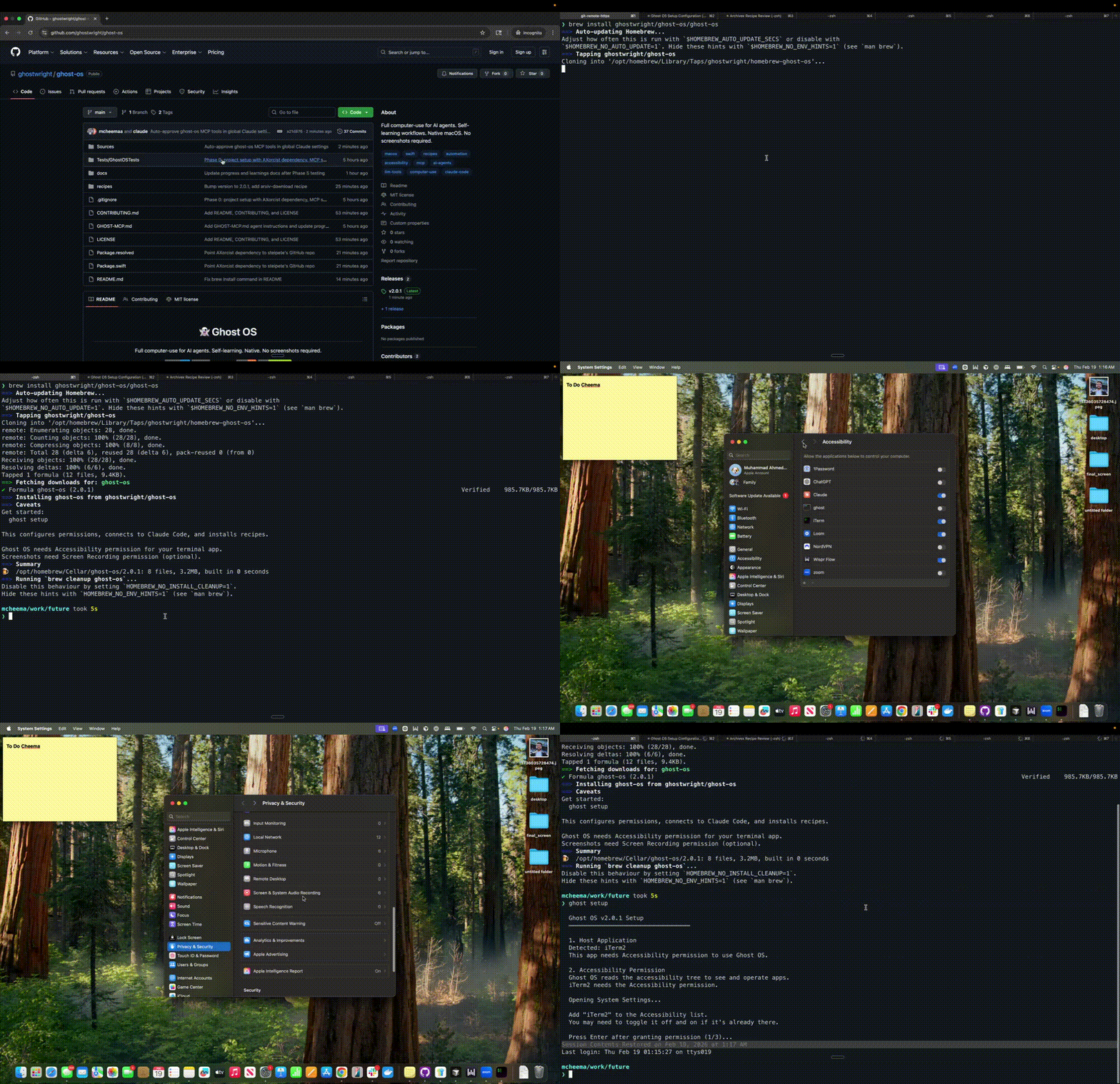
Install
brew install ghostwright/ghost-os/ghost-os
ghost setup
That's it. ghost setup handles permissions, MCP configuration, recipe installation, and vision model setup.
macOS beta? Use the manual install instead.
Homebrew has a known issue on macOS developer betas where it demands an Xcode version that doesn't exist yet. If brew install fails, install directly:
curl -sL https://github.com/ghostwright/ghost-os/releases/latest/download/ghost-os-2.2.1-macos-arm64.tar.gz | tar xz
sudo cp ghost /opt/homebrew/bin/
sudo cp ghost-vision /opt/homebrew/bin/
sudo mkdir -p /opt/homebrew/share/ghost-os
sudo cp GHOST-MCP.md /opt/homebrew/share/ghost-os/
sudo cp -r recipes /opt/homebrew/share/ghost-os/
sudo cp -r vision-sidecar /opt/homebrew/share/ghost-os/
ghost setup
How It Works
Ghost OS connects to your AI agent through MCP and gives it 29 tools to see and operate your Mac. It reads the macOS accessibility tree for structured data about every app. For web apps where the AX tree falls short (Gmail, Slack), a local vision model (ShowUI-2B) finds elements visually. Click, type, hover, drag, scroll, press keys, manage windows. Any app, not just browsers.
You:     "Download the latest paper on chain-of-thought prompting from arXiv"
Agent:   ghost_run recipe:"arxiv-download" params:{query:"chain of thought prompting"}
         → Navigates to arXiv, searches, opens PDF, downloads to Desktop. Done.
Works with Claude Code, Cursor, VS Code, or anything that speaks MCP.
Recipes
When your agent figures out a workflow, it saves it as a recipe. A recipe is a JSON file with steps, parameters, and wait conditions. Transparent and auditable.
A frontier model figures out the workflow once. A small model runs it forever.
# One command sends an email
ghost_run recipe:"gmail-send" params:{"recipient":"hello@example.com","subject":"Hello","body":"World"}

# 7 steps, 30 seconds, 100% reliable
- Recipes are just JSON. Read every step before running.
- Share with your team. One person learns the workflow, everyone benefits.
- Chain recipes together. The agent knows when to call what.
- Write once with Claude or GPT-4. Run forever with Haiku.
29 Tools
| Tool | What it does |
|---|
| 🔍 | ghost_context | Get the current app, window title, URL, focused element, and all interactive elements on screen |
| 🔍 | ghost_state | List every running app with its windows, positions, and sizes |
| 🔍 | ghost_find | Search for elements by name, role, DOM id, or CSS class across the entire UI |
| 🔍 | ghost_read | Extract text content from any app, with depth control for nested content |
| 🔍 | ghost_inspect | Get complete metadata for one element: role, position, actions, DOM id, editable state |
| 🔍 | ghost_element_at | Identify what element is at a specific screen coordinate |
| 📸 | ghost_screenshot | Capture a window screenshot for visual debugging |
| 📸 | ghost_annotate | Screenshot with numbered labels on interactive elements and click coordinates |
| 👁️ | ghost_ground | Find element coordinates using vision (ShowUI-2B). Works when AX tree can't find web elements |
| 👁️ | ghost_parse_screen | Detect all interactive elements via vision |
| 🎯 | ghost_click | Click an element by name, DOM id, or screen coordinates |
| 🎯 | ghost_hover | Move cursor to an element or position to trigger tooltips and hover effects |
| 🎯 | ghost_long_press | Press and hold for context menus, Force Touch previews, and drag initiation |
| 🎯 | ghost_drag | Drag from one point to another for file moves, sliders, list reordering, text selection |
| ⌨️ | ghost_type | Type text into a specific field by name, or at the current cursor |
| ⌨️ | ghost_press | Press a single key like Return, Tab, Escape, or arrow keys |
| ⌨️ | ghost_hotkey | Press key combinations like Cmd+L, Cmd+Return, Cmd+Shift+P |
| 🎯 | ghost_scroll | Scroll up, down, left, or right in any app window |
| 🪟 | ghost_focus | Bring any app or specific window to the front |
| 🪟 | ghost_window | Minimize, maximize, close, move, or resize any window |
| ⏳ | ghost_wait | Wait for a URL change, element to appear or disappear, or title change |
| 📦 | ghost_recipes | List all installed recipes with descriptions and parameters |
| ▶️ | ghost_run | Execute a recipe with parameter substitution |
| 📦 | ghost_recipe_show | View the full steps and configuration of a recipe |
| 📦 | ghost_recipe_save | Install a new recipe from JSON |
| 📦 | ghost_recipe_delete | Remove an installed recipe |
| 🎓 | ghost_learn_start | Start observing the user's actions for workflow learning |
| 🎓 | ghost_learn_stop | Stop observing and return the enriched action sequence |
| 🎓 | ghost_learn_status | Check if learning mode is active and recording stats |
Diagnostics
$ ghost doctor

  [ok] Accessibility: granted
  [ok] Screen Recording: granted
  [ok] Input Monitoring: granted (for learning mode)
  [ok] Processes: 1 ghost MCP process
  [ok] MCP Config: ghost-os configured
  [ok] Recipes: 5 installed
  [ok] AX Tree: 12/12 apps readable
  [ok] ghost-vision: /opt/homebrew/bin/ghost-vision
  [ok] ShowUI-2B model: ~/.ghost-os/models/ShowUI-2B (3.0 GB)
  [ok] Vision Sidecar: not running (auto-starts when needed)

  All checks passed. Ghost OS is healthy.
Build From Source
git clone https://github.com/ghostwright/ghost-os.git
cd ghost-os
swift build
.build/debug/ghost setup
Requires Swift 6.2+ and macOS 14+.
Architecture
AI Agent (Claude Code, Cursor, any MCP client)
    │
    │ MCP Protocol (stdio)
    │
Ghost OS MCP Server (Swift)
    │
    ├── Perception ──── see what's on screen (AX tree)
    ├── Vision ──────── visual grounding (ShowUI-2B, local)
    ├── Actions ─────── click, type, scroll, keys
    ├── Recipes ─────── self-learning workflows
    └── AXorcist ────── macOS accessibility engine
~7,000 lines of Swift + Python vision sidecar. Built on AXorcist by @steipete.
Contributing
See CONTRIBUTING.md. We need recipes for more apps, testing on different setups, and bug reports. If you're building AI agents that do real things, this is the project.
Contributors
Thanks to everyone who has contributed to Ghost OS.

License
MIT




