

koala73/worldmonitorConnectors
Real-time global intelligence dashboard. AI-powered news aggregation, geopolitical monitoring, and infrastructure tracking in a unified situational awareness interface
86k
Caelune builds local indexes from Markdown, PDF, and Tika-backed files, then serves search results through a Windows app and a read-only MCP server. It combines text search, vector search, optional reranking, and source-linked result review.
Builders who keep private notes and documents on their own computer and want an agent to search them through MCP.
You can search private local documents from your desktop app or an MCP client without giving the agent write access.
Keeps indexes, config, models, logs, and runtime payloads under the local data root.
Combines SQLite FTS5, semantic vector search, and optional reranking for one query flow.
Understands Markdown content plus Logseq properties, block references, and embeds.
Builds separate extension indexes and merges them into unified results with source labels.
Watches for file changes and updates indexes incrementally after a quiet period.
Exposes `omniclip.status` and `omniclip.search` for MCP clients without allowing index edits.
A local-first Windows desktop app and read-only MCP server for searching private Markdown, PDF, and Tika-backed knowledge bases.





Download Windows app · 中文说明 · Website · User Wiki · MCP Setup
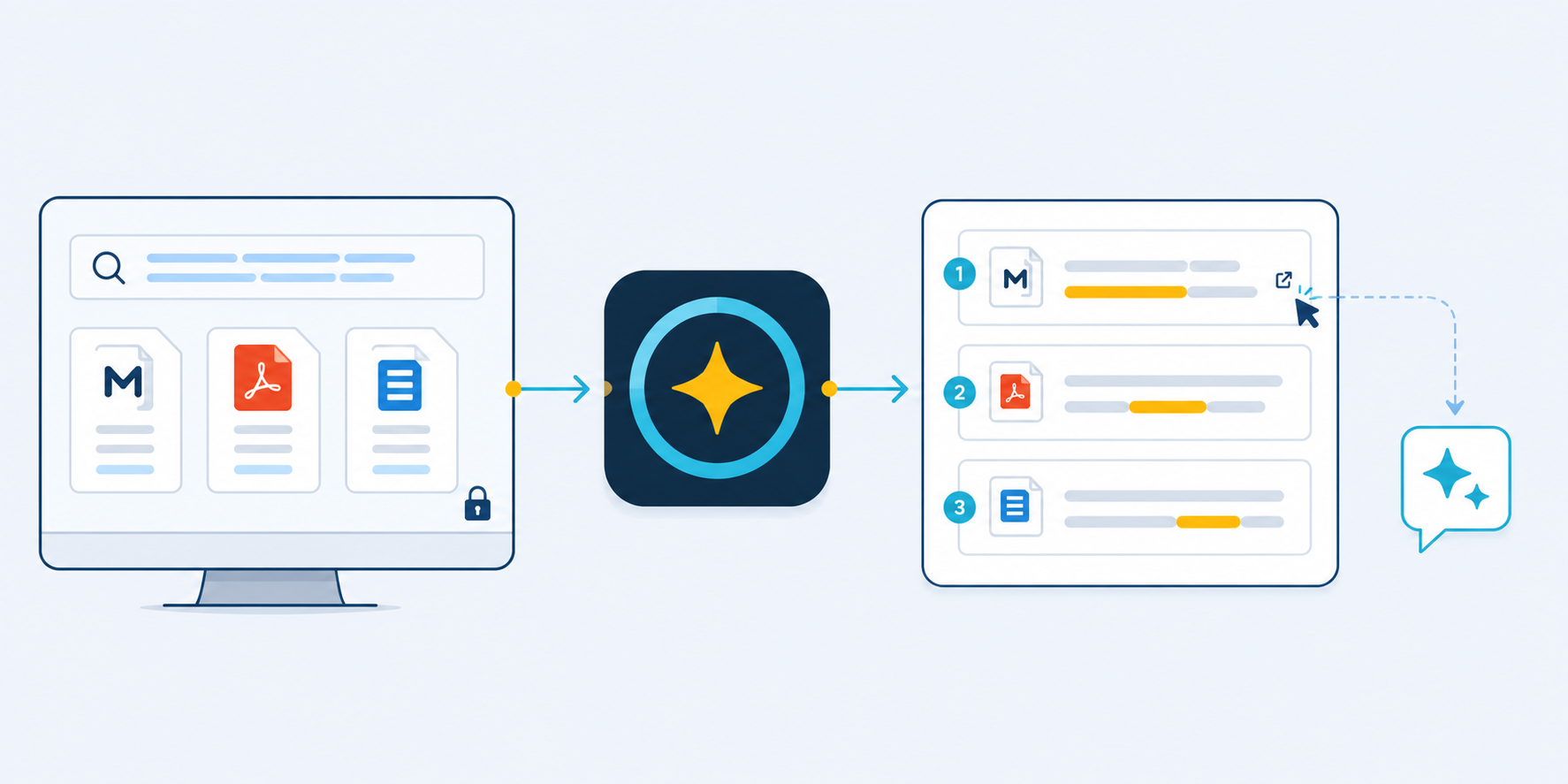
Caelune builds searchable indexes from knowledge you already keep on your own computer. It combines exact-text retrieval, structural signals, semantic vector search, optional reranking, and source-aware context assembly.
The desktop app manages data roots, Runtime components, models, knowledge-base builds, live watch, queries, and result review. The optional MCP server exposes the same retrieval core to MCP-capable AI clients through two read-only tools.
| I want to… | Start here |
|---|---|
| Install the Windows app and build my first index | Getting Started |
| Understand Runtime, models, CPU, CUDA, or resource messages | Runtime and Models |
| Keep indexes current after editing notes | Knowledge Bases and Live Watch |
| Connect an AI client through MCP | MCP Integration |
| Diagnose a problem safely | Troubleshooting |
The Query Console keeps input, scope, retrieval settings, and live query state together. Results and Details uses a separate page for source-labelled hits, snippet review, full-context selection, and page filtering.


Open the latest release and choose the package that matches your use case:
| Package label | Use it for |
|---|---|
WIN-EXE | Normal Windows desktop use: configure, build, watch, search, and review results |
MCP-...-win64.zip | Manual stdio setup for an MCP client |
.mcpb | MCP Registry or MCPB-aware clients |
The MCP package does not build or modify knowledge bases. Build the index with the Windows desktop app first.
BAAI/bge-m3, and optional BAAI/bge-reranker-v2-m3.Caelune is local-first, not a promise that every possible workflow is permanently offline.
Keep backups of important source material and review retrieved context before using it in high-stakes work.
WIN-EXE.Caelune.exe.Detailed instructions: Getting Started.
The Runtime and models are external sidecars so healthy components can be reused across application versions. See Runtime and Models.
flowchart LR
    A["Markdown / PDF / Tika sources"] --> B["Local parsing and indexes"]
    B --> C["FTS5 lexical recall"]
    B --> D["LanceDB semantic recall"]
    C --> E["Fusion and filters"]
    D --> E
    E --> F["Optional reranking"]
    F --> G["Results and context pack"]
    G --> H["Clipboard or read-only MCP"]
stdio configuration, or use the Registry/MCPB package.Caelune-MCP.exe.omniclip.status to inspect readiness and active retrieval modeomniclip.search to retrieve source-labelled resultsSome clients do not accept local stdio servers directly and may require a local proxy. See the MCP Integration Wiki and MCP_SETUP.md.
| Topic | Guide |
|---|---|
| Installation and first build | Getting Started |
| Runtime, models, CPU, and CUDA | Runtime and Models |
| Knowledge bases and live watch | Knowledge Bases and Live Watch |
| Query stages and resource messages | Search and Resources |
| PDF and Tika sources | PDF and Tika |
| MCP clients and tools | MCP Integration |
| Common problems | Troubleshooting |
# Desktop GUI
.\scripts\run_gui.ps1

# CLI status and query
.\scripts\run.ps1 status
.\scripts\run.ps1 query "your question"

# Build Windows packages
.\scripts\build_exe.ps1

# MCP self-check from source
python launcher_mcp.py --mcp-selfcheck
Developer orientation and architecture links live in Development and Architecture.
Caelune is released under the MIT License. It relies on open-source projects including PySide6, SQLite, LanceDB, Apache Arrow, PyTorch, sentence-transformers, Transformers, BGE models, PyPDF, Apache Tika, Eclipse Temurin, watchdog, PyInstaller, and the Model Context Protocol SDK.
See THIRD_PARTY_NOTICES.md for the repository-level legal and distribution notices.
Caelune and its retrieval results are provided without warranty. Verify important results, maintain backups, and do not use retrieved context or downstream AI output as the sole basis for medical, legal, financial, safety-critical, or other high-stakes decisions.
Sign in to join the discussion.
No comments yet. Be the first to say what this is good for.
Real-time global intelligence dashboard. AI-powered news aggregation, geopolitical monitoring, and infrastructure tracking in a unified situational awareness interface
High-performance code intelligence MCP server. Indexes codebases into a persistent knowledge graph — average repo in milliseconds. 158 languages, sub-ms queries, 99% fewer tokens. Single static binary, zero dependencies.

Universal provider proxy for OpenAI Codex & Claude Code — use any LLM (Claude, Gemini, Grok, DeepSeek, Ollama…) with Codex CLI, App, SDK, and Claude Code

Git-native persistent memory for AI coding agents. Implements Google OKF v0.2 with sub-300µs in-memory BM25 search, embedded MCP server, and progressive disclosure. Slashes token bloat by 80% with zero external databases or dependencies. Built in pure Go.

Stop your AI from making things up — it proposes, deterministic tools decide, every claim checked against ground truth with evidence. Grounded facts and context survive resets. Reverse engineering is the proving ground. MCP server + CLI.
x64dbg-MCP Server is a native MCP (Model Context Protocol) plugin for x64dbg that exposes the debugger's full functionality over HTTP. Connect any MCP-compatible AI assistant and control x64dbg programmatically: set breakpoints, step through code, read memory, dump registers, and more. Built with Zig — zero dependencies, single-binary output, cros