

koala73/worldmonitorConnectors
Real-time global intelligence dashboard. AI-powered news aggregation, geopolitical monitoring, and infrastructure tracking in a unified situational awareness interface
86k
itasca-mcp connects an agent to ITASCA software through MCP so it can read command and API docs, run code, and manage simulation tasks. The server uses a bridge started inside the engine, and the agent can then query docs, submit work, watch progress, interrupt tasks, and inspect history.
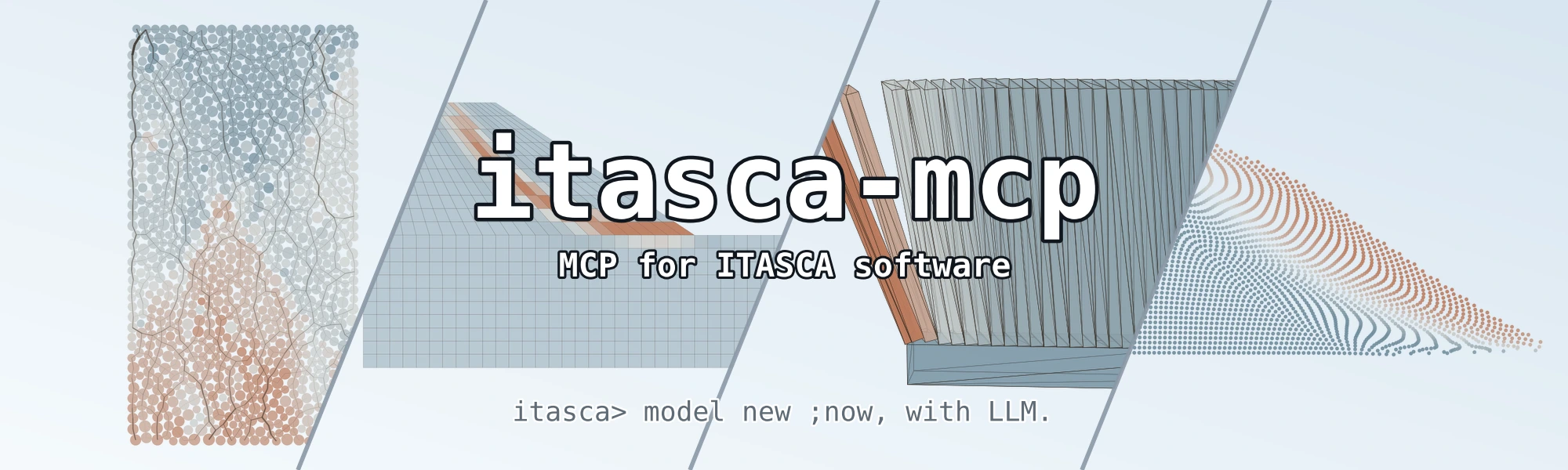
Builders who want their agent to work with PFC, FLAC, 3DEC, MPoint, or MassFlow from Claude Code, Codex, Gemini CLI, or another MCP client.
You can run and inspect geomechanics simulations with your agent instead of switching between docs, scripts, and the engine UI.
Browse command docs, Python API docs, and reference docs for PFC, FLAC, 3DEC, MPoint, and MassFlow.
Switch between engine versions with the `version` parameter for supported PFC, FLAC, and 3DEC releases.
Move through command trees so the agent can find valid commands and avoid inventing ones.
Run code while a simulation is still active to inspect model state or test quick changes.
Submit long-running jobs, monitor progress, interrupt them, and review task history.
Use the agentic setup guide in `docs/agentic/itasca-mcp-bootstrap.md` to self-configure a client.
Fetch and follow this bootstrap guide end-to-end:
https://raw.githubusercontent.com/yusong652/itasca-mcp/main/docs/agentic/itasca-mcp-bootstrap.md
# Claude Code
claude mcp add itasca-mcp -- uvx itasca-mcp

# Codex / Codex-cli
codex mcp add itasca-mcp -- uvx itasca-mcp

# Gemini CLI
gemini mcp add itasca-mcp uvx itasca-mcp





itasca>model new ;now, with LLM.
itasca-mcp connects AI agents to ITASCA's geomechanics simulation software — PFC, FLAC, 3DEC, MPoint, and MassFlow — through the Model Context Protocol. Browse documentation, run simulations, and execute code, all through natural conversation.
itasca>model solve ;LLM solves.

5 documentation tools — browse and search the selected engine's commands, Python API, and reference docs. No bridge required.
5 execution tools — interactive REPL, task submission, progress monitoring, interruption, and history. Requires bridge.
zone commands between FLAC 7.0 and 9.0?"uvx)Copy this to your AI agent and let it self-configure:
Fetch and follow this bootstrap guide end-to-end:
https://raw.githubusercontent.com/yusong652/itasca-mcp/main/docs/agentic/itasca-mcp-bootstrap.md
1. Register the MCP server with your agent.
Most agents register it with a single command:
# Claude Code
claude mcp add itasca-mcp -- uvx itasca-mcp

# Codex / Codex-cli
codex mcp add itasca-mcp -- uvx itasca-mcp

# Gemini CLI
gemini mcp add itasca-mcp uvx itasca-mcp
Or fill in the MCP config file manually:
{
  "mcpServers": {
    "itasca-mcp": {
      "command": "uvx",
      "args": ["itasca-mcp"]
    }
  }
}
2. Start the bridge from inside the ITASCA engine:
Download addon.py, then use either of these two flows inside the engine GUI (PFC, FLAC, 3DEC, ...):
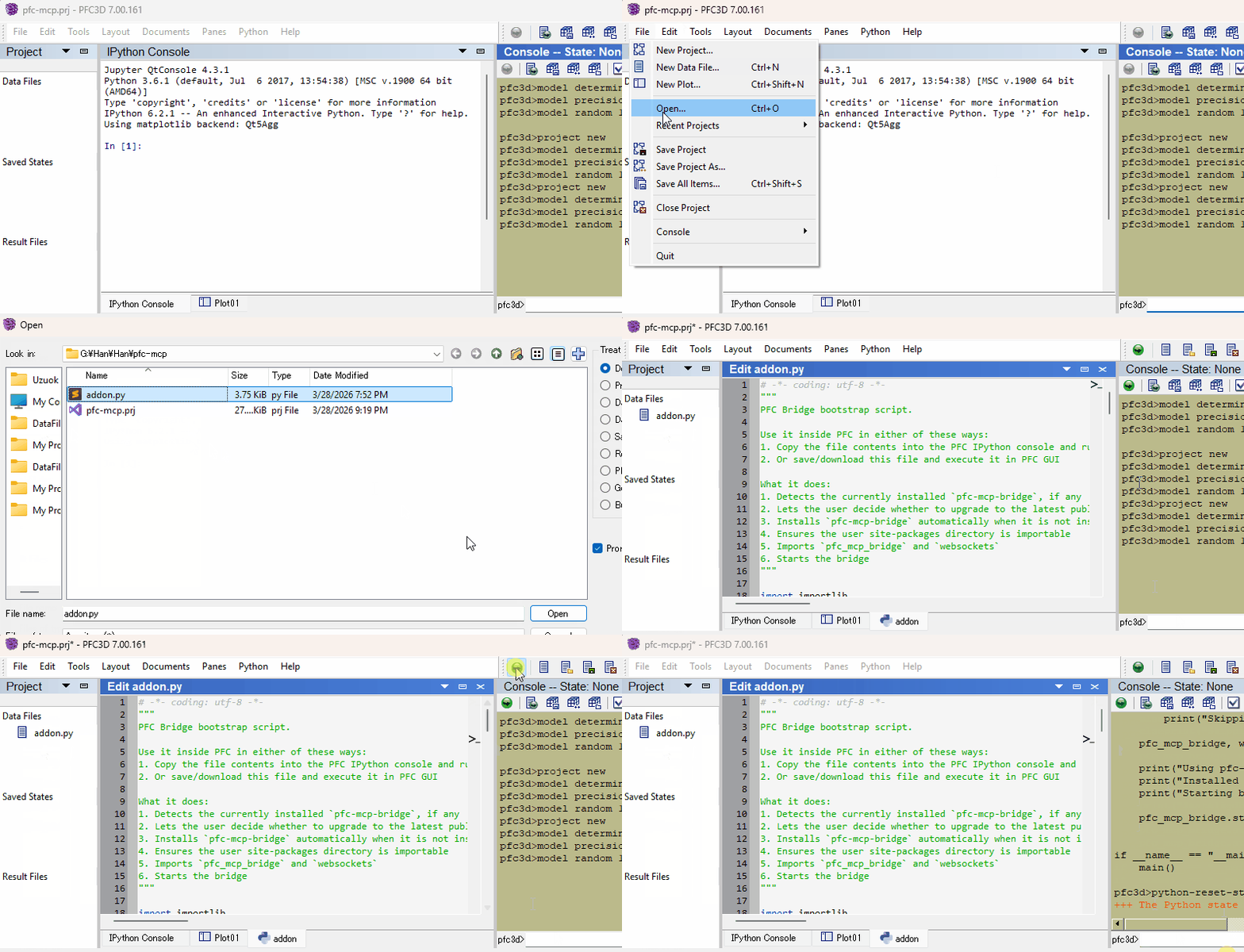
Restart your AI agent and ask it to call itasca_execute_code to verify the connection.
Once first-time setup is done, each new engine session only needs the bridge re-started — run this in the engine's IPython console and you're back online:
import itasca_mcp_bridge
itasca_mcp_bridge.start()
start() checks PyPI for a newer bridge release and self-upgrades before starting. The MCP client config persists.
software parameterversion parameterSee Troubleshooting in the bootstrap guide.
See Developer Guide: Install and Run from Source.
PRs and issues are welcome! See CONTRIBUTING.md for where changes land and how the documentation corpus is structured, and the Developer Guide for the source install.
MIT - see LICENSE.
Sign in to join the discussion.
No comments yet. Be the first to say what this is good for.
Real-time global intelligence dashboard. AI-powered news aggregation, geopolitical monitoring, and infrastructure tracking in a unified situational awareness interface
High-performance code intelligence MCP server. Indexes codebases into a persistent knowledge graph — average repo in milliseconds. 158 languages, sub-ms queries, 99% fewer tokens. Single static binary, zero dependencies.

Universal provider proxy for OpenAI Codex & Claude Code — use any LLM (Claude, Gemini, Grok, DeepSeek, Ollama…) with Codex CLI, App, SDK, and Claude Code

Git-native persistent memory for AI coding agents. Implements Google OKF v0.2 with sub-300µs in-memory BM25 search, embedded MCP server, and progressive disclosure. Slashes token bloat by 80% with zero external databases or dependencies. Built in pure Go.

Local-first code intelligence graph for MCP and CLI. Builds a persistent map of your codebase so AI coding tools read only what matters, with benchmarked context reductions on reviews and large-repo workflows.

Stop your AI from making things up — it proposes, deterministic tools decide, every claim checked against ground truth with evidence. Grounded facts and context survive resets. Reverse engineering is the proving ground. MCP server + CLI.