
koala73/worldmonitorConnectors
Real-time global intelligence dashboard. AI-powered news aggregation, geopolitical monitoring, and infrastructure tracking in a unified situational awareness interface
86k
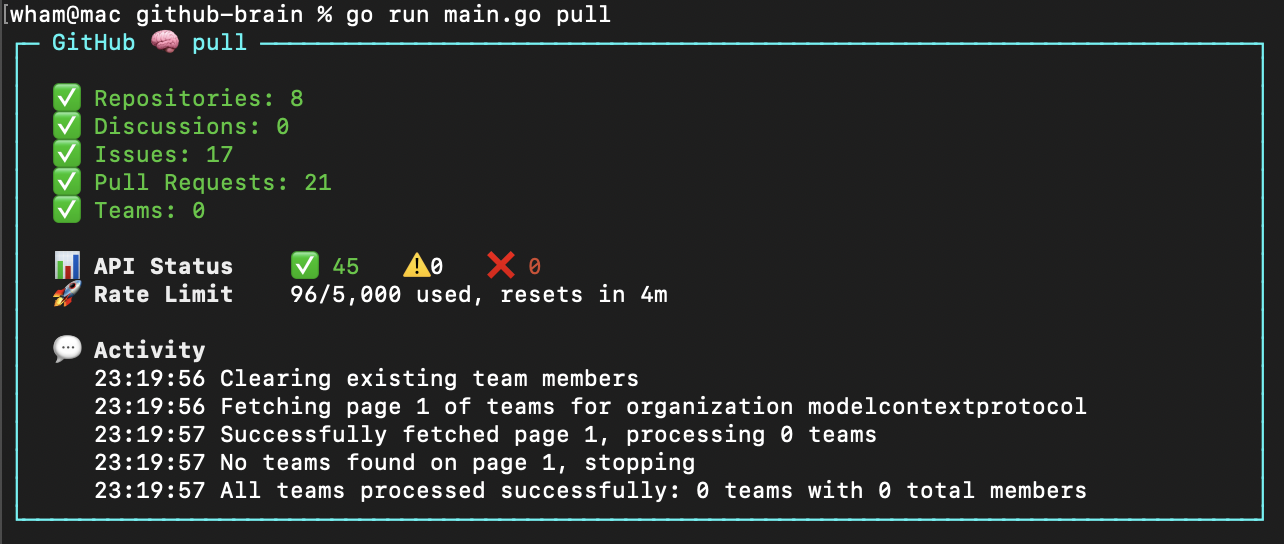
GitHub Brain is an MCP server that pulls GitHub discussions, issues, and pull requests into a local database. That lets an agent answer summary questions quickly, beyond the usual API item limits, and return Markdown that is easier to read in chat.
People who want their agent to query GitHub history from a local cache instead of re-reading the API each time.
You can ask for summaries and contribution breakdowns over GitHub activity without re-explaining the same context or waiting on repeated API calls.
Pulls GitHub data into a local store so later questions are answered from disk instead of live API calls.
Answers questions about contributions and monthly activity across GitHub discussions, issues, and pull requests.
Runs as an MCP server with `github-brain mcp` so Claude or other MCP clients can connect to it.
Starts a TUI for login, config editing, and database population before serving requests.
npm i -g github-brain
npx github-brain@latest
github-brain
npx github-brain@latest
GITHUB_TOKEN=your_github_token
ORGANIZATION=my-org

GitHub Brain is an experimental MCP server for summarizing GitHub discussions, issues, and pull requests. Answer questions like:
https://github.com/user-attachments/assets/80910025-9d58-4367-af00-bf4c51e6ce86
GitHub Brain complements (but does not replace) the official GitHub MCP server. It stores GitHub data in a local database for:
GitHub Brain is programmed in Markdown.
npm i -g github-brain
Rerun to update. sudo may be required on some systems.
Alternatively use npx to run without installing globally and needing sudo.
npx github-brain@latest
github-brain
Or with npx:
npx github-brain@latest
Launches the interactive TUI where you can:
.env directlyRe-run pull anytime to update the database with new GitHub data.
The app loads environment variables from a .env file in the GitHub Brain's home directory - ~/.github-brain by default.
GITHUB_TOKEN=your_github_token
ORGANIZATION=my-org
| Argument | Description |
|---|---|
-m | Home directory. Default: ~/.github-brain |
Use [fine-grained personal access tokens](https://github.com/settings/personal-access-tokens).

**Private organizations:** Token needs read access to discussions, issues, metadata, and pull requests. [Generate token](https://github.com/settings/personal-access-tokens/new?name=github-brain&description=http%3A%2F%2Fgithub.com%2Fwham%2Fgithub-brain&issues=read&pull_requests=read&discussions=read).

**Public organizations:** Any token works (data is publicly accessible).
Start the MCP server using the local database:
github-brain mcp
Or with npx:
npx github-brain@latest mcp
| Argument | Variable | Description |
|---|---|---|
-o | ORGANIZATION | GitHub organization. Required. |
-m | Home directory. Default: ~/.github-brain |
Add to the Claude MCP configuration file:
{
  "mcpServers": {
    "github-brain": {
      "type": "stdio",
      "command": "github-brain",
      "args": ["mcp"]
    }
}
Or with npx:
{
  "mcpServers": {
    "github-brain": {
      "type": "stdio",
      "command": "npx",
      "args": ["github-brain@latest", "mcp"]
    }
}
Merge with existing mcpServers if present.
Add to the VS Code MCP configuration file:
{
  "servers": {
    "github-brain": {
      "type": "stdio",
      "command": "github-brain",
      "args": ["mcp"],
      "version": "0.0.1"
    }
  }
}
Or with npx:
{
  "servers": {
    "github-brain": {
      "type": "stdio",
      "command": "npx",
      "args": ["github-brain@latest", "mcp"],
      "version": "0.0.1"
    }
  }
}
Merge with existing servers if present.
scripts/run builds and runs github-brain with the checkout directory as home -m (database in db/, config in .env).
Sign in to join the discussion.
No comments yet. Be the first to say what this is good for.
Real-time global intelligence dashboard. AI-powered news aggregation, geopolitical monitoring, and infrastructure tracking in a unified situational awareness interface
High-performance code intelligence MCP server. Indexes codebases into a persistent knowledge graph — average repo in milliseconds. 158 languages, sub-ms queries, 99% fewer tokens. Single static binary, zero dependencies.

Universal provider proxy for OpenAI Codex & Claude Code — use any LLM (Claude, Gemini, Grok, DeepSeek, Ollama…) with Codex CLI, App, SDK, and Claude Code

Git-native persistent memory for AI coding agents. Implements Google OKF v0.2 with sub-300µs in-memory BM25 search, embedded MCP server, and progressive disclosure. Slashes token bloat by 80% with zero external databases or dependencies. Built in pure Go.

Local-first code intelligence graph for MCP and CLI. Builds a persistent map of your codebase so AI coding tools read only what matters, with benchmarked context reductions on reviews and large-repo workflows.

Stop your AI from making things up — it proposes, deterministic tools decide, every claim checked against ground truth with evidence. Grounded facts and context survive resets. Reverse engineering is the proving ground. MCP server + CLI.