Copilot Proxy API for Claude Code and Codex CLI
Self-hosted GitHub Copilot bridge for Claude Code and Codex CLI with OpenAI Responses, Anthropic Messages, streaming resilience, and context management.




Quick Start
With Node.js and an active GitHub Copilot subscription:
npx copilot-proxy-api@latest start --claude-code
Complete the GitHub sign-in, choose your models, then paste the generated Claude Code command into a new terminal.
Client guides: Claude Code · Codex CLI · Generic OpenAI and Anthropic clients
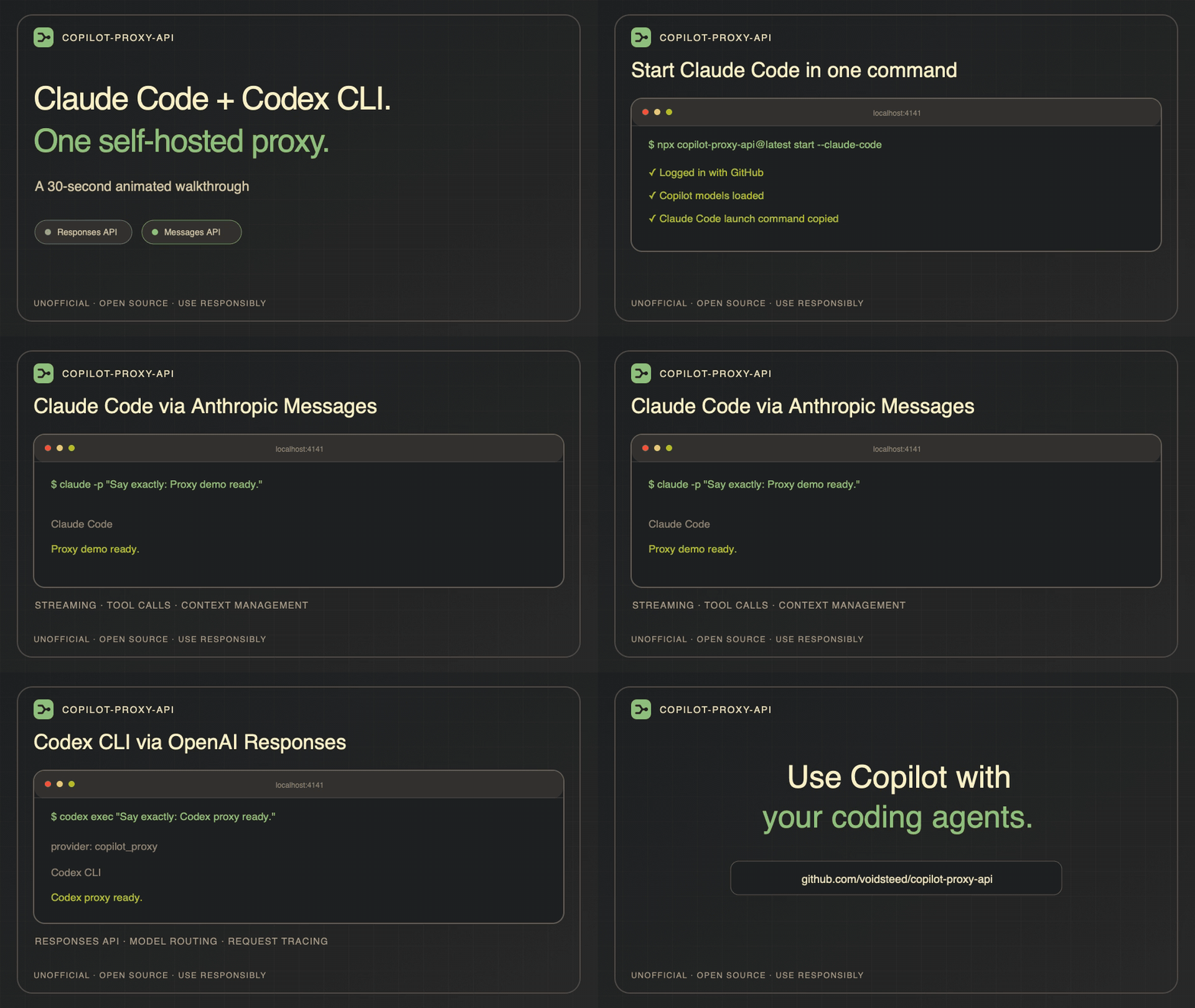
See It in Action (30 Seconds)
[!CAUTION]
This is an unofficial, reverse-engineered project. Keep the proxy local, never expose it publicly without authentication, and use it responsibly within GitHub's Acceptable Use Policies and Copilot Terms.
Why This Fork?
This fork keeps the original bridge practical for current coding agents:
- Active maintenance for current Copilot models and client compatibility changes.
- First-class Claude Code support through the Anthropic Messages API and an interactive setup command.
- Codex CLI support through the OpenAI Responses API.
- More resilient agent sessions with streaming keepalives, structured error handling, and context management.
- Built-in usage visibility, quota checks, rate limiting, and manual request approval.
Responsible Use
[!WARNING]
copilot-proxy-api is an unofficial compatibility project. It is not affiliated with or supported by GitHub, and Copilot API changes may break it without notice.
Keep the proxy private, require --api-key for non-local access, and avoid rapid or bulk automation. Activity that triggers GitHub's abuse controls may restrict or suspend Copilot access. Review GitHub's Acceptable Use Policies and Copilot Terms.
Credits
This project is a fork of copilot-api by Erick Christian. Thank you for the original work!
Using OpenCode? Its built-in GitHub Copilot provider may remove the need for this proxy.
Project Overview
copilot-proxy-api translates the API shapes used by coding agents into GitHub Copilot requests. It supports OpenAI Chat Completions and Responses plus Anthropic Messages, with compatibility work centered on Claude Code, Codex CLI, and long-running agent sessions.
Features
- OpenAI & Anthropic Compatibility: Exposes GitHub Copilot as an OpenAI-compatible (
/v1/chat/completions, /v1/responses, /v1/models, /v1/embeddings) and Anthropic-compatible (/v1/messages) API.
- Codex CLI Integration: Use with OpenAI Codex CLI via the Responses API endpoint.
- Claude Code Integration: Easily configure and launch Claude Code to use Copilot as its backend with a simple command-line flag (
--claude-code).
- Usage Dashboard: A web-based dashboard to monitor your Copilot API usage, view quotas, and see detailed statistics.
- Rate Limit Control: Manage API usage with rate-limiting options (
--rate-limit) and a waiting mechanism (--wait) to prevent errors from rapid requests.
- Manual Request Approval: Manually approve or deny each API request for fine-grained control over usage (
--manual).
- Token Visibility: Option to display GitHub and Copilot tokens during authentication and refresh for debugging (
--show-token).
- Flexible Authentication: Authenticate interactively or provide a GitHub token directly, suitable for CI/CD environments.
- Authentication Recovery: GitHub user and Copilot token requests have a 10-second deadline. Transient token failures are retried; temporary GitHub user lookup failures do not prevent startup with a saved token.
- Support for Different Account Types: Works with individual, business, and enterprise GitHub Copilot plans.
Claude Code Compatibility & Known Gaps
This proxy is tuned for Claude Code interop. The Anthropic Messages API surface is implemented to the extent Claude Code actually exercises it; server-side / billing-side Anthropic features that Copilot does not provide are deliberately not faked.
What works:
/v1/messages (streaming and non-streaming) with text, image, tool_use, tool_result, and document (PDF) blocks./v1/messages/count_tokens (input tokens only, per Anthropic spec).- Anthropic-shaped error envelopes with proper
error.type mapping (invalid_request_error, authentication_error, permission_error, not_found_error, request_too_large, rate_limit_error, overloaded_error, api_error).
- Streaming keepalive (
event: ping every 15 s) so Claude Code's 90 s idle watchdog doesn't tear down slow streams.
- Mid-stream error cleanup — open
content_block_stop / message_stop events emitted before the error event so Claude Code's content-block index tracker doesn't throw Content block not found.
- Reactive context compaction — upstream 413 / backend timeouts are mapped to HTTP 400
prompt is too long so Claude Code triggers its built-in compaction flow.
- Client-requested model echoed back in
response.model (Copilot's internal id is not leaked).
request-id / x-request-id response headers.- Stop-reason mapping including
content_filter → refusal (Claude Code has dedicated UX for refusal blocks).
- Responses-only models preserve supported
output_config.effort settings and report output token-limit truncation as max_tokens, for both streaming and non-streaming Messages requests.
- PDF text extraction for
document blocks ≤ 3 MB. Password-protected PDFs are rejected with a Claude-Code-recognizable error message.
Known gaps (these reflect Copilot's actual capabilities — they are not bugs to file):
- Hard 2.5 MiB payload ceiling. The Copilot gateway/backend has an empirically determined hard cliff at exactly 2,621,440 bytes for
claude-opus-4.6-1m, regardless of the model's claimed 1 M token window. The proxy applies an OpenCode-style context-management pass (prune old tool outputs → strip old base64 images → drop oldest messages) and a 2,500,000-byte backstop before sending. Effective ceiling is ~500 K tokens.
- No real prompt cache writes. Copilot's API exposes a
prompt_tokens_details.cached_tokens counter that the proxy maps to cache_read_input_tokens. There is no cache_creation_input_tokens because Copilot doesn't write caches on our behalf. The proxy strips client-supplied cache_control markers via translation.
- No
thinking blocks in responses. Copilot doesn't expose extended thinking. Inbound thinking blocks from the assistant turn history are dropped on the request side rather than promoted to text (which would corrupt turn semantics).
- No server tools.
computer_use, web_search, code_execution, text_editor, bash, and other Anthropic-hosted tools are not implemented — Copilot has no equivalents.
- No Files API, Batches API,
mcp_servers field, organization headers. Claude Code does not depend on these for the proxy use case.
- No image-only PDFs. PDF support is text-only via
pdf-parse. Visual-only PDFs (scans, image-only diagrams) lose their content. For larger / image-heavy PDFs, Claude Code already pre-extracts to images on its side before sending.
- No live
api.anthropic.com tests in CI. The verify harness (bun run verify) is fixture-based and runs offline.
Prerequisites
- Bun (>= 1.2.x)
- GitHub account with Copilot subscription (individual, business, or enterprise)
Installation
To install dependencies, run:
bun install
Using with Docker
Build image
docker build -t copilot-proxy-api .
Run the container
# Create a directory on your host to persist the GitHub token and related data
mkdir -p ./copilot-data

# Run the container with a bind mount to persist the token
# This ensures your authentication survives container restarts

docker run -p 4141:4141 -v $(pwd)/copilot-data:/root/.local/share/copilot-proxy-api copilot-proxy-api
Note:
The GitHub token and related data will be stored in copilot-data on your host. This is mapped to /root/.local/share/copilot-proxy-api inside the container, ensuring persistence across restarts.
Docker with Environment Variables
You can pass the GitHub token directly to the container using environment variables:
# Build with GitHub token
docker build --build-arg GH_TOKEN=your_github_token_here -t copilot-proxy-api .

# Run with GitHub token
docker run -p 4141:4141 -e GH_TOKEN=your_github_token_here copilot-proxy-api

# Run with additional options
docker run -p 4141:4141 -e GH_TOKEN=your_token copilot-proxy-api start --verbose --port 4141
Docker Compose Example
version: "3.8"
services:
  copilot-proxy-api:
    build: .
    ports:
      - "4141:4141"
    environment:
      - GH_TOKEN=your_github_token_here
    restart: unless-stopped
The Docker image includes:
- Multi-stage build for optimized image size
- Non-root user for enhanced security
- Health check for container monitoring
- Pinned base image version for reproducible builds
Using with npx
You can run the project directly using npx:
npx copilot-proxy-api@latest start
With options:
npx copilot-proxy-api@latest start --port 8080
For authentication only:
npx copilot-proxy-api@latest auth
Command Structure
Copilot API now uses a subcommand structure with these main commands:
start: Start the Copilot API server. This command will also handle authentication if needed.auth: Run GitHub authentication flow without starting the server. This is typically used if you need to generate a token for use with the --github-token option, especially in non-interactive environments.check-usage: Show your current GitHub Copilot usage and quota information directly in the terminal (no server required).debug: Display diagnostic information including version, runtime details, file paths, and authentication status. Useful for troubleshooting and support.
Command Line Options
Start Command Options
The following command line options are available for the start command:
| Option | Description | Default | Alias |
|---|
| --port | Port to listen on | 4141 | -p |
| --verbose | Enable verbose logging | false | -v |
| --account-type | Account type to use (individual, business, enterprise) | individual | -a |
| --manual | Enable manual request approval | false | none |
| --rate-limit | Rate limit in seconds between requests | none | -r |
| --wait | Wait instead of error when rate limit is hit | false | -w |
| --github-token | Provide GitHub token directly (must be generated using the auth subcommand) | none | -g |
| --claude-code | Generate a command to launch Claude Code with Copilot API config | false | -c |
| --show-token | Show GitHub and Copilot tokens on fetch and refresh | false | none |
| --api-key | Require one of these comma-separated API keys for proxy routes | none | none |
| --proxy-env | Initialize proxy from environment variables | false | none |
Auth Command Options
| Option | Description | Default | Alias |
|---|
| --verbose | Enable verbose logging | false | -v |
| --show-token | Show GitHub token on auth | false | none |
Debug Command Options
| Option | Description | Default | Alias |
|---|
| --json | Output debug info as JSON | false | none |
API Endpoints
The server exposes several endpoints to interact with the Copilot API. It provides OpenAI-compatible endpoints and now also includes support for Anthropic-compatible endpoints, allowing for greater flexibility with different tools and services.
OpenAI Compatible Endpoints
These endpoints mimic the OpenAI API structure.
| Endpoint | Method | Description |
|---|
POST /v1/chat/completions | POST | Creates a model response for the given chat conversation. |
POST /v1/responses | POST | OpenAI Responses API for newer models (e.g., gpt-5.x). |
GET /v1/models | GET | Lists the currently available models. |
POST /v1/embeddings | POST | Creates an embedding vector representing the input text. |
Anthropic Compatible Endpoints
These endpoints are designed to be compatible with the Anthropic Messages API.
| Endpoint | Method | Description |
|---|
POST /v1/messages | POST | Creates a model response for a given conversation. |
POST /v1/messages/count_tokens | POST | Calculates the number of tokens for a given set of messages. |
Usage Monitoring Endpoints
New endpoints for monitoring your Copilot usage and quotas.
| Endpoint | Method | Description |
|---|
GET /usage | GET | Get detailed Copilot usage statistics and quota information. |
GET /token | GET | Get the current Copilot token being used by the API. |
Example Usage
Using with npx:
# Basic usage with start command
npx copilot-proxy-api@latest start

# Run on custom port with verbose logging
npx copilot-proxy-api@latest start --port 8080 --verbose

# Use with a business plan GitHub account
npx copilot-proxy-api@latest start --account-type business

# Use with an enterprise plan GitHub account
npx copilot-proxy-api@latest start --account-type enterprise

# Enable manual approval for each request
npx copilot-proxy-api@latest start --manual

# Set rate limit to 30 seconds between requests
npx copilot-proxy-api@latest start --rate-limit 30

# Wait instead of error when rate limit is hit
npx copilot-proxy-api@latest start --rate-limit 30 --wait

# Provide GitHub token directly
npx copilot-proxy-api@latest start --github-token ghp_YOUR_TOKEN_HERE

# Run only the auth flow
npx copilot-proxy-api@latest auth

# Run auth flow with verbose logging
npx copilot-proxy-api@latest auth --verbose

# Show your Copilot usage/quota in the terminal (no server needed)
npx copilot-proxy-api@latest check-usage

# Display debug information for troubleshooting
npx copilot-proxy-api@latest debug

# Display debug information in JSON format
npx copilot-proxy-api@latest debug --json

# Initialize proxy from environment variables (HTTP_PROXY, HTTPS_PROXY, etc.)
npx copilot-proxy-api@latest start --proxy-env
Using the Usage Viewer
After starting the server, a URL to the Copilot Usage Dashboard will be displayed in your console. This dashboard is a web interface for monitoring your API usage.
- Start the server. For example, using npx:
npx copilot-proxy-api@latest start
- The server will output a URL to the usage viewer. Copy and paste this URL into your browser. It will look something like this:
https://voidsteed.github.io/copilot-proxy-api/dashboard.html?endpoint=http://localhost:4141/usage
- If you use the
start.bat script on Windows, this page will open automatically.
The dashboard provides a user-friendly interface to view your Copilot usage data:
- API Endpoint URL: The dashboard is pre-configured to fetch data from your local server endpoint via the URL query parameter. You can change this URL to point to any other compatible API endpoint.
- Fetch Data: Click the "Fetch" button to load or refresh the usage data. The dashboard will automatically fetch data on load.
- Usage Quotas: View a summary of your usage quotas for different services like Chat and Completions, displayed with progress bars for a quick overview.
- Detailed Information: See the full JSON response from the API for a detailed breakdown of all available usage statistics.
- URL-based Configuration: You can also specify the API endpoint directly in the URL using a query parameter. This is useful for bookmarks or sharing links. For example:
https://voidsteed.github.io/copilot-proxy-api/dashboard.html?endpoint=http://your-api-server/usage
Using with Claude Code
This proxy can be used to power Claude Code, an experimental conversational AI assistant for developers from Anthropic.
There are two ways to configure Claude Code to use this proxy:
Interactive Setup with --claude-code flag
To get started, run the start command with the --claude-code flag:
npx copilot-proxy-api@latest start --claude-code
You will be prompted to select a primary model and a "small, fast" model for background tasks. After selecting the models, a command will be copied to your clipboard. This command sets the necessary environment variables for Claude Code to use the proxy.
Paste and run this command in a new terminal to launch Claude Code.
Manual Configuration with settings.json
Alternatively, you can configure Claude Code by creating a .claude/settings.json file in your project's root directory. This file should contain the environment variables needed by Claude Code. This way you don't need to run the interactive setup every time.
Here is an example .claude/settings.json file:
{
  "env": {
    "ANTHROPIC_BASE_URL": "http://localhost:4141/",
    "ANTHROPIC_AUTH_TOKEN": "dummy",
    "ANTHROPIC_MODEL": "claude-opus-5",
    "ANTHROPIC_SMALL_FAST_MODEL": "claude-sonnet-5",
    "DISABLE_NON_ESSENTIAL_MODEL_CALLS": "1",
    "CLAUDE_CODE_DISABLE_NONESSENTIAL_TRAFFIC": "1"
  },
  "permissions": {
    "deny": ["WebSearch"]
  }
}
Note: The recommended heavy model is claude-opus-5; the recommended small/fast model is claude-sonnet-5. Both currently report a 1M context window through Copilot.
Opus 5 is rolling out gradually to Copilot Pro+, Max, Business, and Enterprise plans. Business and Enterprise administrators must also enable its model policy. If it is absent from /v1/models, use another advertised model until GitHub enables it for your account.
Native Opus 5 support requires Claude Code 2.1.219 or later; run claude update before selecting it.
You can find more options here: Claude Code settings
You can also read more about IDE integration here: Add Claude Code to your IDE
Using with Codex CLI
This proxy supports the OpenAI Codex CLI through the Responses API endpoint (/v1/responses). Latest Codex versions use provider configuration from ~/.codex/config.toml; setting OPENAI_BASE_URL alone is not enough.
Configuration
Add the following to your ~/.codex/config.toml:
model = "gpt-6-astra"
model_provider = "copilot_proxy"
model_reasoning_effort = "high"

[model_providers.copilot_proxy]
name = "GitHub Copilot via copilot-proxy-api"
base_url = "http://localhost:4141/v1"
wire_api = "responses"
Note: base_url must end in /v1 — Codex appends /responses itself, so
http://localhost:4141 and http://localhost:4141/v1/responses both 404.
The provider id (copilot_proxy) is an arbitrary label; it only has to match
between model_provider and the [model_providers.*] table name.
model must be an id your plan advertises at GET /v1/models — unlike the
Anthropic route, the Responses route does no model-name aliasing or fallback,
so an unavailable id returns a bare model_not_supported error.
Start the proxy server and run Codex:
# Terminal 1: start the proxy
npx copilot-proxy-api@latest start

# Terminal 2: run Codex
codex
To test the setup non-interactively:
codex exec --skip-git-repo-check "Say exactly: proxy ok"
Expected output includes proxy ok and Codex should show provider: copilot_proxy.
(Without --skip-git-repo-check, Codex refuses to run outside a trusted git
repository before it ever reaches the proxy.)
Switching Back to Official Codex/OpenAI
To use Codex's default backend again, remove or comment this line in ~/.codex/config.toml:
model_provider = "copilot_proxy"
Or override it for one run:
codex -c model_provider='"openai"'
Notes
- GPT-6 Astra uses the Responses API; before forwarding, the proxy removes Astra-incompatible sampling and logprob fields:
temperature, top_p, top_logprobs, logprobs, and message.output_text.logprobs from include.
service_tier is ChatGPT-plan-specific. Codex may send it, but Copilot's Responses API rejects it, so the proxy strips it before forwarding.model_reasoning_effort = "high" is passed through verbatim in the Responses request. The proxy does not validate it against the model's advertised effort levels.- Codex model-catalog refreshes keep Codex's bundled metadata and instructions. Requests with Codex's
client_version query receive its native empty-catalog shape; ordinary GET /v1/models requests still return the full OpenAI-compatible model list.
- Very large sessions are trimmed before forwarding (oldest input dropped, images replaced with placeholders) to stay under Copilot's payload ceiling. The proxy logs a warning when this happens.
Running from Source
The project can be run from source in several ways:
Development Mode
bun run dev
Production Mode
bun run start
Usage Tips
- To avoid hitting GitHub Copilot's rate limits, you can use the following flags:
--manual: Enables manual approval for each request, giving you full control over when requests are sent.--rate-limit <seconds>: Enforces a minimum time interval between requests. For example, copilot-proxy-api start --rate-limit 30 will ensure there's at least a 30-second gap between requests.--wait: Use this with --rate-limit. It makes the server wait for the cooldown period to end instead of rejecting the request with an error. This is useful for clients that don't automatically retry on rate limit errors.
- If you have a GitHub business or enterprise plan account with Copilot, use the
--account-type flag (e.g., --account-type business). See the official documentation for more details.




