

koala73/worldmonitorConnectors
Real-time global intelligence dashboard. AI-powered news aggregation, geopolitical monitoring, and infrastructure tracking in a unified situational awareness interface
86k
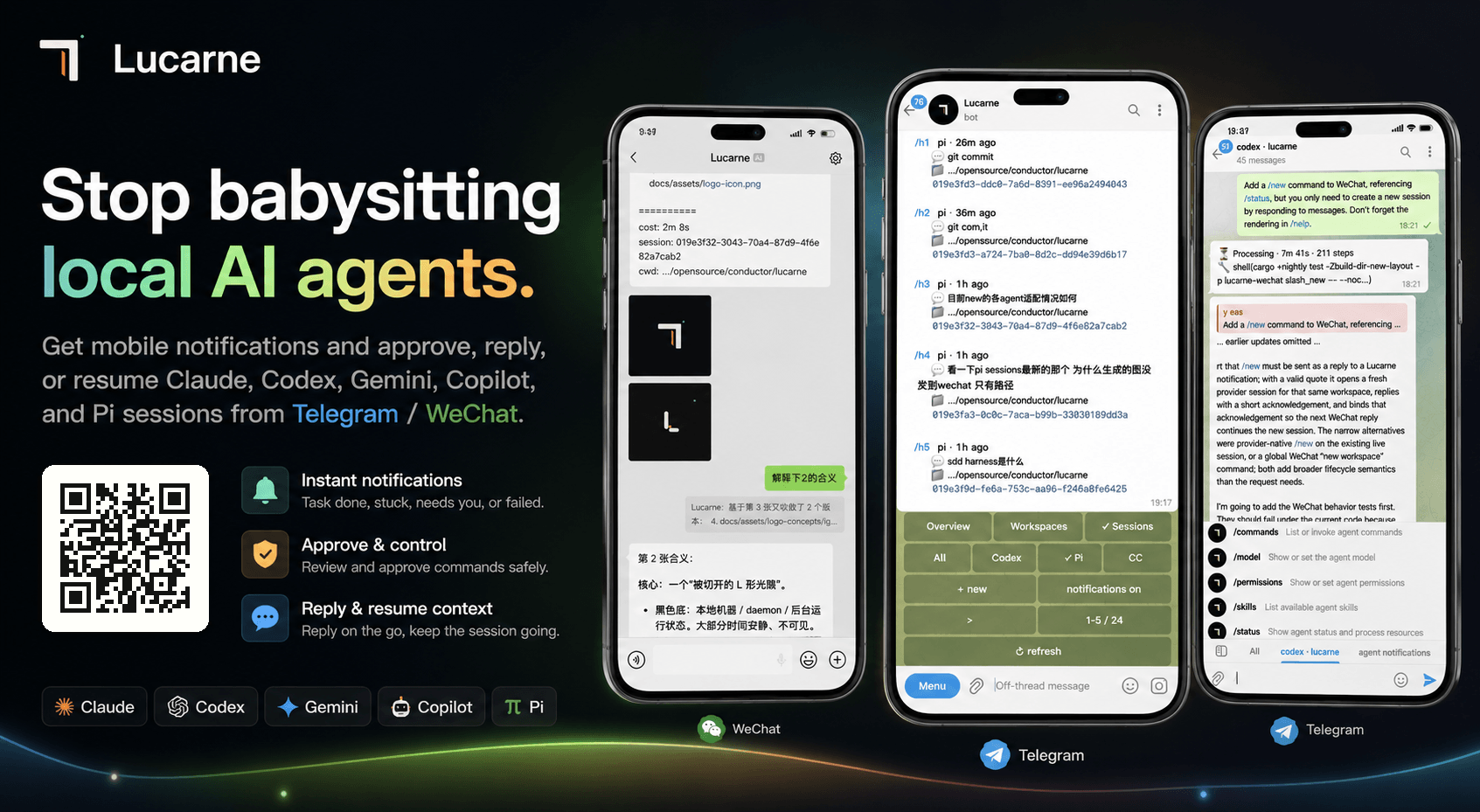
Lucarne runs beside your local agent CLI processes and turns session events into chat messages. From Telegram or WeChat, you can approve commands, see progress, and return to the same context by quoting a message or opening the panel.
Builders who want to control local Claude Code, Codex, Gemini, Copilot, Pi, or Grok sessions from Telegram or WeChat.
You can step away from your machine and still approve work, get notified, and resume the right agent session from chat.
Sends permission prompts to Telegram or WeChat so you can approve or deny actions from your phone.
Lets you quote a WeChat notification and reopen the matching agent session with the same context.
Provides `/panel` for browsing agents, workspaces, session history, and live sessions.
Detects running agents on the machine and keeps historical session state available.
Works without hooks, skills, MCP, or project changes; you just install and initialize it.
Installs as a user-level service with autostart support on macOS, Windows, and Linux.
curl -LsSf https://github.com/tuchg/Lucarne/releases/latest/download/lucarned-installer.sh | sh
powershell -c "irm https://github.com/tuchg/Lucarne/releases/latest/download/lucarned-installer.ps1 | iex"
brew tap tuchg/Lucarne https://github.com/tuchg/Lucarne
brew install lucarned
lucarned init
lucarned autostart install --start
brew services start lucarned
brew services restart lucarned
brew services stop lucarned




English | 中文
Stop babysitting your local AI agents.
macOS / Linux:
curl -LsSf https://github.com/tuchg/Lucarne/releases/latest/download/lucarned-installer.sh | sh
Windows PowerShell:
powershell -c "irm https://github.com/tuchg/Lucarne/releases/latest/download/lucarned-installer.ps1 | iex"
Homebrew:
brew tap tuchg/Lucarne https://github.com/tuchg/Lucarne
brew install lucarned
Release archives are also available for macOS, Linux, and Windows on x86_64 and aarch64.
lucarned init
Initialization guides you through:
claude, codex, copilot, gemini, pi, grok (Grok Build)~/.lucarned/lucarned.yamllucarned autostart install --start
brew services start lucarned
brew services restart lucarned
brew services stop lucarned
lucarned autostart uses native user-level service managers:
Linux autostart requires systemd user services. Non-systemd Linux can run lucarned manually.
/panel
After the Lucarne panel appears, you can create workspaces, bind agents, resume historical sessions, and approve commands.
lucarned doctor
lucarned paths
lucarned autostart status
lucarned autostart start
lucarned autostart stop
lucarned update
brew update
brew upgrade lucarned
brew services start lucarned
brew services restart lucarned
brew services stop lucarned
macOS/Linux config: ~/.lucarned/lucarned.yaml
Windows config:     %LOCALAPPDATA%\lucarned\lucarned.yaml
Logs:               lucarned paths
See the full example at examples/lucarned.yaml.
After initialization, the active config lives at: ~/.lucarned/lucarned.yaml.
You can also override settings with environment variables:
export TELEGRAM_BOT_TOKEN="123456:..."
export TELEGRAM_CHAT_ID="123456789"
export LUCARNE_AUTHORIZED_USER_IDS="111111,222222"
See the full command reference at docs/commands.md. This README keeps only the core paths.
/latest or /l to clear the backlog and deliver only the latest notification round per workspace (no help menu reply; does not replay the full queue).WeChat quote routing uses two strategies: it prefers message_id, then falls back to a quoted-text hash.
Telegram needs Topics/thread mode for the entry chat. A private chat with the bot can use the bot's own topic mode (Bot API 9.4+ reports this as has_topics_enabled from getMe); use that private chat ID as entry_chat_id. A forum supergroup also works, but is not required.
/panel in the entry chat.New or send /aN to create an agent workspace.[Approve] / [Deny]./status to inspect state, /interrupt to stop work, or /fork to branch a session.Telegram workspaces map to Forum Topics. One project gets one topic; one topic can bind one live agent session.
┌─────────────┐  ┌─────────────┐
│  Telegram   │  │   WeChat    │  ← User-facing channels
└──────┬──────┘  └──────┬──────┘
       │                │
   lucarne-         lucarne-
   telegram         wechat          ← Channel adapter (commands, notifications, queues, retries)
       │                │
       └───────┬────────┘
          lucarne-adapter           ← Plugin registry
               │
           lucarne                  ← Core: runtime bus, control plane, history, daemon
               │
         agent-sessions             ← Provider parse / discovery / watch
               │
    ┌──────┬──────┬──────┬──────┬──────┐
  Claude Codex Gemini Copilot  Pi   Grok  ← Agent CLI processes
| Capability | Claude | Codex | Gemini | Copilot | Pi | Grok Build |
|---|---|---|---|---|---|---|
| Reasoning / Thinking | ✅ | ✅ | ✅ | ✅ | ✅ | ✅ |
| Tool calls | ✅ | ✅ | ✅ | ✅ | ✅ | ✅ |
| Structured approval | ✅ | ✅ | ✅ | — | ✅ | ✅ |
| AskUserQuestion | ✅ | ✅ | ✅ | — | — | ✅ |
| Usage tracking | ✅ | ✅ | ✅ | ✅ | ✅ | ✅ |
| Interrupt | ✅ | ✅ | ✅ | — | ✅ | ✅ |
| Resume | ✅ | ✅ | ✅ | — | ✅ | ✅ |
| Sub-agents | ✅ | ✅ | — | — | — | — |
| Native commands | ✅ | ✅ | ✅ | — | ✅ | ✅ |
| Fork (create branched session) | ✅ | ✅ | — | — | ✅ | ✅ |
git clone https://github.com/tuchg/Lucarne.git
cd agents
cargo +nightly check -Zbuild-dir-new-layout
cargo +nightly test -Zbuild-dir-new-layout
agent-sessions into an independent crateMIT
Friend link: linux.do
Sign in to join the discussion.
No comments yet. Be the first to say what this is good for.
Real-time global intelligence dashboard. AI-powered news aggregation, geopolitical monitoring, and infrastructure tracking in a unified situational awareness interface
High-performance code intelligence MCP server. Indexes codebases into a persistent knowledge graph — average repo in milliseconds. 158 languages, sub-ms queries, 99% fewer tokens. Single static binary, zero dependencies.

Universal provider proxy for OpenAI Codex & Claude Code — use any LLM (Claude, Gemini, Grok, DeepSeek, Ollama…) with Codex CLI, App, SDK, and Claude Code

Git-native persistent memory for AI coding agents. Implements Google OKF v0.2 with sub-300µs in-memory BM25 search, embedded MCP server, and progressive disclosure. Slashes token bloat by 80% with zero external databases or dependencies. Built in pure Go.

Local-first code intelligence graph for MCP and CLI. Builds a persistent map of your codebase so AI coding tools read only what matters, with benchmarked context reductions on reviews and large-repo workflows.

Stop your AI from making things up — it proposes, deterministic tools decide, every claim checked against ground truth with evidence. Grounded facts and context survive resets. Reverse engineering is the proving ground. MCP server + CLI.