

koala73/worldmonitorConnectors
Real-time global intelligence dashboard. AI-powered news aggregation, geopolitical monitoring, and infrastructure tracking in a unified situational awareness interface
86k
interactive-mcp is a local MCP server that gives an agent ways to pause and involve the user. It exposes tools for questions, notifications, and a persistent chat so the agent can ask before it acts.
Builders who want Claude Desktop, Cursor, or another MCP client to ask for human input during work.
You can keep an agent from guessing by asking for confirmation and answers at the right time.
Asks a question, can present predefined options, and returns the user’s answer.
Shows a simple OS notification when a task finishes or needs attention.
Starts, queries, and stops a persistent command-line chat session for back-and-forth interaction.
Works through MCP client config in Claude Desktop, Cursor, or VS Code using an `npx` command.
Lets you change the default prompt timeout and turn off selected tools with command-line flags.
git clone https://github.com/ttommyth/interactive-mcp.git
cd interactive-mcp
pnpm install
pnpm start






A MCP Server implemented in Node.js/TypeScript, facilitating interactive communication between LLMs and users. Note: This server is designed to run locally alongside the MCP client (e.g., Claude Desktop, VS Code), as it needs direct access to the user's operating system to display notifications and command-line prompts.
(Note: This project is in its early stages.)
Want a quick overview? Check out the introductory blog post: Stop Your AI Assistant From Guessing — Introducing interactive-mcp
This server exposes the following tools via the Model Context Protocol (MCP):
request_user_input: Asks the user a question and returns their answer. Can display predefined options.message_complete_notification: Sends a simple OS notification.start_intensive_chat: Initiates a persistent command-line chat session.ask_intensive_chat: Asks a question within an active intensive chat session.stop_intensive_chat: Closes an active intensive chat session.Here are demonstrations of the interactive features:
| Normal Question | Completion Notification |
|---|---|
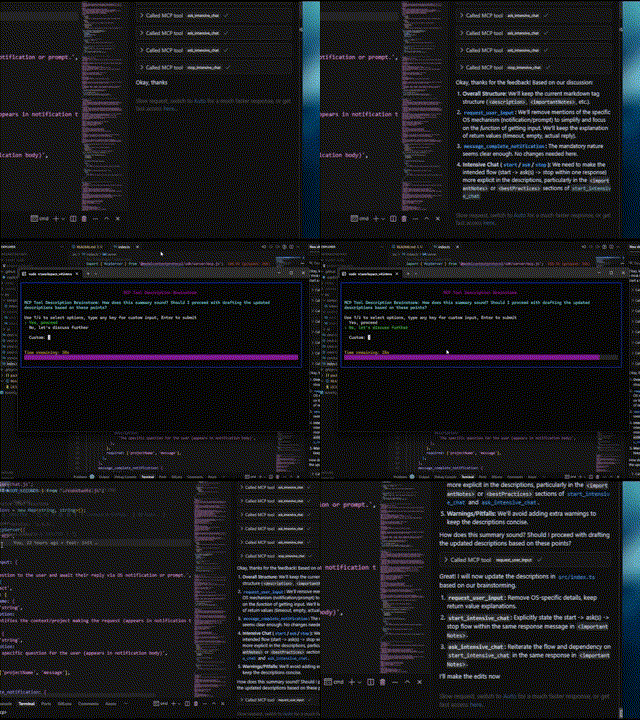 | 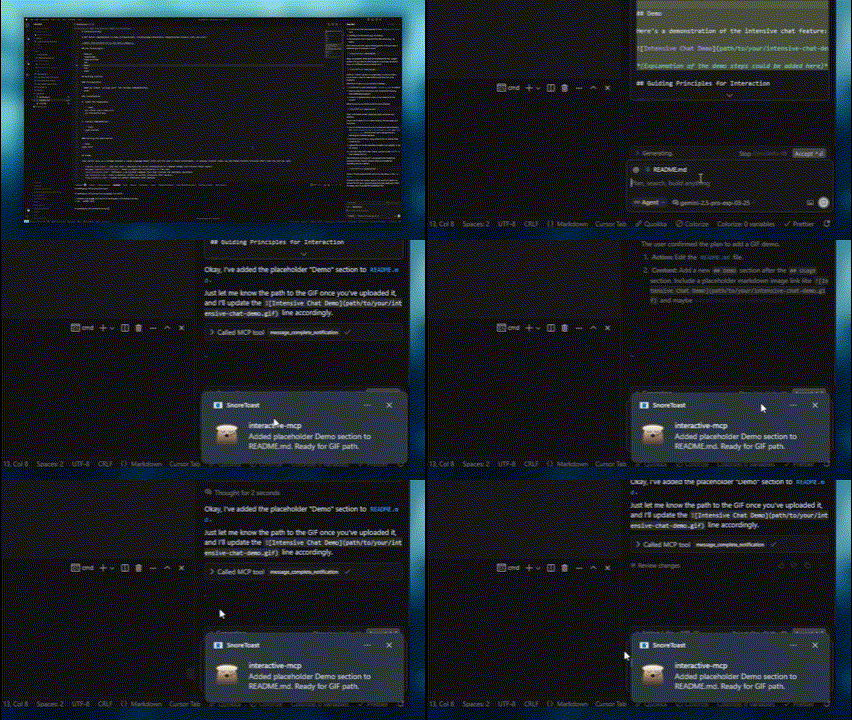 |
| Intensive Chat Start | Intensive Chat End |
|---|---|
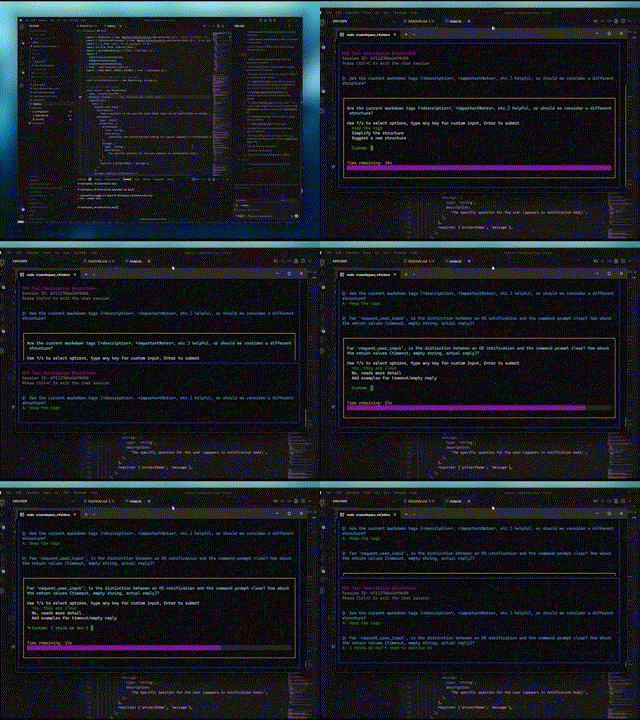 | 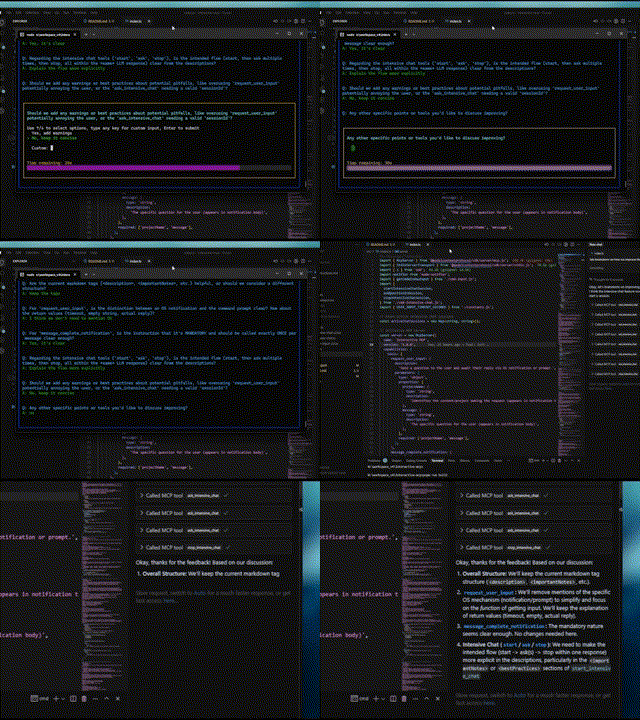 |
This server is ideal for scenarios where an LLM needs to interact directly with the user on their local machine, such as:
This section explains how to configure MCP clients to use the interactive-mcp server.
By default, user prompts will time out after 30 seconds. You can customize server options like timeout or disabled tools by adding command-line flags directly to the args array when configuring your client.
Please make sure you have the npx command available.
Add the following minimal configuration to your claude_desktop_config.json (Claude Desktop) or mcp.json (Cursor):
{
  "mcpServers": {
    "interactive": {
      "command": "npx",
      "args": ["-y", "interactive-mcp"]
    }
  }
}
With specific version
{
  "mcpServers": {
    "interactive": {
      "command": "npx",
      "args": ["-y", "interactive-mcp@1.9.0"]
    }
  }
}
Example with Custom Timeout (30s):
{
  "mcpServers": {
    "interactive": {
      "command": "npx",
      "args": ["-y", "interactive-mcp", "-t", "30"]
    }
  }
}
Add the following minimal configuration to your User Settings (JSON) file or .vscode/mcp.json:
{
  "mcp": {
    "servers": {
      "interactive-mcp": {
        "command": "npx",
        "args": ["-y", "interactive-mcp"]
      }
    }
  }
}
For a smoother experience on macOS using the default Terminal.app, consider this profile setting:
This section is primarily for developers looking to modify or contribute to the server. If you just want to use the server with an MCP client, see the "Client Configuration" section above.
package.json for version compatibility.npm install -g pnpm after installing Node.js.Clone the repository:
git clone https://github.com/ttommyth/interactive-mcp.git
cd interactive-mcp
Install dependencies:
pnpm install
pnpm start
The interactive-mcp server accepts the following command-line options. These should typically be configured in your MCP client's JSON settings by adding them directly to the args array (see "Client Configuration" examples).
| Option | Alias | Description |
|---|---|---|
--timeout | -t | Sets the default timeout (in seconds) for user input prompts. Defaults to 30 seconds. |
--disable-tools | -d | Disables specific tools or groups (comma-separated list). Prevents the server from advertising or registering them. Options: request_user_input, message_complete_notification, intensive_chat. |
Example: Setting multiple options in the client config args array:
// Example combining options in client config's "args":
"args": [
  "-y", "interactive-mcp",
  "-t", "30", // Set timeout to 30 seconds
  "--disable-tools", "message_complete_notification,intensive_chat" // Disable notifications and intensive chat
]
pnpm buildpnpm lintpnpm formatWhen interacting with this MCP server (e.g., as an LLM client), please adhere to the following principles to ensure clarity and reduce unexpected changes:
request_user_input, start_intensive_chat, etc.) frequently to engage with the user.You can provide these instructions to an LLM client like this:
# Interaction

- Please use the interactive MCP tools
- Please provide options to interactive MCP if possible

# Reduce Unexpected Changes

- Do not make assumption.
- Ask more questions before executing, until you think the requirement is clear enough.
Contributions are welcome! Please follow standard development practices. (Further details can be added later).
MIT (See LICENSE file for details - if applicable, or specify license directly).
Sign in to join the discussion.
No comments yet. Be the first to say what this is good for.
Real-time global intelligence dashboard. AI-powered news aggregation, geopolitical monitoring, and infrastructure tracking in a unified situational awareness interface
High-performance code intelligence MCP server. Indexes codebases into a persistent knowledge graph — average repo in milliseconds. 158 languages, sub-ms queries, 99% fewer tokens. Single static binary, zero dependencies.

Universal provider proxy for OpenAI Codex & Claude Code — use any LLM (Claude, Gemini, Grok, DeepSeek, Ollama…) with Codex CLI, App, SDK, and Claude Code

Git-native persistent memory for AI coding agents. Implements Google OKF v0.2 with sub-300µs in-memory BM25 search, embedded MCP server, and progressive disclosure. Slashes token bloat by 80% with zero external databases or dependencies. Built in pure Go.

Local-first code intelligence graph for MCP and CLI. Builds a persistent map of your codebase so AI coding tools read only what matters, with benchmarked context reductions on reviews and large-repo workflows.

Stop your AI from making things up — it proposes, deterministic tools decide, every claim checked against ground truth with evidence. Grounded facts and context survive resets. Reverse engineering is the proving ground. MCP server + CLI.