
koala73/worldmonitorConnectors
Real-time global intelligence dashboard. AI-powered news aggregation, geopolitical monitoring, and infrastructure tracking in a unified situational awareness interface
86k
Flowix turns Markdown notes into shared working memory for agents. You keep context in local files, then connect that context to Codex, Claude Code, OpenCode, or a Harness agent through the bundled MCP and CLI pieces.
Builders who want their agents to reuse local notes, research, and task context instead of starting over.
You can keep one local source of truth for notes and let agents read, update, and reuse it across sessions.
Keeps notes as plain Markdown files you can open and edit outside Flowix.
Lets you pass chosen notes or folders to an agent, then write the result back into the same note.
Connects Codex, Claude Code, OpenCode, Hermes, and other MCP or CLI tools to the same memory.
Provides `dsh-flowix-memory` so Harness agents can search, read, create, and edit memos through the Flowix MCP server.
Keeps notes on your device and lets you choose how to sync, back up, or version them.
dsh plugin --profile flowix add ./dsh-flowix-memory
flowix create <notebook> --file body.md --json
flowix write <id> --file body.md --json
$OutputEncoding = [System.Text.UTF8Encoding]::new($false)
Get-Content -Raw -Encoding UTF8 body.md | flowix create <notebook> --stdin --json
git clone https://github.com/text2future/flowix.git
cd flowix
npm install

npm run tauri dev
npm run dev
npm run tauri build

The Markdown notebook where your words seamlessly become durable context for AI agents.
Markdown · Open Source · Multi Agent · MCP & CLI
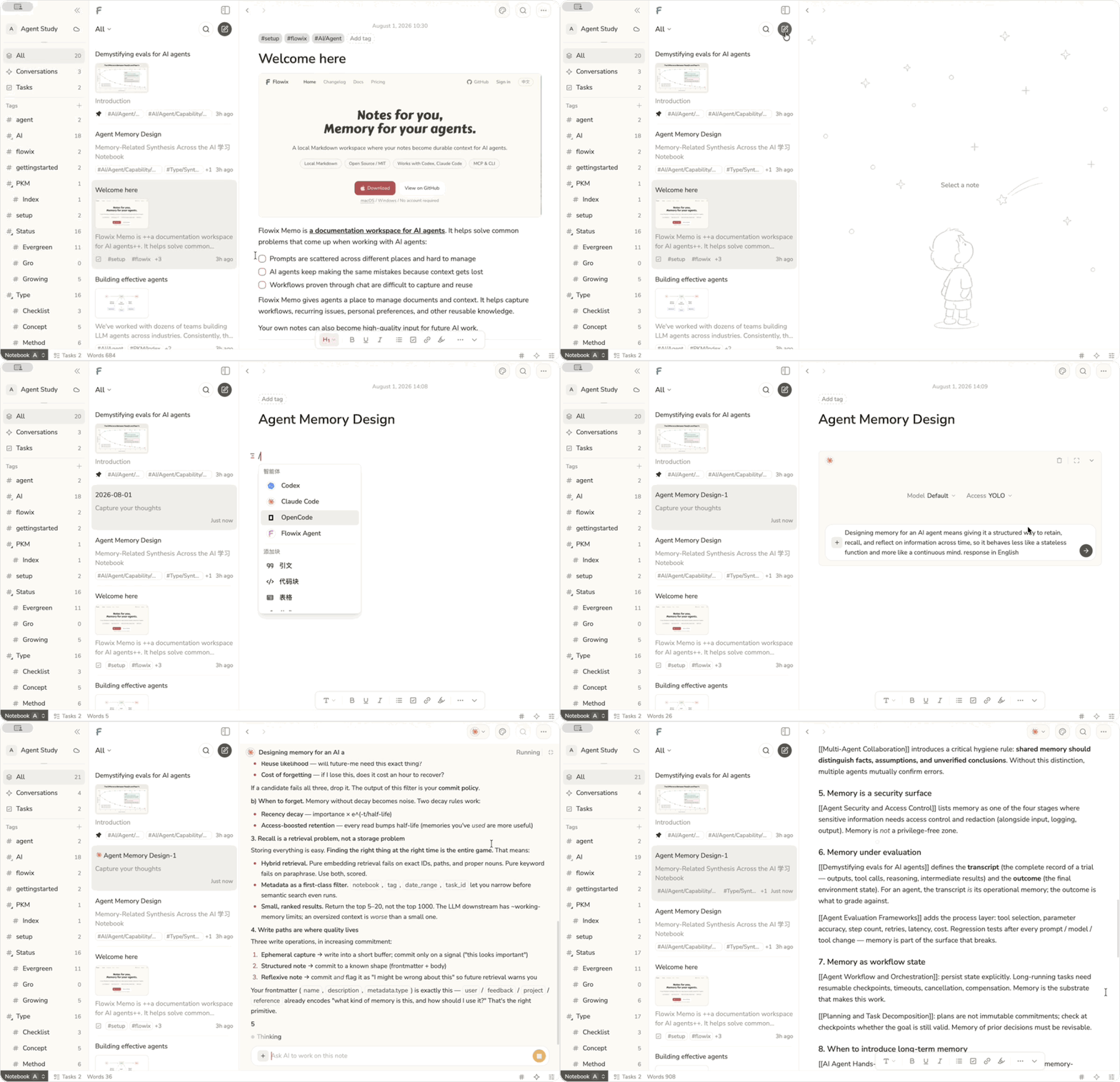
Write in Markdown, point an agent to the context it needs, and save the result back to the same note — ready to review, edit, and reuse next time.
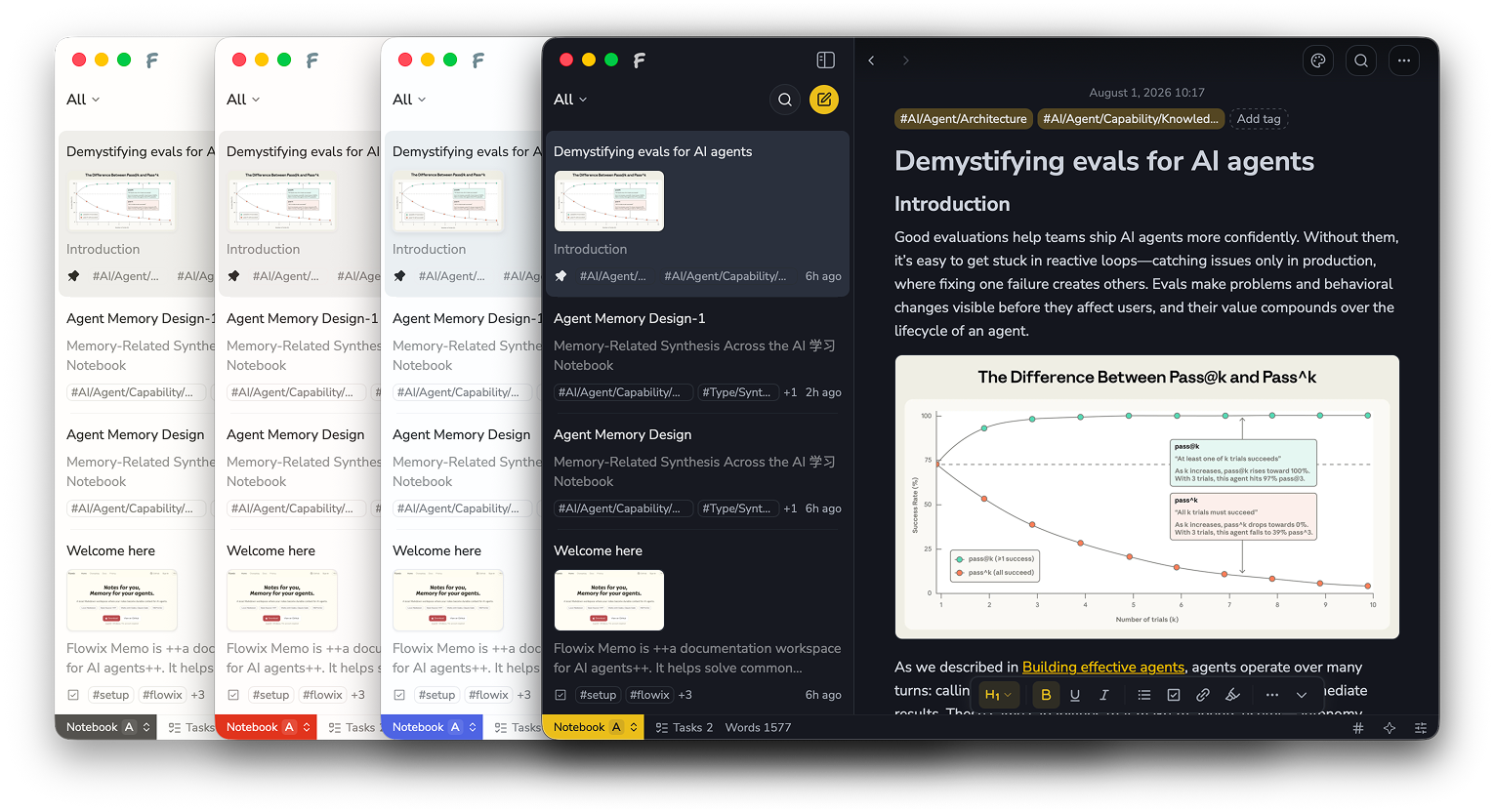
Keep product work, development, research, and personal knowledge together, so agents can continue without starting over.
| Use case | What it does |
|---|---|
| Product work | Keep requirements, feedback, decisions, and PRDs up to date. |
| Software development | Give coding agents the context to continue your project. |
| Research | Keep sources, analysis, and conclusions together and reusable. |
| Personal knowledge | Turn notes, plans, and preferences into useful agent context. |
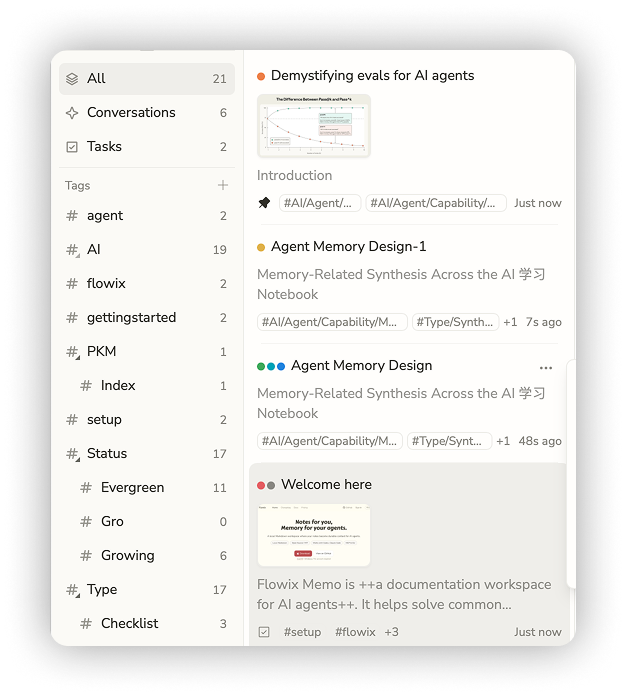
Use agents inside Flowix or connect Codex, Claude Code, OpenCode, Hermes, and other MCP or CLI tools — all working from the same notes and context.
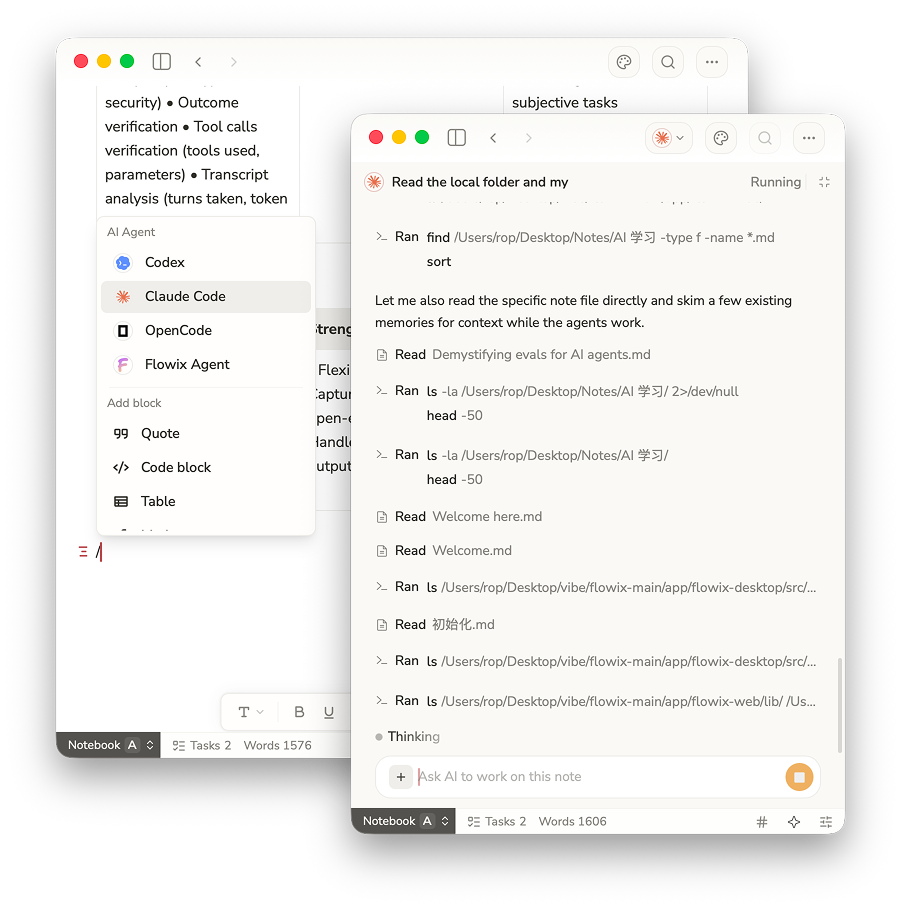
dsh-flowix-memory is a DeepSeek Harness plugin that connects any Harness agent to your local Flowix notes through the bundled flowix-cli MCP server: the agent gets the mcp__flowix__memo tool to search, read, create, and edit Flowix memos (including mind maps).
Install it into the flowix Harness profile from the flowix-main checkout (not yet published to npm). In other DSH clients, flowix is an ordinary custom profile name:
dsh plugin --profile flowix add ./dsh-flowix-memory
Requires the flowix CLI on PATH (or set FLOWIX_CLI_PATH) with access to your notebook data (~/.flowix). See the plugin README for details.
Use a UTF-8 file as the recommended way to pass Markdown content to create and write, especially from Windows PowerShell 5.1. This avoids text being damaged by stdin pipeline encoding. UTF-8 files may include a BOM, and files without a BOM are supported too.
flowix create <notebook> --file body.md --json
flowix write <id> --file body.md --json
On Windows, stdin is no longer read implicitly when neither input option is given, preventing PowerShell 5.1's $OutputEncoding from corrupting non-ASCII text. If the caller has guaranteed UTF-8 stdin, opt in explicitly:
$OutputEncoding = [System.Text.UTF8Encoding]::new($false)
Get-Content -Raw -Encoding UTF8 body.md | flowix create <notebook> --stdin --json
--file and --stdin are mutually exclusive. The --file path is read directly as UTF-8; a missing, unreadable, or invalid UTF-8 file returns an error. With --json, errors use the stable {ok:false,error:{code,message}} shape.
Flowix keeps your work as plain Markdown files on your device. You choose what agents can access, when context is sent, and how your files are synced, backed up, or versioned.
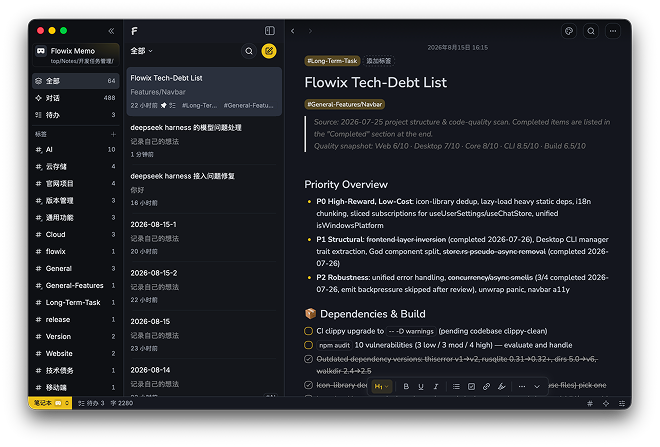 Note library with tags | 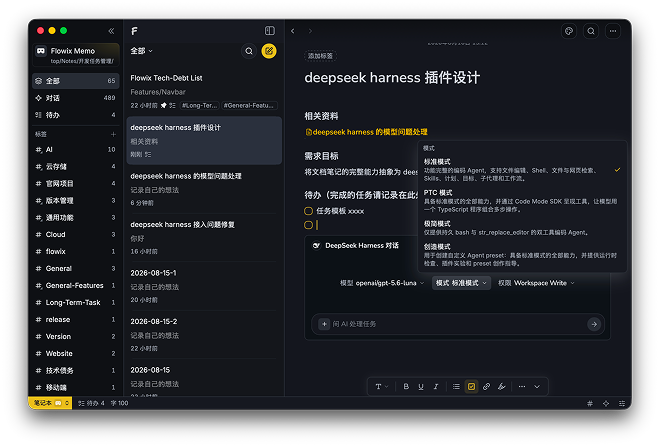 Note detail with agent presets |
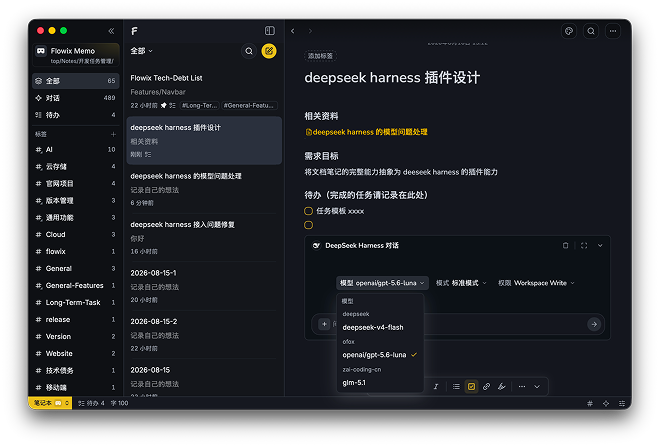 Agent model picker | 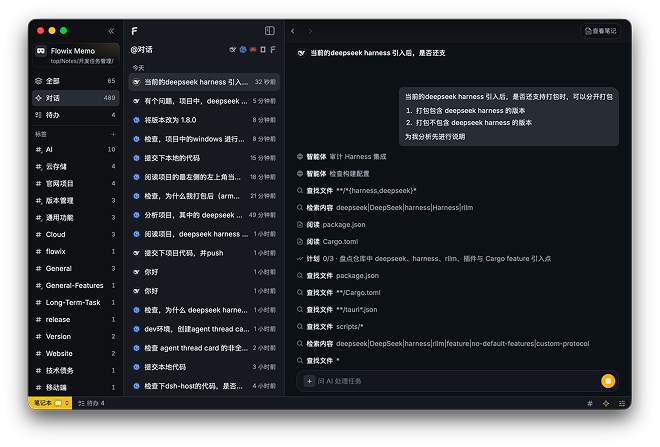 Full-text and file search |
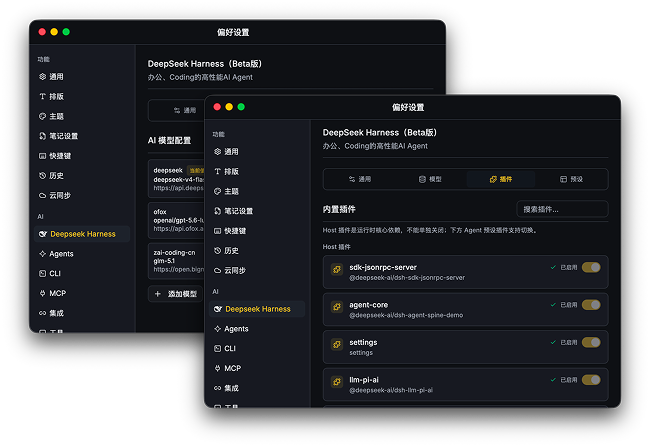 Provider and MCP configuration | 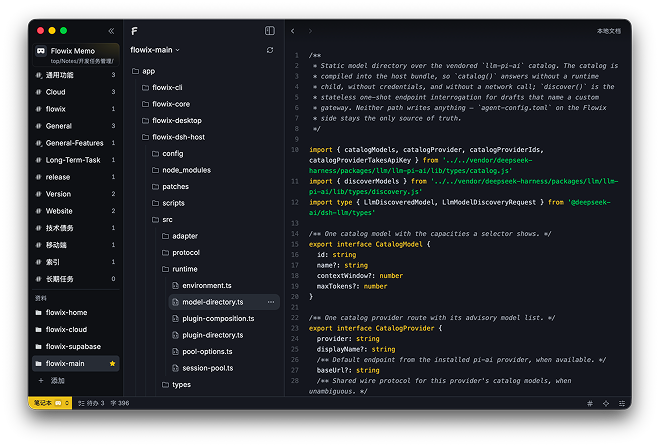 Code file browsing and editing |
git clone https://github.com/text2future/flowix.git
cd flowix
npm install

npm run tauri dev
npm run dev
npm run tauri build
The development environment requires Node.js 20+, Rust 1.75+ and Tauri v2; the desktop app supports macOS 14+ and Windows 10+.
Flowix is open source under the MIT License.
Sign in to join the discussion.
No comments yet. Be the first to say what this is good for.
Real-time global intelligence dashboard. AI-powered news aggregation, geopolitical monitoring, and infrastructure tracking in a unified situational awareness interface
High-performance code intelligence MCP server. Indexes codebases into a persistent knowledge graph — average repo in milliseconds. 158 languages, sub-ms queries, 99% fewer tokens. Single static binary, zero dependencies.

Universal provider proxy for OpenAI Codex & Claude Code — use any LLM (Claude, Gemini, Grok, DeepSeek, Ollama…) with Codex CLI, App, SDK, and Claude Code

Git-native persistent memory for AI coding agents. Implements Google OKF v0.2 with sub-300µs in-memory BM25 search, embedded MCP server, and progressive disclosure. Slashes token bloat by 80% with zero external databases or dependencies. Built in pure Go.

Local-first code intelligence graph for MCP and CLI. Builds a persistent map of your codebase so AI coding tools read only what matters, with benchmarked context reductions on reviews and large-repo workflows.

Stop your AI from making things up — it proposes, deterministic tools decide, every claim checked against ground truth with evidence. Grounded facts and context survive resets. Reverse engineering is the proving ground. MCP server + CLI.