Cursor Rust Tools
A MCP server to allow the LLM in Cursor to
access Rust Analyzer, Crate Docs and Cargo Commands.
Includes an UI for configuration.
What it does
Currently, various AI agents don't offer the AI the ability to access Rust type information from the LSP.
This is a hurdle because instead of seeing the type, the LLM has to reason about the potential type.
In addition, the only information about the dependencies (say tokio) are what they were trained on which is
out of date and potentially for a different version. This can lead to all kinds of issues.
Cursor Rust Tools makes these available over the Model Context Protocol (MCP).
- Get the documentation for a
crate or for a specific symbol in the crate (e.g. tokio or tokio::spawn)
- Get the hover information (type, description) for a specific symbol in a file
- Get a list of all the references for a specific symbol in a file
- Get the implementation of a symbol in a file (retrieves the whole file that contains the implementation)
- Find a type just by name in a file the project and return the hover information
- Get the output of
cargo test
- Get the output of
cargo check
How it works
For the LSP functionality src/lsp it spins up a new Rust Analyzer that indexes your codebase just like the on running in your editor. We can't query the one running in the editor because Rust Analyzer is bound to be used by a single consumer (e.g. the open document action requires a close document in the right order, etc)
For documentation, it will run cargo docs and then parse the html documentation into markdown locally.
This information is stored in the project root in the .docs-cache folder.
Installation
cargo install --git https://github.com/terhechte/cursor-rust-tools
Run With UI
cursor-rust-tools
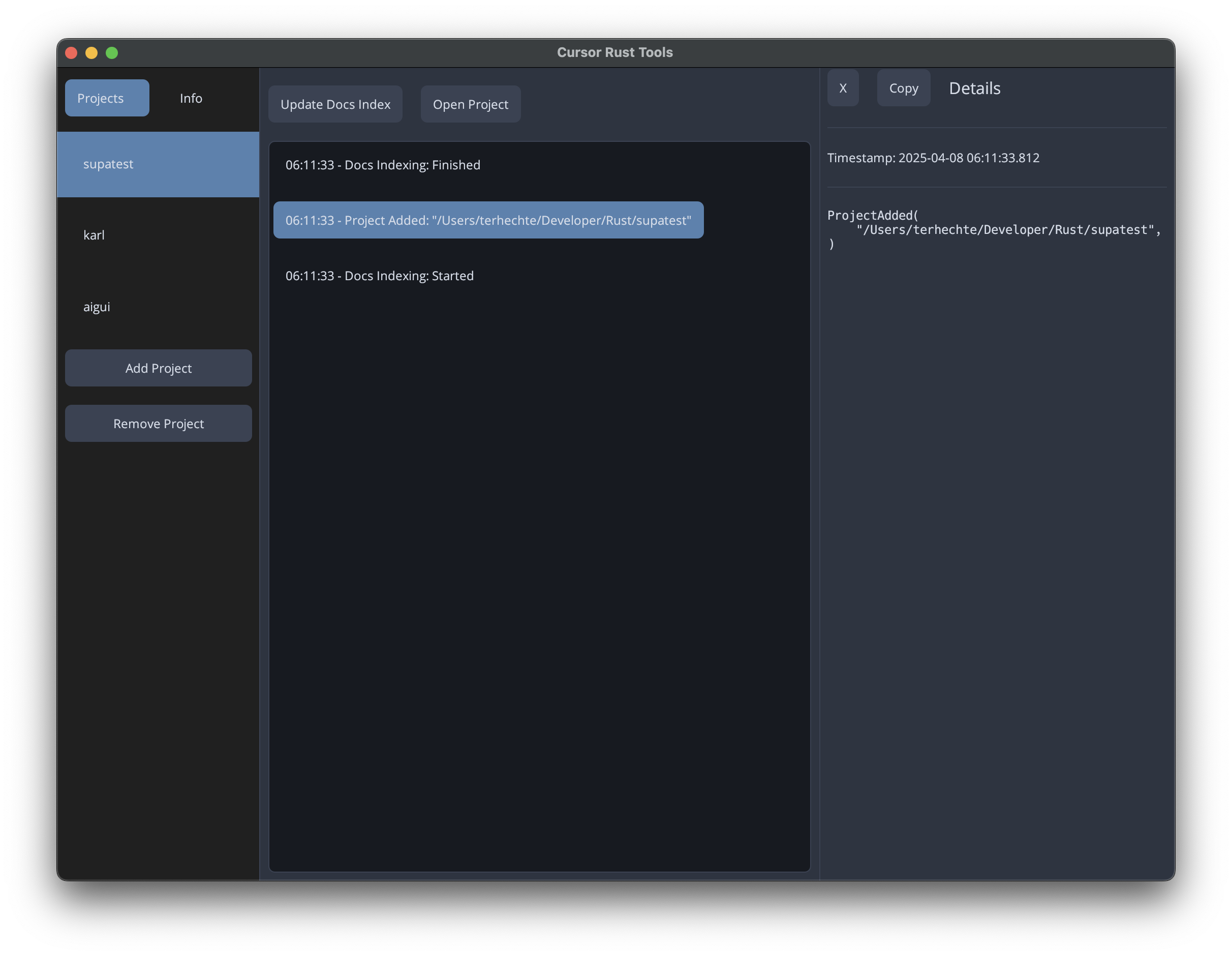
This will bring up a UI in which you can add projects, install the mcp.json and see the activity.
Run Without UI
Alternatively, once you have a ~/.cursor-rust-tools set up with projects, you can also just run it via
cursor-rust-tools --no-ui
Configuration
In stead of using the UI to create a configuration, you can also set up ~/.cursor-rust-tools yourself:
[[projects]]
root = "/Users/terhechte/Developer/Rust/example1"
ignore_crates = []

[[projects]]
root = "/Users/terhechte/Developer/Rust/example2"
ignore_crates = []
ignore_crates is a list of crate dependency names that you don't want to be indexed for documentation. For example because they're too big.
Configuring Cursor
One the app is running, you can configure Cursor to use it. This requires multiple steps.
- Add a
project-dir/.cursor/mcp.json to your project. The Cursor Rust Tools UI has a button to do that for you. Running it without UI will also show you the mcp.json contents in the terminal.
- As soon as you save that file, Cursor will detect that a new MCP server has been added and ask you to enable it. (in a dialog in the bottom right).
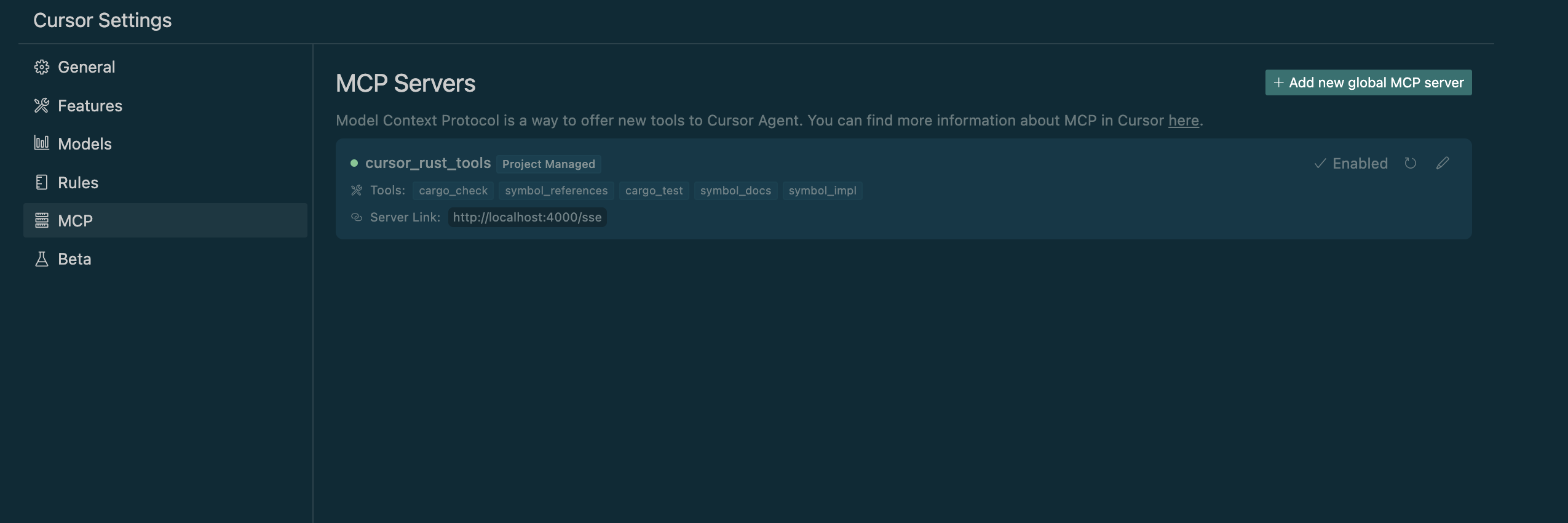
- You can check the Cursor settings (under
MCP) to see where it is working correctly
- To test, make sure you have
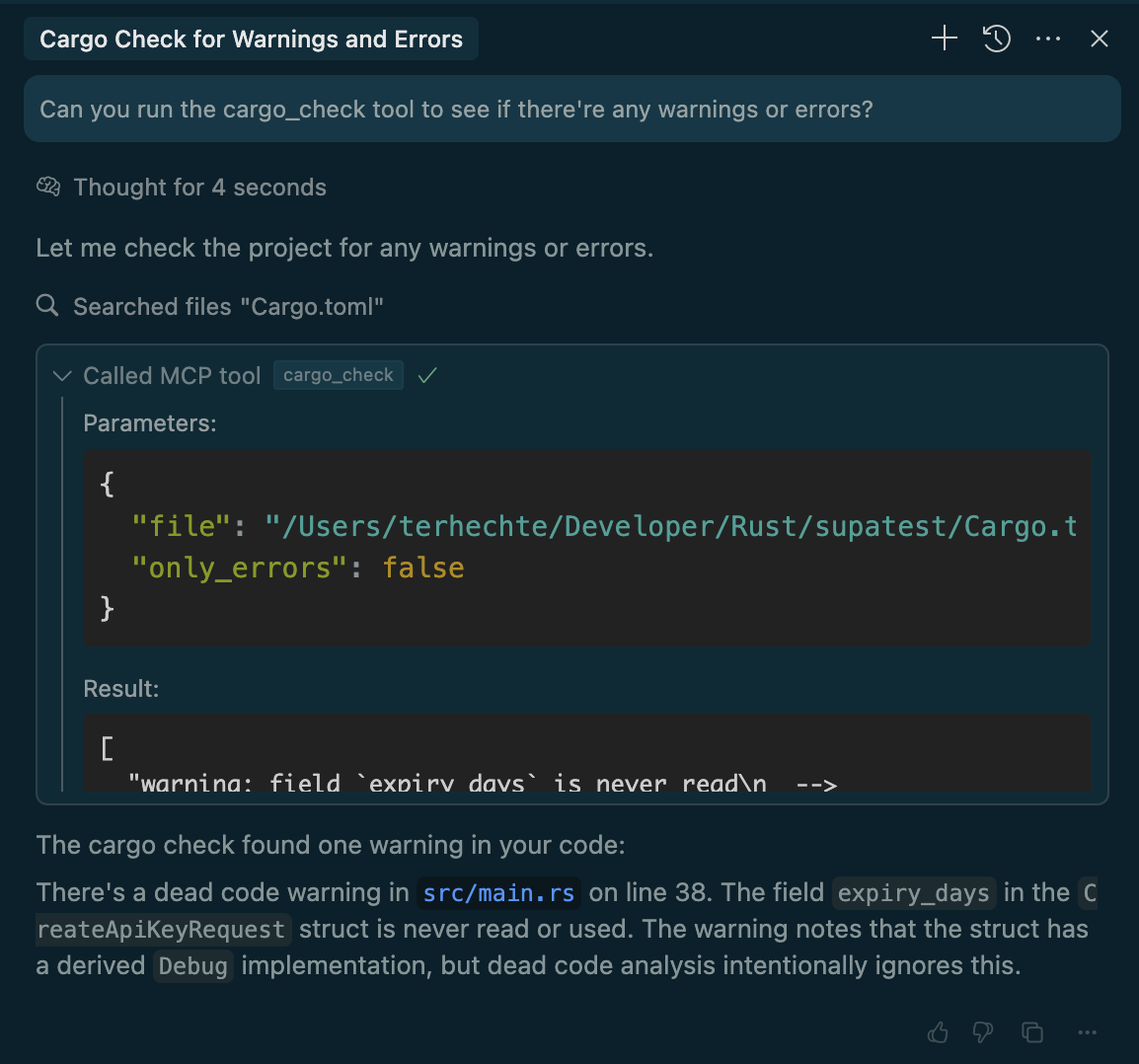
Agent Mode selected in the current Chat. And then you can ask it to utilize one of the new tools, for example the cargo_check tool.
- You might want to add cursor rules to tell the LLM to prefer using these tools whenever possible. I'm still experimenting with this.
The contents of all the mcp.json is the same. Cursor Rust Tools figures out the correct project via
the filepath
Open Todos




