

koala73/worldmonitorConnectors
Real-time global intelligence dashboard. AI-powered news aggregation, geopolitical monitoring, and infrastructure tracking in a unified situational awareness interface
86k
This is an MCP connector that gives an agent access to FRED economic time series. It provides tools for browsing FRED categories and releases, searching series, and fetching series data with filters, date ranges, and transformations. It can run over stdio or Streamable HTTP, and it is designed to be configured as an MCP server in a client like Claude Desktop or any other MCP-capable agent.
Builders who want their agent to pull Federal Reserve data for analysis, research, or financial work.
You can ask your agent to find and fetch economic time series instead of copying data by hand.
`fred_browse` lets you explore categories, releases, sources, and series lists with pagination and sorting.
`fred_search` finds series by keywords, tags, and filters such as frequency, units, and seasonal adjustment.
`fred_get_series` returns observations for any series ID with date ranges, units transforms, frequency aggregation, and ordering.
The server can run as a local MCP process or as a Streamable HTTP service with `--http` or `TRANSPORT=http`.
It coalesces identical requests, caches successful responses, and supports retries and token-bucket rate limiting.
git clone https://github.com/stefanoamorelli/fred-mcp-server.git
cd fred-mcp-server
pnpm install
pnpm build




[!IMPORTANT] Disclaimer: This open-source project is not affiliated with, sponsored by, or endorsed by the Federal Reserve or the Federal Reserve Bank of St. Louis. "FRED" is a registered trademark of the Federal Reserve Bank of St. Louis, used here for descriptive purposes only.
A Model Context Protocol (MCP) server providing universal access to all 800,000+ Federal Reserve Economic Data (FRED®) time series through three powerful tools.
https://github.com/user-attachments/assets/66c7f3ad-7b0e-4930-b1c5-a675a7eb1e09
[!TIP] If you use this project in your research or work, please cite it using the CITATION.cff file, or use the following citation:
APA Format:
Amorelli, S. (2025). Federal Reserve Economic Data MCP (Model Context Protocol) Server (Version 1.0.2) [Computer software]. Zenodo. https://doi.org/10.5281/zenodo.14536707
BibTeX:
@software{amorelli_2025_14536707,
  author       = {Amorelli, Stefano},
  title        = {{Federal Reserve Economic Data MCP (Model Context
                   Protocol) Server}},
  month        = jan,
  year         = 2025,
  publisher    = {Zenodo},
  version      = {1.0.2},
  doi          = {10.5281/zenodo.14536707},
  url          = {https://doi.org/10.5281/zenodo.14536707}
}
git clone https://github.com/stefanoamorelli/fred-mcp-server.git
cd fred-mcp-server
pnpm install
pnpm build
This server requires a FRED® API key. You can obtain one from the FRED® website.
Install the server, for example, on Claude Desktop, modify the claude_desktop_config.json file and add the following configuration:
{
  "mcpServers": {
    "FRED MCP Server": {
      "command": "/usr/bin/node",
      "args": [
        "<PATH_TO_YOUR_CLONED_REPO>/fred-mcp-server/build/index.js"
      ],
      "env": {
        "FRED_API_KEY": "<YOUR_API_KEY>"
      }
    }
  }
}
You can also run the FRED MCP Server using Docker. Add this configuration to your claude_desktop_config.json:
{
  "mcpServers": {
    "fred-mcp": {
      "command": "docker",
      "args": [
        "run",
        "-i",
        "--rm",
        "-e",
        "FRED_API_KEY=<your-key-here>",
        "stefanoamorelli/fred-mcp-server:latest"
      ],
      "env": {}
    }
  }
}
Replace <your-key-here> with your actual FRED API key.
For network deployments, you can run the server with Streamable HTTP transport instead of stdio:
# Using CLI flag
node build/index.js --http

# Or using environment variable
TRANSPORT=http node build/index.js

# Custom port (default is 3000)
PORT=8080 node build/index.js --http
The server will be available at http://localhost:3000/mcp (or your custom port).
Example client request:
# Initialize session
curl -X POST http://localhost:3000/mcp \
  -H "Content-Type: application/json" \
  -H "Accept: application/json, text/event-stream" \
  -d '{"jsonrpc":"2.0","id":1,"method":"initialize","params":{"protocolVersion":"2024-11-05","capabilities":{},"clientInfo":{"name":"my-client","version":"1.0.0"}}}'

# Use the mcp-session-id from the response header for subsequent requests
curl -X POST http://localhost:3000/mcp \
  -H "Content-Type: application/json" \
  -H "Accept: application/json, text/event-stream" \
  -H "mcp-session-id: <session-id-from-init>" \
  -d '{"jsonrpc":"2.0","id":2,"method":"tools/list"}'
A GET /healthz endpoint reports active sessions, cache statistics, and uptime for load balancers and orchestrators.
All settings are environment variables with sensible defaults:
| Variable | Default | Description |
|---|---|---|
FRED_API_KEY | (required) | Your FRED API key |
FRED_API_TIMEOUT_MS | 30000 | Per-request timeout against the FRED API |
FRED_API_MAX_RETRIES | 3 | Retries for 429/5xx/network failures (exponential backoff with jitter, honors Retry-After) |
FRED_API_RETRY_BASE_DELAY_MS | 500 | Base delay for retry backoff |
FRED_RATE_LIMIT_PER_MINUTE | 120 | Client-side token bucket matching FRED's per-key quota |
FRED_CACHE_TTL_MS | 60000 | TTL for cached API responses (0 disables caching) |
FRED_CACHE_MAX_ENTRIES | 500 | LRU cache capacity |
TRANSPORT | stdio | Set to http for Streamable HTTP transport |
HOST | (all interfaces) | HTTP bind address |
PORT | 3000 | HTTP port |
MCP_MAX_SESSIONS | 100 | Maximum concurrent MCP sessions (new sessions get 503 beyond this) |
MCP_SESSION_TTL_MS | 1800000 | Idle time before a session is reaped |
MCP_SESSION_SWEEP_INTERVAL_MS | 60000 | How often the idle-session reaper runs |
MCP_BODY_LIMIT | 1mb | Maximum accepted JSON body size |
LOG_LEVEL | info | error, warn, info, or debug (logs go to stderr) |
Identical concurrent requests are coalesced into a single upstream call, and successful responses are cached, so multiple sessions share one rate-limit budget efficiently.
This MCP server provides three comprehensive tools to access all 800,000+ FRED® economic data series:
fred_browseDescription: Browse FRED's complete catalog through categories, releases, or sources.
Parameters:
browse_type (required): Type of browsing - "categories", "releases", "sources", "category_series", "release_series"category_id (optional): Category ID for browsing subcategories or series within a categoryrelease_id (optional): Release ID for browsing series within a releaselimit (optional): Maximum number of results (default: 50)offset (optional): Number of results to skip for paginationorder_by (optional): Field to order results bysort_order (optional): "asc" or "desc"fred_searchDescription: Search for FRED economic data series by keywords, tags, or filters.
Parameters:
search_text (optional): Text to search for in series titles and descriptionssearch_type (optional): "full_text" or "series_id"tag_names (optional): Comma-separated list of tag names to filter byexclude_tag_names (optional): Comma-separated list of tag names to excludelimit (optional): Maximum number of results (default: 25)offset (optional): Number of results to skip for paginationorder_by (optional): Field to order by (e.g., "popularity", "last_updated")sort_order (optional): "asc" or "desc"filter_variable (optional): Filter by "frequency", "units", or "seasonal_adjustment"filter_value (optional): Value to filter the variable byfred_get_seriesDescription: Retrieve data for any FRED series by its ID with support for transformations and date ranges.
Parameters:
series_id (required): The FRED series ID (e.g., "GDP", "UNRATE", "CPIAUCSL")observation_start (optional): Start date in YYYY-MM-DD formatobservation_end (optional): End date in YYYY-MM-DD formatlimit (optional): Maximum number of observationsoffset (optional): Number of observations to skipsort_order (optional): "asc" or "desc"units (optional): Data transformation:
frequency (optional): Frequency aggregation ("d", "w", "m", "q", "a")aggregation_method (optional): "avg" (average), "sum", or "eop" (end of period)With these three tools, you can:
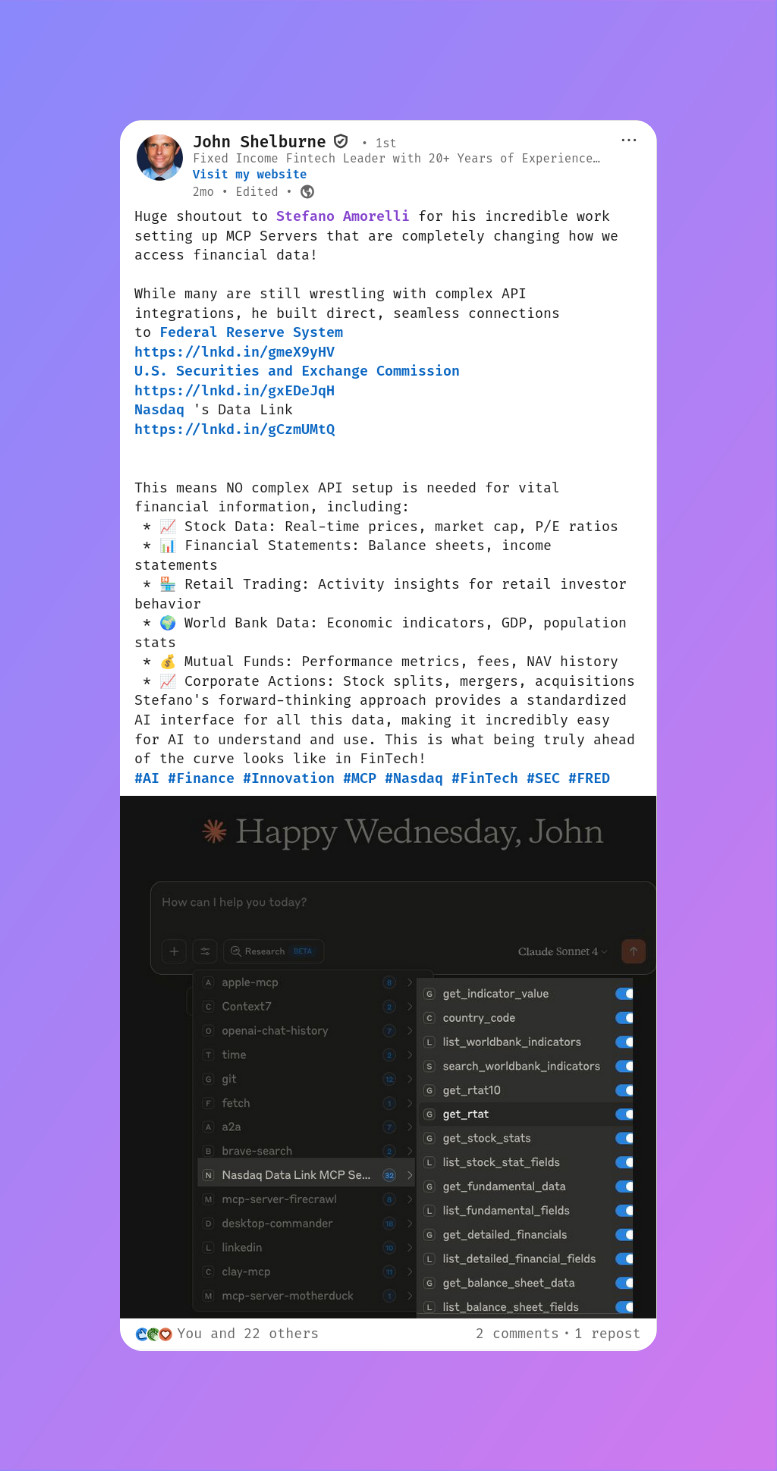
[!NOTE] Want to be featured? Tag Stefano Amorelli on LinkedIn or @stefanoamorelli on X in your post about using FRED MCP Server, or submit a PR to add your shoutout!
We're grateful for the community support! Here are some mentions from amazing people:

See TESTING.md for more details.
# Run all tests
pnpm test

# Run specific tests
pnpm test:registry
This open-source project is licensed under the GNU Affero General Public License v3.0 (AGPL-3.0). This means:
For commercial licensing options or other licensing inquiries, please contact stefano@amorelli.tech.
© 2025 Stefano Amorelli
Sign in to join the discussion.
No comments yet. Be the first to say what this is good for.
Real-time global intelligence dashboard. AI-powered news aggregation, geopolitical monitoring, and infrastructure tracking in a unified situational awareness interface
High-performance code intelligence MCP server. Indexes codebases into a persistent knowledge graph — average repo in milliseconds. 158 languages, sub-ms queries, 99% fewer tokens. Single static binary, zero dependencies.

Universal provider proxy for OpenAI Codex & Claude Code — use any LLM (Claude, Gemini, Grok, DeepSeek, Ollama…) with Codex CLI, App, SDK, and Claude Code

Git-native persistent memory for AI coding agents. Implements Google OKF v0.2 with sub-300µs in-memory BM25 search, embedded MCP server, and progressive disclosure. Slashes token bloat by 80% with zero external databases or dependencies. Built in pure Go.

Local-first code intelligence graph for MCP and CLI. Builds a persistent map of your codebase so AI coding tools read only what matters, with benchmarked context reductions on reviews and large-repo workflows.

Stop your AI from making things up — it proposes, deterministic tools decide, every claim checked against ground truth with evidence. Grounded facts and context survive resets. Reverse engineering is the proving ground. MCP server + CLI.