
koala73/worldmonitorConnectors
Real-time global intelligence dashboard. AI-powered news aggregation, geopolitical monitoring, and infrastructure tracking in a unified situational awareness interface
86k
SandBase CLI sets up a local MCP bridge so your agent can discover, inspect, and run models and APIs through SandBase. The workflow is `connect`, then use tools like `sandbase_discover`, `sandbase_inspect`, and `sandbase_run` from your connected client.
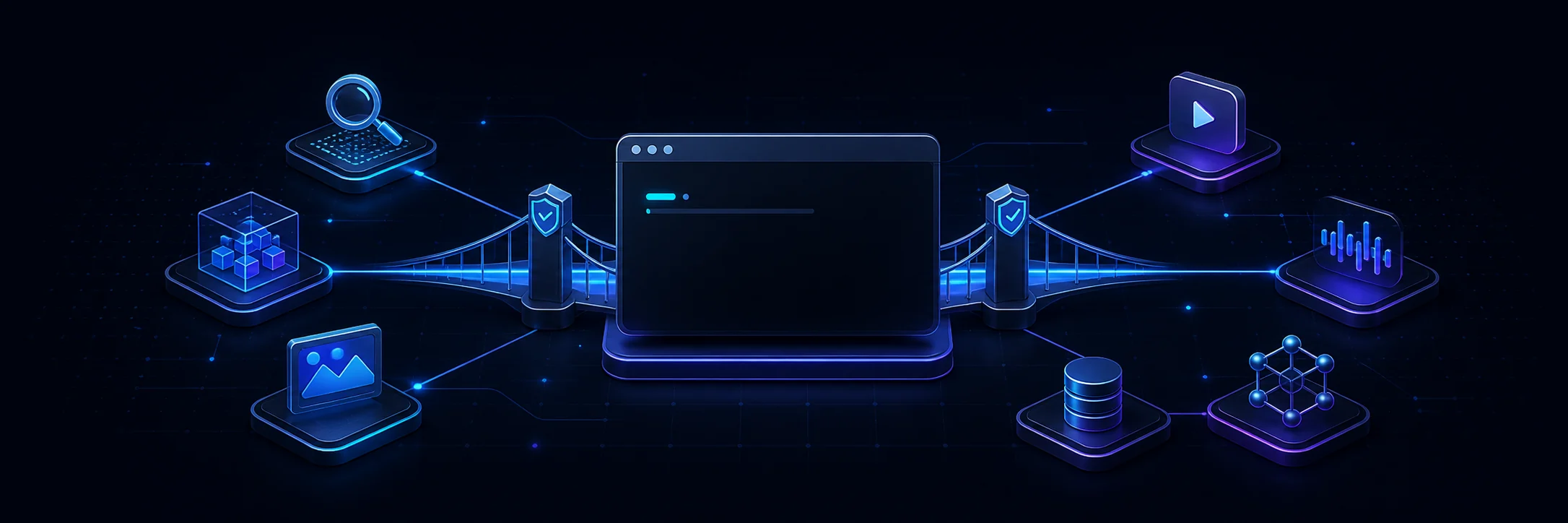
Builders who want their agent to reach web search, social data, images, video, and models without wiring each API by hand.
You can give your agent one approved connection to many external models and APIs instead of managing separate keys and setup for each one.
Uses browser authorization and stores credentials locally with restricted file permissions.
Configures a client-specific bridge so supported agents can call SandBase tools on demand.
Provides `sandbase_discover` and `sandbase_inspect` to find endpoints, schemas, pricing, and requirements before running anything.
Provides `sandbase_run`, `sandbase_run_get`, `sandbase_runs`, and `sandbase_account` for execution, polling, history, and balance checks.
Lists and configures multiple clients, including Claude Code, Cursor, Codex, Gemini CLI, Windsurf, and others.
Removes only SandBase-owned configuration and leaves user-managed entries alone.
npx -y https://github.com/sandbaseai/cli/releases/download/v0.1.17/sandbaseai-cli-0.1.17.tgz connect --client openclaw
npx -y https://github.com/sandbaseai/cli/releases/download/v0.1.17/sandbaseai-cli-0.1.17.tgz doctor --client openclaw
npx -y https://github.com/sandbaseai/cli/releases/download/v0.1.17/sandbaseai-cli-0.1.17.tgz unregister --client openclaw
npx -y https://github.com/sandbaseai/cli/releases/download/v0.1.17/sandbaseai-cli-0.1.17.tgz connect --client hermes
npx -y https://github.com/sandbaseai/cli/releases/download/v0.1.17/sandbaseai-cli-0.1.17.tgz doctor --client hermes
npx -y https://github.com/sandbaseai/cli/releases/download/v0.1.17/sandbaseai-cli-0.1.17.tgz unregister --client hermes
Give your AI agent superpowers. One command. 2,000+ AI models and APIs.
English | 中文 | 日本語 | 한국어 | Español | Français | Deutsch | Português






Your AI coding assistant is smart, but it's trapped in a box. It can't search the web, check social media, generate images, or access real-time data — unless you wire up each API yourself.
SandBase changes that. One command connects your agent to 2,000+ AI models and APIs through the Model Context Protocol. No API keys to manage. No configuration headaches.
Building directly over HTTP instead of MCP? Start with the SandBase API quickstart or compare the unified LLM, image, and video API with specialized model gateways.
npx -y https://github.com/sandbaseai/cli/releases/download/v0.1.17/sandbaseai-cli-0.1.17.tgz connect
Or install the official Homebrew formula on macOS or Linux:
brew install sandbaseai/tap/sandbaseai-cli
sandbase connect
See the Homebrew launch announcement and macOS/Linux CI evidence.
For a reproducible install, verify the immutable release archive before
running it. The SHA-256 for sandbaseai-cli-0.1.17.tgz is
1ad535b2899ca460b57b3c268aef278fee28fd28e649a89b92951514fd71fffa.
curl -fL -o sandbaseai-cli-0.1.17.tgz \
  https://github.com/sandbaseai/cli/releases/download/v0.1.17/sandbaseai-cli-0.1.17.tgz
echo '1ad535b2899ca460b57b3c268aef278fee28fd28e649a89b92951514fd71fffa  sandbaseai-cli-0.1.17.tgz' | shasum -a 256 -c -
npx -y ./sandbaseai-cli-0.1.17.tgz connect
Approve the browser authorization once; each supported client can then discover, inspect, and run available SandBase models and APIs through the local MCP bridge.
Want to inspect compatibility before signing in or changing configuration? The current
v0.1.17 GitHub release
includes a verified 25-client catalog:
npx -y https://github.com/sandbaseai/cli/releases/download/v0.1.17/sandbaseai-cli-0.1.17.tgz catalog --json


Evidence captured from the immutable v0.1.17 release: a no-write catalog audit and a bounded doctor check against an empty isolated profile.
Homebrew users can run the same read-only check with sandbase catalog --json.
The npm latest tag currently serves v0.1.14 while tokenless trusted publishing is
being enabled. The GitHub release tarball is built from the immutable v0.1.17 tag;
its SHA-256 is published with the release.
Visit the official SandBase CLI project page for a compact overview.
For a security-focused walkthrough of client detection, MCP tools, and rollback,
read the 25-client SandBase CLI setup guide.
AI agents and automated installers can use the concise
llms-install.md instructions.
main.Discover the authenticated remote bridge in the official MCP Registry,
read its Registry community showcase, or find it through
Chinese Independent Developer,
Awesome MCP,
Glama,
TensorBlock MCP Index,
MCPRepository,
VaultPlane,
AIMCP,
MCP Server Hub,
MCP Server Spot, or the
Awesome AI API Proxy.
External maintainers have merged SandBase into
Awesome Codex CLI,
Awesome Agent Skills, and
Awesome MCP Server.
The Hermes integration is independently listed in the
Hermes Atlas ecosystem catalog and as beta in
Awesome Hermes Agent.
Install its
verified sandbase Agent Skill from skills.sh,
the sandbaseai/cli/sandbase listing on SkillsCat,
the sandbaseai/cli/sandbase listing on skills.re,
the 93/100 verified SandBase listing on vSkill,
the security-audited SandBase listing on Skillstore,
or the versioned sandbaseai/sandbase snapshot on Agent Skill Hub.
After connecting, ask your agent to follow the same inspectable sequence for search, data APIs, language models, image generation, video generation, and other catalog capabilities:
sandbase_discover to find candidates by task or capability.sandbase_inspect to read the current input schema, pricing, and
execution requirements.sandbase_run.sandbase_run_get with the returned run_id
instead of creating a duplicate run.sandbase_runs to review recent run status and recorded cost.sandbase_account to check the current account balance.For example, start with a non-billable discovery request:
Find image models suitable for a square product illustration. Compare the required inputs and current pricing for the best two candidates. Do not run either model yet.
After reviewing the live response, explicitly approve the endpoint and inputs you want to run. Catalog entries, schemas, pricing, latency, and availability can change, so use the tool response from the current session rather than a static example.
See the complete Claude Code and Codex walkthrough or the Chinese workflow guide. For a live catalog example, read the GitHub connector discover-and-inspect dogfooding note.
| Category | Tools | What You Can Do |
|---|---|---|
| Web Search | Google, Exa, Tavily, Scholar | Research anything in real-time |
| Social Media | Twitter/X, YouTube, Reddit, Instagram, TikTok, Xiaohongshu, Weibo, Bilibili | Monitor trends, pull posts, analyze content |
| Scraping | Firecrawl, Exa Content | Extract data from any public webpage |
| AI Models | GPT-4o, Claude, Gemini, DeepSeek, Qwen, Llama | Run any model without managing keys |
| Image Gen | Flux, DALL-E, Ideogram, Recraft | Create logos, illustrations, mockups |
| Video Gen | Kling, MiniMax, Runway, Luma | Generate short clips and animations |
| Audio | ElevenLabs, Whisper | Text-to-speech, transcription |
| E-commerce | Taobao, Amazon | Product research, price comparison |
| Finance | Stock data, company info | Market research and analysis |
Works with every major AI coding tool:
| Auto-configured | Manual setup |
|---|---|
| Cursor, Cursor CLI | ChatGPT |
| Claude Code | Claude Desktop |
| Codex | |
| Kiro IDE, Kiro CLI | |
| Windsurf | |
| Gemini CLI | |
| Amp | |
| Warp | |
| OpenCode, Qwen Code, Kimi CLI | |
| Hermes, OpenClaw |
Preview the complete compatibility catalog without signing in or changing any files:
npx -y https://github.com/sandbaseai/cli/releases/download/v0.1.17/sandbaseai-cli-0.1.17.tgz catalog --json
# Connect all detected clients at once
npx -y https://github.com/sandbaseai/cli/releases/download/v0.1.17/sandbaseai-cli-0.1.17.tgz connect

# Or target one specific client
npx -y https://github.com/sandbaseai/cli/releases/download/v0.1.17/sandbaseai-cli-0.1.17.tgz connect --client cursor
Target OpenClaw directly, then ask the CLI to read back the managed MCP server and SandBase Skill before you rely on them:
npx -y https://github.com/sandbaseai/cli/releases/download/v0.1.17/sandbaseai-cli-0.1.17.tgz connect --client openclaw
npx -y https://github.com/sandbaseai/cli/releases/download/v0.1.17/sandbaseai-cli-0.1.17.tgz doctor --client openclaw
After doctor reports the credential, MCP bridge, and Skill as configured,
restart OpenClaw and make a natural-language request that needs SandBase. If
OpenClaw already has a non-SandBase MCP server named sandbase, the installer
leaves it untouched instead of overwriting it. To remove the managed MCP entry
and local credential later:
npx -y https://github.com/sandbaseai/cli/releases/download/v0.1.17/sandbaseai-cli-0.1.17.tgz unregister --client openclaw
OpenClaw currently exposes no supported Skill removal command, so unregister
reports that limitation and leaves the verified SandBase Skill installed.
SandBase can install both its managed Hermes Skill and local MCP entry in one authorization transaction:
npx -y https://github.com/sandbaseai/cli/releases/download/v0.1.17/sandbaseai-cli-0.1.17.tgz connect --client hermes
npx -y https://github.com/sandbaseai/cli/releases/download/v0.1.17/sandbaseai-cli-0.1.17.tgz doctor --client hermes
doctor verifies the owned local credential, MCP entry, and Skill. Restart
Hermes to confirm native discovery in a fresh client session, then use the
SandBase Skill or MCP tools. A pre-existing, non-SandBase MCP entry named
sandbase is left untouched. To remove only the managed Hermes configuration,
Skill, and local credential while retaining the shared bridge for other clients:
npx -y https://github.com/sandbaseai/cli/releases/download/v0.1.17/sandbaseai-cli-0.1.17.tgz unregister --client hermes
The integration is independently listed by Hermes Atlas and Awesome Hermes Agent.
┌─────────────────┐         ┌───────────────┐         ┌────────────────────┐
│   Your Agent    │  MCP    │  Local Bridge │  HTTPS  │    SandBase API     │
│  (Cursor, etc.) │────────▶│  (on-demand)  │────────▶│ 2,000+ models/APIs │
│                 │◀────────│               │◀────────│                    │
└─────────────────┘         └───────────────┘         └────────────────────┘
connect → CLI opens browser auth → you approve0600)sandbase connect [--client <name>] # Authorize + configure
sandbase doctor [--client <name>] # Health check
sandbase unregister [--client <name>] # Remove configuration
sandbase catalog --json # List all supported clients
| Tool | Purpose |
|---|---|
sandbase_discover | Search all 2,000+ available AI models and APIs |
sandbase_inspect | Get input schema, pricing, and ready-to-use template |
sandbase_run | Execute a model or API endpoint |
sandbase_run_get | Poll status/result of an async run (video gen, etc.) |
sandbase_runs | List your recent API calls with cost breakdown |
sandbase_account | Check account balance (free, no cost) |
Recommended workflow:
discover → inspect → run
1. sandbase_discover(q: "twitter search")          → find current candidates
2. sandbase_inspect(name: discovered_name)          → get schema and pricing
3. sandbase_run(name: discovered_name, input: {...}) → run after confirmation
0600unregister, only configuration owned by SandBase is removednpx -y https://github.com/sandbaseai/cli/releases/download/v0.1.17/sandbaseai-cli-0.1.17.tgz connect
Then ask your agent to do something it couldn't before.
If SandBase saves you setup time, star the repository — it helps more agent users discover the project.
Community-curated listings:
Apache-2.0
Sign in to join the discussion.
No comments yet. Be the first to say what this is good for.
Real-time global intelligence dashboard. AI-powered news aggregation, geopolitical monitoring, and infrastructure tracking in a unified situational awareness interface
High-performance code intelligence MCP server. Indexes codebases into a persistent knowledge graph — average repo in milliseconds. 158 languages, sub-ms queries, 99% fewer tokens. Single static binary, zero dependencies.

Universal provider proxy for OpenAI Codex & Claude Code — use any LLM (Claude, Gemini, Grok, DeepSeek, Ollama…) with Codex CLI, App, SDK, and Claude Code

Git-native persistent memory for AI coding agents. Implements Google OKF v0.2 with sub-300µs in-memory BM25 search, embedded MCP server, and progressive disclosure. Slashes token bloat by 80% with zero external databases or dependencies. Built in pure Go.

Local-first code intelligence graph for MCP and CLI. Builds a persistent map of your codebase so AI coding tools read only what matters, with benchmarked context reductions on reviews and large-repo workflows.

Stop your AI from making things up — it proposes, deterministic tools decide, every claim checked against ground truth with evidence. Grounded facts and context survive resets. Reverse engineering is the proving ground. MCP server + CLI.