
NousResearch/
hermes-agent

The agent that grows with you
245k
CliDeck runs your existing agent CLIs and lets them ask each other for help inside the same project. It gives each session an address, supports cross-session requests with CliDeck Ask, and shows generated reports and files in preview tabs. The app also includes session resume, backups, saved prompts, and a plugin SDK.
Builders who want multiple agent CLIs to collaborate in one project while they stay in the loop.
You can coordinate different agents, route questions between them, and review their outputs without jumping between separate terminals.
Runs Claude Code, Codex, Gemini, OpenCode, Pi, and shell sessions in one place.
Lets one session send a request to another session by name, then bring the answer back.
Groups sessions around a project folder and uses session names like `@website/reviewer`.
Opens markdown, HTML, images, video, PDFs, diagrams, and diffs beside the terminals.
Stores prompts with `//` lookup and fills values like `{{session_name}}` and `{{project_name}}`.
Keeps terminal history, session backups, and resume support so work can continue later.
Includes a plugin SDK and built-in plugins such as Supertonic Voice, Emoji, and Smart Dictation.
npm install -g clideck@2
clideck
One place for your AI agents to work with you and each other.
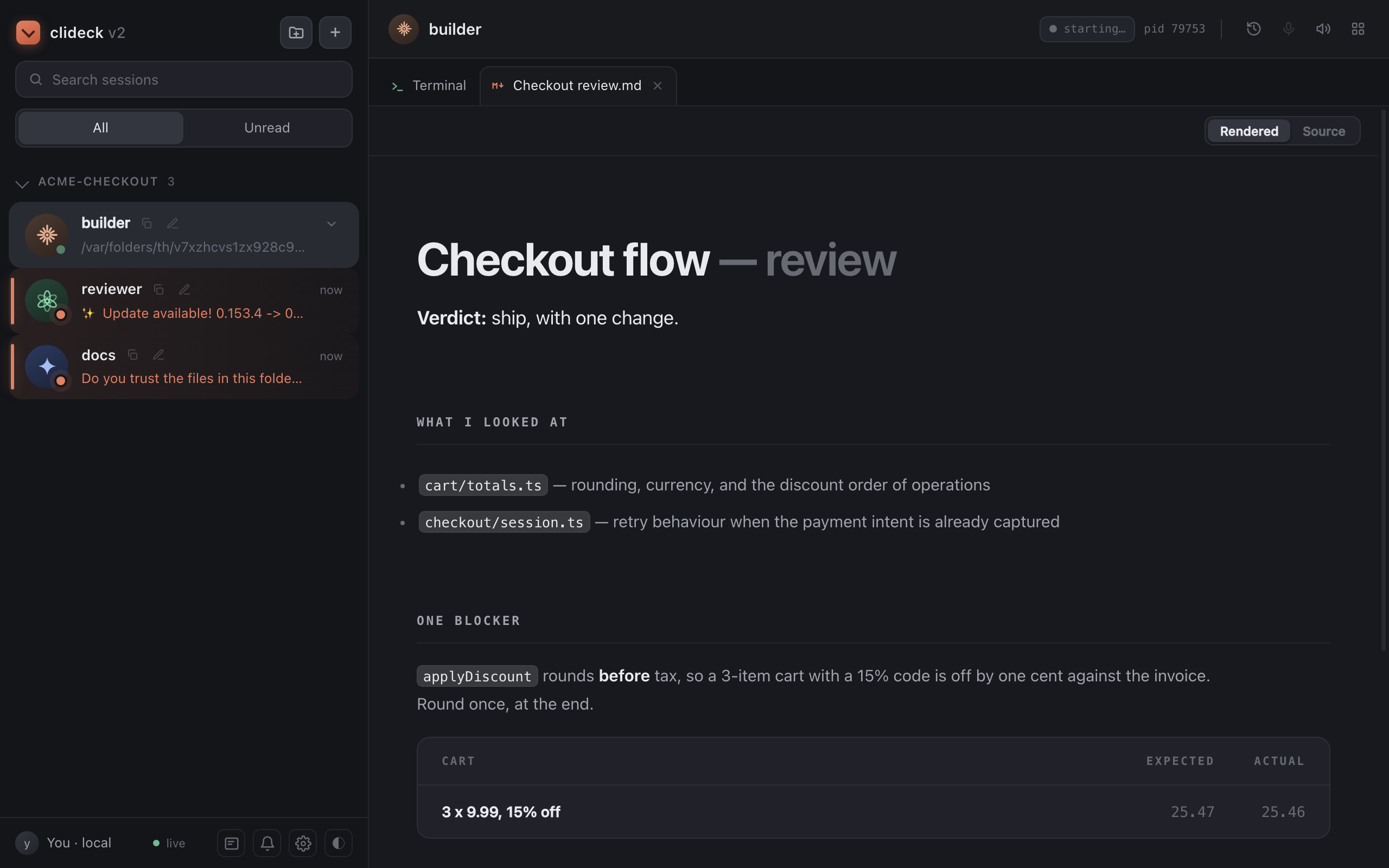
Put a frontend agent, a backend agent, and a researcher in the same project. They can use different AI providers. Tell one to ask another for help, and the request and answer travel between their actual terminals. You stay part of the conversation.
CliDeck runs the agent CLIs you already use. No orchestration code to write, and no new agent API to wire up.
Requires Node.js 22.12 or newer and at least one installed agent CLI.
npm install -g clideck@2
clideck
Open http://127.0.0.1:4000. Create a project, open a few sessions, and give them names that describe their work. The short tour shows you around.
You can also run npx clideck@2. Coming from v1? Read the upgrade notes
first. V2.0.1 imports your legacy sessions, projects, and saved prompts automatically.
Say “ask the reviewer to check my work.” Your agent discovers the reviewer, sends the request, and gets the answer back. The reviewer can use a different provider.
@website/reviewer. Type @@ in a
terminal to find them.The agent-facing commands are available inside CliDeck sessions:
clideck agents
clideck ask "@website/reviewer" "Review the changes and report the important issues"
clideck ask status
Ask an agent to show its work inside CliDeck. Markdown reports, HTML pages, images, videos, PDFs, diagrams, and diffs open in preview tabs beside the terminals. You can also drop files onto the tab strip.
clideck show report.md
clideck show demo.html
clideck show walkthrough.mp4
// lookup and {{session_name}} / {{project_name}} fields.Voice models are downloaded when set up; they are not included in the npm package. OmniVoice is not part of this release.
We removed Autopilot because today's agents already have sub-agents. The CLI is the right interface for this generation of CLI agents, so CliDeck focuses on helping them work across providers with you.
We also removed mobile control. Harnesses such as Codex and Claude Code now provide their own remote access, and maintaining another mobile control layer no longer makes sense for CliDeck.
The focus is projects where you and agents from multiple providers work together, with their conversations and outputs in one place.
clideck --port 4200
clideck --data-dir /path/to/clideck-data
clideck --help
clideck --version
CLIDECK_PORT or PORT also sets the port. CliDeck v2 binds to loopback only. Its default
data directory is ~/.clideck-next, kept separate from v1's ~/.clideck.
Agent CLIs use their own accounts and network connections.
For development, run npm ci, npm test, then npm start.
Sign in to join the discussion.
No comments yet. Be the first to say what this is good for.
The agent that grows with you

Open-source coding agent for your terminal, built in Rust and on a journey of continuous community improvement. Issues and PRs welcome.
A lightweight alternative to OpenClaw that runs in containers for security. Connects to WhatsApp, Telegram, Slack, Discord, Gmail and other messaging apps,, has memory, scheduled jobs, and runs directly on Anthropic's Agents SDK

OpenSquilla — Token-Efficient AI Agent with same budget, higher intelligence density
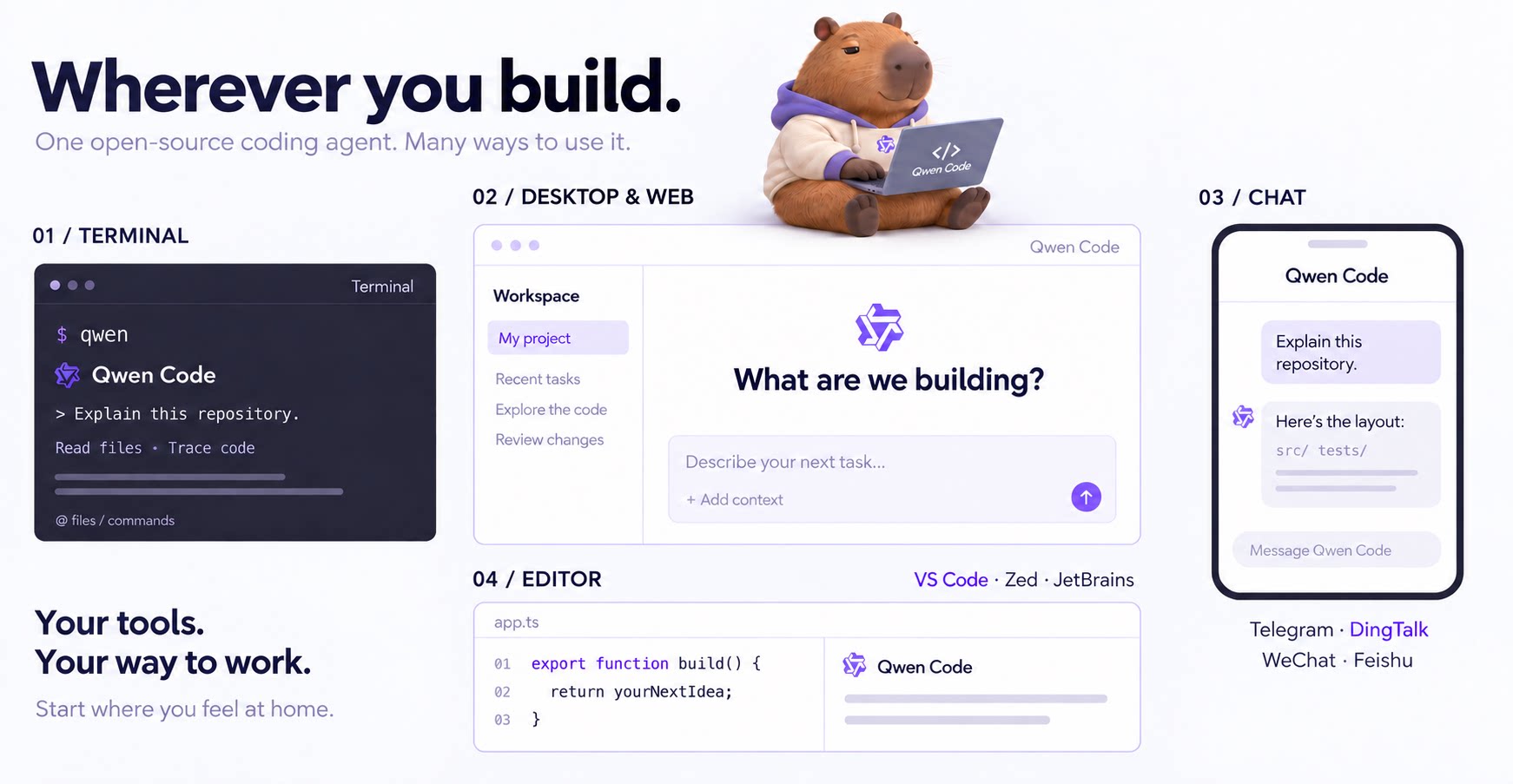
An open-source AI coding agent that lives in your terminal.

Run and supervise teams of coding agents from planning to merge. Any harness (Claude code, codex, +25 more). Desktop, web, mobile, and cloud agents.