

koala73/worldmonitorConnectors
Real-time global intelligence dashboard. AI-powered news aggregation, geopolitical monitoring, and infrastructure tracking in a unified situational awareness interface
86k
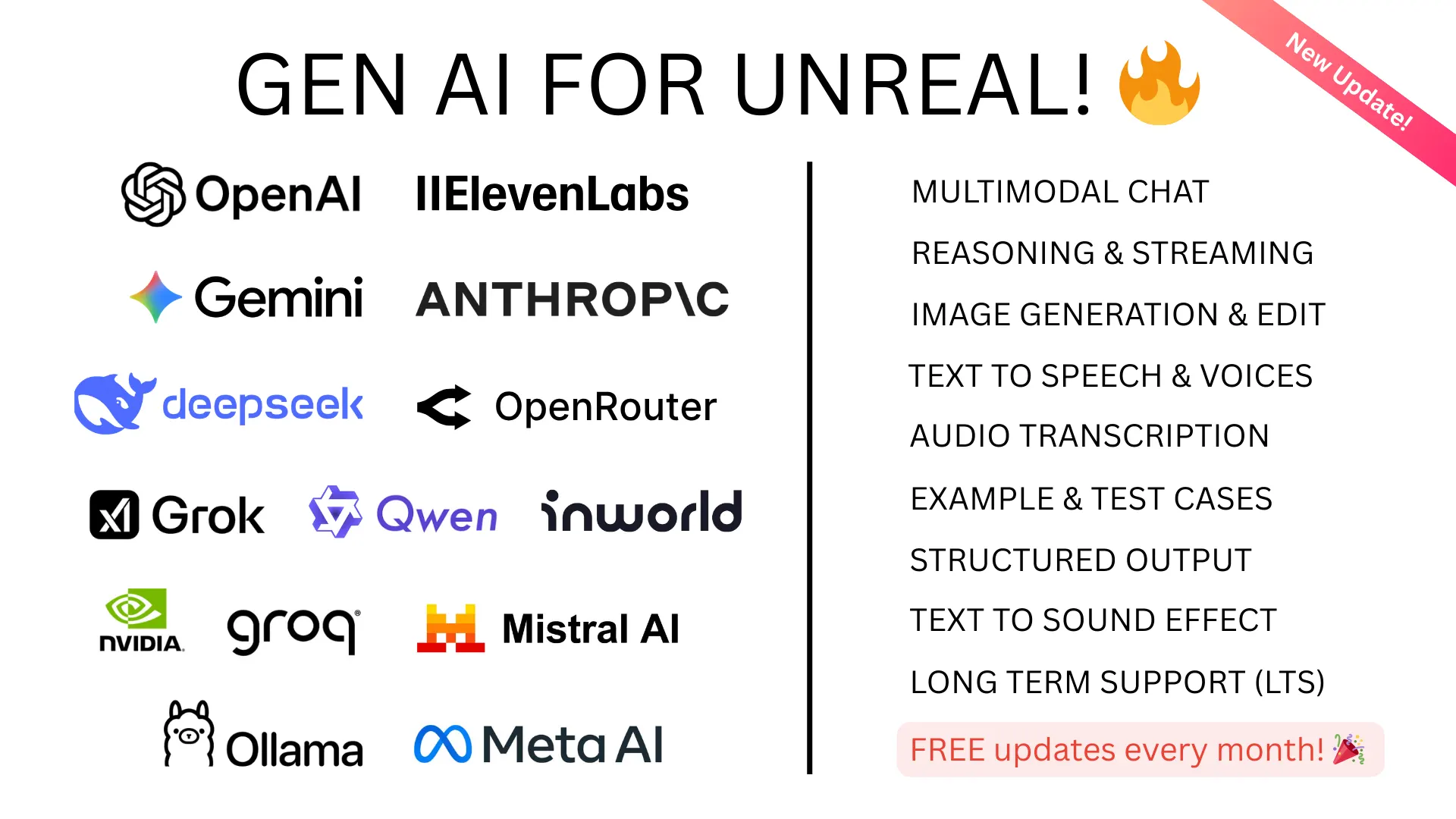
This plugin adds Unreal Engine support for multiple LLM and GenAI providers, including chat, structured outputs, TTS, image generation, and 3D generation. It also includes an MCP server path so Claude Desktop, Claude Code, and Cursor can act on an Unreal project through Python and editor commands.
Builders who want to wire AI models and agent clients into Unreal Engine projects.
You can add chat, structured AI calls, and agent control to an Unreal project without building the integration layer yourself.
Calls OpenAI, Anthropic Claude, DeepSeek, Grok, and OpenAI-compatible models from Unreal.
Requests schema-shaped JSON responses from OpenAI-style APIs for controlled game logic or data generation.
Exposes Unreal actions through an MCP server that Claude Desktop, Claude Code, and Cursor can connect to.
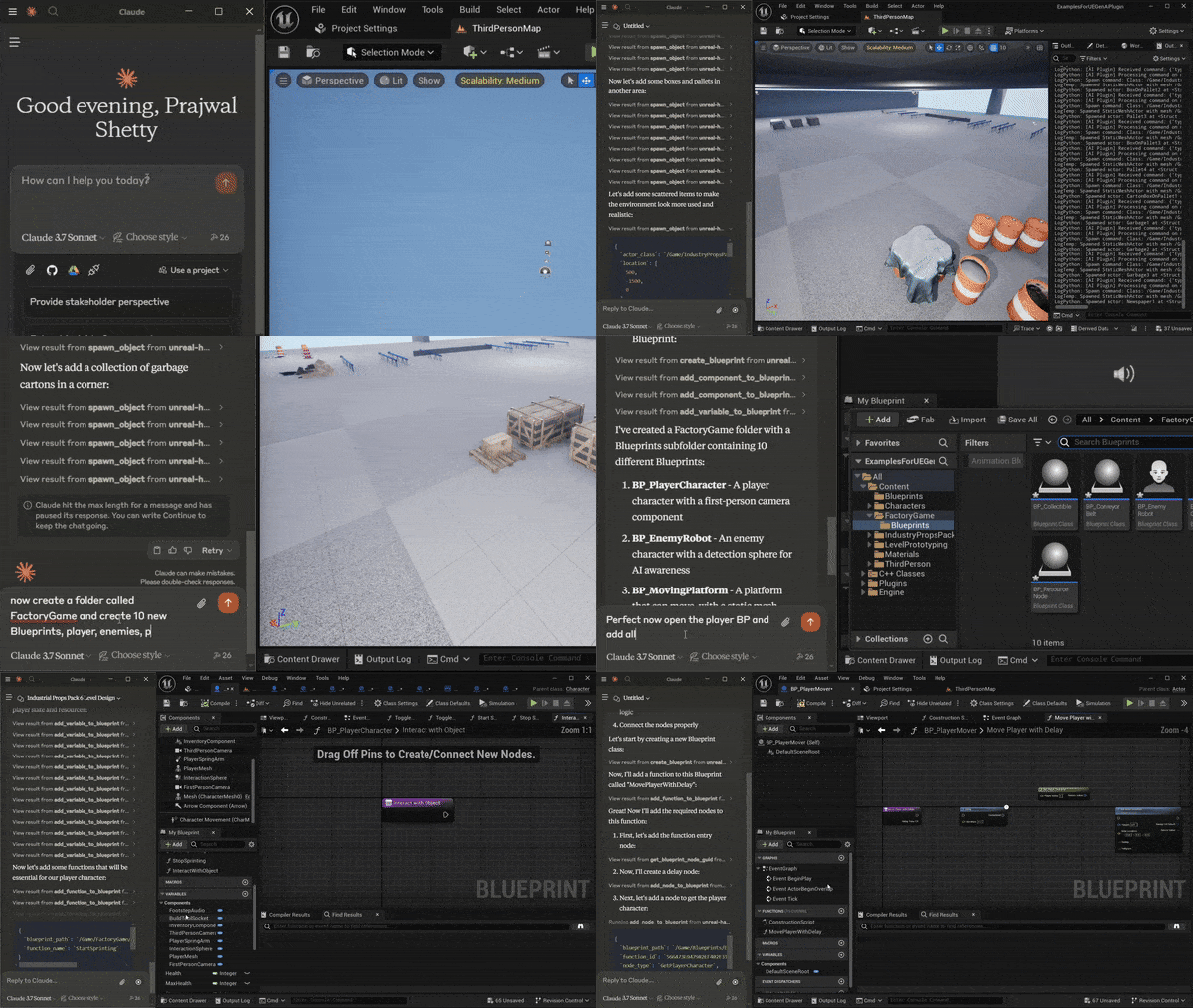
Lets agents create blueprints, add variables and functions, spawn objects, move actors, change materials, and run console or Python scripts.
Includes chat, vision, TTS, image generation, and 3D generation integrations across supported providers.
Ships as a UE plugin with source modules, example blueprints, and config for project setup and API keys.
pip install fastmcp
python <your_project_directoy>/Plugins/GenerativeAISupport/Content/Python/mcp_server.py







Claude spawning scene objects and controlling their transformations and materials, generating blueprints, functions, variables, adding components, running python scripts etc.
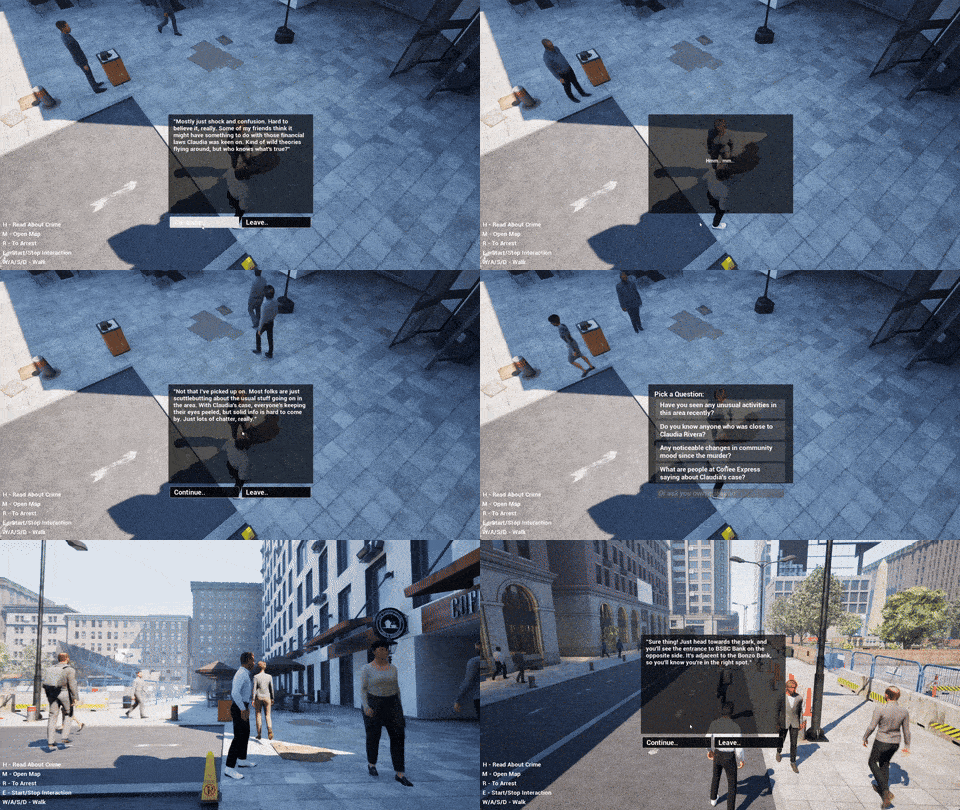
A project called become human, where NPCs are OpenAI agentic instances. Built using this plugin.
Every month, hundreds of new AI models are released by various organizations, making it hard to keep up with the latest advancements.
The "Unreal Engine Generative AI Support Plugin" allows you to focus on game development without worrying about the LLM/GenAI integration layer.
This plugin will continue to get updates with the latest features and models. Contributions are welcome. For production-ready alternatives with 200+ AI models, guaranteed stability, automated testing, and UE 5.1-5.7+ support, check out the pro plugins below. This free plugin covers many use cases (including the examples above) and you can use it for free, forever.
|
Gen AI Pro |
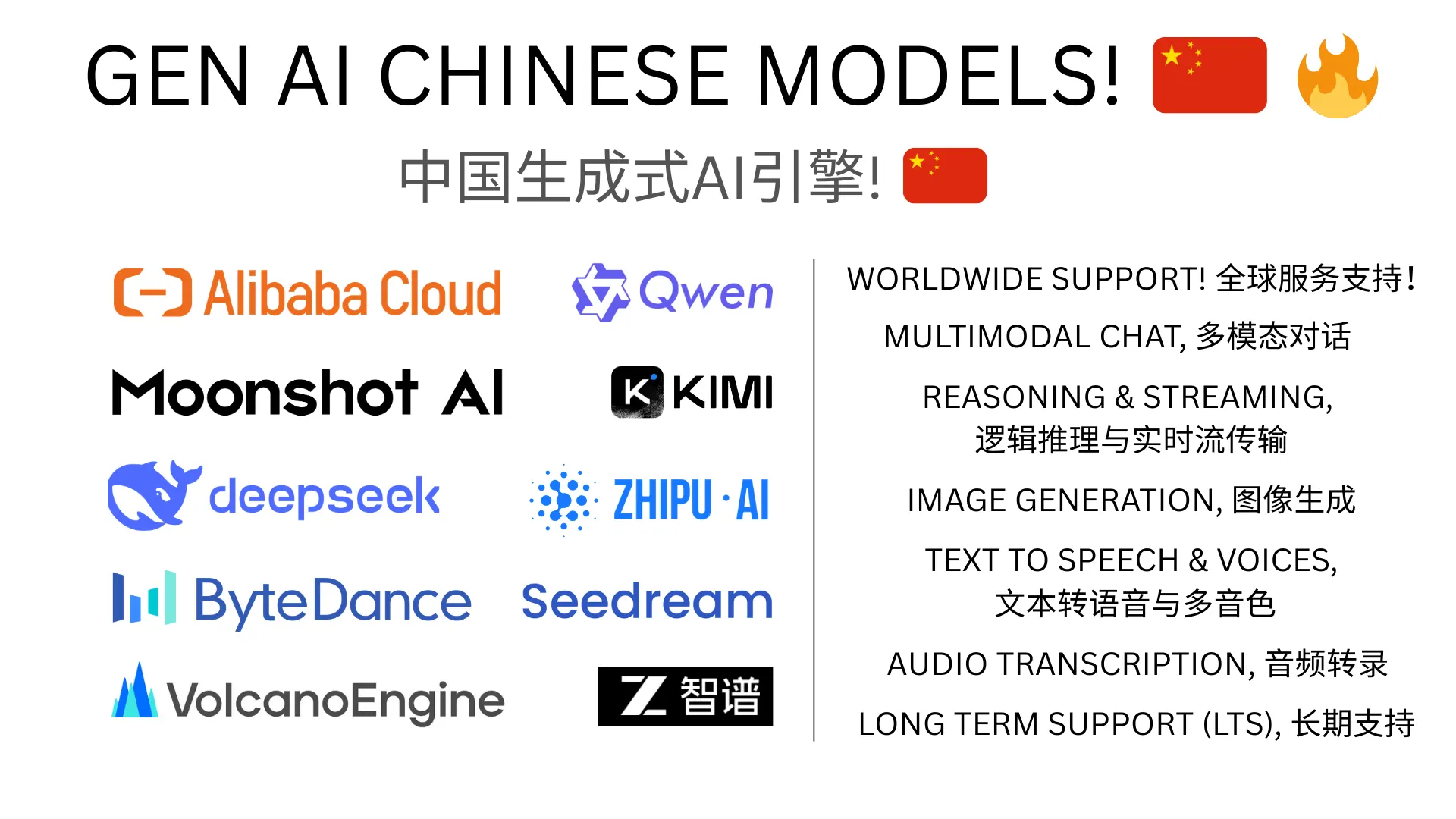
Gen AI Pro China |
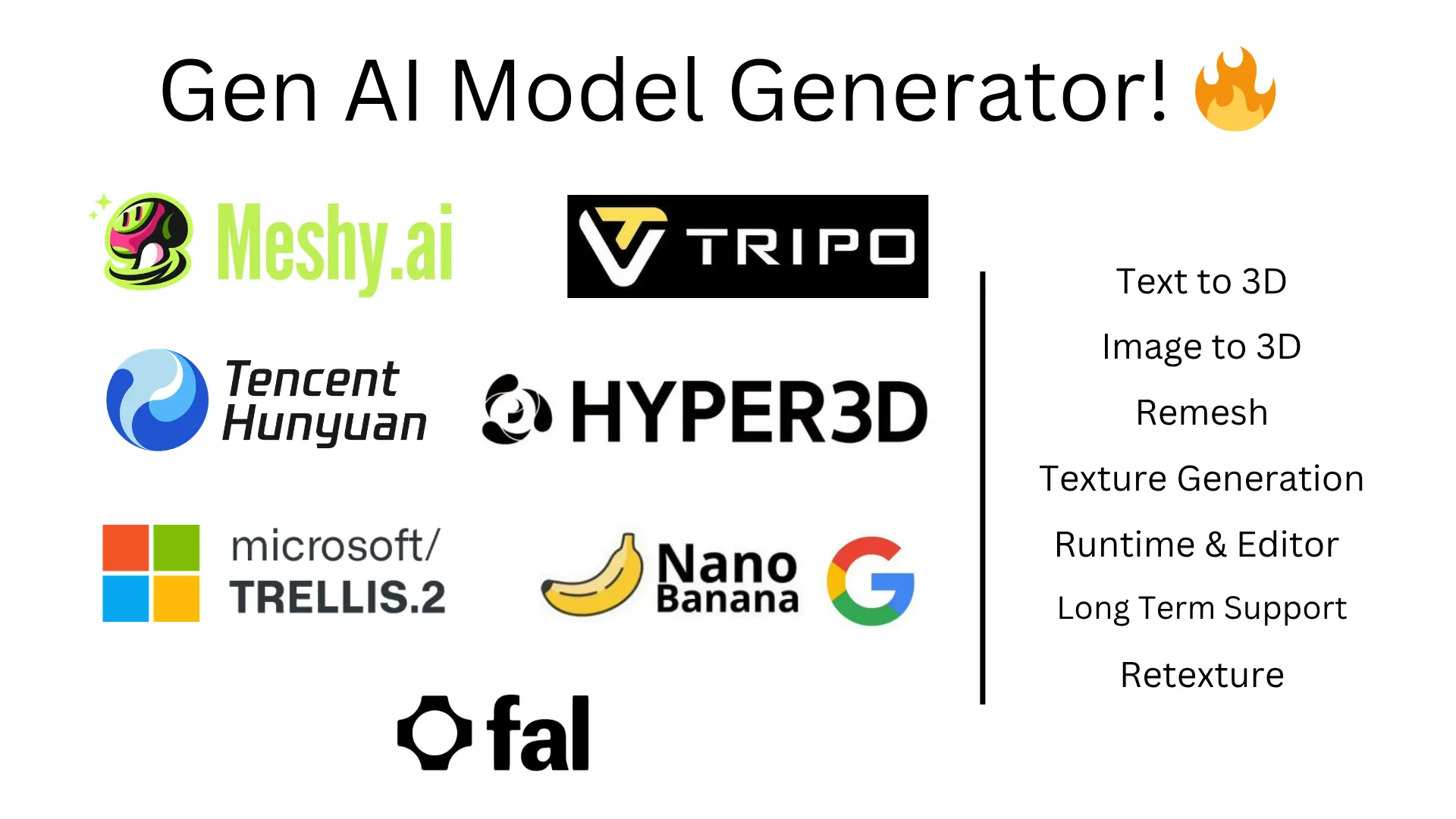
GenAI Model Generator |
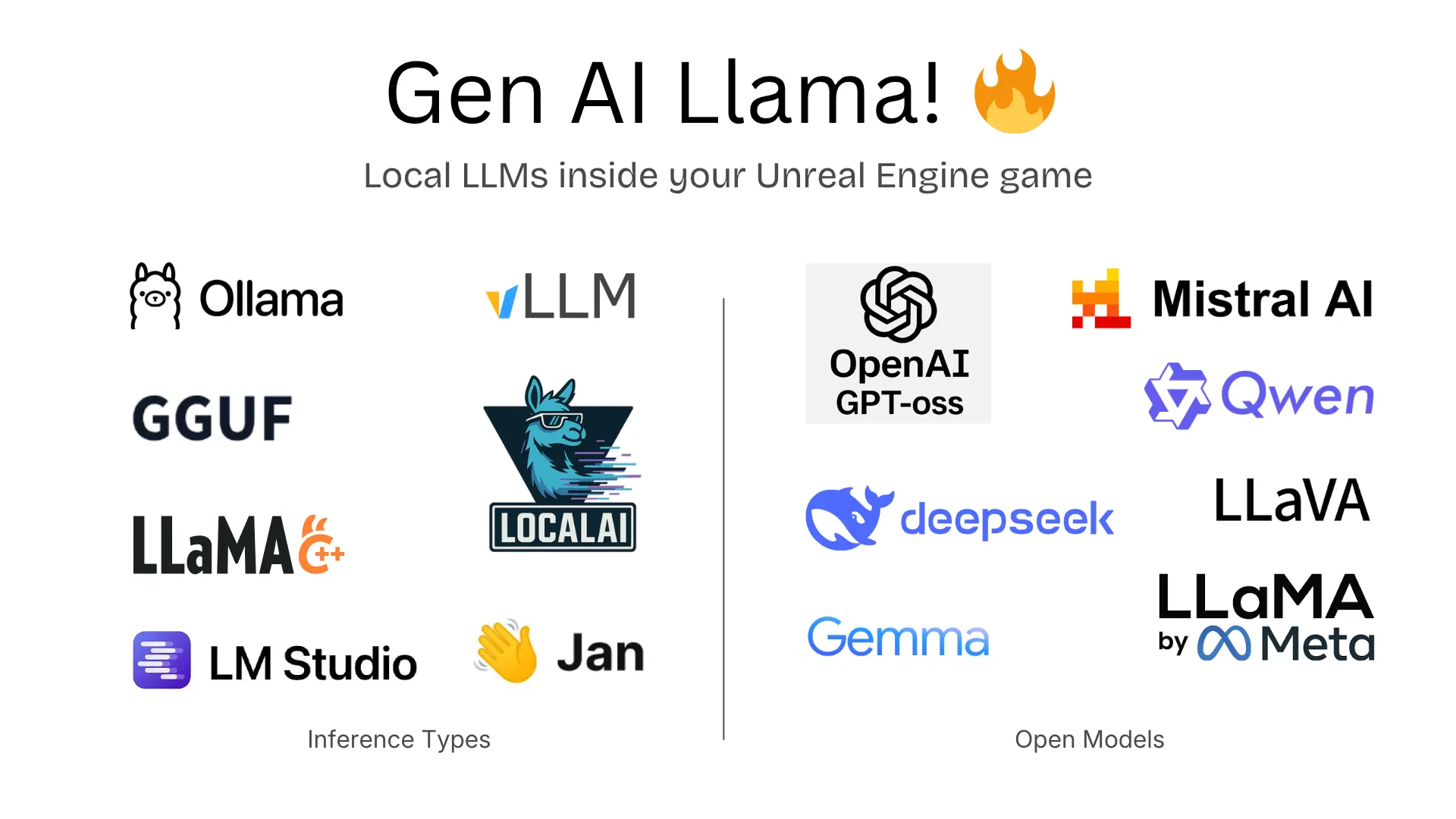
Gen AI Llama |
gpt-4.1, gpt-4.1-mini, o4-mini, o3, o3-pro), Structured Outputsclaude-4-latest, claude-3-7-sonnet, claude-3-5-sonnet, claude-3-5-haiku)grok-3-latest, grok-3-mini-beta)deepseek-chat V3.1), Reasoning (deepseek-reasoning-r1)gpt-oss, qwen3-vl and moregpt-5.4, gpt-5.4-pro, gpt-5.3-codex, gpt-5.2, gpt-5.1, gpt-5, gpt-5-mini, gpt-5-nano, gpt-4.1, o4-mini, o3, o3-pro | Responses API, Vision, Realtime (gpt-realtime), Image Gen (gpt-image-1.5, dall-e-3), TTS (gpt-4o-mini-tts, whisper-1), Streaming, Function Calling, Multimodalclaude-opus-4-6, claude-sonnet-4-6, claude-4.5-opus, claude-4.5-sonnet, claude-4.5-haiku | Extended Thinking, Vision, Tool Usegemini-3.1-pro, gemini-3.1-flash-lite, gemini-2.5-pro, gemini-2.5-flash | Imagen (imagen-4.0-generate, imagen-4.0-ultra), Realtime, TTS, Multimodalgrok-4.1, grok-4, grok-4-eu, grok-code-fast-1, grok-3 | Vision, Streaming, Reasoningeleven_v3, eleven_turbo_v2_5), Transcription (scribe_v2), Sound Effects (eleven_text_to_sound_v2)inworld-tts-1.5-max, inworld-tts-1.5-mini)qwen3.5-plus, qwen3.5-flash, qwen3-max, qwen3-coder-plus | Multimodal (qwen-omni-turbo, qwen-vl-max), Image Gen (qwen-image, wan2.2-t2i-plus), TTS (qwen3-tts-flash)kimi-k2.5, kimi-k2-thinking, kimi-k2-thinking-turbo | Multimodal (kimi-latest)seed-2-0-mini, seed-1-8, skylark-pro-250415 | Vision (skylark-vision), Image Gen (seedream-4-0-250828)glm-5, glm-4.7, glm-4.7-flash | Multimodal (glm-4.6v)ernie-5.0-8k, ernie-4.5-8k, ernie-x1-32kmeshy-6 - Text-to-3D, Image-to-3D, Retexture, Auto-Riggingtripo-v2.5 - Text-to-3D, Image-to-3Dhunyuan3d-v3.1-pro Text-to-3D, hunyuan3d-v2.1 Image-to-3Drodin-gen-2 - Text/Image-to-3D with PBR materialsgemini-3.1-flash - PBR texture generationOther MCP options: Epic Games is working on an official Unreal MCP integration for UE 5.8+. There's also UnrealClaude (MIT) by Natfii - a standalone Unreal MCP implementation worth checking out. This plugin's MCP support targets UE 5.4-5.7+ and works alongside Claude Desktop, Claude Code, and Cursor. Note: MCP in this free plugin is not being actively developed - the features listed below reflect the current state.
[!NOTE]
There is no need to set the API key for testing the MCP features in Claude app. Anthropic key only needed for Claude API.
Set the environment variable PS_<ORGNAME> to your API key.
setx PS_<ORGNAME> "your api key"
Run the following command in your terminal, replacing yourkey with your API key.
echo "export PS_<ORGNAME>='yourkey'" >> ~/.zshrc
Update the shell with the new variable:
source ~/.zshrc
PS: Don't forget to restart the Editor and ALSO the connected IDE after setting the environment variable.
Where <ORGNAME> can be:
PS_OPENAIAPIKEY, PS_DEEPSEEKAPIKEY, PS_ANTHROPICAPIKEY, PS_METAAPIKEY, PS_GOOGLEAPIKEY etc.
Storing API keys in packaged builds is a security risk. This is what the OpenAI API documentation says about it:
"Exposing your OpenAI API key in client-side environments like browsers or mobile apps allows malicious users to take that key and make requests on your behalf – which may lead to unexpected charges or compromise of certain account data. Requests should always be routed through your own backend server where you can keep your API key secure."
Read more about it here.
For test builds you can call the GenSecureKey::SetGenAIApiKeyRuntime either in c++ or blueprints function with your API key in the packaged build.
[!NOTE]
If your project only uses the LLM APIs and not the MCP, you can skip this section.
[!CAUTION]
Discalimer: If you are using the MCP feature of the plugin, it will directly let the Claude Desktop App control your Unreal Engine project. Make sure you are aware of the security risks and only use it in a controlled environment.Please backup your project before using the MCP feature and use version control to track changes.
claude_desktop_config.json file in Claude Desktop App's installation directory. (might ask claude where its located for your platform!)
The file will look something like this:
{
    "mcpServers": {
      "unreal-handshake": {
        "command": "python",
        "args": ["<your_project_directoy_path>/Plugins/GenerativeAISupport/Content/Python/mcp_server.py"],
        "env": {
          "UNREAL_HOST": "localhost",
          "UNREAL_PORT": "9877"
        }
      }
    }
}
.mcp.json file in your project root directory. The file will look something like this:
{
    "mcpServers": {
      "unreal-handshake": {
        "type": "stdio",
        "command": "python",
        "args": ["<your_project_directoy_path>/Plugins/GenerativeAISupport/Content/Python/mcp_server.py"],
        "env": {
          "UNREAL_HOST": "localhost",
          "UNREAL_PORT": "9877"
        }
      }
    }
}
.cursor/mcp.json file in your project directory. The file will look something like this:
{
    "mcpServers": {
      "unreal-handshake": {
        "command": "python",
        "args": ["<your_project_directoy_path>/Plugins/GenerativeAISupport/Content/Python/mcp_server.py"],
        "env": {
          "UNREAL_HOST": "localhost",
          "UNREAL_PORT": "9877"
        }
      }
    }
}
pip install fastmcp
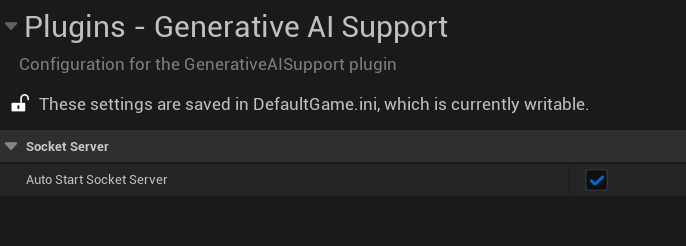
Add the Plugin Repository as a Submodule in your project's repository.
git submodule add https://github.com/prajwalshettydev/UnrealGenAISupport Plugins/GenerativeAISupport
Regenerate Project Files: Right-click your .uproject file and select Generate Visual Studio project files.
Enable the Plugin in Unreal Editor: Open your project in Unreal Editor. Go to Edit > Plugins. Search for the Plugin in the list and enable it.
For Unreal C++ Projects, include the Plugin's module in your project's Build.cs file:
PrivateDependencyModuleNames.AddRange(new string[] { "GenerativeAISupport" });
Still in development..
This free plugin is available via Git (above). For the pro plugins, check Fab.com.
you can pull the latest changes with:
cd Plugins/GenerativeAISupport
git pull origin main
Or update all submodules in the project:
git submodule update --recursive --remote
Still in development..
There is a example Unreal project that already implements the plugin. You can find it here.
Currently the plugin supports Chat and Structured Outputs from OpenAI API. Both for C++ and Blueprints.
Tested models: gpt-4.1, gpt-4.1-mini, gpt-4.1-nano, o4-mini, o3, o3-pro, o3-mini.
    void SomeDebugSubsystem::CallGPT(const FString& Prompt,
        const TFunction<void(const FString&, const FString&, bool)>& Callback)
    {
        FGenChatSettings ChatSettings;
        ChatSettings.Model = TEXT("gpt-4o-mini");
        ChatSettings.MaxTokens = 500;
        ChatSettings.Messages.Add(FGenChatMessage{ TEXT("system"), Prompt });

        FOnChatCompletionResponse OnComplete = FOnChatCompletionResponse::CreateLambda(
            [Callback](const FString& Response, const FString& ErrorMessage, bool bSuccess)
        {
            Callback(Response, ErrorMessage, bSuccess);
        });

        UGenOAIChat::SendChatRequest(ChatSettings, OnComplete);
    }
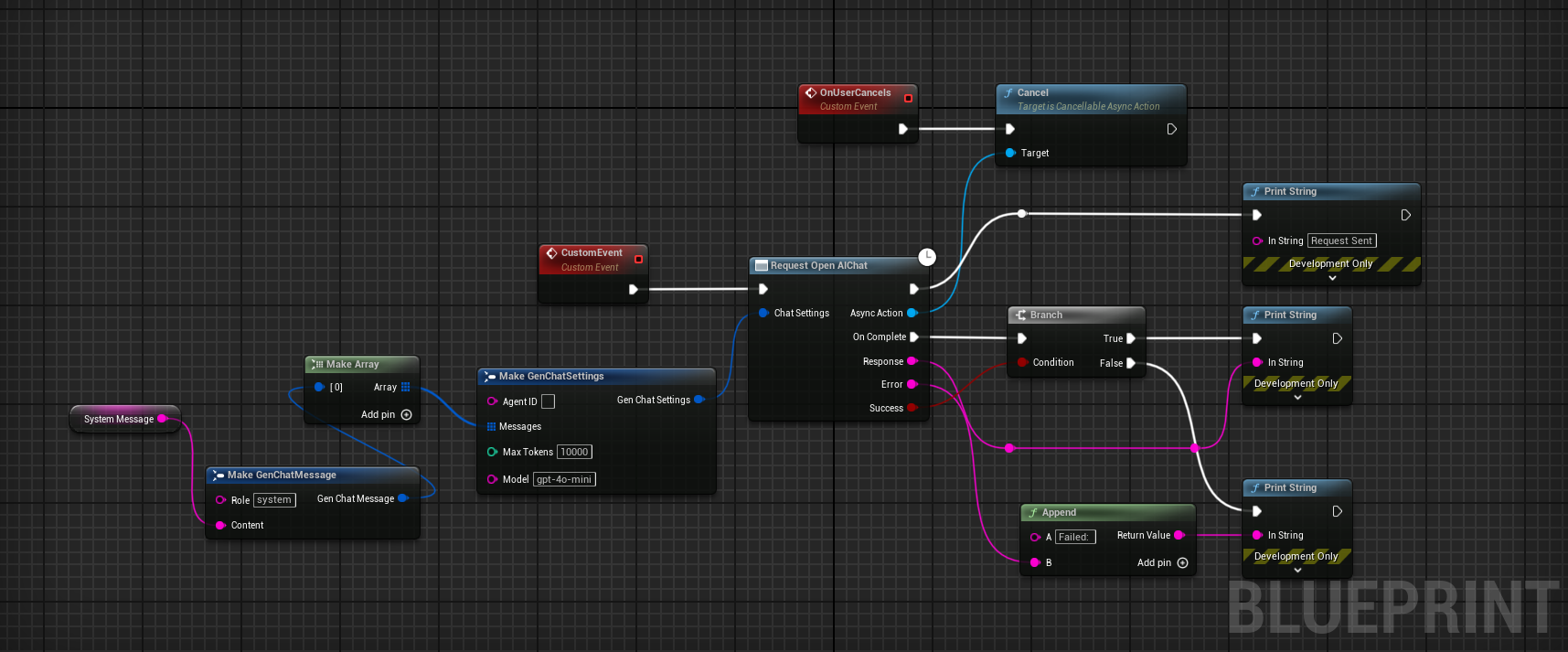
Sending a custom schema json directly to function call
FString MySchemaJson = R"({
"type": "object",
"properties": {
    "count": {
        "type": "integer",
        "description": "The total number of users."
    },
    "users": {
        "type": "array",
        "items": {
            "type": "object",
            "properties": {
                "name": { "type": "string", "description": "The user's name." },
                "heading_to": { "type": "string", "description": "The user's destination." }
            },
            "required": ["name", "role", "age", "heading_to"]
        }
    }
},
"required": ["count", "users"]
})";

UGenAISchemaService::RequestStructuredOutput(
    TEXT("Generate a list of users and their details"),
    MySchemaJson,
    [](const FString& Response, const FString& Error, bool Success) {
       if (Success)
       {
           UE_LOG(LogTemp, Log, TEXT("Structured Output: %s"), *Response);
       }
       else
       {
           UE_LOG(LogTemp, Error, TEXT("Error: %s"), *Error);
       }
    }
);
Sending a custom schema json from a file
#include "Misc/FileHelper.h"
#include "Misc/Paths.h"
FString SchemaFilePath = FPaths::Combine(
    FPaths::ProjectDir(),
    TEXT("Source/:ProjectName/Public/AIPrompts/SomeSchema.json")
);

FString MySchemaJson;
if (FFileHelper::LoadFileToString(MySchemaJson, *SchemaFilePath))
{
    UGenAISchemaService::RequestStructuredOutput(
        TEXT("Generate a list of users and their details"),
        MySchemaJson,
        [](const FString& Response, const FString& Error, bool Success) {
           if (Success)
           {
               UE_LOG(LogTemp, Log, TEXT("Structured Output: %s"), *Response);
           }
           else
           {
               UE_LOG(LogTemp, Error, TEXT("Error: %s"), *Error);
           }
        }
    );
}
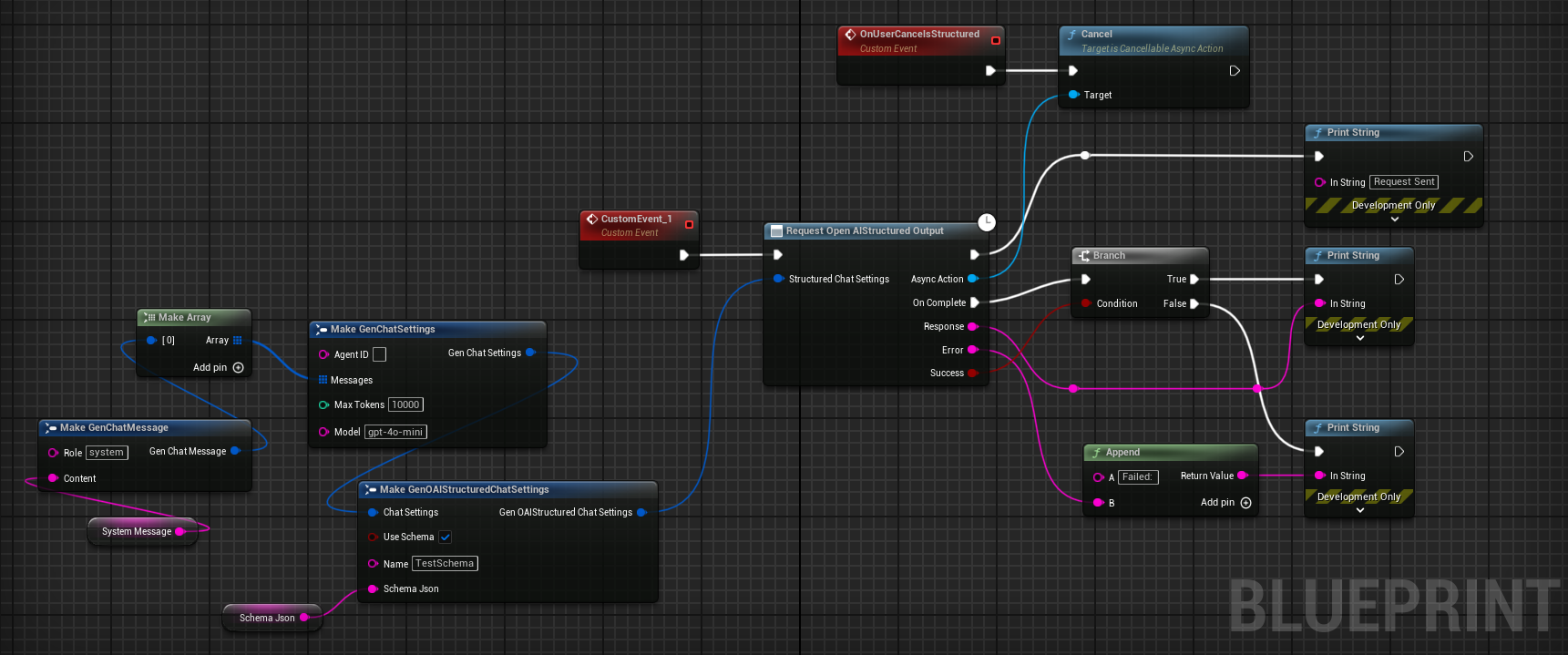
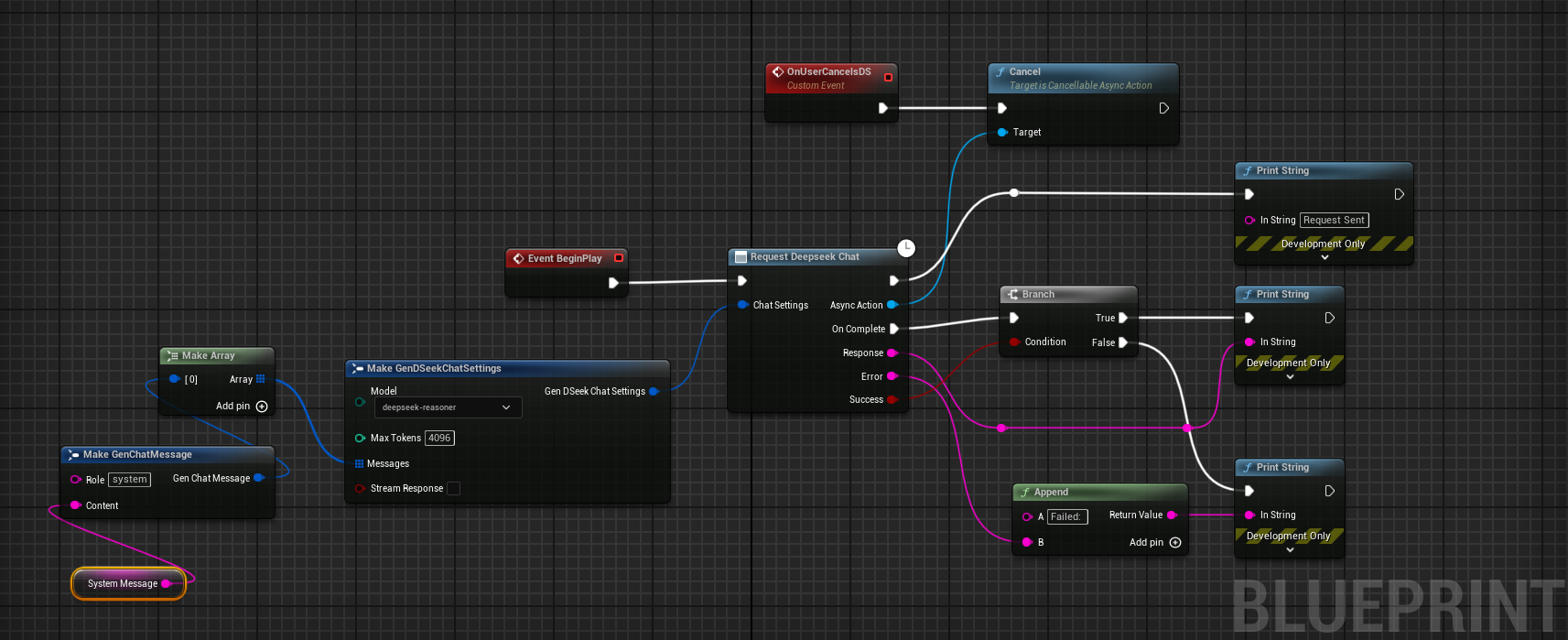
Currently the plugin supports Chat and Reasoning from DeepSeek API. Both for C++ and Blueprints. Points to note:
[!WARNING]
While using the R1 reasoning model, make sure the Unreal's HTTP timeouts are not the default values at 30 seconds. As these API calls can take longer than 30 seconds to respond. Simply setting theHttpRequest->SetTimeout(<N Seconds>);is not enough So the following lines need to be added to your project'sDefaultEngine.inifile:[HTTP] HttpConnectionTimeout=180 HttpReceiveTimeout=180
 FGenDSeekChatSettings ReasoningSettings;
 ReasoningSettings.Model = EDeepSeekModels::Reasoner; // or EDeepSeekModels::Chat for Chat API
 ReasoningSettings.MaxTokens = 100;
 ReasoningSettings.Messages.Add(FGenChatMessage{TEXT("system"), TEXT("You are a helpful assistant.")});
 ReasoningSettings.Messages.Add(FGenChatMessage{TEXT("user"), TEXT("9.11 and 9.8, which is greater?")});
 ReasoningSettings.bStreamResponse = false;
 UGenDSeekChat::SendChatRequest(
     ReasoningSettings,
     FOnDSeekChatCompletionResponse::CreateLambda(
         [this](const FString& Response, const FString& ErrorMessage, bool bSuccess)
         {
             if (!UTHelper::IsContextStillValid(this))
             {
                 return;
             }

             // Log response details regardless of success
             UE_LOG(LogTemp, Warning, TEXT("DeepSeek Reasoning Response Received - Success: %d"), bSuccess);
             UE_LOG(LogTemp, Warning, TEXT("Response: %s"), *Response);
             if (!ErrorMessage.IsEmpty())
             {
                 UE_LOG(LogTemp, Error, TEXT("Error Message: %s"), *ErrorMessage);
             }
         })
 );
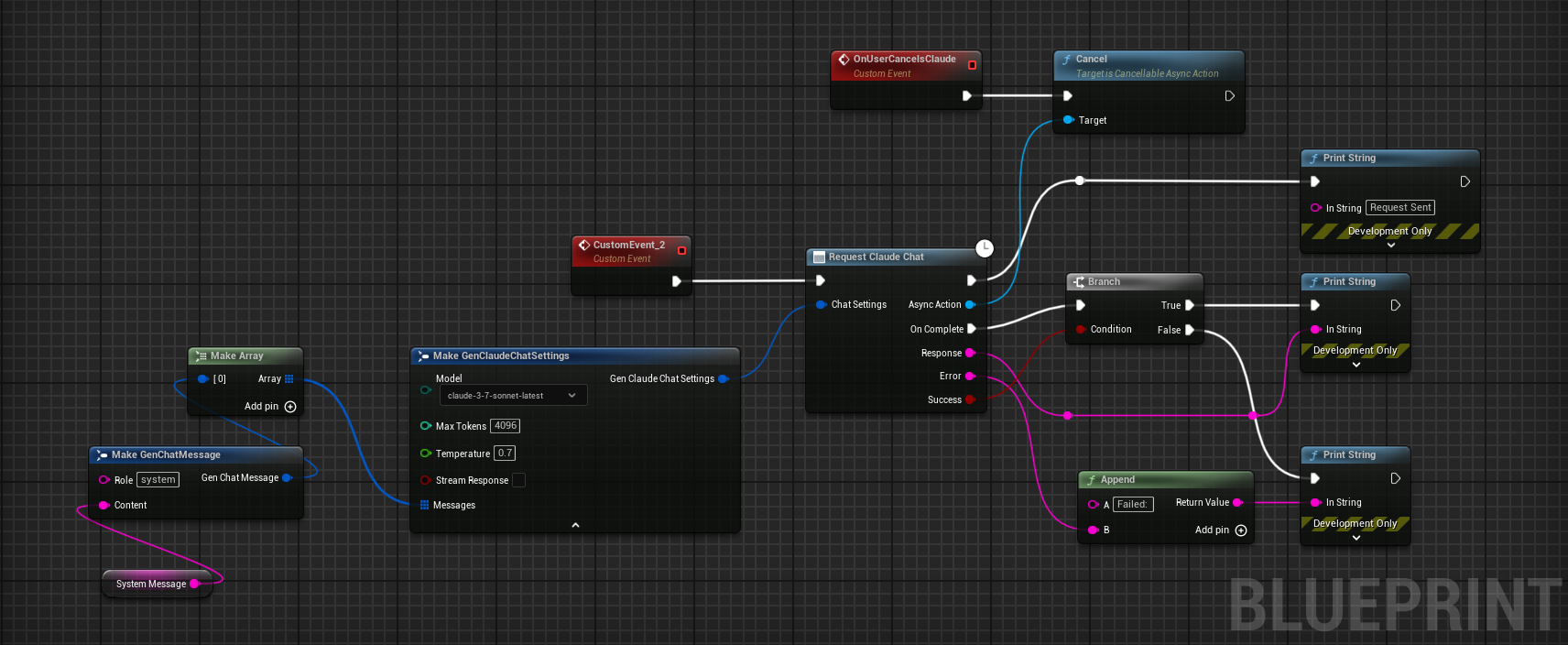
Currently the plugin supports Chat from Anthropic API. Both for C++ and Blueprints.
Tested models: claude-4-latest, claude-3-7-sonnet-latest, claude-3-5-sonnet, claude-3-5-haiku-latest.
    // ---- Claude Chat Test ----
    FGenClaudeChatSettings ChatSettings;
    ChatSettings.Model = EClaudeModels::Claude_3_7_Sonnet; // Use Claude 3.7 Sonnet model
    ChatSettings.MaxTokens = 4096;
    ChatSettings.Temperature = 0.7f;
    ChatSettings.Messages.Add(FGenChatMessage{TEXT("system"), TEXT("You are a helpful assistant.")});
    ChatSettings.Messages.Add(FGenChatMessage{TEXT("user"), TEXT("What is the capital of France?")});

    UGenClaudeChat::SendChatRequest(
        ChatSettings,
        FOnClaudeChatCompletionResponse::CreateLambda(
            [this](const FString& Response, const FString& ErrorMessage, bool bSuccess)
            {
                if (!UTHelper::IsContextStillValid(this))
                {
                    return;
                }

                if (bSuccess)
                {
                    UE_LOG(LogTemp, Warning, TEXT("Claude Chat Response: %s"), *Response);
                }
                else
                {
                    UE_LOG(LogTemp, Error, TEXT("Claude Chat Error: %s"), *ErrorMessage);
                }
            })
    );
Currently the plugin supports Chat from XAI's Grok 3 API. Both for C++ and Blueprints.
	FGenXAIChatSettings ChatSettings;
	ChatSettings.Model = TEXT("grok-3-latest");
		ChatSettings.Messages.Add(FGenXAIMessage{
		TEXT("system"),
		TEXT("You are a helpful AI assistant for a game. Please provide concise responses.")
	});
	ChatSettings.Messages.Add(FGenXAIMessage{TEXT("user"), TEXT("Create a brief description for a forest level in a fantasy game")});
	ChatSettings.MaxTokens = 1000;

	UGenXAIChat::SendChatRequest(
		ChatSettings,
		FOnXAIChatCompletionResponse::Create
Sign in to join the discussion.
No comments yet. Be the first to say what this is good for.
Real-time global intelligence dashboard. AI-powered news aggregation, geopolitical monitoring, and infrastructure tracking in a unified situational awareness interface
High-performance code intelligence MCP server. Indexes codebases into a persistent knowledge graph — average repo in milliseconds. 158 languages, sub-ms queries, 99% fewer tokens. Single static binary, zero dependencies.

Universal provider proxy for OpenAI Codex & Claude Code — use any LLM (Claude, Gemini, Grok, DeepSeek, Ollama…) with Codex CLI, App, SDK, and Claude Code

Git-native persistent memory for AI coding agents. Implements Google OKF v0.2 with sub-300µs in-memory BM25 search, embedded MCP server, and progressive disclosure. Slashes token bloat by 80% with zero external databases or dependencies. Built in pure Go.

Local-first code intelligence graph for MCP and CLI. Builds a persistent map of your codebase so AI coding tools read only what matters, with benchmarked context reductions on reviews and large-repo workflows.

Stop your AI from making things up — it proposes, deterministic tools decide, every claim checked against ground truth with evidence. Grounded facts and context survive resets. Reverse engineering is the proving ground. MCP server + CLI.