
koala73/worldmonitorConnectors
Real-time global intelligence dashboard. AI-powered news aggregation, geopolitical monitoring, and infrastructure tracking in a unified situational awareness interface
86k
This repository provides an MCP server that exposes Optuna functions to connected agents. Through those tools, a builder can create studies, ask for new parameters, report results, inspect trials, and generate plots from optimization runs. It also includes a tool to launch the Optuna dashboard for interactive analysis.
Builders who want Claude Desktop or another MCP client to drive Optuna optimization and analysis.
You can let an agent manage hyperparameter search and review Optuna results without switching to separate scripts or dashboards.
Create studies, set samplers and metric names, list study names, read directions, and fetch trials or best trials.
Ask Optuna for new parameters, report objective values, and store or read trial user attributes.
Render optimization history, hypervolume, Pareto front, contour, parallel coordinate, slice, parameter importance, EDF, timeline, and rank plots.
Start the Optuna dashboard from the MCP server on port 58080 by default.
Shows MCP client config examples for `uvx` and Docker, including optional `--storage` settings.



A Model Context Protocol (MCP) server that automates optimization and analysis using Optuna.
The Optuna MCP Server can be used in the following use cases, for example.
For details, see the Examples section.
The Optuna MCP server can be installed using uv or Docker.
This section explains how to install the Optuna MCP server, using Claude Desktop as an example MCP client.
Before starting the installation process, install uv from Astral.
Then, add the Optuna MCP server configuration to the MCP client.
To include it in Claude Desktop, go to Claude > Settings > Developer > Edit Config > claude_desktop_config.json
and add the following:
{
  "mcpServers": {
    "Optuna": {
      "command": "/path/to/uvx",
      "args": [
        "optuna-mcp"
      ]
    }
  }
}
Additionally, you can specify the Optuna storage with the --storage argument to persist the results.
{
  "mcpServers": {
    "Optuna": {
      "command": "/path/to/uvx",
      "args": [
        "optuna-mcp",
        "--storage",
        "sqlite:///optuna.db"
      ]
    }
  }
}
After adding this, please restart Claude Desktop application. For more information about Claude Desktop, check out the quickstart page.
You can also run the Optuna MCP server using Docker. Make sure you have Docker installed and running on your machine.
{
  "mcpServers": {
    "Optuna": {
      "command": "docker",
      "args": [
        "run",
        "-i",
        "--rm",
        "--net=host",
        "-v",
        "/PATH/TO/LOCAL/DIRECTORY/WHICH/INCLUDES/DB/FILE:/app/workspace",
        "ghcr.io/optuna/optuna-mcp:latest",
        "--storage",
        "sqlite:////app/workspace/optuna.db"
      ]
    }
  }
}
The Optuna MCP provides the following tools. Specifically, it offers primitive functions of Optuna such as Study, Trial, Visualization, and Dashboard. Since MCP clients know the list of tools and the details of each tool, users do not need to remember those details.
study_name : name of the study (string, required).directions: The directions of optimization (list of literal strings minimize/maximize, optional).name : the name of the sampler (string, required).metric_names : The list of metric names for each objective (list of strings, required).search_space : the search space for Optuna (dictionary, required).trial_number : the trial number (integer, required).values : the result of the trial (float or list of floats, required).trial_number: the trial number (integer, required).key: the key of the user attribute (string, required).value: the value of the user attribute (any type, required).trial_number: the trial number (integer, required).target: index to specify which value to display (integer, optional).target_name: target’s name to display on the axis label (string, optional).reference_point : a list of reference points to calculate the hypervolume (list of floats, required).target_names: objective name list used as the axis titles (list of strings, optional).include_dominated_trials: a flag to include all dominated trial's objective values (boolean, optional).targets: a list of indices to specify the objective values to display. (list of integers, optional).params : parameter list to visualize (list of strings, optional).target : an index to specify the value to display (integer, required).target_name : target’s name to display on the color bar (string, required).params : parameter list to visualize (list of strings, optional).target : an index to specify the value to display (integer, required).target_name : target’s name to display on the axis label and the legend (string, required).params : parameter list to visualize (list of strings, optional).target : an index to specify the value to display (integer, required).target_name : target’s name to display on the axis label (string, required).params : parameter list to visualize (list of strings, optional).target : an index to specify the value to display (integer/null, optional).target_name : target’s name to display on the legend (string, required).target : an index to specify the value to display (integer, required).target_name : target’s name to display on the axis label (string, required).params : parameter list to visualize (list of strings, optional).target : an index to specify the value to display (integer, required).target_name : target’s name to display on the color bar (string, required).port: server port (integer, optional, default: 58080).Here we present a simple example of optimizing the 2D-Sphere function, along with example prompts and the summary of the LLM responses.
| User prompt | Output in Claude |
|---|---|
| (Launch Claude Desktop) | 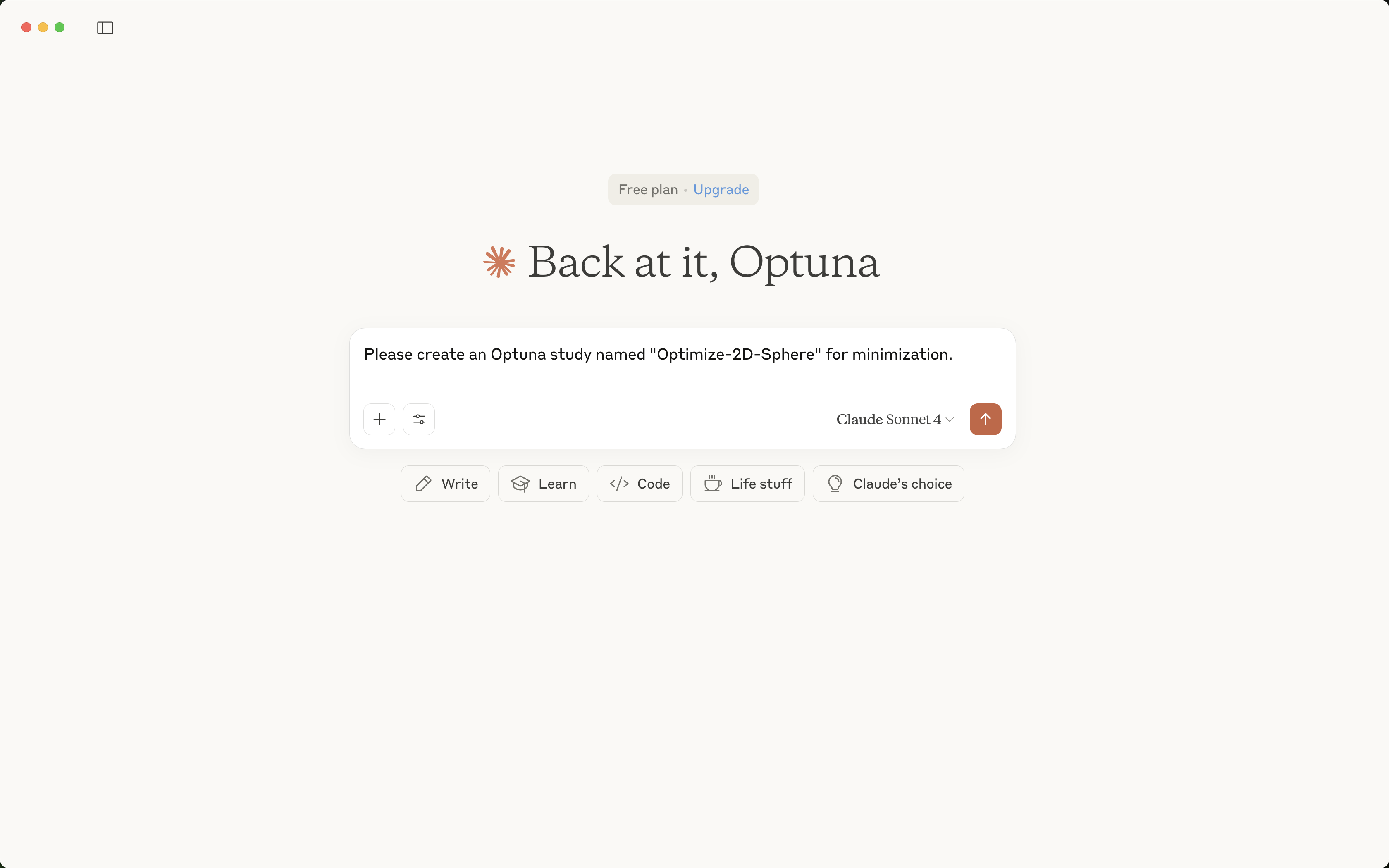 |
| Please create an Optuna study named "Optimize-2D-Sphere" for minimization. | 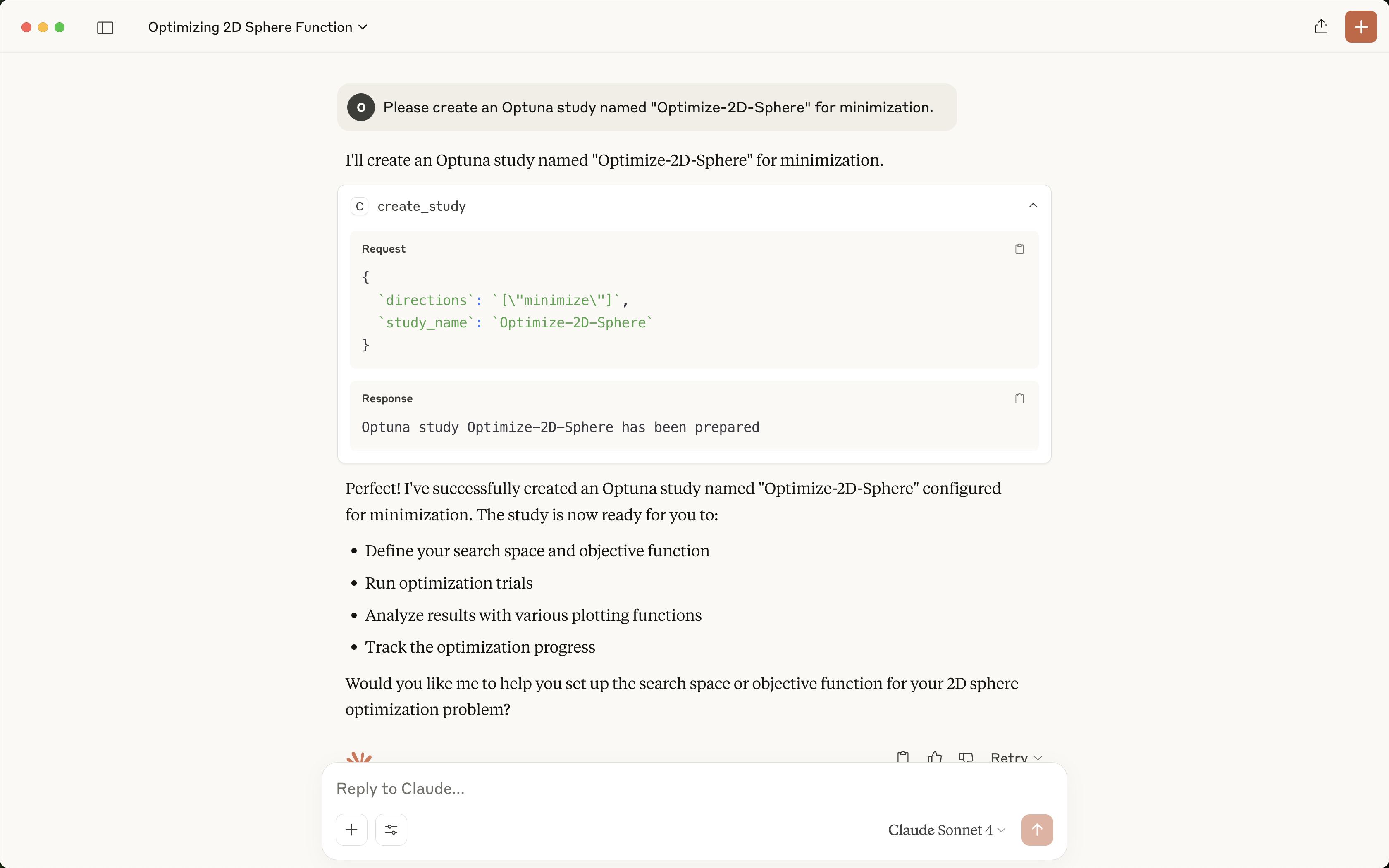 |
| Please suggest two float parameters x, y in [-1, 1]. | 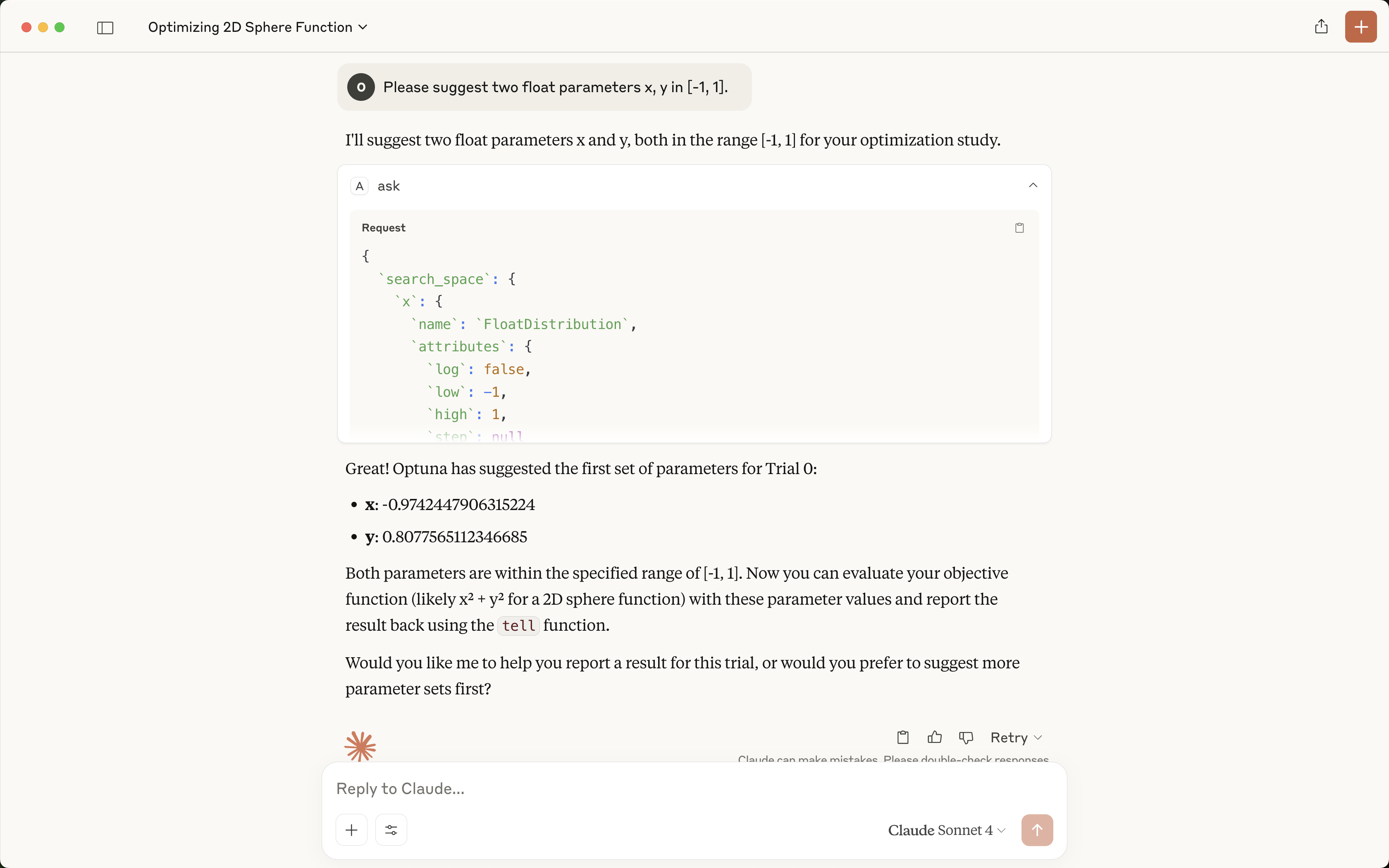 |
| Please report the objective value x**2 + y**2. To calculate the value, please use the JavaScript interpreter and do not round the values. | 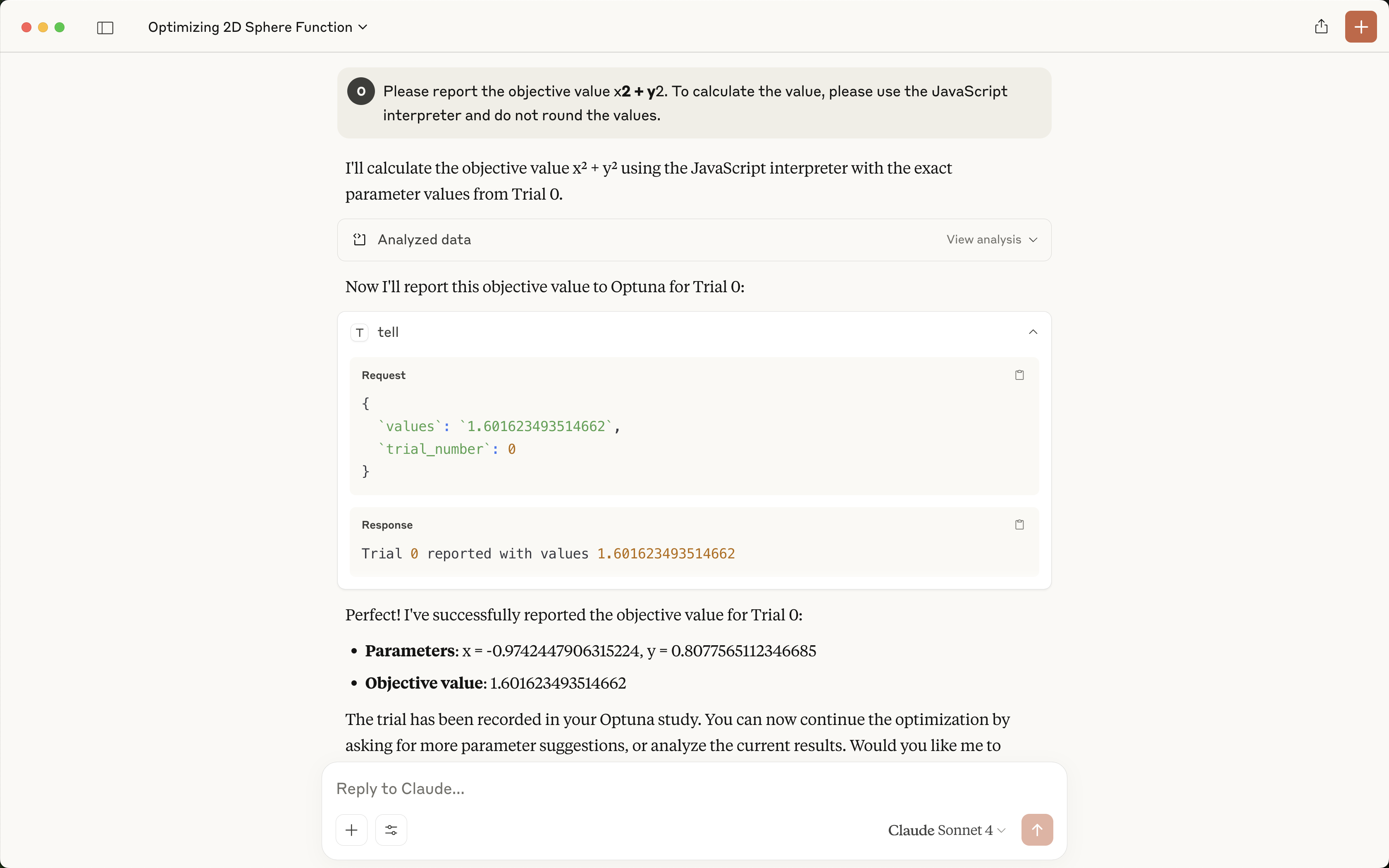 |
| Please suggest another parameter set and evaluate it. | 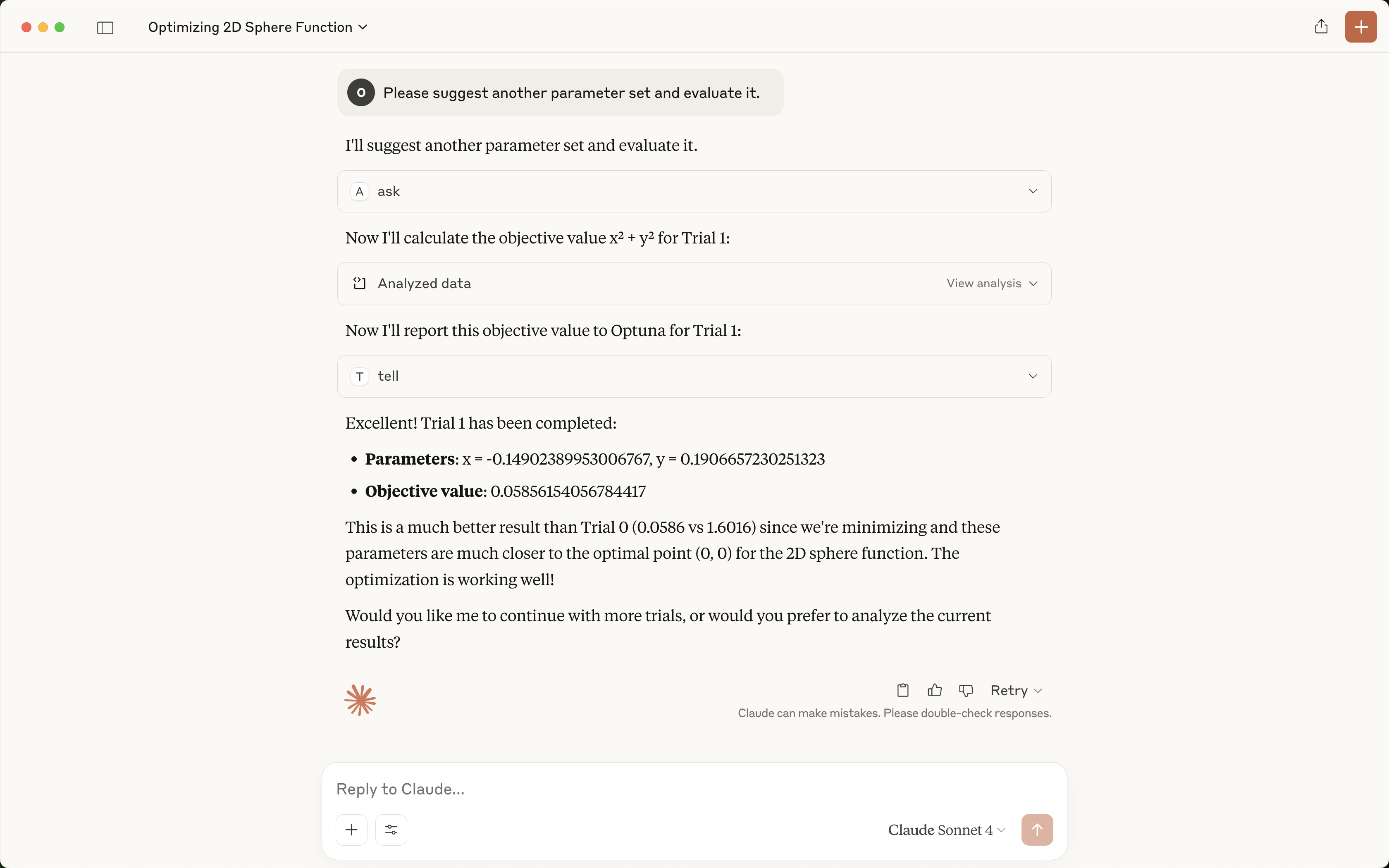 |
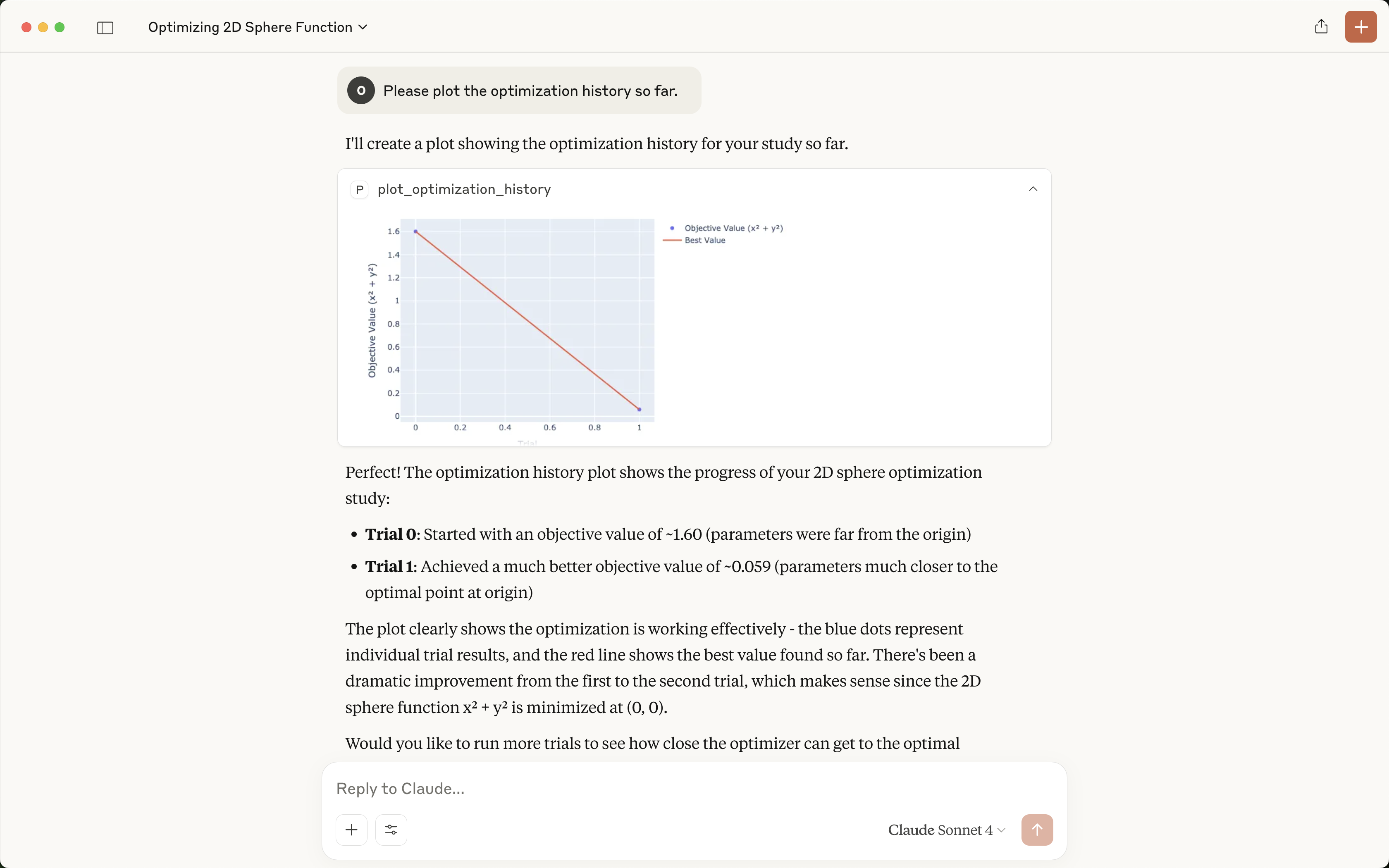
| Please plot the optimization history so far. | |
You can also start the Optuna dashboard via the MCP server to analyze the optimization results interactively.
| User prompt | Output in Claude |
|---|---|
| Please launch the Optuna dashboard. | 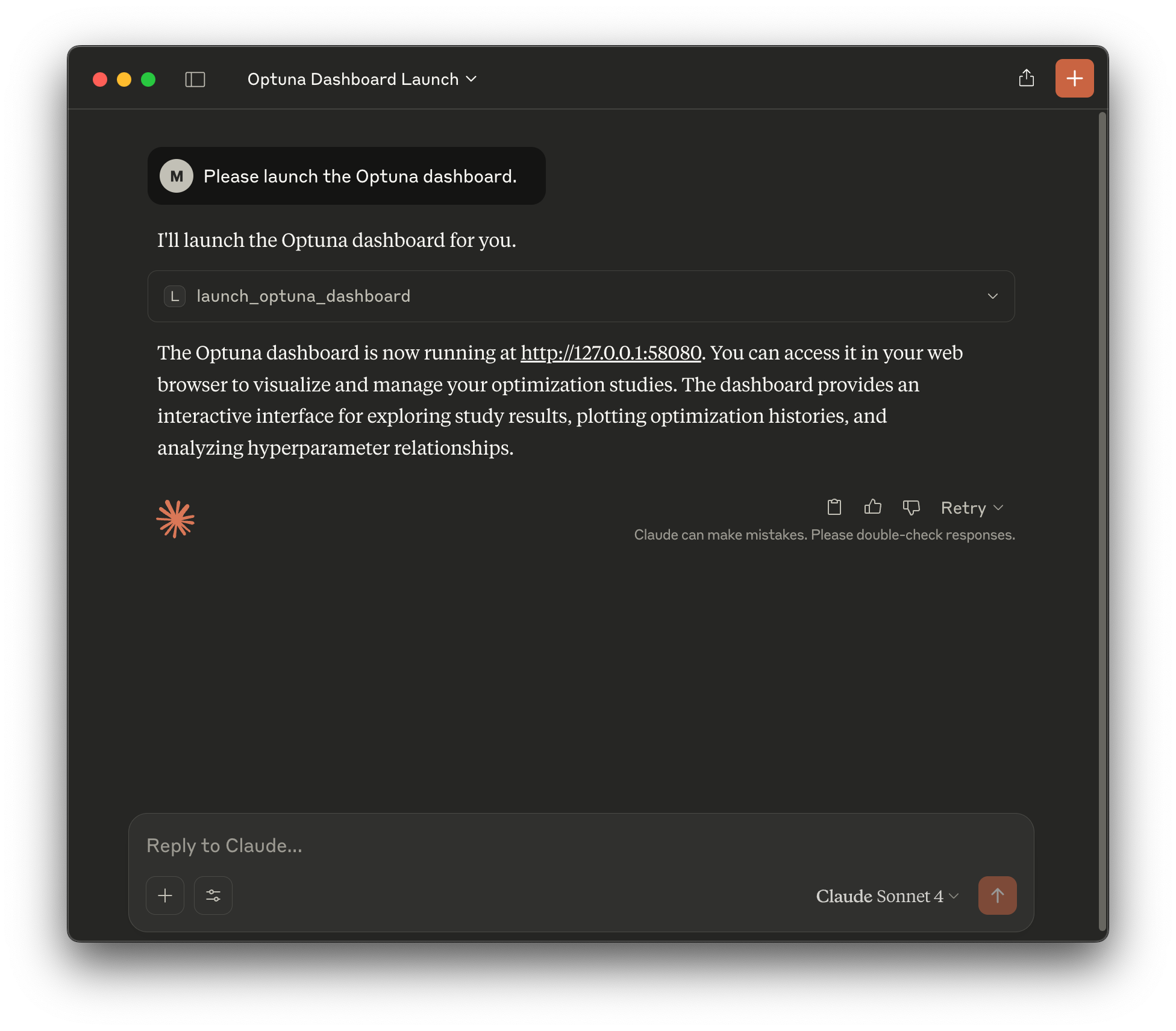 |
By default, the Optuna dashboard will be launched on port 58080.
You can access it by navigating to http://localhost:58080 in your web browser as shown below:
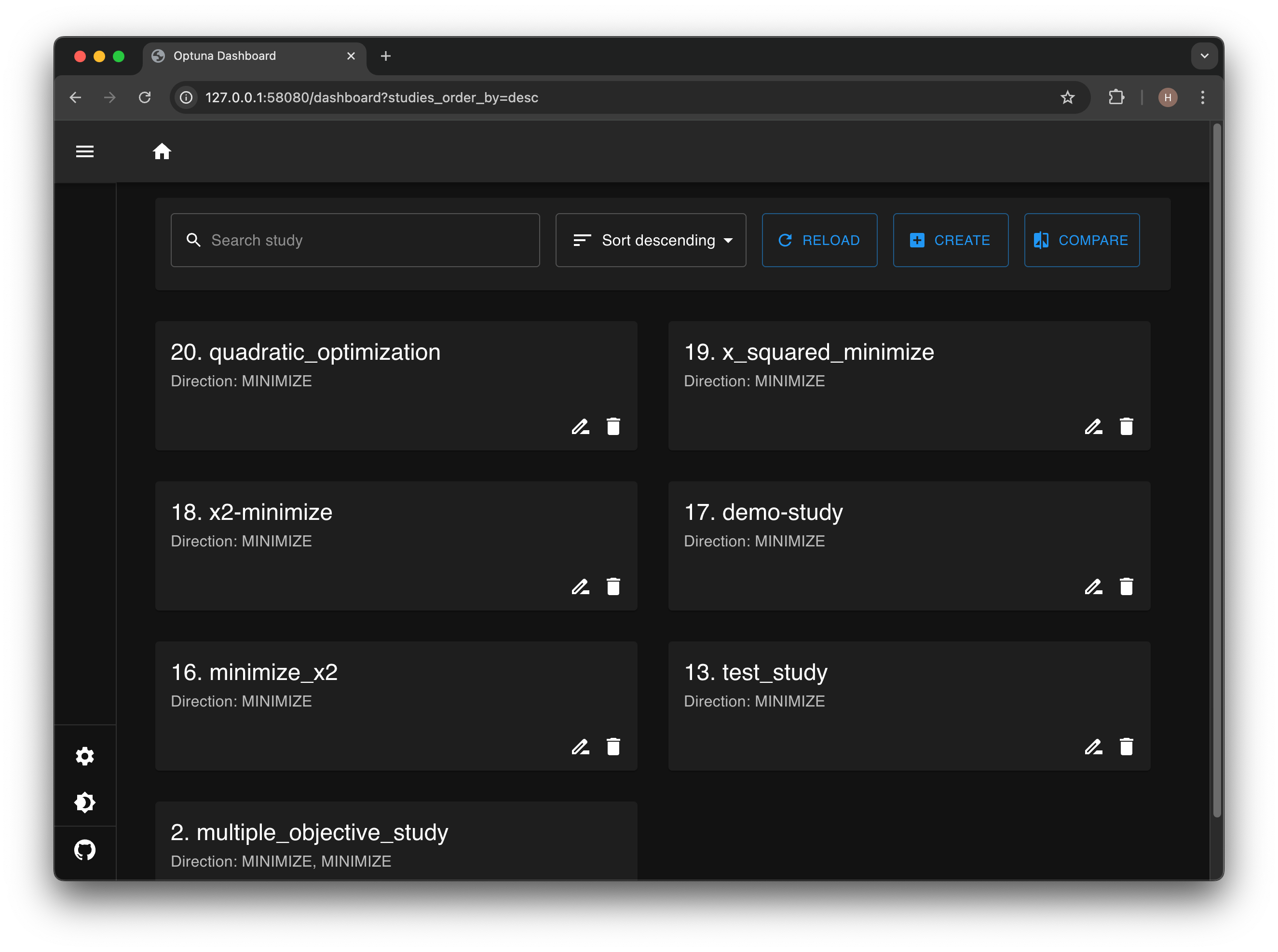
Optuna dashboard provides various visualizations to analyze the optimization results, such as optimization history, parameter importances, and more.
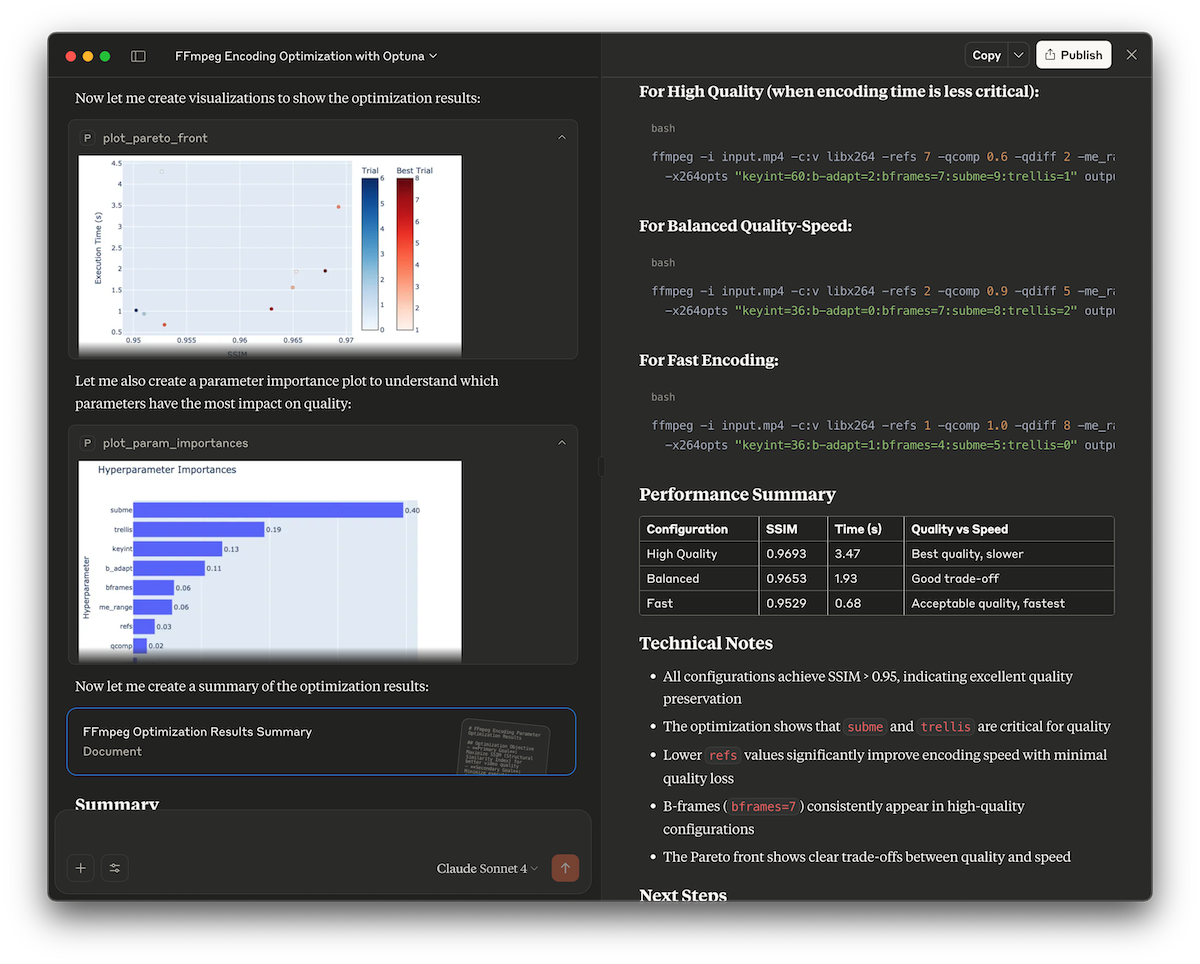
This demo showcases how to use the Optuna MCP server to automatically find optimal FFmpeg encoding parameters. It optimizes x264 encoding options to maximize video quality (measured by the SSIM score) while keeping encoding time reasonable.
Check out examples/ffmpeg for details.
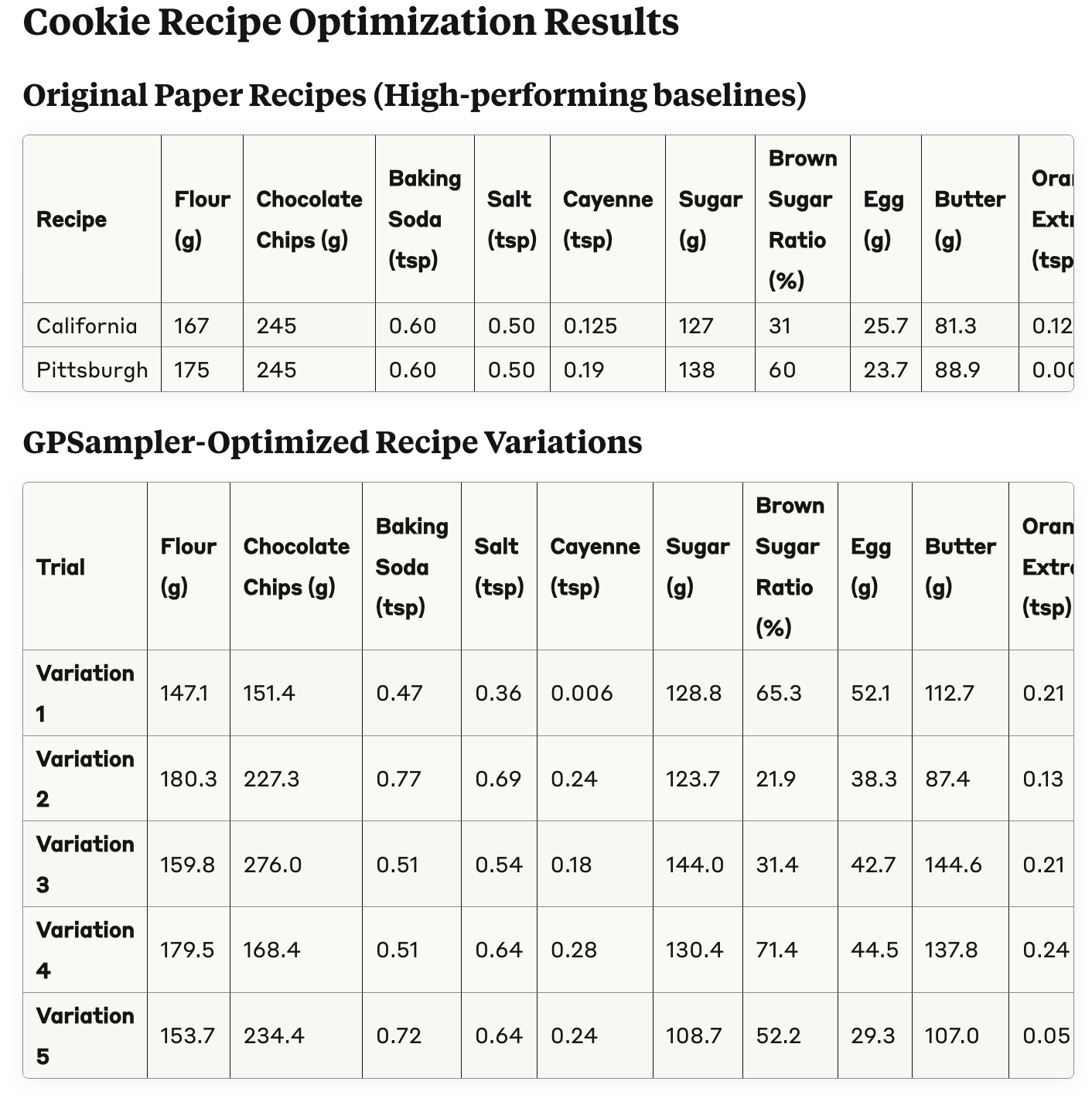
In this example, we will optimize a cookie recipe, referencing the paper titled "Bayesian Optimization for a Better Dessert".
Check out examples/cookie-recipe for details.
 |  |
This example optimizes a Matplotlib configuration.
Check out examples/auto-matplotlib for details.
MIT License (see LICENSE).
Sign in to join the discussion.
No comments yet. Be the first to say what this is good for.
Real-time global intelligence dashboard. AI-powered news aggregation, geopolitical monitoring, and infrastructure tracking in a unified situational awareness interface
High-performance code intelligence MCP server. Indexes codebases into a persistent knowledge graph — average repo in milliseconds. 158 languages, sub-ms queries, 99% fewer tokens. Single static binary, zero dependencies.

Universal provider proxy for OpenAI Codex & Claude Code — use any LLM (Claude, Gemini, Grok, DeepSeek, Ollama…) with Codex CLI, App, SDK, and Claude Code

Git-native persistent memory for AI coding agents. Implements Google OKF v0.2 with sub-300µs in-memory BM25 search, embedded MCP server, and progressive disclosure. Slashes token bloat by 80% with zero external databases or dependencies. Built in pure Go.

Local-first code intelligence graph for MCP and CLI. Builds a persistent map of your codebase so AI coding tools read only what matters, with benchmarked context reductions on reviews and large-repo workflows.

Stop your AI from making things up — it proposes, deterministic tools decide, every claim checked against ground truth with evidence. Grounded facts and context survive resets. Reverse engineering is the proving ground. MCP server + CLI.