




koala73/worldmonitorConnectors
Real-time global intelligence dashboard. AI-powered news aggregation, geopolitical monitoring, and infrastructure tracking in a unified situational awareness interface
86k
OpenTabs bridges a browser session to local agent tools so the agent can call site APIs while you stay signed in. It combines a Chrome extension, local server, plugins, and browser tools like clicking, typing, and network capture.
Builders who want their agent to use websites through an authenticated Chrome session.
You can let an agent use real web app APIs without redoing logins, OAuth setup, or page scraping.
A Chrome extension connects your browser to a local server so agents can use the current logged-in session.
Works with any MCP client, and can also run in CLI mode for people who do not want MCP.
You can install plugins with one command, and the repo includes support for building and publishing your own.
Provides tools for screenshots, clicking, typing, and network capture on any tab.
Tools start off disabled, then move through Off, Ask, or Auto permissions at plugin or tool level.
Runs locally and includes audit logging plus source review before enabling a plugin.
npm install -g @opentabs-dev/cli
opentabs start
opentabs plugin install <plugin-name>
Your AI calls real web APIs through your browser session — no screenshots, no DOM scraping.
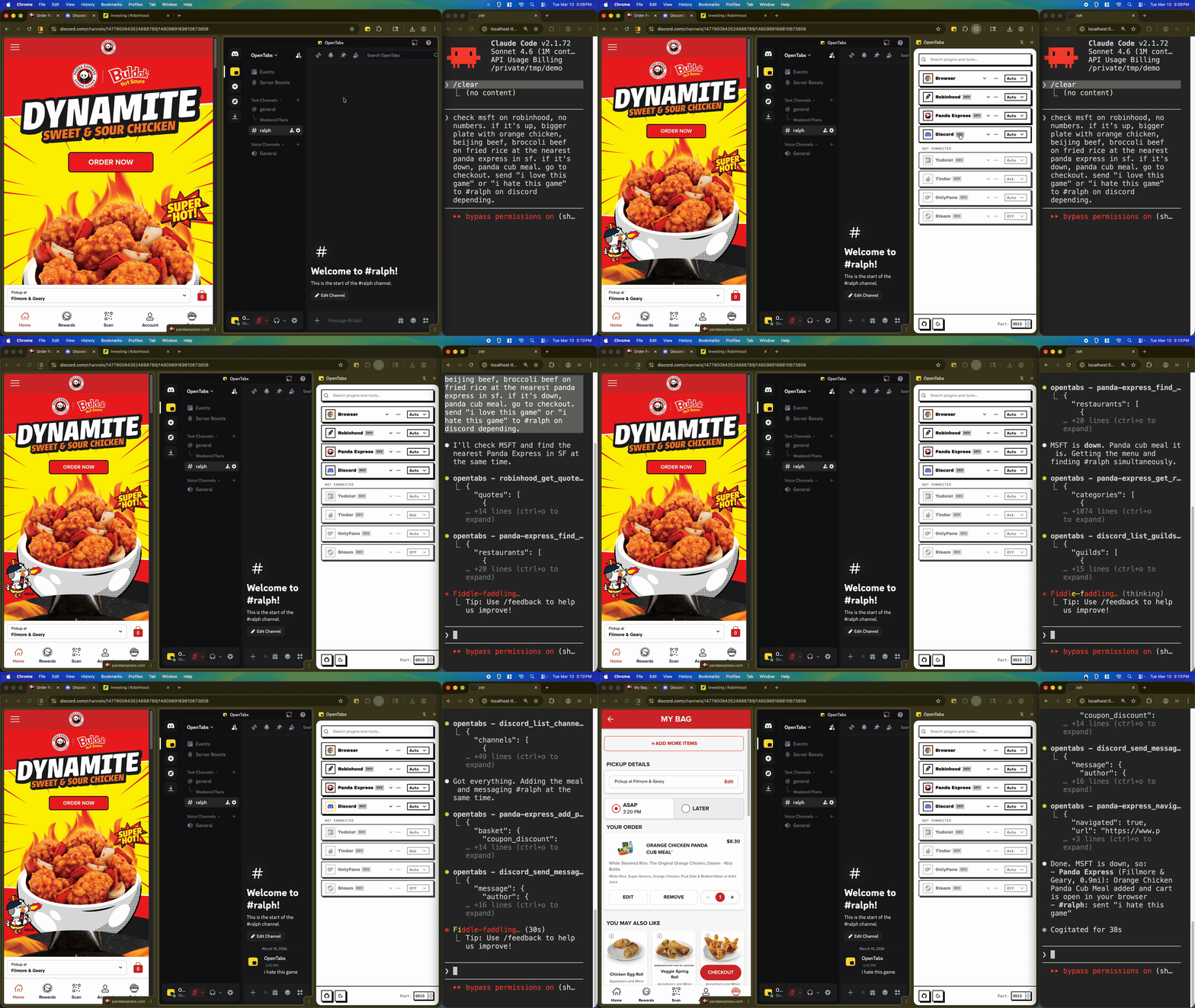
AI sending a Discord message and adding reactions — real API calls, not browser automation
No API keys. No OAuth setup. If you're logged in, your AI can use it.
Works with any MCP client. Don't want MCP? Use CLI mode instead.
Requires Node.js 22+ and Chrome.
npm install -g @opentabs-dev/cli
opentabs start
Load the extension from ~/.opentabs/extension in chrome://extensions/ (Developer mode → Load unpacked).
opentabs plugin install <plugin-name>
Full walkthrough: Quick Start guide
100+ plugins, ~2,000 tools. Slack, Discord, GitHub, Jira, Notion, Figma, AWS, Stripe, and a lot more. One command to install, works immediately.
Built-in browser tools. Screenshots, clicking, typing, network capture — works on any tab, no plugin needed.
Build your own. Scaffold a plugin in one command, publish to npm, anyone can install it. Or point your AI at any website — it discovers the APIs and builds the plugin for you. Plugin Development guide
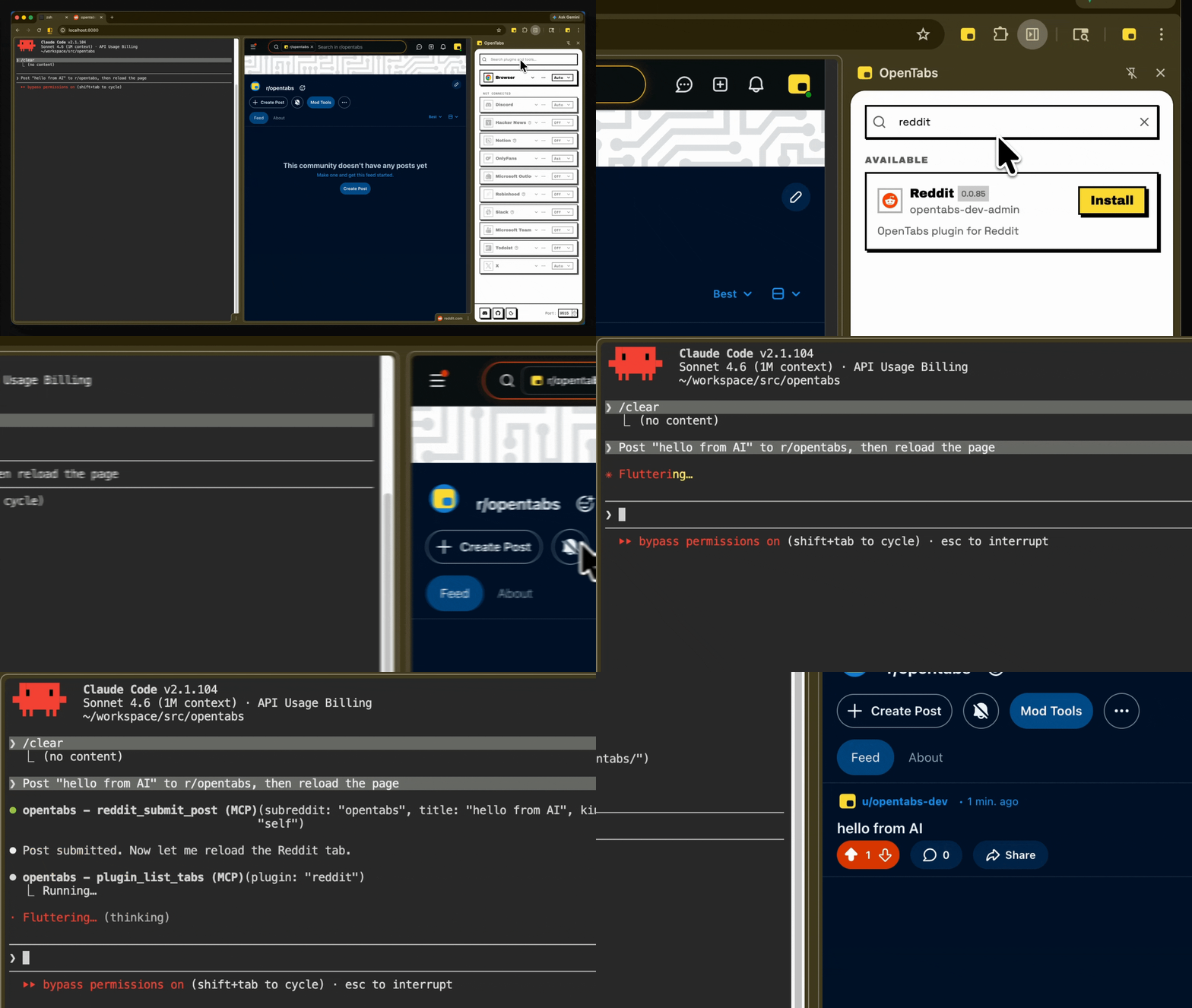
Install a plugin, use it immediately — no restart needed
git clone https://github.com/opentabs-dev/opentabs.git
cd opentabs && npm install && npm run build
npm run dev       # tsc watch + MCP server + extension
npm run check     # build + type-check + lint + knip + test
Development Setup guide · Discord
MIT — Not affiliated with or endorsed by any third-party service. Full disclaimer.
Docs · Quick Start · Plugin Development · SDK Reference · Browser Tools · CLI Reference
Built with Claude Code, OpenCode, Ralph, and RetroUI.
Sign in to join the discussion.
No comments yet. Be the first to say what this is good for.
Real-time global intelligence dashboard. AI-powered news aggregation, geopolitical monitoring, and infrastructure tracking in a unified situational awareness interface
High-performance code intelligence MCP server. Indexes codebases into a persistent knowledge graph — average repo in milliseconds. 158 languages, sub-ms queries, 99% fewer tokens. Single static binary, zero dependencies.

Universal provider proxy for OpenAI Codex & Claude Code — use any LLM (Claude, Gemini, Grok, DeepSeek, Ollama…) with Codex CLI, App, SDK, and Claude Code

Git-native persistent memory for AI coding agents. Implements Google OKF v0.2 with sub-300µs in-memory BM25 search, embedded MCP server, and progressive disclosure. Slashes token bloat by 80% with zero external databases or dependencies. Built in pure Go.

Local-first code intelligence graph for MCP and CLI. Builds a persistent map of your codebase so AI coding tools read only what matters, with benchmarked context reductions on reviews and large-repo workflows.

Stop your AI from making things up — it proposes, deterministic tools decide, every claim checked against ground truth with evidence. Grounded facts and context survive resets. Reverse engineering is the proving ground. MCP server + CLI.