


heygen-com/hyperframesFrameworks & SDKs
Write HTML. Render video. Built for agents.
49k
NitroStack gives you a structured way to build MCP servers with TypeScript decorators, dependency injection, validation, auth, and middleware. It also includes a CLI for scaffolding projects and a widget system for interactive tool output. The framework is designed to connect to MCP-compatible clients and to be tested in NitroStudio.
Builders who want to scaffold, test, and deploy MCP servers with TypeScript instead of assembling the stack from scratch.
You can build an MCP server with built-in structure for tools, auth, validation, and UI instead of wiring each piece yourself.
Define tools, resources, and prompts with TypeScript decorators instead of handwritten plumbing.
Use singleton, transient, and scoped lifecycles for server modules and services.
Set up JWT, OAuth 2.1, and API key auth without adding a separate auth layer.
Add guards, interceptors, pipes, and exception filters around tool execution.
Attach React widgets to tool results for richer interactive responses.
Start a new server project with the NitroStack CLI and generate the base app structure.
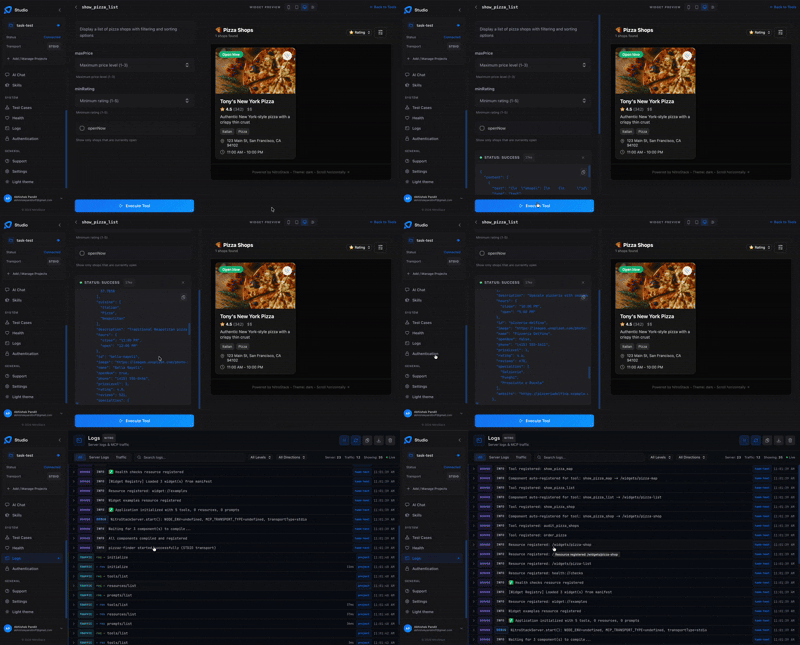
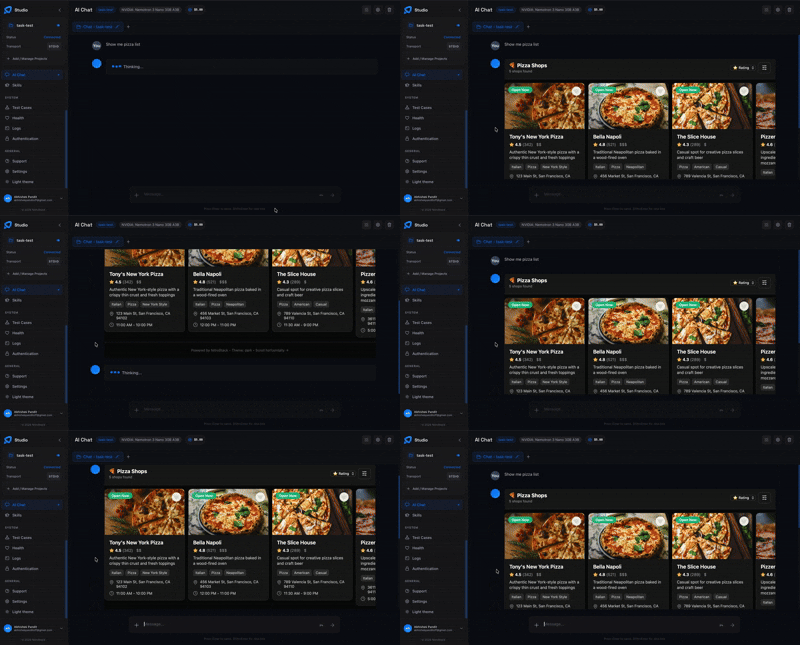
Test tools, inspect payloads, chat with the server, and preview widgets in the desktop app.
npx @nitrostack/cli init my-server
cd my-server
npm install
npm run dev

The enterprise-grade TypeScript framework for building production-ready MCP servers.
Decorators. Dependency Injection. Widgets. One framework to ship AI-native backends.







Documentation · Quick Start · Blog · NitroStudio · Discord
npx @nitrostack/cli init my-server
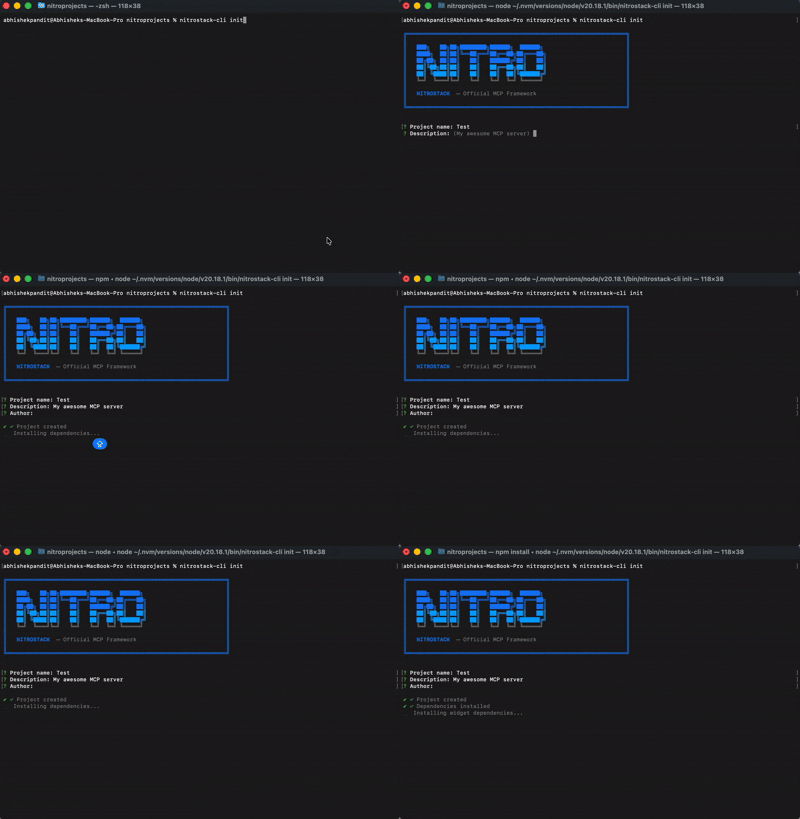
cd my-server
npm install
npm run dev
Your MCP server is running. Connect it to any MCP-compatible client.
Once your project is scaffolded, open the same folder in NitroStudio for visual testing and debugging.
my-server project folderBuilding MCP servers today means stitching together boilerplate, reinventing authentication, and hoping your tooling scales. NitroStack gives you an opinionated, batteries-included framework so you can focus on what your server actually does.
import { McpApp, Module, ToolDecorator as Tool, z, ExecutionContext } from '@nitrostack/core';

@McpApp({
  module: AppModule,
  server: { name: 'my-server', version: '1.0.0' }
})
@Module({ imports: [] })
export class AppModule {}

export class SearchTools {
  @Tool({
    name: 'search_products',
    description: 'Search the product catalog',
    inputSchema: z.object({
      query: z.string().describe('Search query'),
      maxResults: z.number().default(10)
    })
  })
  @UseGuards(ApiKeyGuard)
  @Cache({ ttl: 300 })
  @Widget('product-grid')
  async search(input: { query: string; maxResults: number }, ctx: ExecutionContext) {
    ctx.logger.info('Searching products', { query: input.query });
    return this.productService.search(input.query, input.maxResults);
  }
}
One decorator stack gives you: API definition + validation + auth + caching + UI — zero boilerplate.
NitroStack is modular. Install only what you need:
The implementation workspace for NitroStack packages lives in typescript/.
| Package | What it does | Install |
|---|---|---|
@nitrostack/core | The framework — decorators, DI, server runtime | npm i @nitrostack/core |
@nitrostack/cli | Scaffolding, dev server, code generators | npm i -g @nitrostack/cli |
@nitrostack/widgets | React SDK for interactive tool output UIs | npm i @nitrostack/widgets |
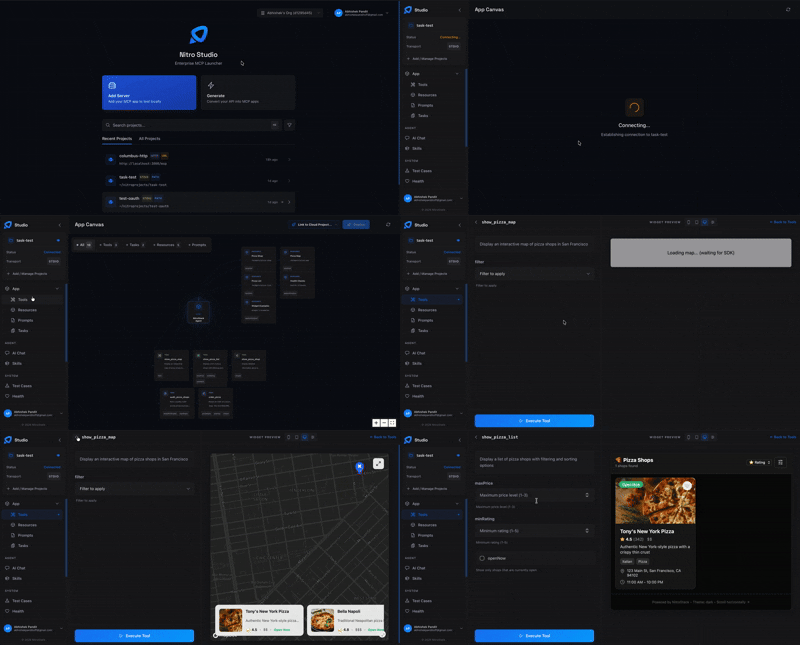
NitroStudio is a desktop app purpose-built for developing MCP servers. Open your project folder — it handles the dev server for you.
|
Real-time tool testing Execute tools, inspect payloads, and debug request/response cycles.
|
Built-in AI chat Talk to your MCP server through an integrated AI assistant.
|
| Resource | Description |
|---|---|
| Getting Started | Installation, quick start, and first project |
| Server Concepts | Modules, DI, and architecture deep dive |
| Tools Guide | Defining tools, validation, annotations |
| Widgets Guide | Building interactive UI components |
| Authentication | JWT, OAuth 2.1, API key setup |
| CLI Reference | All CLI commands and options |
| Deployment | Production checklist, Docker, cloud platforms |
We welcome contributions of all kinds — bug fixes, features, docs, and ideas. Read the Contributing Guide to get started.
Looking for a place to begin? Check out issues labeled good first issue.
NitroStack is open-source software licensed under the Apache License 2.0.
Sign in to join the discussion.
No comments yet. Be the first to say what this is good for.
Write HTML. Render video. Built for agents.
Ultra-lightweight, open-source, self-hosted personal AI agent framework in Python with WebUI, tools, memory, MCP, multi-agent workflows, automation, and chat apps

SkillOpt is a text-space optimizer that trains reusable natural-language skills for frozen LLM agents through trajectory-driven edits, validation-gated updates, and deployable best_skill.md artifacts.

Omnigent is an open-source AI agent framework and meta-harness: orchestrate Claude Code, Codex, Cursor, Pi, and custom agents — swap harnesses without rewriting, enforce policies and sandboxing, and collaborate in real time from any device.

A theoretical reconstruction of the Claude Mythos architecture, built from first principles using the available research literature.
🕷️ An adaptive Web Scraping framework that handles everything from a single request to a full-scale crawl!