
koala73/worldmonitorConnectors
Real-time global intelligence dashboard. AI-powered news aggregation, geopolitical monitoring, and infrastructure tracking in a unified situational awareness interface
86k
Linco Bridge connects agent CLIs running on a personal computer to web, H5, mini program, app, and IM clients. The local connector handles sessions, permissions, attachments, and generated files, while the platform and docs provide a reference backend, web UI, and protocol guidance.
Builders who want to control local agent sessions from web, mobile, or chat clients.
You can keep agent execution local while still viewing, messaging, and managing sessions from remote clients.
Runs `linco-connect` on the user's computer and connects it to an agent CLI session.
Uses an authenticated WebSocket connection between the local connector and the remote channel.
Provides a NestJS backend and UniApp web client for the open `linco-demo` channel.
Lets you build new H5, mini program, app, web, or IM clients through the connector and protocol helpers.
Exposes sessions, permissions, attachments, and generated files to remote clients without moving execution off the machine.
Local Agent CLI
    ↕ local process, gateway, or session files
linco-connect on the user's computer
    ↕ authenticated WebSocket bridge
Official Linco channel, open reference platform, or custom backend
    ↕
Linco App, Reference Web, or custom clientnpm install -g linco-connect linco-connect init --token "<app-id>:<app-secret>" --agent codex linco-connect start --daemon
cd linco-bridge-platform/server npm install npm run start:dev
cd linco-bridge-platform/web npm install npm run dev:h5
linco-connect init \ --token "<app-id>:<app-secret>" \ --agent codex \ --channel linco-demo \ --account "<account-id>" \ --allow-insecure-ws linco-connect start --daemon

An open bridge layer that connects AI Agent tools running on a personal computer to web, H5, mini program, app, IM, and custom clients.




Status: Open Source Alpha. Interfaces and compatibility may change with documented migration notes.
iOS App · Android App · Hosted Demo · Watch Demo · Quick Start · 简体中文
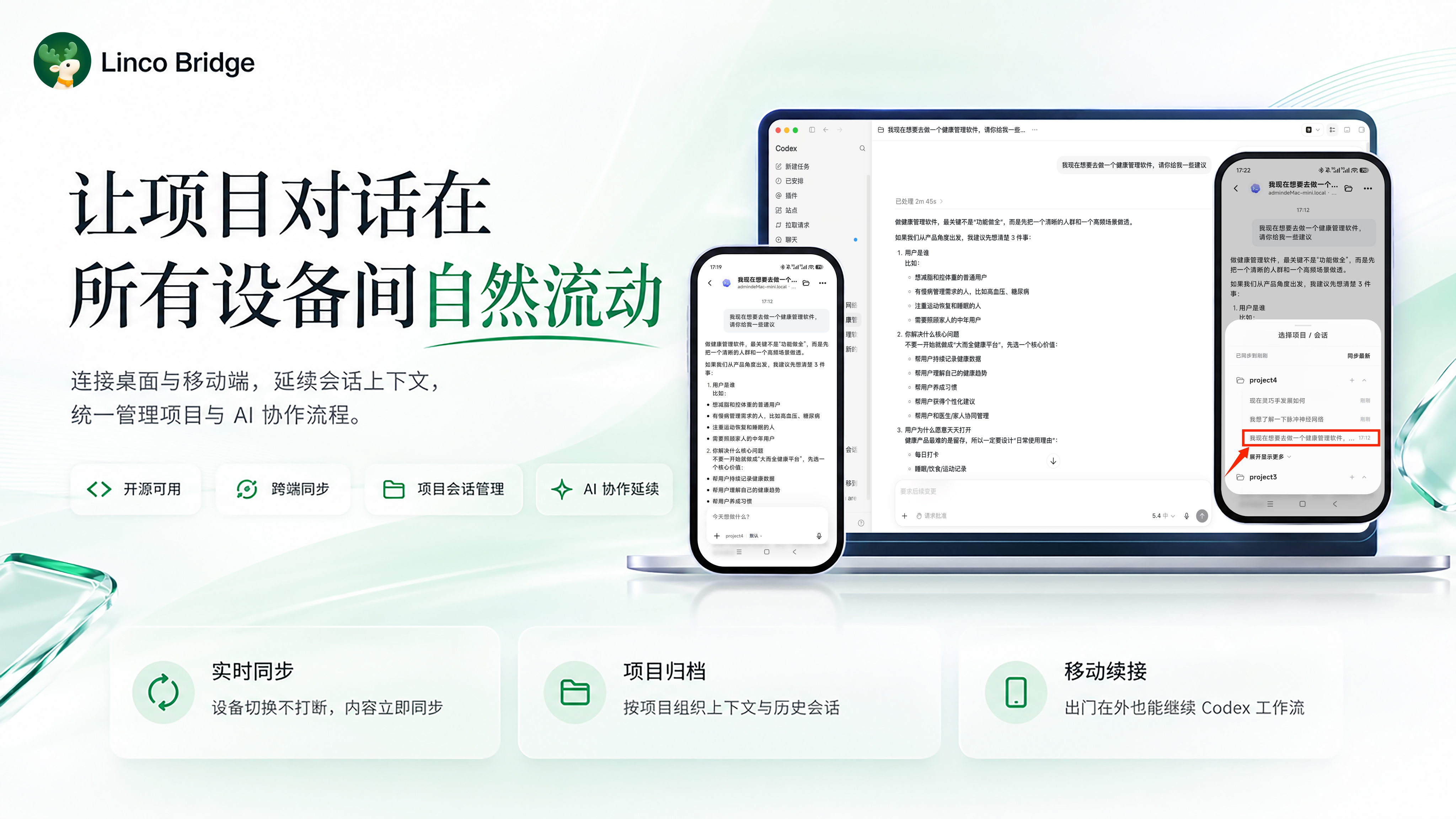
| Local-first | Agent-oriented interaction | Open extension surface |
|---|---|---|
| Keep Agent CLIs running on the user's computer while accessing sessions, attachments, and generated files from remote clients. | Present streaming output, permissions, tools, files, and long-running sessions in a dedicated client instead of a generic message relay. | Reuse the connector, protocol helpers, SDKs, and channel adapters to build a custom H5, mini program, app, web, or IM experience. |
Linco Bridge connects local Agent CLIs to remote clients without moving Agent execution away from the user's computer.
Local Agent CLI
↕ local process, gateway, or session files
linco-connect on the user's computer
↕ authenticated WebSocket bridge
Official Linco channel, open reference platform, or custom backend
↕
Linco App, Reference Web, or custom client
| Repository area | Purpose |
|---|---|
linco-bridge-connect | Local connector for Agent CLIs, sessions, permissions, attachments, and generated files. |
linco-bridge-platform | NestJS + UniApp reference implementation for the open linco-demo channel. |
docs | Setup, architecture, protocol, security, compatibility, and extension guides. |
The repository does not include the complete Linco App or the official hosted cloud-service implementation.
| Path | Best for | Requirement |
|---|---|---|
| Linco App | Users who want the official product experience | Install the app and run the page-generated connector commands. |
| Open reference platform | Local validation, self-hosting evaluation, and secondary development | Run linco-bridge-platform/server and linco-bridge-platform/web. |
| Hosted demo | Quick public evaluation without deploying the platform | Open the hosted H5 or mini program and run the generated connector commands locally. |
Download Linco App:
Open Bridge, choose an Agent import path, and run the generated commands on the computer where the Agent CLI is installed. A typical command shape is:
npm install -g linco-connect
linco-connect init --token "<app-id>:<app-secret>" --agent codex
linco-connect start --daemon
Return to the app, confirm the connector is online, and send a test message.
Start the backend:
cd linco-bridge-platform/server
npm install
npm run start:dev
Start the H5 frontend in another terminal:
cd linco-bridge-platform/web
npm install
npm run dev:h5
Open the printed H5 URL, then:
setupCommands and run them locally.The generated commands are the source of truth. A local command usually has this shape:
linco-connect init \
  --token "<app-id>:<app-secret>" \
  --agent codex \
  --channel linco-demo \
  --account "<account-id>" \
  --allow-insecure-ws

linco-connect start --daemon
See Quick Start and the Platform README for the complete local flow.
agent桥接器 or scan the QR code below.
Open Bridge, import an Agent, run the generated setupCommands on your computer, confirm the connector is online, and enter the chat page.
The hosted demo uses signed anonymous visitor sessions. It does not provide a formal account, durable cross-device recovery, or production-grade multi-tenant guarantees. Do not enter sensitive or production data. Custom frontends must self-host the platform instead of calling the official demo API.
| Agent | Status | Verified version |
|---|---|---|
| Codex CLI | Supported | codex-cli 0.142.5 |
| Claude Code | Supported | 2.1.198 (Claude Code) |
| Hermes | Supported | Hermes Agent v0.13.0 (2026.5.7) |
| OpenClaw | Supported | OpenClaw 2026.5.18 (50a2481) |
Use Node.js 20 or 22–26; Node.js 22 LTS is recommended. See Supported Platforms for the current compatibility boundary.
| Area | Location |
|---|---|
| Connector SDK | linco-bridge-connect/src/package/connector |
| Protocol helpers | linco-bridge-connect/src/package/protocol |
| Reference Web SDKs | linco-bridge-platform/web/src/bridge/sdk |
| Channel adapters | linco-bridge-connect/src/channel |
Third-party integrations should add a custom channel adapter rather than changing the official linco channel. See Secondary Development Rules.
ws:// only for trusted local development. Public deployments should use HTTPS/WSS and define their own authentication, storage, audit, and retention policies.| Goal | Documentation |
|---|---|
| Get started | Quick Start, Troubleshooting |
| Understand the system | How It Works, Protocol, CLI Reference |
| Run or extend the platform | Hosted Deployment, Reference Web, Secondary Development |
| Review scope and policy | Supported Platforms, Security and Privacy, Support |
| Work on a subproject | Connector README, Platform README |
Join the WeChat technical group for integration questions, product feedback, and Agent workflow discussions:
Follow Linco Lab for project updates and implementation notes:
Linco Lab
WeChat QR codes may expire. See Community for the latest entries and support guidance.
Issues and pull requests are welcome. Read CONTRIBUTING.md before proposing protocol, cross-module, or breaking changes.
Linco Bridge is licensed under the MIT License. The license applies to repository code and documentation; it does not grant separate rights to use Linco names, logos, or other brand assets beyond normal nominative reference.
Sign in to join the discussion.
No comments yet. Be the first to say what this is good for.
Real-time global intelligence dashboard. AI-powered news aggregation, geopolitical monitoring, and infrastructure tracking in a unified situational awareness interface
High-performance code intelligence MCP server. Indexes codebases into a persistent knowledge graph — average repo in milliseconds. 158 languages, sub-ms queries, 99% fewer tokens. Single static binary, zero dependencies.

Universal provider proxy for OpenAI Codex & Claude Code — use any LLM (Claude, Gemini, Grok, DeepSeek, Ollama…) with Codex CLI, App, SDK, and Claude Code

Git-native persistent memory for AI coding agents. Implements Google OKF v0.2 with sub-300µs in-memory BM25 search, embedded MCP server, and progressive disclosure. Slashes token bloat by 80% with zero external databases or dependencies. Built in pure Go.

Local-first code intelligence graph for MCP and CLI. Builds a persistent map of your codebase so AI coding tools read only what matters, with benchmarked context reductions on reviews and large-repo workflows.

Stop your AI from making things up — it proposes, deterministic tools decide, every claim checked against ground truth with evidence. Grounded facts and context survive resets. Reverse engineering is the proving ground. MCP server + CLI.