

koala73/worldmonitorConnectors
Real-time global intelligence dashboard. AI-powered news aggregation, geopolitical monitoring, and infrastructure tracking in a unified situational awareness interface
86k
This project connects an MCP client to Adobe Premiere Pro through a local CEP bridge. The server exposes editing, inspection, export, and approval-oriented actions so an assistant can work with the open Premiere project instead of only chatting about it. It supports Claude Desktop, Codex, Cursor, Windsurf, and other MCP clients, with separate install paths for the server and the Premiere connector. The repo also ships a Codex plugin and Claude Desktop bundle for easier setup.
Builders who want their AI assistant to inspect and edit Premiere Pro projects through a local bridge.
You can ask an assistant to check, preview, and carry out Premiere Pro edits without re-explaining your project state every time.
Connects the MCP server to the running Premiere Pro app through a CEP extension.
Lets the assistant check connection state and inspect the project before making changes.
Supports workflows that preview edits and ask for confirmation before applying them.
Provides install and config guidance for Claude Desktop, Codex, Cursor, Windsurf, and other MCP clients.
Includes packaged options for Claude Desktop and a Codex plugin that ships the server and a safety-focused skill.
npm install -g premiere-pro-mcp
git clone https://github.com/leancoderkavy/premiere-pro-mcp.git
cd premiere-pro-mcp
npm install
npm run build
premiere-pro-mcp --install-cep
npm run install-cep
premiere-pro-mcp --doctor
premiere-pro-mcp --check-update
premiere-pro-mcp --update

Give compatible AI assistants structured control over supported Adobe Premiere Pro workflows.
Free, MIT licensed, local-first, and published to npm as premiere-pro-mcp — the only package name that installs this project.
Website · Setup guides · Search tools · Troubleshooting · Release facts
Development source: 369 core tools across 53 modules, 4 resources, and 17 guided workflows. A connected UXP host adds 93 capability-gated tools.
The completed AE render handoff previews and confirms importing one finished render into an existing Premiere bin, with host and file rechecks and an import receipt.










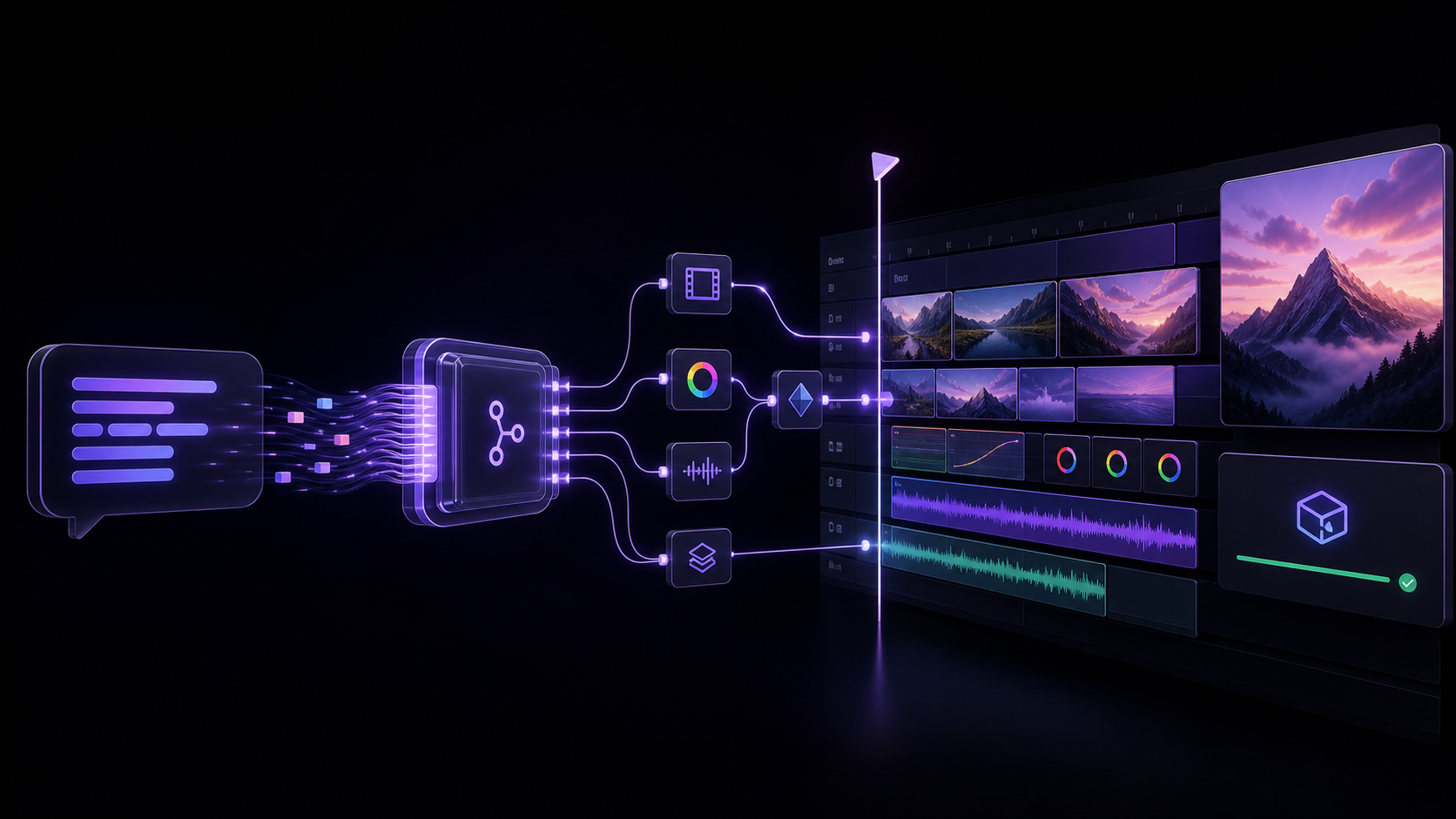
An MCP (Model Context Protocol) server that lets AI assistants like Claude, Windsurf, Cursor, GitHub Copilot, or any MCP-compatible client directly control Adobe Premiere Pro — importing media, editing timelines, applying effects, managing keyframes, exporting, and more.
"Add the B-roll clips to V2, apply a cross dissolve between each, color correct them to match the A-roll, and export a 1080p ProRes."
| Display name | MCP for Adobe Premiere Pro |
| npm package | premiere-pro-mcp |
| Install (npm route) | npm install -g premiere-pro-mcp |
| Connector install | premiere-pro-mcp --install-cep |
| MCP server name | io.github.leancoderkavy/premiere-pro |
| Repository | https://github.com/leancoderkavy/premiere-pro-mcp |
| Website | https://premiere-pro-mcp.com |
| License | MIT |
| Hosts | Windows and macOS, Premiere Pro 2020-2026 |
This project is independent and is not affiliated with or endorsed by Adobe Inc.
It is also separate from other MCP servers for Premiere Pro. The only npm package
published from this repository is premiere-pro-mcp, and no other package name
installs it.
Comparing similarly named packages? Both this package and
adobe-premiere-pro-mcp declare a premiere-pro-mcp executable. Verify the package
and repository before configuring a client. The new
local configuration helper prints Claude, Cursor,
VS Code, or Codex settings that point directly to this installation. It is a
development-source feature; the published v1.15.0 package does not include it.
The current source exposes 369 core tools for supported workflow steps spanning the supported ExtendScript, QE DOM, local media and interchange analysis, revisioned project-context retrieval, safe edit-planning, project-intake preview, review handoff, connection verification, and guarded After Effects MOGRT authoring, batch, library, render-queue, inspection, and Premiere-handoff workflows. A compatible, authenticated UXP panel adds 93 documented, capability-gated tools without replacing the production CEP bridge.
The published v1.15.0 npm artifact contains 369 core tools, 367 in its default profile, and 460 with a compatible UXP connection. The development catalog above can include unreleased work. See the versioned facts and package provenance.
Choose a setup guide: Claude Desktop, Codex, other local MCP clients, or ChatGPT connection options.
Download the workflow starter kit for synthetic media and three evaluation recipes: a read-only sequence check, an explicitly confirmed review-frame export, and a product-spot preview. No email is required. The kit has no recorded Premiere demo or verified host result. Start with a disposable project and use setup and recovery if the connection is unavailable.
Editorial planning: film evidence, transcript cleanup, caption authoring, shorts and chapter planning, rhythm and speaker layouts, timeline QA, and platform delivery plans.
Cross-app handoff: capability-aware workflow routes and guarded After Effects render-to-Premiere handoff.
Editing correctness: verified readback and explicit capability or committed-but-unverified failures across transition, import, effects, source identity, and track operations.
MOGRT studio: an optional, separate After Effects CEP connector can author approval-gated title, callout, quote, and social recipes; constrain them with local brand kits; batch, publish, queue, inspect, and hand them to Premiere without claiming visual or completed-render proof.
Global-update handoff: a global npm installation can show its server and connector update state in the Windows CEP panel and, after explicit confirmation, update only after Premiere has been quit; it never changes a project, client configuration, source checkout, or custom npm prefix.
Local review planning: caption timing previews parse caller-supplied SRT/VTT without writing or importing it, while revision-bound editorial evidence stays in the opt-in local context index without provider calls.
Repair preview: premiere-pro-mcp --doctor --plan-fixes produces a
privacy-safe, no-write repair plan; the narrowly eligible connector repair
still requires an explicit confirmation that Premiere is closed.
Auditable guidance: the universal setup guide, generated public workflow manifest, and proof runbook make workflow and verification boundaries inspectable without claiming a licensed-host walkthrough occurred.
Faster, clearer delivery: immutable MCP registration work is reused safely across stateless requests, and the landing now has a lighter, mobile-first workflow view plus current machine-readable facts and crawl guidance for its public pages.
Explicit boundary: the hosted endpoint remains an operator-managed MCP service; unauthenticated callers are rejected and it does not pair users to local Premiere processes. See the generated supported action catalog for individual capability and verification contracts.
See the v1.15.0 release notes for complete details. Live installation in Premiere Pro still requires host verification.
The server uses the stable TypeScript SDK v2 and serves the 2026-07-28
stateless protocol over HTTP and stdio, while retaining legacy MCP compatibility
through 2025-11-25. Modern clients receive discovery, validated routing headers,
cache hints, subscription-stream support, and the formal Premiere extension
capability. See the complete MCP capability and boundary report.
If an MCP client cannot complete its server/discover probe, set
PREMIERE_MCP_PROTOCOL_MODE=legacy in that client's server environment and restart
the client. This uses the SDK's base stdio transport and the legacy initialization
handshake only; leave it unset (or auto) for modern MCP capabilities.
Before an assistant changes an active project, use the Premiere Pro AI workflow checklist to define the target and no-change boundaries, verify the local connection, request a bounded plan, and inspect the returned result. It is a practical starting point for assistant editors and post leads testing a repeatable workflow on a duplicate project or small test sequence.
For product context, see the Adobe Premiere AI Assistant and MCP comparison and the Claude Desktop setup guide.
If you are deciding between a single local project, an Adobe Production on shared storage, or a remote Team Project, use the Premiere Pro collaboration workflow guide before you evaluate an MCP path. It links the relevant Adobe guidance, makes no project inspection request, and ends with the same read-only connection check.
For a concrete first Project Intake preview, choose one of the three schema-checked, no-sensitive-data starter templates. They are evaluation samples only: a human policy owner must review and replace their bins, media rules, and organization rules before a facility uses one.
.mcpb)..zxp). Open it with your trusted ZXP installer. If your computer has no ZXP installer, use the npm connector installer in Advanced setup below.Safely check my Premiere connection with verify_premiere_connection. Make no changes.The Claude bundle contains the local MCP server, so this route does not require Node.js. The Premiere connector is a separate required install. The first prompt is read-only and reports whether the server is installed, configured, connected, and live-verified.
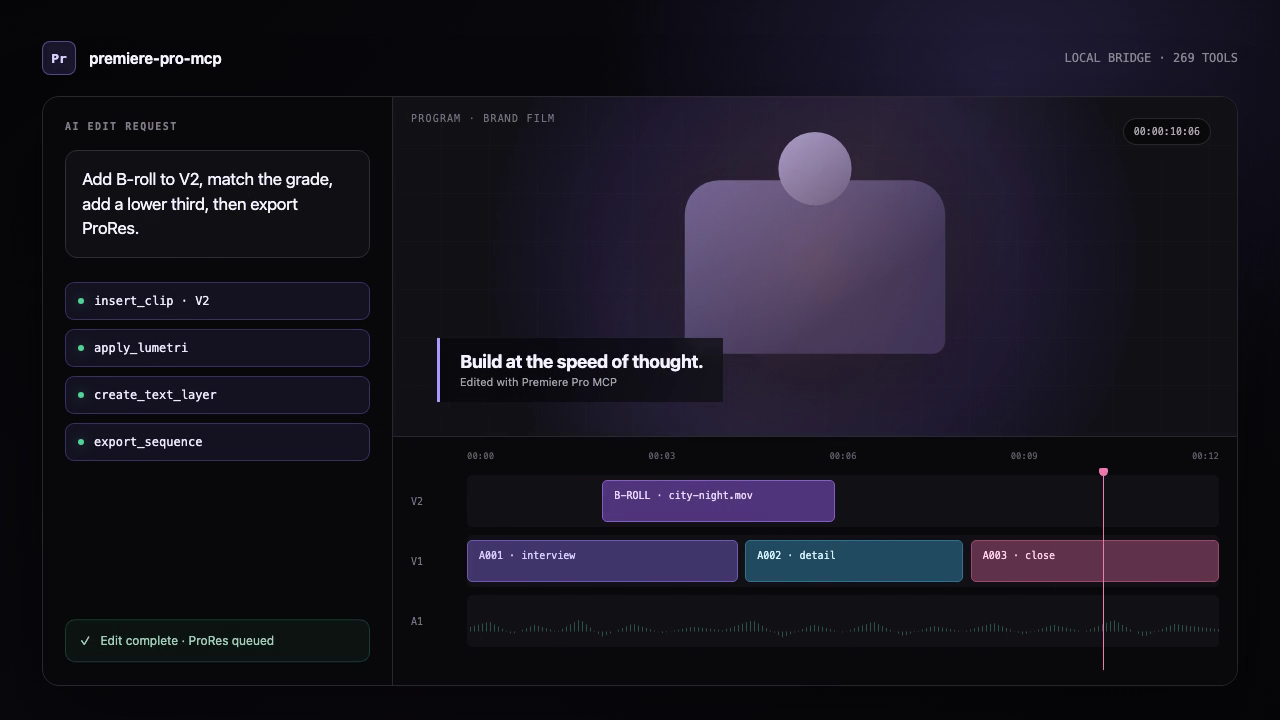
This is an illustrated workflow, not a Premiere panel screenshot or licensed-host proof.
premiere-pro-mcp --doctor to check only local package/configuration readiness.Run verify_premiere_connection. Make no changes. The returned check is read-only and avoids project names, paths, and media details.If a bridge, project, or active sequence is missing, fix that setup state before allowing a mutation. For a concise, translatable version of this path, see quick starts in English, Spanish, and Japanese. The translations are machine-assisted drafts and retain command names in English.
Cursor, VS Code/Copilot, Windsurf, and other MCP clients do not currently have a project-provided one-click installer. Use their MCP settings with the advanced npm route below. Keep the assistant, server, connector, and Premiere on the same computer.
For a portable reference users can download and attach to any AI assistant, see the MCP for Adobe Premiere Pro setup guide for AI assistants. Attaching the guide provides assistant context; the local server and Premiere connector still need to be installed separately.
PATH for detect_silence
(brew install ffmpeg on macOS or winget install Gyan.FFmpeg on Windows).
The production Docker image already includes it.Option A — npm:
npm install -g premiere-pro-mcp
Option B — Clone from source:
git clone https://github.com/leancoderkavy/premiere-pro-mcp.git
cd premiere-pro-mcp
npm install
npm run build
If installed via npm:
premiere-pro-mcp --install-cep
If cloned from source:
npm run install-cep
This installs the plugin into Premiere Pro's per-user extensions folder and enables debug mode.
premiere-pro-mcp --doctor
Then ask your MCP client to run verify_premiere_connection. The check is read-only.
New releases update the local server and Premiere connector; a deployment of the hosted MCP service does not replace software on your computer. Fully quit Premiere before updating the connector.
Installed globally from npm:
premiere-pro-mcp --check-update
premiere-pro-mcp --update
--update only changes a global npm installation. It installs the published
latest package, refreshes the bundled CEP connector, and leaves your MCP
client configuration and projects untouched. Restart Premiere and your MCP
client afterward, then run verify_premiere_connection before editing.
From the MCP for Adobe Premiere Pro panel (Windows global npm install):
The MCP updates card compares the installed global server and connector
with npm latest. Choose Update after quit, review the confirmation, then
quit Premiere normally. A per-user helper waits for Premiere to exit; it never
force-quits the app, then installs the published npm package and refreshes its
matching connector. This also supports older global installs that predate the
--update command.
When you reopen Premiere, the panel reports the result and reminds you to
restart your MCP client and verify the connection. This flow never changes a
project or MCP client configuration. It deliberately will not update a Git
checkout, a custom npm prefix, or a Claude Desktop .mcpb bundle.
Installed from a Git clone:
npm run check-update:source
npm run update:source
The source updater refuses a checkout with uncommitted files or local commits,
fast-forwards only to its configured upstream, runs npm ci and the production
build, then refreshes the CEP connector. This avoids silently overwriting local
code. If you installed the Claude Desktop .mcpb bundle, download and install
the newer bundle from the GitHub release instead; Claude controls extension
updates.
Fully quit Premiere, then remove only this connector:
premiere-pro-mcp --uninstall-cep
The uninstaller intentionally leaves Adobe's shared PlayerDebugMode setting in place so it does not disrupt other CEP extensions. Remove the MCP server from your AI client's configuration and uninstall the npm package separately if you no longer use it. On macOS, --uninstall-cep removes the per-user npm/source install; the signed system-wide .pkg route has a separate privileged removal command in distribution readiness.
The easiest repeatable path is the token-free GitHub Actions workflow:
leancoderkavy/premiere-pro-mcp and workflow file npm-publish.yml.npm publish action.latest tag.The workflow installs dependencies, builds, runs tests, verifies the packed files, refuses to republish an existing version, then publishes through short-lived OIDC credentials with automatic provenance. No npm token or recurring OTP is required.
For local publishing, use the guided helper:
npm run publish:npm
Useful local variants:
npm run publish:npm:dry-run
NPM_OTP=123456 npm run publish:npm
NPM_TOKEN=npm_xxx npm run publish:npm
mkdir -p ~/Library/Application\ Support/Adobe/CEP/extensions
ln -s "$(pwd)/cep-plugin" ~/Library/Application\ Support/Adobe/CEP/extensions/MCPBridgeCEP

# Enable unsigned extensions (CSXS 9–14)
for v in 9 10 11 12 13 14; do
  defaults write com.adobe.CSXS.$v PlayerDebugMode 1
done
cep-plugin folder to %APPDATA%\Adobe\CEP\extensions\MCPBridgeCEPREG_SZ) values to 1 (not DWORD):
HKEY_CURRENT_USER\Software\Adobe\CSXS.12\PlayerDebugModeIf you installed from npm, configure the client to run the global command:
{
  "mcpServers": {
    "premiere-pro": {
      "command": "premiere-pro-mcp"
    }
  }
}
If you cloned the repository instead, use the source-build configuration shown below for your client.
Edit ~/Library/Application Support/Claude/claude_desktop_config.json (macOS) or %APPDATA%\Claude\claude_desktop_config.json (Windows):
{
  "mcpServers": {
    "premiere-pro": {
      "command": "node",
      "args": ["/absolute/path/to/premiere-pro-mcp/dist/index.js"]
    }
  }
}
Add to your MCP server configuration:
{
  "premiere-pro": {
    "command": "node",
    "args": ["/absolute/path/to/premiere-pro-mcp/dist/index.js"]
  }
}
Add to .cursor/mcp.json in your project or global config:
{
  "mcpServers": {
    "premiere-pro": {
      "command": "node",
      "args": ["/absolute/path/to/premiere-pro-mcp/dist/index.js"]
    }
  }
}
Add to your VS Code MCP server configuration:
{
  "mcpServers": {
    "premiere-pro": {
      "command": "node",
      "args": ["/absolute/path/to/premiere-pro-mcp/dist/index.js"]
    }
  }
}
get_capabilities, then ping, with Premiere open.The default bridge directory is derived from the operating system on both sides, so most local setups should not set PREMIERE_TEMP_DIR. On macOS, the server resolves the per-user system temporary directory even when a GUI-launched client strips TMPDIR, keeping it aligned with Premiere's CEP panel. If you override it, use the same absolute path in the MCP server and CEP panel; Windows and macOS paths are not interchangeable.
This repository includes an installable Codex plugin that bundles the local MCP server with a safety-oriented Premiere editing skill.
From a clone of this repository:
codex plugin marketplace add .
codex plugin add premiere-pro@premiere-pro-mcp
npx -y premiere-pro-mcp@1.15.0 --install-cep
Restart Premiere Pro and start a new Codex session after installation. The plugin
launches premiere-pro-mcp@1.15.0 through npx; the separate CEP installation is
required because the MCP server communicates with the running Premiere host through
the local bridge.
The plugin source lives in plugins/premiere-pro, and the
Sign in to join the discussion.
No comments yet. Be the first to say what this is good for.
Real-time global intelligence dashboard. AI-powered news aggregation, geopolitical monitoring, and infrastructure tracking in a unified situational awareness interface
High-performance code intelligence MCP server. Indexes codebases into a persistent knowledge graph — average repo in milliseconds. 158 languages, sub-ms queries, 99% fewer tokens. Single static binary, zero dependencies.

Universal provider proxy for OpenAI Codex & Claude Code — use any LLM (Claude, Gemini, Grok, DeepSeek, Ollama…) with Codex CLI, App, SDK, and Claude Code

Git-native persistent memory for AI coding agents. Implements Google OKF v0.2 with sub-300µs in-memory BM25 search, embedded MCP server, and progressive disclosure. Slashes token bloat by 80% with zero external databases or dependencies. Built in pure Go.

Local-first code intelligence graph for MCP and CLI. Builds a persistent map of your codebase so AI coding tools read only what matters, with benchmarked context reductions on reviews and large-repo workflows.

Stop your AI from making things up — it proposes, deterministic tools decide, every claim checked against ground truth with evidence. Grounded facts and context survive resets. Reverse engineering is the proving ground. MCP server + CLI.