MCP Jenkins




The Model Context Protocol (MCP) is an open-source implementation that bridges Jenkins with AI language models following Anthropic's MCP specification. This project enables secure, contextual AI interactions with Jenkins tools while maintaining data privacy and security.
Installation
Choose one of these installation methods:
# Using uv (recommended)
pip install uv
uvx mcp-jenkins
# Using pip
pip install mcp-jenkins
mcp-jenkins
# Docker
docker pull ghcr.io/lanbaoshen/mcp-jenkins:latest
docker run -p 9887:9887 --rm ghcr.io/lanbaoshen/mcp-jenkins:latest --transport streamable-http
Line Arguments
When using command line arguments, you can specify the Jenkins server details as follows:
# Simple streamable-http example
uvx mcp-jenkins --transport streamable-http
| Argument | Description | Required |
|---|
--env-file | Path to a .env file to load configuration from. See Environment Variables / .env file below. | No |
--jenkins-url | The URL of the Jenkins server. (Http app can set it via headers x-jenkins-url) | No |
--jenkins-username | The username for Jenkins authentication. (Http app can set it via headers x-jenkins-username) | No |
--jenkins-password | The password or API token for Jenkins authentication. (Http app can set it via headers x-jenkins-password) | No |
--jenkins-timeout | Timeout for Jenkins API requests in seconds. Default is 5 seconds. | No |
--jenkins-verify-ssl/--no-jenkins-verify-ssl | Whether to verify SSL certificates when connecting to Jenkins. Default is to verify. | No |
--jenkins-session-singleton/--no-jenkins-session-singleton | Whether to use a singleton Jenkins client for all requests in the same session. Default is True. | No |
--read-only | Whether to enable read-only mode. Default is False | No |
--transport | Transport method to use for communication. Options are stdio, sse or streamable-http. Default is stdio. | No |
--host | Host address for streamable-http transport. Default is 0.0.0.0 | No |
--port | Port number for streamable-http transport. Default is 9887. | No |
Environment Variables / .env file
Instead of passing credentials on the command line, you can set them as environment variables, or put them in a .env file:
JENKINS_URL=https://jenkins.example.com
JENKINS_USERNAME=alice
JENKINS_PASSWORD=xxxx
JENKINS_TIMEOUT=5
JENKINS_VERIFY_SSL=true
If a .env file is present in the current directory (or a parent directory), it is loaded automatically — no flag needed:
uvx mcp-jenkins --transport streamable-http
To load a .env file from a specific location, use --env-file:
uvx mcp-jenkins --env-file /path/to/.env --transport streamable-http
Values already set in the real environment take precedence over the .env file, and any --jenkins-* CLI flag takes precedence over both.
Configuration and Usage
Jetbrains Github Copilot
- Open Jetbrains Settings
- Navigate to Github Copilot > MCP > Configure
- Add the following configuration:
{
"servers": {
"my-mcp-server": {
"type": "stdio",
"command": "uvx",
"args": [
"mcp-jenkins",
"--jenkins-url=xxx",
"--jenkins-username=xxx",
"--jenkins-password=xxx"
]
}
}
}
VSCode Copilot Chat
- Create
.vscode folder with mcp.json file in you workspace for local setup or edit settings.json trough settings menu.
- Insert the following configuration:
{
"servers": {
"jenkins": {
"url": "http://localhost:9887/sse",
"type": "sse"
}
}
}
{
"servers": {
"mcp-jenkins-mcp": {
"autoApprove": [],
"disabled": false,
"timeout": 60,
"type": "streamableHttp",
"url": "http://localhost:9887/mcp"
}
}
}
Run the Jenkins MCP server with the following command:
uvx mcp-jenkins \
  --jenkins-url xxx \
  --jenkins-username xxx  \
  --jenkins-password xxx \
  --transport sse
Health Check Endpoint
When running with --transport streamable-http or --transport sse, the server exposes a plain HTTP liveness endpoint:
GET /healthz -> 200 OK
It always returns 200 and bypasses the x-jenkins-* auth headers, so it is safe to use directly as a Kubernetes liveness/readiness probe without any Jenkins credentials. Example probe:
livenessProbe:
  httpGet:
    path: /healthz
    port: 9887
  initialDelaySeconds: 5
  periodSeconds: 10
Note: this is a liveness check only — it does not verify connectivity to the upstream Jenkins server.
Available Tools
| Tool | Description |
|---|
get_item | Get a specific item by name. |
get_item_config | Get the configuration of a specific item. |
get_item_parameters | Get the parameters of a specific item. |
get_all_items | Get all items in Jenkins. |
query_items | Query items based on pattern. |
build_item | Build a item. |
get_all_nodes | Get all nodes in Jenkins. |
get_node | Get a specific node by name. |
get_node_config | Get the configuration of a specific node. |
get_all_queue_items | Get all queue items in Jenkins. |
get_queue_item | Get a specific queue item by ID. |
cancel_queue_item | Cancel a specific queue item by ID. |
get_build | Get a specific build by job name and build number. |
get_build_scripts | Get scripts associated with a specific build. |
get_build_console_output | Get the console output of a specific build. |
get_build_parameters | Get the parameters of a specific build. |
get_build_test_report | Get the test report of a specific build. |
get_running_builds | Get all currently running builds in Jenkins. |
stop_build | Stop a specific build by job name and build number. |
get_pending_inputs | Get the pending input steps of a build paused for input. |
submit_input | Proceed with or abort a pipeline input step of a build. |
get_all_build_artifacts | List the artifacts of a specific build. |
get_build_artifact | Download an artifact from a specific build. |
get_build_artifact_url | Get the direct URL of an artifact from a specific build. |
get_view | Get a specific view by name. |
get_all_views | Get the configuration of a specific view. |
get_all_plugins | Get all installed plugins. |
get_plugin | Get a specific plugin by short name. |
get_plugins_with_problems | Get plugins with problems (missing dependencies, version mismatch, etc.). |
get_plugins_with_backup | Get plugins that can be downgraded. |
get_plugins_with_updates | Get plugins that have available updates. |
get_plugin_dependency_graph | Get dependency graph for a plugin in Graphviz format. |
run_groovy_script | Execute an arbitrary Groovy script on Jenkins. |
Note: get_pending_inputs reads the wfapi endpoint served by the pipeline-rest-api plugin (bundled with
pipeline-stage-view). submit_input only needs that plugin when input_id is omitted — pass input_id
explicitly and it works on any Jenkins with the pipeline-input-step plugin.
Contributing
CONTRIBUTING.md
License
Licensed under MIT - see LICENSE file. This is not an official Jenkins product.
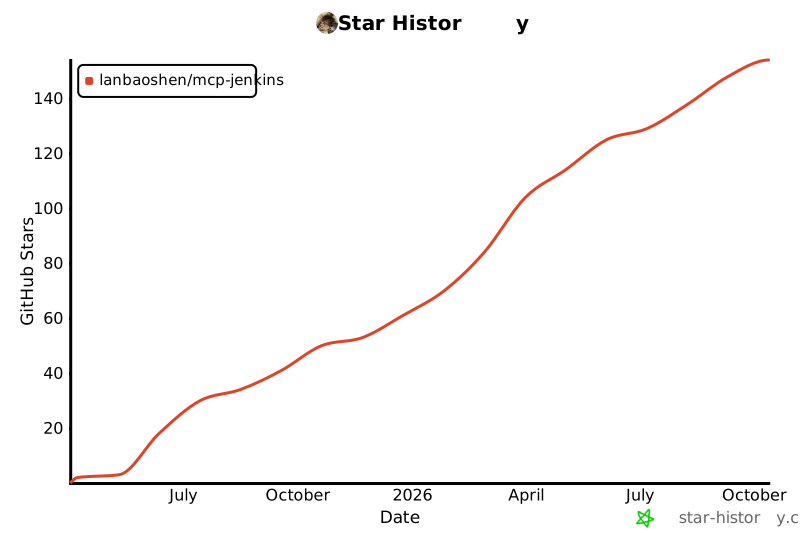
Star History