
koala73/worldmonitorConnectors
Real-time global intelligence dashboard. AI-powered news aggregation, geopolitical monitoring, and infrastructure tracking in a unified situational awareness interface
86k
DrissionPage MCP Server wraps DrissionPage browser automation in a local MCP interface. It lets agent clients use typed tools for navigation, element interaction, screenshots, tabs, storage, dialogs, and network observation.
Builders who want their agent to control a browser through MCP instead of brittle copy-paste workflows.
You can let your agent browse, click, fill forms, inspect pages, and verify results with typed browser actions.
Exposes navigation, element interaction, screenshots, page inspection, dialogs, waits, tabs, storage, cookies, and network tools.
Supports direct and natural pointer movement with bounded paths for clicks and drags.
Uses DrissionPage and Chromium/CDP for low-level browser control and observation.
Includes reusable Markdown skills that sit beside the server rather than inside it.
Shows Codex, Claude Code, Claude Desktop, and JSON MCP client setup examples.
Includes browser integration tests, protocol checks, coverage checks, and troubleshooting docs.
# No-browser MCP registry check
python playground/run_mcp_lab.py --case registry

# Local deterministic site check
python playground/run_mcp_lab.py --case site

# Browser-backed form inspection scenario
DP_HEADLESS=1 python playground/run_mcp_lab.py --case form-inspect
Professional browser automation for Codex, Claude Code, and MCP clients, powered by DrissionPage.
DrissionPage is a Python web automation library built around direct Chromium/CDP control with requests-style HTTP session support. This server exposes its browser-facing capabilities as typed, atomic MCP tools.




Open the interactive Browser Lab to replay bounded natural pointer motion, drag controls, and verify observable state.
Official Repositories: GitHub | GitCode
DrissionPage MCP 0.8.8 exposes 69 typed browser capabilities. The MCP server provides accurate low-level observation and interaction; the client or an optional Skill composes those capabilities for a site, component library, challenge, or business workflow.
The model decides what to do; the MCP executes the requested browser operation exactly.
Screenshot / page observation
        ↓
Multimodal model identifies viewport coordinates
        ↓
page_click_xy(x=442, y=369, profile="natural")
        ↓
24-step eased cubic path → exact target → press → release
        ↓
Observe and verify the resulting page state
direct emits one exact move; natural emits a deterministic 24-step eased cubic path with reproducible 8-14ms intervals and exact final arrival.Use structured DOM targets when reliable selectors exist. Use coordinates, natural motion, and explicit drag waypoints for canvas controls, editors, maps, charts, and other visual-only surfaces. Component-specific target discovery, challenge observation, multi-click sequencing, login procedures, and other business policy belong in the client or an optional Skill.
{
  "x": 442,
  "y": 369,
  "profile": "natural",
  "button": "left",
  "element": "visually identified control"
}
Designed for authorized browser automation, testing, accessibility workflows, and technical research. The core does not provide challenge-specific or site-specific workflows.
DrissionPage MCP Server is a local Model Context Protocol (MCP) server that brings DrissionPage browser automation tools to Codex CLI/IDE, Claude Code, Claude Desktop, and other MCP clients.
The standalone server exposes 69 typed tools, zero MCP prompts, and one static optional-Skills catalog resource. Version 0.8.8 keeps that registry stable while adding correlated network-listener generations, explicit packet cursors, timeout evidence, cancellation recovery, and tab-owned cleanup. Every tool loads by default; there is no capability profile or opt-in full mode. Models compose these atomic capabilities, while reusable challenge and site procedures live outside the distribution as optional Skills. Browser execution is powered by DrissionPage.
pip install + Codex TOML or MCP JSON configurationDrissionPage MCP is backed by a strict regression suite and browser-backed scenario checks:
# Install or update Codex CLI (macOS/Linux)
curl -fsSL https://chatgpt.com/codex/install.sh | sh

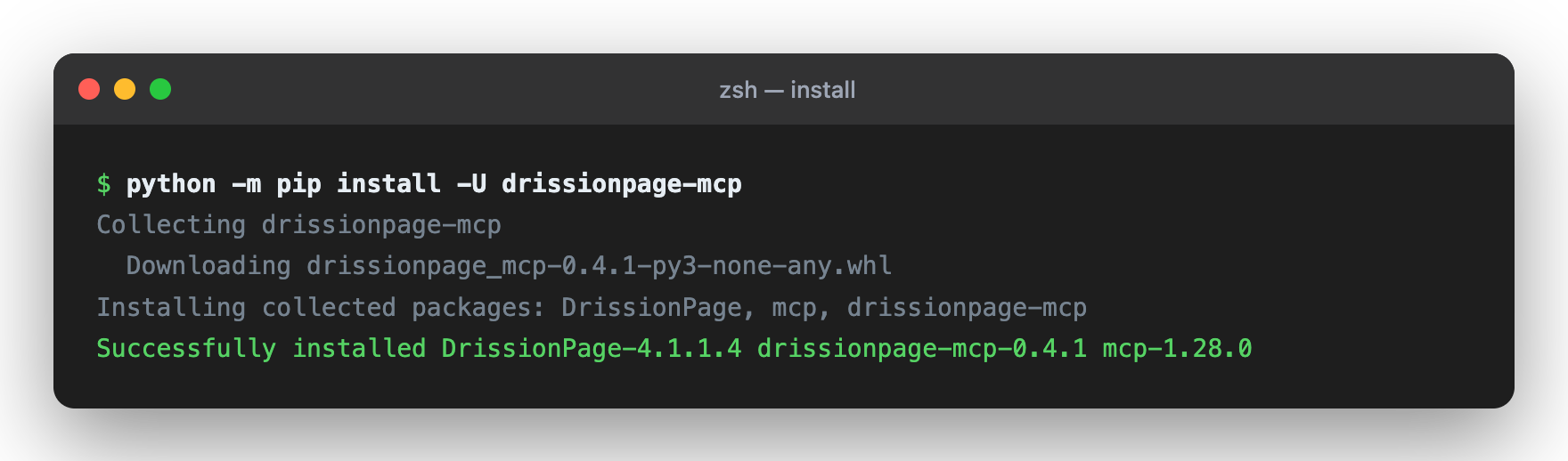
# Install from PyPI
python -m pip install -U "drissionpage-mcp>=0.8.8"

# Verify package and environment
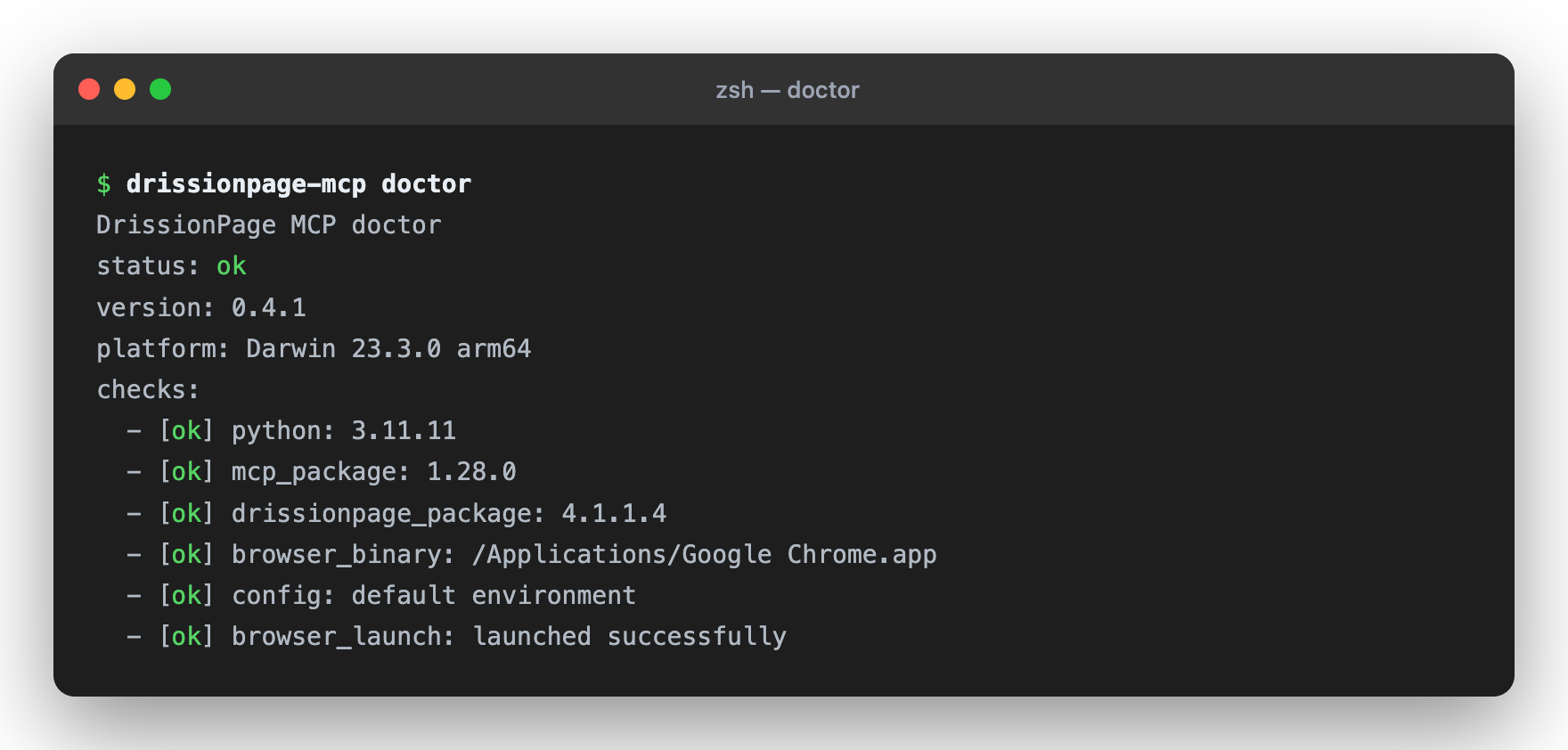
drissionpage-mcp --version
drissionpage-mcp doctor
The official installer updates an existing Codex CLI installation as well. For Windows and the Codex desktop app, see the official Codex CLI and app documentation.
Then add the Codex or MCP client configuration below and restart your client.
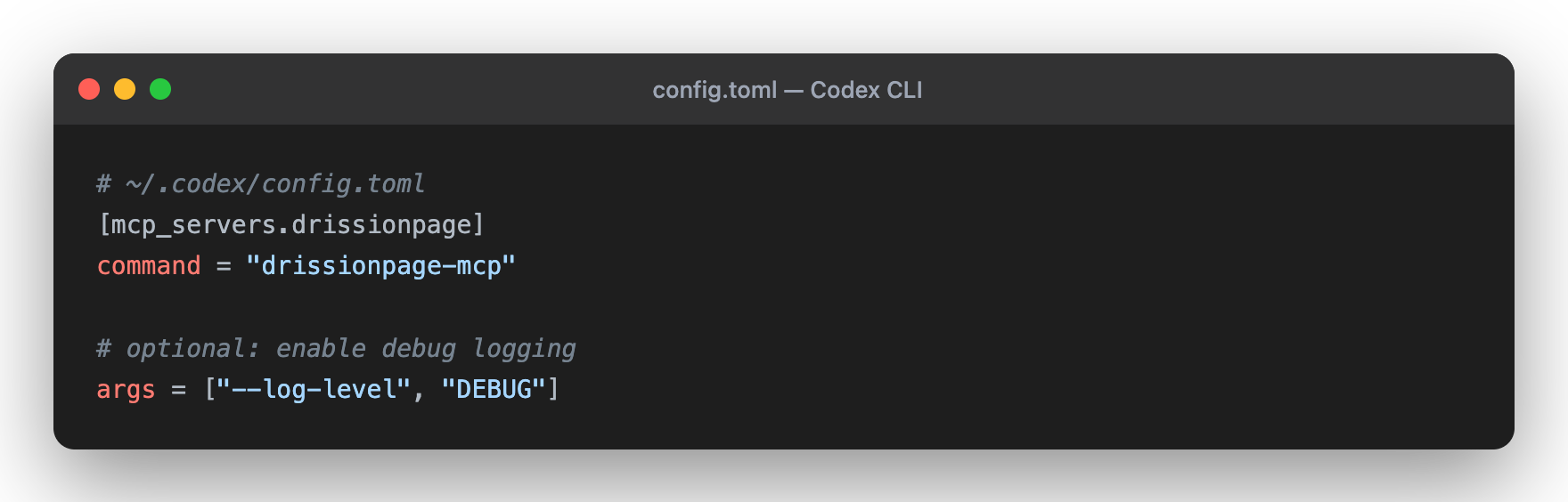
Codex supports local stdio MCP servers through config.toml; the CLI and IDE extension share the same MCP configuration.
Edit Codex configuration:
~/.codex/config.toml.codex/config.toml inside a trusted projectAdd this configuration:
[mcp_servers.drissionpage]
command = "drissionpage-mcp"
startup_timeout_sec = 20
tool_timeout_sec = 60
Restart Codex. In the TUI, run /mcp; from a shell, run codex mcp list.
For Claude Code, Claude Desktop, and other JSON-based MCP clients, see Integration Examples.
"Visit https://example.com and take a screenshot for me"
"Go to Wikipedia, search for Python, and get the first paragraph"
"Fill out the form at https://httpbin.org/forms/post and submit it"
"Get the top 10 news headlines from news.ycombinator.com"
All 63 tab-scoped tools accept an optional tab_id. Omit it to capture the MCP
current tab once at call start, or pass an MCP/native DrissionPage tab id to
target explicitly. Successful tab-scoped results return the resolved MCP
tab_id; independent tabs can run concurrently while actions on one tab remain
serialized.
page_navigate - Navigate to any URL; target an existing tab_id, or combine new_tab=true with optional background, new_window, or new_context; observe returns a change summarypage_navigate_with_http_auth - Navigate through a scoped HTTP auth challenge in a dedicated disposable Chromium context without returning credentialspage_go_back - Navigate backward in browser historypage_go_forward - Navigate forward in browser historypage_refresh - Reload current pagetab_list - List open browser tabs with stable MCP tab IDstab_switch - Switch to a tab returned by tab_listtab_close - Reject new work, drain in-flight actions, then close one tab without closing the whole browserelement_find - Find one element by CSS selector or XPath; bare selectors like h1 are treated as CSSelement_find_all - Extract bounded repeated elements with text, attributes, and recommended selectorselement_click - Click any element with additive left/right/middle and single/double-click semanticselement_click_and_download - Correlate one selector, coordinate, or keyboard trigger with one integrity-checked artifact under DP_MCP_DOWNLOAD_ROOTelement_type - Input text into elementselement_upload_file - Use element_upload_file(paths=[...]) to upload files from DP_MCP_UPLOAD_ROOT to input[type=file]element_click_and_upload - Arm Chromium's file chooser, click its trigger, inject approved files, and clean interception without an operating-system pickerelement_scroll_into_view - Bring an element into the viewport before actingelement_hover - Hover an element to trigger menu/tooltip stateselement_select - Select an option by value, text, or indexelement_check - Check or uncheck checkbox/radio controlselement_get_text - Get element or page textelement_get_attribute - Get an HTML attributeelement_get_property - Get a live DOM property such as an input valueelement_get_html - Get element or page HTMLelement_state_get - Read live DrissionPage state flags and document/viewport geometry for one elementpage_screenshot - Capture an inline full-page or viewport screenshotpage_screenshot_save - Save a screenshot under DP_MCP_SCREENSHOT_ROOTpage_export_artifact - Generate a managed PDF or MHTML artifact under DP_MCP_ARTIFACT_ROOT with SHA-256 and receipt evidencepage_snapshot - Return a bounded page outline with headings, links, buttons, inputs, forms, and selector recommendationspage_accessibility_snapshot - Return a bounded Chromium accessibility tree for the page or a scoped element, with field values redacted unless explicitly requestedpage_observe - Return a compact page fingerprint with URL, title, counts, visible text samples, active element, and recent console summarypage_evaluate - Run bounded JavaScript in the current page and return a JSON-safe resultpage_scroll - Use page_scroll(pixels=...) for relative scrolling, or pass x/y for an absolute positionkeyboard_press - Send keys to the active element/page without echoing the input in resultspage_resize - Adjust browser windowpage_pointer_move - Move to exact viewport CSS coordinates with direct or bounded deterministic natural motionpage_pointer_drag - Perform one failure-safe coordinate drag through up to six optional ordered waypoints with the selected profilepage_pointer_drag_element - Resolve source and destination geometry immediately before dragging; supports CSS/XPath in the top document or one same-origin iframe, plus CSS paths through nested open Shadow DOM hostspage_click_xy - Move with direct or natural motion, optionally wait for an explicit delay, then press and release at the exact targetpage_close - Close browserpage_get_url - Get current URLpage_dialog_observe - Wait for and inspect a pending native alert, confirm, or prompt without handling itpage_dialog_respond - Use page_dialog_respond(action="accept") (or "dismiss") for one pending alert, confirm, or promptframe_list - List iframe/frame contexts without changing global frame stateframe_snapshot - Use frame_snapshot(frame_selector="...") or frame_index to inspect one iframe with bounded outline dataframe_find - Find an element inside a selected iframeshadow_find - Find one element inside a shadow root exposed by the current supported DrissionPage runtime, including tested closed rootsshadow_find_all - Extract repeated elements from a DrissionPage-exposed shadow rootbrowser_headers_set - Replace extra request headers and return names with redacted values; an empty object clears thembrowser_user_agent_set - Override the user agent and optional platform, returning both the accepted and previous user agentsbrowser_cache_clear - Clear HTTP cache while preserving Cookies, localStorage, and sessionStoragebrowser_permission_get - Query one browser permission for the current document origin without opening an OS promptbrowser_permission_set - Use browser_permission_set(setting="granted") (or "denied"/"prompt") for an exact origin/current Chromium contextbrowser_permissions_reset - Reset permission overrides for the current Chromium contextbrowser_cookies_get - Read normalized cookies with values redacted by defaultbrowser_cookies_set - Set up to 100 cookies in one call and return accepted metadata with redacted valuesbrowser_cookies_delete - Delete one named cookie with optional URL/domain/path scopebrowser_cookies_clear - Clear all browser cookiesstorage_get - Read localStorage/sessionStorage by key or as a map, with values redacted unless include_values=truestorage_set - Set one localStorage/sessionStorage item without echoing the valuestorage_clear - Clear one storage key or an entire storage areapage_console_logs - Read bounded browser console messages with level filtering, cursor pagination, and limitswait_for_element - Wait for element to appear (with timeout)wait_for_url - Use wait_for_url(url_pattern="...") until the current URL contains the supplied textwait_until - Use wait_until(condition="text_contains", value="...") or another documented condition/value pairwait_time - Delay executionnetwork_listen_start - Start bounded HTTP/XHR/Fetch observation through DrissionPagenetwork_listen_wait - Wait for bounded packet metadata with optional redacted headers or body excerptsnetwork_listen_stop - Stop observation and optionally clear queued packetsnetwork_blocked_urls_set - Use network_blocked_urls_set(urls=[...]) to replace blocked URL patterns; an empty list clears themdrissionpage://skills/catalogcross-origin-iframe-probe, turnstile-testing, and xiaohongshu-content-researchskills/<skill-name>/SKILL.md; catalog schema v2 includes Skill/MCP versions, required tools, fixture, fixed v0.8.4 source revision, verification status, and SHA-256Validate a source checkout with python playground/validate_skills.py --json.
Install the fixed catalog release from
skills-manager@v0.8.4
with python install.py install --client codex --json or
python install.py install --client claude --json.
The MCP core exposes atomic browser operations. Skills provide reusable, reviewable procedures outside the server:
| Example Skill | What it demonstrates | Stop boundary |
|---|---|---|
cross-origin-iframe-probe | Frame discovery, cross-origin diagnosis, coordinate fallback, and outside verification | Cannot read the inner DOM of a cross-origin iframe |
turnstile-testing | Cloudflare test fixtures, authorized production challenge interaction, coordinate geometry, and parent-page checks | Use the documented support matrix and verify the resulting page state |
xiaohongshu-content-research | Bounded read-only note research and the deterministic social-notes fixture | Stop on robots, login, captcha, safety page, or rate limit |
Read the full Skills guide before publishing a new procedure.
Skills must use existing typed tools, collect fresh evidence, verify
postconditions, redact secrets, and state unsupported cases. They do not add
new MCP tools or override the server's navigation and safety policy. Multi-tab
Skills should carry the returned MCP tab_id into later tab-scoped calls rather
than relying on mutable current-tab state.
| Guide | Description |
|---|---|
| README.md | Installation, tools, and architecture |
| docs/compatibility.md | Supported Python, DrissionPage, MCP, and browser versions |
| docs/tool-contract.md | Public MCP tool names, inputs, annotations, and response shape |
| docs/troubleshooting.md | Doctor command, browser startup, and client setup fixes |
| CHANGELOG.md | Release notes |
Built with clean, modular design:
DrissionMCP/
├── drissionpage_mcp/
│   ├── cli.py              # Process entry point
│   ├── server.py           # MCP transport and request routing
│   ├── context.py          # Browser and tab lifecycle facade
│   ├── runtime.py          # Operation keys, receipts, artifacts, and capability state
│   ├── tool_outputs.py     # Typed public result contracts
│   ├── browser/            # Focused DrissionPage capabilities and page scripts
│   └── tools/              # 69 typed MCP tool definitions and thin adapters
├── tests/                  # Unit tests
└── playground/             # MCP Lab business-scenario playground
Key Principles:
[mcp_servers.drissionpage]
command = "drissionpage-mcp"
startup_timeout_sec = 20
tool_timeout_sec = 60

# Optional browser/runtime environment variables:
# [mcp_servers.drissionpage.env]
# CHROME_PATH = "/custom/path/to/chrome"
# DP_HEADLESS = "1"
You can also add it with the Codex CLI:
codex mcp add drissionpage -- drissionpage-mcp
If Codex/Cursor/Claude Desktop is launched from a GUI and cannot see your shell
PATH or virtualenv, use the absolute Python executable instead:
[mcp_servers.drissionpage]
command = "/absolute/path/to/python"
args = ["-m", "drissionpage_mcp.cli"]
startup_timeout_sec = 20
tool_timeout_sec = 60
{
  "mcpServers": {
    "drissionpage": {
      "command": "drissionpage-mcp"
    }
  }
}
{
  "mcpServers": {
    "drissionpage": {
      "command": "drissionpage-mcp",
      "args": ["--log-level", "DEBUG"],
      "env": {
        "CHROME_PATH": "/custom/path/to/chrome"
      }
    }
  }
}
Absolute-Python fallback for GUI clients:
{
  "mcpServers": {
    "drissionpage": {
      "command": "/absolute/path/to/python",
      "args": ["-m", "drissionpage_mcp.cli"],
      "env": {
        "CHROME_PATH": "/custom/path/to/chrome",
        "DP_HEADLESS": "1"
      }
    }
  }
}
# Environment diagnostics; add --launch-browser for a browser startup check
drissionpage-mcp doctor
drissionpage-mcp doctor --launch-browser

# Source checkout tests
python -m pip install -e ".[dev]"
python -m pytest tests/

# Coverage report (CI enforces the current 95% floor and uploads coverage.xml)
python -m pytest tests/ --cov=drissionpage_mcp --cov-report=term-missing --cov-report=xml

# Browser-backed MCP Lab scenario checks
DP_HEADLESS=1 python playground/run_mcp_lab.py --all --json
GitHub Actions runs lint, unit, protocol, package, browser integration, and
coverage jobs. Codecov is configured through codecov.yml and the CI workflow.
# No-browser MCP registry check
python playground/run_mcp_lab.py --case registry

# Local deterministic site check
python playground/run_mcp_lab.py --case site

# Browser-backed form inspection scenario
DP_HEADLESS=1 python playground/run_mcp_lab.py --case form-inspect
✅ Automated Testing - Test web applications ✅ Data Scraping - Extract structured data from websites ✅ Form Automation - Fill and submit forms ✅ Monitoring - Check for updates or changes ✅ Screenshot Verification - Capture and verify page state ✅ Content Analysis - Analyze web content programmatically
drissionpage-mcp --version
Should output the installed package version, for example drissionpage-mcp 0.8.8.
drissionpage-mcp doctor must also re
Sign in to join the discussion.
No comments yet. Be the first to say what this is good for.
Real-time global intelligence dashboard. AI-powered news aggregation, geopolitical monitoring, and infrastructure tracking in a unified situational awareness interface
High-performance code intelligence MCP server. Indexes codebases into a persistent knowledge graph — average repo in milliseconds. 158 languages, sub-ms queries, 99% fewer tokens. Single static binary, zero dependencies.

Universal provider proxy for OpenAI Codex & Claude Code — use any LLM (Claude, Gemini, Grok, DeepSeek, Ollama…) with Codex CLI, App, SDK, and Claude Code

Git-native persistent memory for AI coding agents. Implements Google OKF v0.2 with sub-300µs in-memory BM25 search, embedded MCP server, and progressive disclosure. Slashes token bloat by 80% with zero external databases or dependencies. Built in pure Go.

Local-first code intelligence graph for MCP and CLI. Builds a persistent map of your codebase so AI coding tools read only what matters, with benchmarked context reductions on reviews and large-repo workflows.

Stop your AI from making things up — it proposes, deterministic tools decide, every claim checked against ground truth with evidence. Grounded facts and context survive resets. Reverse engineering is the proving ground. MCP server + CLI.