
koala73/worldmonitorConnectors
Real-time global intelligence dashboard. AI-powered news aggregation, geopolitical monitoring, and infrastructure tracking in a unified situational awareness interface
86k
This repository packages an MCP server that connects an agent to OpenStreetMap data. It lets the agent geocode addresses, reverse geocode coordinates, search places, get directions, and analyze areas through MCP tools and resources.
Builders who use Claude Desktop, Cursor, Windsurf, or other MCP hosts and want location-aware agent workflows.
You can ask your agent to work with real map data instead of manually switching to separate mapping tools.
Turns place names or addresses into coordinates, and coordinates back into readable addresses.
Finds points of interest near a location or within a bounding box by category.
Returns route directions and compares commute options between two places.
Suggests meeting spots, explores areas, and evaluates neighborhood livability.
Finds schools, EV charging stations, and parking facilities with filters for practical planning.
Serves `location://place/{query}` and `location://map/{style}/{z}/{x}/{y}` resources for direct agent access.
pip install -e .
osm-mcp-server
python examples/client.py
python examples/llm_client.py
uv sync
uv build
An OpenStreetMap MCP server implementation that enhances LLM capabilities with location-based services and geospatial data.
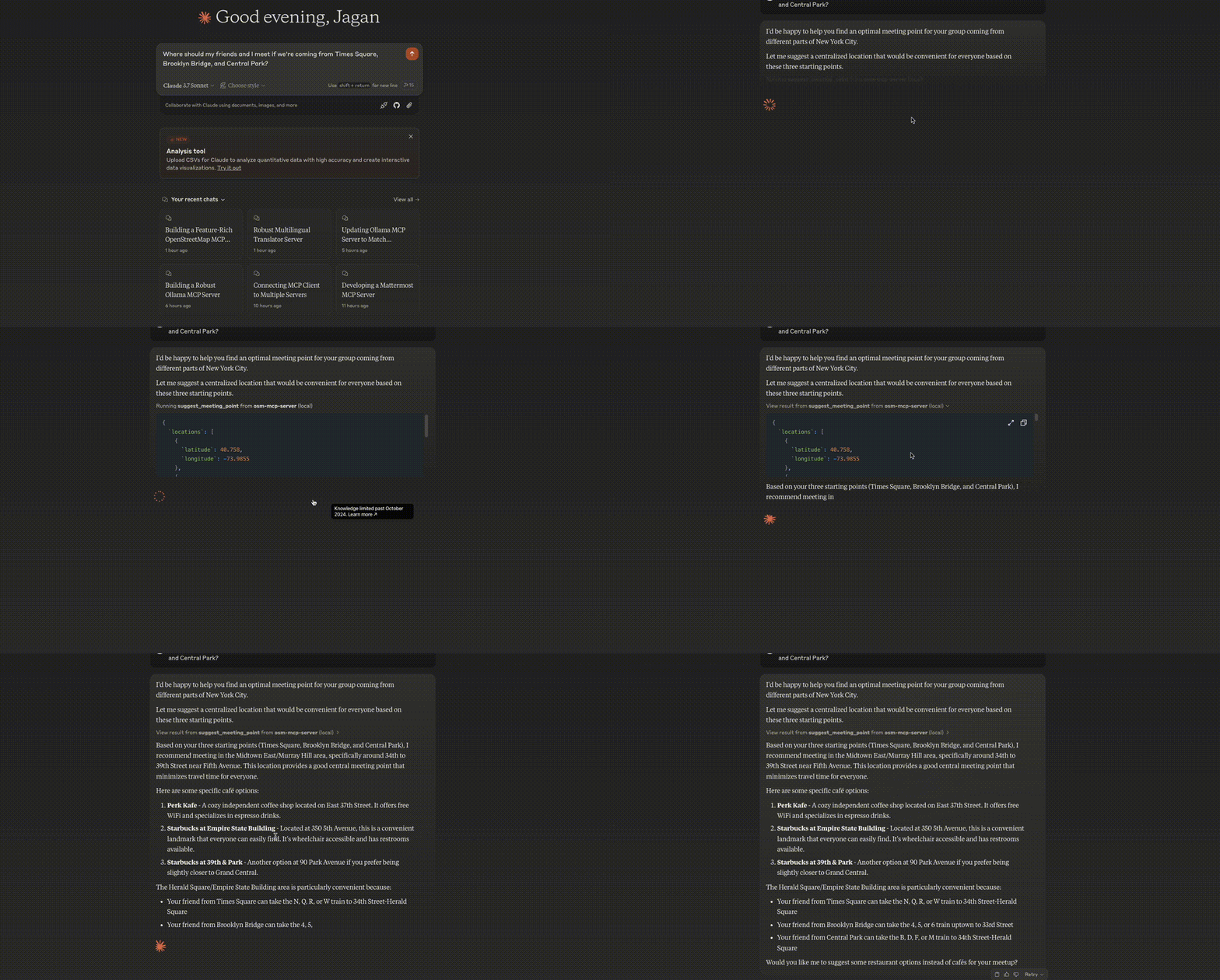
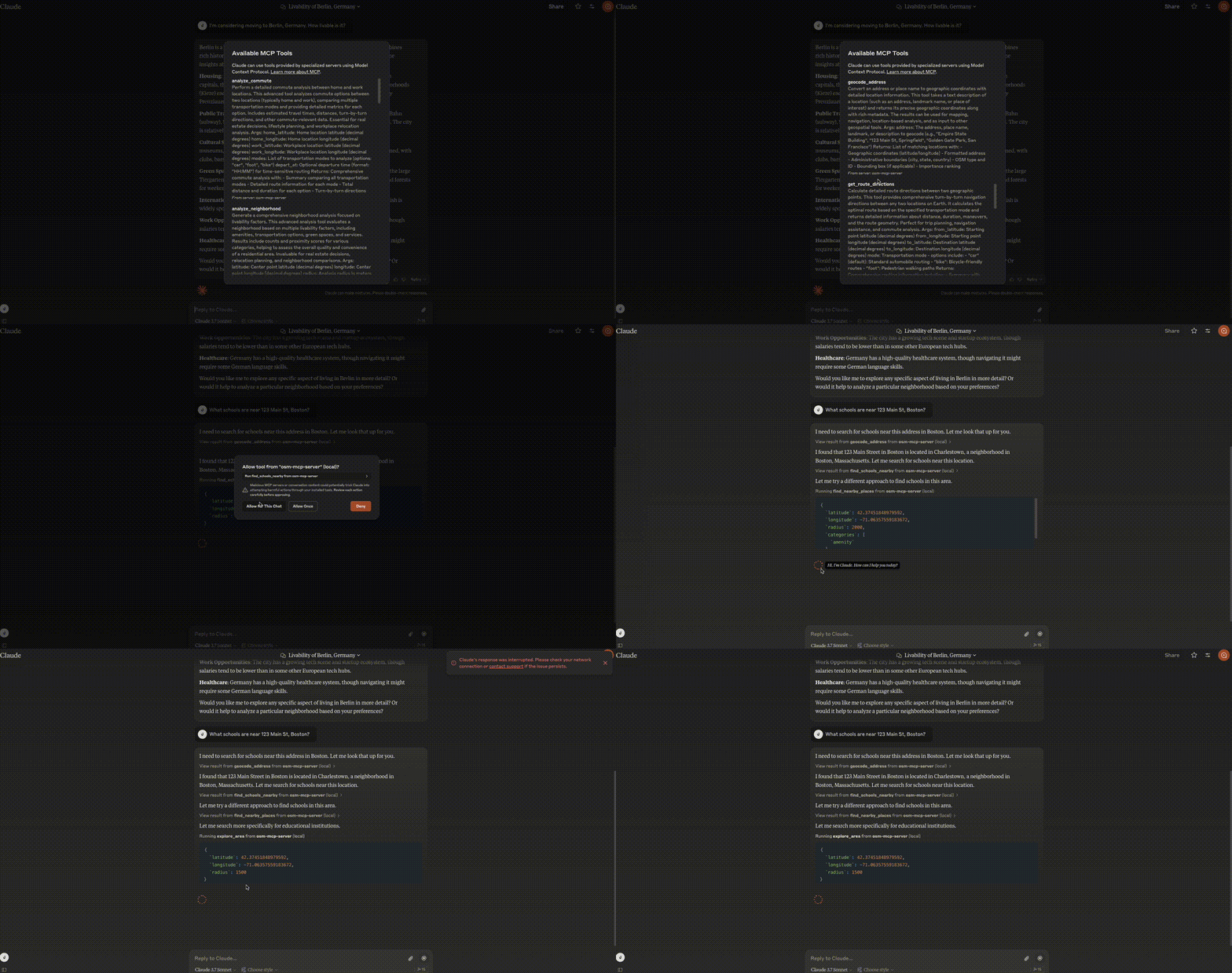
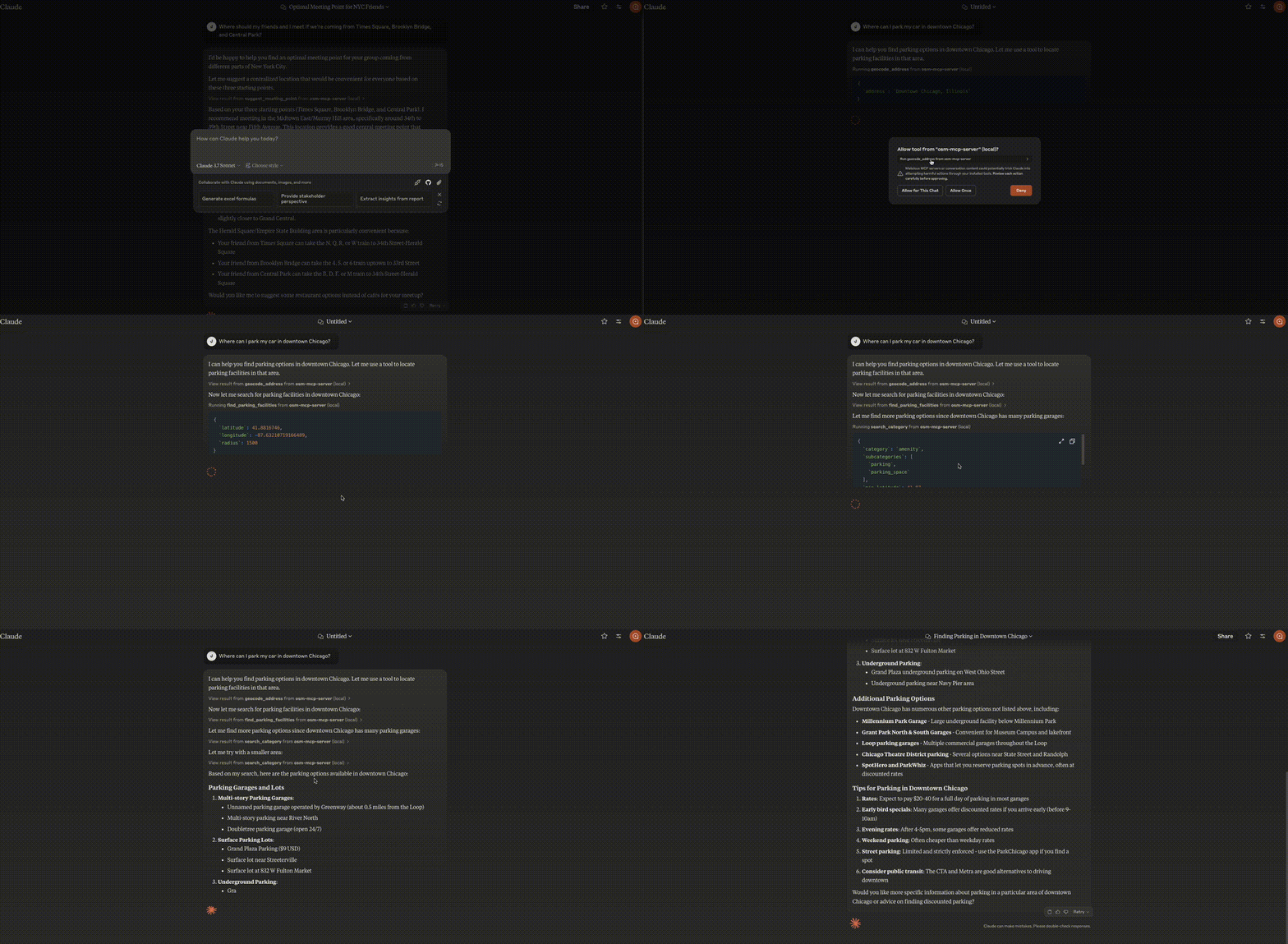
osm-mcp-server: The main server, available for public use.
"mcpServers": {
  "osm-mcp-server": {
    "command": "uvx",
    "args": [
      "osm-mcp-server"
    ]
  }
}
This server provides LLMs with tools to interact with OpenStreetMap data, enabling location-based applications to:
The server implements location-based resources:
location://place/{query}: Get information about places by name or addresslocation://map/{style}/{z}/{x}/{y}: Get styled map tiles at specified coordinatesThe server implements several geospatial tools:
geocode_address: Convert text to geographic coordinatesreverse_geocode: Convert coordinates to human-readable addressesfind_nearby_places: Discover points of interest near a locationget_route_directions: Get turn-by-turn directions between locationssearch_category: Find places of specific categories in an areasuggest_meeting_point: Find optimal meeting spots for multiple peopleexplore_area: Get comprehensive data about a neighborhoodfind_schools_nearby: Locate educational institutions near a specific locationanalyze_commute: Compare transportation options between home and workfind_ev_charging_stations: Locate EV charging infrastructure with filteringanalyze_neighborhood: Evaluate neighborhood livability for real estatefind_parking_facilities: Locate parking options near a destinationTo run the server locally:
pip install -e .
osm-mcp-server
The repository includes two example clients in the examples/ directory:
client.py demonstrates basic usage of the OSM MCP server:
python examples/client.py
This will:
llm_client.py provides a helper class designed for LLM integration:
python examples/llm_client.py
This example shows how an LLM can use the Location Assistant to:
To create your own client:
from mcp.client import Client
client = Client("http://localhost:8000")
# Example: Geocode an address
results = await client.invoke_tool("geocode_address", {"address": "New York City"})
On MacOS: ~/Library/Application\ Support/Claude/claude_desktop_config.json
On Windows: %APPDATA%/Claude/claude_desktop_config.json
"mcpServers": {
  "osm-mcp-server": {
    "command": "uv",
    "args": [
      "--directory",
      "/path/to/osm-mcp-server",
      "run",
      "osm-mcp-server"
    ]
  }
}
To prepare the package for distribution:
uv sync
uv build
This will create source and wheel distributions in the dist/ directory.
uv publish
Note: You'll need to set PyPI credentials via environment variables or command flags.
Since MCP servers run over stdio, debugging can be challenging. For the best debugging experience, we strongly recommend using the MCP Inspector.
You can launch the MCP Inspector via npm with this command:
npx @modelcontextprotocol/inspector uv --directory /path/to/osm-mcp-server run osm-mcp-server
Upon launching, the Inspector will display a URL that you can access in your browser to begin debugging.
Sign in to join the discussion.
No comments yet. Be the first to say what this is good for.
Real-time global intelligence dashboard. AI-powered news aggregation, geopolitical monitoring, and infrastructure tracking in a unified situational awareness interface
High-performance code intelligence MCP server. Indexes codebases into a persistent knowledge graph — average repo in milliseconds. 158 languages, sub-ms queries, 99% fewer tokens. Single static binary, zero dependencies.

Universal provider proxy for OpenAI Codex & Claude Code — use any LLM (Claude, Gemini, Grok, DeepSeek, Ollama…) with Codex CLI, App, SDK, and Claude Code

Git-native persistent memory for AI coding agents. Implements Google OKF v0.2 with sub-300µs in-memory BM25 search, embedded MCP server, and progressive disclosure. Slashes token bloat by 80% with zero external databases or dependencies. Built in pure Go.

Stop your AI from making things up — it proposes, deterministic tools decide, every claim checked against ground truth with evidence. Grounded facts and context survive resets. Reverse engineering is the proving ground. MCP server + CLI.
20 MB lightweight cross-platform database client for 90+ databases, including MySQL, PostgreSQL, SQLite, Redis, MongoDB, DuckDB, SQL Server, and Dameng. Built-in AI, MCP Server, CLI, desktop and Docker. | 轻量级跨平台数据库管理工具,支持 MySQL、PostgreSQL、SQLite、Redis、MongoDB、达梦等 90+ 数据库,提供桌面端、Docker、CLI、内置 AI 助手和 MCP Server。