Codex Pooler
The full featured self-hosted Codex gateway, for teams, agents and you. Works with:





English
·
简体中文
Quick start
·
Harness
·
Configuration
·
Deployment

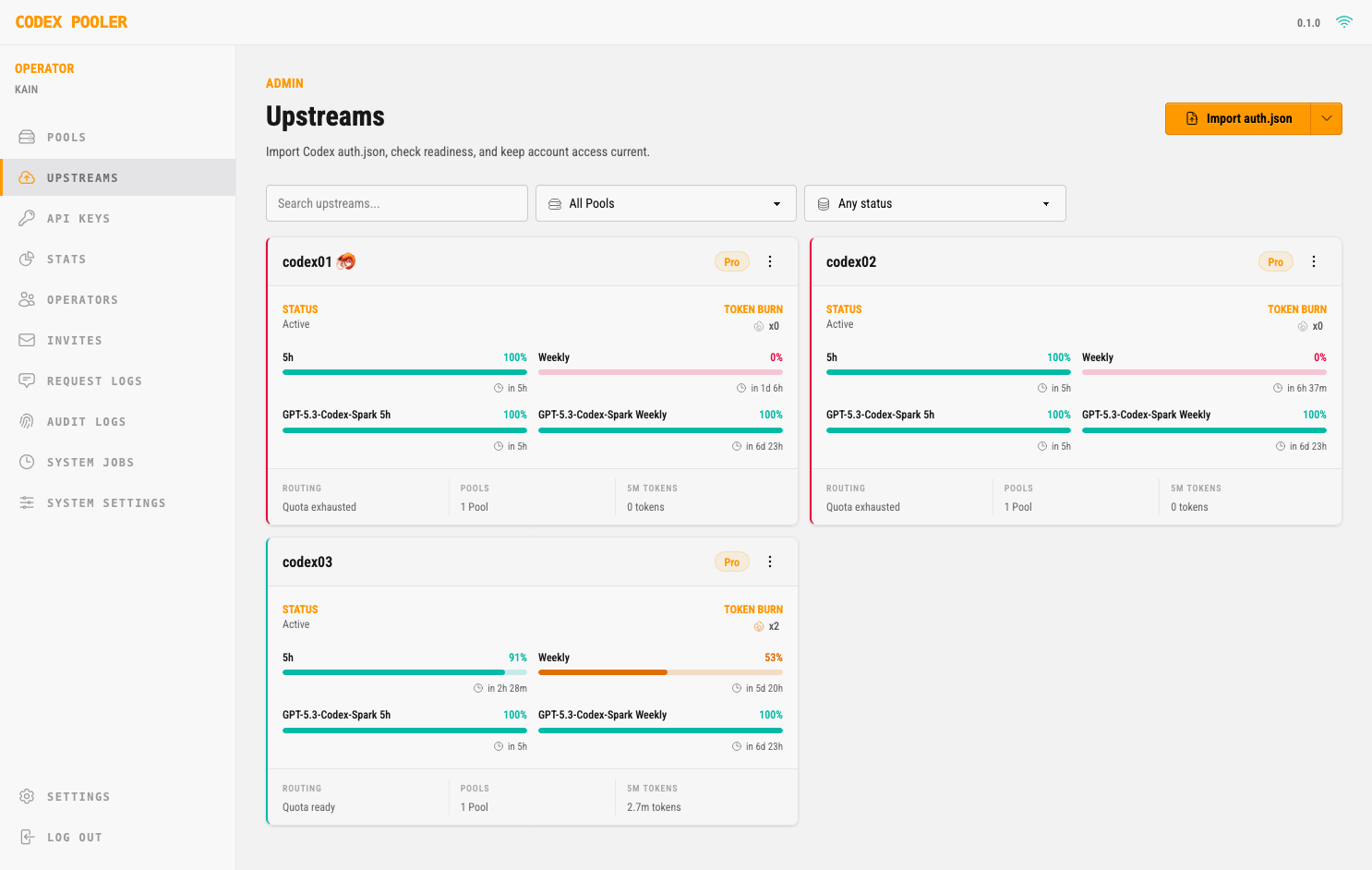
Upstreams
|
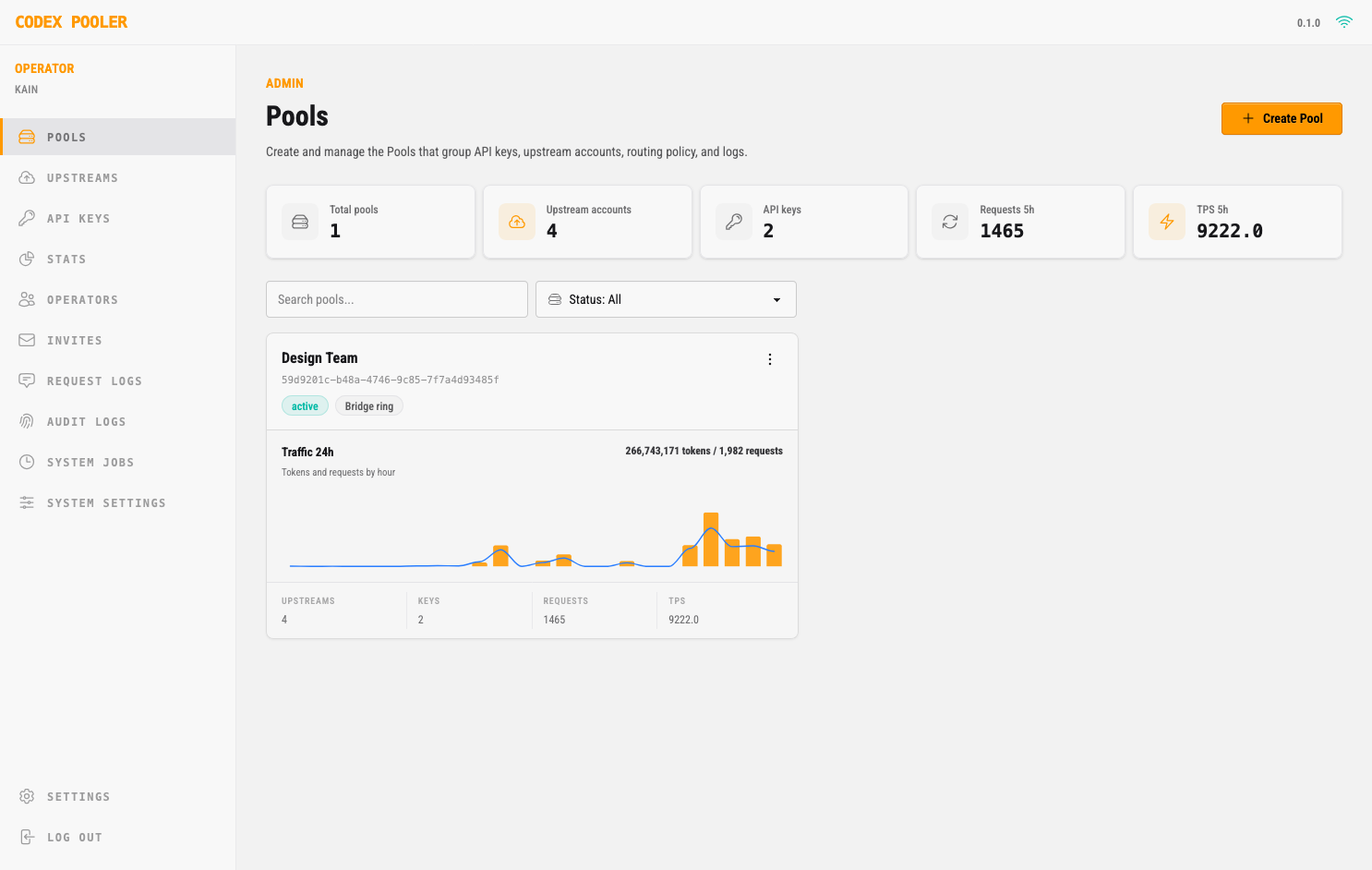
Pools
|
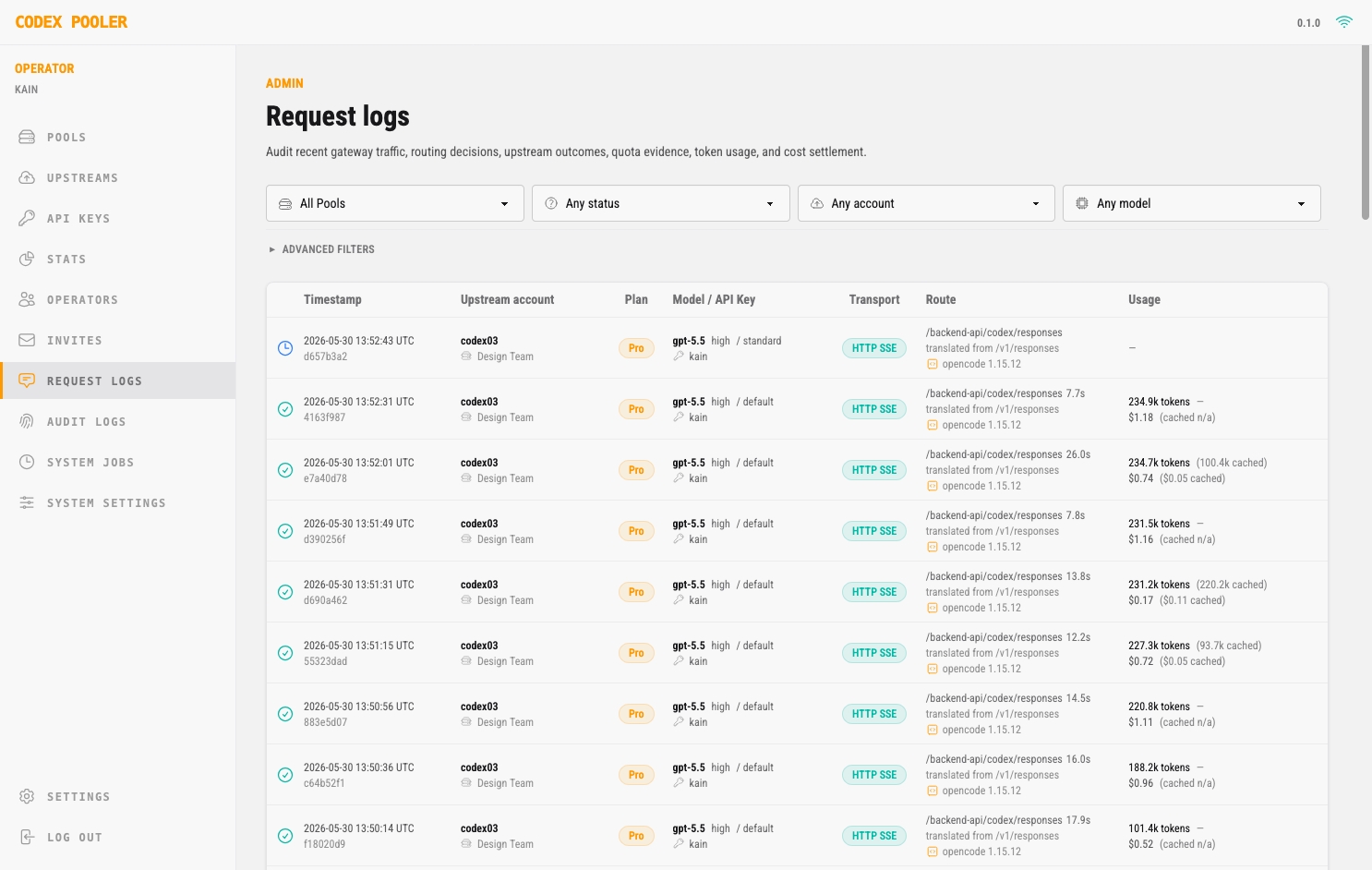
Request logs
|
Codex Pooler is a self-hosted gateway for running Codex-compatible agents,
tools, and automation through stable Pool API keys. It works with one upstream
Codex account for credential isolation, client normalization, metadata-only
operations, and saved reset visibility; add more accounts when you want shared
capacity and routing across eligible accounts.
Clients send familiar Codex backend or OpenAI-compatible requests; Codex Pooler
selects an eligible account based on model support, quota evidence, limits,
session continuity, routing policy, and health. The Pool key stays stable while
upstream assignments, lifecycle state, reset policy, and capacity change behind
it.
Operators get one place to manage Pools, accounts, API keys, saved resets,
routing, request accounting, audit logs, and health without storing prompts,
files, audio, images, bearer tokens, or raw Codex secrets. Instance owners keep
the global administration surface, while instance admins work only with their
assigned Pools.
Highlights
- 🔑 Stable Pool API keys: give clients one Pool credential whether the Pool
currently has one upstream account or several, without distributing raw Codex
account material
- 🎯 Eligibility-aware routing: route each request to an account with compatible
model support, usable quota evidence, matching health, session state, and Pool
policy
- 🧩 Codex backend compatibility: point Codex-compatible clients at Codex
Pooler and keep responses, compacting, usage, files, audio, images, and
backend websocket flows working through assigned accounts
- 🔌 OpenAI-compatible SDK surface: let
/v1-only apps and agent tools use
Codex capacity through the same Pool boundary, with supported requests
translated and routed to help contain API spend
- 🚀 Unlock the full potential of Responses: give your agents parallel tool
calls and fewer API restrictions with Full, while Pooler handles Lite
compatibility behind the scenes. Learn more
- 🔁 Session-aware websockets: keep resumable Codex sessions and websocket
reconnects attached to the right upstream account without translating backend
websocket traffic through an HTTP compatibility layer
- ⚡ Prompt-cache locality: use a transient
prompt_cache_key to prefer the
same eligible upstream account for repeat stateless requests, improving
provider-side cache locality without storing prompts or responses locally
- 🗜️ Per-Pool request compression: optionally compress upstream-bound
Responses tool outputs before dispatch on supported request routes. The
option is disabled by default, request-side only, and records safe aggregate
savings without storing raw outputs.
- 🏦 Saved reset management: surface reported saved reset capacity on upstream
accounts, show informational expirations when available, and let operators
queue account-level recovery or opt into guarded auto-redemption policy
- 🚨 Operator alerting: define Pool-aware rules for capacity, upstream health,
saved reset events, and delivery failures, then notify operators through
admin incidents, email, or webhooks without exposing raw request content
- 🖥️ Operator dashboard: manage Pool-scoped accounts, API keys, invites, saved
resets, usage, request logs, audit logs, MCP access, and the owner-only jobs,
operators, and system settings surfaces
- 🔭 Per-key Observatory: switch on read-only Observatory access for any Pool
API key and its holder gets a live, self-service dashboard of just that key's
usage, models, latency, cache, and spend — a monitor-friendly view to keep on a
second screen, with no operator controls or other keys in reach
- 🛡️ Privacy-minded observability: store request, routing, and audit metadata
without storing prompts, file bodies, audio, images, bearer tokens, cookies,
raw Codex account tokens, or raw API keys
- 🧱 Runtime ingress firewall: optionally restrict incoming runtime traffic to
approved client networks for an extra deployment-level security boundary
- ⚙️ Configurable without code changes: tune Pool policy, gateway defaults,
diagnostics, model support, limits, and operational settings from the admin UI
- 🐳 Built for self-hosting: run on Elixir/Erlang's fault-tolerant runtime,
start locally with Docker Compose, or deploy the Helm chart with separate web,
worker, scheduler, and migration roles for Kubernetes-friendly, multinode
growth
Harness Configuration
Keep Pool API keys in environment variables when the harness supports secret
expansion. The /mcp endpoint is an optional operator-only add-on for metadata
inspection; Codex Pooler runtime clients do not need it. If a desktop harness
persists remote MCP headers in its own private settings, use a dedicated
operator-scoped MCP token. For a local instance, the URLs are:
Codex backend base URL: http://localhost:4000/backend-api/codex
OpenAI SDK base URL:    http://localhost:4000/v1
Optional operator MCP URL: http://localhost:4000/mcp
For a deployed instance, replace http://localhost:4000 with your deployed host,
for example https://codex-pooler.example.com.
OpenCode ~/.config/opencode/opencode.jsonc
OpenCode talks to Codex Pooler through the OpenAI-compatible /v1 surface. Keep
the provider id as openai for this setup so OpenCode continues to use its
OpenAI provider-family behavior. The provider uses the Pool API key, and the
optional remote MCP entry uses an operator-owned MCP token. MCP is not required
for OpenCode to use Codex Pooler; it only gives an operator MCP host read-only
metadata tools. Its websocket
support is the narrow Responses websocket route at GET /v1/responses, not
OpenAI Realtime SDK compatibility.
{
  "$schema": "https://opencode.ai/config.json",
  "small_model": "openai/gpt-5.6-luna",
  "compaction": {
    "auto": true,
    "reserved": 41420
  },
  "provider": {
    "openai": {
      "npm": "@ai-sdk/openai",
      "name": "Codex Pooler",
      "options": {
        "baseURL": "http://localhost:4000/v1",
        "apiKey": "{env:CODEX_POOLER_API_KEY}"
      },
      "models": {
        "gpt-5.6-luna": {
          "id": "gpt-5.6-luna",
          "name": "GPT-5.6 Luna",
          "family": "gpt",
          "attachment": true,
          "reasoning": true,
          "tool_call": true,
          "temperature": false,
          "options": {
            "reasoningEffort": "high",
            "reasoningSummary": "auto",
            "textVerbosity": "medium",
            "include": ["reasoning.encrypted_content"],
            // Optional: priority processing may cost more than the default tier.
            // "serviceTier": "priority"
          },
          "modalities": {
            "input": ["text", "image"],
            "output": ["text"]
          },
          "limit": {
            "context": 828400,
            "input": 828400,
            "output": 64000
          }
        },
        "gpt-5.6-terra": {
          "id": "gpt-5.6-terra",
          "name": "GPT-5.6 Terra",
          "family": "gpt",
          "attachment": true,
          "reasoning": true,
          "tool_call": true,
          "temperature": false,
          "options": {
            "reasoningEffort": "high",
            "reasoningSummary": "auto",
            "textVerbosity": "medium",
            "include": ["reasoning.encrypted_content"],
            // Optional: priority processing may cost more than the default tier.
            // "serviceTier": "priority"
          },
          "modalities": {
            "input": ["text", "image"],
            "output": ["text"]
          },
          "limit": {
            "context": 828400,
            "input": 828400,
            "output": 64000
          }
        },
        "gpt-5.6-sol": {
          "id": "gpt-5.6-sol",
          "name": "GPT-5.6 Sol",
          "family": "gpt",
          "attachment": true,
          "reasoning": true,
          "tool_call": true,
          "temperature": false,
          "options": {
            "reasoningEffort": "high",
            "reasoningSummary": "auto",
            "textVerbosity": "medium",
            "include": ["reasoning.encrypted_content"],
            // Optional: priority processing may cost more than the default tier.
            // "serviceTier": "priority"
          },
          "modalities": {
            "input": ["text", "image"],
            "output": ["text"]
          },
          "limit": {
            "context": 828400,
            "input": 828400,
            "output": 64000
          }
        },
        "gpt-6-astra": {
          "id": "gpt-6-astra",
          "name": "GPT-6 Astra",
          "family": "gpt",
          "attachment": true,
          "reasoning": true,
          "tool_call": true,
          "temperature": false,
          "options": {
            "reasoningEffort": "high",
            "reasoningSummary": "auto",
            "textVerbosity": "medium",
            "include": ["reasoning.encrypted_content"],
            // Optional: priority processing may cost more than the default tier.
            // "serviceTier": "priority"
          },
          "modalities": {
            "input": ["text", "image"],
            "output": ["text"]
          },
          "limit": {
            "context": 828400,
            "input": 828400,
            "output": 64000
          }
        }
      }
    }
  },
  // Optional operator-only MCP metadata add-on. Omit for normal model/runtime use.
  "mcp": {
    "codex_pooler": {
      "type": "remote",
      "url": "http://localhost:4000/mcp",
      "oauth": false,
      "headers": {
        "Authorization": "Bearer {env:CODEX_POOLER_MCP_KEY}"
      },
      "enabled": true,
      "timeout": 30000
    }
  }
}
Define only models that your assigned Pool can serve. For deployed instances,
change baseURL to https://codex-pooler.example.com/v1; if you keep the optional
operator MCP entry, change its url to https://codex-pooler.example.com/mcp.
OpenCode uses small_model for background helpers such as automatic session
titles. Without an explicit override, it may infer a nano model that Codex Pools
do not serve. Point small_model at a lightweight model that is actually
assigned to your Pool; the setting also remains effective when OMO is loaded.
Request-time OpenAI options belong under each model's options block. Keep only
connection settings such as baseURL and apiKey in provider-level options.
The commented serviceTier line shows how to opt into priority processing.
Enable it only when your Pool and upstream offer it and you intentionally accept
the potentially higher cost; leave it commented to use the default tier.
Do not add store: Codex Pooler sets store: false on its upstream streaming
request.
OpenCode subtracts its compaction reserve from limit.input before deciding a
conversation is full. The 828400 values above are long-profile examples for
models whose selected Pool catalog source reports an 872000-token raw ceiling.
Provider accounts can temporarily report different ceilings for the same model;
a selected 272000-token profile exposes 258400 through /v1/models instead.
Use each model's /v1/models.context_length for limit.context and
limit.input. With the long-profile example and reserved: 41420, OpenCode
starts compaction at 786980 tokens.
limit.input is the local pre-compaction boundary, not a simultaneous
input-plus-output envelope. OpenCode's request layer caps output at 32k by
default; set OPENCODE_EXPERIMENTAL_OUTPUT_TOKEN_MAX=64000 only if you want
OpenCode to request the full 64k cap.
Oh My OpenAgent (OMO)
If you use Oh My OpenAgent, keep the native openai provider configuration
above and add agent/category overrides in
~/.config/opencode/oh-my-openagent.jsonc. A balanced three-tier routing map is:
| Primary tier | Agents and categories | Fallback |
|---|
gpt-5.6-luna | librarian, explore, quick, unspecified-low | gpt-5.6-terra with the same reasoning variant |
gpt-5.6-terra | sisyphus, multimodal-looker, atlas, sisyphus-junior, visual-engineering, unspecified-high, writing | gpt-5.6-sol with the same reasoning variant |
gpt-5.6-sol | hephaestus, oracle, prometheus, metis, momus, ultrabrain, deep, artistry | gpt-5.6-terra with the same reasoning variant |
Explicit fallback_models keep OMO retries inside the model ids served by the
assigned Pool instead of falling through to older built-in model chains. The
OpenCode client guide
contains the complete copyable OMO configuration and validation commands.
Codex CLI and Codex Desktop CODEX_HOME/config.toml
Codex CLI and Codex Desktop should use the backend compatibility route, not the
/v1 SDK route. They share the same Codex configuration layers and user-level
CODEX_HOME/config.toml, so one Codex Pooler provider block can serve the
terminal and desktop/IDE experience. Keep the provider id as codex-pooler-ws,
but keep the provider name exactly OpenAI. In current Codex sources, name
is not just
a display label: exact OpenAI matching enables OpenAI-family behavior such as
remote compaction, web search/image availability, and Codex backend request-body
compression.
Put provider and auth settings in the user-level config file. Codex resolves
CODEX_HOME first. If CODEX_HOME is unset, current Codex sources default it
to $HOME/.codex on every OS, so the user config file is
CODEX_HOME/config.toml.
| OS | Default config file |
|---|
| macOS | $HOME/.codex/config.toml |
| Linux | $HOME/.codex/config.toml |
| Windows | $HOME\.codex\config.toml, normally %USERPROFILE%\.codex\config.toml |
Codex's project-local .codex/config.toml layers are trust-gated and do not
override machine-local provider keys such as model_provider or
model_providers.
Use the websocket provider for normal Codex CLI and Codex Desktop backend
behavior:
model_provider = "codex-pooler-ws"

[model_providers.codex-pooler-ws]
name = "OpenAI"
base_url = "http://localhost:4000/backend-api/codex"
env_key = "CODEX_POOLER_API_KEY"
wire_api = "responses"
supports_websockets = true
requires_openai_auth = true
Keep an HTTP/SSE provider when you need to force non-websocket behavior for a
client check or when a Codex runtime cannot open backend websocket streams:
model_provider = "codex-pooler-http"

[model_providers.codex-pooler-http]
name = "OpenAI"
base_url = "http://localhost:4000/backend-api/codex"
env_key = "CODEX_POOLER_API_KEY"
wire_api = "responses"
supports_websockets = false
requires_openai_auth = true
For deployed instances, change base_url to
https://codex-pooler.example.com/backend-api/codex.
Leave requires_openai_auth = true unless you are deliberately running Codex
Pooler as a gateway-only provider. With true, Codex still shows the local
OpenAI/ChatGPT account as signed in, which keeps Codex Desktop and app-server
features that depend on account state available. The Pool API key in env_key
still authenticates requests to Codex Pooler.
If Codex repeatedly enters a broken login/account state with a Pooler provider,
advanced users can change the provider to requires_openai_auth = false. That
makes Codex treat the provider as gateway-only and use only env_key for
runtime auth, but Codex will no longer appear signed in for that provider and
account-dependent features, including mobile/app-server features, may be
unavailable.
When Codex Pooler serves current model metadata, Codex CLI and Codex Desktop
derive their effective context window and automatic compaction boundary from
that metadata. Leave context sizing automatic so the client follows per-model
catalog changes without stale local overrides. Provider catalog rollout can be
account-scoped: one upstream can still report a 272000-token maximum while
another reports the newer 872000-token ceiling for the same model. Pooler
selects one canonical source cohort for the Pool and exposes that cohort's raw
window plus effective_context_window_percent; Codex applies the percentage
once. A 272000-token profile therefore resolves to 258400 usable tokens, while
a selected 872000-token long profile resolves to 828400. The narrow
/v1/models surface publishes that selected effective value directly as
context_length for SDK-style clients.
Optional operator-only MCP metadata add-on. Omit for normal Codex runtime use:
[mcp_servers.codex_pooler]
url = "http://localhost:4000/mcp"
bearer_token_env_var = "CODEX_POOLER_MCP_KEY"
For deployed instances, change the optional MCP url to
https://codex-pooler.example.com/mcp.
Codex filters resumable conversations by model_provider. If you already have
Codex CLI or Codex Desktop sessions created with the built-in openai provider
and want them to appear under codex-pooler-ws, re-tag both the JSONL
transcripts and the newer SQLite state database. Close Codex first; these
commands edit local Codex state in place. If you made the HTTP provider your
default, replace only the destination value codex-pooler-ws with
codex-pooler-http before copying.
macOS (zsh)
Run these two zsh one-liners:
if [ -d "$HOME/.codex/sessions" ]; then find "$HOME/.codex/sessions" -type f -name '*.jsonl' -exec perl -0pi -e 's/("model_provider"\s*:\s*)"openai"/$1"codex-pooler-ws"/g' {} +; fi
for db in "$HOME"/.codex/state_*.sqlite(N); do sqlite3 "$db" "UPDATE threads SET model_provider = 'codex-pooler-ws' WHERE model_provider = 'openai';"; done
Linux (bash)
Run these two bash one-liners:
if [ -d "$HOME/.codex/sessions" ]; then find "$HOME/.codex/sessions" -type f -name '*.jsonl' -exec perl -0pi -e 's/("model_provider"\s*:\s*)"openai"/$1"codex-pooler-ws"/g' {} +; fi
for db in "$HOME"/.codex/state_*.sqlite; do [ -e "$db" ] || continue; sqlite3 "$db" "UPDATE threads SET model_provider = 'codex-pooler-ws' WHERE model_provider = 'openai';"; done
Windows (PowerShell)
Run the same migration from PowerShell. This expects sqlite3 to be available
on PATH.
$ErrorActionPreference = "Stop"

$FromProvider = "openai"
$ToProvider = "codex-pooler-ws"
$CodexHome = Join-Path $HOME ".codex"

$FromJson = '"model_provider":"' + $FromProvider + '"'
$ToJson = '"model_provider":"' + $ToProvider + '"'

Get-ChildItem -Path (Join-Path $CodexHome "sessions") -Recurse -Filter "*.jsonl" |
  ForEach-Object {
    $Path = $_.FullName
    $TempPath = "$Path.tmp"
    $Reader = [System.IO.StreamReader]::new($Path)
    $Writer = [System.IO.StreamWriter]::new(
      $TempPath,
      $false,
      [System.Text.UTF8Encoding]::new($false)
    )

    try {
      while (($Line = $Reader.ReadLine()) -ne $null) {
        $Writer.WriteLine($Line.Replace($FromJson, $ToJson))
      }
    } finally {
      $Reader.Dispose()
      $Writer.Dispose()
    }

    Move-Item -Force





