
Sandbox
@edwinbernadus/nocodb-mcp-server

MCP server for NocoDB table operations

This server connects an agent to a NocoDB base through MCP so it can manage tables and records. It supports CRUD actions, adding and deleting columns, and creating tables from uploaded JSON.

76 stars24 forksJavaScriptUpdated 5mo ago
Who it's for

Builders who want an MCP-capable agent to read and edit NocoDB tables.

What it delivers

You can manage NocoDB records and schema from natural-language prompts instead of switching to the database UI.

What it does

CRUD table operations

Lets an agent create, read, update, and delete records in NocoDB tables.

Schema changes

Supports adding and deleting columns through MCP commands.

JSON upload to table

Can create a table from JSON data, with an example file in `example_upload.json`.

Claude Desktop setup

Shows how to register the server in `claude_desktop_config.json`.

Direct CLI run

Can be started from the command line with NocoDB URL, base ID, and API token.

How to get it

  1. 1Ensure that Node.js and TypeScript are installed, then execute
    npm install
    npm run build

README

MseeP.ai Security Assessment Badge

Nocodb MCP Server

Trust Score smithery badge

Introduction

The NocoDB MCP Server enables seamless interaction with your NocoDB database using the Model Context Protocol (MCP). This server makes it easy to perform CRUD (Create, Read, Update, Delete) operations on NocoDB tables through natural language commands.

Example Prompt

[Get Records]
get data from nocodb, table: Shinobi

[Create Record]
add new row, with name: sasuke-2
add other row, with name: naruto-2

[Update Record]
update all rows, remove suffix -

[Delete Record]
delete all rows with name naruto

[Add Column]
add column with name: Age

update all rows, set Age to 18

[Delete Column]
delete column with name: Age

Example Prompt - Upload File

[Create table]
from the json files
put on nocodb database
table name is TableShinobi

JSON location file in: example_upload.json

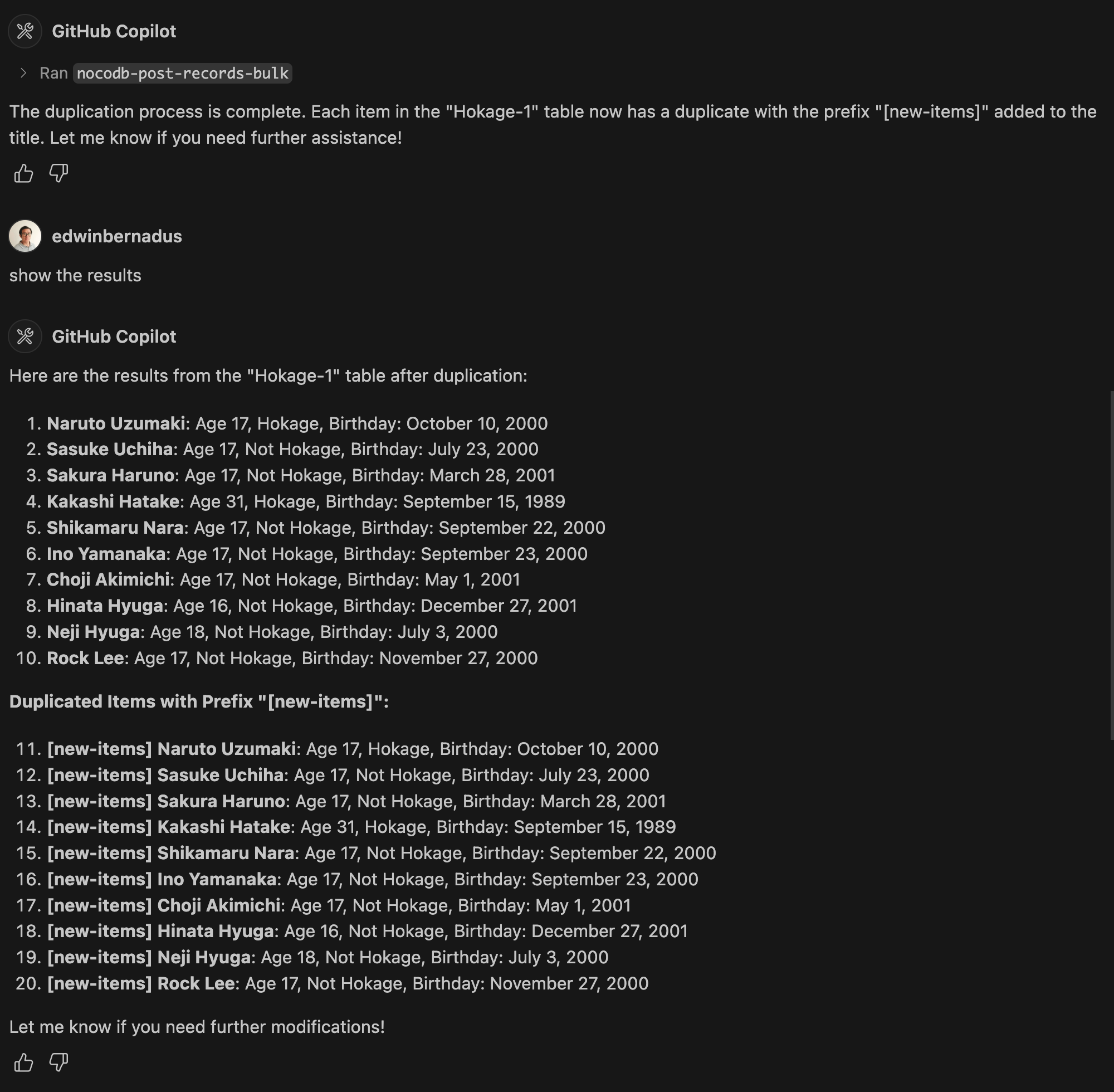
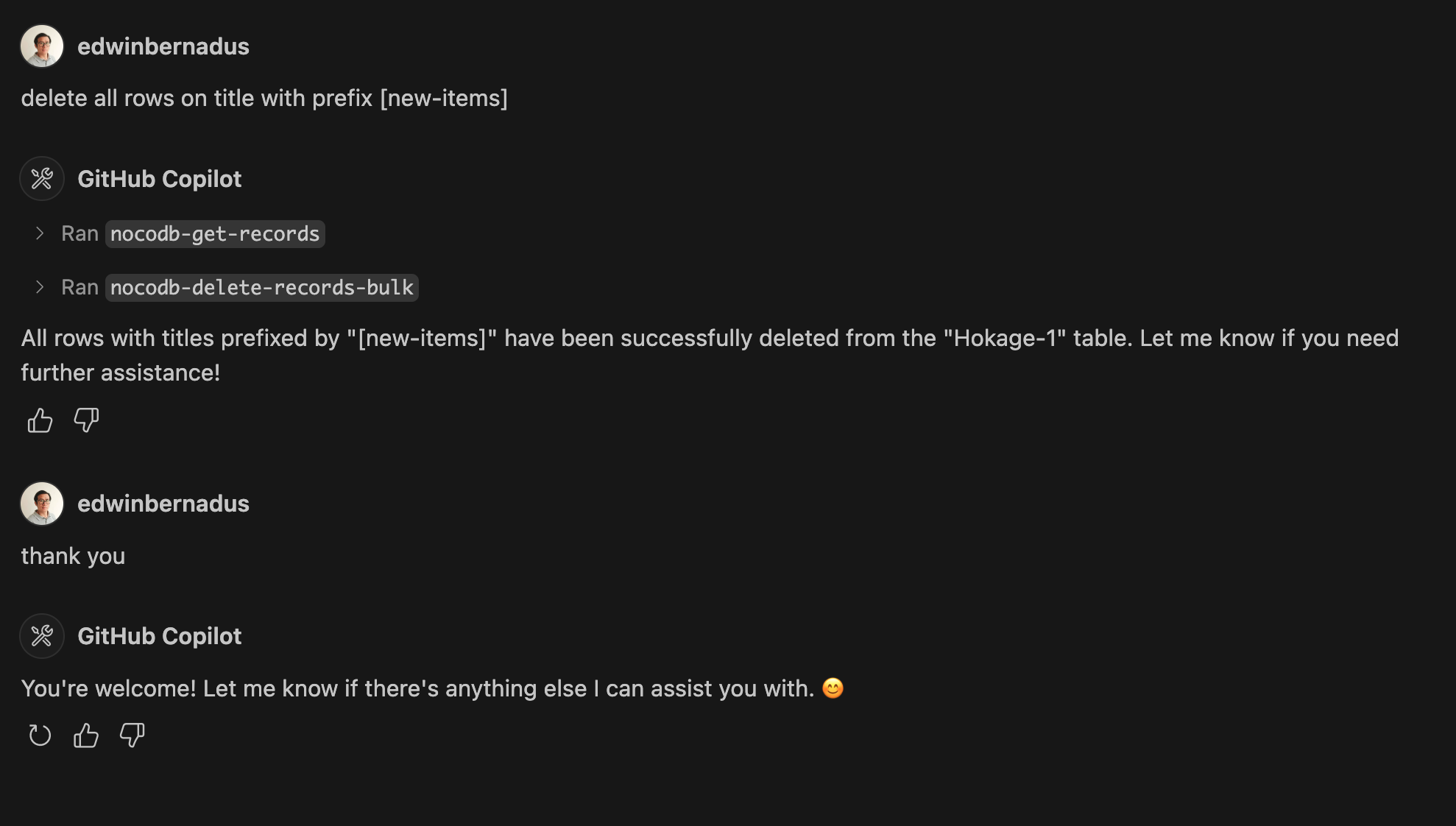
Example Prompt - Bulk Create Records and Bulk Delete Records
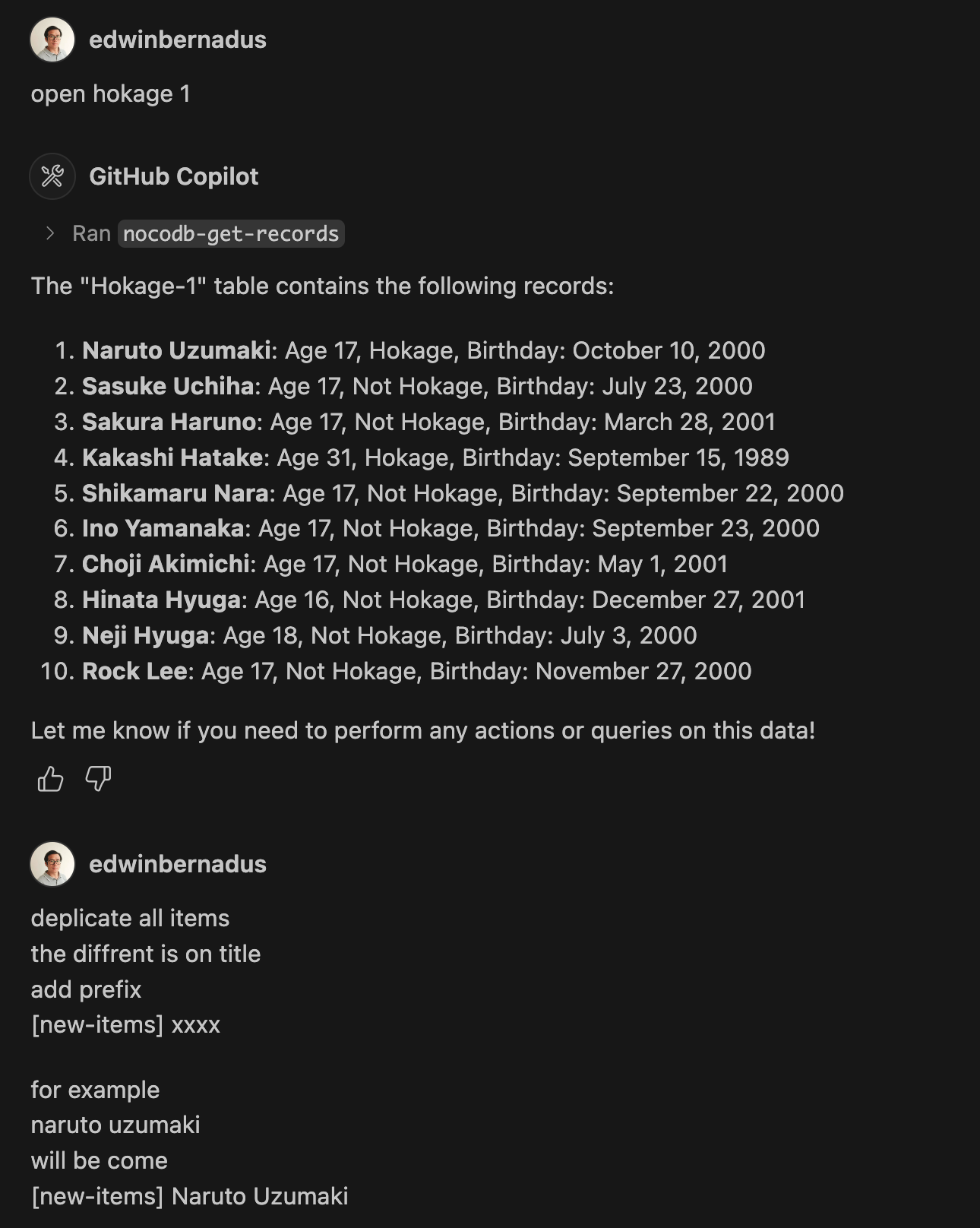
bulk_sample1 bulk_sample2 bulk_sample3

About This Fork

This repository is a TypeScript-based fork of NocoDB-MCP-Server. It retains the core functionality while improving maintainability and compatibility with modern TypeScript development practices.

Hosted deployment

A hosted deployment is available on Fronteir AI.

Setup

Ensure that Node.js and TypeScript are installed, then execute:

npm install
npm run build

Configuration

Define the required environment variables in a .env file:

NOCODB_URL=https://your-nocodb-instance.com
NOCODB_API_TOKEN=your_api_token_here
NOCODB_BASE_ID=your_base_id_here

Tip: You can copy the template from env.example and fill in your values.

How to Obtain NOCODB_BASE_ID

To find your NOCODB_BASE_ID, check the URL of your Nocodb instance.
For example: https://app.nocodb.com/#/wi6evls6/pqmob3ammcknma5/maty9c5xkmf4012
In this URL format:

https://app.nocodb.com/#/{USERNAME}/{NOCODB_BASE_ID}/{TABLE_ID}

Integration with Claude Desktop

Modify claude_desktop_config.json to include:

{
  "mcpServers": {
    "nocodb": {
      "command": "node",
      "args": ["{working_folder}/dist/start.js"],
      "env": {
        "NOCODB_URL": "https://your-nocodb-instance.com",
        "NOCODB_BASE_ID": "your_base_id_here",
        "NOCODB_API_TOKEN": "your_api_token_here"
      }
    }
  }
}

Direct call from CLI

You can directly call the MCP server from the command line:
NOCODB_URL, NOCODB_API_TOKEN, and NOCODB_BASE_ID are required parameters.
NOCODB_URL=https://app.nocodb.com if you are using NocoDB cloud.

npx -y nocodb-mcp-server {NOCODB_URL} {NOCODB_BASE_ID} {NOCODB_API_TOKEN} 

Testing CLI

To run the tests, execute:

npx -y @wong2/mcp-cli npx nocodb-mcp-server {NOCODB_URL} {NOCODB_BASE_ID} {NOCODB_API_TOKEN} 

API Functions

For detailed information about available API functions, please refer to API_FUNCTION.md.

Project Structure

/project-root
  ├── src/            # TypeScript source files
  ├── dist/           # Compiled JavaScript output
  ├── .env            # Environment variable configurations
  ├── package.json    # Project dependencies and scripts
  ├── tsconfig.json   # TypeScript settings

Contribution Guidelines

Contributions are encouraged! Feel free to open issues or submit pull requests.

License

This project is distributed under MIT.

Files in the repo

Repository payload13 top-level entries
  • docs
  • src
  • .dockerignore
  • .gitignore
  • API_FUNCTION.md
  • Dockerfile
  • env.example
  • example_upload.json
  • package-lock.json
  • package.json
  • README.md
  • smithery.yaml
  • tsconfig.json

Discussion (0)

Ask about usage, or say what you built with it

Sign in to join the discussion.

No comments yet. Be the first to say what this is good for.

More connectors

High-performance code intelligence MCP server. Indexes codebases into a persistent knowledge graph — average repo in milliseconds. 158 languages, sub-ms queries, 99% fewer tokens. Single static binary, zero dependencies.

43k

Universal provider proxy for OpenAI Codex & Claude Code — use any LLM (Claude, Gemini, Grok, DeepSeek, Ollama…) with Codex CLI, App, SDK, and Claude Code

14k
okf-memory/
okf-agent-memory

Git-native persistent memory for AI coding agents. Implements Google OKF v0.2 with sub-300µs in-memory BM25 search, embedded MCP server, and progressive disclosure. Slashes token bloat by 80% with zero external databases or dependencies. Built in pure Go.

547
tirth8205/
code-review-graph

Local-first code intelligence graph for MCP and CLI. Builds a persistent map of your codebase so AI coding tools read only what matters, with benchmarked context reductions on reviews and large-repo workflows.

31k
2akouwu/
reverify

Stop your AI from making things up — it proposes, deterministic tools decide, every claim checked against ground truth with evidence. Grounded facts and context survive resets. Reverse engineering is the proving ground. MCP server + CLI.

1.1k
t8y2/dbxConnectors

20 MB lightweight cross-platform database client for 90+ databases, including MySQL, PostgreSQL, SQLite, Redis, MongoDB, DuckDB, SQL Server, and Dameng. Built-in AI, MCP Server, CLI, desktop and Docker. | 轻量级跨平台数据库管理工具,支持 MySQL、PostgreSQL、SQLite、Redis、MongoDB、达梦等 90+ 数据库,提供桌面端、Docker、CLI、内置 AI 助手和 MCP Server。

19k