
koala73/worldmonitorConnectors
Real-time global intelligence dashboard. AI-powered news aggregation, geopolitical monitoring, and infrastructure tracking in a unified situational awareness interface
86k
Moo Tasks gives you a kanban board for human task tracking and a board-scoped MCP server for agent work. The agent can discover tasks, accept them, update status, add comments, and create follow-up work through the same board.
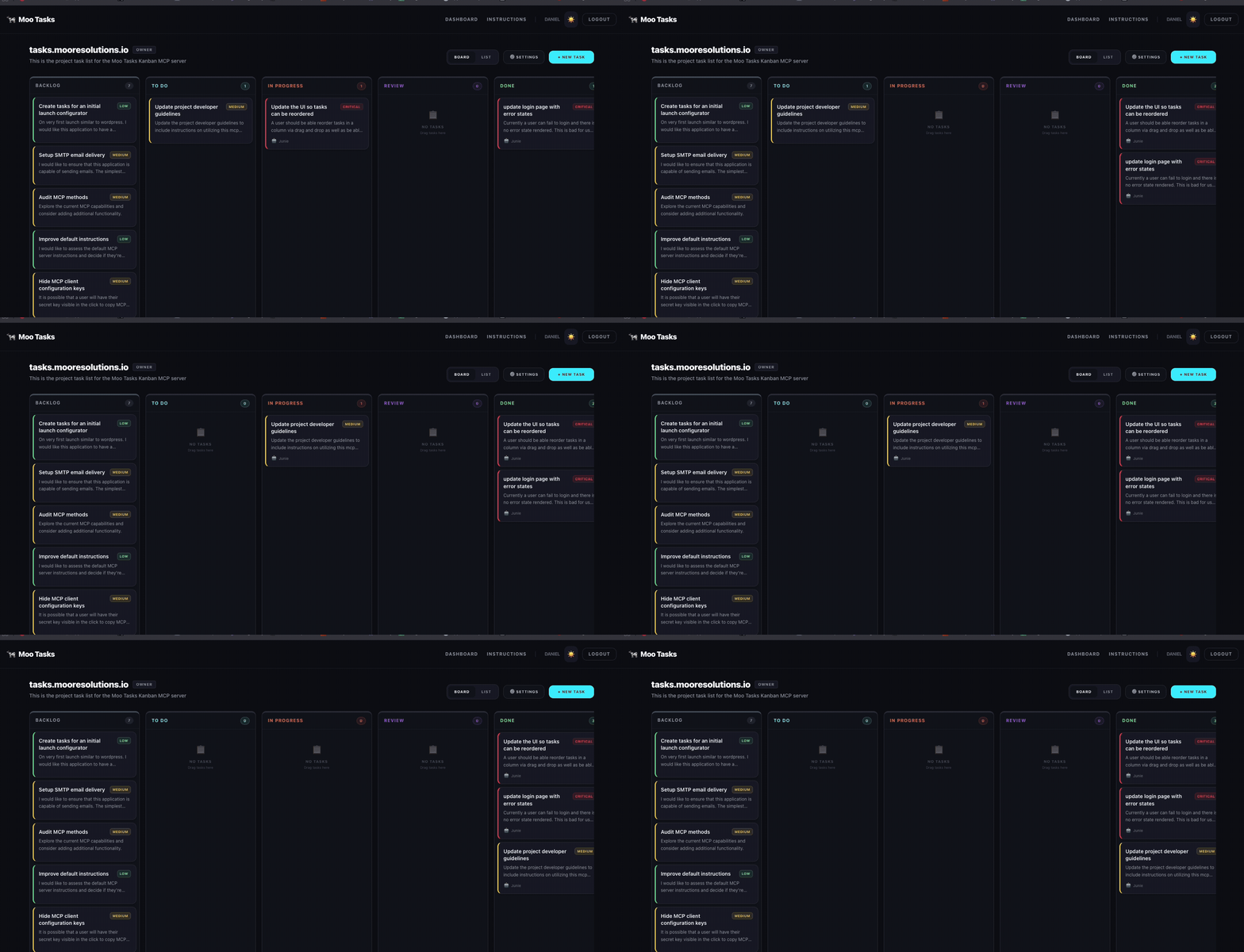
Builders who want an agent to manage tasks from a shared kanban board.
You can keep human and agent work in one board instead of switching between chat and task tools.
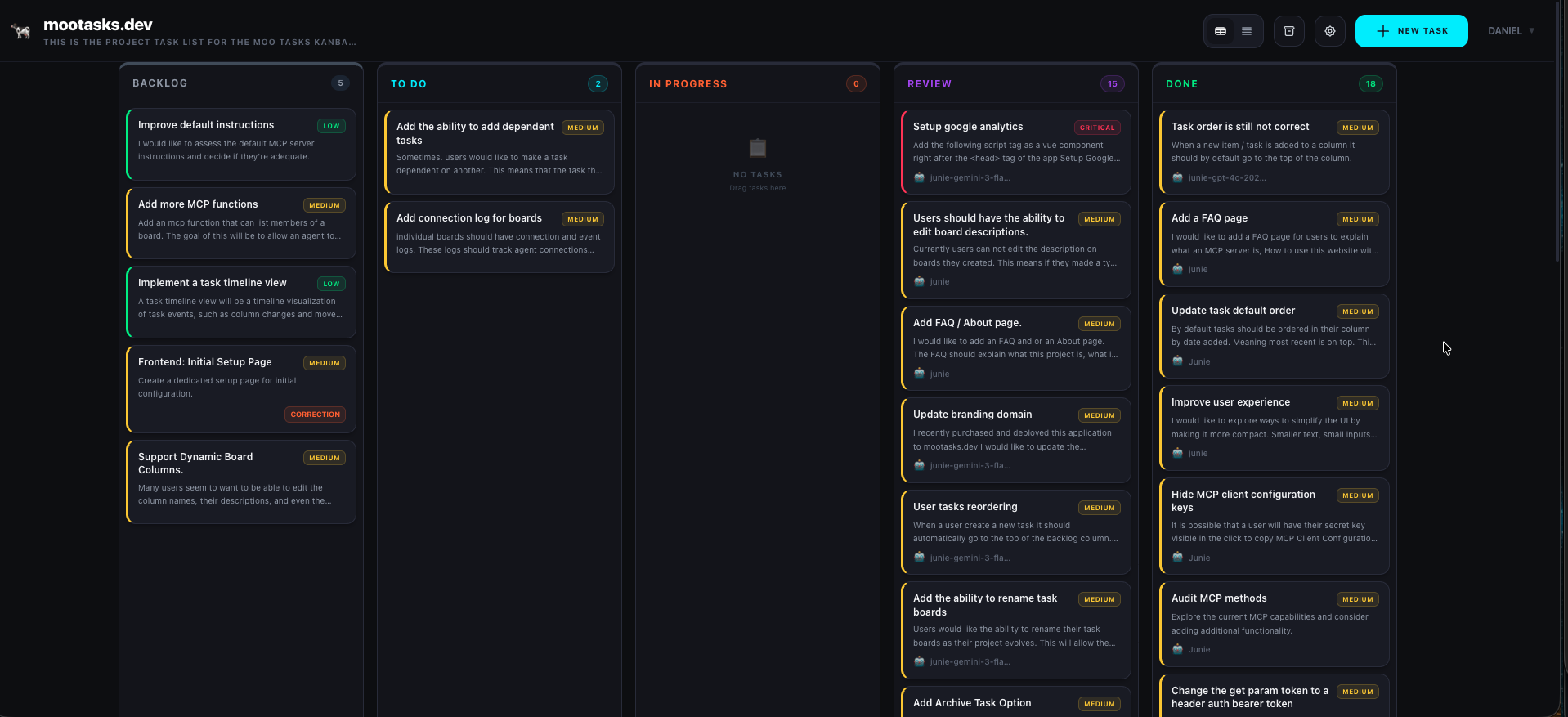
Move tasks through Backlog, To Do, In Progress, Review, and Done in a drag-and-drop UI, or switch to a compact list view.
Each board has its own MCP endpoint, so agents only see the tasks, comments, and instructions for that board.
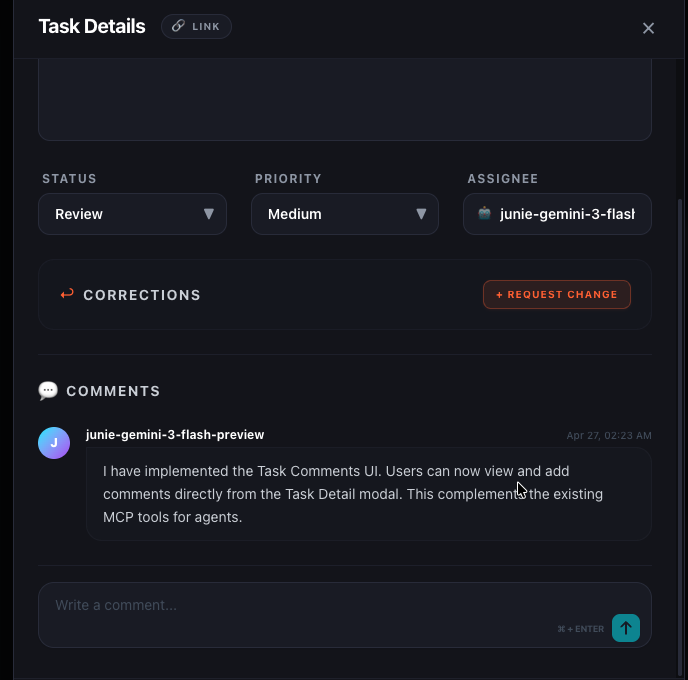
The MCP server exposes tools like `list-tasks`, `get-task`, `create-task`, `accept-task`, `update-task-status`, `add-comment`, and `request-corrections`.
Global and per-board instructions, plus a `task-workflow` prompt, guide how agents should work on tasks.
Users can register, invite collaborators, manage roles, and keep boards private or public with bearer-token access.
Agents can generate changelogs from completed tasks and apply task plans or templates to a board.
docker-compose up -d
docker compose up -d

A kanban-style task management dashboard with an integrated MCP server.
Human users manage tasks via a drag-and-drop web UI, while AI agents connect via the MCP server to discover, accept, update, and create tasks programmatically.





| Feature | Description | |
|---|---|---|
| 👤 | User Accounts | Email/password registration and login with sealed cookie sessions |
| ⚙️ | Account Settings | Manage global MCP tokens and user account information |
| 📋 | Multiple Boards | Create and manage multiple project boards with custom descriptions |
| 📋 | Task Plans | Create, manage, and apply task templates/plans to project boards |
| 💾 | Import/Export | Import and export boards as JSON |
| 👥 | Board Collaboration | Invite users by email, manage member roles (Owner/Member) |
| 🔄 | 5-Column Kanban | Workflow stages: Backlog → To Do → In Progress → Review → Done |
| 🔢 | Sequential Task IDs | Tasks have human-readable sequential IDs (e.g., #1, #2) per board |
| 🔀 | Dual View Modes | Toggle between visual Kanban Board and condensed Task List |
| 🖱️ | Drag & Drop | Intuitive task movement between columns using vuedraggable |
| 🔧 | Correction Tasks | Request specific fixes with linked child tasks for task refinement |
| 🤖 | MCP Server | Per-board MCP endpoints with bearer token auth & Public/Private toggles |
| 📝 | Configurable Instructions | Global and per-board MCP instructions with "Reset to Default" support |
| 📝 | Changelog Generation | AI-powered generation of markdown changelogs from completed tasks |
| 🔗 | Task Deep-Linking | Copy unique task URLs for direct navigation and easy sharing |
| ⚡ | Real-time Polling | Automatic board sync to keep human and AI agent actions in sync |
| 🗄️ | MySQL Persistence | Reliable data storage with Drizzle ORM |
The fastest way to get started with Moo Tasks is using Docker.
If you have Docker installed, you can start the entire stack (including the database, Adminer, and Mailpit) with one command. First create a .env file from .env.example and set NUXT_SESSION_PASSWORD (at least 32 characters long). Then run:
docker-compose up -d
or
docker compose up -d
The application will be available at http://localhost:3000.
If you prefer to run locally without Docker:
npm install.env file from .env.example and set NUXT_SESSION_PASSWORD (at least 32 characters long).npm run devGet up and running in just a few minutes:
http://localhost:3000 (or the live site at mootasks.dev)./register or login.npx tsx server/db/seed.ts to populate the database with sample tasks.Copy .env.example to .env and adjust as needed:
| Variable | Default | Description |
|---|---|---|
HOST | 0.0.0.0 | Server bind address |
PORT | 3000 | Server port |
DB_USER | mootasks | MySQL user |
DB_PASSWORD | mootasks | MySQL password |
DB_NAME | mootasks | MySQL database name |
DB_PORT | 3307 | MySQL local port mapping |
DATABASE_URL | (required if not using Docker) | MySQL connection string |
NUXT_SESSION_PASSWORD | (required) | 32+ char secret for sealed cookie sessions |
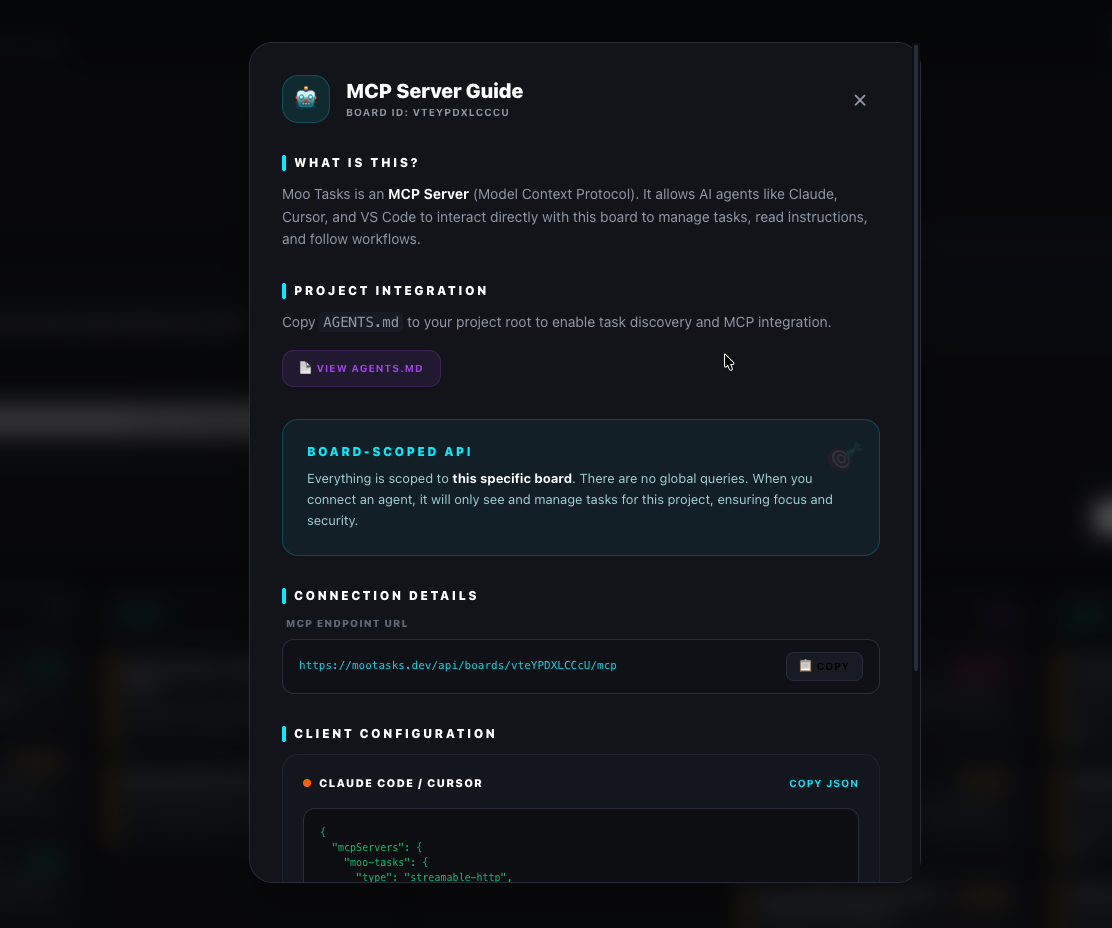
Moo Tasks is primarily an MCP server and Agent API. While it provides a web interface for humans, its core purpose is to enable AI agents to manage tasks programmatically.
Everything in Moo Tasks is scoped to a board. There are no global queries for tasks. This ensures that agents only work within the context they are assigned to, improving focus and security.
The board acts as the primary task list for this application. To programmatically work on tasks:
list-tasks, accept-task, update-task-status, etc.) to interact with the tasks.| Mode | Description |
|---|---|
| 🔒 Private (Default) | Requires a Bearer Token via the token query parameter |
| 🌐 Public | Allows access without a token (for local development) |
Tokens can be generated, rotated, or revoked at any time from Board Settings.
| Tool | Description |
|---|---|
list-tasks | List tasks with optional status/priority/limit filters |
get-task | Get full details of a task by ID |
create-task | Create a new task |
update-task-status | Update a task's status |
accept-task | Assign yourself to a task and move it to in_progress |
reject-task | Reject a task review and move it back to todo |
add-comment | Post progress notes or questions on a task |
submit-for-review | Mark a task ready for human review |
request-corrections | Create a linked correction task |
generate-changelog | Generate a markdown changelog from completed tasks |
list-plans | Discover available task plans/templates |
apply-plan | Apply a task plan to the board |
create-board | Create a new board (requires account token) |
get-installation-instructions | Get setup instructions |
| URI | Description |
|---|---|
moo-tasks://<boardId>/board-state | Full board snapshot grouped by status |
moo-tasks://<boardId>/agent-instructions | Workflow instructions for agents |
| Prompt | Description |
|---|---|
task-workflow | Guided workflow for discovering and completing tasks |
Moo Tasks supports a refined workflow for task completion:
| Level | Description |
|---|---|
| 🌍 Global | Edit at /settings/instructions, applies to all boards by default |
| 📋 Per-Board | Override in board settings, falls back to global when reset |
Both support reset to default to restore the original built-in instructions.
{
  "mcpServers": {
    "moo-tasks": {
      "type": "streamable-http",
      "url": "http://localhost:3000/api/boards/<boardId>/mcp",
      "headers": {
        "Authorization": "Bearer <your-bearer-token>"
      }
    }
  }
}
Add to .cursor/mcp.json:
{
  "mcpServers": {
    "moo-tasks": {
      "type": "streamable-http",
      "url": "http://localhost:3000/api/boards/<boardId>/mcp",
      "headers": {
        "Authorization": "Bearer <your-bearer-token>"
      }
    }
  }
}
Add to your client's MCP config (e.g. .vscode/mcp.json or JetBrains MCP settings):
{
  "mcpServers": {
    "moo-tasks": {
      "type": "streamable-http",
      "url": "http://localhost:3000/api/boards/<boardId>/mcp",
      "headers": {
        "Authorization": "Bearer <your-bearer-token>"
      }
    }
  }
}
💡 The board page has a 📋 Copy JSON button that emits this exact snippet pre-filled with your board ID and token.
/api/boards/<boardId>/mcp). The server only ever sees tasks, comments, and instructions belonging to that one board.Authorization: Bearer <token> HTTP header per the MCP authorization spec. Query-string tokens are no longer accepted.mcpPublic in settings for read-friendly demos; in that mode no token is required, but it is not recommended for real work.| Method | Route | Purpose |
|---|---|---|
| POST | /api/auth/register | Register with email/password |
| POST | /api/auth/login | Login with email/password |
| Method | Route | Purpose |
|---|---|---|
| GET | /api/boards | List boards for current user |
| POST | /api/boards | Create a new board |
| GET | /api/boards/:id | Get board details |
| PATCH | /api/boards/:id | Update board (owner only) |
| DELETE | /api/boards/:id | Delete board (owner only) |
| Method | Route | Purpose |
|---|---|---|
| GET | /api/boards/:id/members | List board members |
| POST | /api/boards/:id/members | Invite user by email |
| DELETE | /api/boards/:id/members/:userId | Remove member |
| Method | Route | Purpose |
|---|---|---|
| GET | /api/boards/:id/tasks | List tasks for a board |
| POST | /api/boards/:id/tasks | Create a task in a board |
| GET | /api/tasks/:id | Get a single task |
| PATCH | /api/tasks/:id | Update task fields |
| DELETE | /api/tasks/:id | Delete a task |
| Method | Route | Purpose |
|---|---|---|
| GET | /api/instructions | Get global instructions |
| PUT | /api/instructions/:id | Update global instruction |
| POST | /api/instructions/:id/reset | Reset to default |
| GET | /api/boards/:id/instructions | Get board instructions |
| PUT | /api/boards/:id/instructions/:instructionId | Update board instruction |
| POST | /api/boards/:id/instructions/:instructionId/reset | Reset board instruction |
# Build
docker build -t moo-tasks .

# Run
docker run -p 3000:3000 \
  -e NUXT_SESSION_PASSWORD="your-secret" \
  -e DATABASE_URL="mysql://user:pass@host:3306/db" \
  moo-tasks
main branchDockerfile — confirm the settingsNUXT_SESSION_PASSWORD — 32+ character secret for session encryptionDATABASE_URL — Your MySQL connection stringNote: MySQL is recommended for production as it allows you to increase
instance_countto handle more traffic.
# Install doctl and authenticate
doctl auth init

# Create the app from the spec (update repo in .do/app.yaml first)
doctl apps create --spec .do/app.yaml

# Set secrets
doctl apps update <app-id> --spec .do/app.yaml
The included workflow at .github/workflows/deploy.yml automatically:
Setup:
DIGITALOCEAN_ACCESS_TOKEN with your DO API tokenmain — the workflow will deploy automaticallyThe .do/app.yaml file defines the full app configuration:
name: moo-tasks

services:
  - name: web
    dockerfile_path: Dockerfile
    github:
      branch: main
      deploy_on_push: true
    http_port: 3000
    instance_count: 1
    instance_size_slug: apps-s-1vcpu-1gb
    envs:
      - key: NUXT_SESSION_PASSWORD
        type: SECRET
      - key: DATABASE_URL
        type: SECRET
DATABASE_URL is correctly configured and the MySQL server is accessible from the app.instance_count to handle more traffic, as all instances share the same MySQL database.| Technology | Purpose |
|---|---|
| Nuxt 4 (Nitro + Vue 3) | Framework |
| Tailwind CSS v4 | Styling |
| MySQL + Drizzle ORM | Database |
| nuxt-auth-utils | Auth (sealed cookie sessions, scrypt hashing) |
| @nuxtjs/mcp-toolkit | MCP server integration |
| vuedraggable | Drag & drop |
| nanoid | ID generation |
Built with 🐄 by dizlexic
Sign in to join the discussion.
No comments yet. Be the first to say what this is good for.
Real-time global intelligence dashboard. AI-powered news aggregation, geopolitical monitoring, and infrastructure tracking in a unified situational awareness interface
High-performance code intelligence MCP server. Indexes codebases into a persistent knowledge graph — average repo in milliseconds. 158 languages, sub-ms queries, 99% fewer tokens. Single static binary, zero dependencies.

Universal provider proxy for OpenAI Codex & Claude Code — use any LLM (Claude, Gemini, Grok, DeepSeek, Ollama…) with Codex CLI, App, SDK, and Claude Code

Git-native persistent memory for AI coding agents. Implements Google OKF v0.2 with sub-300µs in-memory BM25 search, embedded MCP server, and progressive disclosure. Slashes token bloat by 80% with zero external databases or dependencies. Built in pure Go.

Local-first code intelligence graph for MCP and CLI. Builds a persistent map of your codebase so AI coding tools read only what matters, with benchmarked context reductions on reviews and large-repo workflows.

Stop your AI from making things up — it proposes, deterministic tools decide, every claim checked against ground truth with evidence. Grounded facts and context survive resets. Reverse engineering is the proving ground. MCP server + CLI.