

heygen-com/hyperframesFrameworks & SDKs
Write HTML. Render video. Built for agents.
49k
PyWry gives you one Python API that can render the same UI in a native window, a Jupyter widget, or a browser tab. It uses webview, FastAPI, WebSocket, and optional state backends to keep the app interactive across those targets. The repo also ships MCP tools and a Claude Code plugin so builders can drive app creation with an agent.
Builders who want one Python app to work in notebooks, browsers, and desktop windows.
You can build an interactive Python app once and reuse it across notebook preview, web deployment, and desktop packaging.
Renders the same app as a native window, a Jupyter widget, or a browser tab.
Provides toolbar components like buttons, inputs, sliders, and tabs, with two-way Python and JavaScript events.
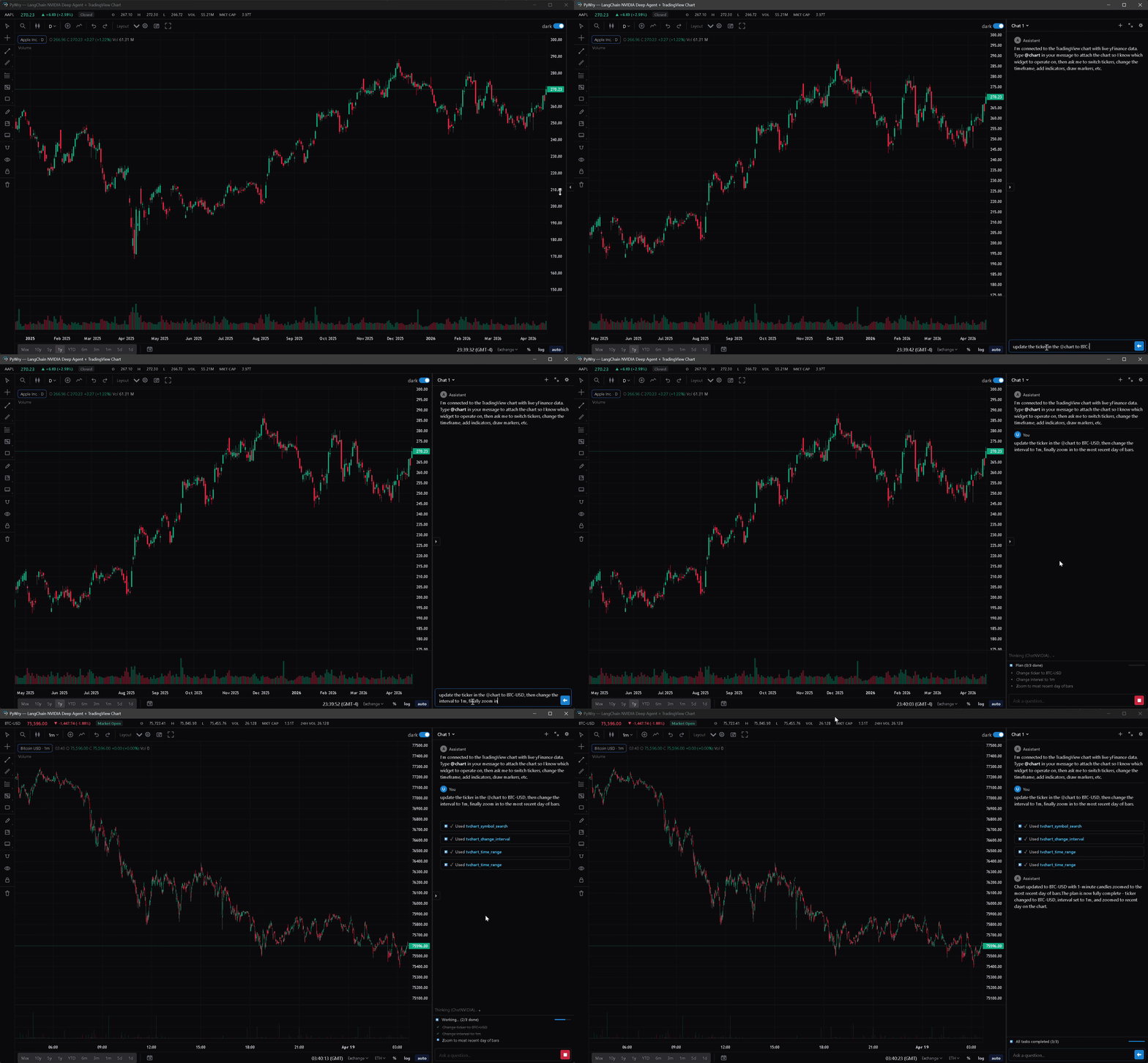
Includes a streaming chat UI with slash commands, artifacts, and pluggable providers such as OpenAI, Anthropic, Magentic, ACP subprocess, and Deep Agents.
Adds chart rendering, drawing tools, streaming updates, overlays, and a settings panel.
Exposes widgets, charts, and dashboards through Model Context Protocol tools for clients like Claude Code and Cursor.
Ships a plugin bundle with MCP tools, a skill, slash commands, a subagent, and a post-edit format hook.
Includes a PyInstaller hook so apps can be frozen into desktop executables without manual hidden-import setup.
pip install pywry
sudo apt-get install libwebkit2gtk-4.1-dev libgtk-3-dev libglib2.0-dev \
    libxkbcommon-x11-0 libxcb-icccm4 libxcb-image0 libxcb-keysyms1 \
    libxcb-randr0 libxcb-render-util0 libxcb-xinerama0 libxcb-xfixes0 \
    libxcb-shape0 libgl1 libegl1

PyWry is a cross-platform rendering engine and desktop UI toolkit for Python. One API, three output targets:
Build Once, Render Anywhere: Prototype interactive data apps in a Jupyter Notebook, easily deploy them as web apps, and seamlessly compile them into secure, lightweight standalone desktop executables via pywry[freeze].
Python 3.10–3.14, virtual environment recommended.
pip install pywry
Core extras:
| Extra | When to use |
|---|---|
pip install 'pywry[notebook]' | Jupyter / anywidget integration |
pip install 'pywry[auth]' | OAuth2 and keyring-backed auth support |
pip install 'pywry[freeze]' | PyInstaller hook for standalone executables |
pip install 'pywry[mcp]' | Model Context Protocol server support |
pip install 'pywry[sqlite]' | Encrypted SQLite state backend (SQLCipher) |
pip install 'pywry[all]' | Everything above |
Chat provider extras:
| Extra | When to use |
|---|---|
pip install 'pywry[openai]' | OpenAIProvider (OpenAI SDK) |
pip install 'pywry[anthropic]' | AnthropicProvider (Anthropic SDK) |
pip install 'pywry[magentic]' | MagenticProvider (any magentic-supported LLM) |
pip install 'pywry[acp]' | StdioProvider (Agent Client Protocol subprocess) |
pip install 'pywry[deepagent]' | DeepagentProvider (LangChain Deep Agents — includes MCP adapters and ACP) |
The chat UI itself is included in the base package. Provider extras only install the matching third-party SDK.
Linux only — install system webview dependencies first:
sudo apt-get install libwebkit2gtk-4.1-dev libgtk-3-dev libglib2.0-dev \
    libxkbcommon-x11-0 libxcb-icccm4 libxcb-image0 libxcb-keysyms1 \
    libxcb-randr0 libxcb-render-util0 libxcb-xinerama0 libxcb-xfixes0 \
    libxcb-shape0 libgl1 libegl1
from pywry import PyWry

app = PyWry()
app.show("Hello World!")
app.block()
from pywry import PyWry, Toolbar, Button

app = PyWry()

def on_click(data, event_type, label):
    app.emit("pywry:set-content", {"selector": "h1", "text": "Clicked!"}, label)

app.show(
    "<h1>Hello</h1>",
    toolbars=[Toolbar(position="top", items=[Button(label="Click me", event="app:click")])],
    callbacks={"app:click": on_click},
)
app.block()
from pywry import PyWry
import pandas as pd

app = PyWry()
df = pd.DataFrame({"name": ["Alice", "Bob", "Carol"], "age": [30, 25, 35]})

def on_select(data, event_type, label):
    names = ", ".join(row["name"] for row in data["rows"])
    app.emit("pywry:alert", {"message": f"Selected: {names}"}, label)

app.show_dataframe(df, callbacks={"grid:row-selected": on_select})
app.block()
from pywry import PyWry
import plotly.express as px

app = PyWry(theme="light")
fig = px.scatter(px.data.iris(), x="sepal_width", y="sepal_length", color="species")
app.show_plotly(fig)
app.block()
Button, Select, MultiSelect, TextInput, SecretInput, SliderInput, RangeInput, Toggle, Checkbox, RadioGroup, TabGroup, Marquee, Modal, and more. All Pydantic models; position them around the content edges or inside the chart area.app.emit() and app.on() bridge Python and JavaScript in both directions. Pre-wired Plotly and AgGrid events included.OpenAIProvider, AnthropicProvider, MagenticProvider, CallbackProvider, StdioProvider (ACP subprocess), and DeepagentProvider (LangChain Deep Agents).--pywry-* CSS variables, hot reload during development.SecuritySettings.strict() / .permissive() / .localhost() presets. SecretInput stores values server-side, never in HTML.pywry[freeze]. No .spec edits or --hidden-import flags required.pip install 'pywry[mcp]'
pywry mcp --transport stdio
Widget-creating tools — create_widget, show_plotly, show_dataframe, show_tvchart, create_chat_widget — return an AppArtifact: a self-contained HTML snapshot delivered as an MCP EmbeddedResource with mimeType: text/html and URI pywry-app://<widget_id>/<revision>. Clients that render HTML resources (Claude Desktop's artifact pane, mcp-ui clients, PyWry's own chat widget) show the app inline.
Each render bumps a per-widget revision. The latest revision keeps a live WebSocket bridge to Python; older revisions freeze at their last known state. Call get_widget_app(widget_id) to re-snapshot after a mutation.
See the MCP docs for tool reference and client setup.
Installable under claude/plugins/pywry/ as one /plugin install unit. Ships:
pywry-orientation skill — teaches the agent when to reach for PyWry tools/pywry:doctor, /pywry:scaffold, /pywry:examplespywry-builder subagent — for multi-step widget constructionruff format on touched .py filesInstall:
/plugin marketplace add deeleeramone/PyWry --path claude/.claude-plugin/marketplace.json
/plugin install pywry@pywry
Prerequisite: pip install 'pywry[dev]' (or pywry[all]). Then /pywry:doctor to verify.
PyPI-bundled install (skips the GitHub round-trip once pywry is already installed):
pywry plugin-path # prints the bundled plugin root
/plugin marketplace add $(pywry plugin-path)
/plugin install pywry@pywry
See claude/README.md for the full install-path matrix, mono-repo layout, and versioning policy.
pip install 'pywry[freeze]'
pyinstaller --windowed --name MyApp my_app.py
The output in dist/MyApp/ is fully self-contained. Target machines need no Python installation — only the OS webview (WebView2 on Windows 10 1803+, WKWebView on macOS, libwebkit2gtk on Linux).
main and develop.CI Required and Docs Required.main.sbom.xml and sbom.json are produced during release workflows and bundled with release artifacts, not tracked at repository root.Apache 2.0 — see LICENSE.
Sign in to join the discussion.
No comments yet. Be the first to say what this is good for.
Write HTML. Render video. Built for agents.
Ultra-lightweight, open-source, self-hosted personal AI agent framework in Python with WebUI, tools, memory, MCP, multi-agent workflows, automation, and chat apps

SkillOpt is a text-space optimizer that trains reusable natural-language skills for frozen LLM agents through trajectory-driven edits, validation-gated updates, and deployable best_skill.md artifacts.

Omnigent is an open-source AI agent framework and meta-harness: orchestrate Claude Code, Codex, Cursor, Pi, and custom agents — swap harnesses without rewriting, enforce policies and sandboxing, and collaborate in real time from any device.

A theoretical reconstruction of the Claude Mythos architecture, built from first principles using the available research literature.
🕷️ An adaptive Web Scraping framework that handles everything from a single request to a full-scale crawl!