

koala73/worldmonitorConnectors
Real-time global intelligence dashboard. AI-powered news aggregation, geopolitical monitoring, and infrastructure tracking in a unified situational awareness interface
86k
Free Claude Code sits between Claude Code and your chosen backend. It accepts Anthropic-style requests, routes them to supported providers, and can translate responses back into the format Claude Code expects. It also includes messaging support so you can send tasks from Discord or Telegram, track live progress, and manage sessions remotely.
Builders who want Claude Code to work with free, local, or alternate providers, or to run it from chat apps.
You can keep using Claude Code while swapping in other model providers, local servers, or remote chat control.
Routes Claude Code requests to NVIDIA NIM, OpenRouter, DeepSeek, LM Studio, or llama.cpp.
Lets `MODEL_OPUS`, `MODEL_SONNET`, and `MODEL_HAIKU` point to different providers and models.
Intercepts trivial requests locally so they do not spend provider quota.
Converts `<think>` tags and `reasoning_content` into Claude thinking blocks when enabled.
Lets you send prompts, watch streaming output, stop tasks, and manage sessions from messaging apps.
Transcribes voice messages and turns them into prompts for the agent.
Can require `ANTHROPIC_AUTH_TOKEN` so only approved clients can use the proxy.
# Install uv (required to run the project)
pip install uv
git clone https://github.com/codeaashu/free-claude-code.git
cd free-claude-code
cp .env.example .env
# With authentication
ANTHROPIC_AUTH_TOKEN="your-secret-token-here" \
ANTHROPIC_BASE_URL="http://localhost:8082" claude

# claude-pick automatically uses the configured token
claude-pick
uv run uvicorn server:app --host 0.0.0.0 --port 8082
$env:ANTHROPIC_AUTH_TOKEN="freecc"; $env:ANTHROPIC_BASE_URL="http://localhost:8082"; claude
ANTHROPIC_AUTH_TOKEN="freecc" ANTHROPIC_BASE_URL="http://localhost:8082" claude







A lightweight proxy that routes Claude Code's Anthropic API calls to NVIDIA NIM (40 req/min free), OpenRouter (hundreds of models), DeepSeek (direct API), LM Studio (fully local), or llama.cpp (local with Anthropic endpoints).
Quick Start · Providers · Discord Bot · Configuration · Development · Contributing
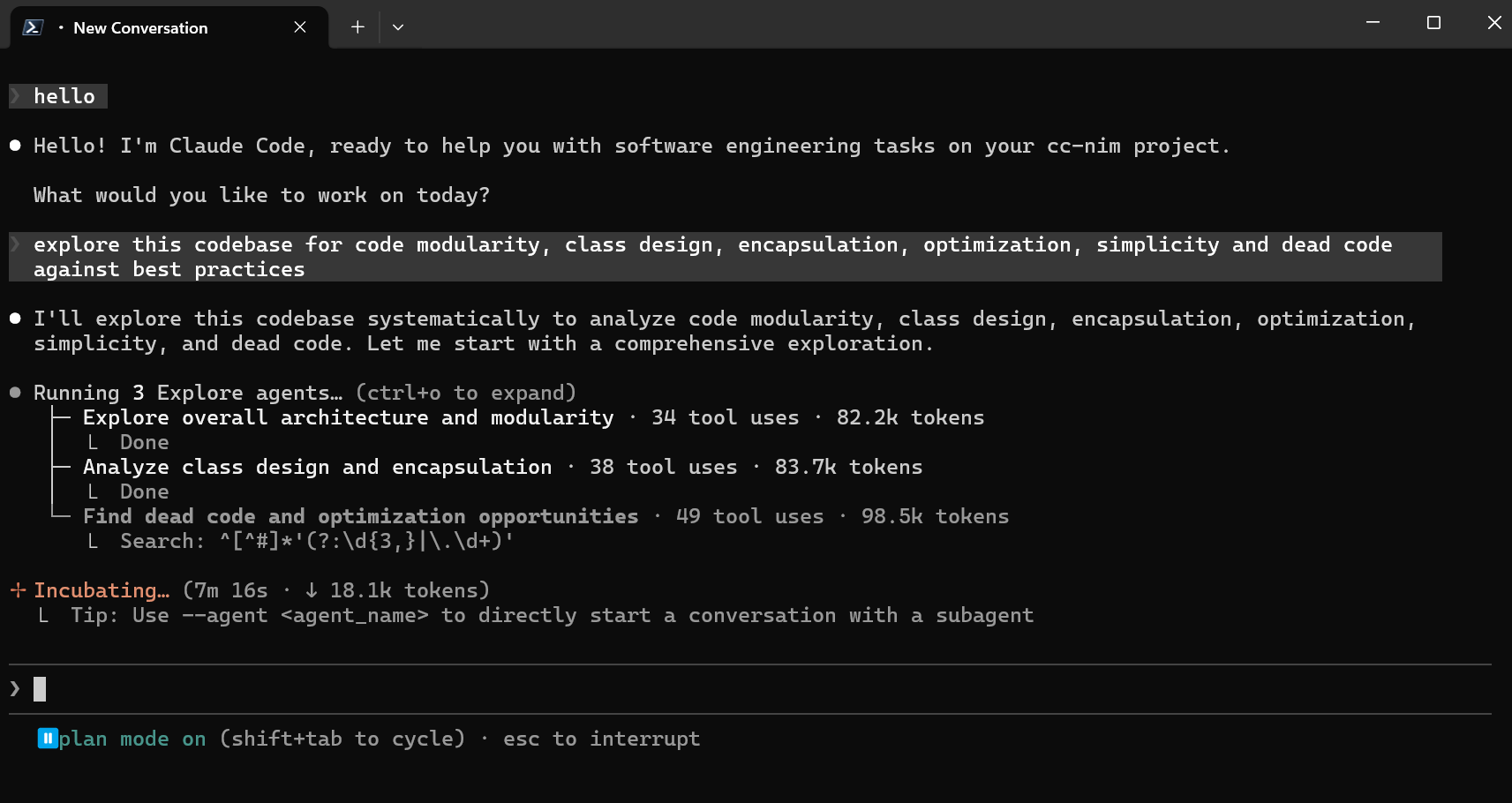
Claude Code running via NVIDIA NIM, completely free
| Feature | Description |
|---|---|
| Zero Cost | 40 req/min free on NVIDIA NIM. Free models on OpenRouter. Fully local with LM Studio |
| Drop-in Replacement | Set 2 env vars. No modifications to Claude Code CLI or VSCode extension needed |
| 5 Providers | NVIDIA NIM, OpenRouter, DeepSeek, LM Studio (local), llama.cpp (llama-server) |
| Per-Model Mapping | Route Opus / Sonnet / Haiku to different models and providers. Mix providers freely |
| Thinking Token Support | Parses <think> tags and reasoning_content into native Claude thinking blocks |
| Heuristic Tool Parser | Models outputting tool calls as text are auto-parsed into structured tool use |
| Request Optimization | 5 categories of trivial API calls intercepted locally, saving quota and latency |
| Smart Rate Limiting | Proactive rolling-window throttle + reactive 429 exponential backoff + optional concurrency cap |
| Discord / Telegram Bot | Remote autonomous coding with tree-based threading, session persistence, and live progress |
| Subagent Control | Task tool interception forces run_in_background=False. No runaway subagents |
| Extensible | Clean BaseProvider and MessagingPlatform ABCs. Add new providers or platforms easily |
llama-server locally.uv# Install uv (required to run the project)
pip install uv
If uv is already installed, run uv self update to get the latest version.
git clone https://github.com/codeaashu/free-claude-code.git
cd free-claude-code
cp .env.example .env
Choose your provider and edit .env:
NVIDIA_NIM_API_KEY="nvapi-your-key-here"

MODEL_OPUS=
MODEL_SONNET=
MODEL_HAIKU=
MODEL="nvidia_nim/z-ai/glm4.7"                     # fallback

# Global switch for provider reasoning requests and Claude thinking blocks.
ENABLE_THINKING=true
OPENROUTER_API_KEY="sk-or-your-key-here"

MODEL_OPUS="open_router/deepseek/deepseek-r1-0528:free"
MODEL_SONNET="open_router/openai/gpt-oss-120b:free"
MODEL_HAIKU="open_router/stepfun/step-3.5-flash:free"
MODEL="open_router/stepfun/step-3.5-flash:free"     # fallback
DEEPSEEK_API_KEY="your-deepseek-key-here"

MODEL_OPUS="deepseek/deepseek-reasoner"
MODEL_SONNET="deepseek/deepseek-chat"
MODEL_HAIKU="deepseek/deepseek-chat"
MODEL="deepseek/deepseek-chat"                      # fallback
MODEL_OPUS="lmstudio/unsloth/MiniMax-M2.5-GGUF"
MODEL_SONNET="lmstudio/unsloth/Qwen3.5-35B-A3B-GGUF"
MODEL_HAIKU="lmstudio/unsloth/GLM-4.7-Flash-GGUF"
MODEL="lmstudio/unsloth/GLM-4.7-Flash-GGUF"         # fallback
LLAMACPP_BASE_URL="http://localhost:8080/v1"

MODEL_OPUS="llamacpp/local-model"
MODEL_SONNET="llamacpp/local-model"
MODEL_HAIKU="llamacpp/local-model"
MODEL="llamacpp/local-model"
Each MODEL_* variable can use a different provider. MODEL is the fallback for unrecognized Claude models.
NVIDIA_NIM_API_KEY="nvapi-your-key-here"
OPENROUTER_API_KEY="sk-or-your-key-here"

MODEL_OPUS="nvidia_nim/moonshotai/kimi-k2.5"
MODEL_SONNET="open_router/deepseek/deepseek-r1-0528:free"
MODEL_HAIKU="lmstudio/unsloth/GLM-4.7-Flash-GGUF"
MODEL="nvidia_nim/z-ai/glm4.7"                      # fallback
Migration:
NIM_ENABLE_THINKINGwas removed in this release. Rename it toENABLE_THINKING.
Set ANTHROPIC_AUTH_TOKEN in .env to require clients to authenticate:
ANTHROPIC_AUTH_TOKEN="your-secret-token-here"
How it works:
ANTHROPIC_AUTH_TOKEN is empty (default), no authentication is required (backward compatible)ANTHROPIC_AUTH_TOKEN headerclaude-pick script automatically reads the token from .env if configuredExample usage:
# With authentication
ANTHROPIC_AUTH_TOKEN="your-secret-token-here" \
ANTHROPIC_BASE_URL="http://localhost:8082" claude

# claude-pick automatically uses the configured token
claude-pick
Use this feature if:
Terminal 1: Start the proxy server:
uv run uvicorn server:app --host 0.0.0.0 --port 8082
Terminal 2: Run Claude Code:
Point ANTHROPIC_BASE_URL at the proxy root URL, not http://localhost:8082/v1.
$env:ANTHROPIC_AUTH_TOKEN="freecc"; $env:ANTHROPIC_BASE_URL="http://localhost:8082"; claude
ANTHROPIC_AUTH_TOKEN="freecc" ANTHROPIC_BASE_URL="http://localhost:8082" claude
That's it! Claude Code now uses your configured provider for free.
Ctrl + ,) and search for claude-code.environmentVariables."claudeCode.environmentVariables": [
{ "name": "ANTHROPIC_BASE_URL", "value": "http://localhost:8082" },
{ "name": "ANTHROPIC_AUTH_TOKEN", "value": "freecc" }
]
To switch back to Anthropic models, comment out the added block and reload extensions.
Open the configuration file:
C:\Users\%USERNAME%\AppData\Roaming\JetBrains\acp-agents\installed.json~/.jetbrains/acp.jsonInside acp.registry.claude-acp, change:
"env": {}
to
"env": {
"ANTHROPIC_AUTH_TOKEN": "freecc",
"ANTHROPIC_BASE_URL": "http://localhost:8082"
}
Start the proxy server
Restart IDE
claude-pick is an interactive model selector that lets you choose any model from your active provider each time you launch Claude, without editing MODEL in .env.
https://github.com/user-attachments/assets/9a33c316-90f8-4418-9650-97e7d33ad645
1. Install fzf:
brew install fzf # macOS/Linux
2. Add the alias to ~/.zshrc or ~/.bashrc:
alias claude-pick="/absolute/path/to/free-claude-code/claude-pick"
Then reload your shell (source ~/.zshrc or source ~/.bashrc) and run claude-pick.
Or use a fixed model alias (no picker needed):
alias claude-kimi='ANTHROPIC_BASE_URL="http://localhost:8082" ANTHROPIC_AUTH_TOKEN="freecc:moonshotai/kimi-k2.5" claude'
uv tool install git+https://github.com/codeaashu/free-claude-code.git
fcc-init        # creates ~/.config/free-claude-code/.env from the built-in template
Edit ~/.config/free-claude-code/.env with your API keys and model names, then:
free-claude-code # starts the server
To update:
uv tool upgrade free-claude-code
┌─────────────────┐        ┌──────────────────────┐        ┌──────────────────┐
│  Claude Code    │───────>│  Free Claude Code    │───────>│  LLM Provider    │
│  CLI / VSCode   │<───────│  Proxy (:8082)       │<───────│  NIM / OR / LMS  │
└─────────────────┘        └──────────────────────┘        └──────────────────┘
   Anthropic API                                             Native Anthropic
   format (SSE)                                             or OpenAI chat SSE
MODEL as fallback<think> tags and reasoning_content fields are converted into native Claude thinking blocks when ENABLE_THINKING=trueThe proxy also exposes Claude-compatible probe routes: GET /v1/models, POST /v1/messages, POST /v1/messages/count_tokens, plus HEAD/OPTIONS support for the common probe endpoints.
| Provider | Cost | Rate Limit | Best For |
|---|---|---|---|
| NVIDIA NIM | Free | 40 req/min | Daily driver, generous free tier |
| OpenRouter | Free / Paid | Varies | Model variety, fallback options |
| DeepSeek | Usage-based | Varies | Direct access to DeepSeek chat/reasoner |
| LM Studio | Free (local) | Unlimited | Privacy, offline use, no rate limits |
| llama.cpp | Free (local) | Unlimited | Lightweight local inference engine |
Models use a prefix format: provider_prefix/model/name. An invalid prefix causes an error.
| Provider | MODEL prefix | API Key Variable | Default Base URL |
|---|---|---|---|
| NVIDIA NIM | nvidia_nim/... | NVIDIA_NIM_API_KEY | integrate.api.nvidia.com/v1 |
| OpenRouter | open_router/... | OPENROUTER_API_KEY | openrouter.ai/api/v1 |
| DeepSeek | deepseek/... | DEEPSEEK_API_KEY | api.deepseek.com |
| LM Studio | lmstudio/... | (none) | localhost:1234/v1 |
| llama.cpp | llamacpp/... | (none) | localhost:8080/v1 |
Popular models (full list in nvidia_nim_models.json):
nvidia_nim/minimaxai/minimax-m2.5nvidia_nim/qwen/qwen3.5-397b-a17bnvidia_nim/z-ai/glm5nvidia_nim/moonshotai/kimi-k2.5nvidia_nim/stepfun-ai/step-3.5-flashBrowse: build.nvidia.com · Update list: curl "https://integrate.api.nvidia.com/v1/models" > nvidia_nim_models.json
Popular free models:
open_router/arcee-ai/trinity-large-preview:freeopen_router/stepfun/step-3.5-flash:freeopen_router/deepseek/deepseek-r1-0528:freeopen_router/openai/gpt-oss-120b:freeBrowse: openrouter.ai/models · Free models
DeepSeek currently exposes the direct API models:
deepseek/deepseek-chatdeepseek/deepseek-reasonerBrowse: api-docs.deepseek.com
Run models locally with LM Studio. Load a model in the Chat or Developer tab, then set MODEL to its identifier.
Examples with native tool-use support:
LiquidAI/LFM2-24B-A2B-GGUFunsloth/MiniMax-M2.5-GGUFunsloth/GLM-4.7-Flash-GGUFunsloth/Qwen3.5-35B-A3B-GGUFBrowse: model.lmstudio.ai
Run models locally using llama-server. Ensure you have a tool-capable GGUF. Set MODEL to whatever arbitrary name you'd like (e.g. llamacpp/my-model), as llama-server ignores the model name when run via /v1/messages.
See the Unsloth docs for detailed instructions and capable models: https://unsloth.ai/docs/models/qwen3.5#qwen3.5-small-0.8b-2b-4b-9b
Control Claude Code remotely from Discord (or Telegram). Send tasks, watch live progress, and manage multiple concurrent sessions.
Capabilities:
PROVIDER_MAX_CONCURRENCY)/stop (cancel a task; reply to a message to stop only that task), /clear (reset all sessions, or reply to clear a branch), /statsCreate a Discord Bot: Go to Discord Developer Portal, create an application, add a bot, and copy the token. Enable Message Content Intent under Bot settings.
Edit .env:
MESSAGING_PLATFORM="discord"
DISCORD_BOT_TOKEN="your_discord_bot_token"
ALLOWED_DISCORD_CHANNELS="123456789,987654321"
Enable Developer Mode in Discord (Settings → Advanced), then right-click a channel and "Copy ID". Comma-separate multiple channels. If empty, no channels are allowed.
CLAUDE_WORKSPACE="./agent_workspace"
ALLOWED_DIR="C:/Users/yourname/projects"
uv run uvicorn server:app --host 0.0.0.0 --port 8082
bot, permissions: Read Messages, Send Messages, Manage Messages, Read Message History).Set MESSAGING_PLATFORM=telegram and configure:
TELEGRAM_BOT_TOKEN="123456789:ABCdefGHIjklMNOpqrSTUvwxYZ"
ALLOWED_TELEGRAM_USER_ID="your_telegram_user_id"
Get a token from @BotFather; find your user ID via @userinfobot.
Send voice messages on Discord or Telegram; they are transcribed and processed as regular prompts.
| Backend | Description | API Key |
|---|---|---|
| Local Whisper (default) | Hugging Face Whisper — free, offline, CUDA compatible | not required |
| NVIDIA NIM | Whisper/Parakeet models via gRPC | NVIDIA_NIM_API_KEY |
Install the voice extras:
# If you cloned the repo:
uv sync --extra voice_local          # Local Whisper
uv sync --extra voice                # NVIDIA NIM
uv sync --extra voice --extra voice_local  # Both

# If you installed as a package (no clone):
uv tool install "free-claude-code[voice_local] @ git+https://github.com/codeaashu/free-claude-code.git"
uv tool install "free-claude-code[voice] @ git+https://github.com/codeaashu/free-claude-code.git"
uv tool install "free-claude-code[voice,voice_local] @ git+https://github.com/codeaashu/free-claude-code.git"
Configure via WHISPER_DEVICE (cpu | cuda | nvidia_nim) and WHISPER_MODEL. See the Configuration table for all voice variables and supported model values.
| Variable | Description | Default |
|---|---|---|
MODEL | Fallback model (provider/model/name format; invalid prefix → error) | nvidia_nim/z-ai/glm4.7 |
MODEL_OPUS | Model for Claude Opus requests; empty falls back to MODEL | empty |
MODEL_SONNET | Model for Claude Sonnet requests; empty falls back to MODEL | empty |
MODEL_HAIKU | Model for Claude Haiku requests; empty falls back to MODEL | empty |
NVIDIA_NIM_API_KEY | NVIDIA API key | required for NIM |
ENABLE_THINKING | Global switch for provider reasoning requests and Claude thinking blocks. Set false to hide thinking across all providers. | true |
OPENROUTER_API_KEY | OpenRouter API key | required for OpenRouter |
DEEPSEEK_API_KEY | DeepSeek API key | required for DeepSeek |
LM_STUDIO_BASE_URL | LM Studio server URL | http://localhost:1234/v1 |
LLAMACPP_BASE_URL | llama.cpp server URL | http://localhost:8080/v1 |
NVIDIA_NIM_PROXY | Optional proxy URL for NVIDIA NIM requests (http://... or socks5://...) | "" |
OPENROUTER_PROXY | Optional proxy URL for OpenRouter requests (http://... or socks5://...) | "" |
LMSTUDIO_PROXY | Optional proxy URL for LM Studio requests (http://... or socks5://...) | "" |
LLAMACPP_PROXY | Optional proxy URL for llama.cpp requests (http://... or socks5://...) | "" |
| Variable | Description | Default |
|---|---|---|
PROVIDER_RATE_LIMIT | LLM API requests per window | 40 |
PROVIDER_RATE_WINDOW | Rate limit window (seconds) | 60 |
PROVIDER_MAX_CONCURRENCY | Max simultaneous open provider streams | 5 |
HTTP_READ_TIMEOUT | Read timeout for provider requests (s) | 120 |
HTTP_WRITE_TIMEOUT | Write timeout for provider requests (s) | 10 |
HTTP_CONNECT_TIMEOUT | Connect timeout for provider requests (s) | 10 |
| Variable | Description | Default |
|---|---|---|
MESSAGING_PLATFORM | discord or telegram | discord |
DISCORD_BOT_TOKEN | Discord bot token | "" |
ALLOWED_DISCORD_CHANNELS | Comma-separated channel IDs (empty = none allowed) | "" |
TELEGRAM_BOT_TOKEN | Telegram bot token | "" |
ALLOWED_TELEGRAM_USER_ID | Allowed Telegram user ID | "" |
CLAUDE_WORKSPACE | Directory where the agent operates | ./agent_workspace |
ALLOWED_DIR | Allowed directories for the agent | "" |
MESSAGING_RATE_LIMIT | Messaging messages per window | 1 |
MESSAGING_RATE_WINDOW | Messaging window (seconds) | 1 |
VOICE_NOTE_ENABLED | Enable voice note handling | true |
WHISPER_DEVICE | cpu | cuda | nvidia_nim | cpu |
WHISPER_MODEL | Whisper model (local: tiny/base/small/medium/large-v2/large-v3/large-v3-turbo; NIM: openai/whisper-large-v3, nvidia/parakeet-ctc-1.1b-asr, etc.) | base |
HF_TOKEN | Hugging Face token for faster downloads (local Whisper, optional) | — |
These are enabled by default and intercept trivial Claude Code requests locally to save API quota.
| Variable | Description | Default |
|---|---|---|
FAST_PREFIX_DETECTION | Enable fast prefix detection | true |
ENABLE_NETWORK_PROBE_MOCK | Mock network probe requests | true |
ENABLE_TITLE_GENERATION_SKIP | Skip title generation requests | true |
ENABLE_SUGGESTION_MODE_SKIP | Skip suggestion mode requests | true |
ENABLE_FILEPATH_EXTRACTION_MOCK | Mock filepath extraction | true |
See .env.example for all supported parameters.
free-claude-code/
├── server.py              # Entry point
├── api/                   # FastAPI routes, API service layer, model routing, request detection, optimizations
├── core/                  # Shared Anthropic protocol helpers, SSE, conversion, parsers, token counting
├── providers/             # Provider registry, scoped runtime state, OpenAI chat + Anthropic messages transports
├── messaging/             # MessagingPlatform ABC + Discord/Telegram bots, commands, voice, session management
├── config/                # Settings, NIM config, logging
├── cli/                   # CLI session and process management
└── tests/                 # Pytest test suite
uv run ruff format     # Format code
uv run ruff check      # Lint
uv run ty check        # Type checking
uv run pytest          # Run tests
Adding an OpenAI-compatible provider (Groq, Together AI, etc.) — extend OpenAIChatTransport, then add a descriptor in the provider registry:
from providers.openai_compat import OpenAIChatTransport
from providers.base import ProviderConfig

class MyProvider(OpenAIChatTransport):
    def __init__(self, config: ProviderConfig):
        super().__init__(config, provider_name="MYPROVIDER",
                         base_url="https://api.example.com/v1", api_key=config.api_key)
Adding a native Anthropic provider — extend AnthropicMessagesTransport, then add a descriptor in providers.registry.
Adding a fully custom provider — extend BaseProvider directly, implement stream_response(), and register its descriptor.
Adding a messaging platform — extend MessagingPlatform in messaging/ and implement start(), stop(), send_message(), edit_message(), and on_message().
git checkout -b my-feature
uv run ruff format && uv run ruff check && uv run ty check && uv run pytest
# Open a pull request
MIT License. See LICENSE for details.
Built with FastAPI, OpenAI Python SDK, discord.py, and python-telegram-bot.
Cooked by aashuu ✦ (Ashutosh Kumar)
Founder of 2C Labs
I build tech businesses through SaaS products across every layer of the internet ( Web2 ▪︎ Web3 ▪︎ AI-native ▪︎ Infrastructure )
Connect here:
Website www.aashuu.me ✦ 𝕏 @warrioraashuu ✦ LinkedIn @warrioraashuu
Sign in to join the discussion.
No comments yet. Be the first to say what this is good for.
Real-time global intelligence dashboard. AI-powered news aggregation, geopolitical monitoring, and infrastructure tracking in a unified situational awareness interface
High-performance code intelligence MCP server. Indexes codebases into a persistent knowledge graph — average repo in milliseconds. 158 languages, sub-ms queries, 99% fewer tokens. Single static binary, zero dependencies.

Universal provider proxy for OpenAI Codex & Claude Code — use any LLM (Claude, Gemini, Grok, DeepSeek, Ollama…) with Codex CLI, App, SDK, and Claude Code

Git-native persistent memory for AI coding agents. Implements Google OKF v0.2 with sub-300µs in-memory BM25 search, embedded MCP server, and progressive disclosure. Slashes token bloat by 80% with zero external databases or dependencies. Built in pure Go.

Local-first code intelligence graph for MCP and CLI. Builds a persistent map of your codebase so AI coding tools read only what matters, with benchmarked context reductions on reviews and large-repo workflows.

Stop your AI from making things up — it proposes, deterministic tools decide, every claim checked against ground truth with evidence. Grounded facts and context survive resets. Reverse engineering is the proving ground. MCP server + CLI.