
koala73/worldmonitorConnectors
Real-time global intelligence dashboard. AI-powered news aggregation, geopolitical monitoring, and infrastructure tracking in a unified situational awareness interface
86k
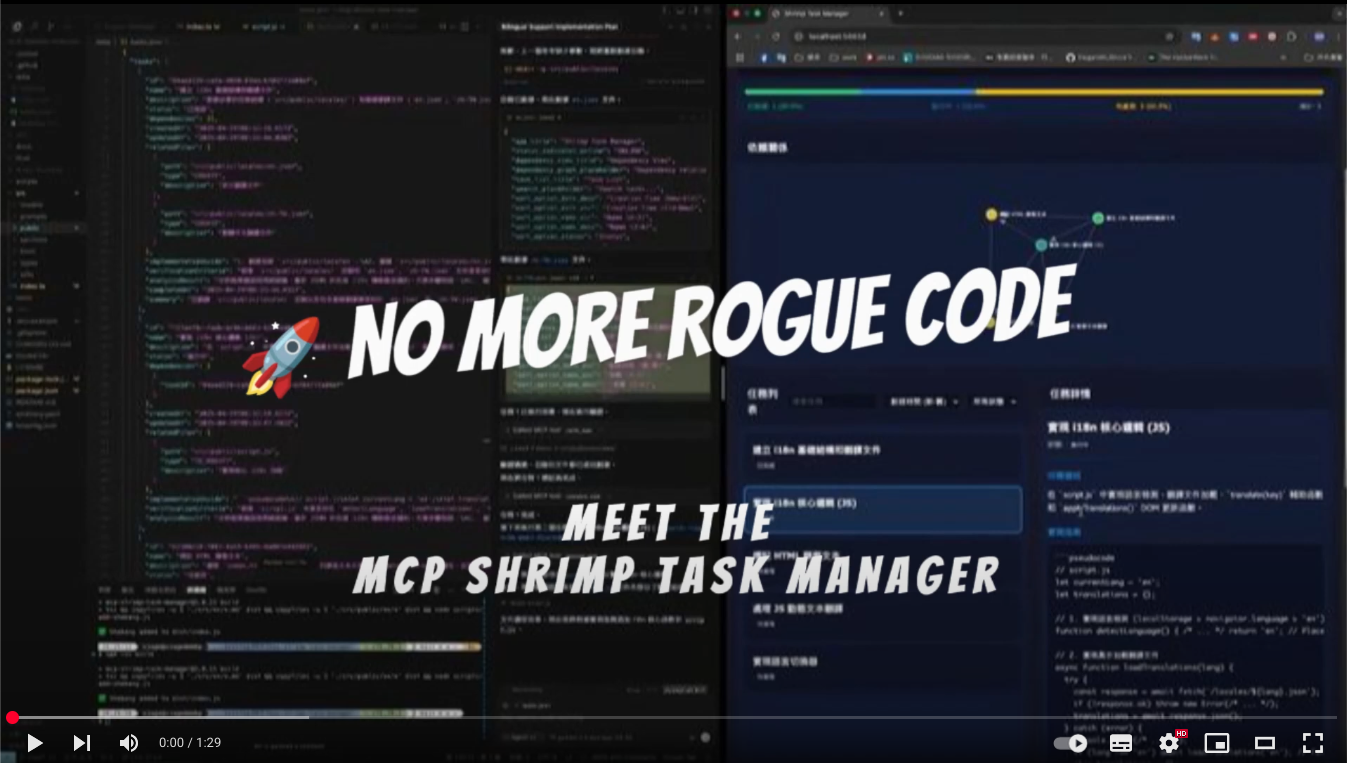
Shrimp Task Manager is an MCP server that adds task planning, dependency tracking, and persistent task memory to agent-led development. You connect it to an MCP client, then use commands like `init project rules`, `plan task`, `execute task`, and `reflect task` to work through projects step by step.
Builders who want their AI agent to turn loose requests into structured tasks and keep working context between sessions.
You can give your agent a task, track the subtasks, and resume later without re-explaining the project.
Turns a request into a structured task plan before implementation.
Breaks large work into smaller, testable subtasks.
Tracks relationships between tasks so steps run in the right order.
Saves task history and progress across sessions.
Supports investigation and comparison before choosing a solution.
Lets you assign specialized agents to specific tasks.
Keeps coding standards and project instructions in shared rule files.
Provides a React web UI for browsing and managing tasks.
# Install Claude Code globally
npm install -g @anthropic-ai/claude-code

# Start Claude Code
claude
claude --dangerously-skip-permissions --mcp-config .mcp.json
🇺🇸 English | 🇩🇪 Deutsch | 🇪🇸 Español | 🇫🇷 Français | 🇮🇹 Italiano | 🇮🇳 हिन्दी | 🇰🇷 한국어 | 🇧🇷 Português | 🇷🇺 Русский | 🇨🇳 中文
🦐 Intelligent task management for AI-powered development - Break down complex projects into manageable tasks, maintain context across sessions, and accelerate your development workflow.
Windows 11 (with WSL2):
# First, ensure WSL2 is installed (in PowerShell as Administrator)
wsl --install

# Enter Ubuntu/WSL environment
wsl -d Ubuntu

# Install Claude Code globally
npm install -g @anthropic-ai/claude-code

# Start Claude Code
claude
macOS/Linux:
# Install Claude Code globally
npm install -g @anthropic-ai/claude-code

# Start Claude Code
claude
# Clone the repository
git clone https://github.com/cjo4m06/mcp-shrimp-task-manager.git
cd mcp-shrimp-task-manager

# Install dependencies
npm install

# Build the project
npm run build
Create a .mcp.json file in your project directory:
{
  "mcpServers": {
    "shrimp-task-manager": {
      "command": "node",
      "args": ["/path/to/mcp-shrimp-task-manager/dist/index.js"],
      "env": {
        "DATA_DIR": "/path/to/your/shrimp_data",
        "TEMPLATES_USE": "en",
        "ENABLE_GUI": "false"
      }
    }
  }
}
Example configuration:
{
  "mcpServers": {
    "shrimp-task-manager": {
      "command": "node",
      "args": ["/home/fire/claude/mcp-shrimp-task-manager/dist/index.js"],
      "env": {
        "DATA_DIR": "/home/fire/claude/project/shrimp_data",
        "TEMPLATES_USE": "en",
        "ENABLE_GUI": "false"
      }
    }
  }
}
Then start Claude Code with your custom MCP configuration:
claude --dangerously-skip-permissions --mcp-config .mcp.json
Cline (VS Code Extension): A VS Code extension for AI-assisted coding. Add to VS Code settings.json under cline.mcpServers
Claude Desktop: Add to ~/Library/Application Support/Claude/claude_desktop_config.json (macOS) or %APPDATA%\Claude\claude_desktop_config.json (Windows)
"init project rules""plan task: implement user authentication""execute task" or "continuous mode"Shrimp Task Manager is an MCP (Model Context Protocol) server that transforms how AI agents approach software development. Instead of losing context or repeating work, Shrimp provides:
Modern React interface for visual task management with drag-and-drop, real-time search, and multi-profile support.
Quick Setup:
cd tools/task-viewer
npm install
npm run start:all
# Access at http://localhost:5173
📖 Full Task Viewer Documentation
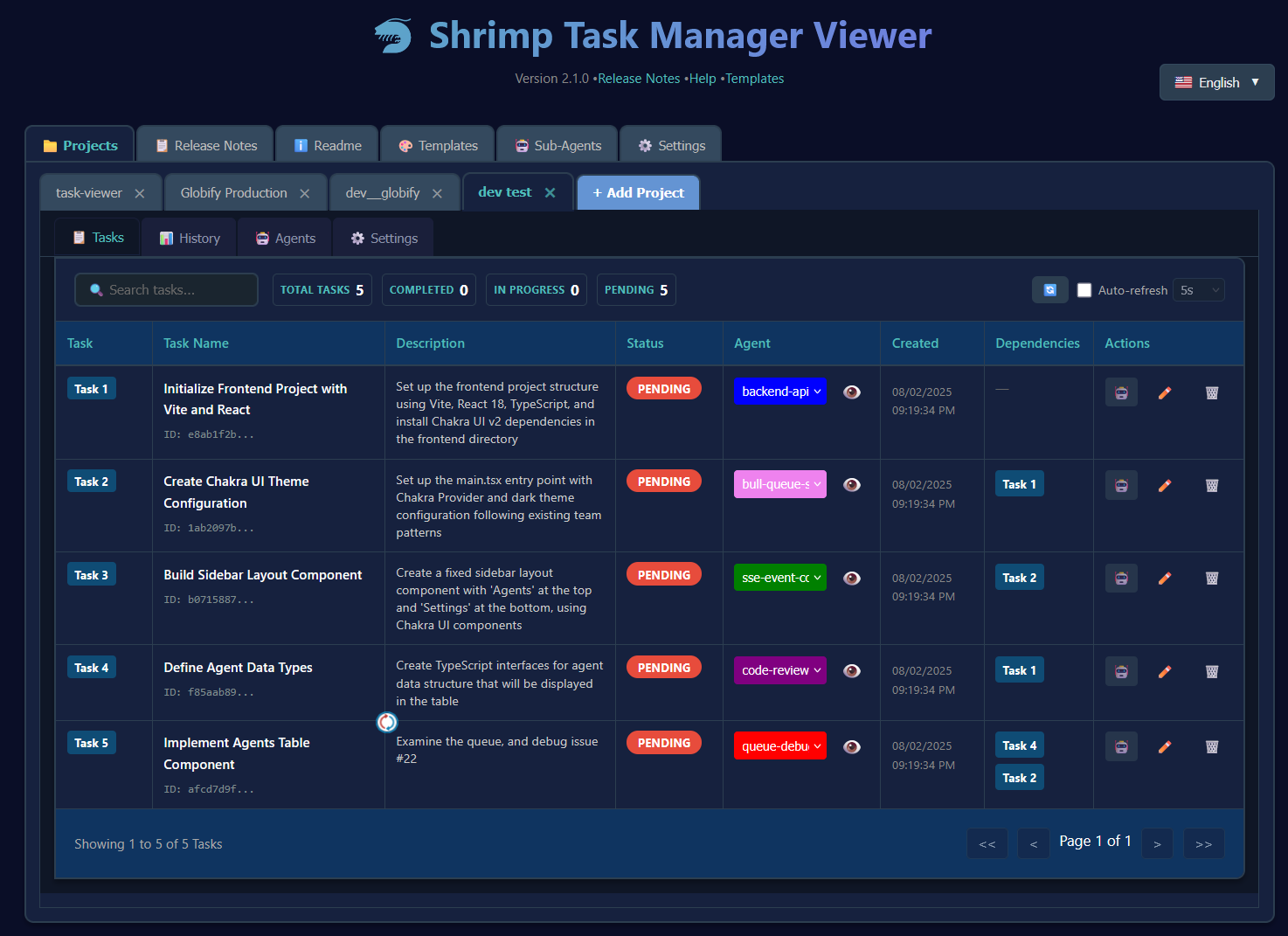
Optional lightweight web interface for quick task overview.
Enable in .env: ENABLE_GUI=true
Agent: "plan task: add user authentication with JWT"
# Agent analyzes codebase, creates subtasks

Agent: "execute task"
# Implements authentication step by step
Agent: "plan task: fix memory leak in data processing"
# Agent researches issue, creates fix plan

Agent: "continuous mode"
# Executes all fix tasks automatically
Agent: "research: compare React vs Vue for this project"
# Systematic analysis with pros/cons

Agent: "plan task: migrate component to chosen framework"
# Creates migration plan based on research
Create a .env file:
# Required
DATA_DIR=/path/to/data/storage

# Optional
ENABLE_GUI=true          # Enable web GUI
WEB_PORT=3000           # Custom web port
PROMPT_LANGUAGE=en      # Prompt language (en, zh, etc.)
| Command | Description |
|---|---|
init project rules | Initialize project standards |
plan task [description] | Create a task plan |
execute task [id] | Execute specific task |
continuous mode | Execute all tasks sequentially |
list tasks | Show all tasks |
research [topic] | Enter research mode |
reflect task [id] | Review and improve task |
We welcome contributions! Please see our Contributing Guide for details.
This project is licensed under the MIT License - see the LICENSE file for details.
Created by cjo4m06 and maintained by the community.
GitHub • Issues • Discussions
Sign in to join the discussion.
No comments yet. Be the first to say what this is good for.
Real-time global intelligence dashboard. AI-powered news aggregation, geopolitical monitoring, and infrastructure tracking in a unified situational awareness interface
High-performance code intelligence MCP server. Indexes codebases into a persistent knowledge graph — average repo in milliseconds. 158 languages, sub-ms queries, 99% fewer tokens. Single static binary, zero dependencies.

Universal provider proxy for OpenAI Codex & Claude Code — use any LLM (Claude, Gemini, Grok, DeepSeek, Ollama…) with Codex CLI, App, SDK, and Claude Code

Git-native persistent memory for AI coding agents. Implements Google OKF v0.2 with sub-300µs in-memory BM25 search, embedded MCP server, and progressive disclosure. Slashes token bloat by 80% with zero external databases or dependencies. Built in pure Go.

Local-first code intelligence graph for MCP and CLI. Builds a persistent map of your codebase so AI coding tools read only what matters, with benchmarked context reductions on reviews and large-repo workflows.

Stop your AI from making things up — it proposes, deterministic tools decide, every claim checked against ground truth with evidence. Grounded facts and context survive resets. Reverse engineering is the proving ground. MCP server + CLI.