

heygen-com/hyperframesFrameworks & SDKs
Write HTML. Render video. Built for agents.
49k
Wax stores shared memory in one local `.wax` file and lets multiple agents read and write the same notes through MCP or the Swift API. It combines text search, vector search, and on-device model hooks so you can recall prior facts instead of re-explaining them.
Builders who want their agent chats to share durable memory across sessions and tools.
You can keep useful facts, lessons, and preferences in one local file and recall them in later sessions.
Keeps documents, metadata, FTS5 text search, vectors, and WAL in one `.wax` file.
Provides an MCP server for Claude Code, Codex, Cursor, Hermes, OpenClaw, and other hosts.
Lets apps create a `Memory` store, save text, search it, and close it from Swift.
Searches by text and vectors, with MiniLM support on Apple Silicon and Apple platform targets.
Adds `waxRemember`, `waxRecall`, and `waxSearch` tools for Apple on-device models.
Includes `wax-cli`, benchmark scripts, doctor checks, and host verification helpers.
npx -y waxmcp@latest install
# 1. Stage Wax
npx -y waxmcp@latest install

# 2. Start the server and keep it running (add to your shell profile / login items)
~/.local/share/waxmcp/bin/start-wax-mcp-http.sh
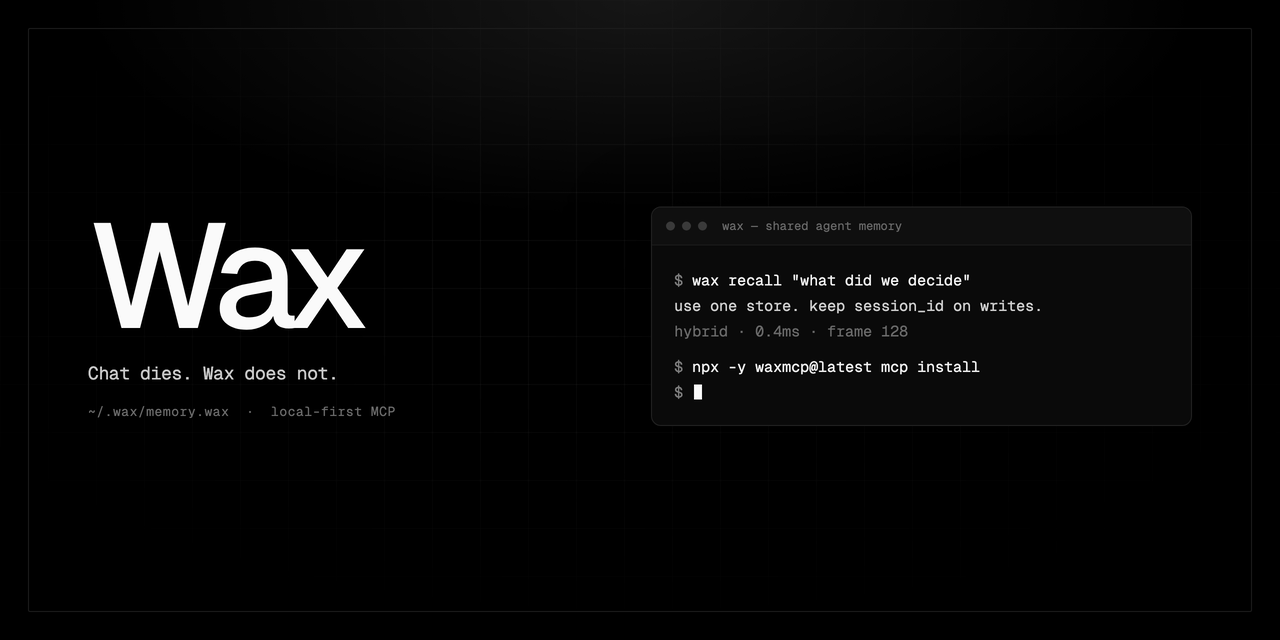
Chat dies. Wax does not.
One local .wax file for Claude, Codex, Hermes, Cursor, and Apple Foundation Models.
Searchable memory on disk. No account. No hosted vector DB.






English · Español · Français · 日本語 · 한국어 · Português · 中文
npx -y waxmcp@latest install
That stages the MCP server, MiniLM runtime, and operator skill on Apple Silicon. Wire one host, paste the playbook, and the next session can remember / recall. If this is the memory layer you wanted, star the repo so other agents find it.
Wax is a shared memory file for agents and on-device models.
Claude Code ─┐
Codex ───────┤
Cursor ──────┼─ MCP ─→  one HTTP writer  ─→  ~/.wax/memory.wax
Grok ────────┤
OpenClaw ────┘
Hermes ──────── native wax-memory provider ─↗
iPhone / Mac app ── Memory + Foundation Models tools ─↗
The store is one file. Documents, FTS5 text search, CoreML vectors, and a WAL live inside it. iCloud or AirDrop the file to another Mac or iPhone. A second MCP process on the same path will lock, so two or more hosts share http://127.0.0.1:3000/mcp.
What you get that a host scratchpad does not:
remember does not call an LLM to extract facts. You store a sentence; hybrid search finds it later.waxRemember / waxRecall / waxSearch as on-device tools.MEMORY.md curation and use the native wax-memory provider (handoffs, turn sync, wax_remember / wax_recall).Host playbook: wax-mcp-hosts.md
Give Claude Code, Cursor, Codex, Hermes, OpenClaw, or Windsurf a memory that survives the chat.
Installing the server is not enough. Hosts ignore MCP tool descriptions unless an always-on file says when to write. Paste a block below after you wire the host.
npx -y waxmcp@latest install
Claude-only can use stdio. Two or more clients must share one HTTP server on http://127.0.0.1:3000/mcp. A second process on ~/.wax/memory.wax will lock.
| Host | Wire-up |
|---|---|
| Claude Code | swift run --traits MCPServer wax-cli mcp install --scope user then claude install-skill ~/.local/share/waxmcp/skills/wax-mcp |
| Codex | [mcp_servers.wax] url = "http://127.0.0.1:3000/mcp" in ~/.codex/config.toml + copy the skill to ~/.codex/skills/wax-mcp |
| Cursor | { "mcpServers": { "wax": { "url": "http://127.0.0.1:3000/mcp" } } } in ~/.cursor/mcp.json + paste the AGENTS.md block |
| Hermes | Native memory.provider: wax-memory only. npx -y waxmcp@latest install-hermes-plugin, then hermes config set memory.provider wax-memory. Daily tools: wax_remember / wax_recall (no Wax UUID). Do not add wax-memory to plugins.enabled. Do not also register mcp_servers.wax. |
| OpenClaw | HTTP + memory plugin + paste the SOUL.md stanza into the workspace SOUL.md; replace an existing ## Memory (Wax) section |
| Anything else | HTTP URL + paste the AGENTS.md block into project AGENTS.md |
Keep HTTP up with ~/.local/share/waxmcp/bin/start-wax-mcp-http.sh or LaunchAgent ai.wax.mcp-http. Prove it with npx -y waxmcp@latest vector-health, npx -y waxmcp@latest doctor (wax-cli mcp doctor), hermes wax-memory doctor, and hermes plugins doctor wax-memory. Native recall defaults to the current project; pass scope=global for person facts. Global is not an authorization boundary.
Full snippets, LaunchAgent ai.wax.mcp-http, vector-health, Hermes doctors, and a smoke test: Resources/docs/wax-mcp-hosts.md.
The wax-mcp skill is the operator playbook. The wax skill is Swift framework integration. Different audience.
Pick the file your host actually loads on every turn.
Use the project or user AGENTS.md, CLAUDE.md, or .cursor/rules. Same text as Resources/skills/public/wax-mcp/references/project-rules.md.
Wax is shared memory. Chat dies; Wax does not.

Learn. Write the moment it would change the next agent's behavior — including a one-line correction or preference:
- user_preference — how this person works, who they are, standing corrections
- lesson — we got burned; do not do that again
- fact — a true thing about this repo or product the next agent needs
- decision / constraint — a choice that should bind later work

Skip only empty chit-chat. Store one or two sentences. Do not store chats, test logs, plan drafts, or secrets.

Open: call `session_open` (`project` = repo, stable `agent_id` / `run_id`, `conversation_id` = this host chat id when the host has one). The MCP connection remembers `session_id`; omit it on subsequent `remember`, `recall`, `compact_context`, and `session_close` calls on this connection. Keep the returned ID for `session_resume` after reconnecting or for explicitly selecting another session. Do not invent one. Same `agent_id`+`run_id` resumes. Same `conversation_id` resumes the unique live match. Same `agent_id`+project rebinds if exactly one live session exists. If more than one is live, open a new session — do not guess.

Before the first answer:
1. `recall` with `mode: text`, query = this job
2. `recall` with `scope: global`, `mode: text`, `memory_types: ["user_preference"]`, query = facts about this person / standing corrections
Empty project recall is a miss, not "I have no memory."

Lasting writes: `remember` with `memory_type` `lesson` | `user_preference` | `fact` | `decision` | `constraint`. Do not pass `scope: durable`. Type keeps them durable and stamps the project so default recall can find them. Person-facts use the connection session; read them later with `scope: global` plus `memory_types`. Never put `session_id` in `metadata`.

This job only (not the default write): `remember` with `memory_type: task_state`, `durability: working` — plan lock, failed path, landmine, before you spawn or stop. Parent writes before spawning; children often have no Wax tools.

Close when the job ends, not between turns or after compaction: `session_close` with a short state `content`, and `pending_tasks` for unfinished work. Compaction is not job end. If omit-id fails after reconnect, pass the saved UUID or call `session_open` with the same `conversation_id`. If a call returns inactive / `resumable: false`, call `session_open` again. Follow the MCP server instructions when present.
OpenClaw: the workspace SOUL.md. Native Hermes (memory.provider: wax-memory)
already owns session lifecycle — do not paste the MCP session_open loop
below into Hermes. Call wax_remember / wax_recall instead.
SOUL.md is identity. Append this section if missing. If ## Memory (Wax) already exists, replace that section. Do not replace the rest of the soul.
## Memory (Wax)

You have Wax. Chat is not memory. Learn this person and keep it.

Write the moment it would change how you treat them or the work — including a one-line correction:
- user_preference — how they work, who they are, standing corrections
- lesson — we got burned
- fact — something true that should stick
- decision / constraint — a choice that should bind later work

Store one or two sentences. Do not store chats, status, or secrets.

On every real job: call `session_open` (`project` = the repo you are in, `agent_id` = your name, `run_id` = this conversation, `conversation_id` = this host chat id). The MCP connection remembers `session_id`; omit it on subsequent `remember`, `recall`, `compact_context`, and `session_close` calls on this connection. Keep the returned ID for `session_resume` after reconnecting or for explicitly selecting another session. Do not invent one. Do not open per message. Do not close between turns or after compaction.

Before you act:
1. `recall` with `mode: text`, query = this repo/job
2. `recall` with `scope: global`, `mode: text`, `memory_types: ["user_preference"]`, query = facts about this person

Lasting writes: `remember` with `memory_type` `user_preference` | `lesson` | `fact` | `decision` | `constraint`. Do not pass `scope: durable`.

This job only: `remember` with `memory_type: task_state`, `durability: working`.

Close with `session_close` (short `content`, `pending_tasks`) when the job ends. Compaction is not job end. If omit-id fails after reconnect, pass the saved UUID or call `session_open` with the same `conversation_id`. If a call returns inactive / `resumable: false`, call `session_open` again. Follow the MCP server instructions when present.
Native Hermes (memory.provider: wax-memory) does not use that MCP paste
as its tool surface. Call wax_remember / wax_recall / wax_stats. Do not
pass a Wax session_id. Omit scope for current-project recall; pass
scope=global for person facts. Empty project recall is a miss. Do not add
wax-memory to plugins.enabled. OpenClaw still pastes the SOUL.md stanza.
Grokbot runs locally on your Mac, so Wax serves it over loopback. No tunnel. No cloud copy of your memory.
One-time setup:
# 1. Stage Wax
npx -y waxmcp@latest install

# 2. Start the server and keep it running (add to your shell profile / login items)
~/.local/share/waxmcp/bin/start-wax-mcp-http.sh
Then in Grokbot: Settings → Plugins → Add MCP server
| Field | Value |
|---|---|
| Name | wax |
| URL | http://127.0.0.1:3000/mcp |
Finally, paste this prompt into your main (coordinator) bot. It sets up its own memory and rolls Wax out to every bot on the team:
You have a memory tool server called "wax". Use it as your primary memory, and make it the primary memory for every bot on our team.

Your own memory:
- Starting any multi-step job: call session_open (project set to my name, stable agent_id/run_id), keep the returned session_id, then recall with mode text before you act. Also recall scope global for facts about me.
- While working: write lessons, user_preference, and facts with session_id the moment they show up (including a one-line correction). Do not pass scope durable. task_state is only for this job (plan, failed path, landmine).
- Finishing: session_close with a short summary and pending_tasks so your next session resumes cleanly.
- Never store passwords, tokens, or secrets. If the wax tools are missing, stop and tell me instead of improvising.

Roll out to the team:
1. List every bot we already have. For each one, add the "Your own memory" rules above to its persistent instructions/memory, then verify it can see the wax tools (have it run the wax stats tool) and report back which bots succeeded and which failed.
2. From now on, whenever you spawn a new bot, include those same rules in its starting instructions before it begins any work.
3. Save this whole policy in wax as memory_type user_preference with session_id so you keep enforcing it across sessions.
The .wax file stays on the machine. The loopback bind is unreachable from outside. Full host playbook: Resources/docs/wax-mcp-hosts.md.
Host install path (LaunchAgent ai.wax.mcp-http, vector-health, Hermes
doctors, recovery): Resources/docs/wax-mcp-hosts.md.
Claude/doctor details: Resources/docs/wax-mcp-setup.md.
Apple's on-device LanguageModelSession generates text. It does not keep a store across launches. Wax is that store: recall into the prompt, register memory tools, optionally write turns back.
Requires Apple Intelligence where the system model is available. Guard with #if canImport(FoundationModels) and WaxFoundationModelsAvailability.current(). Compilation on a machine without Apple Intelligence is not a successful respond.
import Foundation
import FoundationModels
import Wax

@available(iOS 26.0, macOS 26.0, *)
func chatWithMemory() async throws {
    let url = URL.documentsDirectory.appending(path: "assistant.wax")
    let memory = try await Memory(at: url)

    let session = memory.foundationModelsSession(
        instructions: "You are a helpful assistant with durable on-device memory."
    )

    switch WaxFoundationModelsAvailability.current() {
    case .available:
        let answer = try await session.respond(
            to: "I prefer dark mode and Vim keybindings."
        )
        print(answer)
    case .unavailable(let reason):
        print("Foundation Models unavailable: \(reason)")
    }

    try await session.close() // does not close `memory`
    try await memory.close()
}
foundationModelsSession is synchronous. It captures the Memory handle. Closing the session leaves the store open so other screens can share it.
Default config is hybrid:
| Piece | Behavior |
|---|---|
| Prompt | Recalls related memory and injects a <wax_memory> block |
| Tools | waxRemember, waxRecall, waxSearch (.focused kit) |
| Turns | Writes user and assistant turns when persistencePolicy allows it |
Attach tools to your own LanguageModelSession:
let tools = memory.foundationModelsTools(kit: .focused)
let session = LanguageModelSession(tools: tools) {
    "You have long-term memory via waxRemember / waxRecall / waxSearch."
}
Kits: .focused (default), .compact, .combined, .focusedWithForget. Full walkthrough: Foundation Models.
Same engine inside an iOS or macOS app. No MCP process required.
// Package.swift
dependencies: [
    .package(url: "https://github.com/christopherkarani/Wax.git", from: "0.1.41")
]
Or in Xcode: File → Add Package Dependencies → https://github.com/christopherkarani/Wax.git
import Foundation
import Wax

let url = URL.documentsDirectory.appending(path: "agent.wax")
let memory = try await Memory(at: url)

try await memory.save("The user is building a habit tracker in SwiftUI.")
let results = try await memory.search("What is the user building?")
if let best = results.items.first {
    print("Found: \(best.text)")
}

try await memory.close()
Memory(at:) auto-configures the on-device MiniLM embedder on iOS 18 / macOS 15+ (default MiniLMEmbeddings trait). Hybrid search is text until the embedder attaches; vectorOnly throws. Check results.diagnostics and memory.stats().
import SwiftUI
import Wax

struct ContentView: View {
    @State private var result = "Searching…"

    var body: some View {
        Text(result)
            .task {
                do {
                    let url = URL.documentsDirectory.appending(path: "agent.wax")
                    let memory = try await Memory(at: url)

                    try await memory.save("The user is building a habit tracker in SwiftUI.")
                    let context = try await memory.search("What is the user building?")

                    result = context.items.first?.text ?? "Nothing found"
                    try await memory.close()
                } catch {
                    result = "Error: \(error.localizedDescription)"
                }
            }
    }
}
Experimental Darwin facades: PhotoMemory / VideoMemory (OCR, keyframes, host-supplied transcripts; video does not store media bytes). Structured entities and facts are MCP/broker tools today (entity_upsert, fact_assert, facts_query). The Swift CRUD API for that graph is package-internal.
Public surface: public-api.md. iOS docs: christopherkarani.github.io/Wax.
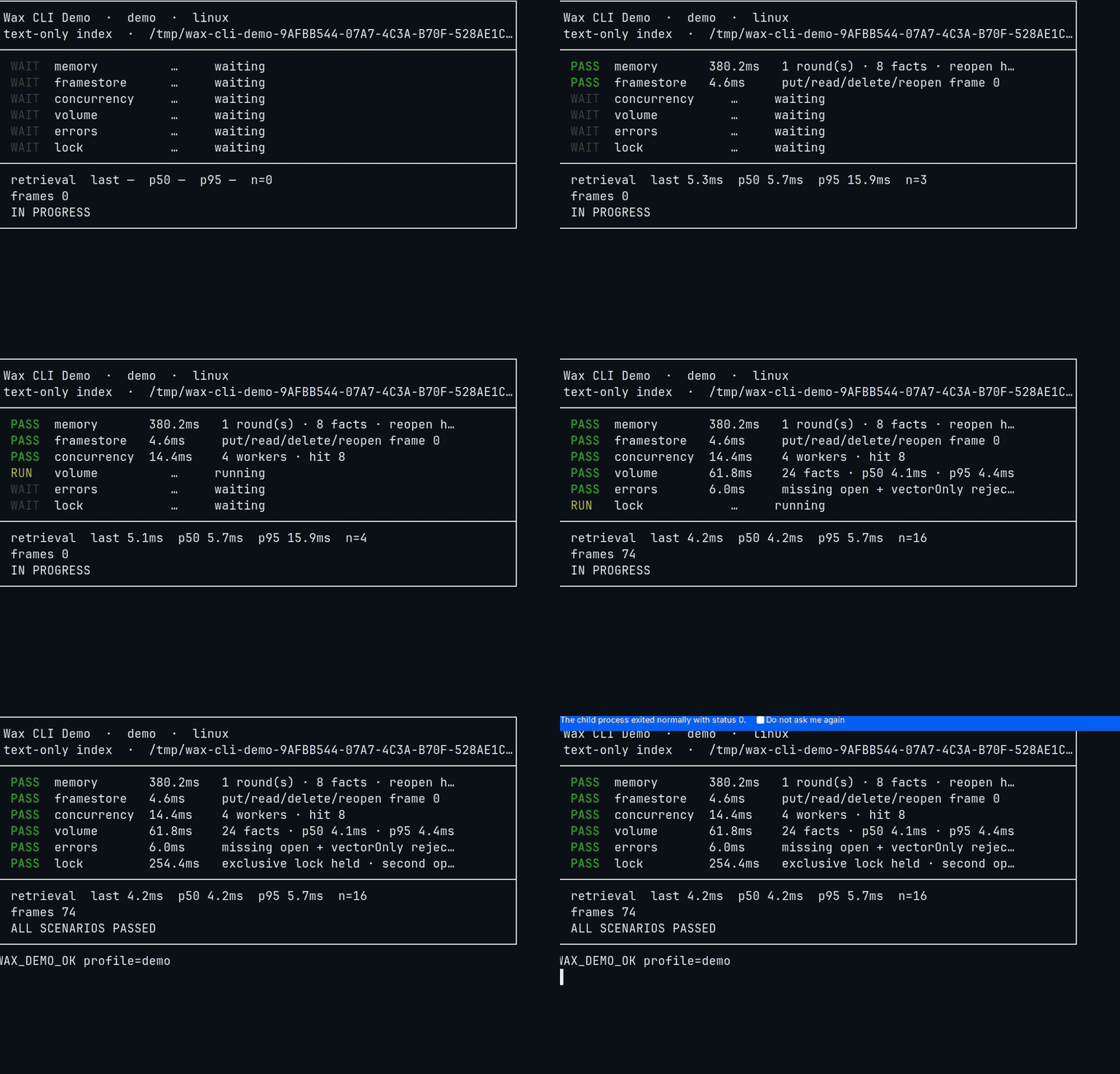
Resources/WaxDemo stress-tests Memory (save/search durability, embeddings, Foundation Models, errors). macOS 26 for the demo package; Foundation Models mode needs Apple Intelligence.
cd Resources/WaxDemo
swift run WaxDemo --mode all
| Mode | What it runs |
|---|---|
memory | Save → search → close → reopen → search |
embeddings | Built-in MiniLM + hybrid/vector search |
fm | Foundation Models memory session (or a clear unavailable message) |
all | Default |
swift run WaxDemo --mode fm --keep --store /tmp/wax-demo.wax
| Job | Typical option | Wax |
|---|---|---|
| Scratchpad the host already has | MEMORY.md / USER.md / CLAUDE.md | Searchable across sessions and projects. Agents write lessons as they happen. You do not maintain the markdown by hand. |
| Hosted memory API | Mem0, SuperMemory, and similar | One file on disk. No account. remember does not call a cloud LLM to extract facts. |
| Markdown MCP | Basic Memory and similar | Binary store with FTS5 + CoreML vectors + WAL. AirDrop the file. Same MCP session loop. |
| Knowledge graph platform | Graphiti, Cognee | Different product: those want Neo4j/Postgres and an LLM for ingest. Wax is a local file plus an agent session loop. |
| Single-file RAG | Memvid .mv2 and similar | Wax adds MCP session_open / remember / recall / session_close, a native Hermes provider, and Foundation Models tools. |
| Cloud vector DB | Pinecone, hosted Qdrant | Hybrid text + vector on Apple Silicon. p95 hybrid recall 6.1 ms on the 2026-03-06 M-series sweep. |
Wax is the shared local store. It does not replace a temporal knowledge graph, and it does not claim LoCoMo numbers it has not published.
Measured on Apple Silicon, 2026-03-06. Full report: Resources/docs/benchmarks/2026-03-06-performance-results.md.
Hybrid recall p95     6.1 ms
Hybrid recall p99     6.5 ms
Cold open p95         9.2 ms
Cold open is store open only. The built-in embedder's first CoreML compile is a separate one-time cost; later launches reuse the cached compiled model.
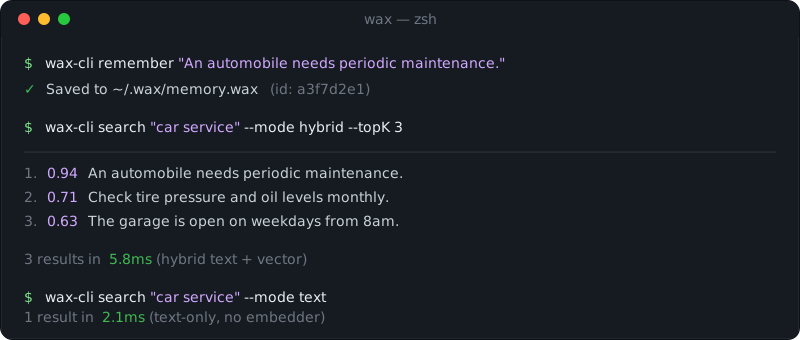
Text search works with no embedder. Semantic search auto-configures MiniLM on iOS 18 / macOS 15+. The CLI and MCP server fail loud when hybrid/vector is requested without an embedder. The Swift SDK reports the mode that ran via results.diagnostics.
Wax bundles documents, metadata, and indexes in one binary. SQLite FTS5 for text. Metal-accelerated HNSW for vectors once an index holds 10,000+ vectors; smaller indexes use an exact Accelerate/CPU flat index with the same recall.
┌──────────────────────────────────────────────────────────────────────────┐
│                          Dual Header Pages (A/B)                         │
│   (Magic, Version, Generation, Pointers to WAL & TOC, Checksums)         │
├──────────────────────────────────────────────────────────────────────────┤
│                          WAL (Write-Ahead Log)                           │
│   (Atomic ring buffer for crash-resilient uncommitted mutations)         │
├──────────────────────────────────────────────────────────────────────────┤
│                          Compressed Data Frames                          │
│   ┌──────────────────┐  ┌──────────────────┐  ┌──────────────────┐       │
│   │ Frame 0 (LZ4)    │  │ Frame 1 (LZ4)    │  │ Frame 2 (LZ4)    │ ...   │
│   │ [Raw Document]   │  │ [Metadata/JSON]  │  │ [System Info]    │       │
│   └──────────────────┘  └──────────────────┘  └──────────────────┘       │
├──────────────────────────────────────────────────────────────────────────┤
│                          Hybrid Search Indices                           │
│   ┌──────────────────────────────┐  ┌──────────────────────────────┐     │
│   │ SQLite FTS5 Blob             │  │ Metal HNSW Index             │     │
│   │ (Text Search + EAV Facts)    │  │ (Vector Search)              │     │
│   └──────────────────────────────┘  └──────────────────────────────┘     │
├──────────────────────────────────────────────────────────────────────────┤
│                          TOC (Table of Contents)                         │
│   (Index of all frames, parent-child relations, and engine manifests)    │
└──────────────────────────────────────────────────────────────────────────┘
Dual headers and the WAL keep the store consistent if the process dies mid-write. One query fans out to BM25 and HNSW. EAV facts ship through MCP tools.
Do I need the internet?
No. Memory stays on device. The npm installer fetches the staged binaries once.
How big is the file?
LZ4-compressed frames. Typical use is a few MB for thousands of documents.
Can I sync across devices?
Yes. iCloud Drive, Dropbox, AirDrop. One file.
What if the app crashes during a write?
WAL plus dual headers. The next open recovers.
Does this run on Intel Macs?
The engine can run via Rosetta. Metal vector acceleration and the waxmcp npm package target Apple Silicon. Build wax-cli from source on Intel.
I get "embedder unavailable" on hybrid search.
Hybrid and vector need a local embedding model. Swift Memory(at:) loads MiniLM on iOS 18 / macOS 15+, or set Memory.Config.embedding = .custom(...). Older OS: text-only or bring your own embedder. CLI/MCP fail loud; Swift reports the effective mode on diagnostics.
Two agents time out on the same store.
One writer. Start ~/.local/share/waxmcp/bin/start-wax-mcp-http.sh and point every host at http://127.0.0.1:3000/mcp.
Apache License 2.0. See LICENSE.
Sign in to join the discussion.
No comments yet. Be the first to say what this is good for.
Write HTML. Render video. Built for agents.
Ultra-lightweight, open-source, self-hosted personal AI agent framework in Python with WebUI, tools, memory, MCP, multi-agent workflows, automation, and chat apps

SkillOpt is a text-space optimizer that trains reusable natural-language skills for frozen LLM agents through trajectory-driven edits, validation-gated updates, and deployable best_skill.md artifacts.

Omnigent is an open-source AI agent framework and meta-harness: orchestrate Claude Code, Codex, Cursor, Pi, and custom agents — swap harnesses without rewriting, enforce policies and sandboxing, and collaborate in real time from any device.

A theoretical reconstruction of the Claude Mythos architecture, built from first principles using the available research literature.
🕷️ An adaptive Web Scraping framework that handles everything from a single request to a full-scale crawl!