

NousResearch/
hermes-agent

The agent that grows with you
245k
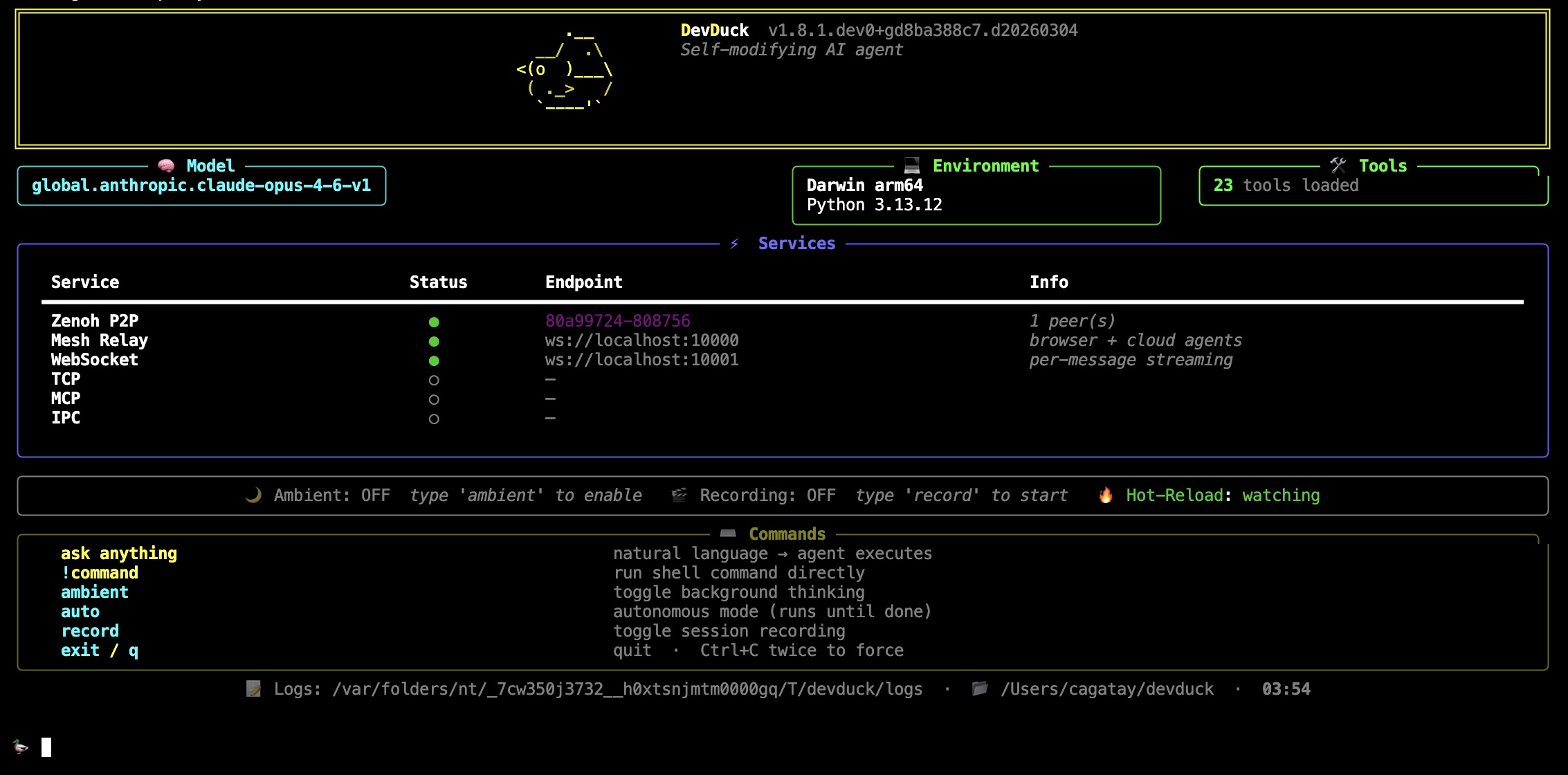
DevDuck is a self-healing agent package that runs from the terminal, TUI, WebSocket, TCP, MCP, and IPC. It can load built-in tools, hot-reload new tools from `./tools/`, record and resume sessions, and deploy or persist itself as a service.
Builders who want an autonomous agent that can stay alive, fix itself, and work across local and remote tools.
You can keep an agent running across sessions and interfaces without rebuilding the setup each time.
Edits to source or files in `./tools/` take effect without restarting the agent.
Errors trigger automatic recovery so the agent can keep running.
The agent works through CLI, TUI, WebSocket, TCP, MCP, and IPC.
It ships with many built-in tools and can add more at runtime with `manage_tools`.
You can record a run and restore it later from a saved snapshot or `.zip` session.
It can install itself as a user or system service and restart on failure.
Terminal, browser, and cloud agents can share a ring context and broadcast messages.
It can be exposed as an MCP server for Claude Desktop or other MCP clients.
devduck                              # interactive REPL
devduck --tui                        # multi-conversation terminal UI
devduck "create a REST API"          # one-shot
devduck --record                     # record session for replay
devduck --resume session.zip         # resume from snapshot
devduck deploy --launch              # ship to AgentCore
git clone git@github.com:cagataycali/devduck.git && cd devduck
python3.13 -m venv .venv && source .venv/bin/activate
pip install -e . && devduck


One file. Self-healing. Builds itself as it runs.
An AI agent that hot-reloads its own code, fixes itself when things break, and expands capabilities at runtime. Terminal, browser, cloud — or all at once.
pipx install devduck && devduck
devduck deploy --launch → AWS AgentCoredevduck service install --ssh host persists itself or spawns copies on any host (systemd/launchd)Requirements: Python 3.10–3.13 + any model provider (AWS, Anthropic, OpenAI, Ollama, Gemini, etc.)
devduck                              # interactive REPL
devduck --tui                        # multi-conversation terminal UI
devduck "create a REST API"          # one-shot
devduck --record                     # record session for replay
devduck --resume session.zip         # resume from snapshot
devduck deploy --launch              # ship to AgentCore
import devduck
devduck("analyze this code")
A real-world .zshrc config for daily driving DevDuck with all the bells and whistles:
# Model — Claude Opus via Bedrock bearer token (fastest auth, no STS calls)
export AWS_BEARER_TOKEN_BEDROCK="ABSK..."
export STRANDS_MODEL_ID="global.anthropic.claude-opus-4-6-v1"
export STRANDS_MAX_TOKENS="64000"

# Tools — curated toolset (loads faster than all 60+)
export DEVDUCK_TOOLS="devduck.tools:use_github,editor,system_prompt,store_in_kb,manage_tools,websocket,zenoh_peer,agentcore_proxy,manage_messages,sqlite_memory,dialog,listen,use_computer,tasks,scheduler,telegram;strands_tools:retrieve,shell,file_read,file_write,use_agent"

# Knowledge Base — automatic RAG (stores & retrieves every conversation)
export STRANDS_KNOWLEDGE_BASE_ID="YOUR_KB_ID"

# MCP — auto-load Strands docs server
export MCP_SERVERS='{"mcpServers":{"strands-docs":{"command":"uvx","args":["strands-agents-mcp-server"]}}}'

# Messaging — Telegram & Slack bots
export TELEGRAM_BOT_TOKEN="your-telegram-bot-token"
export SLACK_BOT_TOKEN="xoxb-your-slack-bot-token"
export SLACK_APP_TOKEN="xapp-your-slack-app-token"

# Spotify control
export SPOTIFY_CLIENT_ID="your-client-id"
export SPOTIFY_CLIENT_SECRET="your-client-secret"
export SPOTIFY_REDIRECT_URI="http://127.0.0.1:8888/callback"

# Gemini as fallback/sub-agent model
export GEMINI_API_KEY="your-gemini-key"
This gives you:
telegram(action="start_listener")wacli pairing, just whatsapp(action="start_listener")use_spotifymanage_toolsSet your key. DevDuck figures out the rest.
export ANTHROPIC_API_KEY=sk-ant-...   # → uses Anthropic
export OPENAI_API_KEY=sk-...          # → uses OpenAI
export GOOGLE_API_KEY=...             # → uses Gemini
# or just have AWS credentials        # → uses Bedrock
# or nothing at all                   # → uses Ollama
Priority: Bedrock → Anthropic → OpenAI → GitHub → Gemini → Cohere → Writer → Mistral → LiteLLM → LlamaAPI → MLX → Ollama
Override: MODEL_PROVIDER=bedrock STRANDS_MODEL_ID=us.anthropic.claude-sonnet-4-20250514-v1:0 devduck
manage_tools(action="add", tools="strands_fun_tools.cursor")
manage_tools(action="create", code='...')
manage_tools(action="fetch", url="https://github.com/user/repo/blob/main/tool.py")
Drop a .py file in ./tools/ → it's available immediately.
# ./tools/weather.py
from strands import tool
import requests

@tool
def weather(city: str) -> str:
    """Get weather for a city."""
    return requests.get(f"https://wttr.in/{city}?format=%C+%t").text
export DEVDUCK_TOOLS="strands_tools:shell,editor;devduck.tools:use_github,scheduler"
Built-in inspect tool (powered by strands-inspect) — turn any Python package into an interactive tool.
inspect(action="scan", target="json")                    # deep-scan package API
inspect(action="call", target="json.dumps", args='[{"hi": 1}]')  # call anything
inspect(action="search", target="pathlib", query="read file")
inspect(action="generate", target="requests.post")       # working code example
inspect(action="profile", target="myfunc")               # memory + CPU timeline
inspect(action="graph", target="mypkg")                  # call-graph + hotspots
No wrappers, no stubs — point it at any installed package and start calling.
devduck/
├── __init__.py       # the whole agent — single file
├── tui.py            # multi-conversation Textual UI
├── tools/            # 60+ built-in tools (hot-reloadable)
└── agentcore_handler.py  # AWS AgentCore deployment handler
graph LR
    User([👤 User]) --> Interface
    subgraph Interface[" "]
        CLI["CLI / REPL"]
        TUI["TUI"]
        WS["WebSocket"]
        TCP["TCP"]
        MCP["MCP"]
    end
    Interface --> Core["🦆 DevDuck Core"]
    Core --> Tools["🔧 Tools"]
    Core <--> Zenoh["🔗 Zenoh P2P"]
    Core <--> KB["📚 Knowledge Base"]
    Core <--> Mesh["🌐 Unified Mesh"]
    Mesh --> Browser["🖥️ Browser"]
    Mesh --> Cloud["☁️ AgentCore"]

    style Core fill:#f5a623,stroke:#333,color:#000
    style Mesh fill:#4a90d9,stroke:#333,color:#fff
    style Zenoh fill:#7ed321,stroke:#333,color:#000
    style KB fill:#9b59b6,stroke:#333,color:#fff
Ports: 10000 (mesh relay) · 10001 (WebSocket) · 10002 (TCP) · 10003 (MCP)
The TUI (devduck --tui) supports true concurrent conversations with shared awareness:
graph TB
    subgraph SharedMessages["📋 SharedMessages (thread-safe)"]
        msgs["msg1, msg2, msg3, msg4, ..."]
    end

    SharedMessages --> A1
    SharedMessages --> A2
    SharedMessages --> A3

    subgraph A1["🟦 Agent #1"]
        cb1["callback → panel #1"]
    end
    subgraph A2["🟩 Agent #2"]
        cb2["callback → panel #2"]
    end
    subgraph A3["🟨 Agent #3"]
        cb3["callback → panel #3"]
    end

    style SharedMessages fill:#e74c3c,stroke:#333,color:#fff
    style A1 fill:#3498db,stroke:#333,color:#fff
    style A2 fill:#2ecc71,stroke:#333,color:#fff
    style A3 fill:#f1c40f,stroke:#333,color:#000
Each conversation creates a fresh Agent (like TCP/Telegram tools do), but all agents point their .messages at a single SharedMessages instance — a thread-safe list subclass that serializes all reads and writes via a lock. This gives you:
The shared history is capped at 100 messages (configurable via DEVDUCK_TUI_MAX_SHARED_MESSAGES) and auto-clears on context window overflow.
Comparison across interfaces:
| Interface | Agent per request | Shared messages | Use case |
|---|---|---|---|
| CLI | No (reuse one) | N/A (single-threaded) | Sequential interactive REPL |
| TUI | Yes (fresh Agent) | Yes (SharedMessages) | Concurrent conversations with shared context |
| TCP | Yes (fresh DevDuck) | No (fully isolated) | External network clients |
| Telegram | Yes (fresh DevDuck) | No (fully isolated) | Chat bot, each user isolated |
| WebSocket | Yes (fresh DevDuck) | No (fully isolated) | Browser clients |
# Terminal 1
devduck   # → Zenoh peer: hostname-abc123

# Terminal 2
devduck   # auto-discovers Terminal 1
zenoh_peer(action="broadcast", message="git pull && npm test")  # all peers
zenoh_peer(action="send", peer_id="hostname-abc123", message="status?")  # one peer
Cross-network: ZENOH_CONNECT=tcp/remote:7447 devduck
The mesh is DevDuck's shared nervous system. Every agent — regardless of where it runs — sees what others are doing via a ring context (a shared circular buffer of recent activity).
graph TB
    subgraph Mesh["🌐 Unified Mesh (port 10000)"]
        direction TB

        T1["🖥️ Terminal DevDuck<br/>(Zenoh)"]
        T2["🖥️ Terminal DevDuck<br/>(Zenoh)"]
        B1["🌍 Browser Tab<br/>(WebSocket)"]
        AC["☁️ AgentCore<br/>(AWS Cloud)"]
        GH["🐙 GitHub Actions<br/>(HTTPS)"]

        Ring[("🔄 Ring Context<br/>shared memory<br/>last 100 msgs")]

        T1 <--> Ring
        T2 <--> Ring
        B1 <--> Ring
        AC <--> Ring
        GH <--> Ring
    end

    Registry["📁 mesh_registry.json<br/>(file-based, TTL)"]
    Relay["📡 Relay Server<br/>ws://localhost:10000"]

    Ring --> Registry
    Ring --> Relay

    style Mesh fill:#1a1a2e,stroke:#4a90d9,color:#fff
    style Ring fill:#f5a623,stroke:#333,color:#000
    style T1 fill:#7ed321,stroke:#333,color:#000
    style T2 fill:#7ed321,stroke:#333,color:#000
    style B1 fill:#4a90d9,stroke:#333,color:#fff
    style AC fill:#9b59b6,stroke:#333,color:#fff
    style GH fill:#333,stroke:#fff,color:#fff
    style Registry fill:#e74c3c,stroke:#333,color:#fff
    style Relay fill:#3498db,stroke:#333,color:#fff
Four peer types, one network:
| Peer Type | Discovery | Transport | Example |
|---|---|---|---|
| Zenoh | Multicast scouting (224.0.0.224:7446) | P2P UDP/TCP | Two terminal DevDucks auto-find each other |
| Browser | WebSocket connect to :10000 | WS | mesh.html or custom web UI registers as peer |
| AgentCore | AWS API (ListAgentRuntimes) | HTTPS | Cloud-deployed agents via devduck deploy |
| GitHub | GitHub Actions API | HTTPS | Workflow-based agents from configured repos |
How it works:
Registry (mesh_registry.py) — File-based agent registry with TTL. Any process can read/write. Zenoh peers, browser tabs, and local agents all register here.
Ring Context (unified_mesh.py) — In-memory circular buffer (last 100 entries). When any agent does something, it's pushed to the ring. CLI DevDuck injects ring context into every query so it knows what browser/cloud agents are doing.
Relay (agentcore_proxy.py) — WebSocket server on port 10000 that bridges everything:
ring_update eventsinvoke → routes to Zenoh peer or AgentCore agentlist_peers, invoke, broadcast, get_ring, add_ringZenoh (zenoh_peer.py) — P2P layer for terminal-to-terminal. Heartbeats every 5s, auto-prune stale peers, command execution on remote peers.
Ring context injection — every CLI query automatically includes recent mesh activity:
[14:20:59] local:devduck-tui (local [tui]): Q: deploy API → Done ✅
[14:21:05] browser:react-app (browser [ws]): Built component library
[14:21:10] agentcore:reviewer (cloud [aws]): PR #42 approved
This means your terminal DevDuck is always aware of what your browser agent and cloud agents just did — no explicit sync needed.
WebSocket protocol (port 10000):
{"type": "list_peers"}                              // all peers across all layers
{"type": "invoke", "peer_id": "...", "prompt": "..."} // invoke any peer
{"type": "broadcast", "message": "..."}              // send to all Zenoh peers
{"type": "get_ring", "max_entries": 20}              // recent activity
{"type": "add_ring", "agent_id": "my-bot", "text": "done"}  // push to ring
{"type": "register_browser_peer", "name": "my-ui", "model": "gpt-4o"}  // join mesh
devduck deploy --launch
devduck deploy --name reviewer --tools "strands_tools:shell,editor" --launch
devduck list        # see deployed agents
devduck invoke "analyze code" --name reviewer
DevDuck can install itself — or copies of itself — as a persistent OS service (systemd on Linux, launchd on macOS) that survives terminal close, auto-restarts on failure, and starts at boot.
# Persist the current devduck as a local service (user-level, no sudo)
devduck service install \
  --name my-bot \
  --tools "devduck.tools:telegram,scheduler;strands_tools:shell" \
  --env TELEGRAM_BOT_TOKEN=... \
  --startup-prompt "Start the telegram listener, then stay alive."

# Spawn a copy on a remote host over SSH
devduck service install \
  --name worker1 \
  --ssh user@host.example.com \
  --tools "devduck.tools:scheduler,notify;strands_tools:shell,file_read" \
  --env AWS_BEARER_TOKEN_BEDROCK=... \
  --startup-prompt "You are worker1. Stay alive."

# Manage
devduck service status    --name my-bot
devduck service logs      --name my-bot --lines 100 --follow
devduck service restart   --name my-bot
devduck service uninstall --name my-bot

# Dry-run preview without installing
devduck service show --name my-bot --ssh user@host
The service tool is loaded by default, so the agent can replicate itself on command:
import devduck

devduck.ask(
    "Spawn a copy of yourself on my worker box at ops@10.0.0.42 named "
    "'pr-watcher' with tools use_github+scheduler+telegram. Pass through "
    "my GITHUB_TOKEN and TELEGRAM_BOT_TOKEN. Its job: poll PRs every 5 "
    "min and notify me via telegram."
)
Under the hood the agent calls:
service(
    action="install",
    name="pr-watcher",
    ssh="ops@10.0.0.42",
    tools="devduck.tools:use_github,scheduler,telegram;strands_tools:shell",
    env_vars={"GITHUB_TOKEN": "...", "TELEGRAM_BOT_TOKEN": "..."},
    startup_prompt="Poll my PRs every 5 min, notify via telegram.",
)
| File | Path (user-level, Linux) |
|---|---|
| systemd unit | ~/.config/systemd/user/devduck-<name>.service |
| Env file | ~/.config/devduck/devduck-<name>.env |
| Wrapper | ~/.local/bin/devduck-<name>-agent |
| Log | ~/.cache/devduck-<name>.log |
Type=simple, Restart=always (15s), MemoryMax=8Gpydantic-core) and keeps the process alive as an idle loop so schedulers/listeners keep runninginstall is idempotent (overwrites env + unit, restarts)ssh under the hood; the target needs devduck installed (any method)Add --system (requires sudo) to install to /etc/systemd/system/ instead of user-level. On macOS, --system writes to /Library/LaunchDaemons/.
See the full guide for design notes, troubleshooting, and fleet patterns.
Expose devduck to the public internet via Cloudflare Tunnel. Works for the WebSocket server (10001), relay (10000), or any local tool.
*.trycloudflare.com URL# Install cloudflared (once)
devduck tunnel install
# Expose the WS server — returns a public URL like https://abc-def.trycloudflare.com
devduck tunnel start --name ws --port 10001
# View / stop
devduck tunnel list
devduck tunnel stop --name ws
No login, no DNS, no config — great for quick demos.
# Authenticate with Cloudflare (once, opens browser)
devduck tunnel login

# Create a named tunnel mapped to your domain
devduck tunnel create_named --name ws-duck \
  --hostname ws.example.com --port 10001

# Start it (runs in background; logs at ~/.devduck/tunnels/logs/)
devduck tunnel start --name ws-duck
Your DNS CNAME is created automatically. Config lives at
~/.cloudflared/<name>.yml and is WebSocket-ready
(originRequest.connectTimeout, noTLSVerify) by default.
Define tunnels in DEVDUCK_TUNNELS (JSON array) to spin them up at boot:
export DEVDUCK_TUNNELS='[
  {"name": "ws", "port": 10001},
  {"name": "relay", "port": 10000}
]'
devduck
By default a tunnel is wide open — anyone on the internet can talk to your
WS server. To lock it down, set DEVDUCK_WS_API_KEY on the server side. The
check is enforced inside devduck/tools/websocket.py before any session starts.
# Server
export DEVDUCK_WS_API_KEY="$(openssl rand -hex 32)"
devduck
Clients must present the key on connect via any of these:
| Method | Example |
|---|---|
| Query string | wss://ws.example.com/?api_key=YOUR_KEY |
| Header | X-API-Key: YOUR_KEY |
| Bearer auth | Authorization: Bearer YOUR_KEY |
Wrong/missing key → server closes with WebSocket code 4401 Unauthorized.
duck.nyc web client: paste the same key into
Settings → DevDuck WS API key. It's appended to every local + relay
WebSocket URL automatically.
// Raw JS client
new WebSocket(`wss://ws.example.com/?api_key=${encodeURIComponent(KEY)}`)
# Python client
import websockets, urllib.parse
key = urllib.parse.quote(os.environ["DEVDUCK_WS_API_KEY"])
async with websockets.connect(f"wss://ws.example.com/?api_key={key}") as ws:
    ...
Unset DEVDUCK_WS_API_KEY (or set it to empty) to disable auth again.
devduck --record                  # captures sys/tool/agent events
devduck --resume session.zip      # restores conversation + state
devduck --resume session.zip "continue where we left off"
from devduck import load_session
session = load_session("session.zip")
session.resume_from_snapshot(2, agent=devduck.agent)
Asciinema: DEVDUCK_ASCIINEMA=true devduck → shareable .cast files.
# Standard ambient — thinks while you're idle
DEVDUCK_AMBIENT_MODE=true devduck

# Autonomous — works until done
🦆 auto
# Agent signals [AMBIENT_DONE] when finished
# Telegram
TELEGRAM_BOT_TOKEN=... STRANDS_TELEGRAM_AUTO_REPLY=true devduck
telegram(action="start_listener")

# Slack
SLACK_BOT_TOKEN=xoxb-... SLACK_APP_TOKEN=xapp-... devduck
slack(action="start_listener")

# WhatsApp (via wacli, no Cloud API)
whatsapp(action="start_listener")
Each incoming message spawns a fresh DevDuck with full tool access.
Expose as server (Claude Desktop):
{"mcpServers": {"devduck": {"command": "uvx", "args": ["devduck", "--mcp"]}}}
Load external servers:
export MCP_SERVERS='{"mcpServers": {"docs": {"command": "uvx", "args": ["strands-agents-mcp-server"]}}}'
One tool to rule them all. Load any OpenAPI/Swagger spec (JSON or YAML), authenticate once, and call any endpoint. Tokens persist to disk and auto-refresh — no re-auth needed.
# 1. Load any spec (JSON, YAML, local file, or GitHub URL)
openapi(action="load", spec_url="https://petstore3.swagger.io/api/v3/openapi.json")
openapi(action="load", spec_url="https://raw.githubusercontent.com/sonallux/spotify-web-api/main/fixed-spotify-open-api.yml")
openapi(action="load", spec_url="./my-local-spec.yaml")
openapi(action="load", spec_url="https://github.com/owner/repo/blob/main/openapi.yml")  # auto-converts to raw

# 2. List operations
openapi(action="list", alias="spotify")

# 3. Call endpoints
openapi(action="call", alias="spotify", operation="get-current-users-profile")
openapi(action="call", alias="petstore", operation="findPetsByStatus", params='{"status": "available"}')
Supports every auth method you'll encounter in the wild:
# API Key
openapi(action="auth", alias="weather", api_key="sk-xxx")

# Bearer Token
openapi(action="auth", alias="myapi", token="eyJhbG...")

# Basic Auth
openapi(action="auth", alias="jenkins", username="admin", password="secret")

# OAuth2 — Authorization Code (opens browser, waits for callback)
openapi(action="auth", alias="spotify", auth_flow="authorization_code",
        client_id="xxx", client_secret="yyy",
        scopes="user-read-private,playlist-read-private")

# OAuth2 — Client Credentials (server-to-server, no br
Sign in to join the discussion.
No comments yet. Be the first to say what this is good for.
The agent that grows with you

Open-source coding agent for your terminal, built in Rust and on a journey of continuous community improvement. Issues and PRs welcome.
A lightweight alternative to OpenClaw that runs in containers for security. Connects to WhatsApp, Telegram, Slack, Discord, Gmail and other messaging apps,, has memory, scheduled jobs, and runs directly on Anthropic's Agents SDK

OpenSquilla — Token-Efficient AI Agent with same budget, higher intelligence density
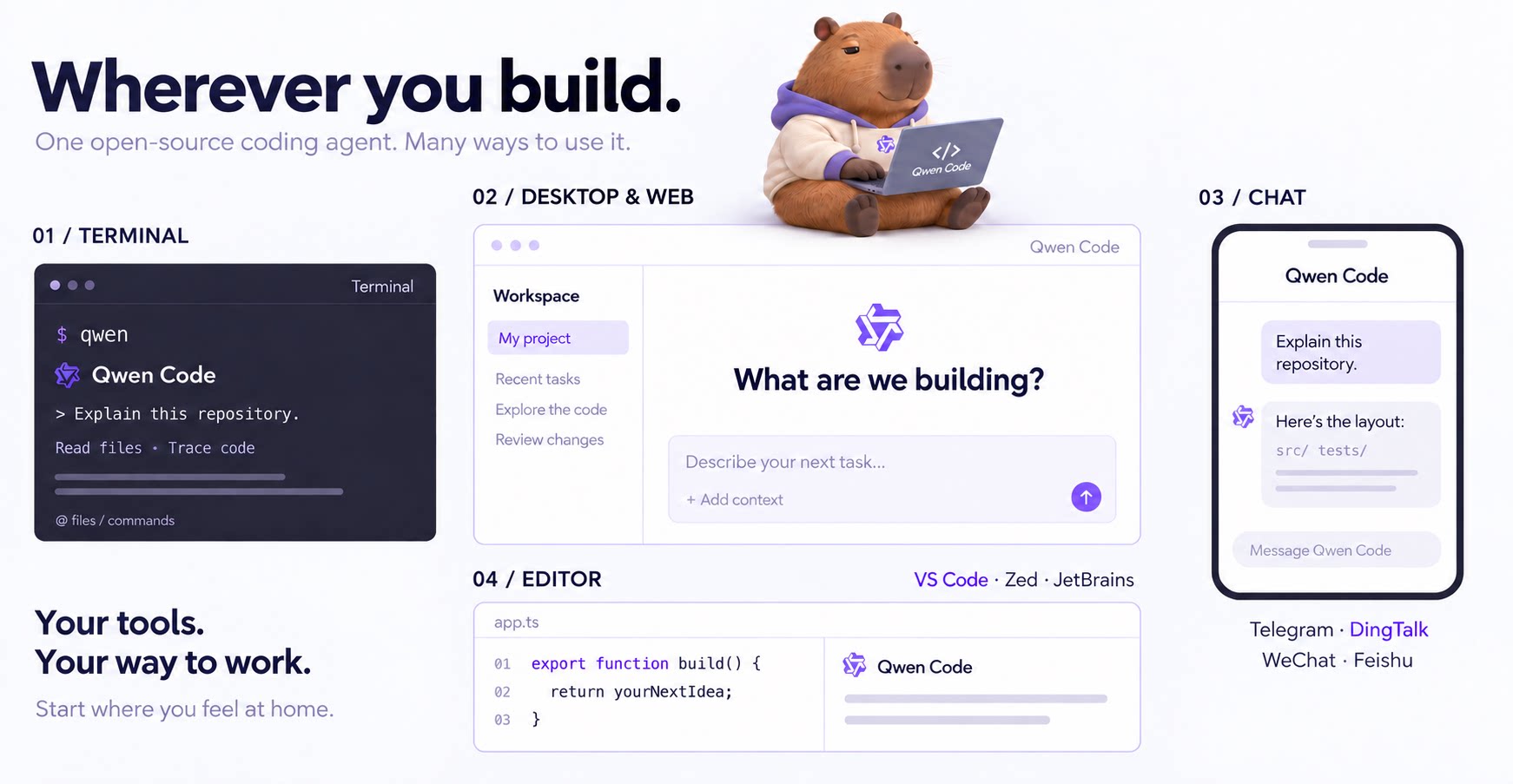
An open-source AI coding agent that lives in your terminal.

Run and supervise teams of coding agents from planning to merge. Any harness (Claude code, codex, +25 more). Desktop, web, mobile, and cloud agents.