
koala73/worldmonitorConnectors
Real-time global intelligence dashboard. AI-powered news aggregation, geopolitical monitoring, and infrastructure tracking in a unified situational awareness interface
86k
DBHub sits between an MCP client and your databases, so the agent can run SQL, search schema objects, and use optional tools like explain plans and health checks. It keeps the default tool set small to preserve context, while still supporting multiple databases, multiple connections, and guardrails like read-only mode, row limits, timeouts, and SSH or TLS access.
Builders who want Claude Code, Cursor, or other MCP clients to query databases without setting up a different server for each one.
You can inspect and troubleshoot databases from your agent with fewer tools, less context overhead, and safer defaults.
Ships with just `execute_sql` and `search_objects` by default to keep token use low.
Connects to PostgreSQL, MySQL, MariaDB, SQL Server, and SQLite through one MCP server.
Uses TOML configuration to connect to several databases at once.
Supports read-only mode, row limits, and query timeouts to reduce runaway queries.
Supports SSH tunneling and SSL/TLS encryption for database connections.
Adds `explain_sql`, `health_check`, and custom SQL tools when you want them.
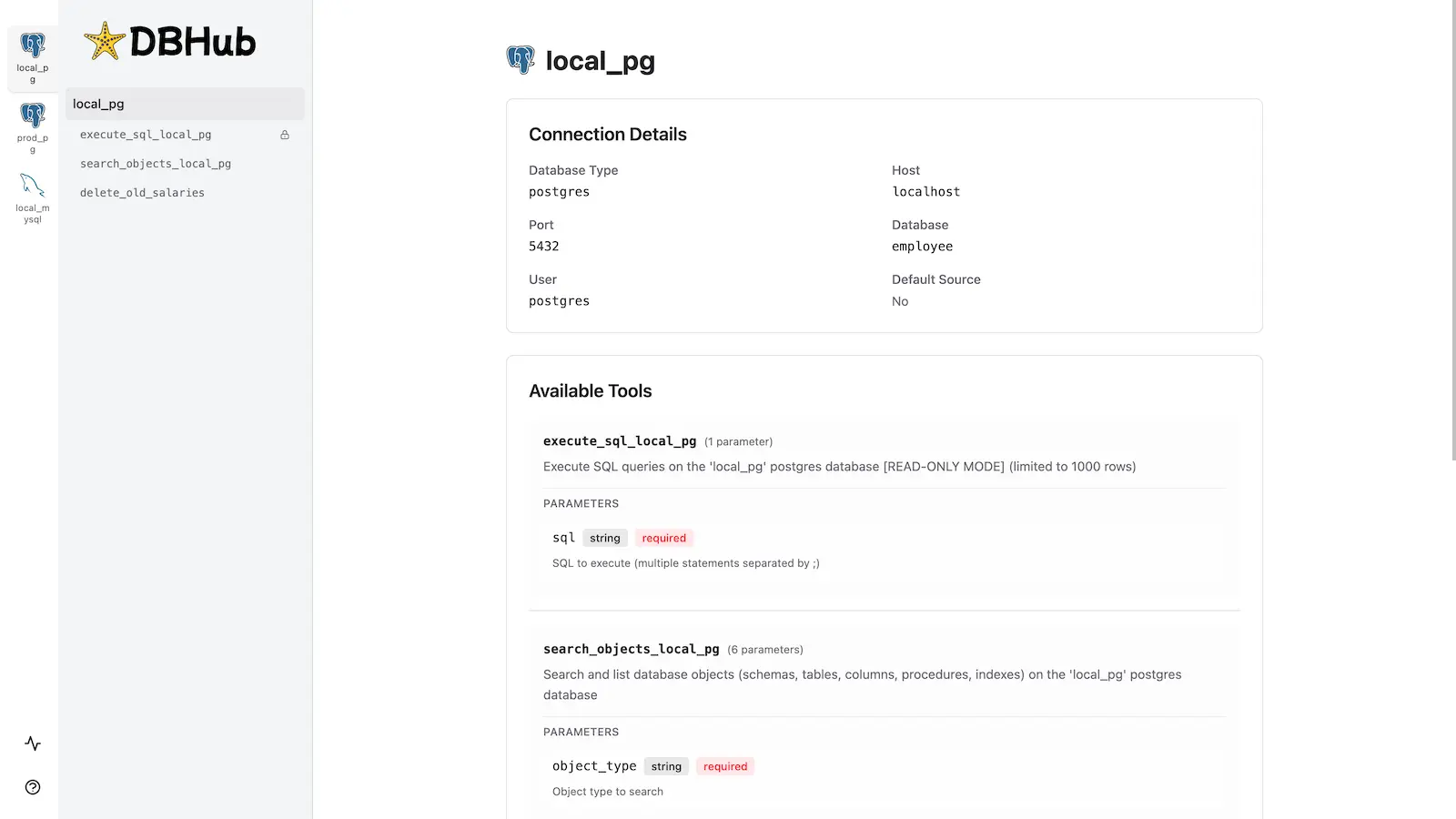
Includes a web interface for running queries, custom tools, and viewing request traces without an MCP client.
npx @bytebase/dbhub@latest --transport http --port 8080 --dsn "postgres://user:password@localhost:5432/dbname?sslmode=disable"
[!NOTE]
Brought to you by Bytebase, open-source database governance platform.


            +------------------+    +--------------+    +------------------+
            |                  |    |              |    |                  |
            |                  |    |              |    |                  |
            |  Claude Desktop  +--->+              +--->+    PostgreSQL    |
            |                  |    |              |    |                  |
            |  Claude Code     +--->+              +--->+    SQL Server    |
            |                  |    |              |    |                  |
            |  Cursor          +--->+    DBHub     +--->+    SQLite        |
            |                  |    |              |    |                  |
            |  VS Code         +--->+              +--->+    MySQL         |
            |                  |    |              |    |                  |
            |  Copilot CLI     +--->+              +--->+    MariaDB       |
            |                  |    |              |    |                  |
            |                  |    |              |    |                  |
            +------------------+    +--------------+    +------------------+
                 MCP Clients           MCP Server             Databases
DBHub is a minimal MCP server: token-efficient, zero-dependency, and just two tools by default with opt-in extras. This lightweight gateway allows MCP-compatible clients to connect to and explore different databases:
DBHub is the official example in the Claude Code docs for connecting to PostgreSQL via MCP.
DBHub loads just 2 tools by default at 1.4k tokens — 13-14x fewer than alternatives — keeping the context window open for your actual work.
| MCP Server | Default Config | Default Tools |
|---|---|---|
| DBHub | 1.4k | 2 (execute_sql, search_objects) |
| MCP Toolbox | 19.0k | 28 |
| Supabase MCP | 19.3k | all |
PostgreSQL, MySQL, SQL Server, MariaDB, and SQLite.
DBHub implements MCP tools for database operations:
dbhub.toml configuration fileDBHub includes a built-in web interface for interacting with your database tools. It provides a visual way to execute queries, run custom tools, and view request traces without requiring an MCP client.
npx @bytebase/dbhub@latest --transport http --port 8080 --dsn "postgres://user:password@localhost:5432/dbname?sslmode=disable"
Also available as:
See the Installation Guide for all options, Command-Line Options for parameters, and Multi-Database Configuration for connecting several databases at once.
Requires Node.js >= 22.5.0 (DBHub uses the built-in node:sqlite module).
# Install dependencies
pnpm install

# Run in development mode
pnpm dev

# Build and run for production
pnpm build && pnpm start --transport stdio --dsn "postgres://user:password@localhost:5432/dbname"
Sign in to join the discussion.
No comments yet. Be the first to say what this is good for.
Real-time global intelligence dashboard. AI-powered news aggregation, geopolitical monitoring, and infrastructure tracking in a unified situational awareness interface
High-performance code intelligence MCP server. Indexes codebases into a persistent knowledge graph — average repo in milliseconds. 158 languages, sub-ms queries, 99% fewer tokens. Single static binary, zero dependencies.

Universal provider proxy for OpenAI Codex & Claude Code — use any LLM (Claude, Gemini, Grok, DeepSeek, Ollama…) with Codex CLI, App, SDK, and Claude Code

Git-native persistent memory for AI coding agents. Implements Google OKF v0.2 with sub-300µs in-memory BM25 search, embedded MCP server, and progressive disclosure. Slashes token bloat by 80% with zero external databases or dependencies. Built in pure Go.

Local-first code intelligence graph for MCP and CLI. Builds a persistent map of your codebase so AI coding tools read only what matters, with benchmarked context reductions on reviews and large-repo workflows.

Stop your AI from making things up — it proposes, deterministic tools decide, every claim checked against ground truth with evidence. Grounded facts and context survive resets. Reverse engineering is the proving ground. MCP server + CLI.