

High-performance code intelligence MCP server. Indexes codebases into a persistent knowledge graph — average repo in milliseconds. 158 languages, sub-ms queries, 99% fewer tokens. Single static binary, zero dependencies.
Local MCP gateway for shared tool access
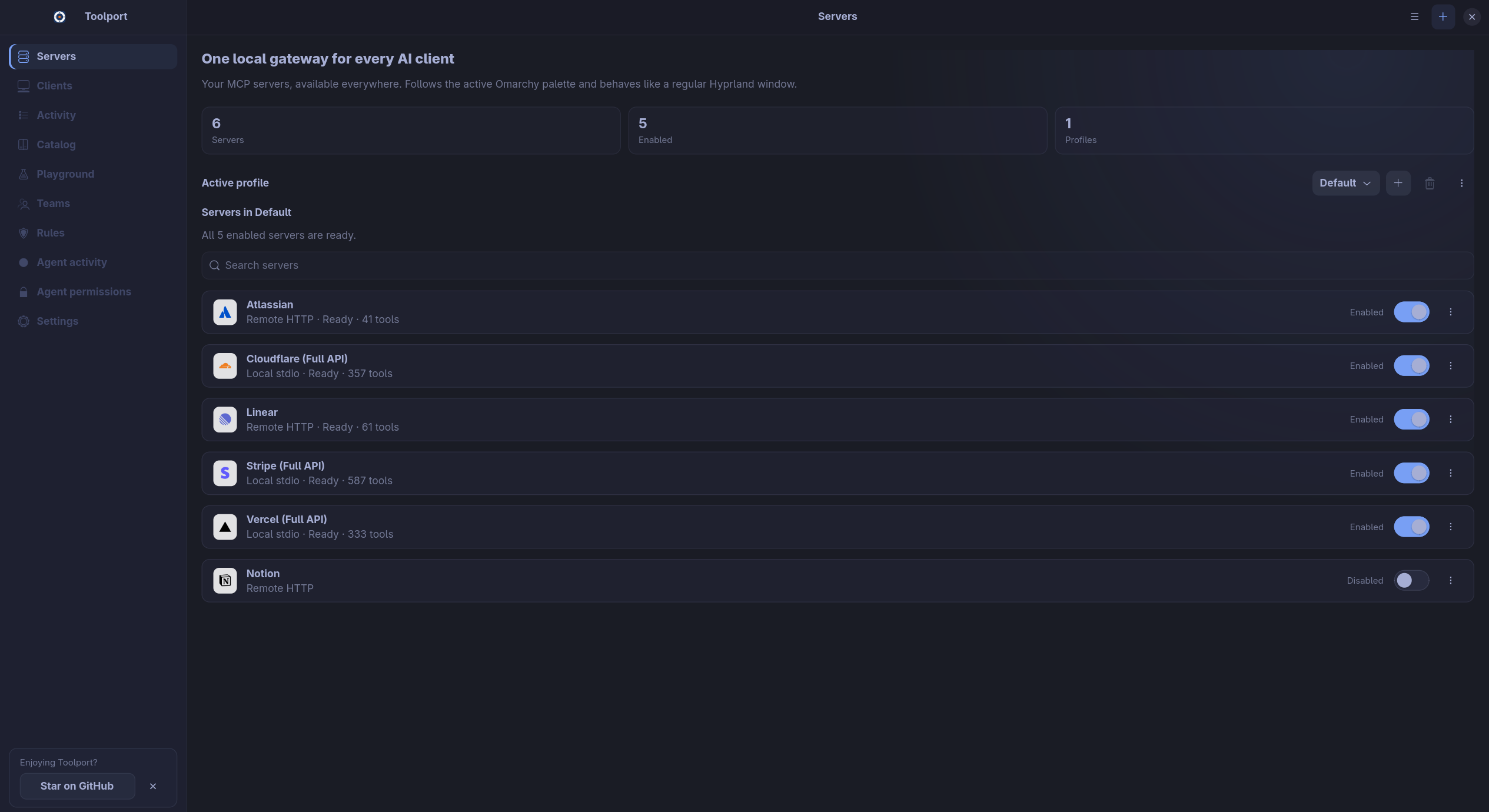
Toolport is a local gateway for MCP servers, so you can set up tools once and use them in several AI clients. It routes access through profiles, stores secrets in the OS keychain, and lets you review or restrict tool calls from one place.
Builders who connect MCP tools to Claude, Cursor, Codex, VS Code, or similar clients.
You can set up your tool servers once and reuse them across clients without re-entering credentials or copying configs.
What it does
Shared tool gateway
Connect MCP servers once and make them available to multiple AI clients.
Lazy discovery
Find tools only when needed instead of loading every tool definition up front.
Keychain-backed secrets
Store credentials in the operating system keychain instead of client config files.
Tool controls
Disable tools, require approval for destructive calls, and review activity in one place.
Client profiles and shared rules
Choose which servers each client can access and apply agent rules across supported clients.
How to get it
- 1Requires Node.js and stable Rust, plus the platform dependencies described in…
npm ci npm run build:gateway npm run tauri dev
README
Toolport
Set up your MCP servers once. Use them in every AI client.
Toolport is a local gateway for MCP, the protocol that gives AI apps access to tools like GitHub, Slack, and databases. Connect your servers once, then share them across Claude, Cursor, Codex, VS Code, and other clients.
Download · Website & demo · Discord
Why Toolport?
- Less context overhead. Agents search for tools when they need them instead of loading every tool definition up front. See the benchmarks.
- One setup for every client. Add and authenticate each server once. Use profiles to choose which servers each client can access.
- Keys stay local. Credentials live in your OS keychain, outside client configs.
- Control over tool calls. Disable tools, require approval for destructive calls, and review activity in one place.
- Shared agent rules. Write instructions once and apply them to supported clients, with a preview before changes are written.
Get started
- Download Toolport for Windows, macOS, or Linux.
- Add a server from the catalog, import an existing setup, or paste a server config.
- Authenticate the server, then open Clients and connect your AI apps.
Installers and release notes are also on GitHub Releases. For Linux desktop integration, see Toolport on Omarchy.
Documentation
- Supported clients and setup
- Profiles, environment variables, and configuration
- Agent rules and permissions
- Headless gateway and Docker
- Open WebUI and agent plugin
- Security and troubleshooting
- Changelog
Development
Requires Node.js and stable Rust, plus the platform dependencies described in Contributing.
npm ci
npm run build:gateway
npm run tauri dev
See Contributing for testing and build instructions.
Toolport Teams
Share server configuration and policies across a team while each member keeps their own credentials. Hosted and self-hosted options.
License
The desktop app and gateway are MIT licensed.
Files in the repo
- .github
- .husky
- .vscode
- benchmark
- data
- docs
- packaging
- scripts
- src
- src-tauri
- .coderabbit.yaml
- .dockerignore
- .git-blame-ignore-revs
- .gitattributes
- .gitignore
- .prettierignore
- .prettierrc.json
- ARCH-REPO-SETUP.md
- BENCHMARK.md
- CHANGELOG.md
- CODE_OF_CONDUCT.md
- components.json
- CONTRIBUTING.md
- docker-compose.example.yml
- Dockerfile
- Dockerfile.source
- eslint.config.mjs
- glama.json
- index.html
- LICENSE
- package-lock.json
- package.json
- README.md
- SECURITY.md
- tsconfig.json
- tsconfig.node.json
- vite.config.ts
Discussion (0)
Ask about usage, or say what you built with itSign in to join the discussion.
No comments yet. Be the first to say what this is good for.
More connectors

Universal provider proxy for OpenAI Codex & Claude Code — use any LLM (Claude, Gemini, Grok, DeepSeek, Ollama…) with Codex CLI, App, SDK, and Claude Code
Git-native persistent memory for AI coding agents. Implements Google OKF v0.2 with sub-300µs in-memory BM25 search, embedded MCP server, and progressive disclosure. Slashes token bloat by 80% with zero external databases or dependencies. Built in pure Go.
Local-first code intelligence graph for MCP and CLI. Builds a persistent map of your codebase so AI coding tools read only what matters, with benchmarked context reductions on reviews and large-repo workflows.
Stop your AI from making things up — it proposes, deterministic tools decide, every claim checked against ground truth with evidence. Grounded facts and context survive resets. Reverse engineering is the proving ground. MCP server + CLI.
20 MB lightweight cross-platform database client for 90+ databases, including MySQL, PostgreSQL, SQLite, Redis, MongoDB, DuckDB, SQL Server, and Dameng. Built-in AI, MCP Server, CLI, desktop and Docker. | 轻量级跨平台数据库管理工具,支持 MySQL、PostgreSQL、SQLite、Redis、MongoDB、达梦等 90+ 数据库,提供桌面端、Docker、CLI、内置 AI 助手和 MCP Server。
