
koala73/worldmonitorConnectors
Real-time global intelligence dashboard. AI-powered news aggregation, geopolitical monitoring, and infrastructure tracking in a unified situational awareness interface
86k
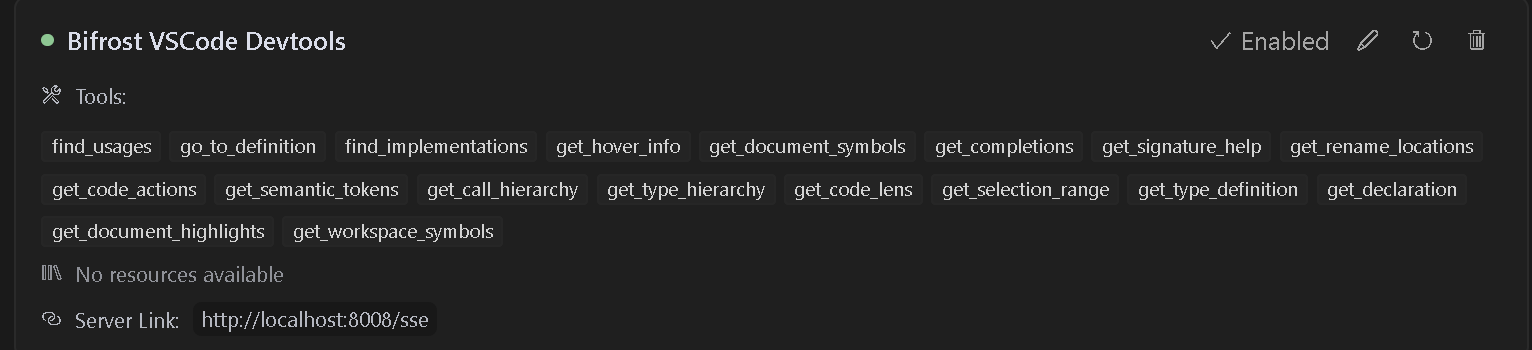
Bifrost is a VS Code extension that starts an MCP server and publishes editor capabilities to AI assistants. Those tools include references, definitions, rename, completions, semantic tokens, code actions, and workspace symbol search. It is meant to sit between your editor and an MCP client so the agent can use the language server through VS Code.
Builders who want their agent to navigate, inspect, and rename code through VS Code language features.
You can let your assistant use real editor intelligence for navigation, refactors, and code search.
Starts an HTTP/SSE MCP server from the extension and exposes editor capabilities on localhost.
Provides find usages, go to definition, implementations, declarations, type definitions, and workspace symbols.
Surfaces rename locations, rename operations, code actions, and selection ranges for safer edits.
Returns hover info, completions, signature help, document symbols, highlights, and semantic tokens.
Reads `bifrost.config.json` so each project can use its own port and SSE path.
Includes sample Cursor and MDC rule files to help assistants use the tools well.

This VS Code extension provides a Model Context Protocol (MCP) server that exposes VSCode's powerful development tools and language features to AI tools. It enables advanced code navigation, analysis, and manipulation capabilities when using AI coding assistants that support the MCP protocol.
The extension will automatically start an MCP server when activated. To configure an AI assistant to use this server:
bifrost.config.json)http://localhost:8008/ssehttp://localhost:8008/messageI have also provided sample rules that can be used in .cursorrules files for better results.
{
  "mcpServers": {
    "Bifrost": {
      "command": "cmd",
      "args": [
        "/c",
        "npx",
        "-y",
        "supergateway",
        "--sse",
        "http://localhost:8008/sse"
      ],
      "disabled": false,
      "autoApprove": [],
      "timeout": 600
    }
  }
}
{
  "mcpServers": {
    "Bifrost": {
      "command": "npx",
      "args": [
        "-y",
        "supergateway",
        "--sse",
        "http://localhost:8008/sse"
      ],
      "disabled": false,
      "autoApprove": [],
      "timeout": 600
    }
  }
}
{
  "mcpServers": {
    "Bifrost": {
      "url": "http://localhost:8008/sse"
    }
  }
}
Follow this video to install and use with cursor
{
  "mcpServers": {
    "Bifrost": {
      "url": "http://localhost:8008/sse"
    }
  }
}
When working with multiple projects, each project can have its own dedicated MCP server endpoint and port. This is useful when you have multiple VS Code windows open or are working with multiple projects that need language server capabilities.
Create a bifrost.config.json file in your project root:
{
    "projectName": "MyProject",
    "description": "Description of your project",
    "path": "/my-project",
    "port": 5642
}
The server will use this configuration to:
http://localhost:5642/my-project/sse){
"projectName": "BackendAPI",
"description": "Node.js REST API with TypeScript",
"path": "/backend-api",
"port": 5643
}
{
    "projectName": "FrontendApp",
    "description": "React frontend application",
    "path": "/frontend-app",
    "port": 5644
}
Each project should specify its own unique port to avoid conflicts when multiple VS Code instances are running:
port field in bifrost.config.json determines which port the server will useUpdate your AI assistant configuration to use the project-specific endpoint and port:
{
  "mcpServers": {
    "BackendAPI": {
      "url": "http://localhost:5643/backend-api/sse"
    },
    "FrontendApp": {
      "url": "http://localhost:5644/frontend-app/sse"
    }
  }
}
If no bifrost.config.json is present, the server will use the default configuration:
http://localhost:8008/ssehttp://localhost:8008/messageThis maintains compatibility with existing configurations and tools.
The extension provides access to many VSCode language features including:
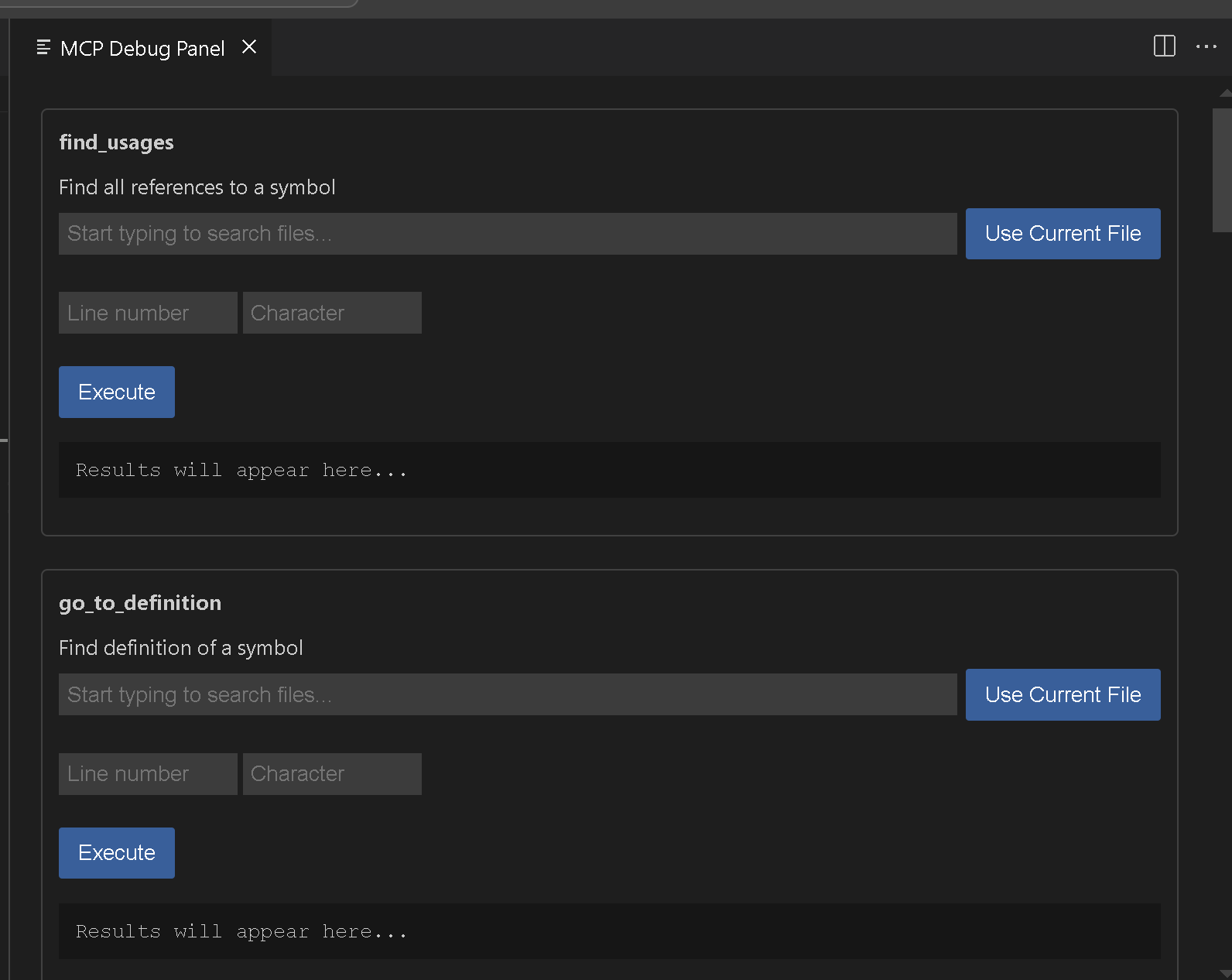
Bifrost MCP: Start Server - Manually start the MCP server on port 8008Bifrost MCP: Start Server on port - Manually start the MCP server on specified portBifrost MCP: Stop Server - Stop the running MCP serverBifrost MCP: Open Debug Panel - Open the debug panel to test available tools
{
  "name": "find_usages",
  "arguments": {
    "textDocument": {
      "uri": "file:///path/to/your/file"
    },
    "position": {
      "line": 10,
      "character": 15
    },
    "context": {
      "includeDeclaration": true
    }
  }
}
{
  "name": "get_workspace_symbols",
  "arguments": {
    "query": "MyClass"
  }
}
If you encounter issues:
Here are Vscodes commands if you want to add additional functionality go ahead. I think we still need rename and a few others. Please feel free to submit issues or pull requests to the GitHub repository.
vsce package
Use the MCP: Open Debug Panel command
This extension is licensed under the APGL-3.0 License.
Sign in to join the discussion.
No comments yet. Be the first to say what this is good for.
Real-time global intelligence dashboard. AI-powered news aggregation, geopolitical monitoring, and infrastructure tracking in a unified situational awareness interface
High-performance code intelligence MCP server. Indexes codebases into a persistent knowledge graph — average repo in milliseconds. 158 languages, sub-ms queries, 99% fewer tokens. Single static binary, zero dependencies.

Universal provider proxy for OpenAI Codex & Claude Code — use any LLM (Claude, Gemini, Grok, DeepSeek, Ollama…) with Codex CLI, App, SDK, and Claude Code

Git-native persistent memory for AI coding agents. Implements Google OKF v0.2 with sub-300µs in-memory BM25 search, embedded MCP server, and progressive disclosure. Slashes token bloat by 80% with zero external databases or dependencies. Built in pure Go.

Local-first code intelligence graph for MCP and CLI. Builds a persistent map of your codebase so AI coding tools read only what matters, with benchmarked context reductions on reviews and large-repo workflows.

Stop your AI from making things up — it proposes, deterministic tools decide, every claim checked against ground truth with evidence. Grounded facts and context survive resets. Reverse engineering is the proving ground. MCP server + CLI.