
koala73/worldmonitorConnectors
Real-time global intelligence dashboard. AI-powered news aggregation, geopolitical monitoring, and infrastructure tracking in a unified situational awareness interface
86k
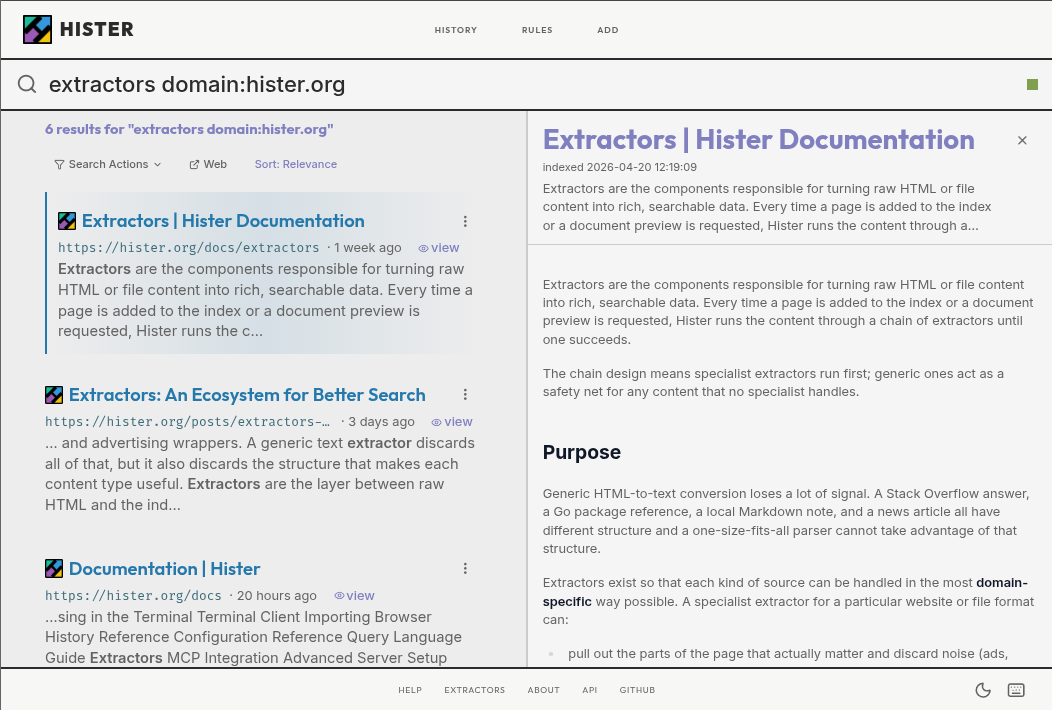
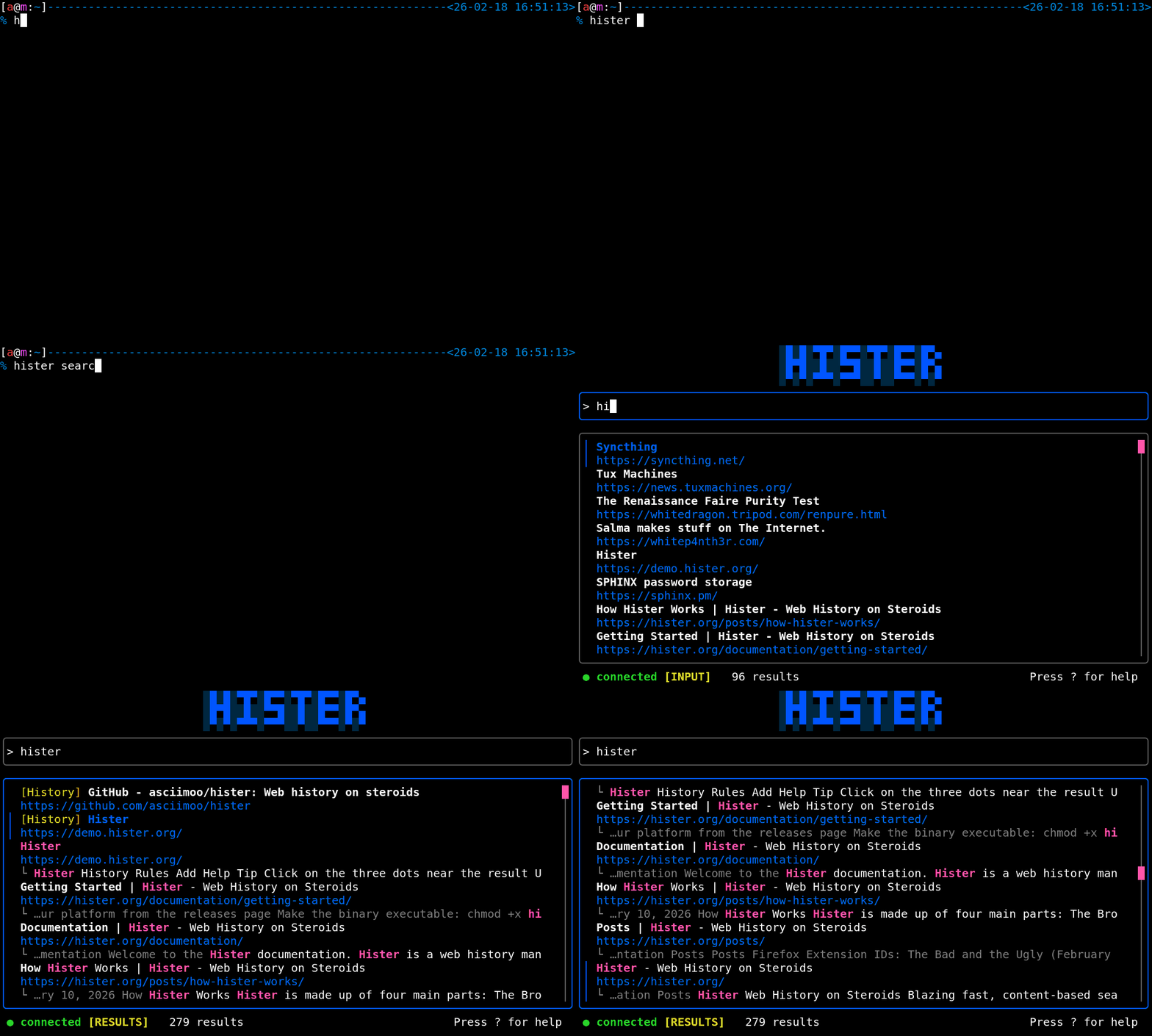
Hister indexes the content of visited pages and local files so you can search them later. It exposes that index through a web app, a terminal interface, command-line tools, and an MCP server for AI assistants.
Builders who want their agent to search private notes, visited pages, and local files.
You can ask your agent to look up past pages and files instead of hunting through tabs and folders.
Indexes page bodies and file contents, not just titles and URLs.
Uses Firefox and Chrome extensions to save newly visited pages.
Lets an AI assistant query your personal index through an MCP server.
Provides a web interface, a TUI, and command-line search.
Can use an embeddings endpoint to find documents by meaning.
Can crawl websites and import existing browser history or data from supported services.
Keeps documents and search results separate for each user on a shared server.
chmod +x hister
./hister listen
Your own search engine
Hister is a private search engine for the pages you visit and the files you keep. It indexes their full contents so you can find information again from the web interface, terminal, or an AI assistant connected through MCP.
Try the demo · Download Hister · Read the quickstart · Documentation
Download the binary for your platform from the latest release, then rename it to hister (hister.exe on Windows).
On Linux or macOS, make it executable:
chmod +x hister
Start Hister on Linux or macOS:
./hister listen
On Windows, run .\hister.exe listen in PowerShell.
Open http://127.0.0.1:4433 and install the browser extension for Firefox or Chrome.
No configuration is required for a local personal setup. See the complete quickstart to import existing browser history and choose what Hister indexes.
By default, Hister has no telemetry and no cloud sync. The browser extension sends indexed page content only to the Hister server you configure, apart from downloading page favicons. The server stores documents and search indexes on that server.
Optional semantic search sends document text to the embeddings endpoint you choose. Review the privacy overview and semantic search configuration before enabling remote integrations.
Requirements are Go 1.26, npm, and a C compiler for CGO dependencies.
git clone https://github.com/asciimoo/hister.git
cd hister
./manage.sh build
To work on the web app with hot reload and automatic Go rebuilds:
npm run serve:app
This starts a Vite development server and the Go backend with automatic rebuilds through air.
Join us on IRCNet in #hister or on Discord.
Read CONTRIBUTING.md before submitting a change. Bugs and suggestions belong in the issue tracker. For security reports, see SECURITY.md.

AGPLv3 or any later version
Sign in to join the discussion.
No comments yet. Be the first to say what this is good for.
Real-time global intelligence dashboard. AI-powered news aggregation, geopolitical monitoring, and infrastructure tracking in a unified situational awareness interface
High-performance code intelligence MCP server. Indexes codebases into a persistent knowledge graph — average repo in milliseconds. 158 languages, sub-ms queries, 99% fewer tokens. Single static binary, zero dependencies.

Universal provider proxy for OpenAI Codex & Claude Code — use any LLM (Claude, Gemini, Grok, DeepSeek, Ollama…) with Codex CLI, App, SDK, and Claude Code

Git-native persistent memory for AI coding agents. Implements Google OKF v0.2 with sub-300µs in-memory BM25 search, embedded MCP server, and progressive disclosure. Slashes token bloat by 80% with zero external databases or dependencies. Built in pure Go.

Local-first code intelligence graph for MCP and CLI. Builds a persistent map of your codebase so AI coding tools read only what matters, with benchmarked context reductions on reviews and large-repo workflows.

Stop your AI from making things up — it proposes, deterministic tools decide, every claim checked against ground truth with evidence. Grounded facts and context survive resets. Reverse engineering is the proving ground. MCP server + CLI.