

NousResearch/
hermes-agent

The agent that grows with you
245k
Agent Barn runs a fleet of AI agents in your own Kubernetes namespace. It handles agent templates, skills, communication connections, per-agent models, token and spend tracking, and audit logs through a web UI and API. The runtime side uses Kubernetes pods, a LiteLLM proxy, PostgreSQL, Redis, and Helm-based deployment.
Builders who want to run AI agents on their own Kubernetes cluster and connect them to team chat and tool systems.
You can define an agent once, deploy it in your cluster, and track what it does without a separate workspace or vendor lock-in.
Prebuilt templates like PR Reviewer, Documentation Agent, Email Reminder, Jira Task Helper, Scrum Master, and General Purpose.
Skills such as Confluence, GitHub, Google Drive, Jira, Excel, and others are attached through the matching credential and mounted into the agent workspace.
Agents can live in Slack, Microsoft Teams, Telegram, and Discord through per-agent communication connections.
Each agent gets its own virtual key through LiteLLM, so you can assign and isolate model use by agent.
The platform stores conversation history, tool-call logs, and domain events for each agent.
Helm charts, Helmfile, and k3d scripts deploy the control plane, database, proxy, and agent pods into your cluster.
git clone https://github.com/aai-labs/agent-barn.git
cd agent-barn
cp .env.spec .env
# AGENT_TOKEN_ENCRYPTION_KEY — encrypts platform credentials at rest
openssl rand -base64 32 | tr '+/' '-_'

# LITELLM_MASTER_KEY
echo "sk-$(openssl rand -hex 16)"
./run.sh
curl -s localhost:8000/api/v1/health
# {"status":"ok","db":"connected"}curl -s -o /dev/null -w '%{http_code}\n' localhost:3000 # → 200
docker compose ps # all Up / healthy
AI coworkers in Slack, Microsoft Teams, Telegram, and Discord, running on your infrastructure.

Agent Barn is an open-source control plane for AI agents. Define an agent once, connect it to the tools your team already uses, and run it in your own Kubernetes cluster. No seat licence, no second workspace to check.
Everything runs in your namespace: the control plane, the database, the model proxy, and one pod per running agent. Outbound traffic goes to OpenRouter through the LiteLLM proxy you operate, and to whichever tool APIs you connect. Credentials are encrypted at rest in your own PostgreSQL.
Start the full local stack — control plane, database, model proxy, and the Kubernetes cluster agents run on — and hire your first agent. The step-by-step version with screenshots is at agentbarn.dev/guides/get-started.
Required software
bash — run.sh and stop.sh are shell scripts. On Windows, see Windows.kubectl — used to seed the cluster namespace and secret.Python and Node.js are not needed to run the app; they're only for the
native dev-* targets, tests, and lint (see Development).
Required credentials
Local ports — these must be free:
| Port | Service |
|---|---|
3000 | UI |
5432 | PostgreSQL |
7070 | LiteLLM proxy |
8000 | API |
8001 | Ingest (runtime telemetry) |
8002 | Communications gateway |
16443 | k3d Kubernetes API |
Make sure these ports are free before starting the full stack. The configurable
ports are identified in .env.spec and the k3d helper scripts.
git clone https://github.com/aai-labs/agent-barn.git
cd agent-barn
cp .env.spec .env
Now fill in these values. Every option in .env.spec is commented, and
anything not listed here has a working local default:
| Variable | What to put in it |
|---|---|
POSTGRES_USER, POSTGRES_PASSWORD, POSTGRES_DB | local credentials and a database name; the database is created on first run |
POSTGRES_PORT | a free host port; keep the default 5432 when available |
SECRET_SIGNING_KEY | any random string |
PLATFORM_ADMIN_CREDENTIALS | email:password for the admin account created at startup — the password needs 8+ characters, upper, lower, and a digit |
ENVIRONMENT, UI_APP_URL, API_PORT | leave the .env.spec defaults |
AGENT_TOKEN_ENCRYPTION_KEY | a Fernet key — generate it below |
OPENROUTER_API_KEY | your OpenRouter key; passed to LiteLLM and used for the model picker |
LITELLM_MASTER_KEY | a stable admin key — generate it below |
AGENT_LITELLM_BASE_URL | http://host.docker.internal:7070 so agent pods can reach LiteLLM through the host |
OPENCLAW_IMAGE, HERMES_IMAGE | full name:tag; each tag must equal the matching openclaw-base/VERSION / hermes-base/VERSION |
Generate the two keys:
# AGENT_TOKEN_ENCRYPTION_KEY — encrypts platform credentials at rest
openssl rand -base64 32 | tr '+/' '-_'
# LITELLM_MASTER_KEY
echo "sk-$(openssl rand -hex 16)"
[!IMPORTANT]
LITELLM_MASTER_KEYmust stay stable. LiteLLM encrypts the virtual keys it stores with this value, so changing it later breaks every agent created under the old one.
You don't need to touch API_K8S_KUBECONFIG_PATH — run.sh sets it for you once
the cluster is up.
./run.sh
This validates .env, brings up the k3d cluster and LiteLLM, builds and loads
the agent base images, starts db and redis, runs database migrations, then
starts api, worker, communications, and ui with hot reload and follows
the logs. Ctrl-C detaches without stopping anything; use ./run.sh --detach
to skip the logs entirely.
If a startup value checked by run.sh is missing, the script fails immediately
and lists it.
[!NOTE] The first run builds both agent base images from scratch and takes a while. Later runs skip any image tag already present in the cluster.
The API reports its own database connectivity:
curl -s localhost:8000/api/v1/health
# {"status":"ok","db":"connected"}
Then check the UI answers and every container is healthy:
curl -s -o /dev/null -w '%{http_code}\n' localhost:3000   # → 200
docker compose ps                                          # all Up / healthy
Finally, confirm the cluster agents will run on is ready and its namespace was seeded:
export KUBECONFIG=.k3d/kubeconfig-host.yaml
kubectl get nodes            # one Ready node
kubectl get ns agent-farm    # Active
[!NOTE] The namespace is
agent-farm, notagent-barn. Kubernetes namespaces were deliberately left unrenamed in the rebrand — moving running workloads would mean recreating every agent Deployment and PVC.
Open http://localhost:3000 and log in with the email:password you set in
PLATFORM_ADMIN_CREDENTIALS.
[!TIP] If the API exited at startup with
500: Error while initializing startup data, that password almost certainly failed the policy check. See Troubleshooting.
Agents are organisation-scoped and a fresh database has none, so create an organisation first. Then pick a template (see Agents), choose a model, attach any credentials its skills need, and start it. Connecting it to Slack, Teams, Telegram, or Discord is a per-agent Communication Connection; the UI walks through each platform's setup.
| Command | What it does |
|---|---|
./run.sh | start everything and follow logs |
./run.sh --detach | same, without following logs |
./stop.sh | stop containers; DB/redis data and the k3d cluster survive |
./stop.sh --clean | also delete the k3d cluster (images reload next run); volumes untouched |
make restart-ui | refresh the running Docker UI after adding an App Router directory |
make run, make stop, and make stop-clean are thin wrappers around the same
scripts. Volumes are never deleted by either script.
An agent is a template plus a model, one or more communication connections, and a set of credentialed skills. These templates ship as seeds:
| Agent | What it does |
|---|---|
| PR Reviewer | Reviews pull requests for correctness, clarity, and style |
| Documentation Agent | Documents merged pull requests into Confluence, keeps a changelog, and posts a weekly digest to Slack |
| Email Reminder | Monitors a mailbox, flags action-required mail, and posts P1/P2 pings to Slack |
| Jira Task Helper | Turns a plain-language request, in any language, into a structured Jira task |
| Scrum Master | Runs sprint ceremonies, tracks blockers, keeps the team on cadence |
| General Purpose | One flexible assistant for ad-hoc work |
Templates are content, not code: a settings.yaml plus Markdown artifacts
(soul, identity, user, tools, agents, boot, bootstrap,
heartbeat), with anything a template omits inherited from shared defaults.
The seeds in
api/domains/templates/predefined/seeds/
bootstrap the platform lineages once; after that, new versions are authored
through the platform admin flow, and organisations fork or override them per
agent. Details:
docs/features/templates-and-skills.md.
Each template has a guided setup at
agentbarn.dev/recipes.
Skills are what agents can actually do:
Bitbucket · Confluence · Excel · GitHub · Google Drive · HubSpot · Jira · OpenPanel · Pipedrive · PostHog · Zoho Mail
Each mounts documentation into the agent's workspace and is gated on the credential its provider needs, so an agent only gets a skill once the matching credential is attached. Skills whose credential lifecycle isn't modelled yet (Excel, Google Drive, HubSpot, OpenPanel, PostHog) are attachable but not auto-attached — Excel needs no credential at all, since it works on local files. Agents also reach a self-hosted Firecrawl for web retrieval.
Building one is a contribution we'd welcome. Open a Discussion first so we can tell you if one is already in progress.
Agents run as pods, one per agent, from a pinned base image:
| Runtime | Base image | Notes |
|---|---|---|
| OpenClaw | openclaw-base/ | Default runtime; command approval is always AUTO |
| Hermes | hermes-base/ | Supports the per-agent command-approval mode |
Both consume the same runtime-neutral communications protocol, so every platform works on either runtime. Both are upstream projects; this repository holds the Dockerfiles that pin and extend them, the telemetry plugins they load, and the builders that turn an agent record into Kubernetes resources.
| Area | What's there | Docs |
|---|---|---|
| Agent lifecycle | Start, stop, monitor; per-agent model within the organisation's default and allowlist; per-agent channel allowlist and DM policy | features/agents.md |
| Communication | Slack, Microsoft Teams, Telegram, Discord. An agent may own several connections, including more than one on the same platform. Slack apps are created by hand from a generated manifest; Teams connections export an installable app package | features/communications/ |
| Templates and skills | Versioned templates and skills, seeded on startup, forkable per organisation, with per-agent overrides; agents pin the skill version they run | features/templates-and-skills.md |
| Activity | Conversation history and a tool-call audit log per agent, pushed from the runtime to the ingest API | features/activity-and-ingest.md |
| Costs | Per-agent and per-organisation token and spend attribution | features/costs.md |
| Identity and access | Sign-up, login, logout, access + refresh tokens in an httpOnly cookie, password change and reset; organisations with fixed permission-backed roles, plus separate per-agent access roles and assignments | features/identity-and-organizations.md |
| Platform administration | User and organisation management, platform statistics, and the Event Delivery Monitor | features/platform-administration/ |
| Integrations | Per-agent provider credentials, organisation-scoped shared credentials, Google OAuth for Google Workspace (Gmail, Calendar, Drive, Sheets) | features/integrations.md |
| Domain events | Transactional outbox, a Dramatiq worker, event handlers, and a security-audit projection | features/domain-events.md |
| Runtime and deployment | Kubernetes agent resources, Helm + Helmfile, namespace-scoped Prometheus and Grafana | architecture/runtime-and-deployment.md |
./run.sh is enough for most work. For faster iteration, or to run only part of
the stack, use the native path below. The contribution workflow and engineering
context routes start in CONTRIBUTING.md.
Native development, tests, and lint additionally need Make, Python 3.14 +
uv and Node.js 24 +
pnpm 11.17.0, matching the repository and CI pins.
Each dev-* service target watches its own source. Run the ones you need in
separate terminals, alongside make db-up:
make setup         # uv sync + pnpm install; creates .env from .env.spec if absent
make db-up         # Postgres only
make migrate       # apply migrations
make dev-api       # API on :8000; also starts Ingest :8001 and Communications :8002
make dev-ui        # UI on :3000, hot reload
make dev-worker    # Dramatiq worker, hot reload
make dev-ingest    # Ingest only (normally started by dev-api)
make dev-communications  # Communications only (normally started by dev-api)
make reconcile     # one-shot repair pass for stuck/unpublished deliveries
make db-down stops PostgreSQL; make db-logs and make db-restart manage it.
The worker and reconciliation command also need a Redis server reachable at the
REDIS_URL in .env. The Compose Redis service does not publish a host port,
so make redis-up alone cannot serve those host-run processes. This path uses
host ports 3000, 8000, 8001, and 8002, so don't run it alongside
./run.sh's containers.
Two gotchas specific to this path:
DB_CONNECTION_URL must be correct in .env. These targets read it
directly; the config has no default and doesn't assemble one from the
POSTGRES_* values. ./run.sh doesn't care, because compose overrides it to
the in-network db hostname.LITELLM_BASE_URL=http://127.0.0.1:7070. It's blank in .env.spec,
and unlike the Docker path nothing here fills it in. create_agent silently
skips minting a LiteLLM key when it's empty
(agent service, no error either way),
so the agent is created and looks fine but can never answer.Starting agents still needs a k3d cluster with loaded images, even natively.
Bring one up with bash docker/k3d/k3d-up.sh and
bash docker/k3d/k3d-load-images.sh, then point the host API at it:
export KUBECONFIG="$PWD/.k3d/kubeconfig-host.yaml"
export K8S_KUBECONFIG_PATH="$PWD/.k3d/kubeconfig-host.yaml"
Agents run as Kubernetes resources, so ./run.sh brings up a cluster
automatically. We use k3d (k3s in Docker) from a helper
container, so no host k3d or helm install is needed — only Docker and
kubectl. The Kubernetes integration job provisions its own k3d cluster with
AbsaOSS/k3d-action.
./run.sh drives docker/k3d/k3d-up.sh (cluster + LiteLLM) and
docker/k3d/k3d-load-images.sh (agent base images). Both are idempotent and
safe to run directly.
[!IMPORTANT] Keep the
OPENCLAW_IMAGE/HERMES_IMAGEtags in sync withopenclaw-base/VERSIONandhermes-base/VERSION. CI publishes each base image under exactly itsVERSIONtag and the API launches pods from these env-var refs, so a mismatched tag runs an image that isn't the version the code expects.k3d-load-images.shrefuses to run otherwise, and skips the build for a tag it can already see in the cluster.
./run.sh writes two kubeconfigs into .k3d/ (gitignored) — the same cluster,
reached differently depending on where the client runs:
.k3d/kubeconfig-host.yaml — server on 127.0.0.1, for host tools
(kubectl, helm, make dev-api)..k3d/kubeconfig-internal.yaml — server on host.docker.internal, for the
API running inside Docker (run.sh points API_K8S_KUBECONFIG_PATH here
automatically).Agent pods inside k3d reach LiteLLM at http://host.docker.internal:7070, so
AGENT_LITELLM_BASE_URL must use that address (and the selected LiteLLM port).
On
Docker Desktop that name resolves inside pods automatically; on a native Linux
docker engine, k3d-up.sh adds a CoreDNS entry (via the coredns-custom config
map) mapping it to the cluster network gateway. No manual setup on either
platform.
Agents don't store their history in the pod. Runtime plugins push events to the ingest API and the UI reads what was persisted, so a broken path means agents run but their activity stays empty.
Ingest listens on 8001, separate from the main API on 8000, and pods reach it
through the host via host.docker.internal, same as LiteLLM.
INGEST_BASE_URL=http://host.docker.internal:8001/ingest/v1 is the default for
both run.sh and make dev-api, overriding the in-cluster Service address that
only applies when the API itself runs in k8s. Override INGEST_BASE_URL (or
INGEST_PORT) for a different address.
To check the hop from inside the cluster:
kubectl run ingest-check --rm -it --restart=Never --image=curlimages/curl -- \
  curl -sS -o /dev/null -w '%{http_code}\n' \
  http://host.docker.internal:8001/ingest/v1/openapi.json
200 means it works; the event endpoint behind it authenticates each pod with
its own INGEST_API_KEY. A connection error means the hop is broken — in native
mode check make dev-ingest is running, and on native Linux check the host
firewall allows the k3d bridge network to reach port 8001.
Slack, Microsoft Teams, Telegram, and Discord sessions run in the separately
served Communications gateway on port 8002. Agent pods claim and complete
deliveries through http://host.docker.internal:8002/communications/v1, because
the Compose service name isn't resolvable from k3d. ./run.sh and make dev-api
start the gateway automatically. Override COMMUNICATIONS_PORT when the host
port is already in use.
The k3d and LiteLLM helpers expose environment-variable overrides for their
names and ports, but the full Compose application still uses shared container
names, volumes, and ports. Two complete ./run.sh stacks therefore cannot run
side by side. Share one full stack, or run only the required native services
against separately named dependencies.
The k3d flow needs bash — run.sh/stop.sh and the underlying
docker/k3d/*.sh scripts are shell scripts. Two practical options:
./run.sh inside WSL2.bash on PATH — e.g. Git Bash or MSYS2; run ./run.sh from that shell.Requires Docker Desktop in Linux-container mode (the default).
./run.sh applies pending migrations after the database is ready and before
starting the application services. Migration authoring, review, and verification
commands live in the
operations guidelines.
The authoritative command list, prerequisites, and change-to-check matrix live in the testing guidelines.
Symptoms you're likely to hit once, with the actual cause.
500: Error while initializing startup dataScroll up in the log for the real error. The usual cause is the password in
PLATFORM_ADMIN_CREDENTIALS failing the API's own policy (≥8 characters, upper,
lower, digit) while bootstrapping the platform admin.
x509: certificate is valid for 127.0.0.1, ... not host.docker.internalkubeconfig-internal.yaml dials the API server by that hostname and verifies the
certificate, so the name has to be in the cert's SAN list. A cluster created
before this was fixed may carry the old certificate — ./stop.sh --clean then
./run.sh reissues it. Host mode (make dev-api) is immune because it connects
to 127.0.0.1.
Invalid kube-config file. No configuration found.The configured kubeconfig path doesn't resolve to a real file — either
API_K8S_KUBECONFIG_PATH/K8S_KUBECONFIG_PATH is unset, or it's a relative path
resolved against the wrong working directory. run.sh sets
API_K8S_KUBECONFIG_PATH for you; in native mode K8S_KUBECONFIG_PATH must be
relative to api/ (the directory make dev-api runs from) or absolute. Verify
inside the container:
docker exec aai_api ls -l "$(grep '^API_K8S_KUBECONFIG_PATH=' .env | cut -d= -f2-)"
It must be /app/.k3d/kubeconfig-internal.yaml — compose.yml mounts ./.k3d
read-only at /app/.k3d.
ErrImagePull / ImagePullBackOffThe base image for that tag isn't in that cluster. Pods run
imagePullPolicy=IfNotPresent against a private registry, so an image that was
never imported cannot be pulled. Compare what's in the cluster against what the
API asks for:
docker exec k3d-${K3D_CLUSTER:-agentfarm-dev}-server-0 crictl images | grep -E 'openclaw|hermes'
grep -E '^(OPENCLAW|HERMES)_IMAGE=' .env
Fix by running ./run.sh again (it reloads any image missing from the cluster),
or bash docker/k3d/k3d-load-images.sh directly with the same K3D_CLUSTER.
A second, less obvious cause: an image that was imported can still disappear
later. Imported images are unreferenced whenever no agent is running one, and
kubelet garbage-collects unreferenced images under disk pressure (seen at
usage=87 highThreshold=85 on a constrained host). With
imagePullPolicy=IfNotPresent against a private registry and no pull secret
seeded locally, a GC'd image can't be re-pulled — only reimported.
docker system df / docker stats --no-stream will show whether disk pressure
is the actual trigger before you re-run the fix above.
FailedToRetrieveImagePullSecret (registry-pull-secret) repeating on a podExpected locally and harmless on its own — the local flow imports images instead
of pulling, and nothing seeds that secret. It becomes the real error only when
the image is genuinely absent, in which case you'll also see ErrImagePull
above.
CrashLoopBackOff with OOMKilled / exit code 137Hermes and OpenClaw pods request 320Mi and have a 1Gi memory limit. Inspect
the pod with kubectl -n agent-farm describe pod POD_NAME to see whether it
hit that limit. Exit code 137 can also result from memory pressure on the k3d
node or Docker VM; check docker stats --no-stream and the Docker Desktop
memory allocation too.
Both paths go through the host, so a loopback address in .env resolves to the
pod itself. AGENT_LITELLM_BASE_URL must be
http://host.docker.internal:<litellm port> — it's handed to the pod as
LITELLM_PROXY_TARGET and used by the in-pod proxy on :8090 that the runtime
actually talks to. For empty activity, check ingest is reachable (see Runtime
telemetry above).
The default archive CDN has likely handed you a degraded edge (seen at ~30KB/s,
stalling the build for over an hour). Point the build at another full mirror — it
must carry both /debian and /debian-security:
APT_MIRROR=mirror.csclub.uwaterloo.ca bash docker/k3d/k3d-load-images.sh
Requires a cluster with an ingress controller, a cert-manager ClusterIssuer, a
StorageClass, and an OpenRouter API key. On your machine: kubectl, Helm 3,
Helmfile 0.171.0 (the CI-pinned version),
and the helm-diff plugin.
cp .env.deploy.spec .env.deploy
# replace every example image tag; fill in registry, passwords, hosts, and keys

./deploy.sh         # kubectl apply of the deploy RBAC, then helmfile sync
Helmfile brings up PostgreSQL (one instance each for the app, LiteLLM, and
Firecrawl), Redis, the LiteLLM proxy, Firecrawl, the API with its worker and
communications gateway, the UI, and a namespace-scoped Prometheus and Grafana.
Ordering, values, and secrets live in
helmfile.yaml.gotmpl; the charts are in
helm/. Every option in .env.deploy.spec is commented.
AAI Labs runs two deploy paths of its own on top of the same charts:
deploy.yml ships every staging/main push to the k3s testing-ground cluster,
and deploy-public.yml deploys a vX.Y.Z tag to the hosted public Talos
cluster. It pushes API/UI images under that release tag and runtime images under
their independent VERSION tags to registry.agentbarn.dev. A manual dispatch
of deploy-public.yml takes an existing release tag, and its skip_build input
reuses the explicitly tagged images already in the registry.
Background:
docs/architecture/runtime-and-deployment.md
and docs/guidelines/operations.md.
Agents reachable by email receive mail through a Cloudflare Email Worker. CI deploys the Worker, but it cannot connect the routing rule — Email Routing rules are Cloudflare dashboard state with no Terraform or API step in this repository, so mail bounces until someone points the rule at the Worker by hand. Do this once per environment, in this order:
staging/main. The deploy-worker job publishes
agentbarn-email-inbound-<environment>. The Worker must exist first — the
routing rule's destination picker only lists deployed Workers.agent@<AGENT_EMAIL_DOMAIN> at that Worker. One rule serves
every agent, provided subaddressing is enabled under Email Routing →
Settings — it is off by default, and while it is off every agent address
bounces 550 5.1.1 with nothing in the activity log.wrangler --env local. Deleting
it while a rule still points at it bounces all inbound mail for that
environment.Full setup — the two separate Cloudflare onboardings, the environment variables
and secrets, quota limits, and secret rotation — is in
docs/guidelines/operations.md.
| What | Where |
|---|---|
api/ | FastAPI control plane, ingest and communications apps, Dramatiq worker, migrations, tests |
ui/ | Next.js App Router frontend |
helm/ | Helm charts for every deployed service |
k8s/ | Cluster prerequisites the charts don't own |
hermes-base/, openclaw-base/ | Agent runtime base images |
docker/ | Local k3d cluster and image-loading scripts |
docs/ | Architecture, feature, and decision records |
compose.yml, run.sh, stop.sh, Makefile | Local development stack |
helmfile.yaml.gotmpl, deploy.sh | Kubernetes deployment |
Two dependencies live outside it: the Hermes and OpenClaw runtimes are upstream
projects, and aai-cli, the tool the bundled skills drive, is built from a
separate public AAI Labs repository at base-image build time. You can run and
deploy the published base images without rebuilding them. The current local
builder requires a GitHub token only to authenticate that public clone; it does
not require private-source permission. Third-party components keep their own
licences.
Support, issue, discussion, and pull-request routes are collected in CONTRIBUTING.md. Report vulnerabilities privately by following SECURITY.md.
Apache 2.0. See LICENSE.
Built by AAI Labs in Vilnius, Lithuania.
Sign in to join the discussion.
No comments yet. Be the first to say what this is good for.
The agent that grows with you

Open-source coding agent for your terminal, built in Rust and on a journey of continuous community improvement. Issues and PRs welcome.
A lightweight alternative to OpenClaw that runs in containers for security. Connects to WhatsApp, Telegram, Slack, Discord, Gmail and other messaging apps,, has memory, scheduled jobs, and runs directly on Anthropic's Agents SDK

OpenSquilla — Token-Efficient AI Agent with same budget, higher intelligence density
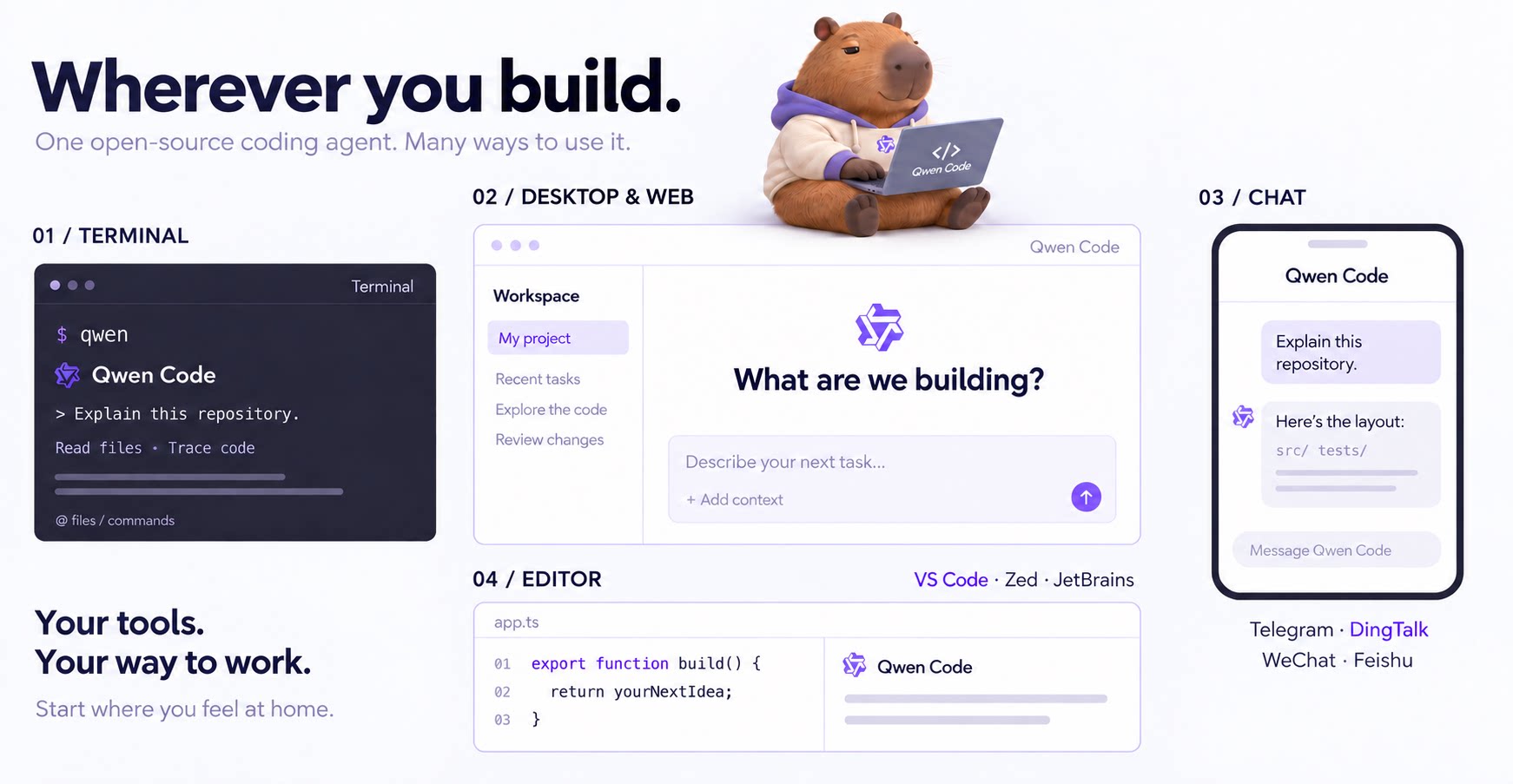
An open-source AI coding agent that lives in your terminal.

Run and supervise teams of coding agents from planning to merge. Any harness (Claude code, codex, +25 more). Desktop, web, mobile, and cloud agents.