

koala73/worldmonitorConnectors
Real-time global intelligence dashboard. AI-powered news aggregation, geopolitical monitoring, and infrastructure tracking in a unified situational awareness interface
86k
This repo provides an MCP server that connects an agent to Storyblok management APIs. It breaks Storyblok operations into small tool modules so the agent can create, read, update, delete, and bulk-manage content, assets, workflows, and related space data.
Builders who want an MCP-capable agent to manage Storyblok spaces, stories, and assets.
You can manage Storyblok content and space settings from your agent instead of switching to the Storyblok UI.
Separate modules handle stories, components, assets, data sources, tags, releases, workflows, webhooks, and more.
The stories and assets tools include bulk publish, delete, update, restore, and move actions.
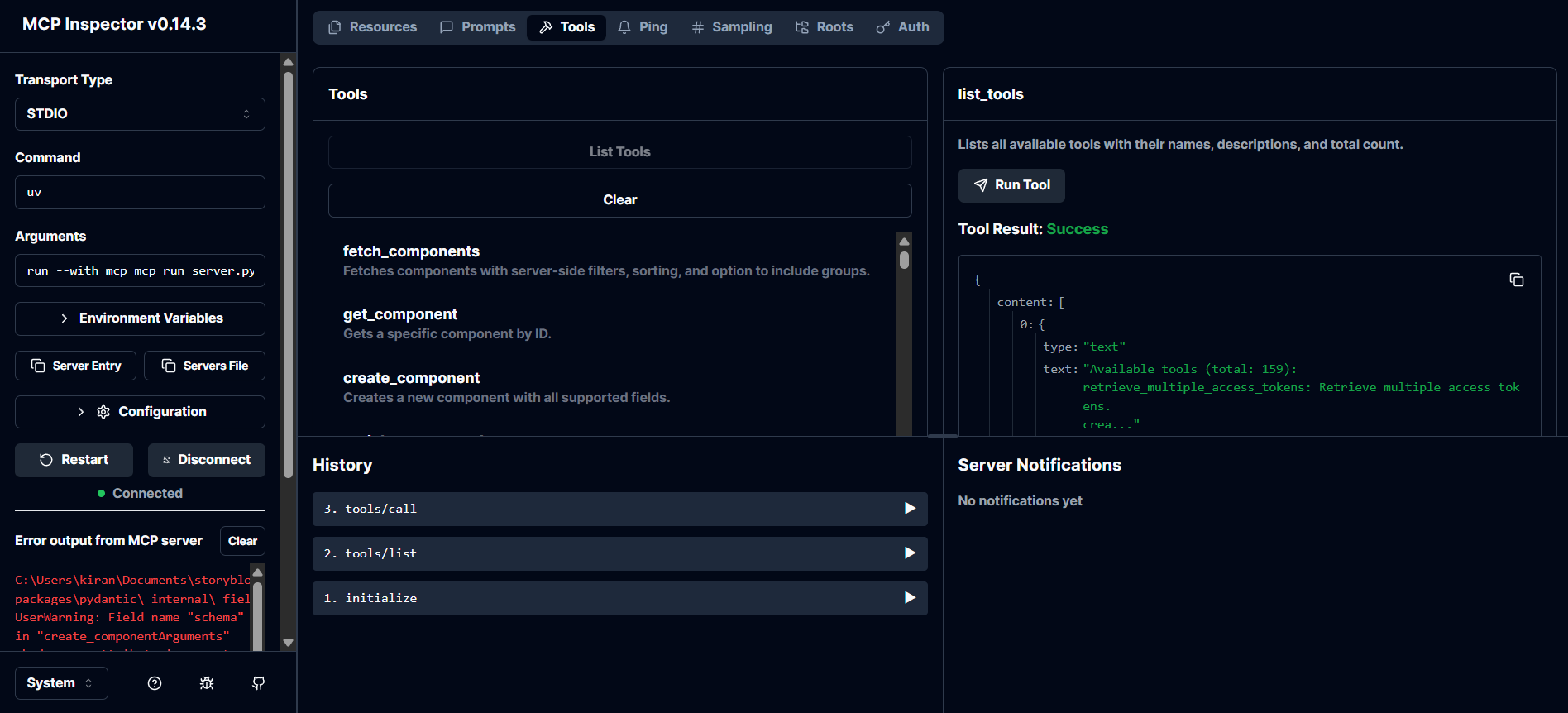
A meta tool lists the available MCP tools at runtime.
Credentials and space IDs are loaded from `.env` values such as `STORYBLOK_SPACE_ID` and `STORYBLOK_MANAGEMENT_TOKEN`.
The README includes a Claude Desktop config example and a local `mcp run server.py` command for testing.
git clone <your-repo-url>
cd storyblok-mcp-server
pip install -r requirements.txt
STORYBLOK_SPACE_ID=your_space_id
STORYBLOK_MANAGEMENT_TOKEN=your_management_token
STORYBLOK_DEFAULT_PUBLIC_TOKEN=your_public_token
mcp run server.py


The Storyblok MCP (Model Context Protocol) server enables your AI assistants to directly access and manage your Storyblok spaces, stories, components, assets, workflows, and more.




With the Storyblok MCP Server, your AI assistant can:
httpx and FastMCP for high performance..env.├── config.py # Loads and validates environment config
├── server.py # Main entrypoint, registers all tools
├── tools/ # All modular tool implementations
│ ├── components.py # Component CRUD and usage
│ ├── stories.py # Story CRUD, bulk ops, validation
│ ├── ... # (assets, tags, releases, workflows, etc.)
│ └── meta.py # Meta tool for tool discovery
├── utils/
│ └── api.py # API helpers, error handling, URL builders
├── .env # Your Storyblok tokens and space ID
├── pyproject.toml # Python dependencies
└── README.md # This file
| Resource | Description |
|---|---|
| Access Tokens | Manage access tokens for Storyblok API |
| Activities | Manage or retrieve activity logs |
| Approvals | Manage approval workflows |
| Assets | Manage assets (upload, update, delete, list) |
| Assets Folder | Manage asset folders |
| Branch Deployments | Manage branch deployments |
| Collaborators | Manage collaborators in a space |
| Components | Manage Storyblok components (CRUD, schema, etc.) |
| Components Folder | Manage folders for components |
| Datasource Entries | Manage entries in data sources |
| Data Sources | Manage data sources (CRUD, entries) |
| Discussions | Manage discussions and comments |
| Extensions | Manage Storyblok extensions |
| Field Plugins | Manage custom field plugins |
| Internal Tags | Manage internal tags for assets/stories |
| Meta | Meta tool: discover all available tools |
| Ping | Health check and server status |
| Pipelines | Manage pipelines for content delivery |
| Presets | Manage field presets for components |
| Releases | Manage releases (create, update, publish) |
| Scheduling Stories | Schedule stories for publishing |
| Space | Manage Storyblok space settings and info |
| Space Roles | Manage roles and permissions in a space |
| Stories | Manage stories (CRUD, bulk ops, validation) |
| Tags | Manage tags (CRUD, bulk association) |
| Tasks | Manage tasks (CRUD, webhooks, automation) |
| Webhooks | Manage webhooks (CRUD, trigger) |
| Workflows | Manage workflows and workflow stages |
| Workflow Stage | Manage individual workflow stages |
| Workflow Stage Changes | Track and manage workflow stage changes |
retrieve_multiple_access_tokens: List all access tokenscreate_access_token: Create a new access tokenupdate_access_token: Update an existing access tokendelete_access_token: Delete an access tokenretrieve_multiple_activities: List activity logsretrieve_multiple_approvals: List approvalscreate_approval: Create a new approvalupdate_approval: Update an approvaldelete_approval: Delete an approvalfetch_assets: List assets with filteringget_asset: Get a specific asset by IDdelete_asset: Delete an assetupdate_asset: Update an assetdelete_multiple_assets: Delete multiple assetsbulk_move_assets: Move multiple assetsbulk_restore_assets: Restore multiple assetsinit_asset_upload: Initialize asset uploadcomplete_asset_upload: Complete asset uploadretrieve_multiple_asset_folders: List asset folderscreate_asset_folder: Create a new asset folderupdate_asset_folder: Update an asset folderdelete_asset_folder: Delete an asset folderretrieve_multiple_branch_deployments: List branch deploymentscreate_branch_deployment: Create a new branch deploymentupdate_branch_deployment: Update a branch deploymentdelete_branch_deployment: Delete a branch deploymentretrieve_multiple_collaborators: List collaboratorsadd_collaborator: Add a collaboratorupdate_collaborator: Update a collaboratorremove_collaborator: Remove a collaboratorfetch_components: List components with filteringget_component: Get a specific component by IDcreate_component: Create a new componentupdate_component: Update an existing componentdelete_component: Delete a componentget_component_usage: Find stories using a componentretrieve_component_versions: List versions of a componentretrieve_single_component_version: Get a specific component versionrestore_component_version: Restore a component to a previous versionretrieve_multiple_component_folders: List component folderscreate_component_folder: Create a new component folderupdate_component_folder: Update a component folderdelete_component_folder: Delete a component folderretrieve_multiple_datasource_entries: List datasource entriescreate_datasource_entry: Create a new datasource entryupdate_datasource_entry: Update a datasource entrydelete_datasource_entry: Delete a datasource entryretrieve_multiple_data_sources: List data sourcescreate_data_source: Create a new data sourceupdate_data_source: Update a data sourcedelete_data_source: Delete a data sourceretrieve_multiple_discussions: List discussionsretrieve_specific_discussion: Get a specific discussionretrieve_idea_discussions_comments: List idea discussion commentscreate_discussion: Create a new discussionretrieve_my_discussions: List my discussionsretrieve_all_extensions: List all extensionsretrieve_extension: Get a specific extensioncreate_extension: Create a new extensionupdate_extension: Update an extensiondelete_extension: Delete an extensionretrieve_extension_settings: Get extension settingsretrieve_all_extension_settings: List all extension settingsretrieve_field_plugins: List field pluginsretrieve_field_plugin: Get a specific field plugincreate_field_plugin: Create a new field pluginupdate_field_plugin: Update a field plugindelete_field_plugin: Delete a field pluginretrieve_multiple_internal_tags: List internal tagscreate_internal_tag: Create a new internal tagupdate_internal_tag: Update an internal tagdelete_internal_tag: Delete an internal taglist_tools: List all available toolsping: Check server healthretrieve_multiple_branches: List branchesretrieve_single_branch: Get a specific branchcreate_branch: Create a new branchupdate_branch: Update a branchdelete_branch: Delete a branchretrieve_multiple_presets: List field presetsretrieve_single_preset: Get a specific presetcreate_preset: Create a new presetupdate_preset: Update a presetdelete_preset: Delete a presetretrieve_multiple_releases: List releasesretrieve_single_release: Get a specific releasecreate_release: Create a new releaseupdate_release: Update a releasedelete_release: Delete a releaseretrieve_multiple_story_schedules: List story schedulesretrieve_one_story_schedule: Get a specific story schedulecreate_story_schedule: Create a new story scheduleupdate_story_schedule: Update a story scheduledelete_story_schedule: Delete a story schedulefetch_spaces: List spacesget_space: Get a specific spacecreate_space: Create a new spaceupdate_space: Update a spaceduplicate_space: Duplicate a spacebackup_space: Backup a spacedelete_space: Delete a spacefetch_space_roles: List space rolesget_space_role: Get a specific space rolecreate_space_role: Create a new space roleupdate_space_role: Update a space roledelete_space_role: Delete a space rolefetch_stories: List stories with filteringget_story: Get a specific story by IDcreate_story: Create a new storyupdate_story: Update an existing storydelete_story: Delete a storypublish_story: Publish a storyunpublish_story: Unpublish a storyget_story_versions: List versions of a storyrestore_story: Restore a story to a previous versionvalidate_story_content: Validate story contentdebug_story_access: Debug access for a storybulk_publish_stories: Publish multiple storiesbulk_delete_stories: Delete multiple storiesbulk_update_stories: Update multiple storiesbulk_create_stories: Create multiple storiesget_unpublished_dependencies: List unpublished dependenciesai_translate_story: AI-powered translation for a storycompare_story_versions: Compare two versions of a storyretrieve_multiple_tags: List tagscreate_tag: Create a new tagupdate_tag: Update a tagdelete_tag: Delete a tagtag_bulk_association: Add tags to multiple storiesretrieve_multiple_tasks: List tasksretrieve_single_task: Get a specific taskcreate_task: Create a new taskupdate_task: Update a taskdelete_task: Delete a taskretrieve_multiple_webhooks: List webhooksretrieve_single_webhook: Get a specific webhookadd_webhook: Add a new webhookupdate_webhook: Update a webhookdelete_webhook: Delete a webhookretrieve_multiple_workflows: List workflowsretrieve_single_workflow: Get a specific workflowcreate_workflow: Create a new workflowupdate_workflow: Update a workflowduplicate_workflow: Duplicate a workflowdelete_workflow: Delete a workflowretrieve_multiple_workflow_stages: List workflow stagesretrieve_single_workflow_stage: Get a specific workflow stagecreate_workflow_stage: Create a new workflow stageupdate_workflow_stage: Update a workflow stagedelete_workflow_stage: Delete a workflow stageretrieve_multiple_workflow_stage_changes: List workflow stage changescreate_workflow_stage_change: Create a workflow stage changeClone the repo
git clone <your-repo-url>
cd storyblok-mcp-server
Install dependencies
pip install -r requirements.txt
Configure your environment
.env.example to .env and fill in your Storyblok credentials:
STORYBLOK_SPACE_ID=your_space_id
STORYBLOK_MANAGEMENT_TOKEN=your_management_token
STORYBLOK_DEFAULT_PUBLIC_TOKEN=your_public_token
MCP Client Configuration
claude_desktop_config.json:{
"mcpServers": {
"storyblok": {
"command": "uv",
"args": [
"run",
"--with",
"mcp",
"mcp",
"run",
"C:\\path\\to\\storyblok-mcp-server\\server.py"
],
"env": {
"STORYBLOK_SPACE_ID": "your_space_id",
"STORYBLOK_MANAGEMENT_TOKEN": "your_management_token",
"STORYBLOK_DEFAULT_PUBLIC_TOKEN": "your_public_token"
}
}
}
}
[!NOTE] Make sure you have installed
uvon your system
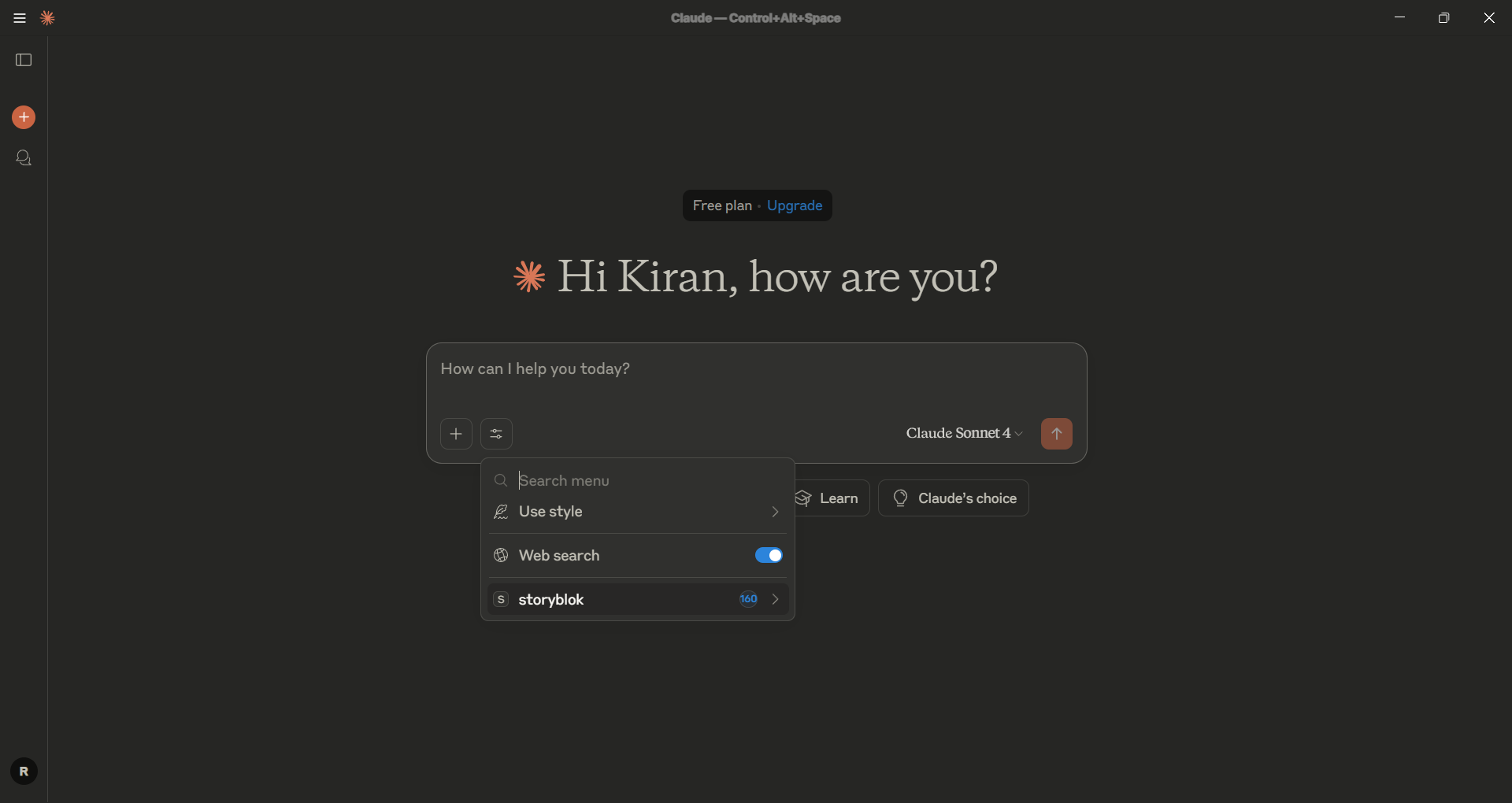
Restart your Claude Desktop and chek the tools. It will show total number tools available if you connected successfully.
mcp run server.py
[!TIP] Here are some natural language queries you can try with your MCP Client.
We welcome contributions! To get started:
master.tools/ directory..env file out of version control.Built with Storyblok and FastMCP.
MIT License. See LICENSE for details.
Built with 💙 by Kiran
Sign in to join the discussion.
No comments yet. Be the first to say what this is good for.
Real-time global intelligence dashboard. AI-powered news aggregation, geopolitical monitoring, and infrastructure tracking in a unified situational awareness interface
High-performance code intelligence MCP server. Indexes codebases into a persistent knowledge graph — average repo in milliseconds. 158 languages, sub-ms queries, 99% fewer tokens. Single static binary, zero dependencies.

Universal provider proxy for OpenAI Codex & Claude Code — use any LLM (Claude, Gemini, Grok, DeepSeek, Ollama…) with Codex CLI, App, SDK, and Claude Code

Git-native persistent memory for AI coding agents. Implements Google OKF v0.2 with sub-300µs in-memory BM25 search, embedded MCP server, and progressive disclosure. Slashes token bloat by 80% with zero external databases or dependencies. Built in pure Go.

Local-first code intelligence graph for MCP and CLI. Builds a persistent map of your codebase so AI coding tools read only what matters, with benchmarked context reductions on reviews and large-repo workflows.

Stop your AI from making things up — it proposes, deterministic tools decide, every claim checked against ground truth with evidence. Grounded facts and context survive resets. Reverse engineering is the proving ground. MCP server + CLI.