

NousResearch/
hermes-agent

The agent that grows with you
245k
OpenSwarm runs multiple agents as a worker-reviewer pipeline for coding tasks, reviews, and fixes. It can pull work from Linear or a local tracker, notify Discord or other channels, and store repo memory in LanceDB for later runs.
Builders who want Claude Code, Codex, or Cursor to work as a coordinated team on issues and pull requests.
You can hand off an issue and get coordinated implementation, review, verification, and follow-up without restarting from scratch.
Splits tasks into worker/reviewer pipelines and can fan out reviews across the codebase.
Pulls tasks from Linear or a built-in local issue store and maps repos to projects.
Sends progress through Discord, Slack, Telegram, or webhook notifications.
Stores task outcomes in LanceDB and recalls them into later prompts for the same repo.
Runs repository checks, compares failures against the merge base, and repeats fixes until green.
Creates review reports, PR checks, and fix loops for open pull requests.
npm install -g @intrect/openswarm
openswarm init         # interactive setup wizard — provider auth + Linear OAuth + config
openswarm doctor       # verify your environment (runtime, native deps, providers, ports)
openswarm              # launches the TUI chat
openswarm init      # writes config.yaml + .env (provider, task backend, notifications)
openswarm doctor    # verify providers, native deps, ports
LINEAR_API_KEY=your-linear-api-key      # or: openswarm auth login --provider linear
LINEAR_TEAM_ID=your-linear-team-id
DISCORD_TOKEN=your-discord-bot-token    # only if you chose the discord notifier
DISCORD_CHANNEL_ID=your-channel-id





Autonomous AI agent orchestrator — Codex, GPT, OpenRouter (any model), local models (Ollama/LM Studio), and Claude Code (
claude -p)
💬 Help shape OpenSwarm. Share feature ideas, vote on the roadmap, and ask questions in GitHub Discussions. The roadmap is built in the open — your feedback decides what ships next.
OpenSwarm orchestrates multiple AI agents as autonomous code workers. It picks up issues from Linear or a built-in local tracker, runs Worker/Reviewer pair pipelines, reports through a pluggable notifier (Discord, Slack, Telegram, webhook), and retains long-term memory via LanceDB. Workers run on OpenAI Codex/GPT, any OpenRouter model, local open-source models (Ollama, LM Studio), or Claude Code (claude -p, opt-in) — with cost-aware routing measured on an L0–L6 benchmark ladder.
Verified on real GitHub issues: the agentic harness solves SWE-bench Lite instances graded by the official harness. Hybrid mode — a frontier model diagnoses read-only, a lightweight model implements with a verification loop — resolved 3/3 attempted instances that every single lightweight model had failed, at a fraction of frontier-only cost. Workers also learn each repository over time: task outcomes are stored as per-repo knowledge and recalled into future prompts. (benchmark rubric & results)
OpenSwarm is proudly supported by Atlas Cloud — an enterprise AI infrastructure platform serving fast, stable LLM, image, and video APIs (partnered with OpenRouter and SGLang).
As an official provider sponsor, Atlas Cloud ships as the built-in atlascloud adapter (OpenAI-compatible Chat Completions, ATLASCLOUD_API_KEY) and provides ongoing monthly API credits that keep the project's autonomous runs going. To run OpenSwarm on Atlas Cloud, grab a key at atlascloud.ai, set ATLASCLOUD_API_KEY, and select adapter: atlascloud.
npm install -g @intrect/openswarm
openswarm init         # interactive setup wizard — provider auth + Linear OAuth + config
openswarm doctor       # verify your environment (runtime, native deps, providers, ports)
openswarm              # launches the TUI chat
openswarm init walks you through provider authentication, optional Linear OAuth (team/project picker), and writes a validated config.yaml. Prefer wiring a provider by hand? You need one first: openswarm auth login (ChatGPT OAuth, used by codex/gpt), openswarm auth login --provider openrouter (or export OPENROUTER_API_KEY=…), or just have an authenticated claude on PATH. Check what's wired with openswarm auth status, and diagnose any gaps with openswarm doctor.
openswarm init sets upThe wizard asks three questions, detects what you already have, and writes the config for you:
codex-responses — ChatGPT subscription via OAuth (Codex models, native loop) — easiest startcodex — external codex CLI · openrouter — any model (API key/OAuth) · gpt — OpenAI OAuthlmstudio / local — local servers, no account · claude — claude -p CLI (opt-in fallback)local SQLite issue store (no account) or linear (OAuth browser login or API key, then an arrow-key team → project picker for this repo)none / discord / slack / telegram / webhookIt then writes .env (secrets, chmod 600), config.yaml (validated), and — if you mapped a Linear project — openswarm.json (this repo → Linear team/project). Finally it prints next steps and can launch browser OAuth.
Re-running in a repo that already has
config.yamlis refused unless you pass--force, andinitrefuses to overwrite aconfig.yamlthat symlinks into the daemon's global config. For CI / non-interactive use,openswarm init --yeswrites a sample config only.
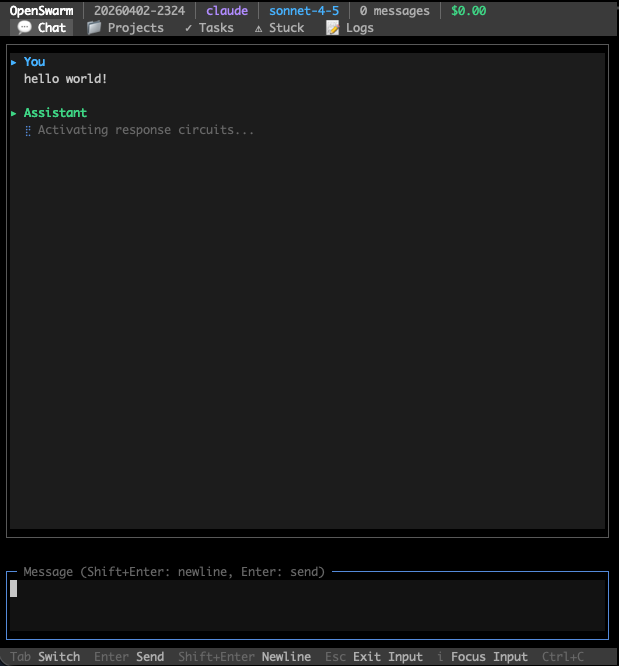
| Key | Action |
|---|---|
Tab | Switch tabs (Chat / Projects / Tasks / Stuck / Issues / Logs) |
Enter | Send message |
Shift+Enter | Newline |
i | Focus input |
Esc | Exit input focus |
Ctrl+C | Quit |
Status bar shows: provider · model · message count · cumulative cost
openswarm                        # TUI chat (default)
openswarm chat [session]         # Simple readline chat
openswarm resume                 # Reopen the most recent chat session (conversation + goal)
openswarm start                  # Start full daemon (requires config.yaml)
openswarm run "Fix the bug" -p ~/my-project   # Run a single task
openswarm exec "Run tests" --local --pipeline # Execute via daemon
openswarm init                   # Interactive setup wizard (provider auth, Linear OAuth, config)
openswarm provider               # Show/switch the active provider (interactive picker)
openswarm provider claude        # Switch straight to a provider — a running daemon switches in place
openswarm doctor                 # Diagnose environment (runtime, native deps, providers, ports)
openswarm validate               # Validate config.yaml

# Code review
openswarm review                 # Review the working-tree changes
openswarm review --max           # Full-codebase audit: fan reviewer subagents over areas
                                 #   → report at .openswarm/audit/ + PM-synthesized Linear
                                 #   issues by default (≤10 cohesive, master + sub-issues)
openswarm review --max --fix     # after the audit, dependency-related findings are grouped;
                                 #   independent fix units run in isolated sandboxes, then
                                 #   a PR is published only after every re-review and trusted
                                 #   deterministic repository check passes
                                 #   add --in-place to edit the current working tree instead
openswarm review --max --concurrency 8   # widen the fan-out — areas auto-split to fill the pool
                                 # more --max flags: --no-linear (report only) · --issues-per-area
                                 #   (legacy spray) · --issues <id> (set parent) · --fallback
                                 #   <adapter> · --out <file> · --dry-run (print the plan)

# CI / test gate auto-fix (npm / Cargo / Python auto-detected)
openswarm fix                    # Run the checks (package.json scripts, or cargo check+test,
                                 #   or ruff/mypy/pytest), fan a fix-worker out over the
                                 #   failures, re-run until green
openswarm fix --checks lint,test # only these checks · --concurrency <n> · --rounds <n> (default 3)
                                 # any language: put {"checks": {"test": "pytest -x"}} in openswarm.json

# PR autopilot (on-demand — conflict → comments → CI; does not merge)
openswarm pr status              # Snapshot: conflicts, CI, CHANGES_REQUESTED / critical comments
openswarm pr status --json       # Machine-readable; exit 0 only when merge-ready
openswarm pr fix                 # One-shot fix for the current branch's open PR (or --number N)
openswarm pr review              # Re-apply reviewer feedback only (Claude, Codex, or CHANGES_REQUESTED) — no conflict/CI work
openswarm pr review --fresh      # Run a brand-new code review of the PR diff and post it as a comment
openswarm pr review --all        # Review every open PR in the repo instead of just one (combine with --fresh)
openswarm pr watch               # Loop fix until merge-ready or --rounds exhausted (default 5)
openswarm pr create              # Local fix → commit → push → gh pr create (from feature branch)
openswarm pr create --no-fix --issue INT-123 --title "feat: …"  # skip local fix; set issue id

# Code Registry & BS Detector
openswarm check --scan           # Scan repo → register all entities
openswarm check src/foo.ts       # File brief (entities, tests, risk)
openswarm check --bs             # BS pattern scan (bad code smells)
openswarm check --stats          # Registry statistics
openswarm check --high-risk      # High-risk entities
openswarm check --search "name"  # Full-text search
openswarm annotate "funcName" --deprecate "reason"
openswarm annotate "funcName" --tag "needs-refactor"
openswarm annotate "funcName" --warn "error/security: SQL injection"
openswarm review exit codesreview is designed to work as a CI merge gate, and CI reads nothing but the
exit code:
| Exit | Meaning |
|---|---|
0 | The gate ran and did not reject (approve/revise), or there was nothing to review |
1 | The gate ran and the verdict is reject — with --fix, also when any area is left unresolved or deterministic verification did not pass |
2 | The gate did not run — no verdict was produced (provider usage limit, adapter failure, unparseable reviewer output). Never treat this as a pass |
Treat any non-zero exit as a failed check. The 1/2 split lets a workflow
retry or alert differently when the gate could not run at all (e.g. a quota
window exhausted — stderr names the cause and, when known, the reset time).
A composite action wraps the whole flow — install, diff against the PR base, review, and map the exit code onto the job result:
permissions:
  contents: read
  security-events: write   # only needed for the SARIF upload

steps:
  - uses: actions/checkout@v4
    with: { fetch-depth: 0 }   # the merge base has to be present to diff against
  - uses: actions/setup-node@v4
    with: { node-version: '22' }
  - id: review
    uses: unohee/OpenSwarm@main
    with:
      adapter: openrouter   # a hosted runner has no config; without this the CLI
                            # falls back to its `codex` default
    env:
      OPENROUTER_API_KEY: ${{ secrets.OPENROUTER_API_KEY }}
  - if: always() && steps.review.outputs.sarif-file != ''
    uses: github/codeql-action/upload-sarif@v3
    with: { sarif_file: ${{ steps.review.outputs.sarif-file }} }
Inputs: path (which checkout to review), base (defaults to the merge base of
the PR head and its base branch), adapter, read-only, version,
sarif-file, and fail-on-gate-not-run — the last defaults to true because a
review that did not happen must not read as a pass.
Outputs: decision, gate-ran, sarif-file.
The reviewer reads attacker-authored files with your provider credential in the environment. Two properties keep that from becoming code execution:
read-only defaults to true, which denies the reviewer every mutating tool
including bash. It is enforced per adapter, and an adapter that cannot enforce
it refuses to run rather than quietly ignoring the flag:
| Adapter | How read-only is enforced |
|---|---|
openrouter, atlascloud, gpt, codex-responses, local/lmstudio | The agentic loop withholds the mutating, web, and MCP tools, and the executor refuses them if called anyway |
claude | --permission-mode default with an allowlist of Read/Grep/Glob, instead of bypassPermissions |
codex | --sandbox read-only instead of workspace-write |
| anything else | Refused — spawnCli will not start a read-only run on an adapter that has not declared enforcement |
The reviewed checkout never becomes the working directory. OpenSwarm looks
for its own config.yaml in the current directory first, so a config committed
to the pull request would otherwise choose the run's adapter, model, and MCP
servers. The action runs from the runner temp and points --path at the
checkout instead.
Run the action's code from a trusted ref. uses: unohee/OpenSwarm@main
already does this — the action code comes from this repository, not from the
pull request. It is only uses: ./ that is unsafe, because after checking out a
pull request that path holds action.yml as the contributor wrote it, with your
secrets in scope. If you self-host the action, check it out from your default
branch into its own path and the pull request into another, then point path at
the latter — see
.github/workflows/review-gate.yml, which
does exactly that to dogfood this repository.
To run it automatically, the trigger is pull_request_target. A
pull_request run from a fork gets no secrets, so the provider key would be
empty and every fork PR would fail as gate-not-run.
For scripting without the action, --json prints the verdict on stdout under a
versioned schema (the human report is suppressed so openswarm review --json | jq works), and --sarif <file> writes SARIF 2.1.0 for code scanning. Findings
are reported at warning: the verdict is what blocks, while individual
follow-ups are advisory and some accompany an approve.
.github/workflows/review-gate.yml in this repository dogfoods the action. It is
workflow_dispatch only — the gate calls a paid model on every run, so enabling
it for every pull request is left as an explicit choice.
Autonomous pipelines enable baseline-diff verification by default: OpenSwarm runs repository test/typecheck commands once, compares a failing head against the merge base, and gives the reviewer structured evidence so pre-existing failures do not block unrelated work. Add .openswarm/verify.yaml for repository-specific commands (see templates/verify.example.yaml), or let OpenSwarm discover standard Node, Python, Rust, and Go checks. Configure the behavior under autonomous.verify; the legacy guards.qualityGate whole-tree check is deprecated.
On Linux, verification runs each command inside bubblewrap and fails closed when it cannot — running a worker's code unsandboxed to decide whether to trust it defeats the point. On macOS it uses the platform sandbox and needs no setup.
Installing the package is not always enough, and CI is where that bites:
| Environment | What it takes |
|---|---|
GitHub Actions ubuntu-latest | sudo apt-get install -y bubblewrap and sudo sysctl -w kernel.apparmor_restrict_unprivileged_userns=0. Measured 2026-08-01: the image sets that restriction to 1, and with it set even bwrap --unshare-user fails at setting up uid map: Permission denied. This repository's own CI asserts the recipe so it cannot go stale. |
| Docker, default seccomp | --security-opt seccomp=unconfined; add --cap-add SYS_ADMIN if the runtime also drops the capability |
| Debian/Ubuntu host | apt-get install -y bubblewrap, usually nothing else |
| Alpine | apk add bubblewrap |
When the sandbox is unavailable, OpenSwarm says which of these applies rather than reporting a bare failure: it runs bwrap to find out instead of guessing from sysctls, quotes bwrap's own error, and prints the matching fix.
For crash recovery, fenced execution leases, outbox semantics, rollout modes, and repository admission policy, see Durable autonomous loop.
openswarm exec options| Option | Description |
|---|---|
--path <path> | Project path (default: cwd) |
--timeout <seconds> | Timeout in seconds (default: 600) |
--local | Execute locally without daemon |
--pipeline | Full pipeline: worker + reviewer + tester + documenter |
--worker-only | Worker only, no review |
-m, --model <model> | Model override for worker |
Exit codes: 0 success · 1 failure · 2 timeout
For autonomous operation (Linear issue processing, Discord control, PR auto-improvement), you need a full config:
codex-responses (ChatGPT OAuth, native loop, no extra binary) is the smoothest start; codex delegates to the external Codex CLI. openswarm auth login handles the ChatGPT OAuthOPENROUTER_API_KEY or openswarm auth login --provider openrouteropenswarm auth login --provider gptlmstudio, :1234) or Ollama (local, :11434), auto-detected, no authclaude -p) — opt-in fallback; an authenticated claude on PATHbetter-sqlite3 and @lancedb/lancedb are native modules. Prebuilt binaries cover common platforms; if yours lacks one, npm install builds from source and needs python3 + a C/C++ toolchain (build-essential on Linux, Xcode Command Line Tools on macOS)openswarm auth login --provider linear (OAuth PKCE) or use an API key + team ID; Discord bot token (message content intent); GitHub CLI (gh) for CI monitoringAfter the global install, run the wizard in the directory you want the daemon to manage — it writes everything for you:
openswarm init      # writes config.yaml + .env (provider, task backend, notifications)
openswarm doctor    # verify providers, native deps, ports
See What openswarm init sets up for the prompts. Prefer to edit by hand? config.yaml supports ${VAR} / ${VAR:-default} substitution (resolved from .env) and is validated with Zod. A minimal .env (the wizard writes only what your choices need):
LINEAR_API_KEY=your-linear-api-key      # or: openswarm auth login --provider linear
LINEAR_TEAM_ID=your-linear-team-id
DISCORD_TOKEN=your-discord-bot-token    # only if you chose the discord notifier
DISCORD_CHANNEL_ID=your-channel-id
| Section | Description |
|---|---|
discord | Bot token, channel ID, webhook URL |
linear | API key, team ID |
github | Repos list for CI monitoring |
agents | Agent definitions (name, projectPath, heartbeat interval) |
autonomous | Schedule, pair mode, role models, decomposition settings (maxChildrenPerTask applies to both the runner and human /plan; dailyLimit paces the unsupervised runner only — AGT-4123) |
autonomous.includeBacklog | Treat Linear Backlog as a work queue (default true) |
autonomous.unknownScopeAdmission | admit (default): worktrees isolate — predicted file overlap does not defer. serialize: Codex-era fail-closed |
prProcessor | PR auto-improvement schedule, retry limits, conflict resolver config |
adapter: codex # codex · codex-responses · cc-router · cursor · gpt · openrouter · atlascloud · lmstudio · local · claude
adapter accepts one of the registered values below (validated by Zod). For a ChatGPT subscription, codex-responses is the smoothest first-run choice — it runs OpenSwarm's native loop over the Responses API with no extra binary. Switch at runtime via Discord, e.g. !provider codex-responses / !provider openrouter.
| Adapter | Backend | Models | Auth |
|---|---|---|---|
codex-responses | OpenAI Responses API (native loop, no CLI binary) | gpt-5.6-terra (default), gpt-5.6-sol, gpt-5.6-luna | ChatGPT OAuth |
codex | OpenAI Codex CLI (delegated) | gpt-5-codex (default), o3, o4-mini | ChatGPT OAuth / codex CLI auth |
cc-router | Local CC-Router Responses endpoint (native loop) | Router's live model catalog | Existing CC-Router account pool |
cursor | Cursor Agent CLI (delegated, sandbox enabled) | Cursor account model catalog | Existing cursor-agent login session |
gpt | OpenAI Chat API | gpt-4o (default), o3, … | OAuth PKCE |
openrouter | OpenRouter API (native agentic loop) | any OpenRouter model — gpt-5, gemini-2.5, deepseek, glm, qwen, … | OPENROUTER_API_KEY or OAuth PKCE |
atlascloud | Atlas Cloud API (native agentic loop) · sponsor | Atlas models — deepseek-v4-pro (default), qwen3.5-flash, … | ATLASCLOUD_API_KEY |
lmstudio | LM Studio (OpenAI-compatible, local) | loaded LM Studio model (LMSTUDIO_MODEL) | None |
local | Ollama (local, auto-detected) | gemma, llama, qwen, mistral, … | None |
Claude Code (
claude -p) is supported as an opt-in fallback (and powers theclaude -pchat path) — install theclaudeCLI and authenticate it;openswarm initandopenswarm doctordetect it. It is a validadapter:value, but opt-in: nothing falls back to it automatically. Switch to it when another provider runs out of quota withopenswarm provider claude.
The openrouter adapter runs OpenSwarm's own agentic tool loop (read/search/edit/bash with verification guards), enables ZDR (data_collection: deny) for non-OpenAI models, and applies Anthropic prompt caching automatically. Local backends are auto-detected on standard ports (Ollama :11434, LM Studio :1234); use lmstudio for a dedicated LM Studio endpoint (LMSTUDIO_BASE_URL, default http://localhost:1234).
Each autonomous run snapshots the current Claude Code instruction hierarchy (~/.claude/CLAUDE.md, user rules, repository CLAUDE.md/AGENTS.md, and matching .claude/rules) once and applies the same capsule to orchestrator, worker, reviewer, Codex, CC-Router, and Cursor. The dashboard shows the capsule digest and source/error counts, not the rule bodies.
adapterRouting.primary must name the adapter the worker actually runs (adapter: at the top of the config, or roles.worker.adapter); a policy whose primary is some other adapter is ignored, and the fallbacks never engage. Role MCP grants and the coordination tools (coordination_read, coordination_peers, coordination_publish, coordination_thread_*, ask_human) additionally require an adapter that runs OpenSwarm's own tool loop — codex-responses, cc-router, gpt, openrouter, atlascloud, lmstudio, local. The delegated CLIs (codex, claude, cursor) bring their own tool loop, so those grants do not reach them; OpenSwarm logs a warning rather than pretending they applied.
A configured coordinationBoardIssueId turns one project-scoped tracker issue into the durable agent board. Worker advice/delegation, Discord questions, adapter routes, periodic reviews, and MCP denials are visible through GET /api/coordination, SSE, and the AGENT COORDINATION dashboard panel. Tool arguments, prompts, credentials, and rule bodies are redacted or omitted.
With autonomous.enabled: false, the runner still accepts explicit issue-board
and openswarm work dispatches without selecting backlog work. Transient
durable-admission deferrals remain queued across a hard restart: only rows
recorded as explicit claim_deferred work are rebuilt, at their original
RETRY_AT deadline. Operator w
Sign in to join the discussion.
No comments yet. Be the first to say what this is good for.
The agent that grows with you

Open-source coding agent for your terminal, built in Rust and on a journey of continuous community improvement. Issues and PRs welcome.
A lightweight alternative to OpenClaw that runs in containers for security. Connects to WhatsApp, Telegram, Slack, Discord, Gmail and other messaging apps,, has memory, scheduled jobs, and runs directly on Anthropic's Agents SDK

OpenSquilla — Token-Efficient AI Agent with same budget, higher intelligence density
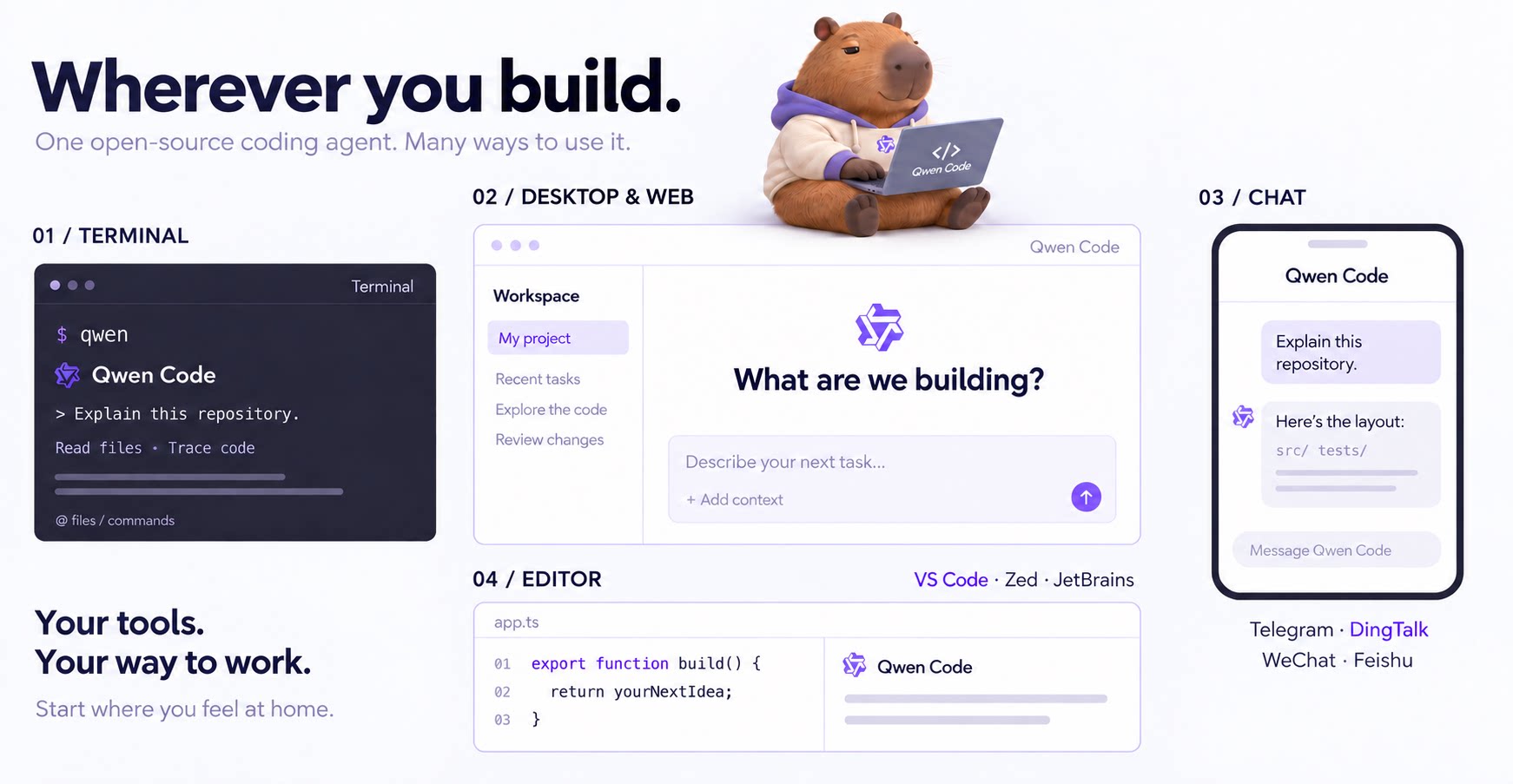
An open-source AI coding agent that lives in your terminal.

Run and supervise teams of coding agents from planning to merge. Any harness (Claude code, codex, +25 more). Desktop, web, mobile, and cloud agents.