
koala73/worldmonitorConnectors
Real-time global intelligence dashboard. AI-powered news aggregation, geopolitical monitoring, and infrastructure tracking in a unified situational awareness interface
86k
Hexis keeps agent skills, tool manuals, context, and permissions in a git repository you own. Agents connect over MCP, look up only what their role allows, and teams review changes through git-backed approval flows.
Builders who want a shared, reviewed catalog of skills and tools for MCP-capable agents.
You can let agents discover approved team knowledge and propose changes without copying prompts between tools.
Stores skills, tool manuals, context, and permissions as files in a repository you control.
Serves the approved content to any MCP-capable client, including Claude, Cursor, Codex, and Cline.
Limits each person and agent to the files their role is allowed to read or change.
Lets users and agents propose edits, then routes changes on protected branches for approval before they land.
Runs on your infrastructure with Docker, environment-based setup, and support for reverse proxies or HTTPS.
cline mcp install hexis --transport http https://demo.bevel.software/api/mcp --yes
mkdir hexis && cd hexis
# v0.15.1 below = the release this page was written against; replace with the latest release tag
wget https://raw.githubusercontent.com/Bevel-Software/Hexis/v0.15.1/docker-compose.yml
wget -O .env https://raw.githubusercontent.com/Bevel-Software/Hexis/v0.15.1/.env.example
ADMIN_EMAIL=you@example.com     # the deployment owner, always an admin
ADMIN_PASSWORD=pick-something   # sign-in password; only with password login (SSO-only deployments drop it)
JWT_SECRET=…                    # generate with the command below
SECRETS_ENC_KEY=…               # generate with the command below
node -e "console.log(require('crypto').randomBytes(32).toString('base64'))"
# no Node installed? docker run --rm node:22-slim node -e "console.log(require('crypto').randomBytes(32).toString('base64'))"DOMAIN=bevel.your-domain.com
docker compose -f docker-compose.yml --profile https up -d
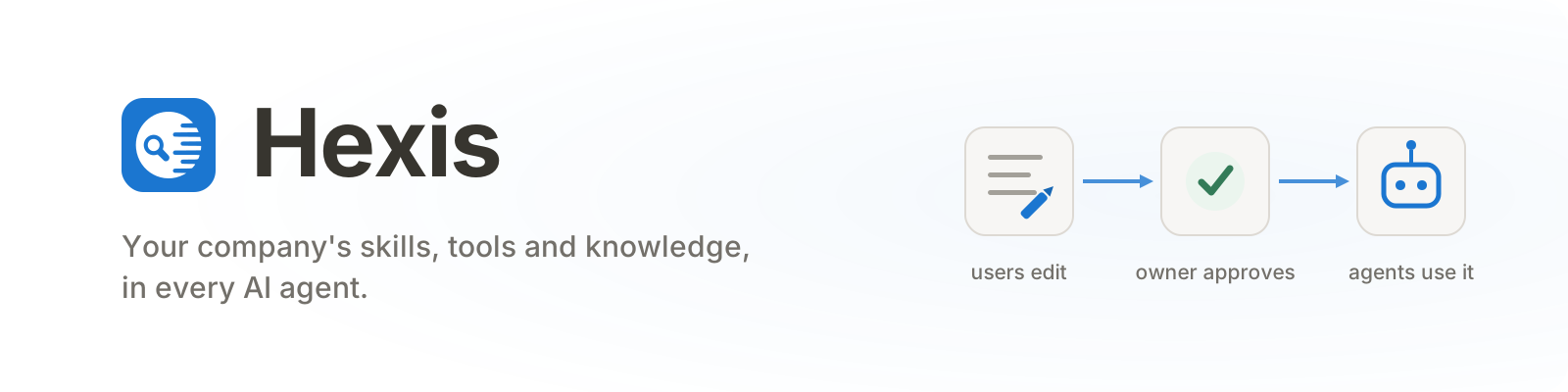




Git-backed control plane for AI-agent skills, tools, context, permissions and identity. Self-hosted and MCP-native.
One place where your company's AI plugins, tools and knowledge live: centrally managed, reviewed and access-controlled, and usable from any AI agent. The open-source core of the Bevel platform.
Used by companies such as Unite (formerly Mercateo), osapiens, BEO, Workpath and others.
One place where engineers and non-technical people alike can browse and load plugins, propose suggestions, and manage access.
Every skill, tool manual and permission is a file in a git repository you own, so the audit trail is the storage layer: who changed what, when, who approved it, and how to undo it. An agent can only do what the person running it can do, resolved per file, and it never holds the credentials it uses. Runs on your infrastructure, behind your own SSO.
MCP gateways are uni-directional; users can consume plugins, skills or tools but there is no mechanism here for users to propose changes or share new skills and MCP servers. You can do this via GitHub in the back, but this is not accessible to non-technical users and there is no fine-grained access control for either viewing or the review process.
Hexis can do all of the above specified capabilities for distribution, and has this bidirectionality needed for management.
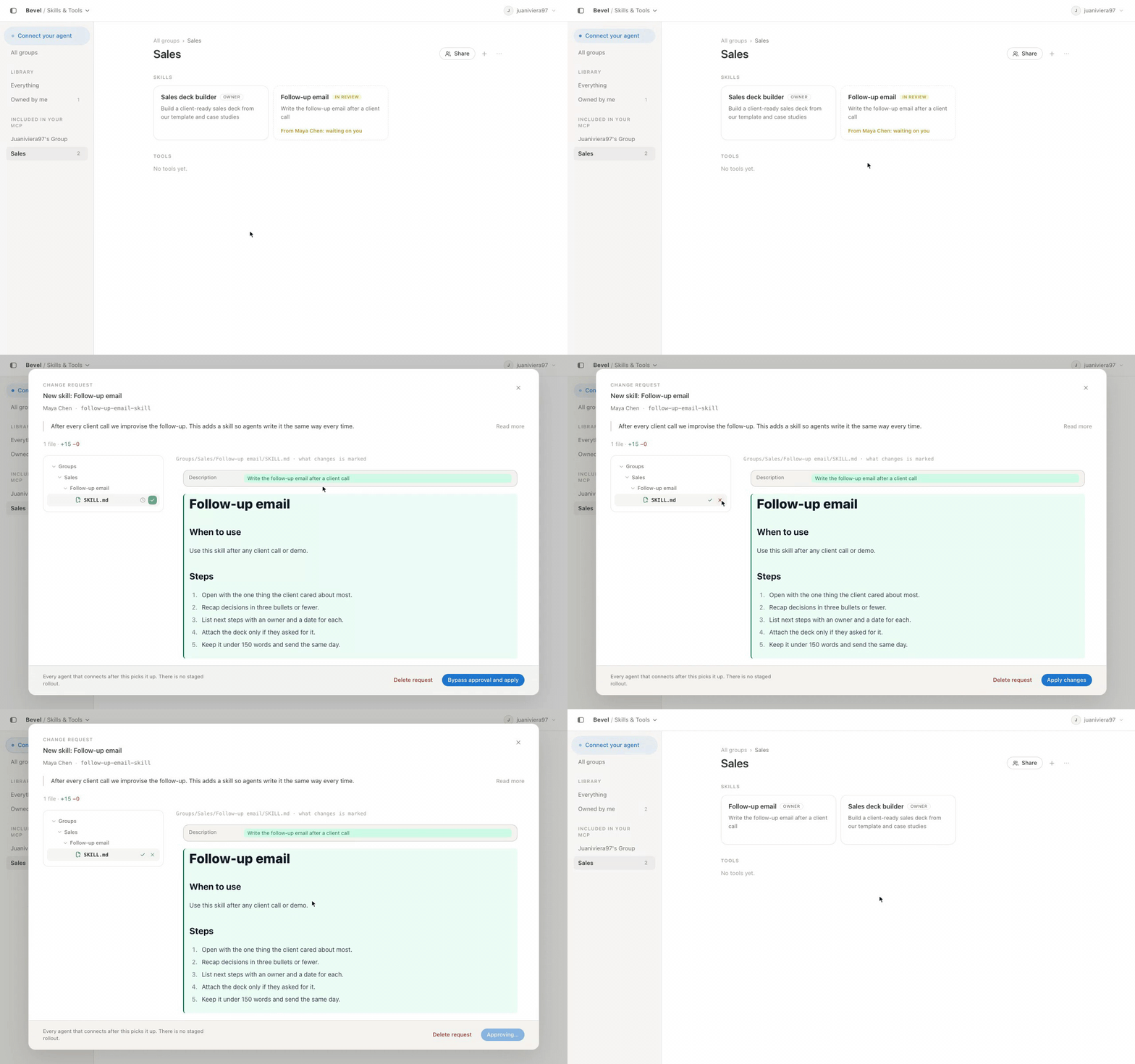
In Hexis, skills and tool manuals are reviewable files. Anyone can propose a change; on protected branches it reaches the owners of the files it touches and ships only once they approve. Agents propose too: one that hits a broken skill mid-task can suggest the fix, and a person decides whether it lands.
Watch the full walkthrough: connect an agent, use company context, review proposed changes, and manage team access.
Anyone can propose a new skill or improve an existing one. On protected branches, owners review the exact change and approve it before it becomes available to the team's agents.
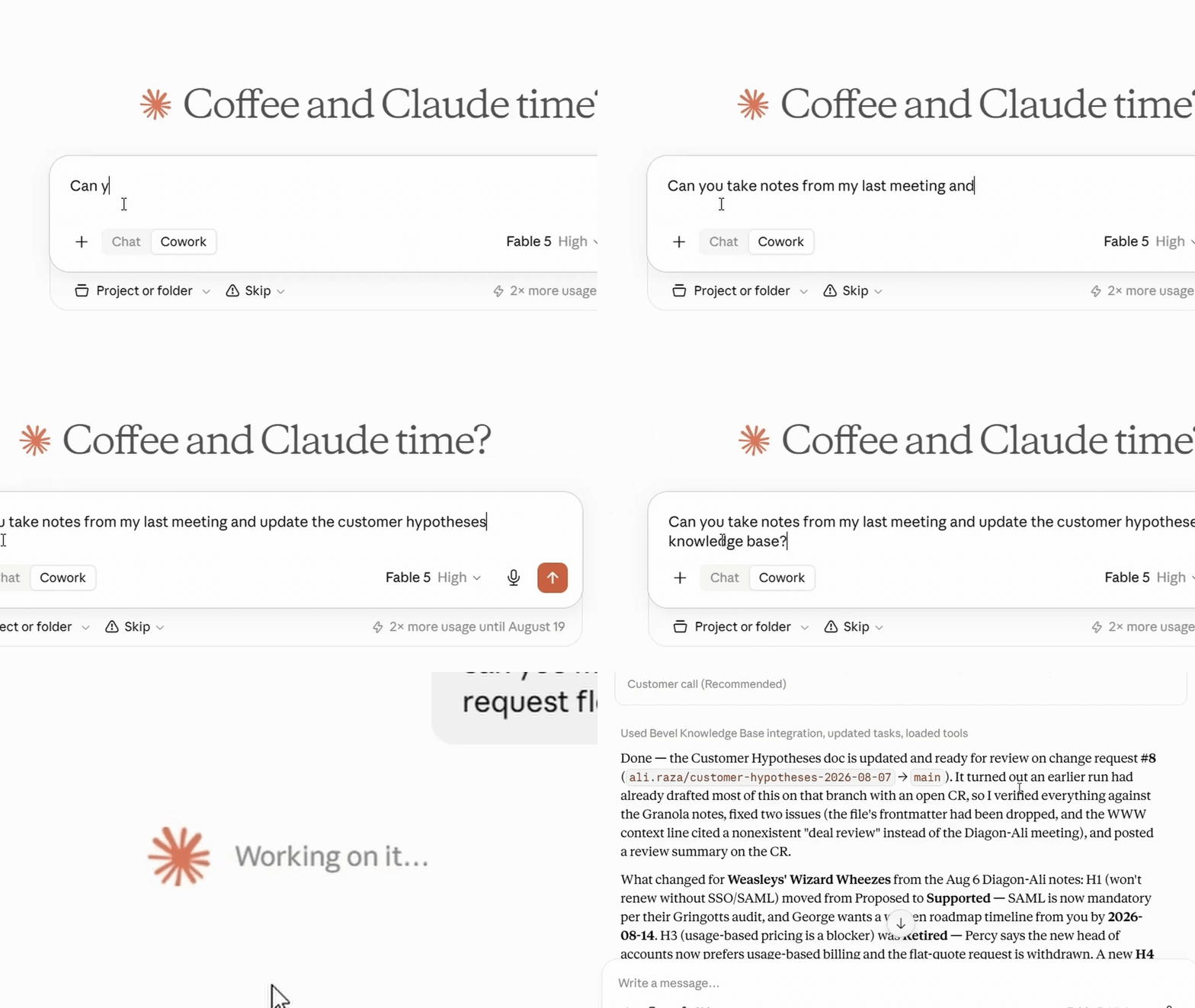
Connect Claude to Hexis over MCP, then ask normally. Claude can discover and load the approved skill instructions and company context your role can access, without copying prompts between tools.
Cline can connect directly to Hexis as a remote Streamable HTTP MCP server. Install the public demo connection from the Cline CLI:
cline mcp install hexis --transport http https://demo.bevel.software/api/mcp --yes
Complete the OAuth sign-in in your browser when prompted. Cline then discovers
the skills, tools and context your Hexis role can access. For your own Hexis
deployment, replace demo.bevel.software with your deployment's host.
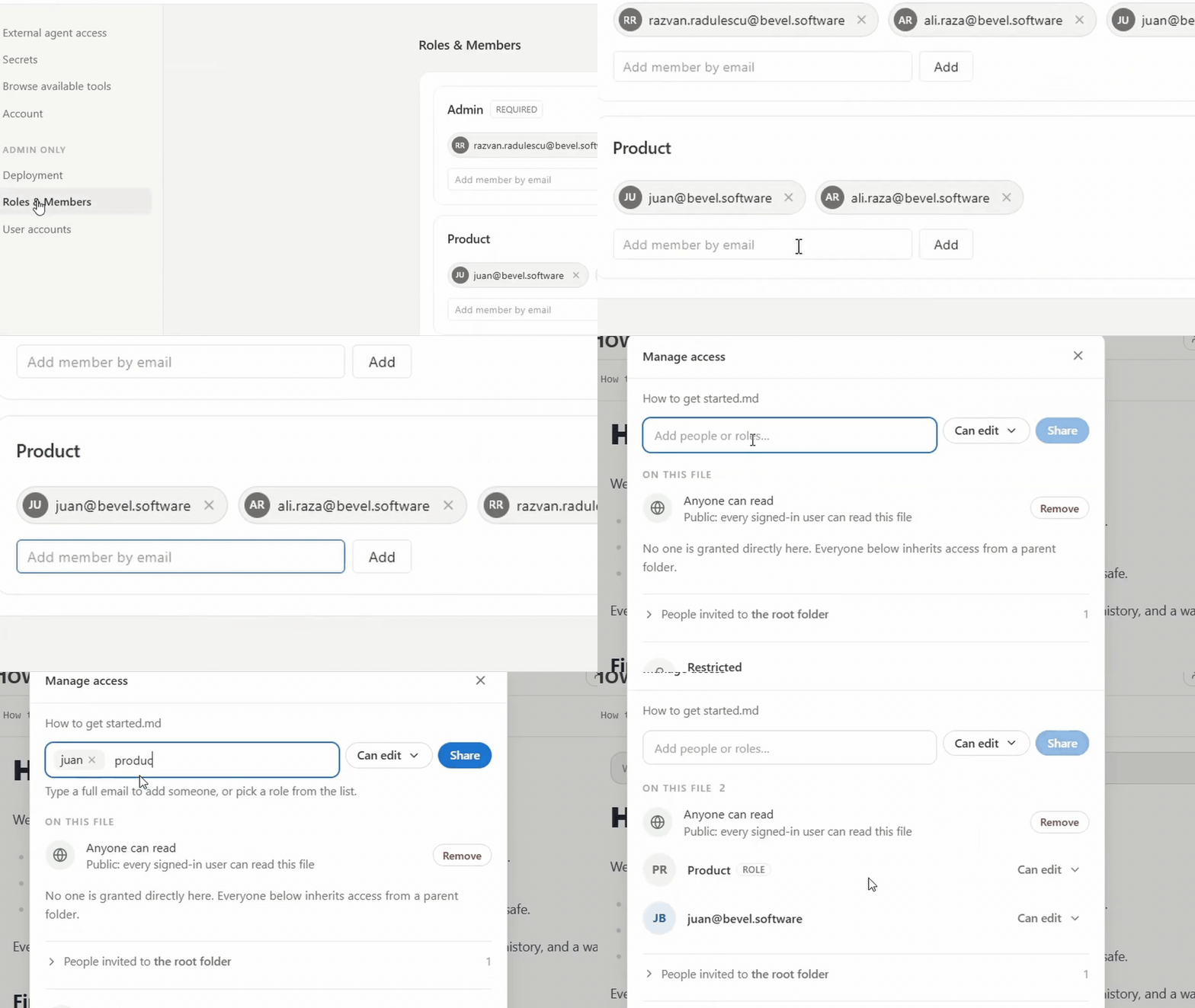
Add teammates to roles or grant access directly when needed. Everyone connects to the same workspace, while each person and their agent only sees what they are allowed to read.
demo.bevel.software is a public instance you can sign into with your Google account, populated with a fictional company's knowledge, skills and tools. The Start here page walks you through the whole loop: connect your own agent over MCP, have it build a sales deck from a skill, watch its proposed improvement arrive as a change request. The demo is shared and read-mostly (visitors propose, owners approve); everything below gets you the same thing with none of the limits.
We run it for you (hosting, upgrades, backups, SSO) and your team just signs in. Write to ali.raza@bevel.software.
You need: Docker with Compose on a server (or your laptop; one extra line below), and an empty git repository on any host (GitHub, GitLab, Bitbucket, Azure DevOps, self-hosted) to hold your knowledge base. The app seeds it with a starter template on first run.
Grab the two deployment files — no clone needed:
mkdir hexis && cd hexis
# v0.15.1 below = the release this page was written against; replace with the latest release tag
wget https://raw.githubusercontent.com/Bevel-Software/Hexis/v0.15.1/docker-compose.yml
wget -O .env https://raw.githubusercontent.com/Bevel-Software/Hexis/v0.15.1/.env.example
(Working from a git clone works identically — both files sit at the repo root;
cp .env.example .env.)
Open .env and fill in the four required values (everything else can wait):
ADMIN_EMAIL=you@example.com     # the deployment owner, always an admin
ADMIN_PASSWORD=pick-something   # sign-in password; only with password login (SSO-only deployments drop it)
JWT_SECRET=…                    # generate with the command below
SECRETS_ENC_KEY=…               # generate with the command below
Generate the two secrets (run twice, paste one result into each):
node -e "console.log(require('crypto').randomBytes(32).toString('base64'))"
# no Node installed? docker run --rm node:22-slim node -e "console.log(require('crypto').randomBytes(32).toString('base64'))"
For a public deployment served over HTTPS by the bundled proxy, also set the domain — it derives everything else public (origins, proxy hop):
DOMAIN=bevel.your-domain.com
Then start everything. Deploying pulls the image CI publishes on every
release — nothing compiles on your server, so a small instance suffices.
Pin the version in .env (HEXIS_VERSION=0.15.1) so a later pull can't
become an unplanned upgrade — UPGRADING.md covers upgrades
and backups. Building from source instead (a staging server tracking a
branch, a fork) is
deployment/docker-compose.build.yml
(explained in deployment/).
Public HTTPS, no proxy of your own (a bare EC2 instance, a plain VPS):
the https profile starts Caddy in front of the app, with automatic Let's
Encrypt certificates for DOMAIN and the HTTP→HTTPS redirect. First: a DNS
A (or AAAA) record for the domain pointing at the server, and ports 80 + 443
open to the internet (port 80 is not optional — the certificate challenge and
the redirect both use it).
docker compose -f docker-compose.yml --profile https up -d
Behind your own reverse proxy (Coolify, Traefik, nginx): skip the profile
— two things terminating TLS for one app is one too many. Instead of DOMAIN,
set the origin values and the proxy hop count in .env, so OAuth redirects
are built right and rate limits see real client IPs instead of the proxy's:
PUBLIC_BACKEND_URL=https://bevel.your-domain.com   # public origin; OAuth redirects are built from it
PUBLIC_FRONTEND_URL=https://bevel.your-domain.com  # same origin: the backend serves the SPA
TRUST_PROXY=1                                      # your proxy hop count
docker compose -f docker-compose.yml up -d
The explicit -f matters in a clone: it skips docker-compose.override.yml,
so the app publishes no host port — your proxy reaches it on port 3001
over the compose network. This is deliberate: a fixed published port makes
every redeploy fail with port is already allocated, because the replacement
container starts while the outgoing one still holds it.
Open your domain and sign in with ADMIN_EMAIL / ADMIN_PASSWORD.
Just trying it on your laptop? Same steps, minus DOMAIN and the origin
values — plus one extra file: docker-compose.yml alone publishes no host
port (see above), and docker-compose.override.yml is the piece that puts
the app on localhost. A clone already has it; next to the wget'd files, fetch
it too:
wget https://raw.githubusercontent.com/Bevel-Software/Hexis/v0.15.1/docker-compose.override.yml
docker compose up -d
Then open http://localhost:3001 (a different port:
APP_PORT=8080 docker compose up -d). Leave TRUST_PROXY unset here — with
no proxy in front, trusting forwarded headers would let clients spoof their
own address.
The app asks for the things it could not guess, and tests them against the real host before saving:
main) is fine.Since the repo is empty, the app initialises it from the bundled template and
writes a roles.yaml whose first Admin is you. That's it: you're in the
workspace. Head to Skills & Tools to make your first plugin and skill, and to
Connect (in the app menu) to hook up an agent over MCP.
Going to production? Configuration reference covers single sign-on, the state you need to back up, health checks, and configuring by environment instead of the setup screen.
Pages are markdown. A link to another page is a relative path, and Hexis opens it in the app:
See the [approval process](../Processes/Approval.md#steps).
Images work the same way. Keep them in an assets/ folder next to the pages
that use them, and link them relatively:

Access follows folders, so a person who may read the page may see its
screenshots, and moving the folder keeps every link valid; one shared
Uploads/ folder gives up both. An export that arrives with a sibling
.assets/ folder (Microsoft Loop, for one) can be dropped into the knowledge
base as it is, and the links resolve unchanged. Pasted base64 images are not
supported: save the file and link it.
You need: Node 22.13 or newer (.nvmrc; the engine range is >=22.13 <23),
pnpm 10, git ≥ 2.41, and a Postgres 17 (the bundled one is fine):
docker compose up -d db        # just the database
pnpm install
pnpm build                     # builds the packages the apps import
cp .env.example .env           # fill the same four required values;
                               # the default DATABASE_URL already points at the bundled db
pnpm dev                       # backend on :3001, Vite dev server on :5173
Open http://localhost:5173 (the dev server proxies to the backend). Useful
commands: pnpm test, pnpm typecheck, pnpm lint.
Migrations run automatically on boot; there is no separate migrate step, in dev or in production.
| Path | What it is |
|---|---|
packages/shared | @bevel-software/platform-shared: shared types + pure domain utilities |
packages/core-backend | @bevel-software/platform-core-backend: the core backend (ships migrations/ + kb-template/) |
packages/core-frontend | @bevel-software/platform-core-frontend: the core UI, published as raw TS/TSX source |
apps/server | standalone core backend shell |
apps/web | standalone core SPA shell (Vite) |
Questions that come up when teams evaluate Hexis as a central, versioned catalogue for agent skills and tools.
They look them up rather than loading them all: list_skills and search
narrow the field, get_skill returns one skill at call time.
Any MCP-capable client, including Claude Code, Codex, Cursor, Cline and ChatGPT, each seeing only what its user's role allows.
By git: every save is a commit, so history, blame and revert work as they do for code, and changes to protected branches ship as reviewable change requests.
Per-file access control, review-gated change requests, and a git audit trail of who changed what and who approved it.
License: Apache-2.0
Sign in to join the discussion.
No comments yet. Be the first to say what this is good for.
Real-time global intelligence dashboard. AI-powered news aggregation, geopolitical monitoring, and infrastructure tracking in a unified situational awareness interface
High-performance code intelligence MCP server. Indexes codebases into a persistent knowledge graph — average repo in milliseconds. 158 languages, sub-ms queries, 99% fewer tokens. Single static binary, zero dependencies.

Universal provider proxy for OpenAI Codex & Claude Code — use any LLM (Claude, Gemini, Grok, DeepSeek, Ollama…) with Codex CLI, App, SDK, and Claude Code

Git-native persistent memory for AI coding agents. Implements Google OKF v0.2 with sub-300µs in-memory BM25 search, embedded MCP server, and progressive disclosure. Slashes token bloat by 80% with zero external databases or dependencies. Built in pure Go.

Local-first code intelligence graph for MCP and CLI. Builds a persistent map of your codebase so AI coding tools read only what matters, with benchmarked context reductions on reviews and large-repo workflows.

Stop your AI from making things up — it proposes, deterministic tools decide, every claim checked against ground truth with evidence. Grounded facts and context survive resets. Reverse engineering is the proving ground. MCP server + CLI.