
koala73/worldmonitorConnectors
Real-time global intelligence dashboard. AI-powered news aggregation, geopolitical monitoring, and infrastructure tracking in a unified situational awareness interface
86k
Web-Algebra exposes RDF and SPARQL operations as MCP tools and as executable JSON workflows. Instead of calling many tools one by one, an agent can build a whole RDF workflow and run it through the execution engine. It also includes LinkedDataHub-specific operations for creating and managing portal content.
Builders who want an agent to work with RDF Linked Data, SPARQL, or LinkedDataHub.
You can turn natural-language requests into RDF workflows that run as one executable JSON operation set.
Uses `@op` and `args` to describe nested RDF operations in JSON.
Exposes the operations through Model Context Protocol over stdio or HTTP.
Includes `GET`, `POST`, `PUT`, `PATCH`, and other read-write Linked Data actions.
Supports `SELECT`, `CONSTRUCT`, `DESCRIBE`, `VALUES`, and `SPARQLString`.
Provides `ExtractClasses`, `ExtractDatatypeProperties`, `ExtractObjectProperties`, and `ExtractOntology`.
Adds portal and resource creation operations such as `ldh-CreateItem`, `ldh-GeneratePortal`, and `ldh-AddView`.
Defines the operation catalog and JSON format in `prompts/system.md` and `formal-semantics.md`.
uv venv
uv sync
uv run python src/web_algebra/main.py
uv run python src/web_algebra/main.py --from-json ./examples/united-kingdom-cities.json
uv run python src/web_algebra/main.py --from-json ./examples/united-kingdom-cities.json \
  --cert_pem_path ../LinkedDataHub/ssl/owner/cert.pem \
  --cert_password **********
uv run python -m web_algebra
uv run uvicorn web_algebra.server:app --reload
A composable RDF operations system that translates natural language instructions into JSON-formatted domain-specific language operations for loading, querying, and writing RDF Linked Data.
This system implements generic operations for RDF Linked Data and SPARQL management, as well as some LinkedDataHub-specific operations. Operations can be consumed in two ways:
Instead of agents executing semantic workflows step-by-step through individual MCP tool calls, Web-Algebra enables agents to compile entire workflows into optimized JSON "bytecode" that executes atomically - enabling complex multi-operation compositions.
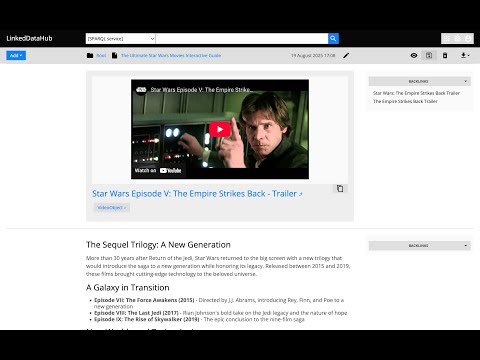
See WebAlgebra in action - translating natural language into RDF operations.
The system is built around the Operation abstract base class that provides:
src/web_algebra/operations/@op key with args for parameters, supporting nested operation callsURIRef, Literal, Graph, and Result types internally for proper RDF handlingValueResolveURI operationThe operations cover read-write Linked Data, SPARQL queries, URI manipulation, and LinkedDataHub-specific resource creation. Non-exhaustive list:
GETPATCHPOSTPUTCONSTRUCTDESCRIBESELECTSubstituteValuesSPARQLStringExtractClassesExtractDatatypePropertiesExtractObjectPropertiesExtractOntologyResolveURIEncodeForURIConcatReplaceStrSTRUUIDURIValueVariableForEachFilterBindingsCurrentExecuteMergeldh-CreateContainerldh-CreateItemldh-Listldh-AddFileldh-AddGenericServiceldh-AddResultSetChartldh-AddSelectldh-AddViewldh-AddObjectBlockldh-AddXHTMLBlockldh-RemoveBlockldh-GeneratePortalldh-GenerateClassContainersldh-GenerateOntologyViewsuv venv
uv sync
uv run python src/web_algebra/main.py
Then enter instruction, for example:
Select random 10 UK cities from DBpedia
See more examples
Currently requires OpenAI API access. OPENAI_API_KEY env value has to be set.
uv run python src/web_algebra/main.py --from-json ./examples/united-kingdom-cities.json
See JSON examples.
src/web_algebra/main.py, it expects the path to your LDH's owner certificate and its password as arguments. For example:uv run python src/web_algebra/main.py --from-json ./examples/united-kingdom-cities.json \
--cert_pem_path ../LinkedDataHub/ssl/owner/cert.pem \
--cert_password **********
Here and throughout this guide, the client certificate/password arguments are only required for authentication with LinkedDataHub. You don't need them if you're not using LinkedDataHub with Web Algebra.
uv run python -m web_algebra
uv run uvicorn web_algebra.server:app --reload
or with LinkedDataHub certificate credentials (change the path and password to yours):
CERT_PEM_PATH="/Users/Martynas.Jusevicius/WebRoot/LinkedDataHub/ssl/owner/cert.pem" CERT_PASSWORD="********" uv run uvicorn web_algebra.server:app --reload
You can the inspector like this:
npx @modelcontextprotocol/inspector
and then open on the URL printed in its console output, for example:
http://localhost:6274/?MCP_PROXY_AUTH_TOKEN=b31e4b3d852b5a2445f45032c484e54e319bf16359585858cf88fe9a90816744
The MCP_PROXY_AUTH_TOKEN is required. If the link does not appear, you need to copy the session token from the console and paste it into inspector's Proxy Session Token config.
Web Algebra's settings:
Add Web Algebra entry (that uses stdio transport) to the mcpServer configuration your claude_desktop_config.json file:
{
    "mcpServers": {
        "Web Algebra": {
            "command": "uv",
            "args": [
                "--directory",
                "/Users/Martynas.Jusevicius/WebRoot/Web-Algebra/src",
                "run",
                "--with",
                "mcp[cli]",
                "--with",
                "rdflib",
                "--with",
                "openai",
                "python",
                "-m",
                "web_algebra"
            ],
            "env": {
                "CERT_PEM_PATH": "/Users/Martynas.Jusevicius/WebRoot/LinkedDataHub/ssl/owner/cert.pem",
                "CERT_PASSWORD": "********"
            }
        }
    }
}
Leave the command as it is. Those uv run --with arguments are important, otherwise 3rd party packages cannot be found.
On my Mac, the path to uv has to be absolute, otherwise it doesn't work in Claude Desktop 🤷♂️.
CERT_PEM_PATH and CERT_PASSWORD env values are optional.
Sign in to join the discussion.
No comments yet. Be the first to say what this is good for.
Real-time global intelligence dashboard. AI-powered news aggregation, geopolitical monitoring, and infrastructure tracking in a unified situational awareness interface
High-performance code intelligence MCP server. Indexes codebases into a persistent knowledge graph — average repo in milliseconds. 158 languages, sub-ms queries, 99% fewer tokens. Single static binary, zero dependencies.

Universal provider proxy for OpenAI Codex & Claude Code — use any LLM (Claude, Gemini, Grok, DeepSeek, Ollama…) with Codex CLI, App, SDK, and Claude Code

Git-native persistent memory for AI coding agents. Implements Google OKF v0.2 with sub-300µs in-memory BM25 search, embedded MCP server, and progressive disclosure. Slashes token bloat by 80% with zero external databases or dependencies. Built in pure Go.

Local-first code intelligence graph for MCP and CLI. Builds a persistent map of your codebase so AI coding tools read only what matters, with benchmarked context reductions on reviews and large-repo workflows.

Stop your AI from making things up — it proposes, deterministic tools decide, every claim checked against ground truth with evidence. Grounded facts and context survive resets. Reverse engineering is the proving ground. MCP server + CLI.