bridge4simulator MCP Server
MCP Server for iOS Simulator Control
Watch full video on YouTube
An MCP (Model Context Protocol) server that enables AI assistants to control iOS Simulator. Seamlessly integrates with Claude Desktop, Cursor, Claude Code, and other MCP-compatible clients.
Be sure to drop a ⭐️ if you find this project useful.
Quick Install
Brew:
brew tap AppGram/tap
  brew install bridge4simulator
  bridge4simulator --version
Installer:
curl -fsSL https://github.com/AppGram/bridge4simulator/releases/latest/download/install.sh | bash
Under the hood, MCP relies on a custom-built bridge. For inquiries about commercial use of the tool powering this CLI, be free to contact us
Configuration
First run, in terminal:
bridge4simulator mcp --http
Cursor IDE
Go to Settings > MCP and add:
Then add config
    "bridge4simulator": {
       "url": "http://localhost:8080/mcp"
    },
Or in Claude Desktop config:
{
  "mcpServers": {
    "bridge4simulator": {
      "command": "/usr/local/bin/bridge4simulator",
      "args": ["mcp", "--enable-tools=screenshot"]
    }
  }
}
Claude Desktop doesn't support url for local development MCPs.
Claude Code CLI
Add to ~/.claude/settings.json or project .mcp.json:
{
  "mcpServers": {
    "ios-simulator": {
      "command": "/usr/local/bin/bridge4simulator",
      "args": ["mcp", "--enable-tools=screenshot"]
    }
  }
}
Demo
This demo highlights autonomous navigation and the internal reasoning process behind task execution. Under the hood, MCP uses a powerful CLI tool that enables instant OCR and UI extraction while keeping token consumption minimal for rapid problem solving.
| Apple Calendar Demo | Apple Maps Demo |
|---|
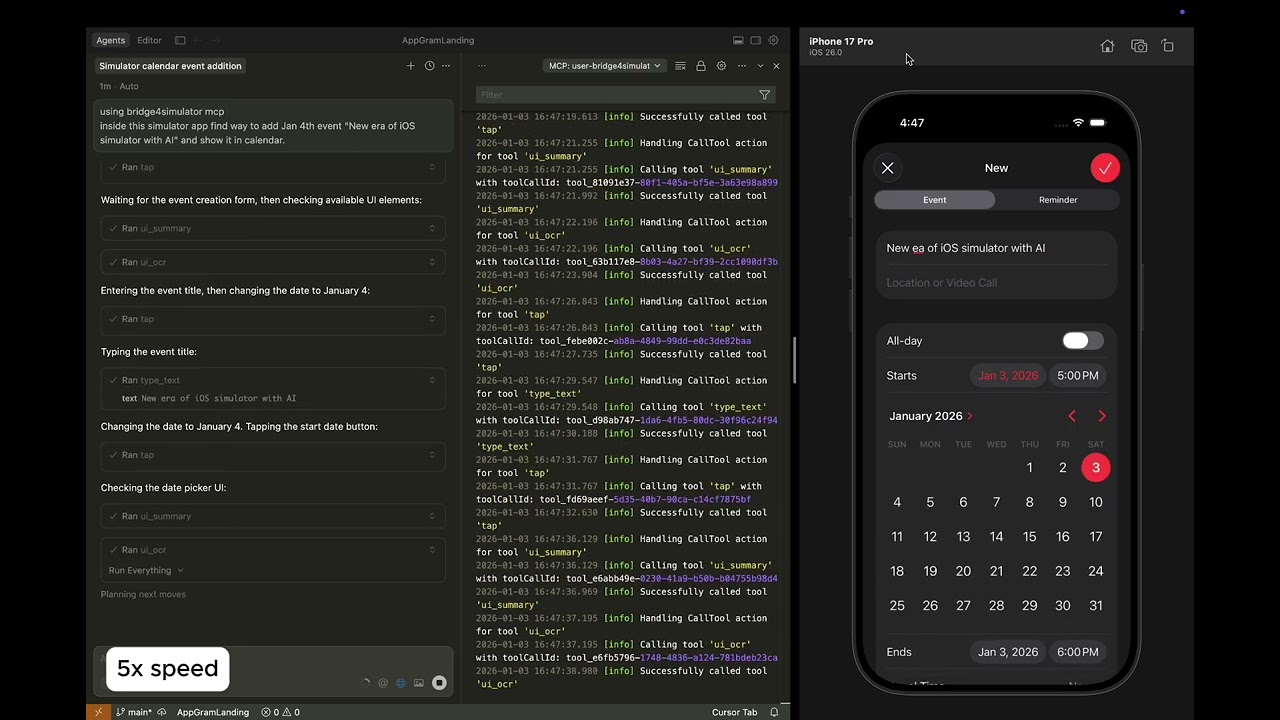
Task was to create an event on specific date. Click to watch.
| 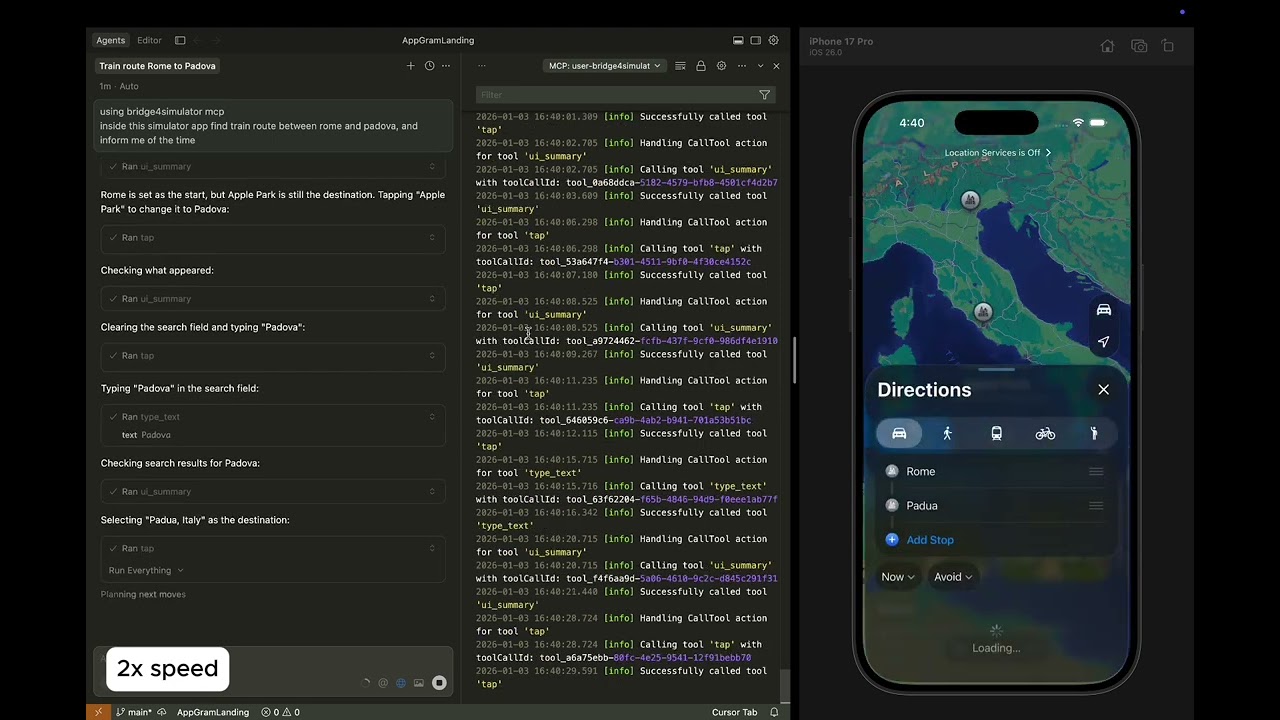
Task is to find train route from Rome to Padova. Click to watch.
|
Available Tools (21)
| Category | Tools | Description |
|---|
| Device | device_list, device_boot, device_shutdown, status | Manage simulator devices |
| Input | tap, swipe, type_text | Touch gestures and text input |
| Capture | screenshot, record_start, record_stop | Screen capture and recording |
| Apps | app_install, app_launch, app_terminate | Application lifecycle |
| Navigation | open_url | Open URLs and deep links |
| UI | ui_describe, ui_find, ui_search, ui_summary, ui_point, ui_ocr | Accessibility tree and OCR |
| Macros | macro_play, macro_list | Automation sequences |
Example Workflows
Once configured, ask your AI assistant:
UI Interaction:
"Find train route between Rome and Florance inside running app"
Screenshot & Analysis:
"Take a screenshot of the iOS Simulator and describe what's on screen"
Navigation:
"Scroll down the list and find the settings option"
App Testing:
"Launch the app com.example.myapp and take a screenshot"
Requirements
- Xcode Command Line Tools
- iOS Simulator (via Xcode)
Manual Download
Running the Server
# Start MCP server (JSON-RPC over stdio)
bridge4simulator mcp
The server reads JSON-RPC 2.0 requests from stdin and writes responses to stdout.
Support
Version 1.0.0 | AppGram