
JuliusBrussee/
caveman

🪨 why use many token when few token do trick — Claude Code skill that cuts 65% of tokens by talking like caveman
105k
1 add
MemoryWhale records what happened during debugging, then keeps it in local SQLite so you can search it later. It separates capture from retrieval: the CLI, hooks, and agent integrations write evidence, and MCP or the search commands read it back when you need context again.
Builders who debug across terminals and agent sessions and want one local memory they can reuse later.
You can recover past failures and the fixes that worked instead of re-explaining them to each new session or agent.
Records commands, output, failures, environment details, and the fixes that worked.
Keeps the history in SQLite with no hosted service or account needed.
Provides `mw-mcp` as a local stdio MCP server and `mw-serve` over HTTP.
Lets you search past failures and get compact context with commands like `mw search` and `mw context`.
Includes setup guides and `mw integrate` support for Claude Code, Cursor, Codex, Gemini CLI, Copilot, Windsurf, and other MCP clients.
Uses `mw doctor` to check MCP, hooks, and skill guidance.
(
  set -eu
  installer="$(mktemp)"
  trap 'rm -f "$installer"' EXIT
  curl -fsSL https://raw.githubusercontent.com/wuisabel-gif/MemWhale/7c3864c743cec9a8fa813dcc0b2459cc2859c849/install.sh -o "$installer"
  printf '%s  %s\n' '3e0cad72b29c1894d5ff5f7c30b099537f96501801c14b6320c12e169a3ac8d6' "$installer" | shasum -a 256 -c -
  sh "$installer"
)
cargo install memorywhale-cli

brew tap wuisabel-gif/memorywhale https://github.com/wuisabel-gif/MemWhale
brew install memorywhale
mw --version
mw doctor

Persistent local debugging memory for developers and coding agents.
English README · العربية · Deutsch · README français · 简体中文 README · 繁體中文 README · 한국어 README · 日本語 README



MemoryWhale records what actually happened while you debug: commands, output, failures, and the fixes that worked. It stores that evidence in local SQLite so you and your coding agents can find it after the terminal, SSH connection, or agent session is gone.
MemoryWhale 0.10.0 — Agent-Native Memory · September 6, 2026. The CLI, web UI, and desktop app share product version 0.10.0; the reusable Rust core is version 0.5.0. See the release notes for the upgrade guide and breaking Rust API change.
mw-mcp.MemoryWhale records development experience, not everything. It is a debugging memory layer, not an autonomous coding agent, a general-purpose personal memory system, or a replacement for project documentation.
mw integrate; mw doctor
checks MCP, hooks, and skills independently.claude,
rho, or NULL. The display/filter label terminal means terminal/manual
or legacy provenance, not proof that a human ran it. Agent identity is
separate from source type such as command, session, or note.mw-serve provides HTTP MCP at POST /mcp;
mw-serve --api opts into the read-only JSON API. Both use the dashboard's
listener; non-loopback access requires a token.mw github context <pr> reads PR
metadata, checks, and reviews through your existing gh login. It prints
bounded, redacted context without checking out code or automatically saving
it to memory. There is no background GitHub sync.Prebuilt binaries are available for Linux x86_64/aarch64 and macOS:
(
  set -eu
  installer="$(mktemp)"
  trap 'rm -f "$installer"' EXIT
  curl -fsSL https://raw.githubusercontent.com/wuisabel-gif/MemWhale/7c3864c743cec9a8fa813dcc0b2459cc2859c849/install.sh -o "$installer"
  printf '%s  %s\n' '3e0cad72b29c1894d5ff5f7c30b099537f96501801c14b6320c12e169a3ac8d6' "$installer" | shasum -a 256 -c -
  sh "$installer"
)
Or install with Cargo or Homebrew:
cargo install memorywhale-cli

brew tap wuisabel-gif/memorywhale https://github.com/wuisabel-gif/MemWhale
brew install memorywhale
After installation or upgrade, check the version and local setup:
mw --version
mw doctor
Windows users can run MemoryWhale inside WSL. See the getting-started guide for package installs, PATH setup, and platform notes.
mw global on                         # capture future interactive shell commands
mw-run -- cargo check                # capture one command and its output
mw remember "the linker needed libssl-dev"
mw search "linker error"             # recover the failure and its fix
mw context --last-error              # compact context for any agent or chat
mw pet                               # check your memory store's mood
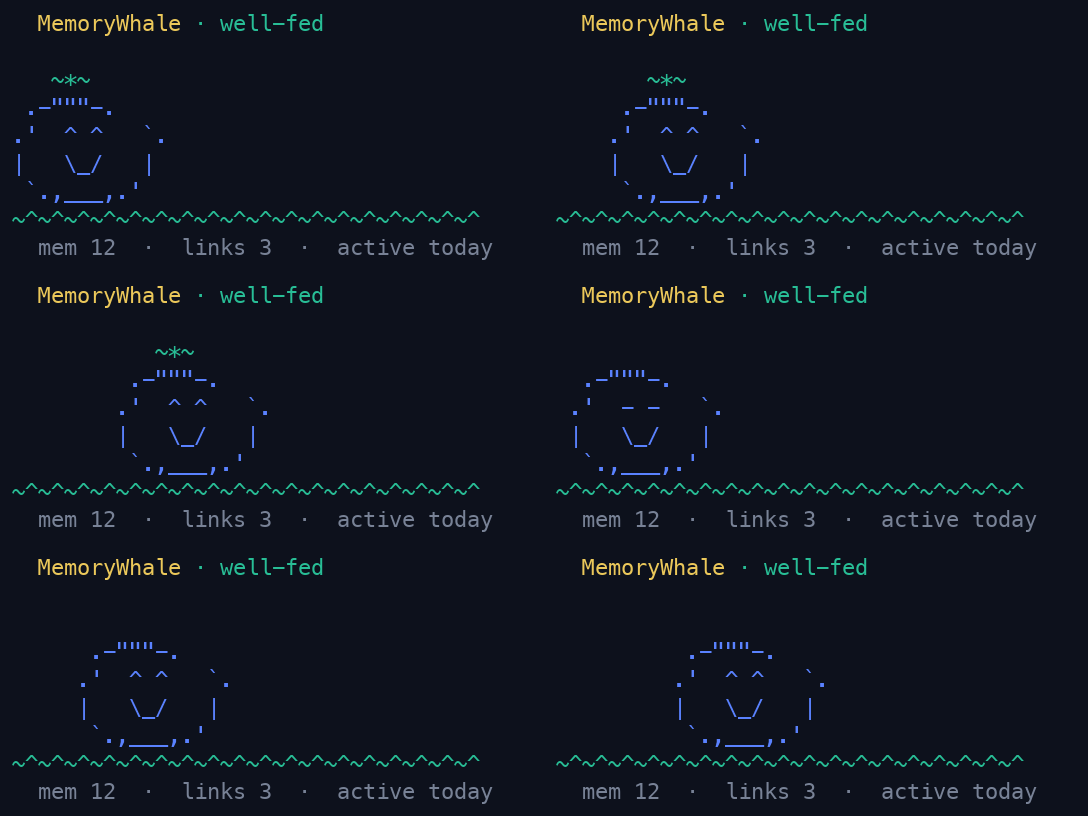
For longer work, mw --live records a crash-resistant shell session. mw tui
opens an interactive terminal browser, while mw-serve starts the local web
dashboard.
CAPTURE                 MEMORY                 RETRIEVAL
shell / mw-run ──────► local SQLite ────────► search / context
agent hooks ─────────► evidence + lessons ──► similar failures
                                                   │
                                              INTERFACES
                                      CLI / MCP / TUI / Web / Desktop
Capture and retrieval are independent. MCP gives an agent access to existing memory; it does not automatically record normal terminal activity. See the architecture and capture concept for the complete model.
mw-mcp is the common integration seam: a local stdio MCP server exposing six
memory tools, also available over HTTP through mw-serve. Existing guides
cover Claude Code, Rho, Claude Desktop, Cursor, VS
Code / GitHub Copilot, Windsurf, Zed, Codex CLI, Cline, Continue, Gemini CLI,
Goose, OpenClaw, CrowClaw, Hermes Agent, and other compatible clients.
mw integrate claude
mw integrate rho
mw doctor
Clients do not all provide the same capabilities. MCP supports memory access; automatic execution capture requires a client-specific hook. The integration matrix distinguishes access, capture, and memory-use guidance and links every verified setup guide.
Rho's current hook payload lacks command text and stdout: failures can be recorded as metadata with a sentinel command; successful calls without command text are skipped. The cross-agent handoff demo uses fixtures and a simulated Rho client against real MCP, not live agents or a verified Cargo fix.
The bundled skill guides memory use; it does not implement automatic task-start recall, failure lookup, or pre-compaction saving. Those lifecycle decisions remain with the client. MCP-authored lessons are pending review by default.
MemoryWhale is for developers whose debugging context is scattered across terminal scrollback, shell history, machines, and temporary agent sessions. It is especially useful when you:
See Use cases for each of these as an end-to-end scenario with real commands.
mw pet referenceMemoryWhale accepts changes that improve capturing, preserving, retrieving, or sharing development experience. Read CONTRIBUTING.md for the scope rule, development commands, and pull-request checklist.
Licensed under the MIT License.
Sign in to join the discussion.
No comments yet. Be the first to say what this is good for.
🪨 why use many token when few token do trick — Claude Code skill that cuts 65% of tokens by talking like caveman

The best-benchmarked open-source AI memory system. And it's free.

Orca is the ADE for working with a fleet of parallel agents. Run any coding agent with your own subscription. Available on desktop, mobile and remote runtime.

A cross-platform desktop All-in-One assistant for Claude Code, Codex, OpenCode, OpenClaw, Grok Build & Hermes Agent. Only official website: ccswitch.io

Never stop coding. Free MIT AI gateway: one endpoint, 352 providers (150+ free), 1200+ models Kimi, Claude, GPT, Gemini, GLM, DeepSeek, MiniMax. Works with Claude Code, Codex, Cursor, OpenCode, Cline & Copilot. Quota-aware auto-fallback, RTK+Caveman compression saves 15-95% tokens, MCP/A2A, Desktop/PWA. Built by 550+ contributors

Compress tool outputs, logs, files, and RAG chunks before they reach the LLM. 20% fewer tokens for coding agents, 60-95% fewer tokens for JSON, same answers. Library, proxy, MCP server.