

rohitg00/ai-engineering-from-scratchTutorials & Guides
Learn it. Build it. Ship it for others.
54k
OpenCode Primer explains how to use OpenCode from first setup through custom workflows. It shows how the repo is structured, how `AGENTS.md` and `.opencode/` files shape behavior, and how commands, skills, plugins, agents, and MCP servers fit together.
Builders who want to use OpenCode for agent-led coding, custom commands, and connected tools.
You can set up OpenCode with reusable rules, agents, and integrations instead of starting from scratch each time.
Covers installation, authentication, first prompts, and project initialization with `/init`.
Explains `AGENTS.md`, file references, shell injection, and the plan/build workflow.
Shows how custom commands, skills, plugins, agents, and MCP servers each behave and where they live.
Documents `opencode run`, `opencode serve`, `opencode web`, and GitHub workflows for unattended runs.
Provides working examples in `.opencode/`, `opencode.json`, and `tui.json`.
opencode                                       # start TUI in the current repo
opencode run "fix the failing test in src/api.test.ts"
opencode serve --port 4096                     # headless server
curl -fsSL https://opencode.ai/install | bash
opencode auth login                  # interactive provider picker
opencode auth list                   # see who you're signed in to
cd ~/your-project
opencode
/init
# 1. Sign up at https://opencode.ai/auth, add billing, copy API key
# 2. In OpenCode:
/connect            # pick "OpenCode Zen", paste key
/models             # browse the lineup
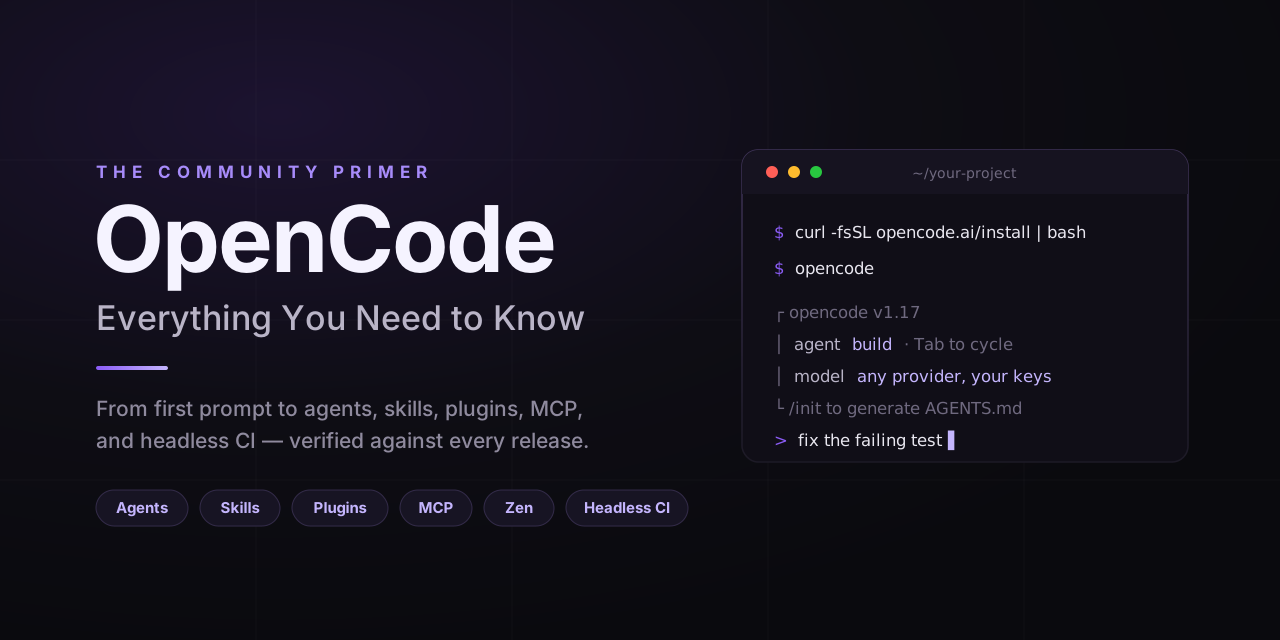
Everything you need to know about OpenCode — from your first prompt to custom agents, skills, plugins, and MCP integrations. Clear mental models, real examples, every fact verified against the current release.




curl -fsSL https://opencode.ai/install | bash
Who this is for: Developers using (or about to use) OpenCode. Beginners get a guided path; power users get depth on Custom Commands, Skills, Plugins, MCP, and Agents.
⚖️ Not affiliated with the OpenCode team. This is a community-maintained guide. For canonical sources, check opencode.ai/docs and github.com/anomalyco/opencode.
💡 Pro Tip: If this guide saves you an afternoon, a ⭐ helps other developers find it.
| You are… | Start with | Time |
|---|---|---|
| 🚀 New to OpenCode | What is it → Setup → Prompt Engineering | ~15 min |
| ⚡ Already using it | Custom Commands · Skills · Plugins · MCP | ~20 min each |
| 🧠 Configuring or headless | Agents · Headless & CI · Models & Providers | varies |
OpenCode is an open-source AI coding agent — a terminal app (TUI), desktop app, and IDE extension that reads your repo, runs commands, edits files, and talks to any LLM you point it at. Maintained by Anomaly, MIT-licensed — and as of July 2026 the most-starred coding agent on GitHub (182K+ stars), with 8M monthly users by the founder's count.
Three things it does that a chat UI can't:
read/grep/glob tools.edit/write/apply_patch, then bash to run your tests, linter, or build on the spot.Three interfaces:
| Surface | Command | When |
|---|---|---|
| TUI (default) | opencode | Interactive day-to-day work in your terminal |
| CLI / headless | opencode run "<prompt>" | Scripts, CI jobs, one-shot prompts |
| Server | opencode serve or opencode web | Headless API, web UI, or remote attach |
opencode                                       # start TUI in the current repo
opencode run "fix the failing test in src/api.test.ts"
opencode serve --port 4096                     # headless server
OpenCode sits in the same space as Claude Code, Codex CLI, and Cursor — same problem, different trade-offs. None is universally better; pick the one whose model, surface, and ecosystem fit your workflow. (The field consolidated hard in 2026: Gemini CLI was retired in June in favor of the closed-source Antigravity CLI, and Roo Code shut down in May.)
⚠️ AI-coding caveat: OpenCode (like every coding agent) can produce wrong code, miss edge cases, hallucinate APIs, and over-apply patterns. You're still the reviewer. Read diffs before accepting, run tests, and don't auto-approve destructive operations on code you care about.
| Limitation | Detail |
|---|---|
| No inline editor completion | OpenCode is a conversational agent, not Copilot-style autocomplete. For ghost-text-while-you-type, reach for Copilot, Cursor Tab, Windsurf (formerly Codeium), or Supermaven — or alongside. |
| Quality depends on the underlying model | OpenCode doesn't replace the LLM's reasoning. If your task fails on Sonnet, switching to OpenCode won't fix it. |
| Provider-agnostic ≠ provider-equivalent | Some models tool-call better than others. A slug swap isn't free. |
| TUI on slow SSH / minimal terminals | The TUI uses truecolor and complex layouts. Degrades over slow connections. opencode serve + attach or opencode run are better for those cases. |
| Plugins run arbitrary code | Any plugin — local or npm — has full user permissions. Audit before installing. |
| Free Zen models are time-limited | The Zen docs call them "available for a limited time." Don't build production on them. |
| Docs lag shipping | OpenCode moves fast. This guide and even the official docs occasionally trail the actual binary. |
| Not a substitute for code review | Diff-aware edits + passing tests don't guarantee correct, secure, or maintainable code. Treat AI output as a junior teammate's PR. |
When something else fits better:
OpenCode's trade-off: flexibility and openness over polish and single-vendor integration. Worth it for many use cases; not all.
⏱️ 5 minutes from zero to first AI-assisted commit.
curl -fsSL https://opencode.ai/install | bash
Other supported installers (pick whichever you already use):
npm i -g opencode-ai@latest         # npm / pnpm / yarn / bun all work
brew install anomalyco/tap/opencode # macOS / Linux
scoop install opencode              # Windows
choco install opencode              # Windows
sudo pacman -S opencode             # Arch
paru -S opencode-bin                # Arch (AUR)
mise use -g github:anomalyco/opencode      # mise users
docker run -it --rm ghcr.io/anomalyco/opencode  # Docker
A desktop app for macOS / Windows / Linux is in beta at opencode.ai/download.
opencode auth login                  # interactive provider picker
opencode auth list                   # see who you're signed in to
Or from inside the TUI: /connect. Provider options covered in the next section.
cd ~/your-project
opencode
Try one of these:
explain what this codebase doesadd a README section about installationfind and fix the failing test in src/api.test.tsAGENTS.md/init
/init generates an AGENTS.md — your project's "house rules" that OpenCode reads every session. Commit it. More in Prompt Engineering.
📝 Coming from Claude Code? OpenCode reads
CLAUDE.mdas a fallback if noAGENTS.mdexists. Disable withOPENCODE_DISABLE_CLAUDE_CODE=1once migrated.
This repo's own .opencode/ directory is a working example:
| Path | What it does |
|---|---|
.opencode/agents/ | Custom agent definitions (markdown + YAML) |
.opencode/commands/ | Custom slash commands |
.opencode/plugins/ | Working JS plugins (audit log, secret blocker) |
.opencode/skills/ | Agent skills with SKILL.md files |
AGENTS.md | Project instructions OpenCode reads every session |
opencode.json | Project config with safe defaults |
OpenCode is provider-agnostic. Four ways to plug in a model — pick whichever fits your accounts, budget, and privacy posture:
| Best for | Trade-off | |
|---|---|---|
| Direct providers (Anthropic, OpenAI, Google, Groq, OpenRouter, AWS Bedrock, Azure) | You already have credits with a provider | Manage one key per provider |
| OpenCode Zen — pay-as-you-go gateway | One key, curated lineup, no commitment | Pricier per token than going direct in some cases |
| OpenCode Go — flat-rate subscription | Predictable $10/month, zero key management | Curated open models only, usage limits |
| Local models (Ollama, LM Studio, llama.cpp) | Offline, strict data-residency, hobbyist | Quality varies hugely with model and hardware |
There's no universally right answer — pick what fits.
⚠️ Warning: You can no longer sign in with a Claude Pro/Max subscription. OpenCode removed its built-in Anthropic OAuth login in March 2026 at Anthropic's legal request (PR #18186). Anthropic models still work fine — via an API key in the provider config below, or via Zen.
{
  "$schema": "https://opencode.ai/config.json",
  "model": "anthropic/claude-sonnet-5",
  "provider": {
    "anthropic": { "options": { "apiKey": "{env:ANTHROPIC_API_KEY}" } },
    "openai":    { "options": { "apiKey": "{file:~/.secrets/openai-key}" } }
  }
}
Variable substitution: {env:NAME} (environment) or {file:./path} (file content, absolute or relative).
Per-agent model override:
{
  "agent": {
    "plan":         { "model": "anthropic/claude-haiku-4-5" },
    "deep-thinker": { "model": "openai/gpt-5.5", "options": { "reasoningEffort": "high" } }
  }
}
A curated, pay-as-you-go AI gateway. The OpenCode team tests and tunes models for coding-agent workloads; you get one key and a benchmarked lineup. Reference Zen models with the opencode/<model-id> namespace.
# 1. Sign up at https://opencode.ai/auth, add billing, copy API key
# 2. In OpenCode:
/connect            # pick "OpenCode Zen", paste key
/models             # browse the lineup
Pricing snapshot (verified 2026-07-05; check opencode.ai/docs/zen for current)
| Model ID | Input / Output (per MTok) | Reach for it when… |
|---|---|---|
opencode/claude-fable-5 | $10 / $50 | Absolute frontier — the hardest reasoning problems |
opencode/claude-opus-4-8 | $5 / $25 | Flagship reasoning — complex refactors, large multi-file work |
opencode/claude-sonnet-5 | $2 / $10 | Balanced everyday coding — newer and cheaper than Sonnet 4.6 |
opencode/claude-haiku-4-5 | $1 / $5 | Fast, lightweight tasks |
opencode/gpt-5.5 (≤272K) | $5 / $30 | Long-context, OpenAI ecosystem |
opencode/gpt-5.4-mini | $0.75 / $4.50 | Cost-efficient frontier |
opencode/gemini-3.1-pro (≤200K) | $2 / $12 | Multimodal, Google ecosystem |
opencode/qwen3.7-plus | $0.40 / $1.60 | Budget-friendly heavy lifting |
Free tier (rotating, time-limited, for community feedback): big-pickle (stealth), deepseek-v4-flash-free, mimo-v2.5-free, north-mini-code-free, nemotron-3-ultra-free.
📚 Full lineup, cached-read/write rates, GPT-5 Codex variants, Gemini, GLM, Kimi, MiniMax, DeepSeek, Grok, and the Claude Opus 4.8/4.7/4.6/4.5 line: opencode.ai/docs/zen · Deeper guide (incl. deprecation sunset dates):
docs/zen.md.
💡 Pattern: cheap explorer / strong executor. Use a cheap model (
qwen3.7-plus,gpt-5.4-mini) forexploreandscoutsubagents that read a lot, and a stronger one (claude-sonnet-5orclaude-opus-4-8) for the mainbuildagent that does the editing.
The flat-rate alternative to Zen: $10/month ($5 your first month) for a curated set of hosted open coding models — no API keys, no per-token math. Usage limits apply (roughly $12 per 5 hours / $30 per week / $60 per month of equivalent usage); past them, Go can fall back to a Zen balance.
Zen vs. Go in one line: Zen bills per token across the full lineup; Go is a fixed subscription to open models. Reach for Go to learn and hack on a predictable budget; reach for Zen (or direct keys) when you want frontier models. Details: opencode.ai/docs/go · docs/zen.md.
📖 Project Initialization. Run
/initto auto-generate anAGENTS.md. Treat it like any frequently-used prompt — iterate on it. Don't just dump 500 lines and forget.
Two primary agents you toggle with Tab:
| Agent | What changes | Use it for |
|---|---|---|
plan | edit and bash default to ask — analysis without surprise writes | Reading code, designing approaches, reviewing diffs |
build | Full tool access (default) | Implementation, refactors, running tests |
Natural workflow:
[plan]  > how would you implement OAuth for this app?
       (reads, plans, proposes — no writes)
[plan]  > <Tab>
[build] > do it
       (implements, edits, runs tests)
💡 Prompts like
think hard,think more, orultrathinknudge reasoning depth on supported models — the same pattern in the Anthropic prompt engineering guide.
| Syntax | Effect | Example |
|---|---|---|
@<path> | Attach file content (fuzzy resolved) | look at @src/api/auth.ts |
!<cmd> | Run shell, inject output | !git diff then ask about it |
> review @packages/api/src/handlers/auth.ts for missing input validation
> !pnpm test --reporter=verbose
> based on those failures, fix the auth handler
AGENTS.md for project rules# AGENTS.md
## Commands
- build: `pnpm build`
- test: `pnpm test`
- lint: `pnpm lint && pnpm typecheck`
## Conventions
- TypeScript strict mode, no `any`
- Prefer named exports; default exports only for React components
## Don't
- Edit anything under `vendor/`
- Run migrations without confirmation
- Push to `main` directly
Reads on every session. Add extra files via instructions: ["..."] in opencode.json.
OpenCode's TUI uses a leader key (default ctrl+x) followed by a single letter. Keeps single-keystroke editing keys free for the input box.
| Binding | Action |
|---|---|
ctrl+x n | New session |
ctrl+x l | List sessions |
ctrl+x c | Compact session |
ctrl+x e | Open external editor |
ctrl+x m | Browse models |
ctrl+x t | Switch theme |
ctrl+x u / ctrl+x r | Undo / Redo |
ctrl+x q | Quit |
ctrl+p | Command palette |
Tab | Cycle primary agents |
Esc | Cancel / dismiss |
Readline shortcuts also work inside the prompt box (ctrl+a, ctrl+e, ctrl+k, ctrl+u).
Built-in: system · tokyonight · everforest · ayu · catppuccin · catppuccin-macchiato · gruvbox · kanagawa · nord · matrix · one-dark. Set via /themes or tui.json.
{
  "$schema": "https://opencode.ai/tui.json",
  "theme": "tokyonight",
  "leader_timeout": 2000,
  "keybinds": { "command_list": "ctrl+p" }
}
Custom themes: .opencode/themes/<name>.json (project) or ~/.config/opencode/themes/<name>.json (global). Truecolor terminals required.
📚 Deep dive:
docs/tui.md· opencode.ai/docs/keybinds · opencode.ai/docs/themes.
Three ways to run OpenCode unattended:
# 1. One-shot prompts
opencode run "summarize the last 5 commits"
opencode run --format json "list every TODO with file and line" > todos.json
opencode run --agent plan --model anthropic/claude-haiku-4-5 \
  "audit src/ for missing input validation"

# 2. Headless server / web UI
opencode serve --port 4096 --hostname 0.0.0.0
opencode web   --port 4096

# 3. GitHub agent
opencode github install     # add a workflow file to your repo
opencode pr 123             # check out PR #123 and start a session
Useful run flags: --continue / --session <id> (resume), --fork (branch a session), --share (publish), --format json (machine-readable), --file <path> (attach), --replay (interactive replay, v1.16+), --auto (auto-approve everything not deny — CI only). There's also a lightweight --mini mode (v1.17.10+).
Sessions, stats, sharing:
opencode session list                  # past sessions
opencode stats --days 30 --models      # token & cost by model
opencode export <id> --sanitize        # JSON dump (with redaction)
opencode import session.json           # restore from JSON or share URL
📚 Full CLI reference:
docs/reference/cli.md. CI recipes (GitHub Actions, GitLab CI):docs/workflows.md.
/share generates a public link to the current session (opncd.ai/s/<id>). Three modes via opencode.json:
{ "share": "manual" }     // default — only when you ask
{ "share": "auto" }       // every new session is shared
{ "share": "disabled" }   // forbid sharing entirely
/unshare revokes the link. Enterprise builds can enforce "disabled" via managed config.
⚠️ Privacy: Shared conversations live on OpenCode's servers until you unshare. Don't share sessions with secrets, proprietary code, or confidential data.
OpenCode has five extension points. Pick by trigger and surface:
flowchart TD
    Start([Repeatable task you want<br/>OpenCode to do]) --> Q1{How does it trigger?}
    Q1 -->|User types /name| Q2{Just a prompt template,<br/>or a full role<br/>with permissions?}
    Q1 -->|Model auto-discovers<br/>from a description| AS[Agent Skill<br/>.opencode/skills/NAME/SKILL.md]
    Q1 -->|Event in OpenCode<br/>itself| Q3{Local code or<br/>external system?}
    Q2 -->|Prompt template| CC[Custom Command<br/>.opencode/commands/NAME.md]
    Q2 -->|Full role| CA[Custom Agent<br/>.opencode/agents/NAME.md]
    Q3 -->|Local JS/TS| PL[Plugin<br/>.opencode/plugins/NAME.js]
    Q3 -->|External tool| MCP[MCP Server<br/>opencode.json → mcp]
| Extension | Triggered by | Lives in |
|---|---|---|
| Custom Commands | User typing /<name> | .opencode/commands/*.md |
| Agent Skills | Model auto-discovery (description match) | .opencode/skills/<name>/SKILL.md |
| Plugins | Lifecycle events (tool calls, file edits, sessions) | .opencode/plugins/*.{js,ts} |
| Agents | Tab key or @<name> mention | .opencode/agents/<name>.md |
| MCP Servers | Prompt-driven external tool use | opencode.json → mcp |
💡 These five compose. Most polished workflows combine 2–3.
OpenCode ships a set of built-in slash commands plus everything you write yourself.
| Command | What it does |
|---|---|
/init | Guided generation of AGENTS.md |
/help | Show the help dialog |
/new (/clear) | New session |
/sessions (/resume, /continue) | List and switch sessions |
/models | Browse models |
/connect | Add a provider |
/themes | Switch theme |
/compact (/summarize) | Compact session to save tokens |
/share · /unshare | Public link control |
/export | Export to markdown |
/undo · /redo | Walk edit history |
/editor | Open $EDITOR |
/details · /thinking | Toggle visibility of tool / reasoning blocks |
/exit (/quit, /q) | Exit |
Custom commands can override built-ins with the same name.
📚 Full reference:
docs/reference/slash-commands.md.
Mental model: A custom command is a prompt template you've named. Save as
.opencode/commands/<name>.md, invoke as/<name>in the TUI — with$ARGUMENTS,@file, and!shellinterpolated at invocation time.
Minimal example:
---
description: Run tests and triage failures
agent: build
---

!`pnpm test --reporter=verbose`

If any tests failed above, open the failing files and propose precise fixes.
Otherwise, summarize the coverage.
Save as .opencode/commands/test.md → invoke with /test.
| Frontmatter key | Purpose |
|---|---|
description (required) | Shown in the slash-command palette |
agent | Which agent runs it (build, plan, or custom) |
model | Override the model just for this command |
subtask | true runs as a subagent (isolated child session) |
| Body placeholder | Substitutes |
|---|---|
$ARGUMENTS / $1 / $2 | Text after the command name |
@<path> | File content (fuzzy resolved) |
!`<cmd>` | Shell stdout (backticks required in templates) |
This repo ships four examples in .opencode/commands/: /review, /pr, /test, /optimize.
📚 Deep dive:
docs/commands.md· opencode.ai/docs/commands.
Mental model: A skill is a discoverable workflow. The agent sees the skill's
nameanddescriptionand decides on its own to load it when the task matches. You don't have to remember to invoke — the model does.
OpenCode uses Claude Code-compatible Agent Skill folders. Lookup paths (project → global → Claude-compat → Agent-compat):
.opencode/skills/<name>/SKILL.md
~/.config/opencode/skills/<name>/SKILL.md
.claude/skills/<name>/SKILL.md
.agents/skills/<name>/SKILL.md
Each SKILL.md needs YAML frontmatter with a name (lowercase-kebab, ≤64 chars) and a description (1–1024 chars). The description is the discovery signal — write it like a trigger sentence the agent will recognize.
Command vs. skill, in one line: commands are user-invoked (/<name>), skills are model-invoked (description match). Write both for the same workflow if you want both surfaces.
This repo ships one example: .opencode/skills/git-release/SKILL.md.
📚 Deep dive:
docs/skills.md· opencode.ai/docs/skills.
Mental model: Plugins are OpenCode's event-driven extension surface — small JavaScript or TypeScript modules that subscribe to lifecycle events (tool calls, file edits, session state) and run code automatically.
huskyfor your A
Sign in to join the discussion.
No comments yet. Be the first to say what this is good for.
Learn it. Build it. Ship it for others.

Bash is all you need - A nano claude code–like 「agent harness」, built from 0 to 1

A visual, example-driven guide to Claude Code — from basic concepts to advanced agents, with copy-paste templates that bring immediate value.

Specification and documentation for Agent Skills
💻 vibe coding 101|The first course for AI-native product builders.

End-to-end, code-first tutorials for building production-grade GenAI agents. From prototype to enterprise deployment.