
rohitg00/ai-engineering-from-scratchTutorials & Guides
Learn it. Build it. Ship it for others.
54k
Easy-Vibe is a learning map for builders who want to go from idea to prototype to shipped product with AI coding tools. The course is split into staged paths, with beginner tutorials, full-stack product lessons, and advanced Claude Code workflows.
Builders who want to learn AI coding, prototype products, and ship full-stack apps with agent tools.
You can move from a rough idea to a real product with a clearer workflow for using AI coding tools.
Guides new builders from simple AI coding exercises to product prototypes and completed projects.
Organizes content into beginner, full-stack, and advanced Claude Code paths.
Uses visual, step-by-step lessons and simulations for topics like IDE use, RAG, and terminal workflows.
Covers Claude Code, MCP, Skills, agent teams, and spec coding in the advanced section.
Provides the course in 10 languages across the `docs-readme/` and `docs/` trees.
Includes demo apps in `examples/` such as block games, dashboards, and screenshot demos.
Please help me run this project locally.
npm install
npm run dev
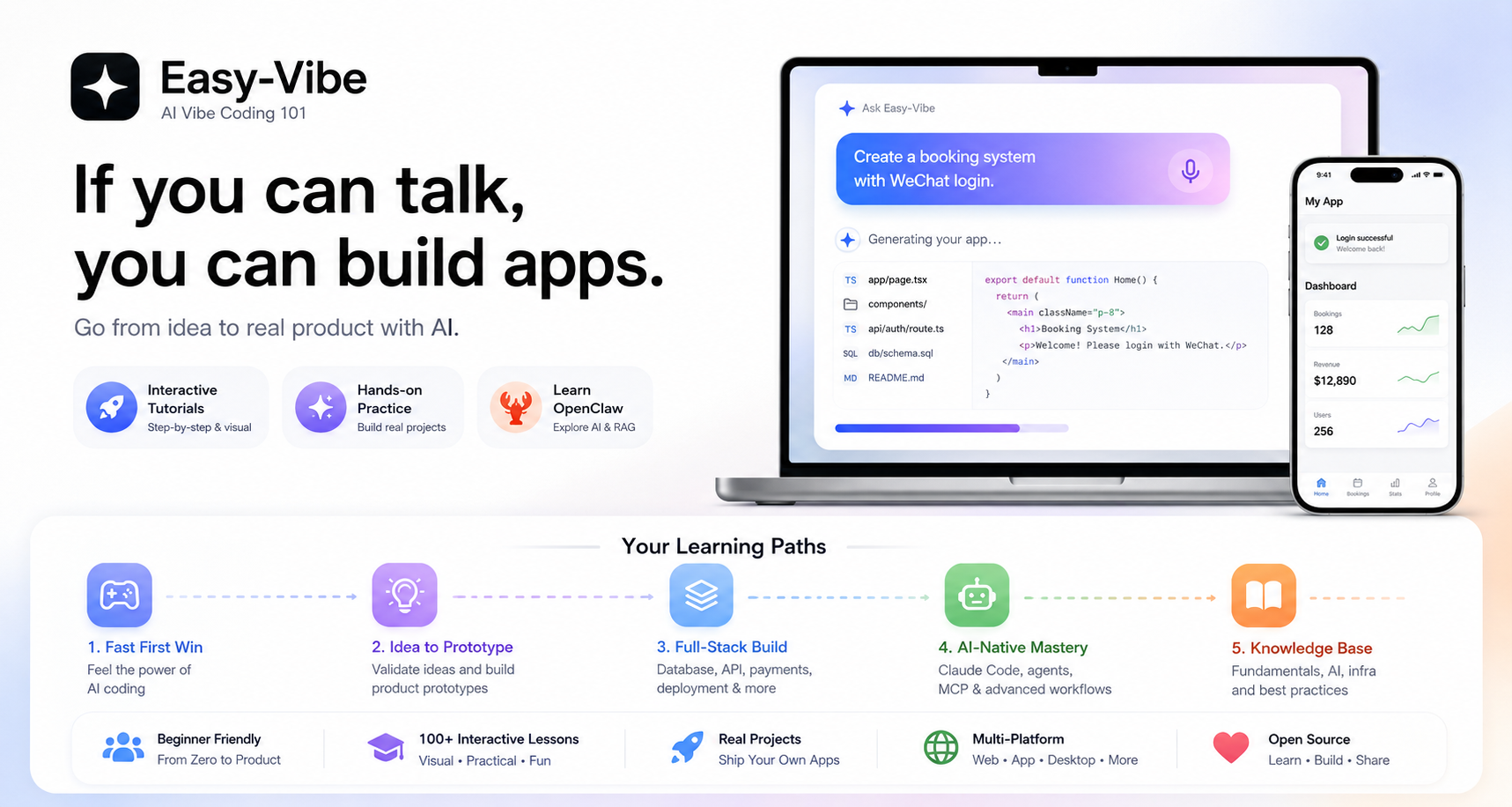
Learn AI coding from zero by shipping real products.
从零开始学 AI 编程,把想法真正做成产品。
你好 · Hello · 哈囉 · こんにちは · 안녕하세요 · Hola · Bonjour · Hallo · مرحبا · Xin chào
Our tutorial supports 10 languages. Let's code together!
我们的教程支持 10 种语言,欢迎世界各地的朋友一起 coding!
🚀 Start Exploring · ✨ Interactive Tutorial · 🦞 Learn OpenClaw · 📖 Table of Contents
🚀 开始体验 · ✨ 交互式教程 · 🦞 学习 OpenClaw · 📖 查看目录
Read Online ·
Learning Map
开始阅读 ·
学习地图





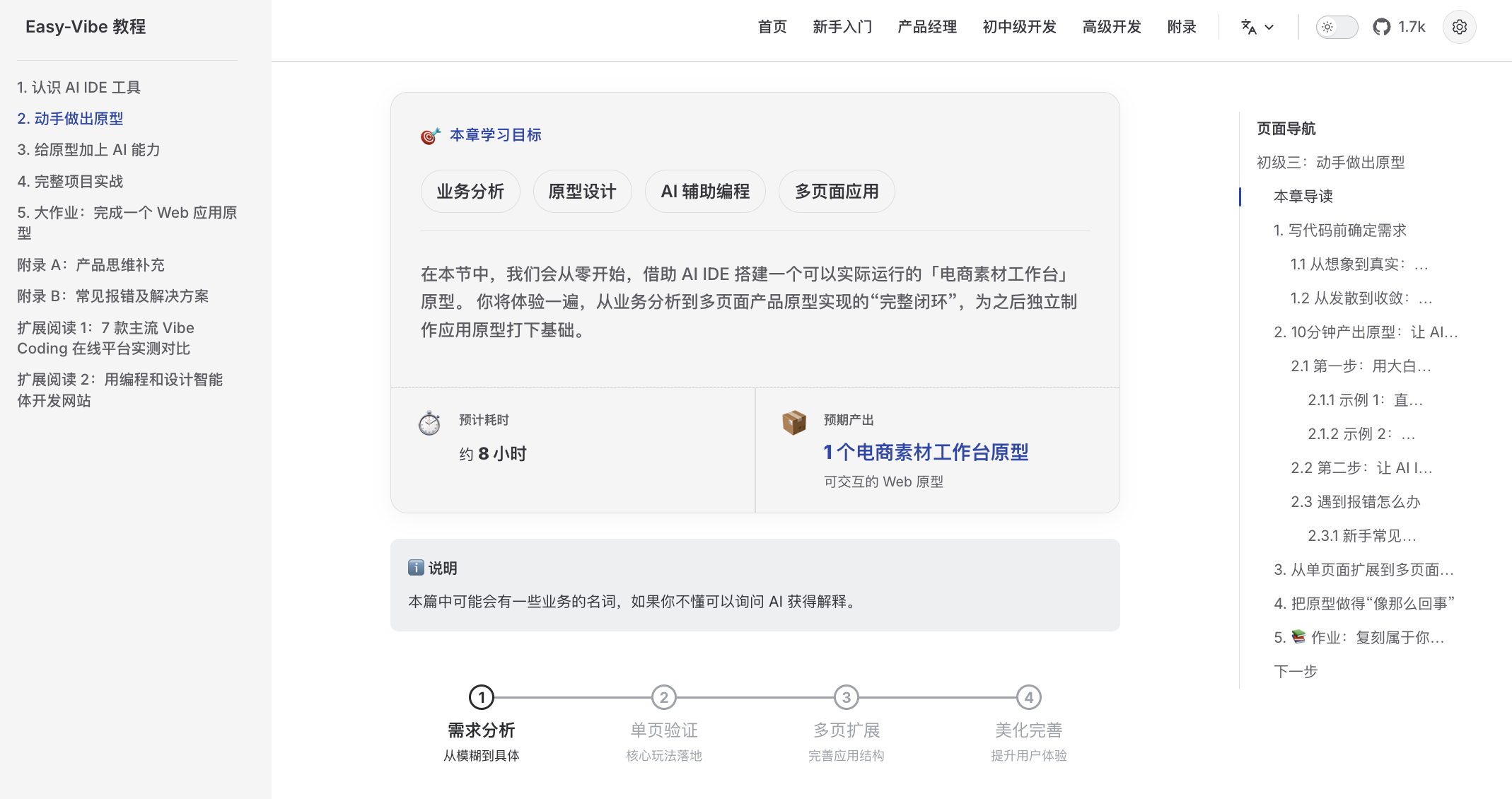
A beginner-friendly learning map Clear guidance from zero, so you can stop "learning and forgetting" |
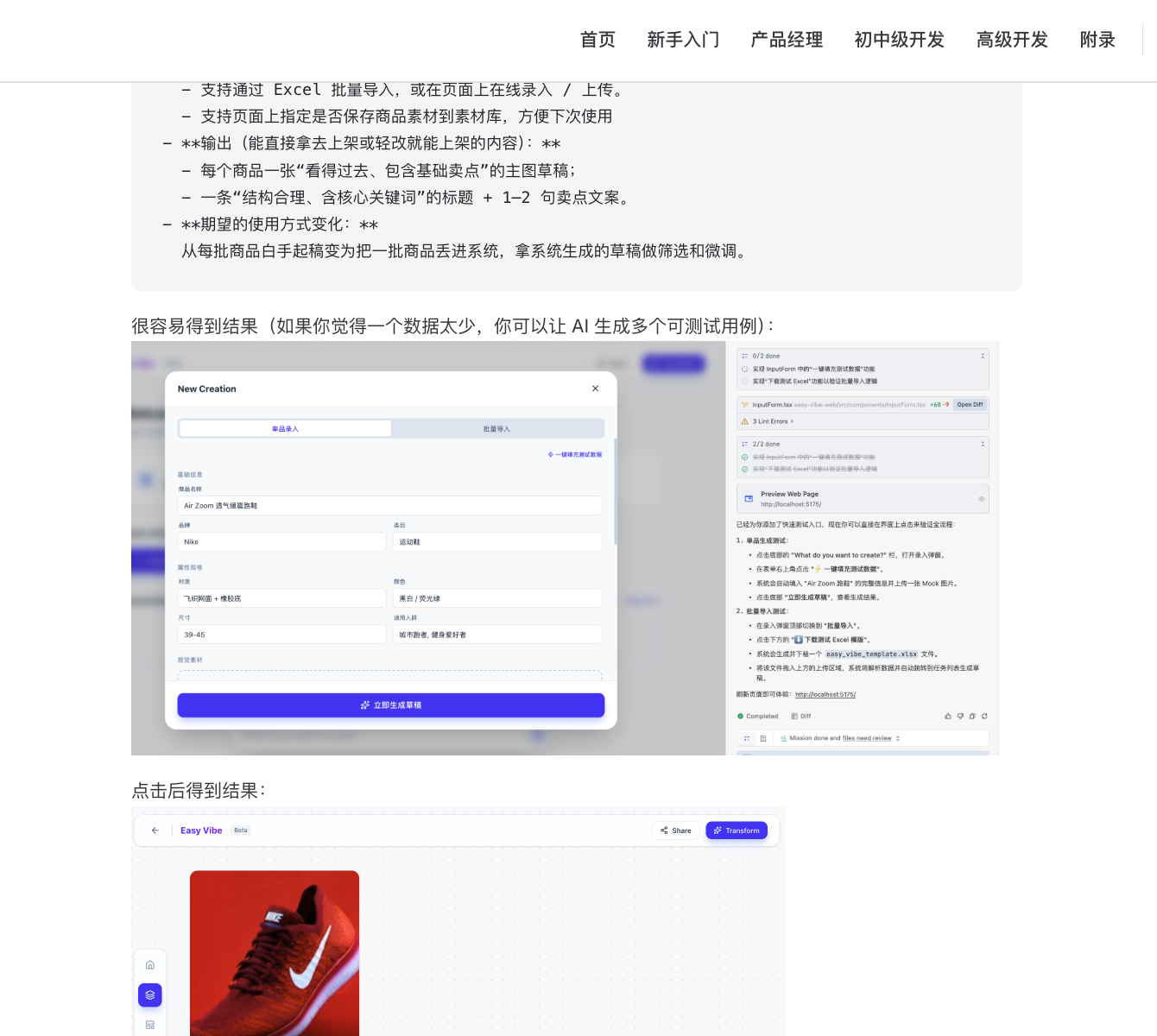
Step-by-step visual tutorials Detailed walkthroughs that feel like learning with a private tutor |
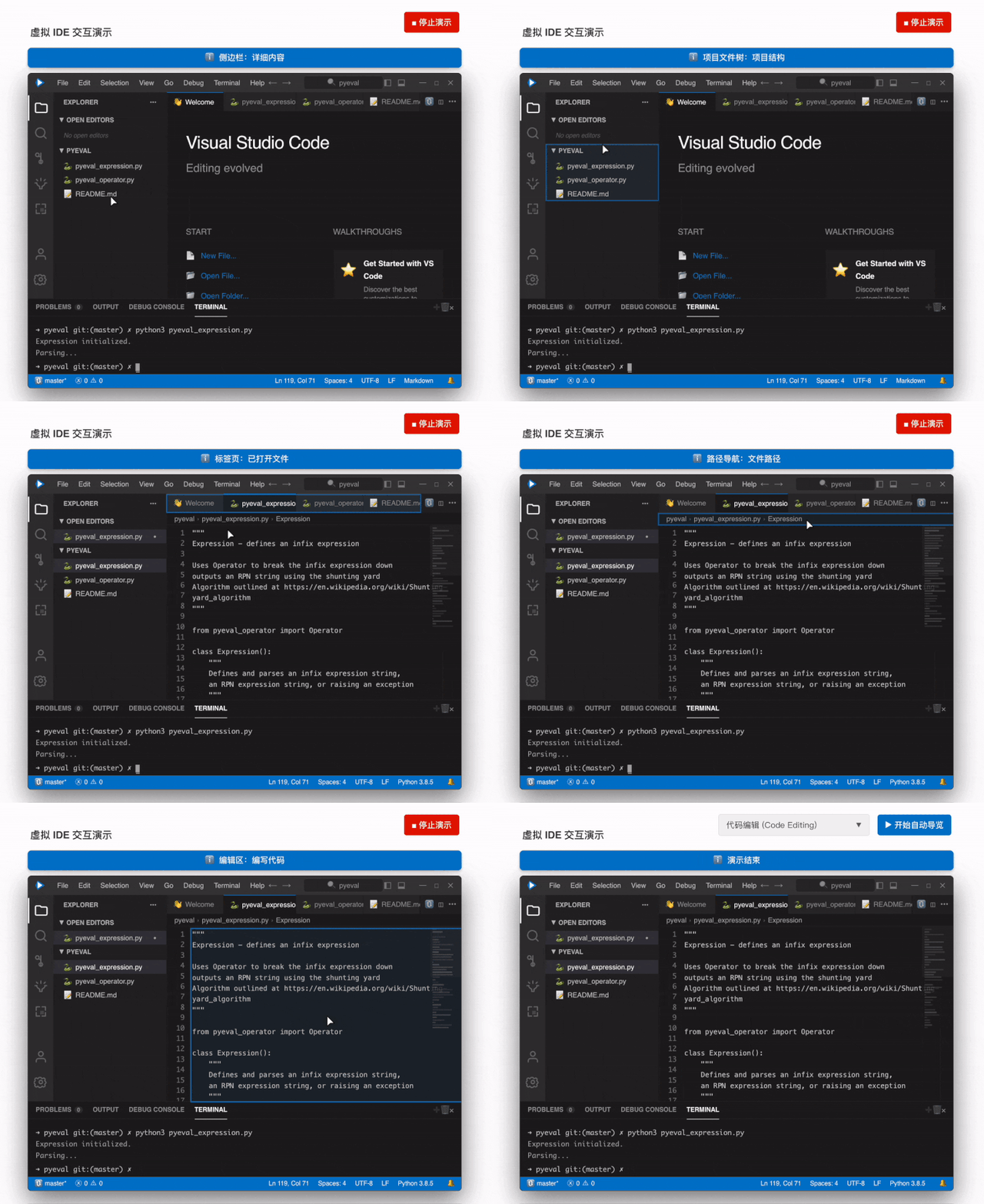
Immersive simulated coding Virtual mouse guidance helps you quickly learn the core IDE workflow |
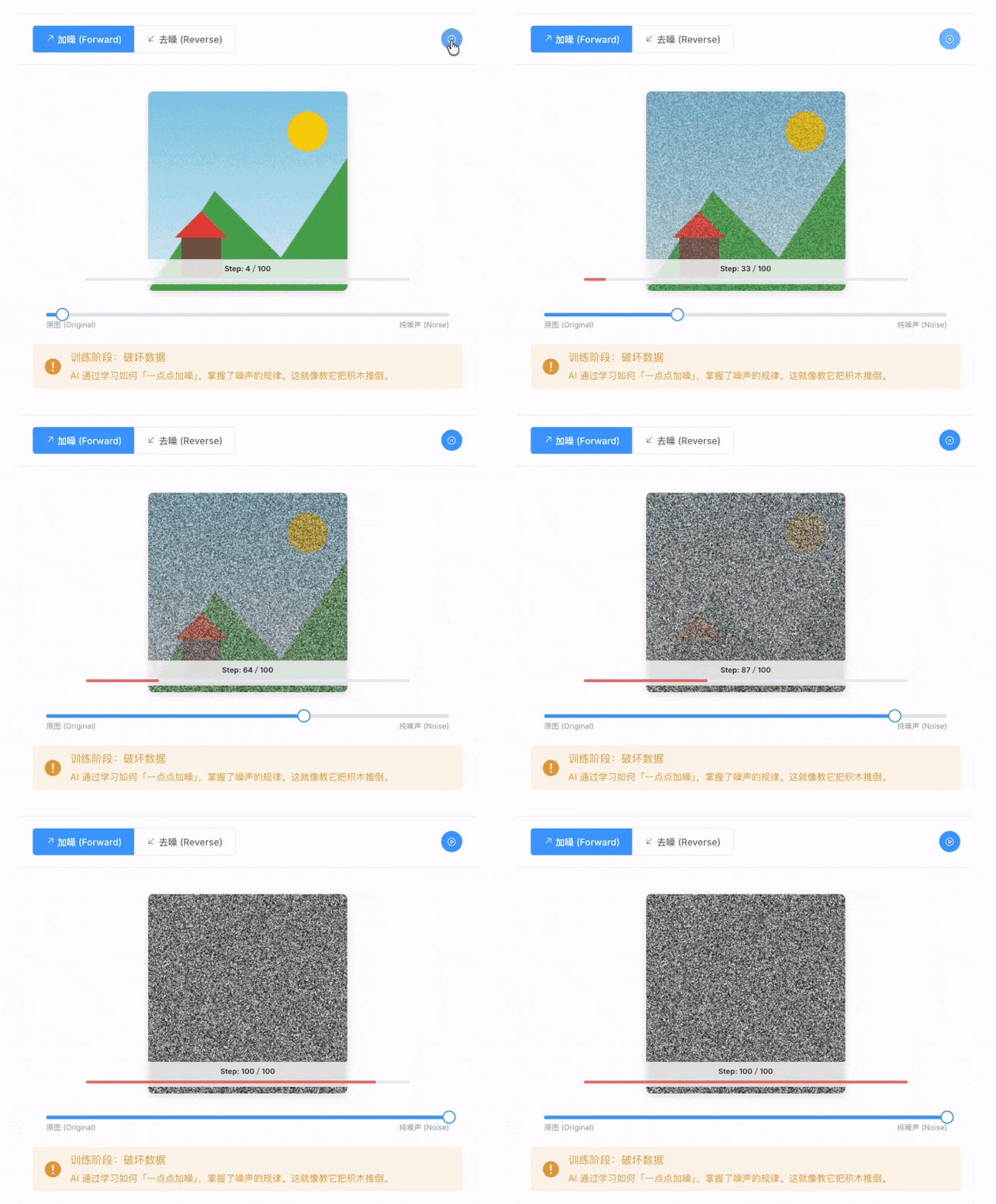
Visible AI principles Animated explanations make it easy to see how AI generates images |
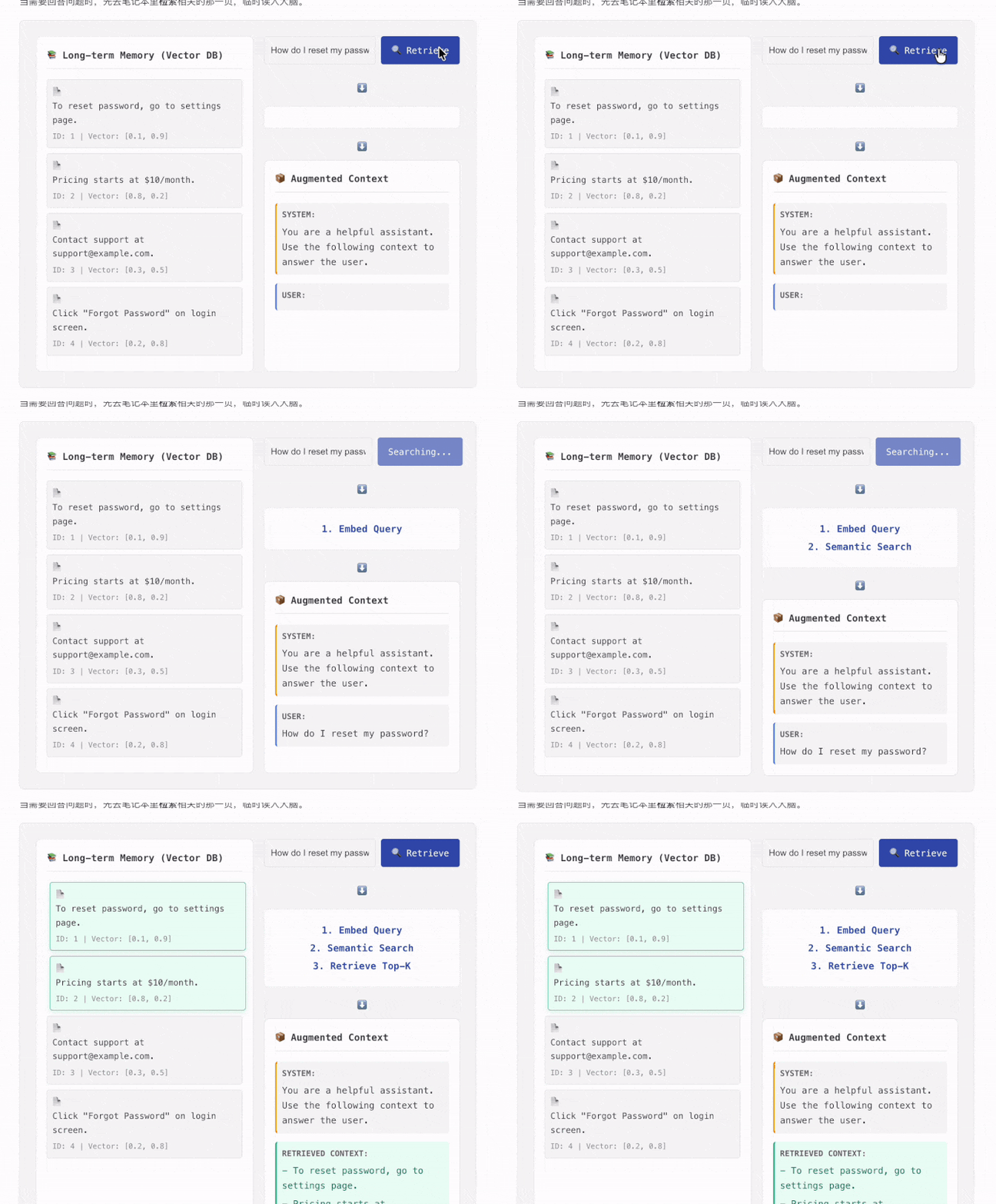
Learn RAG like a game Interactive components let you click through the full RAG data flow |
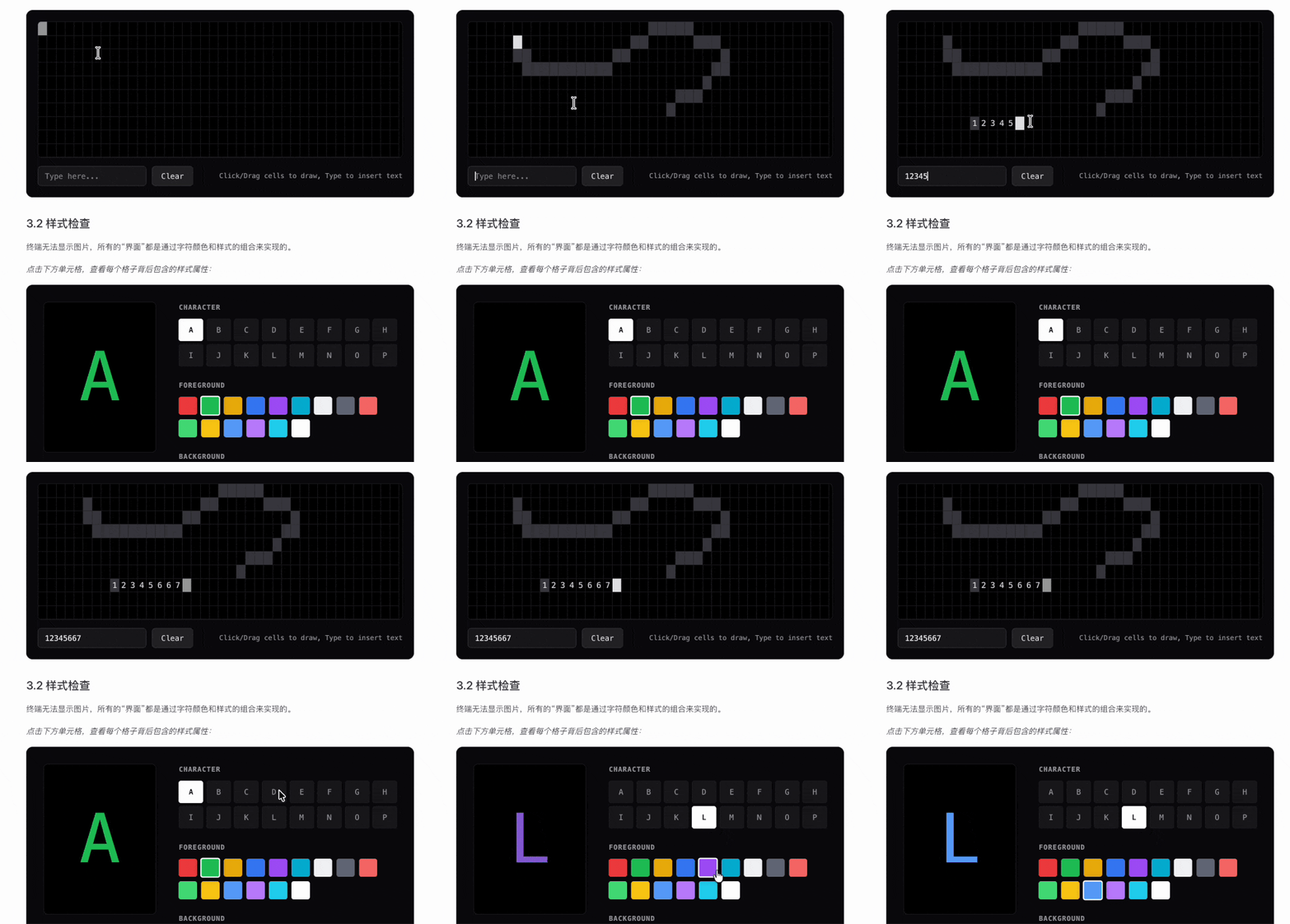
Visual terminal concepts Command-line behavior becomes intuitive when the underlying logic is visualized |
📝 Have your own vibe coding story? Submit it here and inspire others!
Want an expense tracker? Say it.
Need a booking system with WeChat login? Say it.
Want a blog with comments? Say it.
In the AI era, programming starts by describing what you want.
Easy-Vibe teaches you how to turn that into a real product.
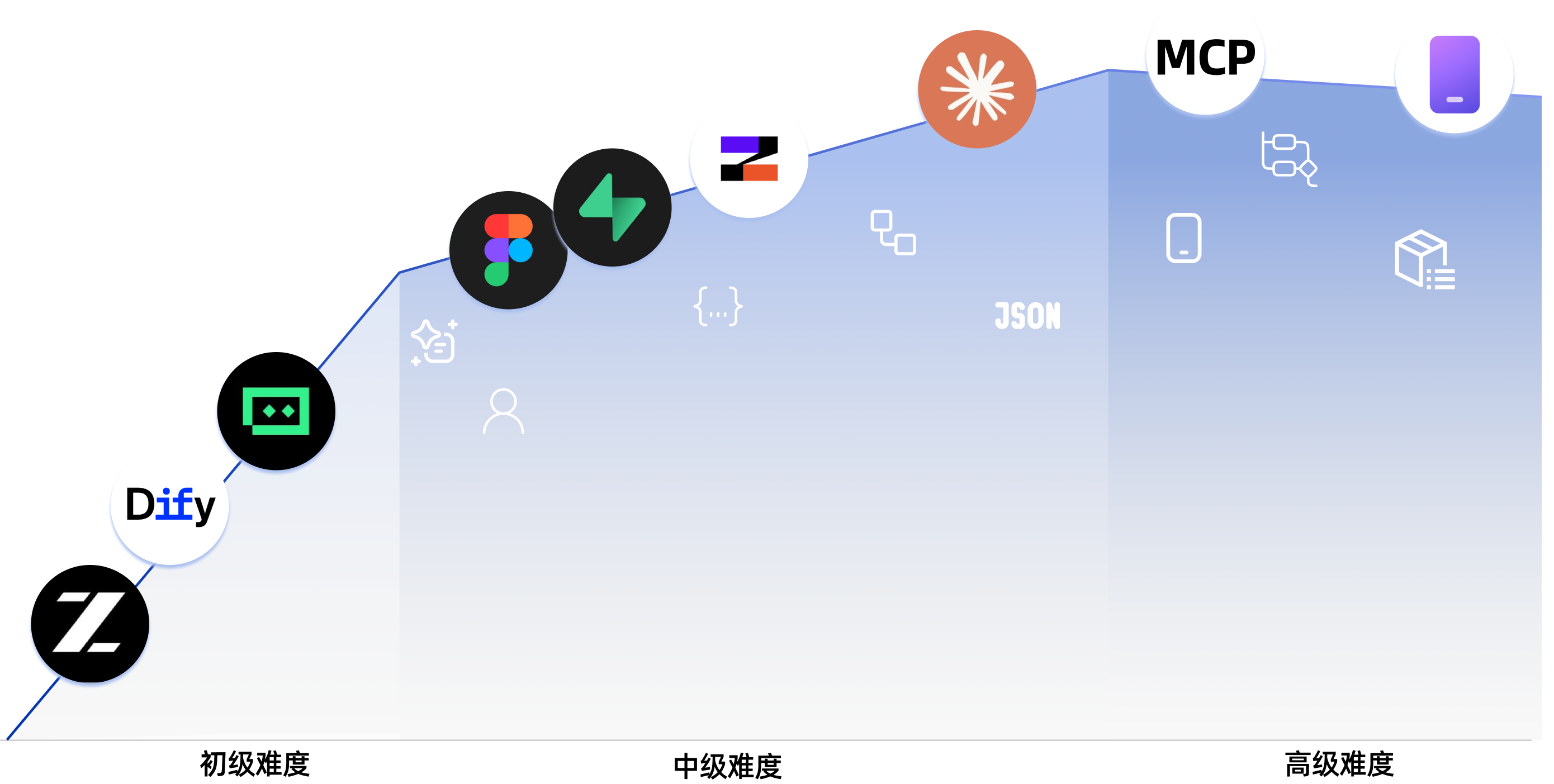
llms.txt so OpenClaw, Claude, Cursor, Trae, and other AI agents can quickly understand the repository structure and find the right tutorial content.Best for: Everyone What you will learn: What AI coding actually feels like through a simple, concrete hands-on example What you will get: A clear first impression of vibe coding and how to work with AI by conversation
Best for: Beginners / product managers / founders What you will learn: Learning roadmap, AI IDE tools, idea validation, prototyping, AI capability integration, and full demo iteration What you will get: A demoable AI product prototype you can actually show to users or teammates
Best for: Junior developers / indie hackers / advanced learners What you will learn: Frontend workflows, design-to-code, databases, backend APIs, deployment, billing, and major projects What you will get: The ability to independently ship modern AI-enabled web applications
Best for: Developers interested in AI-native engineering What you will learn: Claude Code, MCP, Skills, Agent Teams, long-running tasks, Spec Coding, and cross-platform app delivery What you will get: A stronger workflow for complex AI-assisted development and automation
Best for: Everyone What you will learn: Computer fundamentals, frontend/backend basics, infrastructure, AI principles, and engineering practices What you will get: A long-term reference knowledge base covering 9 major knowledge areas
| Section | Key Content |
|---|---|
| Learning Map | A guided overview of the full learning journey |
| AI Era: If You Can Speak, You Can Code | Get your first feel for AI coding through examples like Snake |
| Master AI Programming Tools | Learn how AI IDE tools work and build simple local projects with them |
| Find Great Ideas | Learn how to discover and validate product ideas worth building |
| Build Product Prototypes | Move from requirements to single-page and multi-page product prototypes |
| Integrate AI Capabilities | Integrate text, image, and video AI features |
| Complete project practice | Simulate real scenarios, collect user feedback, and iterate on a full project |
| Section | Key Content |
|---|---|
| Product Thinking and Solution Design | Core frameworks for going from zero to one with a product |
| AI Application Scenario Reference (B2B & B2C) | B2B industry and B2C consumer AI application scenarios |
| Section | Key Content |
|---|---|
| Where to find ideas: 3 reference sources that work best for beginners | Build a reliable pipeline for finding concrete product opportunities |
| Double Diamond: first do the right thing, then do it right | Use a structured process to move from scattered inspiration to a workable direction |
| Use Jobs to Be Done to find what users really want done | Analyze user goals through real tasks instead of surface-level feature requests |
| The Mom Test: a user interview method for validating demand | Learn how to ask better questions and avoid false-positive feedback |
| Section | Key Content |
|---|---|
| What to do if you encounter errors | Common vibe coding issues and how to troubleshoot them |
| Comparison of Seven AI Programming Tools | Compare major AI coding platforms through hands-on testing |
| Design Websites with Agents | Learn multi-agent collaboration in practice |
| Section | Key Content |
|---|---|
| Frontend 0: Build Your Own Asset-Production Agent with Lovart | Use Nanobanana and Lovart to batch-generate visual assets and build a drawing agent with intent recognition |
| Frontend 1: Figma & MasterGo Basics | Learn the workflow from design drafts to implementation-ready UI thinking |
| Frontend 2: Build Your First Modern App - UI Design | Learn the UI design foundations behind modern application interfaces |
| Frontend 3: UI Guidelines and Multi-Product Design | Improve consistency and aesthetics across multiple products with shared UI rules |
| Frontend 4: Make Interfaces Beautiful with LLMs and Skills | Use prompts and plugins to make AI generate more polished, distinctive interfaces |
| Frontend 4: Let's Build Hogwarts Portraits | Build an interactive AI-image frontend project from scratch |
| Frontend 6: From Design Prototype to Project Code | Turn design prototypes into frontend code that can really run in the browser |
| Frontend 7: Upgrade Your UI with Modern Component Libraries | Use component libraries to build professional interfaces faster |
| Section | Key Content |
|---|---|
| Backend 1: Learn Git and GitHub | Master core version control operations and collaboration workflows with Git |
| Backend 2: From Database to Supabase | Learn relational database basics and use Supabase as a modern BaaS platform |
| Backend 3: Backend API Design and Development | Use AI to assist API design, backend code generation, and API documentation |
| Backend 4: Ship Your Product Prototype | Quickly deploy full-stack applications to the cloud with Zeabur |
| Backend 5: From IDEs to CLI AI Coding Tools | Explore terminal-first AI coding workflows for modern development |
| Backend 6: Integrate Stripe and Other Billing Systems | Add monetization with payment and billing capabilities |
| Section | Key Content |
|---|---|
| Major Project 1: Your First SaaS Full-Stack App - AI Copywriting Website | Build an AI marketing copy workspace with login, generation, billing, and admin management |
| Major Project 2: Online Exam and Management System | Build an online exam system with question generation, test-taking flows, and admin tools |
| Section | Key Content |
|---|---|
| AI 1: Dify Basics & Knowledge Base Integration | Learn to build AI applications with Dify and integrate private knowledge bases |
| Section | Key Content |
|---|---|
| Getting started with Claude Code | Installation, setup, fundamentals, and useful commands |
| Claude Code MCP guide | Connect Claude Code to GitHub, databases, APIs, and other services through MCP |
| Claude Code Skills guide | Package expertise into reusable skills you can use again and again |
| How to keep Claude Code working for long-running tasks | Design long-running tasks so coding tools can keep working until the job is done |
| Claude Agent Teams guide | Coordinate multiple AI instances like a real development team |
| Claude Code Superpowers for engineering-grade development | Help AI produce engineering-grade code with TDD and best practices |
| Claude Code workflow best practices | Best practices for refactoring, code review, and daily development |
| Claude Code remote development on mobile | Use Claude Code beyond the desktop and build a productive remote workflow on mobile devices |
| Claude Agent SDK complete guide | Build custom agent workflows and integrate Claude into your own tools with the SDK |
| From vibe coding to spec coding | Move from ad-hoc prompting to a more structured, specification-driven AI developmen |
Sign in to join the discussion.
No comments yet. Be the first to say what this is good for.
Learn it. Build it. Ship it for others.

Bash is all you need - A nano claude code–like 「agent harness」, built from 0 to 1

A visual, example-driven guide to Claude Code — from basic concepts to advanced agents, with copy-paste templates that bring immediate value.

Specification and documentation for Agent Skills

End-to-end, code-first tutorials for building production-grade GenAI agents. From prototype to enterprise deployment.

45+ tips for getting the most out of Claude Code, from basics to advanced - includes a custom status line script and Claude Code running itself in a container. Also includes the dx plugin: skills for everyday dev workflows.