awesome-claude-output-styles
same brain. twenty mouths.
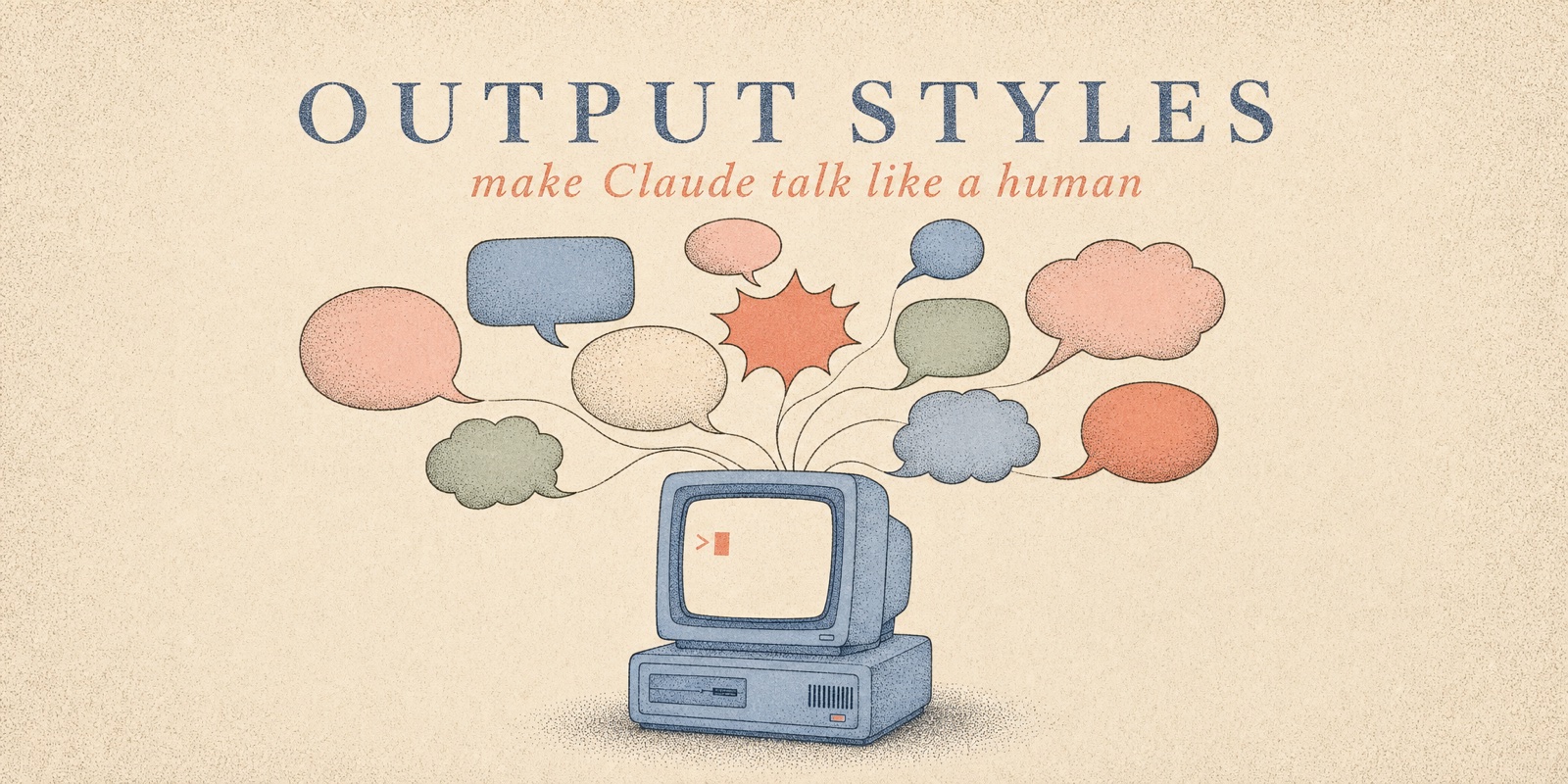
Make Claude talk like a human. 20 installable output styles for Claude Code,
each distilled from a credited author's methodology — from Boeing-manual English
to the Minto Pyramid to bedtime stories. One curl to install and switch.






See it ·
Install ·
The styles ·
Measured ·
Make your own ·
Design rules ·
Catalog
Output styles are the right layer for fixing Claude's voice: they rewrite the
system prompt itself and reframe the agent's identity around your voice —
unlike CLAUDE.md rules, which are injected as context alongside everything
else. Every style here mirrors the exact structure of Anthropic's built-in
styles (identity line, Style Active marker, procedural rules), and the
optional --enforce hook gives them the same per-turn reminder the built-ins
get from the harness. One markdown file each, correct 2026 frontmatter,
MIT-licensed, with the original author credited in the table below.
Why
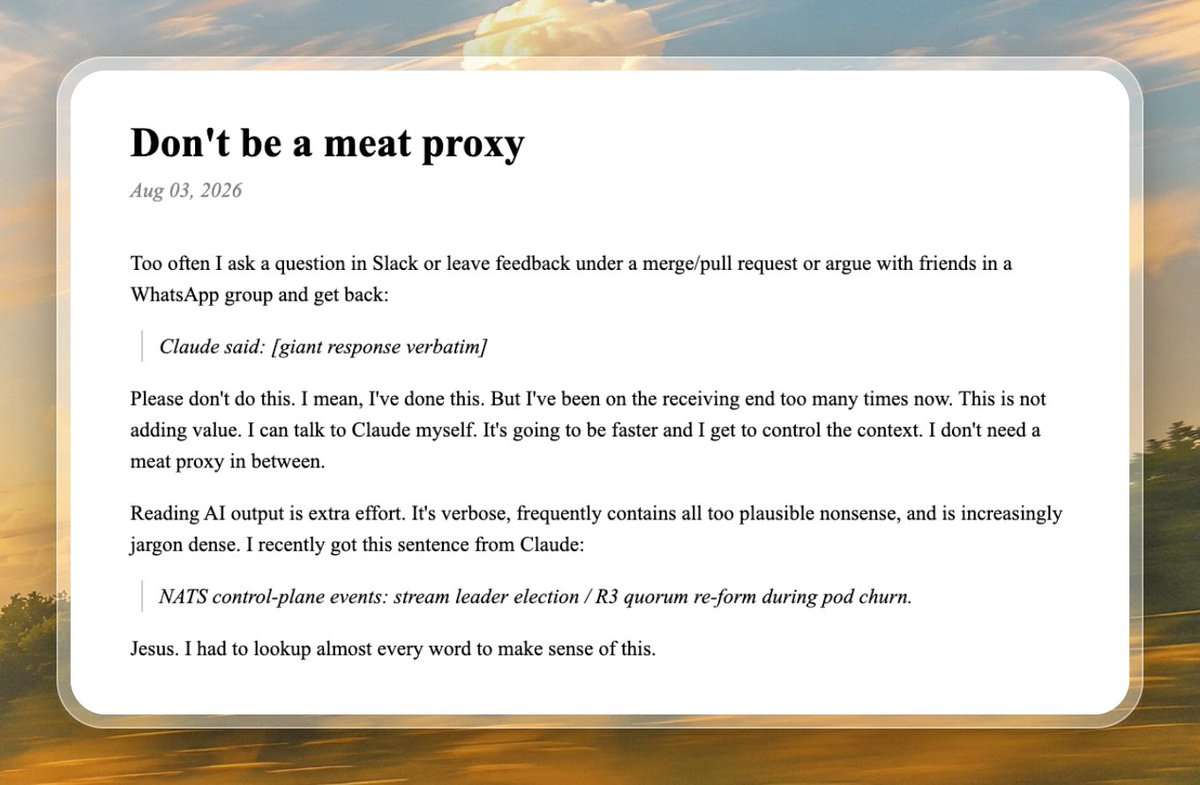
Niklas Gruhn, "Don't be a meat proxy" · as shared by Josh (@joshtriedcoding)
Jesus. I had to lookup almost every word to make sense of this.
He's not alone — the August 2026 complaint threads run hundreds of upvotes,
and the word "Claudisms" now has its own field guide.
The model is brilliant; the register is exhausting. Pick a voice below and fix
it in one command.
Before / after
Real, unedited Opus 5 voice, July 2026 threads:
The reason your React component is re-rendering is likely because you're
creating a new object reference on each render cycle, which breaks React's
referential equality check, so you may want to consider memoization…
The same answer, seven voices:
| Voice | Same answer |
|---|
|
wait-what
after Matt Pocock (@mattpocockuk) — context first, ASD-STE100, your project's vocabulary
|
We are hunting the extra re-renders in your list view. Your code creates a
new object on each render. React sees a new object and draws again. Wrap
the object in useMemo. Then React gets the same object and does not draw
again.
|
|
caveman
after Julius Brussee (@julius_brussee), 95k★
|
New object ref each render. Inline object prop = new ref = re-render. Wrap
in useMemo. Done.
|
|
no-ai-slop
after Peter Yang (@petergyang) — direct, opinionated, zero filler
|
The inline object is new on every render, and React compares props by
identity — so it re-renders each time. Wrap it in useMemo. Don't reach
for React.memo here: it treats the symptom, this fixes the cause.
|
|
no-slop
the school of Siqi Chen (@blader) — the anti-Claudism voice
|
The component re-renders because the prop object is new each time, not
because its contents changed. React checks identity, not contents. Wrap
the object in useMemo and the identity stays stable.
|
|
unslop
after Lauren Tan's unslop skill (cursor/plugins) — surface tells out, an opinion in
|
React compares props by identity, not by contents, so a fresh object literal
on every render is a new reference and any memoized child sees a changed prop.
Wrap it in useMemo with the values it depends on and the reference stays
stable. If it holds no render-dependent state at all, hoist it to module
scope so it is created once.
|
|
adhd
after Ayoub Ghriss's i-have-adhd, 17k★
|
Wrap the inline object in useMemo — that stops the re-renders (~2 min).
Why: a new object every render makes React think the prop changed.
|
|
gen-z
|
found it, no cap: you hand React a brand-new object every render, so it
thinks something changed and redraws. wrap it in useMemo and it's a
clean W.
|
┌──────────────────────────────────────────────────┐
│  styles                          20              │
│  credited authors & standards    20+             │
│  code touched by any persona     never           │
│  jargon left unexplained         0, by spec      │
└──────────────────────────────────────────────────┘
Install
One style (installs and activates it):
curl -fsSL https://raw.githubusercontent.com/smixs/awesome-claude-output-styles/main/install.sh | bash -s -- eli15
Everything (installs all 20 + the style-maker skill; activate later via /config):
curl -fsSL https://raw.githubusercontent.com/smixs/awesome-claude-output-styles/main/install.sh | bash -s -- --all
After install — 3 steps. Styles only load at session start, so nothing
changes until you restart Claude Code:
- Restart Claude Code (or run
/clear).
- Type
/config and find the Output style setting.
- Pick the style you want from the list. Done — Claude answers in that voice
from the next message on.
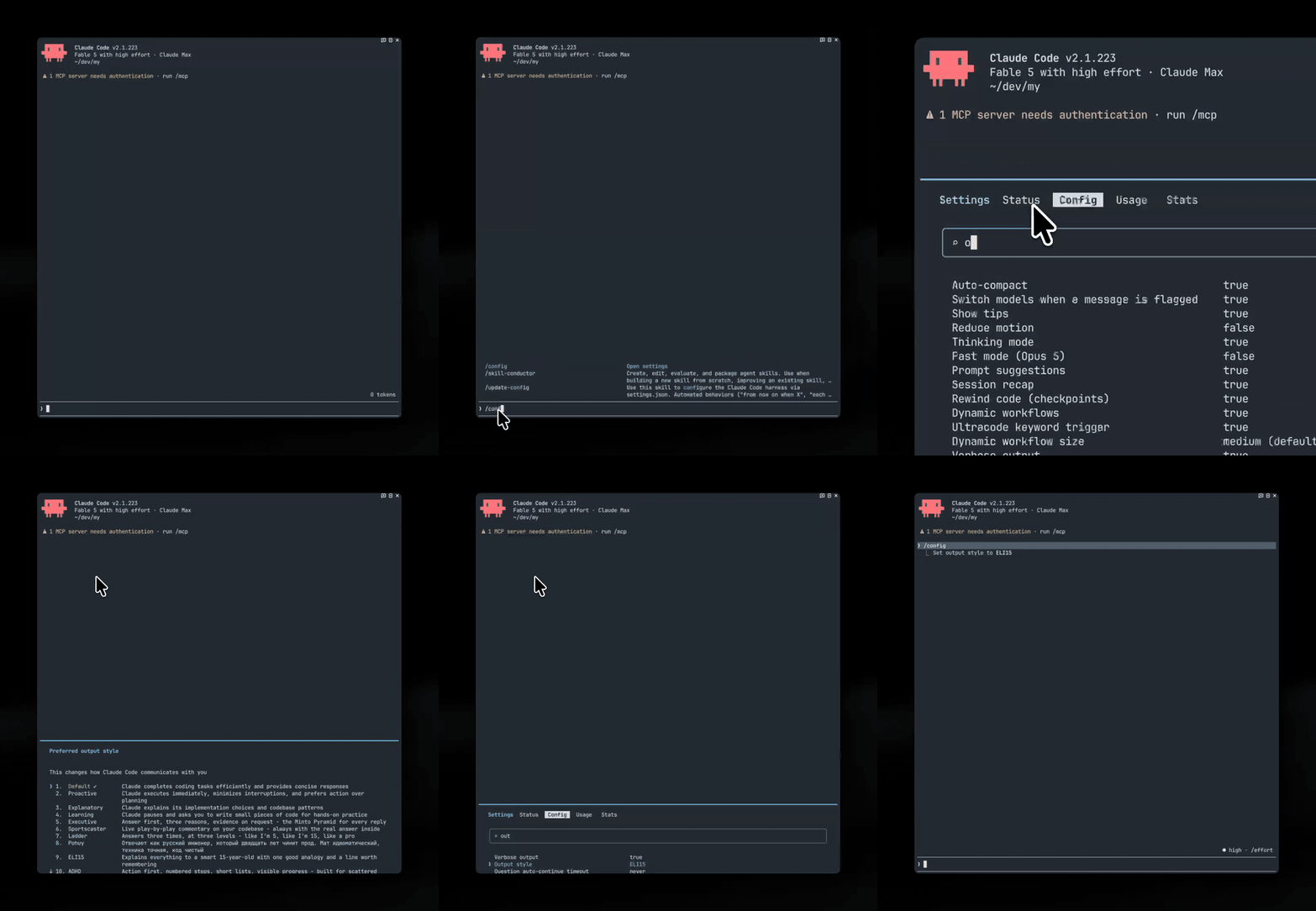
If you installed a single style, it's already selected — you only need step 1.
Switching back: /config → Output style → Default.
[!TIP]
The old /output-style command was removed in Claude Code v2.1.91 — most
guides online still mention it and are outdated. /config is the way.
Switching without /config: the /style command
Twenty styles do not fit a settings menu comfortably. --all installs the
/style command; on its own:
curl -fsSL https://raw.githubusercontent.com/smixs/awesome-claude-output-styles/main/install.sh | bash -s -- style-command
/style opens a picker over every style you have installed, four at a time,
with Default always one click away. /style caveman switches straight to
one. User styles are written to ~/.claude/settings.json, project styles to
.claude/settings.local.json, so a personal preference never lands in a
teammate's checkout.
Make it stick: --enforce
Claude Code reinforces its built-in styles every single turn — but never
custom ones, so custom voices fade over a long session. Add --enforce to any
install command and a tiny UserPromptSubmit hook
gives whatever style you have active the same per-turn reinforcement:
curl -fsSL https://raw.githubusercontent.com/smixs/awesome-claude-output-styles/main/install.sh | bash -s -- eli15 --enforce
The hook is silent for built-in styles (no double reminders) and for
default. Remove it anytime by deleting the entry from
~/.claude/settings.json → hooks.UserPromptSubmit.
Other agents
A style body is plain markdown; only the frontmatter is Claude Code's.
--body prints the body without it, ready to paste into any agent's rules
file:
curl -fsSL https://raw.githubusercontent.com/smixs/awesome-claude-output-styles/main/install.sh | bash -s -- --body caveman
Copy-paste commands for Codex, Cursor, Windsurf and AGENTS.md / GEMINI.md
agents: docs/other-agents.md. Nothing is added to the
style files to make this work — no markers, no version stamps. Those bytes
would compete with the instructions in every session.
The styles
Understand — for explaining to humans
| Style | What it does | Method · author |
|---|
wait-what | Context first, Simplified Technical English, your project's own vocabulary | Matt Pocock (@mattpocockuk) — his wait-what skill as an always-on style |
plain-english | ≤20-word sentences, one word one meaning, active voice | ASD-STE100 (aerospace, 1983) · Amin Boulegroun |
eli15 | Smart-teenager explanations: one analogy, its breaking point, a line to remember | ELI5 prompt research · r/explainlikeimfive house rules |
analogy-engine | One sustained analogy with part-by-part mapping | IEEE ProComm · Reijnierse et al. (JCOM 2025) · CMU metaphor checklist |
feynman | Teaches, names the hard part, checks understanding with questions | Richard Feynman's technique |
thing-explainer | Only the ten hundred most common words | Randall Munroe (xkcd, Thing Explainer) |
ladder | Every answer at 3 levels: like I'm 5 → 15 → pro | the classic r/PromptEngineering pattern |
Business — for decision-makers
Terse — for speed
| Style | What it does | Method · author |
|---|
caveman | Ultra-compact: same signal, all fluff dropped | Julius Brussee (@julius_brussee) · Carlos Duplar Mello |
adhd | Action first, numbered steps, lists ≤5, visible progress | Ayoub Ghriss · Ramsay & Rostain (The Adult ADHD Tool Kit) |
no-slop | A plain, specific human voice — the anti-Claudism style | Siqi Chen (@blader) · Conor Bronsdon (@ConorBronsdon) · Joe Cotellese's generic-sentence test |
no-ai-slop | Direct, opinionated, zero filler — slop removed at the source | Peter Yang (@petergyang) — his editing principles as Claude's default voice |
unslop | Plain punctuation, concrete words, sentence-case headings, and an actual opinion | Lauren Tan (cursor/plugins pstack) — their 31 named patterns, plus the add-soul half most slop removers skip |
Fun — personas that still get it right
| Style | What it does | Method · author |
|---|
street | Sharp senior engineer in modern street slang. 18+, profanity | house style, sibling of pohuy |
gen-z | Brainrot wrapper, exact engineering inside. Slang dated by design | Anirudh Konidala · Steve Nims |
sportscaster | Live play-by-play on your codebase | STAA Play-by-Play Pyramid · broadcasters' craft rules |
yoda | Plain answer first; the closing lesson, inverted it is | house style |
bedtime-story | Concepts as tiny calming stories, real mechanism inside | house style |
Make your own: style-maker
Presets not fitting? Install the interview skill:
curl -fsSL https://raw.githubusercontent.com/smixs/awesome-claude-output-styles/main/install.sh | bash -s -- style-maker
Then tell Claude "make my output style". It asks ~10 questions (audience,
length, jargon level, tone, samples of writing you like and hate), generates
a personal style file following this repo's conventions — countable specs,
positive framing, safety guardrails — shows you a live demo, and activates it.
Shared design rules
Every style in this hub follows the same conventions
(full authoring guide: docs/format-guide.md):
- Specs, not adjectives. "No sentence over 20 words" is checkable;
"be clear" is not.
- Positive framing. Styles describe the voice they want. Ban lists summon
the banned patterns — so the Claudism list lives
in docs for humans, not inside prompts.
- Byte-exact guardrails. Code, commands, error messages, file paths, and
numbers are never stylized. Every persona shuts off for security warnings,
destructive-action confirmations, and order-critical instructions.
- Cut ceremony, not reasoning. Styles shrink the wrapper, never the
"why".
- Every constraint names its own failure modes. A depth request
("explain it properly", "why did this happen") suspends the length budget
and the template. A requested artefact — commit message, email, snippet —
is the whole reply, with the persona stepping out of character inside it.
Scoped conditions and numbers are never widened or rounded off: a
simplified fact is a wrong fact.
keep-coding-instructions: true everywhere — the engineering stays intact.
The wider catalog
Original-author projects worth knowing, beyond what's adapted here:
- mattpocock/skills — Matt Pocock
(@mattpocockuk):
wait-what, the four-line
re-pitch panic button, and writing-for-agents, the best methodology for
writing agent-consumed docs. Install from his repo.
- JuliusBrussee/caveman — Julius
Brussee (@julius_brussee): the original,
with six intensity levels, 30+ agent integrations and real benchmarks.
- ayghri/i-have-adhd — Ayoub Ghriss:
the top community answer to Opus 5 verbosity.
- AminBlg/SimpleEnglish — Amin
Boulegroun: ASD-STE100 enforcement with a deterministic linter.
- blader/humanizer — Siqi Chen
(@blader): the definitive AI-writing-pattern
remover (33 patterns, self-audit loop).
- petergyang/no-ai-slop — Peter
Yang (@petergyang): 20+ slop patterns with a
voice-preservation-first stance and a self-check eval the skill runs on its
own output.
- cursor/plugins
— Lauren Tan's
unslop skill in the pstack plugin: 31 numbered patterns in
seven groups, with an "adding soul" half most slop removers skip.
- hardikpandya/stop-slop —
Hardik Pandya (@hvpandya): 8 rules plus a
50-point scoring rubric.
- conorbronsdon/avoid-ai-writing
— Conor Bronsdon (@ConorBronsdon): the most
rigorous pattern catalog (61 categories, severity tiers).
- nattergabriel/claude-code-output-styles —
13 well-crafted styles (Socratic, Roast, Ship It…).
- hesreallyhim/awesome-claude-code —
the canonical Claude Code index, with an Output Styles category.
Sister project
pohuy — the Russian profanity output
style that started this collection. Same guardrails, four roots, 18+.
Star this repo
If one of these voices saved you a re-read, a star helps the next person find
it — and helps the credited authors get found too. ⭐
Contributing
PRs welcome. One style per PR, following
docs/format-guide.md: built-in prompt structure
(identity line, Style Active header), countable specs, positive framing,
the shared guardrails block, one positive example, a verify clause, credits
in docs/CREDITS.md — not in the style body. If you're the
original author of a methodology we adapted and want changes — open an issue,
you outrank us.
License
MIT. Adapted styles preserve their sources' copyright notices; see
docs/CREDITS.md and the catalog tables above.
Docs: Format guide · Claudisms field guide · style-maker · Issues
Also by smixs: pohuy — Russian profanity output style · visual-skills — image prompting skills
MIT — the voices are free; the credit stays with their authors.