
MemPalace/
mempalace

MemPalace/mempalaceTools
The best-benchmarked open-source AI memory system. And it's free.
59k
This repo gives you a small command-line image generator that runs from a ChatGPT subscription instead of an API key. It works as a standalone Python script and as a skill you can drop into agent tools like Claude Code, Codex, and Cursor.
Builders who want their terminal or agent to make images from ChatGPT without wiring up OpenAI API access.
You can generate and save images from prompts directly in your build flow, with no API key or extra service to manage.
Creates images using a logged-in ChatGPT session, with no `OPENAI_API_KEY` required.
Uses one Python file and only the standard library, so it can run without pip or a virtualenv.
Ships as a skill that can be added to agent tools with `npx skills add leeguooooo/chatgpt-imagegen -g`.
Supports subject references, composition references, gallery styles, and style publishing/searching.
Can generate sprite-sheet-based animations and export WebP or GIF when the extra tools are installed.
Supports a default web backend plus Codex, Gemini, and Antigravity CLI backends when available.
npx skills add leeguooooo/chatgpt-imagegen -g
git clone https://github.com/leeguooooo/chatgpt-imagegen
sudo install chatgpt-imagegen/chatgpt-imagegen /usr/local/bin/chatgpt-imagegen

English | 中文
Generate images with your ChatGPT subscription — no OPENAI_API_KEY.
A tiny zero-dependency Python CLI (and AI-agent skill): one file, stdlib only. Works on a free ChatGPT account too — the default backend just drives the normal ChatGPT web chat, where even free-tier users get image generation.
chatgpt-imagegen "a watercolor cat sitting on a windowsill" -o cat.png
# -> saved: cat.png  (812,344 bytes)  size=1024x1024  quality=medium
Needs Python 3.10+ and a ChatGPT subscription (free tier works).
For AI agents (recommended) — drops the skill into Claude Code, Codex, Cursor, etc.:
npx skills add leeguooooo/chatgpt-imagegen -g
Then just ask: "画一张 …" / "generate a hero banner for the README".
Standalone CLI — no pip, no virtualenv:
git clone https://github.com/leeguooooo/chatgpt-imagegen
sudo install chatgpt-imagegen/chatgpt-imagegen /usr/local/bin/chatgpt-imagegen
You also need one backend — web (default, drives your logged-in Chrome, spends no Codex-usage) or codex (headless fallback). chatgpt-imagegen doctor shows what's ready. → Backends & troubleshooting
Got a Gemini subscription too? Two more backends use it instead of OpenAI: --backend gemini (drives a logged-in gemini.google.com Chrome) and --backend agy (the Antigravity CLI, headless). They bill separate quotas from each other, so either can cover for the other. Neither is ever chosen automatically — ask by name. Pin the subscribed Chrome profile with --gemini-profile, since most profiles are signed in to some Google account. Note that Gemini text-to-image output carries a visible watermark in the bottom-right corner (image-to-image does not), and --size steers the aspect ratio there rather than the exact pixel count.
chatgpt-imagegen update
It runs the skills manager for you — directly when skills is on PATH, through npx when it isn't (it usually isn't). Interactive runs check for a newer version at most once a day and upgrade automatically for the next run; failures fall back to a notice listing what changed. CHATGPT_IMAGEGEN_NO_AUTO_UPDATE=1 disables installation but keeps the check and notice, while CHATGPT_IMAGEGEN_NO_UPDATE_CHECK=1 disables both. --quiet/--no-progress never upgrades in the background.
On 0.23.1 or earlier? That self-update only looked for a global skills and gave up when it was missing, so it cannot deliver its own fix. Bootstrap once with:
npx -y skills update chatgpt-imagegen
After that chatgpt-imagegen update works on its own.
chatgpt-imagegen "moody mountain sunset" -o web/hero.png --size 1536x1024
chatgpt-imagegen "make it a warm golden-hour photo, cinematic 35mm" -i photo.jpg   # reference the subject
chatgpt-imagegen "a different fictional person" --composition-ref photo.jpg        # borrow the framing, not the face
chatgpt-imagegen "a robot mascot" --style doodle                                    # apply a gallery style (auto-pulled + saved)
chatgpt-imagegen animate "a dog happily wagging its tail" --style-online snoopy --also-gif
OUT=$(chatgpt-imagegen "icon" --quiet)                                              # capture the path
All three below came straight out of the commands above — no retouching:
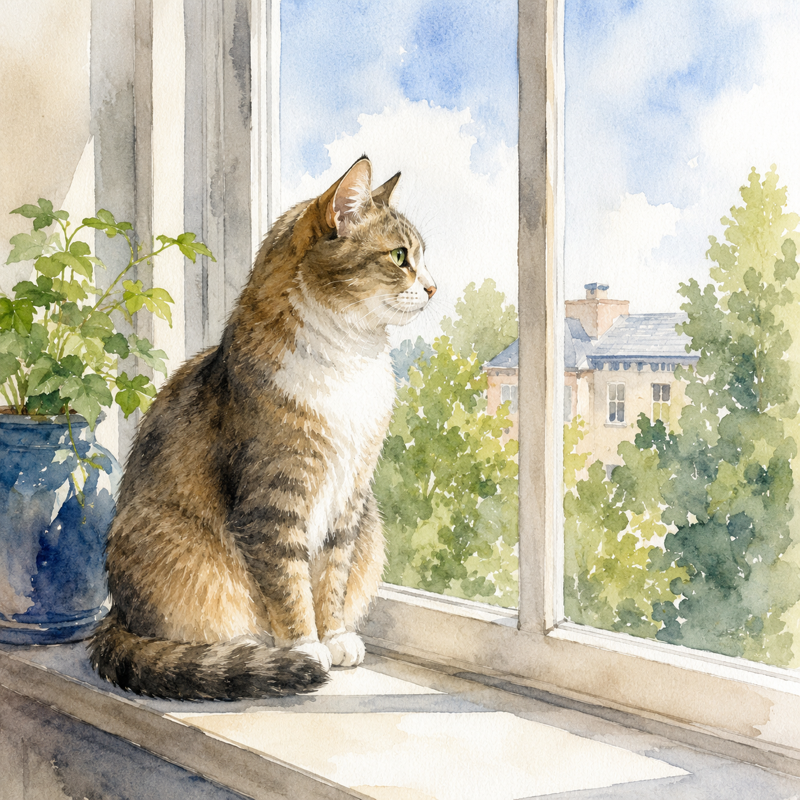 | 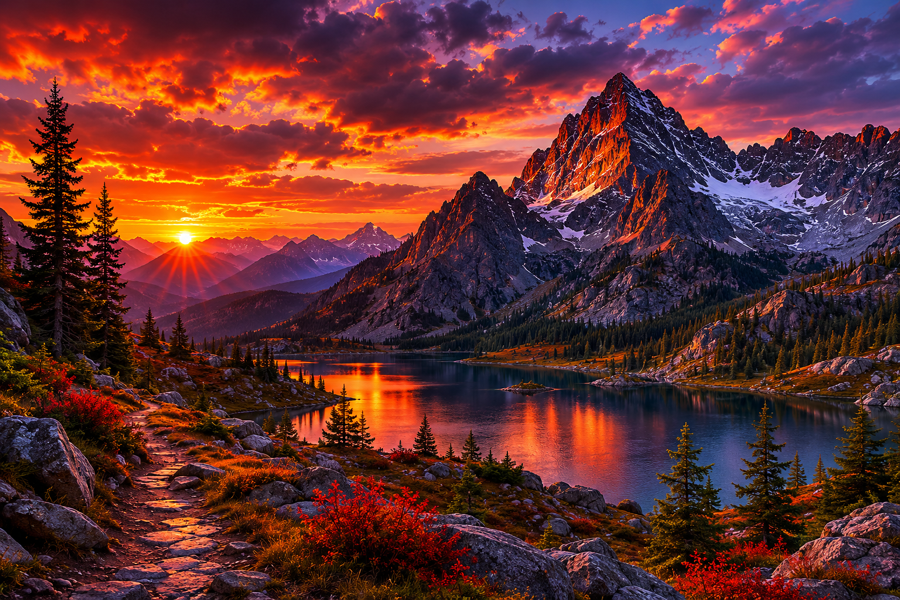 |  |
"a watercolor cat sitting on a windowsill" | "moody mountain sunset" --size 1536x1024 | "a coffee shop logo, circular emblem" |
animate asks the image model for a strict 4×2 sprite sheet, crops eight equal
frames, rejects obvious subject drift, and writes a smooth ping-pong loop. It
defaults to animated WebP; pass --animation-format gif or --also-gif when
GIF compatibility matters. The source sprite PNG is always kept beside the
animation. Animation post-processing needs
ImageMagick (magick); WebP output additionally
needs libwebp (img2webp).
chatgpt-imagegen doctor reports whether both are installed.
Full options: chatgpt-imagegen --help. → Generate images · Styles
Browse and reuse art styles other people tuned — a public gallery at drawstyle.leeguoo.com. No script update needed:
chatgpt-imagegen "a fox barista" --style-online doodle  # generate with a gallery style, nothing saved
chatgpt-imagegen style search "watercolor mascot"       # search the gallery
chatgpt-imagegen style publish mystyle --category cute --from-last   # share yours (one-time login)
A style can pin a character, not just a look. Style assets carry reference images, so the same character comes back in a brand-new scene:
chatgpt-imagegen style add pip --kind character --ref pip-ref.png
chatgpt-imagegen "a fox barista" --style pip
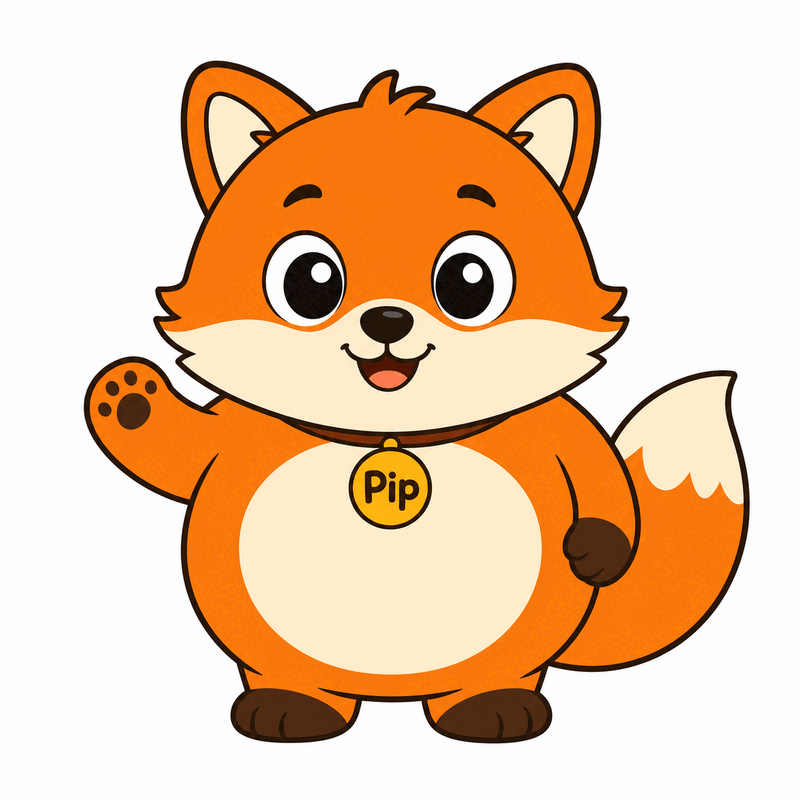 | 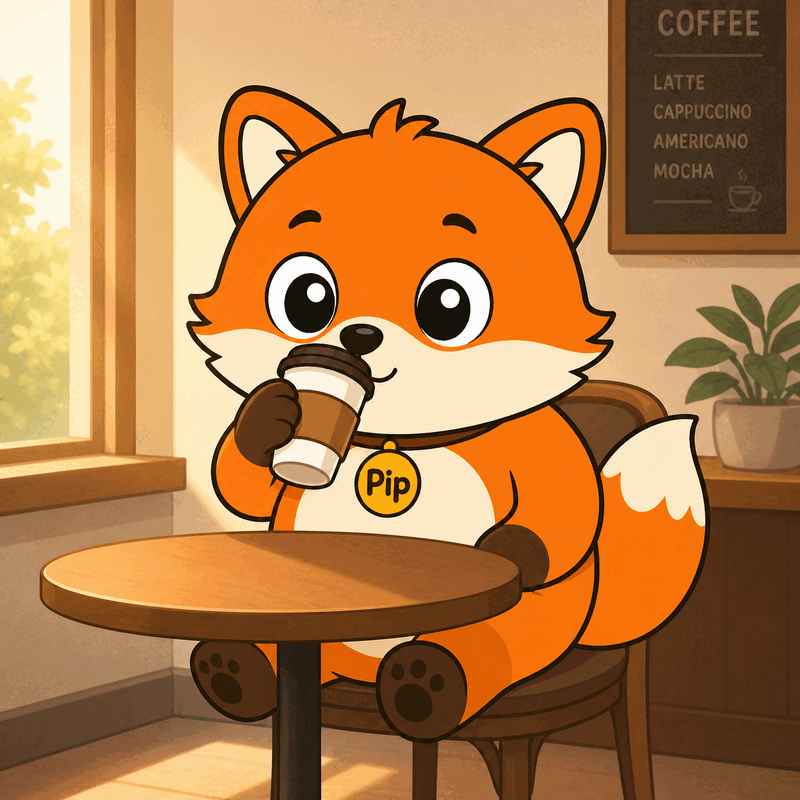 |
| the pinned reference | generated from "a fox barista" |
Gallery packages can be characters too — xiaohei is one.
→ Using gallery styles · Submitting a style
MIT — see LICENSE.
This tool calls ChatGPT's internal backend-api/codex endpoint — the same one the official Codex CLI uses. It is not a documented public API; OpenAI could change or restrict it at any time. Use at your own risk and within the OpenAI Terms of Use — in particular, do not use your ChatGPT subscription to power a public-facing image generation service.
ChatGPT subscription image generation, free ChatGPT account image generation, use ChatGPT Plus for image API, gpt-image-2 without OPENAI_API_KEY, gpt-image-2 ChatGPT subscription, image_generation tool Responses API, ChatGPT image CLI, Codex CLI image_gen as standalone tool, DALL-E via ChatGPT Plus, OAuth-backed OpenAI image generation, no-API-key image generation, AI agent image generation skill, Claude Code image skill, OpenAI image generation without billing.
中文: 用 ChatGPT 订阅生成图片、免费 ChatGPT 账号生图、ChatGPT Plus 生图工具、不用 API key 生图、gpt-image-2 用订阅、ChatGPT 订阅生图 CLI、Codex CLI 生图能力独立工具、给 AI agent 用的生图 skill、本地生图脚本、零依赖 Python 生图工具。
Sign in to join the discussion.
No comments yet. Be the first to say what this is good for.
The best-benchmarked open-source AI memory system. And it's free.

Turn any technical book PDF into a Claude Code skill — ready to study, reference, and use while you work.

AAS Core is the local, agent-first control plane for complete catalog discovery, agent-owned selection, stack validation, and planning, backed by 2,115+ agentic skills. Includes CLI, local MCP, catalog, plugins, and Workbench.

OfficeCLI is the first and best Office suite purpose-built for AI agents to read, edit, and automate Word, Excel, and PowerPoint files. Free, open-source, single binary, no Office installation required.

Google Workspace CLI — one command-line tool for Drive, Gmail, Calendar, Sheets, Docs, Chat, Admin, and more. Dynamically built from Google Discovery Service. Includes AI agent skills.
Build Agentic workflows, RAG pipelines, with rich AI model and tool support on one collaborative workspace. Deploy on cloud, VPC, or self-hosted, so teams move from prototype to production without rebuilding the stack.