

CopilotKit/
OpenBot

CopilotKit/OpenBotTemplates
Open-source AI coworkers that each get a computer of their own: a browser, files and tools, with every action decided before it happens and recorded after. Bring any AG-UI agent.
4.6k
This repository shows one shared Kotlin codebase running in multiple clients and a small Ktor backend. The shared `common` module feeds Android, iOS, desktop, web, Wear OS, Windows, and an MCP server, so you can see how the same data and UI logic is reused across platforms.
Builders who want a concrete Kotlin Multiplatform starter with several real client targets and a backend.
You can copy a working multi-platform layout instead of stitching one together from scratch.
`common` holds shared Kotlin code, Ktor client code, SQLDelight, Koin, and shared Compose Multiplatform UI.
Android, Wear OS, iOS, desktop, web, and Windows clients all use the same domain data and shared code.
`backend` serves the people and ISS data and can be run locally with Gradle.
`mcp-server` exposes shared KMP data through the Model Context Protocol for use in Claude Desktop.
`maestro/PeopleInSpace.flow` provides a Maestro UI test flow for the Android client.
./gradlew :backend:shadowJar
gcloud app deploy backend/build/libs/backend-all.jar --appyaml=backend/src/jvmMain/appengine/app.yaml
Kotlin Multiplatform project with SwiftUI, Jetpack Compose, Compose for Wear OS, Compose for Desktop and Compose for Web clients along with Ktor backend. Currently running on
Main.kt in common module)The people data comes from The Space Devs API (names, bios and images of the people
currently in space) and the position of the International Space Station from the
Where the ISS at? API, both served through this
project's own small Ktor backend (see backend module below).
The project is included as sample in the official Kotlin Multiplatform docs and also the Google Dev Library
| Module | Description |
|---|---|
common | Shared KMP code (Ktor, SQLDelight, Koin, view models), shared Compose Multiplatform UI, and the Windows NuGet API |
app | Android client (Jetpack Compose), including Glance app widget |
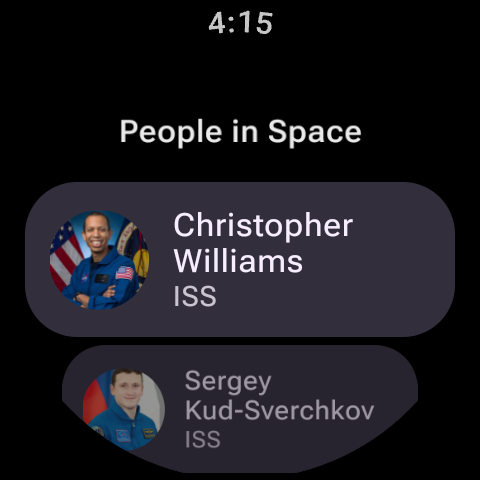
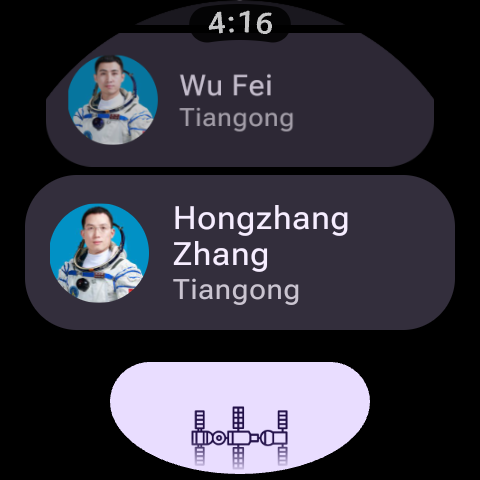
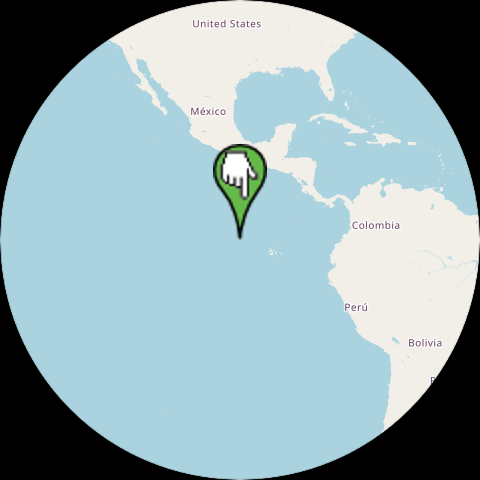
wearApp | Wear OS client (Compose for Wear OS) |
PeopleInSpaceSwiftUI | iOS client (SwiftUI) |
compose-desktop | Desktop client (Compose for Desktop) |
compose-web | Web client (Compose for Web, Kotlin/Wasm) |
windows/WinUiApp | Windows client (WinUI 3) |
backend | Ktor server providing the people/ISS data (deployable to Google App Engine) |
mcp-server | Model Context Protocol server exposing the shared KMP code |
Requirements: JDK 17, a recent version of Android Studio (for the Android/Wear clients) and Xcode (for the iOS client).
Android: run the app configuration from Android Studio (or ./gradlew :app:installDebug)
Wear OS: run the wearApp configuration from Android Studio (or ./gradlew :wearApp:installDebug)
iOS: open PeopleInSpaceSwiftUI in Xcode and run from there
Desktop: ./gradlew :compose-desktop:run
Web (Wasm): ./gradlew :compose-web:wasmJsBrowserDevelopmentRun
Windows (.NET): see the WinUI 3 client guide for prerequisites and build, test, and run instructions.
Backend: ./gradlew :backend:run (or run Server.kt directly from Android Studio). After doing that you should then for example be able to open http://localhost:9090/astros_local.json in a browser.
Tests can be run with ./gradlew :common:jvmTest, and there's also a Maestro UI test
flow for the Android client (maestro test maestro/PeopleInSpace.flow).
Have tested this out in Google App Engine deployment. Using shadowJar plugin to create an "uber" jar and then deploying it as shown below. Should be possible to deploy this jar to other services as well.
./gradlew :backend:shadowJar
gcloud app deploy backend/build/libs/backend-all.jar --appyaml=backend/src/jvmMain/appengine/app.yaml
iOS (SwiftUI + CMP)
Android (Jetpack Compose + CMP)
Wear OS (Wear Compose)
Compose for Desktop
Compose for Web (Wasm based)
MCP
The mcp-server module uses the Kotlin MCP SDK to expose an MCP tools endpoint (returning list of people in space) that
can for example be plugged in to Claude Desktop as shown below. That module uses same KMP shared code (that uses for example Ktor, SQLDelight and Koin)
To integrate the MCP server with Claude Desktop you need to firstly run gradle shadowJar task and then select "Edit Config" under Developer Settings and add something
like the following (update with your path)
{
  "mcpServers": {
    "kotlin-peopleinspace": {
      "command": "java",
      "args": [
        "-jar",
        "<path-to-repo>/mcp-server/build/libs/serverAll.jar",
        "--stdio"
      ]
    }
  }
}
Note that this repository very much errs on the side of minimalism to help more clearly illustrate key moving parts of a Kotlin Multiplatform project and also to hopefully help someone just starting to explore KMP to get up and running for first time (and is of course primarily focused on use of Jetpack Compose and SwiftUI). If you're at the stage of moving beyond this then I'd definitely recommend checking out KaMPKit from Touchlab. I also have the following samples that demonstrate the use of a variety of Kotlin Multiplatform libraries (and also use Jetpack Compose and SwiftUI).
Sign in to join the discussion.
No comments yet. Be the first to say what this is good for.
Open-source AI coworkers that each get a computer of their own: a browser, files and tools, with every action decided before it happens and recorded after. Bring any AG-UI agent.

Turn Claude Code into a full game dev studio — 49 AI agents, 72 workflow skills, and a complete coordination system mirroring real studio hierarchy.
A self-organizing Obsidian vault that gives AI coding agents persistent memory. Claude Code, Codex CLI, Gemini CLI.

Production-grade Playwright + TypeScript Scaffold for Agentic Testing. Harness for all major AI coding agents baked in.

Omnia Vault - the all-in-one project brain: an Obsidian LLM wiki, Graphify code graphs, a living plan that triages new videos against itself, and a Claude Code ⇄ Codex relay. Everything your project knows, in one clonable vault.
🎬 Tạo video "so sánh kiến thức" ngắn tự động — HyperFrames + AI voice, 1 template nhiều chủ đề.