

tinyhumansai/
openhuman

OpenHuman is an open source personal AI for Mac, Windows and Linux — local-first memory, agent orchestration, and deep research.
40k
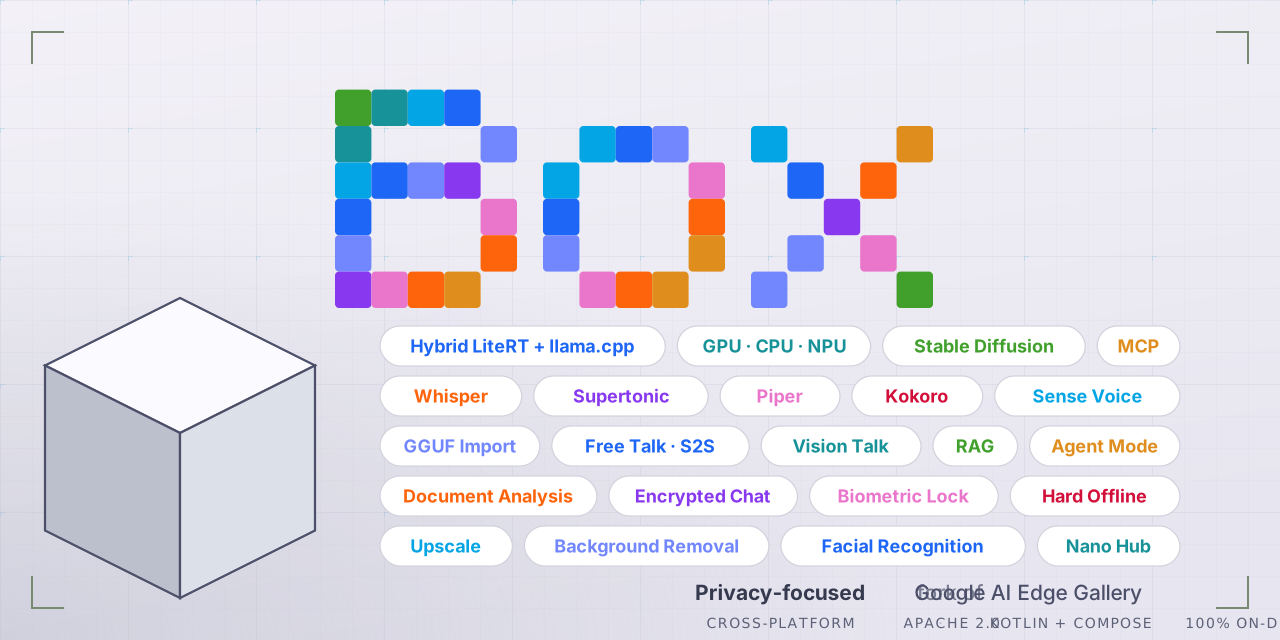
Box is a client-side AI app for Android that runs chat, vision, speech, image generation, and music generation on the device. It combines LiteRT, llama.cpp, and other local model runtimes, plus features like RAG, MCP support, biometric lock, and encrypted storage.

People who want private AI features on Android without a cloud connection.
You can use AI chat, vision, and audio features on your phone while keeping data local.
Runs on-device chat with GGUF and LiteRT models, including GPU and NPU acceleration where supported.
Handles camera and image tasks, including vision Q&A, object recognition, and document analysis.
Includes voice mode, speech-to-text, text-to-speech, and on-device music or sound generation.
Supports on-device diffusion models plus image upscaling, inpainting, blur reduction, and flattening.
Uses offline execution, biometric lock, encrypted chat history, and tap-jacking protection.
Supports MCP servers and model import/allowlists for loading and managing local models.
git clone --recurse-submodules https://github.com/jegly/box
cd box/Android
./gradlew :app:assembleDebug
sudo apt install ./box_0.4.0_amd64.deb













-FF79C6.svg)
-FF79C6.svg)


















⭐️ If this project helped you, please star it — it helps others find it.
We've hit 28K downloads! Thank you to everyone for supporting Box.
Note: If you're using a custom ROM (LineageOS, GrapheneOS, CalyxOS), download the
custom-rom-supportAPK from the latest release instead.
https://github.com/jegly/BoxRecommended for most users: Main version
| Version | For |
|---|---|
| Main | Stock Android (Pixel, Samsung, etc.) |
| Custom ROM | GrapheneOS, LineageOS, CalyxOS — no Google services |
The in-app updater is also available in Settings
Maincustom-rom-supportNote: As of v2.0.0, the in-app App version matches the Box release version (2.0.0) — the earlier mismatch with the upstream Google AI Edge Gallery build number (which showed 1.0.15) is fixed (#67). Box releases are tracked via GitHub tags. Use Settings → Check for updates to see if a newer Box release is available.
Box is a security-hardened, feature rich fork of Google AI Edge Gallery — with on-device image generation (Bonsai Image 4B, FLUX.2 klein & Z-Image Turbo diffusion), Box Assist (spoken camera assistance for blind and low-vision users), AI image upscaling, face recognition, photo erase/inpainting, music & sound generation, voice mode (speech-to-speech AI chat), voice input, multilingual text-to-speech, document analysis and Q&A, vision AI, full GPU and Snapdragon/Tensor/MediaTek NPU acceleration, a hardened security posture (biometric lock, encrypted chat history, tap-jacking protection), llama.cpp support, and GGUF model import — and more
[!IMPORTANT]
Disclaimer
Box began as a fork of Google AI Edge Gallery and is not affiliated with or endorsed by Google LLC. Google branding has been replaced throughout. Box has since diverged substantially from upstream — active merging with upstream stopped some time ago, and upstream has itself since adopted features that originated in Box. Box now carries roughly 50+ features not present in upstream Google AI Edge Gallery. Credit for the original underlying platform goes to Google and the original contributors.
| Version | Feature | Details |
|---|---|---|
| v3.4.5 | Google Firebase removed | Firebase Analytics and Firebase Cloud Messaging came in with the original Google AI Edge Gallery fork and were never used by Box. There was no configuration file for them, so they could not start up, collect anything or send anything — and analytics was switched off in the manifest on top of that. They are now gone from the app entirely rather than merely disabled, along with 20 dormant tracking calls and six Google entries in the app manifest. Nothing you can see or do in Box changes. |
| v3.4.5 | Google usage logging switched off | Removing Firebase surfaced a second piece of Google code: Clearcut, a usage-logging transport that arrives inside ML Kit (used for background removal, face detection and reading text from images), so it did not leave with Firebase. It sends over an ordinary HTTPS connection rather than through Google Play services — meaning a de-Googled phone does not stop it — and ML Kit provides no setting to turn it off. Box now disables it at the source: with nothing registered to receive them, events are discarded before they are even written down. The ML Kit features themselves are unaffected. |
| v3.3.5 | Pixel 11 / Tensor G6 acceleration | Two models rebuilt for the Tensor G6 in the Pixel 11 — Gemma-4-E2B-it (Tensor G6) (3.3 GB, 32K context, text/image/audio) and Gemma 3 1B-IT (Tensor G6) (2.0 GB, text only). Both run on the phone's dedicated AI hardware rather than the GPU, and are substantially faster there than the standard build. They appear automatically on a Pixel 11 and are hidden everywhere else. The Pixel 10 / Tensor G5 path is unchanged. |
| v3.3.5 | Themes for colour blindness | Three new Ptyxis+ palettes — Deuteranopia, Protanopia and Tritanopia, one per common type of colour blindness. Each palette's colours are drawn from the standard published colour-blind-safe sets (Okabe–Ito, Paul Tol, IBM) and were chosen by simulating that specific condition and maximising the separation between the palette's worst-matched pair, so no two colours collapse into one. An ordinary theme put through the same check usually has at least one indistinguishable pair — blue and cyan being the classic. Plus Seafoam Pastel, a new regular palette, bringing Ptyxis+ to 42. |
| v3.3.5 | New font — Alice | A warm, readable serif, selectable under Settings → Font. Egyptian Hieroglyphs has been removed; if you had it selected Box falls back to the default font on its own. |
| v3.3.4 | Restore — deblur and denoise your photos | A new tile under Image. Deblur sharpens shots ruined by camera shake or a moving subject; Denoise cleans the speckled grain phones produce in dim light without smearing detail away. Both run on the GPU via LiteRT and are bundled in the app, so there is nothing to download and it works with no connection. Large photos are processed in overlapping tiles and stitched, so the result comes back at the size you put in. |
| v3.3.4 | Flatten — straighten a photo of a page | Photograph a receipt, a book page or a form at an angle and Box will flatten the curl out so the text sits straight. Downloaded on first use (180 MB) rather than bundled, since it is a specialist tool. |
| v3.3.4 | Portrait Sketch | Turn a portrait photo into a pencil line drawing. Works best on a single, well-lit face looking at the camera. Downloaded on first use (168 MB). |
| v3.3.4 | App language — Deutsch & 简体中文 | German and Simplified Chinese join French, Portuguese and Português (Brasil) in Settings → Language. Both were translated properly rather than merged from upstream, so every screen that can follow your language setting now does. A good deal of Box's text is still written directly into the app rather than being translatable, though, so English still shows in places — in every language. |
| v3.3.4 | Five light terminal themes | The Ptyxis theme picker was dark-only. It now also offers Belafonte Day, Everforest Light, GitHub Light, Solarized Light and Xterm Light, taken from the same upstream palettes as the existing 33. Every existing theme is unchanged. |
| v3.3.4 | Model list fixes | The model switcher inside a chat could not be scrolled, so with 41 models everything past the fold was unreachable — fixed. Models you have already downloaded now sort to the top of the list, in the switcher and in the Models browser, so you are no longer scrolling to the same place every time. |
| v3.3.4 | Gemma 4 12B output fix | Gemma 4 12B spliced stray <image|> markers into ordinary replies. Its bundle carries a multimodal checkpoint whose image support the runtime has not enabled yet, and the runtime rendered those unused media tokens as visible text. They are now filtered out. Applies only to the two models that can produce them; every other model's output is untouched. |
| v3.3.4 | Advanced Protection Mode support | If you have Android's device-wide Advanced Protection switched on, Box tightens up to match: the biometric lock is forced on and cannot be switched off, MCP is forced off and cannot be switched on, and the tamper check terminates outright instead of showing a dismissible screen. Nothing changes if you do not use Advanced Protection. Network access is deliberately left alone so model downloads still work. |
| v3.3.4 | Two models removed | Qwen 3.5 0.8B and Polaris 4B Preview are gone — neither could actually run in Box. Qwen 3.5 needs a newer LiteRT-LM than Box ships (its architecture is not supported by the current runtime), and Polaris asks for roughly 12 GB of GPU memory. Both were failing rather than merely slow. |
| v3.3.4 | Under the hood | Declares android.hardware.npu, which Android 17 requires of apps that use the NPU. |
| v3.3.3 | 🎨 Bonsai Image 4B — the new recommended image generator | A ternary-weight build of FLUX.2 [klein] running fully on-device via LiteRT. 512×512 output — double klein's tile — from a smaller download: ~4.3 GB against klein's 7.4 GB and Z-Image's 10.6 GB. Four steps, guidance-free, no internet at any point. It runs on the CPU (its 2.27 GB diffusion graph is too large for the GPU delegate), so allow a couple of minutes per image and around 8 GB of RAM. Send the result through Upscale → EDSR ×4 for a 2048×2048 image. |
| v3.3.3 | ⚡ Faster GGUF chat and faster image generation | llama.cpp, whisper.cpp, stable-diffusion.cpp and ggml all updated to current builds — months of upstream work in one go. GGUF chat and Stable Diffusion image generation are both noticeably quicker on the same phone with the same model, and there is nothing to configure. Whisper transcription and Gemma/LiteRT chat behave exactly as before. |
| v3.3.3 | 🌍 App language — French & Portuguese | New Settings → Language picker: System, English, Français, Português and Português (Brasil). Box uses Android's per-app language support, so your choice is remembered by the system. Coverage is partial for now (following upstream) — translated screens follow your selection, the rest stays in English. |
| v3.3.3 | 15 new models | Four new vision models for Ask Image: SmolVLM2-2.2B (1.5 GB), SmolVLM2-500M (just 0.36 GB), InternVL3.5-2B and InternVL3-2B — the InternVL pair are strong at reading text in photos. New chat and reasoning models: Qwen3.5-0.8B (hybrid attention, so memory stays flat as the conversation grows), Phi-4-mini-reasoning, Polaris-4B Preview, Nanbeige 4.2 3B, SmolLM3-3B, Jan-nano, Ministral 3 3B in both Instruct and Reasoning builds, OLMo-2-1B Instruct (fully open weights, data and training code), Granite-4.0-H-1B and LFM2.5-1.2B-JP for Japanese. Gemma 4 12B is now a 560 MB smaller download for exactly the same capability. |
| v3.3.3 | ✍️ Model descriptions rewritten in plain English | Around 70 cards on the download page rewritten. Each now opens with what the model actually does and when to pick it, with the technical specifications kept at the end for those who want them. Chip-specific builds say "For Pixel 10 only" or "For Snapdragon 8 Elite phones only" up front, so it is obvious which download suits your phone. Licences, RAM warnings and Gemma Terms of Use notices are all preserved. |
| v3.3.3 | Fixes | Chat now works properly on de-Googled Android (custom-rom-support build): on GrapheneOS, AOSP, crDroid, LineageOS and similar, AI Chat silently fell back to the CPU whichever accelerator you picked, and the Tensor G5 model would not load at all — failing with "Input tensor not found" — even though the Benchmark screen ran the very same model on the TPU. Both are fixed. Large downloads now resume by themselves instead of staying stuck until you closed and reopened Box. |
| v3.3.3 | Under the hood | AGP 9.3.1, Gradle 9.6.1, Kotlin 2.3.10 and 28 library updates. Debug logging is stripped from release builds and native debug symbols are no longer packaged. LiteRT and LiteRT-LM are deliberately held at their current versions. |
| v3.3.2 | Downloads fixed | Model downloads are reliable again after 3.3.1 — no more failing mid-download or stalling at 100%. A previously stuck model downloads normally on the first try. |
| v3.3.2 | GGUF GPU crash fix (really this time) | The Snapdragon GPU crash fix from 3.3.1 now actually ships in the build. |
| v3.3.2 | Biometric lock + database encryption | The biometric app lock works alongside database encryption again — the two are independent, and the app re-locks when reopened. |
| v3.3.1 | Live Translator (NEW, Sound tab) | Two people, two languages — tap your button, speak, and the other person reads and hears it in their language. Runs on your installed Gemma audio model (E2B/E4B), each phrase translated on its own for flat latency. 24 languages, fully offline. |
| v3.3.1 | 4 new models | Granite 4.0 350M (IBM's tiny fast tier, 468 MB), MiniCPM5-1B in int8 and int4 builds, and experimental Gemma 4 26B (A4B) — Google's mixture-of-experts Gemma for 16 GB+ RAM devices. |
| v3.3.1 | Fixes | GGUF models no longer crash on GPU on some Snapdragon devices (Adreno driver quirk). Rotating or folding the phone no longer unloads the model. Custom-ROM: TPU/GPU chat works again on de-Googled devices (GrapheneOS). |
| v3.3.0 | 🦯 Box Assist — a camera that talks (NEW) | Spoken camera assistance for blind and low-vision users, under the Core tab. Live mode calls out people, obstacles and objects with how close they are; Reading mode reads mail, labels and menus aloud; Describe mode describes the scene, spoken as it thinks; voice questions — double-tap, ask out loud, and Box answers against what the camera sees. One download bundles everything (vision models + the Describe brain + speech recognition). Continuous autofocus with pre-capture focus sweeps, automatic flashlight in the dark, a blur check on Reading, physical volume-button controls, hold-to-repeat, TalkBack coexistence, screen never times out, and a launcher long-press shortcut straight into it. Fully offline. |
| v3.3.0 | ⚡ GGUF engine rebuilt — real GPU acceleration | The llama.cpp engine got a ground-up overhaul: full Vulkan GPU offload via the CPU/GPU chip in any GGUF chat, a massively faster CPU mode (a flaw routed CPU prompt processing through the GPU — 0.7 → 21 tok/s on a Pixel 6a), instant replies (weights read up front, reopened chats replay their history during the loading screen), a tokens/sec stat under every GGUF reply, a new Settings → GGUF Models panel (context size, CPU threads, GPU layers, mmap, mlock, Q8 KV cache), sturdier imports with byte-verification, and automatic GPU→CPU retry. llama.cpp updated to a current build. |
| v3.3.0 | 🎨 On-device image generation — FLUX.2 klein & Z-Image Turbo | Two full text-to-image diffusion models running 100% on-device via LiteRT: FLUX.2 klein (4B) — photorealistic images in 4 steps (~7.4 GB download) — and Z-Image Turbo (9 steps), which shares nearly a gigabyte of files with klein so Box doesn't download them twice. Multi-gigabyte downloads now resume without refetching finished files, progress bars show honest totals, and a model only shows "downloaded" when every file is actually present. |
| v3.3.0 | 🔍 Five new vision models — bundled, work instantly | Identify now hosts four model families in one picker: MobileNet V2, MobileNet V3 Large (with a Pixel Tensor G5 NPU variant), PlantNet (identify 1,081 plant species from a photo) and DM-Count crowd counting. New Erase tile — paint over anything in a photo and MI-GAN inpainting removes it (brush size, iterative erase, save to gallery). Upscale gains EDSR ×4. All bundled in the APK — no download, fully offline. |
| v3.3.0 | 📱 Android 14 support | Minimum Android version lowered from 15 to Android 14 — Box now installs on a whole generation more of phones. |
| v3.3.0 | Fixes & polish | Box Assist: fixed a first-open black screen (camera and mic permission requests raced each other) and made repeat scene descriptions as fast as the first. Fixed a case where an already-loaded model would never signal "ready", leaving features waiting forever. Download cards show accurate total sizes before you tap. |
| v3.2.0 | 🎵 On-device music & sound generation | Make music and sound effects from a text description — completely offline, nothing leaves your phone. Three tiers under the new Sound tab: SoundGen (quick clips & sound effects in seconds), SoundGen HD (higher-quality audio up to ~24s), and SoundGen HD Long (full pieces up to ~3 minutes). Set the length, then play, save, or share the result. The generator for each tier downloads on first use, then runs entirely on-device. |
| v3.2.0 | Identify — on-device image recognition | Point Box at a photo and it tells you what's in it — 1000+ everyday objects, animals and scenes. Pick from your gallery or take a new shot. Fully offline, hardware-accelerated on supported devices. |
| v3.2.0 | Tabs reorganised — Sound & Core | Clearer home tabs: Sound groups the audio features, Core groups chat & assistant. |
| v3.2.0 | Chat remembers on reopen | Reopening a conversation now replays recent context to the model, so it picks up where you left off — new chats still start fresh. |
| v3.1.0 | NPU now works on Snapdragon & MediaTek — for the first time | This is the first Box build where on-device NPU acceleration actually runs on Snapdragon and MediaTek phones. Previous builds shipped the NPU models but crashed on load. Box now ships the Qualcomm and MediaTek NPU dispatch libraries rebuilt to match the LiteRT runtime plus an updated Qualcomm AI stack (QNN 2.47), with per-vendor builds so each phone loads the correct driver — NPU chat and benchmarking now run on those devices. The Pixel / Tensor G5 path is unchanged. (#81, #83, #88) |
| v3.1.0 | Smoother NPU chat on small models | Long conversations on the Gemma 3 1B NPU model no longer abruptly stop or error when the context fills — Box slides the context window so the chat keeps going. Added safeguards so the small NPU model doesn't get stuck repeating itself or return empty replies. (Snapdragon / MediaTek NPU only — Tensor G5 and GPU/CPU are untouched.) |
| v3.1.0 | Fix — NPU benchmark crash (#81) | Benchmarking an NPU model no longer crashes. |
| v3.1.0 | Polish | New animated "Initializing mod |
Sign in to join the discussion.
No comments yet. Be the first to say what this is good for.
OpenHuman is an open source personal AI for Mac, Windows and Linux — local-first memory, agent orchestration, and deep research.
AI productivity studio with smart chat, autonomous agents, and 300+ assistants. Unified access to frontier LLMs
Capture first. Organize later. A local-first Markdown app that turns scattered records into clear notes with AI.
Tu asistente personal, directamente en tu ordenador. Habla contigo por voz, gestiona WhatsApp, atiende llamadas, consulta la web y recuerda lo importante. Una inteligencia artificial diseñada para trabajar de forma local, privada y autónoma, sin depender de la nube.
Personal AI desktop agent for Windows, macOS, Linux, Android & iOS. Set a goal, it works on its own. Teams (pair two desktops, agents + humans), Agent2Agent, Workflows, Codework, multi-agent orgs, desktop + browser automation. 15+ AI providers, BYOK. No Docker, no terminal. Agent Skills (SKILL.md). Migration importer. Recurring autonomous tasks.

Assistant vocal local en francais : Claude ou Ollama (offline), domotique Hue, OBS, agenda, navigateur, appels Twilio, serveur MCP. Python.