

obra/
superpowers

obra/superpowersSkills
An agentic skills framework & software development methodology that works.
285k
1 add
This repo gives your agent a router and a catalog of game-development skills. The router detects your engine and task, then loads only the matching `SKILL.md` files for movement, UI, assets, saves, publishing, and more. The skills are version-pinned, validator-checked, and organized by engine, discipline, genre, and workflow. You can install the whole pack, a smaller engine bundle, or copy individual skill folders by hand.
Builders who want Claude Code, Cursor, Codex, Gemini CLI, or Copilot to work from reusable game-dev skills.
You can ask for game features in plain language and have your agent load the right engine and task skills automatically.
Provides skills for Godot, Unity, Unreal, Phaser, PixiJS, three.js, Bevy, pygame, LÖVE, and Roblox.
Uses `router/SKILL.md` to detect the engine and task, then loads only the matching skills.
Works natively across Claude Code, Cursor, Windsurf, Codex, Gemini CLI, GitHub Copilot, Kiro, and more.
Includes reusable skills for assets, procedural generation, save systems, game feel, platformers, roguelikes, game jams, and publishing.
Ships with validation scripts and version-pinned baselines so skills stay tied to specific engine releases.
npx skills add gamedev-skills/awesome-gamedev-agent-skills
claude plugin marketplace add gamedev-skills/awesome-gamedev-agent-skills
claude plugin install gamedev@awesome-gamedev-agent-skills
claude plugin install router@awesome-gamedev-agent-skills
claude plugin install godot@awesome-gamedev-agent-skills    # or: unity · unreal · web-engines · other-engines
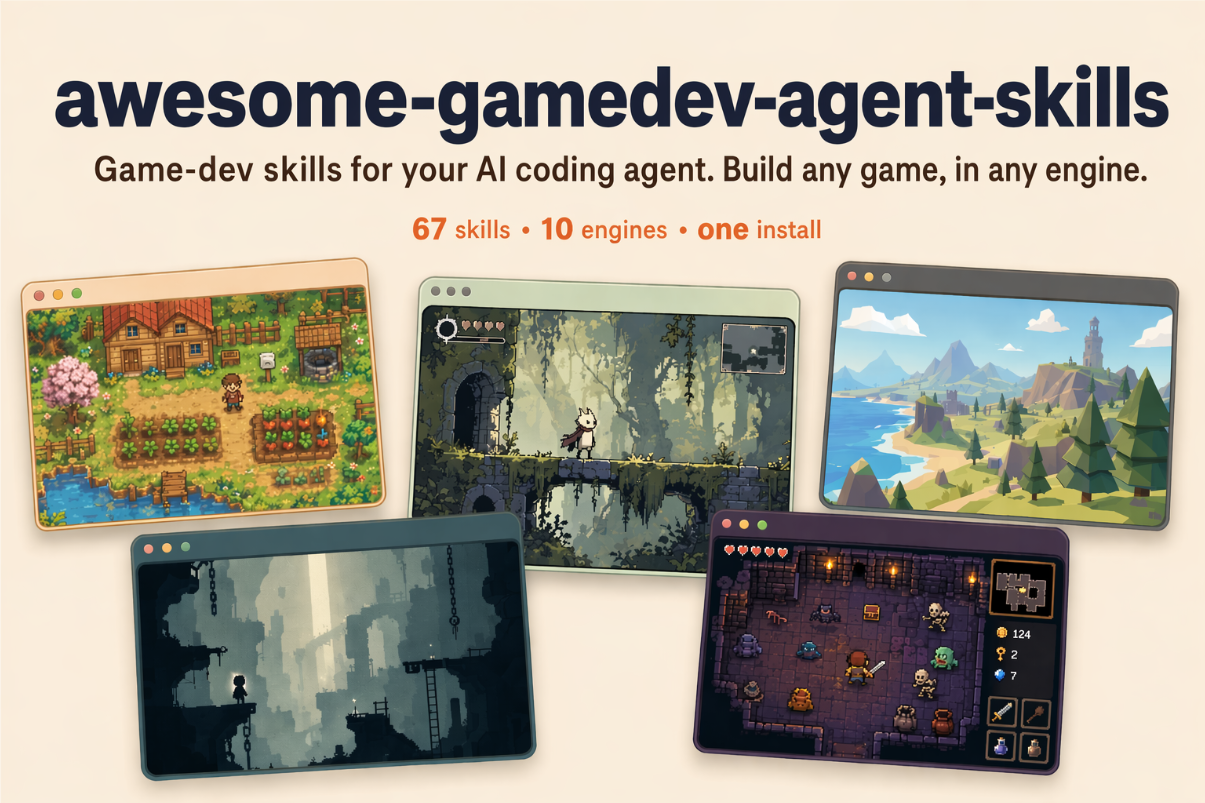
73 game-dev skills for your AI coding agent — install once, and a router loads the right skill for whatever you're building.



Agent Skills are small capability files an AI agent loads only when it needs them. This repo gives your agent 73 game-dev skills and a router that picks the right ones for you. You describe what you're building; the agent loads the matching engine and task skills before it writes code.
One command, any agent. The skills CLI detects the
coding agent you already use and installs the router plus all 73 skills into the right place:
npx skills add gamedev-skills/awesome-gamedev-agent-skills
Add --list to preview first, -g to install for every project, or -a <agent> to target a
specific tool (-a cursor, -a claude-code, -a gemini-cli, …). The same SKILL.md files load
natively in Claude Code, Cursor, Windsurf, Cline, Codex, Gemini CLI, GitHub Copilot, Kiro, and
dozens more — there's nothing to convert.
Claude Code plugin (alternative). This repo is also a Claude Code plugin marketplace, so you can install it with Claude's own commands:
claude plugin marketplace add gamedev-skills/awesome-gamedev-agent-skills
claude plugin install gamedev@awesome-gamedev-agent-skills
Building in only one engine? Install a smaller bundle — router plus your engine:
claude plugin install router@awesome-gamedev-agent-skills
claude plugin install godot@awesome-gamedev-agent-skills    # or: unity · unreal · web-engines · other-engines
Prefer to copy the files by hand, or want the exact per-tool paths? See
docs/INSTALLATION.md.
Want to read the catalog as web pages instead? Every skill, engine group, and per-agent install
path is browsable at
gamedev-skills.github.io/awesome-gamedev-agent-skills,
generated straight from the SKILL.md files in this repo.
Then just talk to your agent — see below.
Describe the task in plain language. The router figures out the skills:
| You say | Skills it loads for you |
|---|---|
| "add a double jump to my Godot player" | godot-2d-movement + platformer |
| "make an inventory for my Unity RPG" | unity-scriptableobjects + rpg + save-systems |
| "procedural dungeon roguelike in Godot" | godot-tilemap + procedural-gen + roguelike |
| "make a cohesive pixel-art player, enemies, and tiles" | create-game-assets + the detected engine importer |
| "how should I design save slots?" | save-systems |
| "publish my game on itch with butler" | itch-publish |
You never type the skill names on the right. That's the router's job.
You never name a skill. On each request the router does three things:
project.godot means Godot, a *.uproject
means Unreal, and so on. If it can't tell, it just asks.That's why "add a double jump to my Godot player" loads godot-2d-movement + platformer and
nothing else.
The full algorithm — every engine fingerprint, the task-to-skill table, and how engine,
discipline, genre, and workflow skills compose — lives in the router skill itself:
router/SKILL.md. In short: engine selection is exclusive (exactly one
engine), while disciplines, genres, and workflows are additive on top.
73 skills across 8 categories — each links to its SKILL.md below.
skills/godot/) · Godot 4.7| Skill | Scope |
|---|---|
godot-gdscript | GDScript language: typing, lifecycle, @export, signals, idioms |
godot-nodes-scenes | Scene tree, node composition, instancing, autoloads, PackedScene |
godot-signals-groups | Event-driven design with signals + groups |
godot-2d-movement | CharacterBody2D kinematic movement, move_and_slide, slopes |
godot-tilemap | TileMapLayer/TileSet: autotiling, terrain, collision/nav layers |
godot-physics | Rigid/Area/Static bodies (2D+3D), collision layers, raycasts |
godot-ui-control | Control nodes: anchors, containers, themes, focus nav |
godot-animation | AnimationPlayer, AnimationTree, Tween |
godot-shaders | Godot shading language: 2D canvas_item + 3D spatial shaders |
godot-3d-essentials | 3D nodes, cameras, lighting, environment/post, GridMap |
godot-resources | Custom Resource classes, .tres, data-driven design |
godot-audio | AudioStreamPlayer, buses, effects, sync-to-beat |
godot-multiplayer | High-level multiplayer: MultiplayerAPI, RPCs, spawner/sync |
godot-export | Export presets/templates, platform builds, headless CLI export |
godot-csharp | C#/.NET in Godot: bindings, signals as events, GDScript interop |
skills/unity/) · Unity 6.3 LTS (6000.3)| Skill | Scope |
|---|---|
unity-csharp-scripting | MonoBehaviour lifecycle, component model, coroutines, serialization |
unity-input-system | New Input System: actions, bindings, action maps, devices |
unity-physics | Rigidbody, colliders, layers, joints |
unity-animation | Animator Controllers, state machines, blend trees, humanoid IK |
unity-scriptableobjects | Data architecture with ScriptableObject |
unity-tilemap-2d | 2D Tilemap/Tile Palette, rule tiles, tilemap colliders |
unity-navmesh | AI navigation: NavMesh bake, NavMeshAgent |
unity-build-pipeline | Build/player/quality settings, code stripping, Addressables |
skills/unreal/) · Unreal Engine 5.8| Skill | Scope |
|---|---|
unreal-blueprints | Blueprint visual scripting: classes, graphs, comms, common nodes |
unreal-cpp-gameplay | C++ gameplay + Gameplay Framework (GameMode, Pawn, Controller) |
unreal-enhanced-input | Enhanced Input: Input Actions, Mapping Contexts, Modifiers, Triggers |
unreal-behavior-trees | AI Behavior Trees + Blackboard, tasks/decorators/services |
unreal-niagara | Niagara VFX: systems, emitters, modules, parameters |
unreal-packaging | Packaging/cooking projects, build configs, shipping builds |
skills/web-engines/) · Phaser 4.2 · PixiJS 8.19 · three.js r184| Skill | Scope |
|---|---|
phaser-core | Phaser 4.2 game config, Scene lifecycle, loader, cameras |
phaser-arcade-physics | Arcade Physics: bodies, velocity, colliders/overlap, groups |
pixijs-rendering | PixiJS v8 scene graph: Application, Container, Sprite, events |
threejs-scene-setup | Three.js scene/camera/renderer/animation-loop, resizing, controls |
threejs-gltf-loading | Loading glTF/GLB + skinned animation (GLTFLoader/AnimationMixer) |
threejs-materials-lighting | Materials (PBR), lights, shadows, environment maps |
skills/other-engines/) · Bevy · pygame · LÖVE · Roblox| Skill | Scope |
|---|---|
bevy-ecs | Bevy app + ECS: components, systems, queries, resources, plugins (Bevy 0.19) |
pygame-core | pygame loop, Surface/Rect, sprites/groups, events (pygame-ce 2.5.7) |
love2d-core | LÖVE load/update/draw loop, dt-driven motion, input, states (LÖVE 11.5) |
roblox-luau | Roblox Luau scripting: services, instances, client/server model |
roblox-datastores | Persistent data with DataStoreService: sessions, limits, ordered stores |
roblox-ui | Roblox UI: ScreenGui layout, responsive scaling, safe areas, gamepad/touch navigation |
roblox-networking | Remotes, server-authoritative validation, rate limiting, replication boundaries |
roblox-characters | Character lifecycle: spawn/respawn scopes, Humanoid, rigs, Animator tracks |
roblox-physics | Assemblies, constraints, collision/query policy, raycasts, forces, network ownership |
roblox-studio-workflow | Explorer-first place editing, structure preservation, multi-context Studio verification |
skills/disciplines/)Cross-engine concepts that load alongside the detected engine skill.
| Skill | Scope |
|---|---|
create-game-assets | Art direction and production pipeline for cohesive sprites, tiles, textures, icons, UI art, and 3D assets |
game-ai | NPC decision-making: FSMs, behavior trees, steering, pathfinding |
ai-behavior-trees-utility-ai | Production behavior-tree runtime (Blackboard, composites, decorators, leaves) + Utility AI (curves, considerations, evaluator) + hybrid AI |
procedural-gen | Noise, RNG, seeds, grid/dungeon/terrain generation |
dialogue-systems | Branching dialogue/narrative: nodes, conditions, variables (Yarn/Ink) |
save-systems | Serialize/restore game state: formats, slots, versioning, autosave |
audio-design | Buses/mixing, adaptive music, SFX, ducking |
shader-programming | Cross-engine shader concepts: vertex/fragment, UVs, common effects |
physics-tuning | Tuning feel: fixed timestep, mass/drag, CCD, stability, layers |
level-design | Whitebox/blockout structure, tile/grid layout, pacing |
input-systems | Input architecture: action mapping, rebinding, multi-device, buffering |
game-feel | Juice: screen shake, hit-stop, tweening/easing, squash & stretch, feedback tiers |
game-ui-ux | Cross-engine HUD/menus: anchors, resolution scaling, safe areas, focus navigation |
camera-systems | 2D follow/deadzone/look-ahead + bounds, 3D orbit/first-person, screen-shake hook |
performance-optimization | Profile-first: frame budget, CPU/GPU triage, draw calls, pooling, GC, asset budgets |
skills/genres/)Compositional templates that orchestrate engine + discipline skills; they never re-teach primitives.
| Skill | Scope |
|---|---|
platformer | 2D platformer: run/jump/coyote-time, tiled levels, hazards, goals |
roguelike | Grid/turn movement, procedural dungeons, permadeath, FOV, loot |
rpg | Stats/leveling, inventory, quests, dialogue, save/load, combat |
fps-shooter | First-person controller, camera, shooting/hitscan, enemy AI |
tower-defense | Wave spawning, lane pathing, towers/targeting, economy |
card-game | Card data, deck/hand/discard zones, play rules, turn structure |
visual-novel | Branching script, character/bg display, text box + choices, backlog |
survival-crafting | Resource gathering, inventory, crafting, needs, base building |
puzzle | Grid/board state, match/rule resolution, undo, level progression |
skills/workflows/)| Skill | Scope |
|---|---|
game-jam | Scope/plan/execute a jam build under time limits; submit |
prototype-fast | Greybox a playable vertical slice quickly; cut scope; validate the fun |
steam-publish | Steamworks onboarding: app/depots, store page, builds, release checklist |
itch-publish | Publish/update on itch.io: project page, channels, butler uploads |
Every skill here is a plain SKILL.md folder in the Agent Skills open
standard — the format Anthropic launched as Claude Skills — metadata plus a Markdown playbook the
agent reads on demand.
The same file loads natively across the ecosystem: Claude Code, Claude, Cursor, Windsurf, Cline, OpenAI Codex, Gemini CLI, GitHub Copilot, Kiro, Antigravity, VS Code, and many more. Oh My Pi (omp) reads the same format natively as well. There are no editor-specific rule files to maintain and nothing to convert.
Install with one command. The universal CLI detects your agent and writes the skills to the right place:
npx skills add gamedev-skills/awesome-gamedev-agent-skills
Or copy by hand. Drop a skill's <name>/ folder into your agent's skills directory:
| Agent | Skills directory |
|---|---|
| Claude Code | .claude/skills/ |
| Codex · Gemini CLI · GitHub Copilot · Antigravity | .agents/skills/ (shared path) |
| Cursor | .cursor/skills/ (also reads .agents/skills/) |
| Windsurf | .windsurf/skills/ |
| Cline | .cline/skills/ |
| Kiro | .kiro/skills/ |
| Oh My Pi (omp) | .omp/skills/ (also reads .agents/skills/) |
The exact per-agent paths, triggers, and the handful of optional fields that vary by agent are in
docs/COMPATIBILITY.md.
One plain-English request goes in; the minimal right skills come out, then version-pinned code. Here's the shape of a single exchange (illustrative):
> add a double jump to my player

Detected Godot (project.godot). Loading godot-2d-movement for the controller
and platformer for jump feel — skipping the other 71 skills.
extends CharacterBody2D

@export var speed := 220.0
@export var jump_velocity := -380.0
@export var max_jumps := 2

var _jumps_left := max_jumps

func _physics_process(delta: float) -> void:
    if not is_on_floor():
        velocity += get_gravity() * delta   # Godot 4.7 baseline
    else:
        _jumps_left = max_jumps

    if Input.is_action_just_pressed("ui_accept") and _jumps_left > 0:
        velocity.y = jump_velocity
        _jumps_left -= 1

    velocity.x = Input.get_axis("ui_left", "ui_right") * speed
    move_and_slide()
skills/        73 specialized skills, grouped by engine / discipline / genre / workflow
router/        the master router skill (+ references/)
docs/          authoring standard, installation, compatibility
templates/     SKILL.md template
scripts/       validate-skills.py, generate-site.py and tooling
tests/         regression tests for the validator
Contributions are welcome. Read CONTRIBUTING.md and the authoring standard
in docs/SKILL-FORMAT.md. Every skill must pass the validator and the
rubric before merge:
python scripts/validate-skills.py
awesome-gamedev-agent-skills was created and is maintained by Abhishek Barali.
Apache-2.0. See NOTICE for attribution and trademark notes.
Sign in to join the discussion.
No comments yet. Be the first to say what this is good for.
An agentic skills framework & software development methodology that works.

Turn any codebase, with its docs, SQL schemas, configs, and PDFs, into a queryable knowledge graph. A /graphify skill for Claude Code, Cursor, Codex, and Gemini CLI: local deterministic AST parsing, every edge explained, no vector store.

Topic in, narrated explainer video out. A Claude Code / Codex skill that turns any topic into a black-canvas motion-graphics explainer video with TTS voiceover, subtitles and a chapter progress bar. Chinese or English; every frame drawn in code with Remotion.
Public repository for Agent Skills
Open-source AI job search: scan job portals, evaluate listings into a structured A-H report with a global 1-5 score, tailor your CV, track applications — runs locally in your AI coding CLI (Claude Code, Codex, OpenCode, Antigravity…)

Production-grade engineering skills for AI coding agents.