
obra/
superpowers

obra/superpowersSkills
An agentic skills framework & software development methodology that works.
285k
1 add
sprite-gen turns one still image into game-ready sprite assets. It drives a state-row pipeline that generates poses, removes chroma backgrounds into real alpha, extracts transparent frames, and composes a runtime atlas with frame layout metadata. It also supports transparent motion loops from video and a curation view for reviewing the final motion before baking.
Builders who use Claude Code or Codex to produce sprite sheets, animation atlases, and motion loops from a single image.
You can get clean sprite frames and a runtime atlas without manually fixing drift, background bleed, or grid layout.
Runs a row-by-row pipeline from one base image into named sprite states and poses.
Removes chroma backgrounds and bakes true transparency into the extracted frames.
Cuts each pose into clean transparent frames that stay aligned to the subject grid.
Builds `sprite-sheet-alpha.png` and `manifest.json.frame_layout` for engine use.
Turns one still image into seamless transparent motion loops for each state.
Lets you compare, reject, nudge, and preview loops before final export.
Produces deterministic color variants and rig layer composites, including Aseprite exports.
# install (Pillow, NumPy) into a fresh virtualenv — the venv is the only supported interpreter
python3 -m venv .venv && source .venv/bin/activate
pip install -e .
sprite-gen --help
sprite-gen video-set --base side=still.png --states idle,walk,run,jump,attack --out-dir set/
# per item: video-canvas → video → video-frames → video-loop; set/table.md names every result
sprite-gen cutout icon.png --white-check              # white/ivory → matte, magenta/green → chroma engine
sprite-gen slice-sheet --sheet sheet.png --chroma-key magenta --grid 3x2   # multi-figure sheet → per-cell cuts
sprite-gen unpack-atlas --atlas sheet.png             # finished atlas → curator-ready run (or --pngs-dir folder/)
sprite-gen recolor-palette --base <run>/sprite-sheet-alpha.png --out palette.draft.json
sprite-gen recolor --run-dir <run> --spec recolor.spec.json      # → <run>/variants/
sprite-gen compose-layers --run-dir <run>                        # rig runs: declared stacks → <run>/layers/
sprite-gen export-aseprite --run-dir <run>                       # Aseprite JSON for Phaser / Flame
python3 ~/.codex/skills/.system/skill-installer/scripts/install-skill-from-github.py \
  --repo aldegad/sprite-gen --path . --name sprite-gen
One drawing in. Game-ready sprites out — as an atlas, or as transparent motion loops.
English · 한국어 · 日本語 · 简体中文 · Español · Français
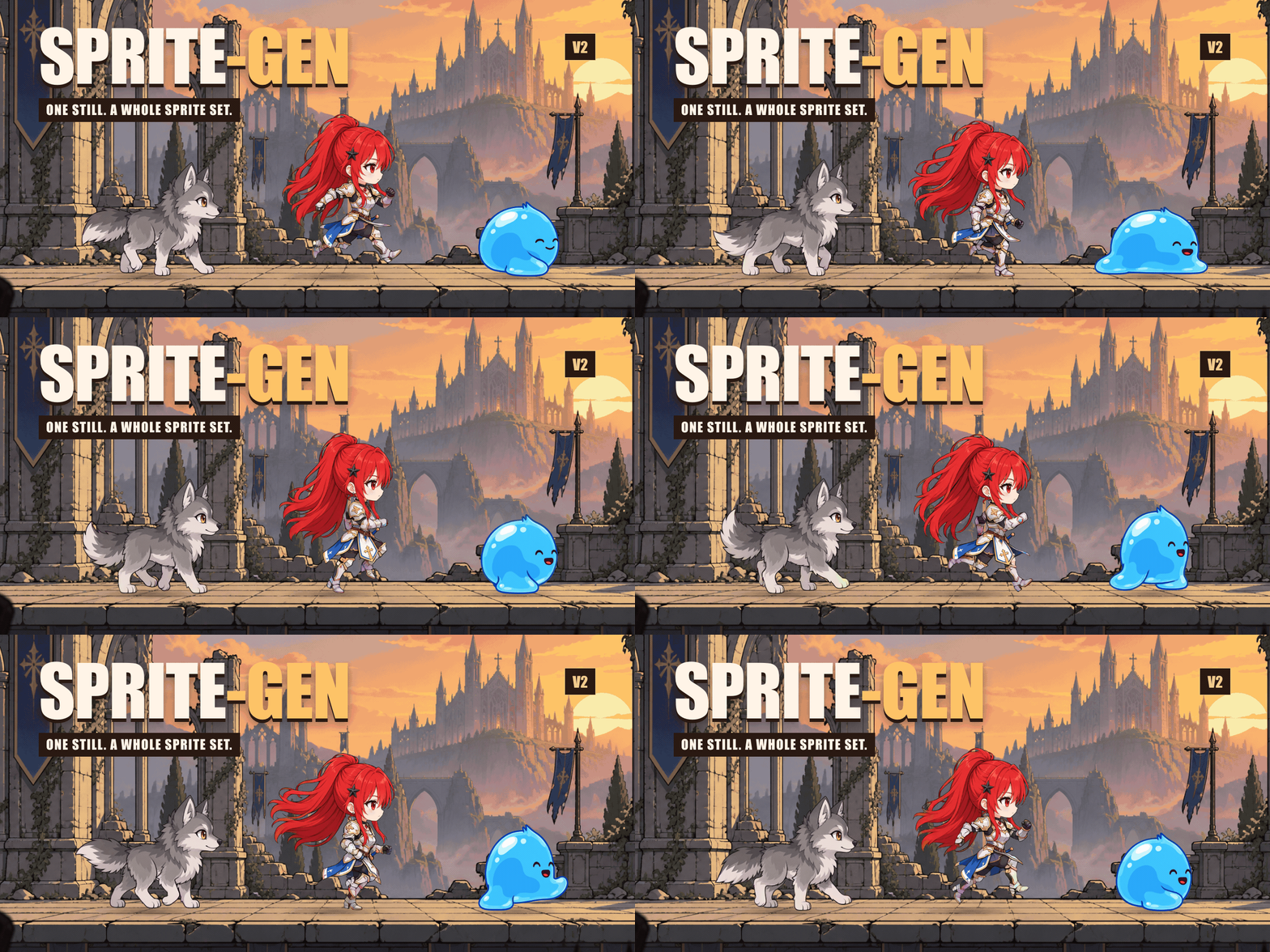
Each character started as one still image. Grok Imagine brought it to life; sprite-gen extracted the transparent loops, and HyperFrames assembled this showcase.
Ask an image model for a "sprite sheet" and you know what you get: a character whose face changes every frame, a background that won't key out, poses that overlap and drift off-grid, and a PNG your game engine can't actually consume. Cute demo, useless asset.
sprite-gen is a Codex/Claude skill and a Python CLI that closes that gap. Give it one base image — it drives generation row by row, locks the character's identity, strips the chroma background to real alpha, extracts each pose as a clean transparent frame, and bakes a runtime atlas with a machine-readable manifest.json.frame_layout. Or hand the same still to a video model and get back a seamless, transparent loop per motion state. For the last 10% that generation never gets right, a curation webview lets you compare, reject, nudge and watch the loop live before you bake.
Ask for sprites or an image. The agent checks access, asks only for missing provider/motion choices, runs the existing pipeline, and delivers the files. The curation view is optional. Save your choices once to reuse separate sprite and image defaults; a one-off request does not overwrite them. User workflow and defaults.
Every verb works alone or as a pipeline stage. sprite-gen --help prints this same map, with every verb grouped by domain.
flowchart LR
    subgraph A["A · atlas rows"]
        direction LR
        a1[prepare] --> a2["gen · gen-set"] --> a3[extract] --> a5[compose-atlas]
        a5 -.-> a4["curation (optional)"]
        a4 --> a5
    end
    subgraph B["B · video → loop"]
        direction LR
        b1[video-canvas] --> b2[video] --> b3[video-frames] --> b4[video-loop]
    end
    subgraph C["C · utilities"]
        direction LR
        c1[cutout] ~~~ c2[slice-sheet] ~~~ c3[unpack-atlas]
    end
    subgraph D["D · post-processing"]
        direction LR
        d1[recolor] ~~~ d2[compose-layers] ~~~ d3[export-*]
    end
| Pipeline | What goes in → what comes out | Docs |
|---|---|---|
| A · atlas rows | one still + a list of states → sprite-sheet-alpha.png + manifest.json.frame_layout, with Breathe baked on idle poses | run-contract · breathing |
| B · video → loop | one still → per state, a seamless transparent GIF / WebP / strip, animated by Grok Imagine and cut at its true period | video-pipeline · video |
| C · utilities | an imported image or grid sheet → clean transparent cuts; a finished atlas → a curator-ready run | sheet-slicing · curation |
| D · post-processing | a finished sheet → deterministic colourways, rig layer composites, Aseprite / Phaser / Flame exports | recolor · layer-tracks · engine-export |
Full index: docs/README.md. Architecture with domain and pipeline diagrams: docs/architecture.md.
sprite-sheet-alpha.png) — real alpha, no leftover chroma fringe, verified against white backgrounds (why the extractor unmixes instead of peeling).manifest.json.frame_layout) — absolute frame rectangles, per-state fps and loop flags. Your engine samples rectangles; it never guesses a grid.recolor bakes N variant sheets from a palette map; same input, same output bytes (details).# install (Pillow, NumPy) into a fresh virtualenv — the venv is the only supported interpreter
python3 -m venv .venv && source .venv/bin/activate
pip install -e .
sprite-gen --help
A · atlas rows — one still to a runtime atlas.
sprite-gen prepare --out-dir <run> --character-id <id> --base-image base.png   # request, guides, prompts
sprite-gen gen-set --run-dir <run> --provider codex                            # every state row, 4 at a time
sprite-gen extract --run-dir <run>                                             # chroma → transparent frames
sprite-gen compose-atlas --run-dir <run>                                       # sprite-sheet-alpha.png + manifest.json
sprite-gen curation --run-dir <run>                                            # (optional) pick, nudge, breathe
B · video → loop — one still to transparent loops (needs ffmpeg, img2webp, and your own grok login or XAI_API_KEY).
sprite-gen video-set --base side=still.png --states idle,walk,run,jump,attack --out-dir set/
# per item: video-canvas → video → video-frames → video-loop; set/table.md names every result
C · utilities — each stands alone.
sprite-gen cutout icon.png --white-check              # white/ivory → matte, magenta/green → chroma engine
sprite-gen slice-sheet --sheet sheet.png --chroma-key magenta --grid 3x2   # multi-figure sheet → per-cell cuts
sprite-gen unpack-atlas --atlas sheet.png             # finished atlas → curator-ready run (or --pngs-dir folder/)
D · post-processing — refine a finished sheet without regenerating.
sprite-gen recolor-palette --base <run>/sprite-sheet-alpha.png --out palette.draft.json
sprite-gen recolor --run-dir <run> --spec recolor.spec.json      # → <run>/variants/
sprite-gen compose-layers --run-dir <run>                        # rig runs: declared stacks → <run>/layers/
sprite-gen export-aseprite --run-dir <run>                       # Aseprite JSON for Phaser / Flame
The agent-facing workflow, gates and contracts live in SKILL.md.
python3 ~/.codex/skills/.system/skill-installer/scripts/install-skill-from-github.py \
  --repo aldegad/sprite-gen --path . --name sprite-gen
Image generation is part of this engine (sprite_gen.gen, providers codex and grok; the general image-gen skill is a thin shuttle over it). Video uses your own credential — the grok CLI login or an XAI_API_KEY — and nothing is shipped with the repo (docs/video.md).
sprite-gen supports CPython 3.10+; CI runs 3.10 and 3.14. The quickstart needs a Python with working venv/ensurepip.
The component-row workflow is inspired by the Apache-2.0 licensed hatch-pet skill, but targets generic game sprite atlases and includes no pet packages or pet visual assets.
Community contributions, experiments, and their originating pull requests are documented in CONTRIBUTORS.md.
Apache-2.0
Sign in to join the discussion.
No comments yet. Be the first to say what this is good for.
An agentic skills framework & software development methodology that works.

Turn any codebase, with its docs, SQL schemas, configs, and PDFs, into a queryable knowledge graph. A /graphify skill for Claude Code, Cursor, Codex, and Gemini CLI: local deterministic AST parsing, every edge explained, no vector store.

Topic in, narrated explainer video out. A Claude Code / Codex skill that turns any topic into a black-canvas motion-graphics explainer video with TTS voiceover, subtitles and a chapter progress bar. Chinese or English; every frame drawn in code with Remotion.
Public repository for Agent Skills
Open-source AI job search: scan job portals, evaluate listings into a structured A-H report with a global 1-5 score, tailor your CV, track applications — runs locally in your AI coding CLI (Claude Code, Codex, OpenCode, Antigravity…)

Production-grade engineering skills for AI coding agents.